
Summary
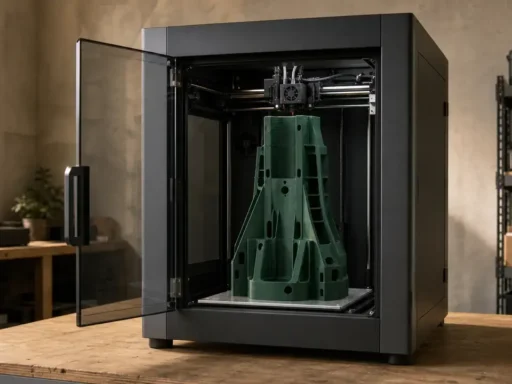
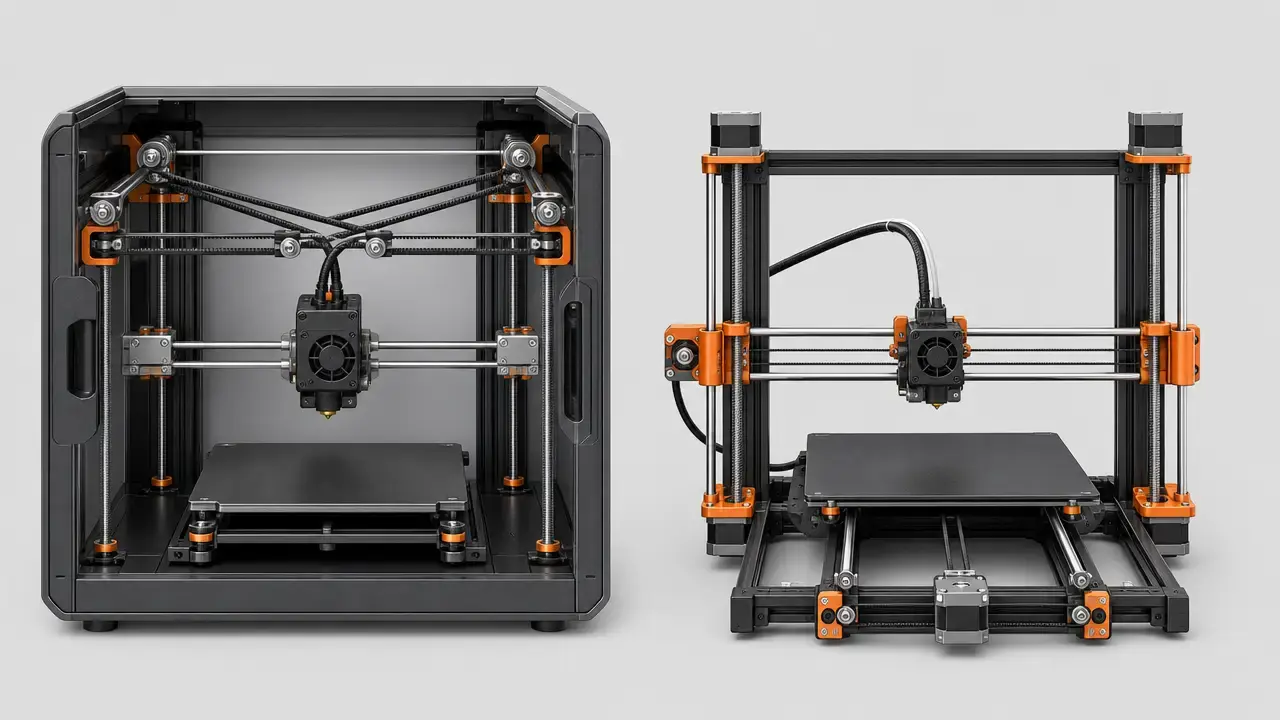
For most buyers comparing the prusa core one vs mk4s, the better pick is the Prusa CORE One+ (Gen 2) if you want an enclosed platform, more Z height, and a workflow better suited to ABS, ASA, PC, and PA jobs. The MK4S still makes more sense if you value lower weight, easier all-around access, and a simpler open-frame machine for mostly PLA and PETG work. [S1] [S2]
A naming note matters here. Prusa’s current official product page calls the newer machine the Prusa CORE One+ (Gen 2), while “Core One” remains the common shorthand and search term. Gen 2 also matters because Prusa says the refresh adds GT1.5 belts, an integrated nozzle wiper, redesigned heatbed mounting, a snap-on top panel, and shorter waiting before printing starts, especially for lower-bed-temperature materials. This is not a simple “old vs new” story or a universal “CoreXY beats bedslinger” story. It is a choice between two Prusa machines that share much of the same software ecosystem but diverge in enclosure behavior, mass, maintenance feel, and materials reliability at part scale. [S1] [S2] [S7]
Quick verdict
- Choose the CORE One+ (Gen 2) if your real upgrade target is an integrated enclosure, a stated 55 °C maximum chamber temperature, and more reliable day-to-day handling of engineering materials and taller parts. [S1] [S5]
- Choose the MK4S if you mostly print PLA or PETG, want easier line-of-sight to the first layer, and prefer a much lighter machine that is easier to move and service from all sides. [S2]
- Convert an MK4S to CORE One+ only if you already own an MK4S, accept rebuild downtime, and have verified that the silver PSU blocker does not apply to your printer. [S3]
- Do not decide by Benchy time alone, because the best-known MK4S numbers mix Prusa-supplied presliced demo files with reviewer self-sliced tests, and available CORE One review data may predate Gen 2. [S7] [S19] [S20]
- Verify current regional pricing and availability before buying, because Prusa’s store presentation is region-sensitive and the conversion-kit page showed $569 specifically on August 31, 2026. [S3]
Key Specs Compared
Specs are a starting point, not a performance guarantee. A listed layer-height range is a capability range, not a dimensional-accuracy promise. A listed chamber temperature is a stated maximum, not proof of uniform temperature everywhere in the chamber. And a motion-system label by itself does not settle speed, quality, or noise. One easy-to-miss constant: both printers use 1.75 mm filament, so feedstock diameter is not a meaningful differentiator here. [S1] [S2] [S5]
| Category | CORE One+ (Gen 2) | MK4S | Why it matters |
|---|---|---|---|
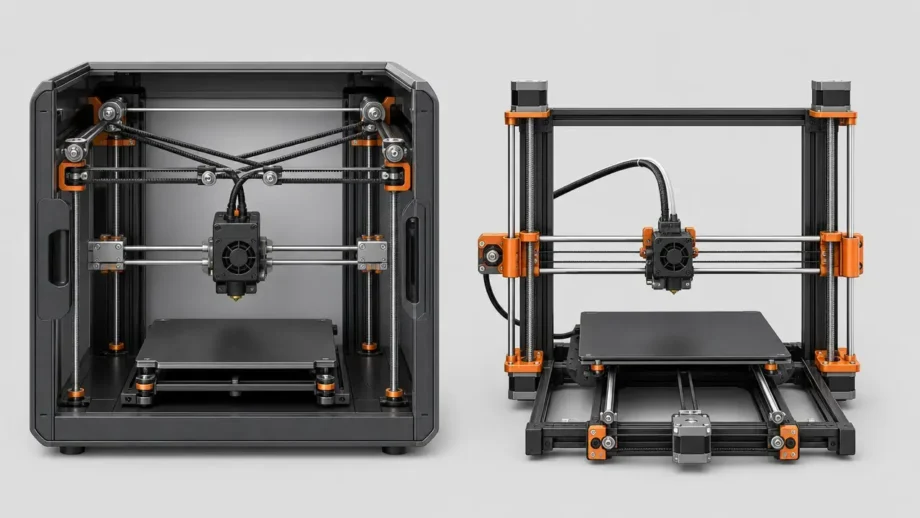
| Motion system | CoreXY | Cartesian | Different moving-mass behavior changes how each machine approaches speed and part handling. |
| Build volume | 250 × 220 × 270 mm | 250 × 210 × 220 mm | CORE One+ gains Z height and a little Y depth. |
| Dimensions / weight | 415 × 444 × 555 mm; 22.5 kg | 500 × 550 × 400 mm; 7 kg | The CORE One+ is denser and much heavier; the MK4S is easier to lift and reposition. |
| Enclosure / chamber | Integrated enclosure; max chamber temp 55 °C | Chamber temperature control: No; max chamber temp 45 °C in the Enclosure | This is the biggest practical materials difference. |
| Nozzle / bed max temps | 290 °C nozzle; 120 °C bed | 290 °C nozzle; 120 °C bed | Hotend and bed limits are similar; the chamber setup is the bigger separator. |
| Layer-height range | 0.05–0.30 mm | 0.05–0.30 mm | Capability range only, not an accuracy spec. |
| Input Shaper | Yes | Yes | Both have resonance-compensation support. |
| Phase Stepping | Official comparison currently lists: Yes | Official comparison currently lists: No | Treat this as current documentation wording, not a blanket outcome guarantee. |
| Price | Regional store pricing varies; not fixed in this brief | Regional store pricing varies; not fixed in this brief | Conversion kit page showed $569 on 2026-08-31; verify current regional pricing. |
Derived build volume from manufacturer dimensions is 14.85 L for the CORE One+ and 11.55 L for the MK4S, a 28.57% increase on paper. That figure is transparent math from the published envelopes, not a promise of 28.57% more practical capacity for warp-prone materials. [S1] [S2]
The factual values in the first three table columns come from Prusa’s current product, comparison, handbook, and conversion-kit pages. The Input Shaper row reflects Prusa documentation for both printer families, and the Phase Stepping row reflects the current official comparison wording. [S1] [S2] [S3] [S4] [S5] [S8]
What Actually Differs
The real buying decision is not which printer is “best,” but which set of tradeoffs matches your work. In ISO/ASTM language, both machines belong to additive manufacturing in the material-extrusion family. In plain workshop terms, this is an enclosed CoreXY platform versus an i3-style Cartesian bedslinger. That shorthand only becomes useful when you connect it to chamber behavior, part size, bench footprint, and daily maintenance. [S15] [S17] [S1] [S2]
For this comparison, the differences that actually drive outcomes are kinematics, enclosure behavior, physical size and mass, and the gap between “this filament can extrude” and “this filament prints reliably at useful size.” Those are the factors most likely to affect buyer fit, especially for educators, print-farm operators, and owners considering an MK4S-to-CORE-One conversion. [S1] [S2] [S3] [S5]
CoreXY vs Bedslinger
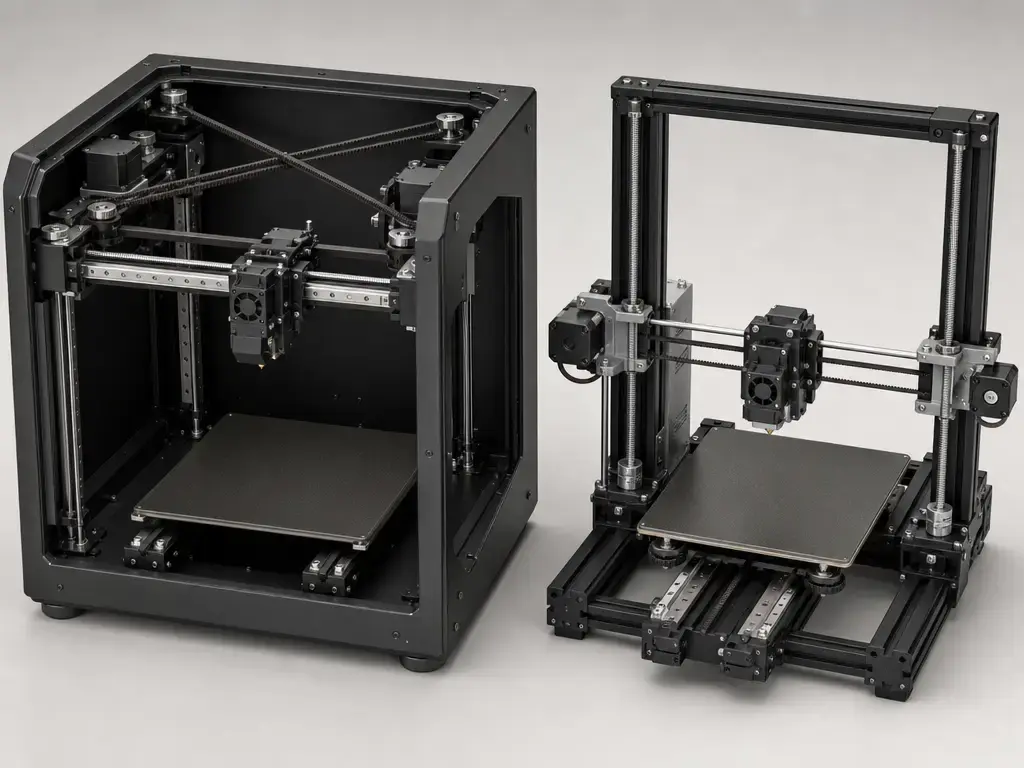
A CoreXY printer moves the toolhead in X and Y through a belt-driven gantry while the motors stay fixed to the frame. On the CORE One+, Prusa’s own comparison table identifies the machine as CoreXY. In practical terms, the bed is not doing the main front-back motion work during printing, so the moving mass in XY differs from an i3-style machine. That can help at higher accelerations, but it is only one part of the system. [S1]
The MK4S is the familiar i3-style Cartesian bedslinger. Prusa’s current comparison identifies it as Cartesian, and the design keeps the machine physically open and accessible. A bedslinger is not obsolete by definition. It remains a sensible architecture when simplicity, visibility, and service access matter more than enclosure integration, especially if your work is dominated by PLA and PETG rather than larger ABS or PA parts. [S1] [S2]
The main caveat is simple: CoreXY is not automatically faster or better. Final print behavior is shaped by frame stiffness, belt path, cooling, melt capacity, firmware, part geometry, and resonance control. Both printer families support Input Shaper, which Prusa describes as a resonance-reduction feature intended to cut ghosting and enable faster motion. So if you want to compare the prusa core one vs mk4s fairly, treat kinematics as one variable in a larger system, not a one-line verdict. [S8] [S1] [S2]
Enclosed vs Open-Frame 3D Printer
This is where the comparison becomes concrete. Prusa currently lists the CORE One+ as having active chamber heating up to 55 °C, but the handbook is the important clarifier: the chamber is designed to heat up to 55 °C using only the heatbed, with no additional heating elements. The handbook also says PLA and PETG printing uses the top ventilation grille plus fans to maintain airflow and the correct chamber temperature with the door closed. So “active” here should be read as managed airflow and vent behavior around heat generated by the printer, not as a dedicated chamber heater in the industrial sense. A stated 55 °C maximum chamber temperature is also not the same as a documented promise of uniform temperature everywhere inside the build space. [S1] [S5] [S6]
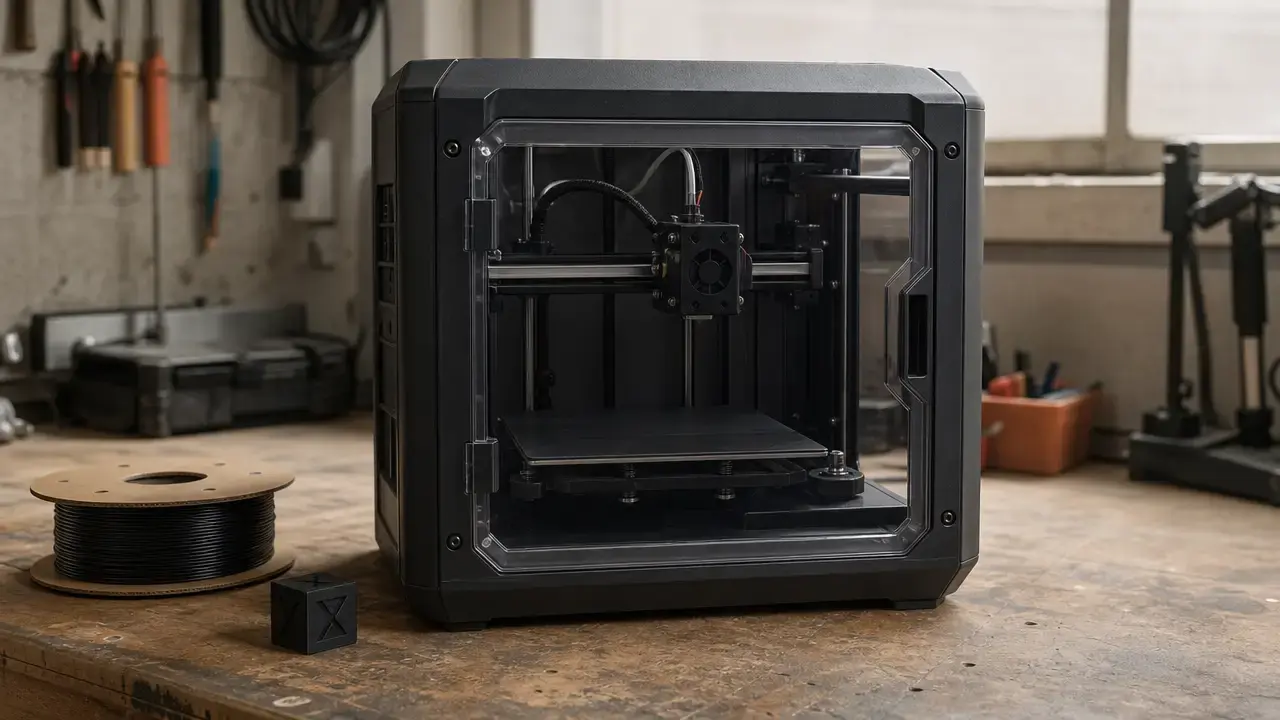
The MK4S remains fundamentally open-frame. Its product page and comparison material say chamber temperature control is No, while also listing a maximum chamber temperature of 45 °C in the Enclosure. That wording matters. It means the MK4S can be used in enclosed workflows, but the enclosure is an add-on context rather than an integrated thermal system. The upside is easier access, simpler first-layer observation, and a cooling-friendly environment for common filaments. The tradeoff is that engineering-material performance depends more heavily on the enclosure setup and job scale. An enclosure is also not an emissions off-switch: research on material extrusion reports both UFP and VOC emissions, with results varying by printer, temperature, speed, filament, brand, color, and additives. [S2] [S22]
Material implications (practical)
- PLA: Both machines are comfortable here, but PLA generally wants cooling rather than chamber heat, so the MK4S’s open frame remains a sensible default and the CORE One+ relies on venting and fan management for low-temperature work. [S2] [S5]
- PETG: Similar story, though PETG is less cooling-sensitive than PLA; enclosure heat is not the main reason to choose the CORE One+, but tighter environmental control can still help consistency on larger parts. [S5] [S2]
- ABS / ASA: This is where enclosure behavior matters much more because both materials are warp-prone, and Prusa’s material guides call for enclosure use in practical terms. Ventilation still matters because styrenic materials carry emissions concerns. [S9] [S10] [S22]
- PC / PA / composites: The nozzle can reach the temperatures, but reliable larger prints depend on heat retention, drying, and abrasion management. PA is hygroscopic, pure PA can warp, and fiber-filled materials may need a hardened nozzle. [S11] [S12] [S13] [S14]
- TPU / Flex: Both printers officially list Flex among supported materials, but chamber heat is usually less important than smooth feeding, spool handling, and the ability to monitor extrusion behavior. Prusa’s current CORE One+ pages also highlight easier flexible-material loading. [S1] [S2]
Materials: Extrudable vs Reliable for Large Parts
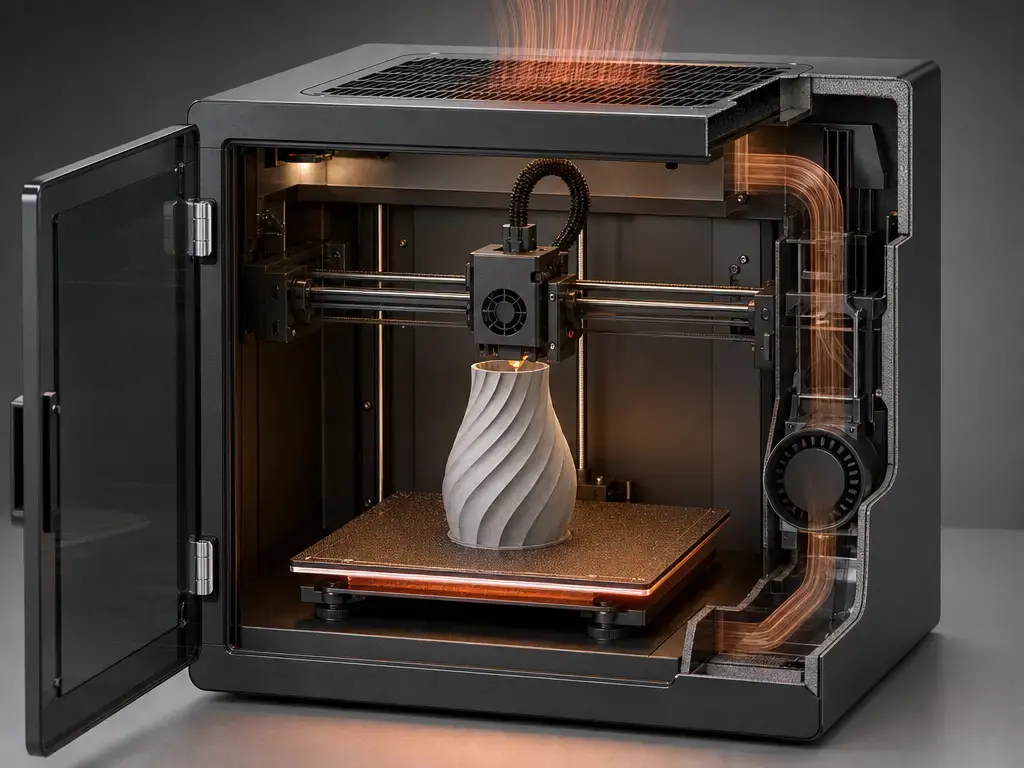
This is the most useful distinction in the whole comparison. A printer can be hot enough to extrude a filament and still be a poor fit for that filament once part size grows or geometry becomes stress-prone. In material-extrusion AM, feedstock behavior matters independently of the motion platform: warping, shrinkage, moisture pickup, and adhesion all sit between “the nozzle melted it” and “the part printed reliably.” That is why this article separates material compatibility from reliable large-part workflow. [S15] [S17] [S9] [S10] [S12]
ABS, ASA, and PC show the distinction clearly. Prusa’s ABS guide says shrinkage is usually around 1–2% after cooling, recommends a 255 °C nozzle, and suggests 80–110 °C bed temperatures depending on object size, with an enclosure required in practice. ASA is similarly warp-prone, with Prusa listing 260 °C nozzle, 105 °C first-layer bed, 110 °C for other layers, and noting that an enclosure is necessary for large parts. PC pushes nozzle and bed demands higher again, at 275 °C nozzle and 110/115 °C bed guidance. None of those numbers guarantee success by themselves. They mainly show that hotend temperature is only one piece; ambient stability and part geometry decide whether the job behaves like a test coupon or a failed enclosure-sized print. [S9] [S10] [S11]
PA and filled materials add two more complications: moisture and wear. Prusa’s PA guide lists 285 °C nozzle and 110 °C bed, warns that polyamide is hygroscopic, and says high ambient temperature helps because pure PA tends to warp. The same guide also notes that carbon-fiber-filled PA can warp less than unfilled versions. For composites more broadly, Prusa warns that carbon, glass, and kevlar-filled filaments are highly abrasive, and its nozzle guide points users toward hardened options for abrasive materials. So “prints composites” only means something if you also specify drying workflow, nozzle choice, and the size of the part you expect to print reliably. [S12] [S13] [S14]
| Material | What the guide says | Main failure mode | What to verify |
|---|---|---|---|
| ABS | 255 °C nozzle; 80–110 °C bed; enclosure required | Warping and shrinkage after cooling | Enclosure, bed temp, ventilation |
| ASA | 260 °C nozzle; 105/110 °C bed; enclosure necessary for large parts | Warping | Enclosure, ventilation, part size |
| PC | 275 °C nozzle; 110/115 °C bed | Warping and setup sensitivity | Chamber stability, adhesion, profile |
| PA | 285 °C nozzle; 110 °C bed; hygroscopic; enclosure/high ambient helps | Moisture pickup and warping | Dryer, storage, ventilation |
| Filled composites | Abrasive; hardened nozzle advised | Nozzle wear | Hardened nozzle, drying, profile |
The mini-table is a synthesis of Prusa’s material and nozzle guidance rather than a universal pass/fail chart. It is most useful as a pre-buy checklist for the jobs you actually run. [S9] [S10] [S11] [S12] [S13] [S14]
Print Quality and Speed in Practice
“Speed” is one of the noisiest terms in desktop 3D printing. A printer can have aggressive motion settings and still take longer on real parts if cooling, extrusion flow, or material limits force conservative profiles. That is why print time matters more than isolated axis numbers, and why volumetric flow, resonance control, and profile tuning belong in the same conversation. Both the CORE One family and the MK4S support Input Shaper, so you should not reduce this comparison to kinematics alone. [S8] [S19] [S20]
The cleanest way to compare evidence is to sort it by class. Manufacturer-presliced demo files are useful for showing what the platform can do under curated conditions. Reviewer self-sliced tests are better for showing what an informed outsider gets with public-facing settings. Controlled benchmark models are best when the setup is clearly defined and repeated. Anecdotal user claims can be interesting, but they are weak evidence unless the method is spelled out. This matters in the prusa core one vs mk4s discussion because the most-cited MK4S “fast Benchy” numbers mix official demo files and reviewer-generated tests, while widely referenced CORE One review timings come from hardware that may not match the current Gen 2 specification. [S7] [S19] [S20]
Tom’s Hardware gives a useful example. In its MK4S review, the USB stick included Prusa-supplied presliced models such as an eight-minute “Bonker’s Benchy” and a 14-minute Speed Boat Race Benchy, while the reviewer’s own self-sliced Speed Benchy came out at 19 minutes. Tom’s CORE One review was updated on December 7, 2025, and is still useful as independent context, but it is potentially pre-Gen-2 for hardware behavior. Use those numbers as examples of methodology differences, not as a winner board. In the current source set, no independent controlled Gen 2 benchmark directly matching CORE One+ (Gen 2) against MK4S was found. [S7] [S19] [S20]
| Evidence class | Example in this article | What it’s good for | What it’s not |
|---|---|---|---|
| Manufacturer presliced demo | MK4S eight-minute and 14-minute Benchy files | Showing curated capability | A neutral apples-to-apples comparison |
| Reviewer self-sliced | MK4S 19-minute Speed Benchy | Showing reviewer-obtained results | Proof of absolute platform superiority |
| Independent review context | CORE One review timing examples | Real-world context and caveats | A controlled Gen 2 head-to-head |
| Anecdotal user claims | Forum and social chatter | Spotting patterns to investigate | Reliable benchmarking data |
The evidence table is a comparison method, not a data source by itself. It is here to keep readers from comparing a presliced showroom file against a reviewer’s standard-profile print and calling that rigorous. [S19] [S20]
Print Quality, Accuracy, and Measurement Discipline
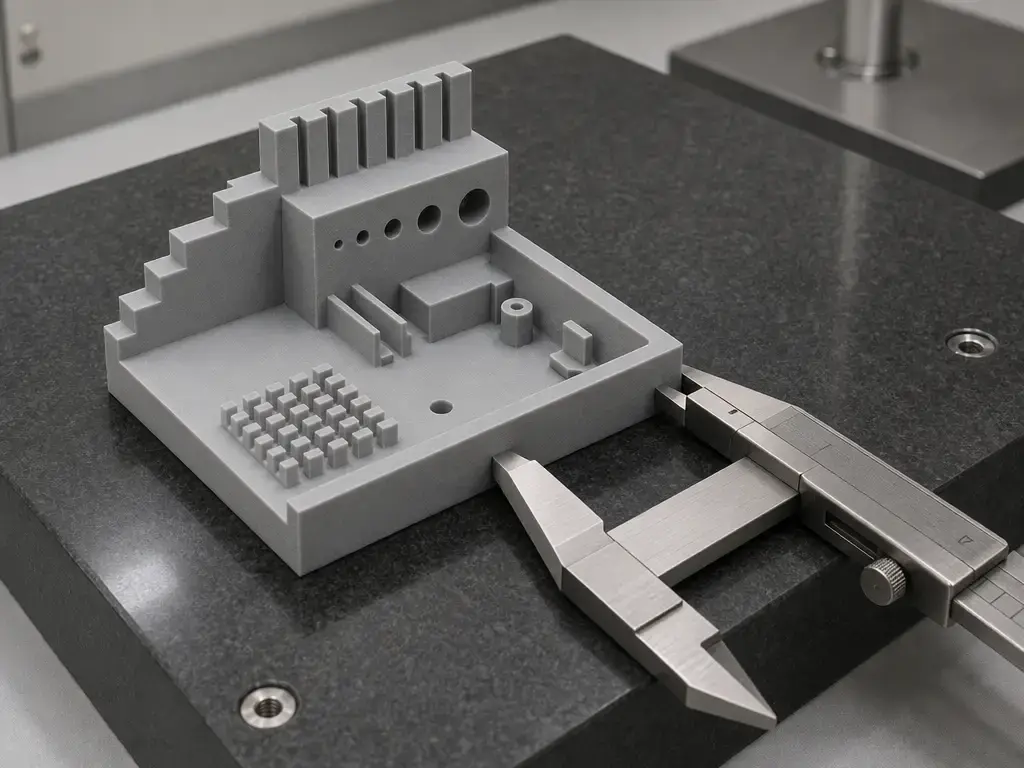
This article does not assign a shared “± accuracy” figure to either printer because that would be sloppy metrology. NIST’s terminology guidance says accuracy is a qualitative concept and should not have numbers casually attached to it; numbers belong with uncertainty, not with vague marketing shorthand. ISO/ASTM 52902 is the right frame for comparing additive-manufacturing system geometry, because it describes benchmark artefacts and the quantities or qualities to measure while explicitly not dictating the exact measurement method. So a serious comparison needs at least four things: a defined artefact, a stated print setup, a stated measurement method, and an uncertainty-aware reporting scheme. Without that, “±0.1 mm accuracy” is folklore, not evidence. Layer-height range does not solve this, because a 0.05–0.30 mm capability range is about printable layer settings, not a blanket dimensional statement. In the current shared source set, no reliable, directly comparable dimensional-accuracy tolerance figure was found for both printers under the same method. [S16] [S18] [S1] [S2]
Independent quality context is still useful when labeled correctly. All3DP reported that the CORE One trailed the MK4S on some PLA overhang tests, noting imperfect results at 70º and issues beginning at 60º on one side, while also framing the difference as close rather than catastrophic. That is a useful caution against assuming that CoreXY plus enclosure automatically produces better PLA geometry. It is not a general verdict, because material, cooling, profile, and hardware generation all matter. [S21]
Running Costs
The biggest running-cost drivers here are not speculative electricity math. They are failed parts, nozzle wear, drying workflow, print sheets, and the amount of bench space and handling effort your setup requires. If your work stays in PLA and PETG, the two printers can look fairly similar on consumables. Once you move into PA, PC, ABS, ASA, or filled composites, the cost of a failed large part rises faster than the cost of a small test piece, and the cost of keeping material dry starts to matter more. [S1] [S2] [S9] [S10] [S11] [S12]
Abrasive materials are the clearest example. Prusa says carbon-, glass-, and kevlar-filled filaments are highly abrasive, and its nozzle guidance recommends hardened solutions for abrasive use. PA is also hygroscopic, so storage and drying are ongoing workflow costs, not one-time setup costs. If you already own an MK4S, the $569 conversion-kit snapshot captured on August 31, 2026 can change the math, but only after you account for rebuild downtime and whether an integrated enclosure actually fixes a real bottleneck in your work. [S3] [S12] [S13] [S14]
Ecosystem and Software
One reason this comparison is less disruptive than switching brands is the amount of ecosystem overlap. Prusa’s current pages position both machines inside the same broader software stack, including PrusaSlicer, Prusa Connect, and the mobile app. That means the biggest differences are hardware behavior and workflow feel, not slicer culture shock. [S1] [S2]
For owners already inside the Prusa workflow, that continuity lowers switching friction. Files, profiles, remote monitoring habits, and firmware-update paths stay familiar even when the hardware format changes from open-frame Cartesian to enclosed CoreXY. The CORE One+ product page also explicitly says the CORE One+, MK4S, and CORE One L share the same Prusa ecosystem, firmware, and slicer, with differences centered on size, enclosure, and use case. [S1] [S2]
Gen 2’s integrated nozzle wiper and snap-on top panel push the CORE One+ a little further toward lower-friction enclosure use, but they do not change the basic fact that enclosed access feels different from open-frame access. [S7]
Workflow, Maintenance, and Access
Daily workflow often matters more than benchmark screenshots. Two printers can produce similar-looking parts on easy materials while feeling very different to load, watch, clean, and recover after a messy start. [S1] [S2]
The MK4S gives you open visibility and reach almost everywhere, which is useful for first-layer checks, quick nozzle inspection, and simply seeing what the printer is doing without a door or top panel in the way. The CORE One+ trades some of that immediacy for a more controlled environment. Gen 2 helps by adding the integrated nozzle wiper and the snap-on top panel that Prusa says removes in seconds without tools, so routine cleaning and access are less fussy than on earlier configurations. But the basic tradeoff remains: an enclosure is great when you want containment and thermal stability, and less great when you want instant hand access from every angle. [S2] [S7]
The same logic applies to ownership decisions around conversion. The MK4S-to-CORE-One path is a kit-based rebuild, not a menu option. If your current printer is actively earning money or serving a classroom, turning one working machine into another can create more operational friction than simply keeping the MK4S as-is or adding a second printer later. Conversion makes the most sense when you specifically want the enclosed platform and can tolerate the downtime and hands-on rebuild effort. [S3]
MK4S to CORE One+ Conversion
The hard blockers are clear. Prusa’s conversion-kit page says the kit is compatible with the MK4S only, and that the silver PSU is not compatible. Those two lines should sit at the top of every upgrade decision tree, because they matter more than any abstract discussion of CoreXY benefits. If your machine fails either test, the conversion path is not the easy answer. [S3]
The economics should stay simple. The conversion-kit page showed $569 on August 31, 2026, but that is a dated snapshot, not a timeless global price. More importantly, the question is not just “Is the kit cheaper than a new printer?” It is also “Do I want to surrender one working MK4S during the rebuild in order to end up with one enclosed CoreXY machine?” For some owners, that is exactly right. For others, especially farms or classrooms that value printer count, preserving the existing machine has more operational value than chasing the cheapest path to enclosure integration. [S3] [S4]
| Your situation | Convert | Buy separate printer | Notes |
|---|---|---|---|
| You own an MK4S, print mostly PLA/PETG, and like the current workflow | No | Usually no | Little reason to rebuild for theory alone. |
| You own an MK4S and regularly fight ABS/ASA/PA jobs | Yes, maybe | Maybe | The enclosure benefit is real if that is the true bottleneck. |
| You need two printers available during the week | Usually no | Yes | Conversion temporarily removes one machine from service. |
| Your printer has the silver PSU | No | Yes | Official blocker. |
| You want enclosure benefits but hate rebuild projects | No | Yes | Buying complete may be the lower-friction route. |
The matrix is a planning tool, not a calculator. Its purpose is to keep compatibility and downtime ahead of impulse-upgrade logic. [S3] [S4]
Who Should Buy Which
For PLA and PETG makers, classrooms, and maintenance-first users, the MK4S is still a strong fit. Its 7 kg weight, open-frame accessibility, and simpler observational workflow are not flashy specs, but they matter in real use. For prototyping teams or hobbyists who regularly step into ABS, ASA, PC, or PA, the CORE One+ (Gen 2) is the more coherent machine because the enclosure and managed chamber behavior solve a real workflow problem rather than adding one more accessory around the printer. For existing MK4S owners, the best answer depends on whether you are trying to fix a genuine thermal or material bottleneck or simply chasing architecture envy. [S1] [S2] [S3] [S5] [S9] [S10] [S11] [S12]
A simple rule of thumb for the prusa core one vs mk4s is this: buy the CORE One+ (Gen 2) when enclosure behavior and engineering-material reliability are the point of the purchase, and buy or keep the MK4S when open access, lighter handling, and lower ownership complexity matter more than chamber integration. [S1] [S2] [S5]
| User type | CORE One+ (Gen 2) fit | MK4S fit | Biggest gotcha |
|---|---|---|---|
| PLA/PETG hobbyist | Good, but not essential | Excellent | Do not pay for enclosure benefits you will not use. |
| Educator / school lab | Good if enclosure control matters | Excellent | Weight and access still matter in shared spaces. |
| Print-farm operator | Strong for dense enclosed deployment | Strong for simple fleet familiarity | Count downtime and service flow, not just volume. |
| Engineering-material user | Excellent | Situational, especially with enclosure add-on | Nozzle temperature alone does not equal reliable large parts. |
| Existing MK4S owner | Strong only if conversion solves a real problem | Excellent if current jobs are already stable | Conversion is a rebuild with compatibility limits. |
The matrix is intentionally conservative. It rewards job fit over architecture prestige. [S1] [S2] [S3]
Limitations and Evidence Gaps
Two evidence gaps should keep this article grounded. First, no reliable shared dimensional-accuracy tolerance figure was found for both printers under a common artefact, method, and uncertainty framework. Second, no reliable controlled noise comparison was found in the current source set using the same distance, mode, material, and room conditions. That is why this article avoids numeric “accuracy” folklore and avoids declaring one machine categorically quieter. [S16] [S18]
The same caution applies to VFAs, cooling claims, and single-review impressions. Independent review context is valuable, but CORE One review coverage may predate the Gen 2 hardware changes, and small profile or material changes can move outcomes noticeably. Treat strong marketing or forum claims as prompts for test design, not as substitutes for test design. [S7] [S19] [S20] [S21]
FAQ
Prusa Core One vs MK4S: which should I buy in 2026?
Buy the CORE One+ (Gen 2) if you specifically want integrated enclosure behavior and do enough ABS, ASA, PC, or PA work to benefit from it. Buy or keep the MK4S if you mostly print PLA and PETG and prefer a lighter, simpler, more open machine. [S1] [S2] [S5]
Is “CORE One” the same thing as “CORE One+ (Gen 2)” on Prusa’s site?
Not exactly. “Core One” is still the common shorthand and search term, but Prusa’s current official product naming is Prusa CORE One+ (Gen 2). [S1] [S7]
Does the CORE One+ have a dedicated chamber heater?
Prusa’s handbook says the chamber heats up to 55 °C using only the heatbed, without any additional heating elements. So the precise answer is no: no dedicated chamber heater is documented in the handbook for the CORE One+; “active” refers to managed chamber behavior using heatbed heat, fans, and venting. [S1] [S5]
CoreXY vs bedslinger 3D printer: does CoreXY automatically mean faster prints?
No. CoreXY changes moving-mass behavior, but print speed also depends on cooling, extrusion flow, stiffness, resonance control, and firmware. Both the CORE One family and the MK4S support Input Shaper, so “CoreXY” is not a one-word speed verdict. [S1] [S8]
Which is better for ABS, ASA, and PC: CORE One+ or MK4S in an enclosure?
Usually the CORE One+ is the cleaner choice because the enclosure is integrated and the chamber behavior is designed into the machine. The MK4S can still be a workable path with an enclosure, but its own product page says chamber temperature control is No, and the 45 °C figure is specifically “in the Enclosure.” [S1] [S2] [S5] [S9] [S10] [S11]
Can I upgrade an MK4S to a CORE One+ — and what are the hard blockers?
Yes, but only from the MK4S, and the silver PSU is an official incompatibility. Also remember that the conversion kit turned up at $569 on August 31, 2026, which is useful context but still needs current-price verification. [S3]
How would you actually test dimensional accuracy between these printers?
Use ISO/ASTM 52902-style test artefacts, define the print settings, define the measurement method, and report uncertainty rather than inventing a blanket “±0.1 mm accuracy” line. NIST’s terminology note is explicit that accuracy is qualitative, and ISO/ASTM 52902 says what to measure on artefacts without dictating one universal measurement method. [S16] [S18]
Sources
Citations appear as [[S#]](#sources).
- S1 — Prusa CORE One+ (Gen 2) product page — https://www.prusa3d.com/product/prusa-core-one/
- S2 — Original Prusa MK4S product page — https://www.prusa3d.com/product/original-prusa-mk4s-3d-printer/
- S3 — MK4S to Prusa CORE One+ conversion kit page — https://www.prusa3d.com/en/product/mk4s-to-prusa-core-one-conversion-kit-5/
- S4 — MK4S to CORE One comparison table page — https://www.prusa3d.com/product/mk4s-to-prusa-core-one-conversion-kit-main/
- S5 — Prusa CORE One handbook PDF — https://www.prusa3d.com/downloads/manual/prusa3d_manual_coreone_101_en.pdf
- S6 — Introducing Prusa CORE One launch post — https://blog.prusa3d.com/introducing-prusa-core-one-fully-enclosed-corexy-3d-printer-with-active-temperature-control_105477/
- S7 — Prusa CORE One+ (Gen 2) update post — https://blog.prusa3d.com/better-prints-easier-use-prusa-xl-core-one-l-and-core-one-gen-2-our-big-product-update_137539/
- S8 — Prusa KB: Input Shaper — https://help.prusa3d.com/article/input-shaper-core-one-mk4-s-mk3-9-s-mk3-5-s-xl-mini_451816
- S9 — Prusa KB: ASA — https://help.prusa3d.com/article/asa_1809?product=mk4s
- S10 — Prusa KB: ABS — https://help.prusa3d.com/article/abs_2058?product=mk4
- S11 — Prusa KB: Polycarbonate (PC) — https://help.prusa3d.com/article/polycarbonate-pc_165812
- S12 — Prusa KB: Polyamide (Nylon/PA) — https://help.prusa3d.com/article/polyamide-nylon_167188?product=mk3
- S13 — Prusa KB: Composite materials filled with carbon, kevlar, or glass — https://help.prusa3d.com/article/composite-materials-filled-with-carbon-kevlar-or-glass_167387?product=mk3-9
- S14 — Prusa KB: Nozzle types for Nextruder printers — https://help.prusa3d.com/article/prusa-nozzle-types-for-nextruder-printers_928993
- S15 — ISO/ASTM 52900:2021 — https://www.iso.org/standard/74514.html
- S16 — ISO/ASTM 52902:2023 — https://www.iso.org/standard/79683.html
- S17 — ISO/ASTM 52903-1:2020 — https://www.iso.org/standard/67290.html
- S18 — NIST TN 1297 Appendix D1 terminology — https://www.nist.gov/pml/nist-technical-note-1297/nist-tn-1297-appendix-d1-terminology
- S19 — Tom’s Hardware: Prusa CORE One review — https://www.tomshardware.com/3d-printing/prusa-core-one-review
- S20 — Tom’s Hardware: Prusa MK4S review — https://www.tomshardware.com/3d-printing/prusa-mk4s-review
- S21 — All3DP: The Prusa CORE One’s overhangs are very good, but don’t quite match the MK4S — https://all3dp.com/4/the-prusa-core-ones-overhangs-are-very-good-but-dont-quite-match-the-mk4s/
- S22 — Emissions review (UFPs/VOCs in material extrusion) — https://www.sciencedirect.com/science/article/pii/S0160412023005895