
Summary
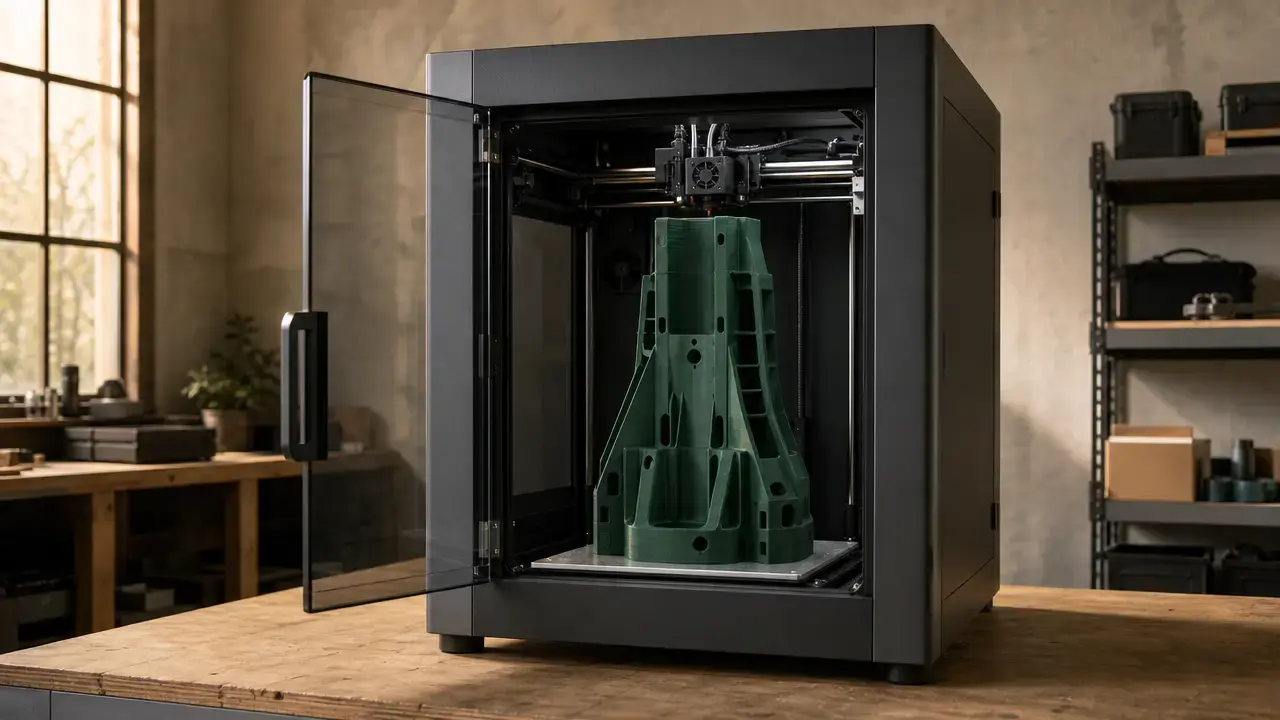
For a Creality K2 vs K2 Plus decision, start with the parts you need to make and the space available around the printer. Choose the K2 Plus when its 350 × 350 × 350 mm nominal build envelope, active chamber heating, and listed workflow hardware address a real requirement. [1] Choose the K2 when its 260 × 260 × 260 mm envelope is sufficient and a smaller, lighter installation is more practical. [1] Both printers list a 600 mm/s maximum print speed, but that manufacturer-listed ceiling is not a promise of equivalent real-world throughput. [1] This is a spec-led comparison, not a hands-on K2 Plus review or a controlled performance test.
Creality K2 vs K2 Plus: Specs at a Glance (Manufacturer-Listed)
The main difference is scale. The K2 Plus expands the printable envelope on every axis, but requires more installation space and handling effort. Its published specifications also add active chamber heating up to 60 °C, higher nozzle and bed temperature limits, more storage, and camera-based automatic flow-rate calibration. The nominal geometric-volume row is an editorial calculation from Creality’s listed build-envelope dimensions; it is not a measure of usable capacity or production output. [1]
All specs below are manufacturer-listed unless stated otherwise.
| Criterion | K2 | K2 Plus | Why it matters |
|---|---|---|---|
| Nominal build envelope | 260 × 260 × 260 mm [1] | 350 × 350 × 350 mm [1] | Establishes the maximum stated one-piece part dimensions. |
| Nominal geometric volume* | 17,576,000 mm³ [1] | 42,875,000 mm³; ≈2.44× the K2 [1] | Editorial calculation for scale; not usable volume, throughput, or productivity. |
| Outer dimensions | 404 × 436 × 545 mm [1] | 495 × 515 × 640 mm [1] | Affects bench space, access, and clearance planning. |
| Net weight† | About 18 kg [1] [2] | 35 kg [1] [2] | Affects moving, furniture selection, and installation. |
| Maximum print speed | 600 mm/s [1] | 600 mm/s [1] | Stated maximum, not guaranteed job-level throughput. |
| Maximum acceleration | 20,000 mm/s² [1] | 30,000 mm/s² [1] | Influences how quickly motion can reach commanded speeds. |
| Typical printing speed claim | 300 mm/s [1] | 300 mm/s [1] | A more relevant published reference than the maximum alone. |
| Maximum nozzle / bed temperature | 300 °C / 100 °C [1] | 350 °C / 120 °C [1] | Describes listed thermal headroom. |
| Active chamber heating | No active chamber heater listed [1] | Up to 60 °C [1] | Can matter for temperature-sensitive materials and large geometries. |
| Compatible filaments | PLA, PLA-CF, PETG, PET, ABS [1] | PLA, PLA-CF, PETG, PET, ABS, ASA, PA-CF, PPA-CF [1] | A manufacturer-listed starting point, not a material qualification. |
| Chamber camera | 720P at 30 fps [1] | 1080P at 30 fps [1] | Changes the listed remote-monitoring resolution. |
| Automatic flow-rate calibration | Not listed [1] | Yes, via Nozzle AI Camera [1] | Adds a listed calibration workflow feature. |
| Connectivity | Wi‑Fi 2.4G, USB, Creality 485 port [1] | Wi‑Fi 2.4G and 5G, RJ45, USB, Creality 485 port [1] | Identifies listed job-transfer and network options. |
| eMMC storage | 8 GB [1] | 32 GB [1] | Changes available onboard file storage. |
* Nominal geometric volume is calculated from the published XYZ dimensions and excludes brims, supports, clearances, and other limits on usable print space.
† Creality’s pages are not fully aligned on mass: the K2 is listed as 18.3 kg on the product page and 18.4 kg in the campaign comparison, while the K2 Plus is listed as 35 kg on product and campaign pages but as 32 kg on a store comparison page. The 32 kg listing remains an unresolved store-page inconsistency. [1] [2] [10]
What the Specs Can and Cannot Prove
ISO/ASTM uses material extrusion as an additive-manufacturing process category in which material is selectively dispensed through a nozzle or orifice. [12] Fused filament fabrication, or FFF, and fused deposition modeling, or FDM, are common industry labels; FDM is listed by Stratasys as a trademark. [14] Manufacturer specifications are useful for screening machine dimensions, thermal limits, connectivity, motion settings, and included features. They describe what the vendor lists, not the result of a matched print trial.
No controlled, comparable independent K2-versus-K2-Plus test is used here to establish superiority in print quality, reliability, noise, dimensional accuracy, or throughput. Results can vary with filament condition, model geometry, slicer profile, ambient conditions, maintenance, and measurement method. Specifications should guide questions for application testing rather than substitute for application-specific validation. [1]
- Speed versus throughput: A maximum motion setting excludes heating, calibration, travel, cooling, and failed prints.
- Acceleration versus speed: Acceleration is the rate of velocity change, not the commanded velocity itself.
- Layer height versus dimensional accuracy: Finer layers can reduce visible stepping without guaranteeing measured dimensions.
- Nozzle and bed temperature versus qualification: Thermal limits do not qualify every grade within a material family.
- Chamber ceiling versus uniformity: A listed chamber temperature does not prove uniform heating or warp-free results.
- Compatibility list versus validation: Listed materials do not replace validated settings for a specific part and application.
Before You Compare Prices: Base Printer vs Combo vs CFS Counts
A base printer is labeled Without CFS, meaning it is sold without Creality Filament System hardware. A Combo is a configuration that includes CFS hardware. Creality’s US store has used these labels for both the K2 and K2 Plus, so the model name alone does not identify everything included in a package. [8] [9]
Bundle configuration can prevent a simple K2-versus-K2-Plus price comparison. Listings may cover a base machine, a one-CFS Combo, or a package with multiple CFS units. CFS can also be obtained as an add-on system, and Creality lists a maximum configuration of up to four CFS units for up to 16 colors. [1] That maximum does not mean every printer listing includes CFS hardware, or that every Combo contains more than the explicitly named number of units. Store options are time-sensitive, so verify the same region, configuration, and date before comparing offers. [8] [9]
Questions to ask before comparing bundles
- Is CFS included?
- Does the package contain 0, 1, 2, or 4 CFS units?
- Are the listed prices for the same region and date?
- Are both offers base printers, one-CFS Combos, or multi-CFS bundles?
Build Envelope and Workspace: What 260 mm vs 350 mm Changes
The K2 Plus adds 90 mm on each build axis relative to the K2, moving from a 260 × 260 × 260 mm nominal build envelope to 350 × 350 × 350 mm. [1] That can determine whether a housing, fixture, helmet-sized form, or long functional part can print as one piece rather than as sections to be joined. The ≈2.44× figure is the ratio of specified rectangular nominal geometric volumes, not usable volume, throughput, or productivity. [1] Parts that already fit within the K2’s envelope may gain little from the larger platform, while larger parts may avoid joints, alignment choices, and finishing work.
Usable print space is smaller than an envelope calculation can suggest. Brims, rafts, supports, and purge-related features consume XY area. Orientation separately changes a model’s bounding box, overhangs, stability, and likely need for support structures. Material shrinkage is another distinct issue: it affects finished dimensions and may require slicer or CAD compensation where mating features matter. The published envelopes are starting constraints for part layout, rather than guarantees of finished-part dimensions. [1]
Plan around the full machine rather than only the build box. The K2 is listed at 404 × 436 × 545 mm and about 18 kg, while the K2 Plus is listed at 495 × 515 × 640 mm and 35 kg on Creality’s product and campaign pages. [1] [2] Leave practical access for doors, cables, ventilation, filament loading, maintenance, and any CFS hardware. The K2’s minor 18.3 kg versus 18.4 kg discrepancy does not materially change the comparison, but the K2 Plus 32 kg store-page figure should not be treated as a resolved alternative specification. [1] [2] [10]
Thermal Capability and Materials: Where K2 Plus Can Matter
The K2 lists a 300 °C nozzle limit and 100 °C bed limit, while the K2 Plus lists 350 °C for the nozzle and 120 °C for the bed. [1] These figures describe manufacturer-listed thermal headroom. They do not qualify either printer for every filament sold within a broad polymer family, nor do they establish finished-part strength, accuracy, or heat resistance. Filament formulation, reinforcement, moisture condition, colorants, adhesion, geometry, ventilation, and selected settings can all affect whether a particular filament can be processed appropriately.
For the K2, “no heated chamber” should be read as no active chamber heater listed, not as no enclosure. [1] The K2 Plus lists active chamber heating up to 60 °C. [1] An actively heated chamber changes the stated thermal environment surrounding a print and can be relevant to materials and geometries sensitive to temperature gradients. However, the listed ceiling does not demonstrate chamber-temperature uniformity, eliminate warping, or guarantee a result on every part.
Creality notes that with local 110 V power and ambient temperatures below 15 °C, the chamber may not reach its target temperature. [7] That caveat is relevant for cold workshops and other low-temperature installation environments. The company also advises chamber settings of 30–35 °C for PLA, PETG, TPU, and BVOH use cases; this is manufacturer guidance rather than a universal material rule. [7] Setpoint, part geometry, airflow, and room conditions still affect the process.
Creality lists PLA, PLA-CF, PETG, PET, and ABS for the K2, while the K2 Plus list adds ASA, PA-CF, and PPA-CF. [1] These are manufacturer-listed compatibility categories, not guaranteed outcomes for every brand or grade. The K2 Plus also lists two auxiliary cooling fans and two air filters, compared with one auxiliary fan and one filter for the K2. [1] That is a hardware-count difference only: filter count is not an emissions certification or a measured air-quality claim.
Motion System, Print Speed, and Real-Job Throughput
Both printers list 600 mm/s as a maximum print speed. [1] This is a manufacturer-listed limit, not an average job speed or a throughput benchmark. Total job time also includes heating, calibration, travel moves, cooling, extrusion limits, minimum layer time, and possible operator intervention. Model geometry, layer height, infill, wall count, material behavior, and slicer choices can all change the result.
The K2 lists 20,000 mm/s² maximum acceleration, while the K2 Plus lists 30,000 mm/s². [1] Acceleration affects how rapidly a motion system can reach a commanded speed, which can matter on short motion segments. It does not translate into a fixed percentage print-time advantage because actual time savings depend on a job’s paths and process restrictions. Creality also lists a typical printing speed of 300 mm/s for both machines. [1]
The K2 Plus lists five step-servo motors, described as four for XYZ motion and one for the extruder, along with automatically adjusted belt tension. [1] The K2 lists three step-servo motors, described as two for XY motion and one for the extruder, with manual belt tension. [1] These are manufacturer-listed hardware and adjustment differences. They do not establish an unstated K2 Z-axis architecture or prove a difference in surface finish, print quality, or practical job speed.
Automation and Monitoring Differences
The K2 lists a 720P at 30 fps chamber camera, while the K2 Plus lists a 1080P at 30 fps chamber camera. [1] These specifications describe stated monitoring resolution and frame rate, not measured image quality under a particular room’s lighting conditions. Both camera listings can support remote observation, such as checking whether a print remains in progress, but they do not establish that every developing issue will be visible, diagnosable, or recoverable remotely.
The K2 Plus also lists automatic flow-rate calibration through its Nozzle AI Camera, while an equivalent automatic flow-calibration feature is not listed for the K2. [1] This is best understood as a workflow-convenience difference that may shift a calibration task toward an automated routine. Monitoring and calibration can reduce manual work but do not prove failure-free printing. Filament behavior, nozzle condition, model geometry, slicer choices, and environmental conditions remain relevant.
Connectivity, Storage, and Day-to-Day File Handling
The K2 Plus lists Wi‑Fi 2.4G and 5G, RJ45, USB, and a Creality 485 port. [1] The K2 lists Wi‑Fi 2.4G, USB, and a Creality 485 port. [1] RJ45 is the wired Ethernet connection listed for the Plus, while USB provides a local transfer route on both. These listings identify connection options, but do not establish network reliability, transfer speed, or managed-network performance in a particular home or workshop.
The K2 Plus lists 32 GB of eMMC storage, compared with 8 GB for the K2. [1] This is a stated onboard-storage difference, not evidence that either capacity is insufficient for a given workflow. Both models are represented in Creality’s official support and download ecosystem. [3] [4] Actual storage needs depend on retained files, downloaded resources, and how an operator organizes local and networked print jobs.
CFS and Multi-Color Printing: Capability, Bundle Reality, and Constraints
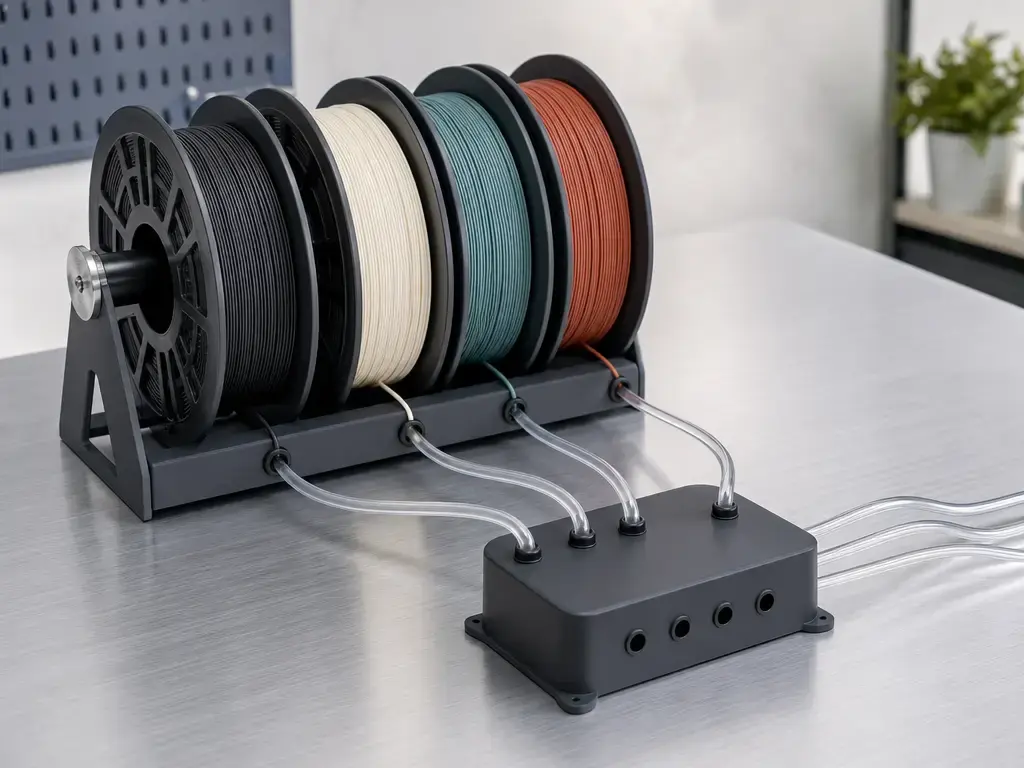
Creality lists a system-level maximum of up to four CFS units for up to 16 colors. [1] This is a scaling claim for the system, not a statement that CFS hardware is included with every K2 or K2 Plus configuration. It is also not a validated multimaterial-performance claim. Having multiple loaded channels does not demonstrate reliable results for every spool, polymer combination, model geometry, or color-change sequence.
The official CFS manual warns against using TPU, wet PVA, or wet BVOH to avoid filament jams. [11] It also advises against cardboard spools with untreated edges and deformed cardboard spools because they can cause spool-handling problems. [11] For 1 kg spools, the documented compatible diameter range is 197–202 mm and the thickness range is 42–68 mm. [11] These physical constraints matter because a spool must feed, rewind, and move through the CFS mechanism rather than merely fit nearby.
Color changes can also add purge material, elapsed time, and slicer decisions about where purge material goes. Neither the stated color count nor CFS presence establishes a fixed waste level or time penalty for a given model. Results depend on the number and order of changes, object geometry, layer structure, selected colors, and slicer strategy.
- Spool size and geometry compatibility.
- Flexible-filament limitations per official documentation.
- Wet support-material limitations per official documentation.
- Color changes add purge and time.
Assess CFS around the specific bundle, spool inventory, material choices, and color-change frequency you expect to use.
“Printing Accuracy 100mm±0.1”: What It Does and Doesn’t Tell You
Both Creality support pages list Printing Accuracy: 100mm±0.1 for the K2 and K2 Plus. [3] [4] Since the same figure appears for both models, it cannot rank them on dimensional capability. The cited support pages do not provide the printed artifact, measurement method, environmental conditions, or measurement uncertainty associated with the claim. It should therefore not be treated as a general tolerance promise for every feature, material, orientation, or part.
ISO/ASTM 52902:2023 addresses geometric capability assessment for additive-manufacturing systems through defined measurement conditions and evaluation methods. [13] At a high level, that framework illustrates why a single accuracy statement requires context before it can support a comparison or acceptance decision. Without an artifact and method, the listed figure does not show what was measured, how repeatable the result was, or how uncertainty was handled.
Documentation Snapshot: Firmware, Slicer, and Manuals
This is a dated documentation snapshot as of October 19, 2026, not a statement of the latest available releases. For the K2, Creality’s downloads page lists Creality Print V7.3.0.6157 dated October 9, 2026, firmware V1.1.4.1 dated March 18, 2026, and a user manual dated September 12, 2025. [5] For the K2 Plus, the downloads page lists Creality Print V7.3.0.6157 dated October 9, 2026, firmware V1.1.4.11 dated January 18, 2026, and a user manual dated August 13, 2025. [6] Recheck download pages, store configuration options, and document dates on the day of purchase because software, firmware, manuals, and bundles can change.
Is the Creality K2 Plus Worth It vs the K2?
In a Creality K2 vs K2 Plus decision, the Plus is worth considering when its larger platform changes what you can make or how you plan to run it. Its 350 × 350 × 350 mm envelope can avoid segmenting parts that exceed the K2’s 260 × 260 × 260 mm envelope. [1] The Plus also lists active chamber heating up to 60 °C, higher nozzle and bed temperature limits, a 1080P camera, automatic flow-rate calibration, RJ45, dual-band Wi‑Fi, and 32 GB of eMMC storage. [1] Those additions come with a larger external footprint and a listed mass of 35 kg, versus about 18 kg for the K2. [1] [2]
There is no universal winner. The useful platform depends on part dimensions, material needs, available workspace, installation constraints, and which workflow features you will actually use. A base printer and a CFS-equipped Combo also remain different packages even when the model name is the same.
- Choose K2 Plus if you need a 350 × 350 × 350 mm envelope, active chamber heating, higher thermal ceilings, 1080P monitoring, automatic flow calibration, RJ45, dual-band Wi‑Fi, 32 GB storage, or parts and materials that benefit from those listed features. [1]
- Choose K2 if a 260 × 260 × 260 mm envelope covers your parts, active chamber heating is unnecessary, and smaller mass, footprint, and simpler installation matter. [1]
- For multi-color work, choose the base platform by part size and thermal requirements first, then verify the exact CFS bundle and spool-material fit. [1] [11]
FAQ
What is the build volume difference between Creality K2 and K2 Plus?
The K2 lists a 260 × 260 × 260 mm nominal build envelope, while the K2 Plus lists 350 × 350 × 350 mm. [1] The Plus therefore adds 90 mm on every axis. Practical usable space can be reduced by brims, supports, orientation, clearances, and material shrinkage.
What are the main feature differences in creality k2 vs k2 plus?
The K2 Plus lists a larger envelope, active chamber heating, higher nozzle and bed limits, a 1080P camera, automatic flow-rate calibration, RJ45, dual-band Wi‑Fi, and 32 GB of eMMC storage. [1] The K2 has a smaller platform, lower listed thermal limits, and 8 GB of eMMC storage. [1]
Does the Creality K2 Plus print faster than the K2?
Both printers list 600 mm/s as their maximum print speed. [1] The K2 lists 20,000 mm/s² maximum acceleration and the K2 Plus lists 30,000 mm/s². [1] Neither figure proves faster real-job throughput because print time depends on geometry, cooling, material, layer settings, travel, and other process limits.
Do both Creality K2 and K2 Plus support CFS for multi-color printing?
Both are presented as CFS-compatible, with a manufacturer-listed system maximum of up to four CFS units for up to 16 colors. [1] However, base listings are labeled Without CFS, while Combo listings include CFS hardware. [8] [9] Verify the exact bundle instead of assuming CFS is included.
What are the real constraints with CFS beyond “up to 16 colors”?
The CFS manual warns against TPU and wet PVA or BVOH, and it advises avoiding cardboard spools with untreated edges or deformed cardboard spools. [11] Documented 1 kg spool dimensions are 197–202 mm in diameter and 42–68 mm in thickness. [11] Color changes also add purge material and time.
How should I interpret “printing accuracy 100mm±0.1” on Creality’s spec pages?
Both support pages list Printing Accuracy: 100mm±0.1. [3] [4] Creality does not provide an artifact, measurement method, or uncertainty statement on those pages, so the figure cannot rank the printers or guarantee a tolerance. ISO/ASTM 52902 provides context for geometric assessment using defined conditions and methods. [13]
Sources
Manufacturer and official documentation support the listed specifications, configurations, manuals, and downloads. ISO/ASTM standards provide terminology and geometric-measurement context. Industry coverage is included only for timeline context, not as a substitute for controlled comparative testing.
- Creality K2 Series 3D Printer product comparison and specifications
- Creality K2 Series Buying Guide campaign comparison
- Creality Support: K2 Series 3D Printer parameters and downloads
- Creality Support: K2 Plus parameters and connectivity details
- Creality Download Center: K2 Series 3D Printer
- Creality Download Center: Creality K2 Plus CFS Combo
- Creality K2 Series chamber temperature setting guide
- Creality US Store: K2 and K2 Combo SKU options
- Creality US Store: K2 Plus SKU options
- Creality Store printer comparison page
- Creality CFS User Manual V1.2
- ISO/ASTM 52900:2021 Additive manufacturing fundamentals and vocabulary
- ISO/ASTM 52902:2023 Additive manufacturing geometric capability assessment
- Stratasys Legal Information and trademarks
- NIST Material Extrusion additive manufacturing overview
- All3DP coverage of Creality K2 Plus and CFS preorders
- Creality guide to choosing K2, K2 Pro, and K2 Plus