
Summary
For most buyers comparing creality vs bambu, the split is still workflow-first versus value-and-modding: Bambu Lab tends to reward buyers who want a more guided setup, while Creality often appeals to users who want lower entry cost, larger-format options, or more room to tinker. Checked on Oct 12, 2026. Two of the headline Bambu comparison models in this draft are already legacy buys: the P1P ended manufacturing and active sales on 2026-02-10, and the X1 series ended manufacturing and active sales on 2026-03-31. [08] [10]
That matters because K1 vs P1P and K1 Max vs X1 Carbon are no longer clean current-model shootouts in 2026. They are partly printer comparisons and partly lifecycle decisions about remaining stock, support windows, and accessory compatibility. Ender-3 V3 vs Bambu A1 is the clearest current-model beginner choice. Across all three pairings, advertised motion numbers should be read as ceilings rather than guarantees of print quality. NIST’s additive-manufacturing test-artifact framing still points evaluation back to geometric accuracy and surface roughness, not brochure speed alone. [02]
Top-level comparison table
Checked on Oct 12, 2026. The table below prioritizes verifiable manufacturer specs and current product-state context. Those numbers help narrow the shortlist, but they do not by themselves predict surface finish, dimensional accuracy, or how much tuning a printer will need in normal use. NIST’s measurement framing remains a useful reminder that outcomes matter more than headline motion figures. [02]
| Model | Product state | Motion system | Build volume | Speed/accel (rated) | Best for |
|---|---|---|---|---|---|
| Creality K1 | Current. [04] [05] | CoreXY Frame. [04] | 220 × 220 × 250 mm. [05] | 600 mm/s max; 20,000 mm/s² max; 300 mm/s typical; 12,000 mm/s² typical. [04] [05] | Buyers who want a compact enclosed current-platform machine with strong factory motion specs and room to tune. [04] [05] |
| Creality K1 Max | Current. [05] [18] | CoreXY. [05] | 300 × 300 × 300 mm. [05] | 600 mm/s max; 20,000 mm/s² max; 300 mm/s typical; 12,000 mm/s² typical. [05] | Larger single-part work, enclosure-friendly workflows, and RJ45-ready networking. [05] [18] |
| Creality Ender-3 V3 | Current. [13] [14] | CoreXZ Gantry. [13] | 220 × 220 × 250 mm. [14] | 600 mm/s max; 20,000 mm/s² max; 300 mm/s typical. [13] | Budget-conscious beginners who still want a faster current-model platform. [13] [14] |
| Bambu Lab P1P | EOL; the store page shows both a Sold Out button and in-stock lead-time text, so treat it as a legacy listing. [07] [08] | CoreXY. [07] | 256 × 256 × 256 mm³. [07] | 500 mm/s max; 20 m/s² max. [07] | Buyers already committed to the P1 platform who can accept legacy-model risk. [07] [08] |
| Bambu Lab X1 Carbon | EOL; Sold Out. [09] [10] | CoreXY. [09] | 256 × 256 × 256 mm³. [09] | 500 mm/s max; 20 m/s² max. [09] | Legacy premium buyers who want the older X1 ecosystem and accept end-of-life context. [09] [10] |
| Bambu Lab A1 | Current. [11] [12] | Not specified in the cited source set here. [11] [12] | 256 × 256 × 256 mm³. [11] [12] | 500 mm/s max; 10,000 mm/s² max. [11] | Low-friction first printing, strong automation, and the clearest beginner path in this lineup. [11] [12] |
How to read this comparison
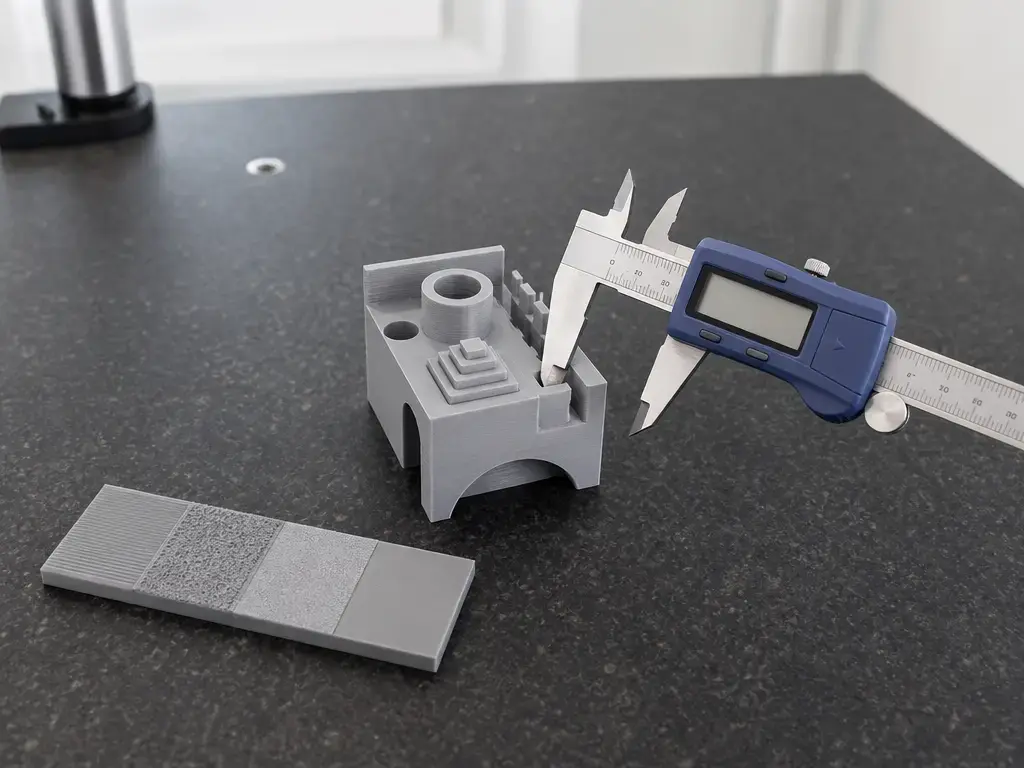
This page compares desktop material-extrusion printers using claims that can be verified from manufacturer pages and a small standards-and-methodology source set. What it cannot do is prove an absolute brand-wide print-quality ranking from spec sheets alone. NIST’s additive-manufacturing test-artifact work frames characterization around geometric accuracy and surface roughness, which is a useful reminder that “faster” and “better-looking” are not the same measurement. [02]
Definitions, used here in a practical buyer sense rather than as marketing labels:
- Dimensional accuracy — how closely a printed part matches the intended CAD dimensions after printing and cooling.
- Repeatability — how consistently the machine reproduces the same result across multiple prints and over time.
- Surface finish — the visible texture of walls, top surfaces, seams, and other exposed features.
- Layer height — the vertical increment per deposited layer. Smaller layers can improve fine detail, but layer height and nozzle size do not guarantee dimensional accuracy by themselves.
When motion figures appear, this article normalizes them for easier reading. Max toolhead speed is the advertised ceiling; typical speed is the more useful planning number when a manufacturer publishes one. Acceleration is written in mm/s² unless a source uses m/s², and 20 m/s² = 20,000 mm/s². Flow claims also need conditions attached. The Bambu A1 spec PDF, for example, publishes 28 mm³/s @ ABS only under stated single-wall test conditions: a 150 × 150 mm model, Bambu ABS, and 280 °C. That is a conditioned lab-style limit, not a universal promise about everyday print speed. [11]
Quick verdict by buyer type
If you segment by buyer type rather than by brand, the pattern is fairly consistent. The Bambu A1 is the easiest recommendation for a true beginner who wants the fewest setup decisions. The Creality K1 Max is the easiest recommendation for buyers who care most about larger parts, because its published build volume is materially bigger than the X1 Carbon’s. The K1 is the cleaner pick than the P1P for a normal new-printer buyer in 2026 because the P1P is already in EOL territory. And the Ender-3 V3 remains relevant when price sensitivity matters more than maximum convenience. The key caveat is that the P1P and X1 Carbon are now special-case legacy buys, not clean current-model defaults. Checked on Oct 12, 2026. [05] [08] [10] [11]
Choose Bambu if:
- You want the simplest first-week ownership experience, especially on the A1.
- You care more about automation and workflow guidance than about modding freedom.
- You want the clearest beginner guardrails on materials, even when those guardrails are restrictive. [11]
- You prefer a vendor-documented LAN Only Mode option for local-network use. [21]
- You already know you are buying into a Bambu accessory ecosystem and can live with lifecycle caveats on legacy models. [08] [10]
Choose Creality if:
- You want the largest current-format option in this group at 300 × 300 × 300 mm. [05]
- You are comfortable doing more of your own tuning, maintenance, and revision checking.
- You want a current enclosed option without stepping into Bambu’s EOL P1P or X1 territory. [08] [10]
- You value multiple transfer paths on the K-series, including LAN and, on the K1 Max, RJ45 Ethernet. [04] [18]
- You want a lower-cost current path into faster motion systems with more hands-on ownership.
Ecosystem + lifecycle reality check (2026)
Checked on Oct 12, 2026. For Bambu Lab, end-of-life changes the buying context more than raw capability. The P1P reached EOL on 2026-02-10, and Bambu says support, spare parts, and service continue until 2031. The X1 series reached EOL on 2026-03-31, and Bambu says selected authorized distributors may still have units even though the US X1 Carbon listing shows Sold Out. That means neither printer is automatically a bad machine in 2026, but both should be evaluated as remaining-stock, distributor-stock, or used-platform decisions rather than normal new-model picks. [08] [09] [10]
Creality’s risk profile is different. The K1 comparison page and related pages show revision-sensitive wording around hotends and nozzles, especially for the K1 Max. The compare page still shows transition language such as “Metal + Teflon Tube (Changing to All-metal Soon)” and “Copper Nozzle … Changing to Steel-tipped Nozzle … Soon,” while the K1 Max product page describes a titanium alloy heatbreak and hardened steel nozzle working up to 300 °C. The K1-series CFS upgrade kit documentation also lists revision exclusions, including K1C 2025 and K1 Max 2025. So with Creality, the bigger caution is not EOL status here; it is assuming every unit in the field has the same hardware revision. [05] [06] [19]
Technical principles: motion system, enclosure, and extrusion flow
In this article, material extrusion is the neutral umbrella term, and FFF is used as the familiar desktop shorthand. ISO/ASTM 52900:2021 is the terminology guardrail cited here, while ASME Y14.46-2022 is a separate standard about additive-manufacturing product definition and specification practices. Neither standard should be read as a consumer-printer certification for the models in this comparison. They simply help keep the vocabulary straight when marketing language gets loose. [01] [03]
The motion-system labels below use manufacturer wording rather than invented umbrella terms. Creality describes the K1 as CoreXY Frame and the Ender-3 V3 as CoreXZ Gantry. Bambu describes the P1P as CoreXY. Creality’s own CoreXZ explainer says the X and Z axes are tied together by belts, with two motors driving moves on the XZ plane. That is the short practical reason the Ender-3 V3 behaves differently from the K1 or P1P even when the advertised speed numbers look similar. [04] [07] [13] [15]
Flow and enclosure translate those motion systems into real parts. A published hotend-flow number only becomes useful when the test conditions are visible. The A1’s 28 mm³/s @ ABS figure is a good example because Bambu attaches the conditions directly: 150 × 150 mm single wall, Bambu ABS, and 280 °C. That makes it a bounded measurement, not a universal cross-brand win. Enclosure state, cooling, and material choice then determine how much of that motion-and-flow headroom turns into usable print speed without warping, ringing, or surface degradation. [11]
Creality K1 vs Bambu Lab P1P
Checked on Oct 12, 2026. This is a current-platform-versus-legacy-platform decision more than a clean same-era matchup. [08]
Specs that matter
| Model | Core specs | Workflow strength | Main caveat |
|---|---|---|---|
| Creality K1 | 220 × 220 × 250 mm; 300 mm/s typical; 12,000 mm/s² typical; 600 mm/s max; 20,000 mm/s² max; CoreXY Frame; hardened steel nozzle. [04] [05] | Current enclosed platform with strong rated motion ceilings and easier access to a more hands-on ecosystem. [04] [05] | Smaller build volume than the P1P. [05] |
| Bambu Lab P1P | EOL 2026-02-10; page shows both Sold Out and in-stock lead-time text; 256 × 256 × 256 mm³; 500 mm/s max; 20 m/s² max; CoreXY; 0.4 mm stainless steel nozzle included. [07] [08] | Larger stated build envelope and a historically turnkey ownership model. [07] | Legacy-buy context, with support tied to a dated lifecycle. [08] |
Workflow & reliability signals
For a new buyer in late 2026, the K1 is easier to recommend because it is still a current model in this comparison set. Its official support page still anchors the machine around the CoreXY Frame layout, hardened steel nozzle, and rated 600 mm/s / 20,000 mm/s² motion ceiling. The comparison page also supplies typical figures instead of only maxima, which is useful when you want to estimate normal use rather than just brochure performance. [04] [05]
The P1P is still capable on paper, and its larger 256 mm cube build volume remains attractive. But the decision is no longer just about specs. Bambu’s own EOL post makes clear that manufacturing and active sales ended on 2026-02-10, even though support continues into 2031. That pushes the buying question toward parts planning, resale assumptions, and how comfortable you are with an older platform rather than toward a simple “which one is faster” answer. [07] [08]
Who should buy which
Choose the K1 if you want a current printer, a clearer 2026 ownership path, or an enclosed platform that still leaves room for tinkering. Choose the P1P only if you specifically want that older Bambu platform and are happy to accept lifecycle risk for the sake of its still-good fundamentals. If you’re considering a P1P in 2026, assume used/remaining stock. [07] [08]
Creality K1 Max vs Bambu Lab X1 Carbon
The Creality K1 Max vs Bambu Lab X1 Carbon differences are mostly about build size, networking, and how much legacy risk you are willing to carry. The K1 Max is the current larger-format option; the X1 Carbon is the legacy premium option. [05] [09] [10]
For the larger-part buyer, the K1 Max is the cleaner winner. Creality’s comparison page lists 300 × 300 × 300 mm, and its support page lists USB Flash Drive, LAN, Cloud Printing, RJ45. The K1 Max product page also says the hotend uses a titanium alloy heatbreak and hardened steel nozzle up to 300 °C, but that wording does not fully match the compare page’s older transition language. That discrepancy is not cosmetic; it means buyers should verify the actual shipped revision before assuming a specific nozzle or hotend path. [05] [06] [18]
For the buyer who explicitly wants the older premium Bambu ecosystem, the X1 Carbon is still the better fit than the K1 Max. Its store page lists 256 × 256 × 256 mm³, 500 mm/s, 20 m/s², a 0.4 mm hardened steel nozzle, and a 250 mm default printable height note in Bambu Studio for collision-prevention reasons. But it is clearly no longer a current-flagship purchase path. Checked on Oct 12, 2026. The X1 series reached EOL on 2026-03-31, the US store page shows Sold Out, and Bambu says selected authorized distributors may still have units. [09] [10]
| Check | K1 Max | X1 Carbon |
|---|---|---|
| New old stock | Verify hotend/nozzle wording and exact hardware revision before assuming material or accessory plans. [05] [06] | Confirm seller status, warranty terms, and whether you are buying true distributor stock or just an old listing. [09] [10] |
| Used/refurb | Check enclosure condition, toolhead wear, and whether the installed revision matches the accessories you want. [05] [06] | Check printhead wear, chamber condition, and whether the remaining ecosystem value justifies buying into an EOL platform. [09] [10] |
Creality Ender-3 V3 vs Bambu Lab A1 for beginners
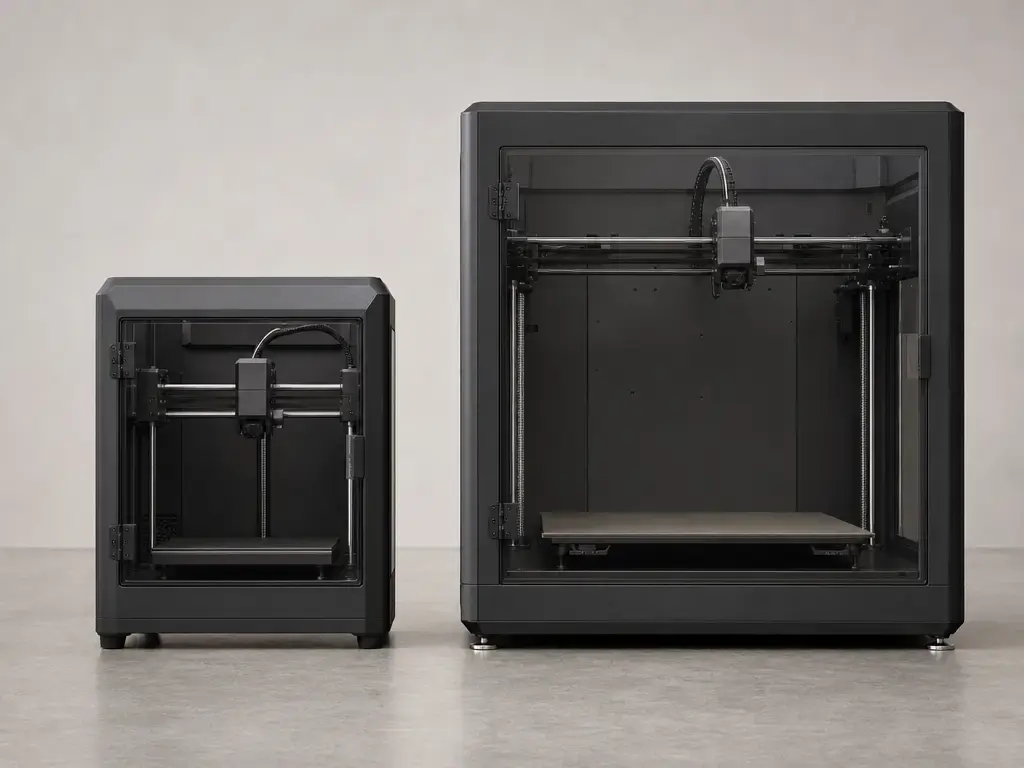
For a true beginner, the winner is Bambu Lab A1. The reason is not that the Ender-3 V3 is weak; it is that the A1 makes the first week easier to understand. The current A1 store page emphasizes full-auto calibration, current add-to-cart availability, and beginner-friendly workflow language, while the A1 spec sheet gives a clean published baseline for build volume, speed, and acceleration. The Ender-3 V3 is still a legitimate starter printer, but it is the better choice for the beginner who actively wants more machine ownership rather than less. [11] [12] [13] [14]
Materials are where the boundary becomes clearer. The A1 technical-spec PDF marks PLA, PETG, TPU, and PVA as ideal, while ABS, ASA, PC, PA, PET, and carbon/glass-fiber-reinforced polymers are marked Not Recommended. The Ender-3 V3 support and product pages, by contrast, publish CoreXZ Gantry, 600 mm/s, 20,000 mm/s², 300 °C nozzle, 110 °C bed, and a quick-swap hardened-steel-tip nozzle. Creality also publishes a “100 ± 0.2 mm” accuracy line on the support page, but that should be read as a manufacturer claim rather than a cross-brand proof point. On paper, then, the Ender-3 V3 advertises broader thermal headroom; in daily beginner use, the A1 advertises a narrower but clearer material and workflow envelope. [11] [13] [14]
| Criterion | Ender-3 V3 | Bambu A1 | Why it matters |
|---|---|---|---|
| Setup/assembly time | 3/5 — still beginner-usable, but it assumes a little more user involvement and ownership. | 5/5 — full-auto calibration and a current ready-to-buy listing reduce startup friction. [12] | The easier the first setup, the less likely a new user is to confuse normal calibration with a hardware problem. |
| First print success likelihood | 3/5 — capable, but more dependent on how the user handles setup and material choice. | 5/5 — the A1’s current workflow positioning is built around minimizing early manual decisions. [12] | First-week success matters more than theoretical upside for most beginners. |
| Maintenance complexity | 4/5 — the quick-swap nozzle with hardened steel tip is a service-friendly feature. [14] | 4/5 — the store page also centers quick-swap nozzle convenience, but the ecosystem is more managed. [12] | Easy nozzle service lowers the pain of clogs, wear, and material changes. |
| Materials headroom | 4/5 — 300 °C nozzle and 110 °C bed give broader on-paper range, though open-frame reality still limits everyday ABS/ASA comfort. [13] | 2/5 — the PDF explicitly marks ABS/ASA/PC/PA/PET/CF-GF as not recommended. [11] | “Can print” and “is a low-friction daily workflow” are not the same thing. |
| Connectivity preference | 3/5 — a straightforward USB/WiFi path is easier to grasp than a privacy-mode stack, but it is less explicitly documented around local-only privacy. [13] | 4/5 — LAN Only Mode is documented, but Bambu Handy is disabled in that mode. [21] | Connectivity affects privacy, convenience, and how you manage the printer day to day. |
Beginner friction points to compare before buying:
- Decide whether you want the printer to teach you more, or ask less of you during the first week.
- Check whether your real materials are mostly PLA/PETG, or whether you actually expect to use ABS/ASA. [11] [13]
- Compare the usable build volumes: 220 × 220 × 250 mm on Ender-3 V3 versus 256 × 256 × 256 mm³ on A1. [11] [14]
- Look at nozzle-service convenience, not just hotend temperature ceilings. [12] [14]
- Decide whether a documented LAN Only Mode matters to you. [21]
- Treat the Ender-3 V3 “accuracy” line as a manufacturer claim, not a reason to skip real tuning. [13]
- If you want the fewest setup decisions, the A1 is the safer default.
Bambu Lab vs Creality print quality: what can actually be compared?
When people ask about Bambu Lab vs Creality print quality, they usually mean several different things at once: first-layer consistency, dimensional accuracy, surface finish, ringing or vibration artifacts, overhang behavior, seam visibility, support removal, and whether the printer gives you the same result twice. That is why a brand-level answer is weaker than a model-level answer.
NIST’s additive-manufacturing test-artifact framing is useful because it anchors discussion to geometric accuracy and surface roughness rather than to vague impressions. That does not mean those are the only things that matter on hobby printers, but it does mean that spec sheets alone cannot prove a universal winner. A machine can have a higher rated speed and still produce a worse-looking or less accurate part if material drying, cooling, enclosure conditions, or tuning are different. [02]
The fair-comparison checklist is straightforward: same filament, same drying state, same nozzle size, same layer height, same wall speed, same cooling target, and the same expectation for accuracy versus finish. This article does not cite a controlled third-party head-to-head test set across these exact printers, so it does not assign a universal brand print-quality score. That limitation should be stated plainly.
Software, cloud, and LAN: what “open” does and doesn’t mean
“Slicer software,” “firmware openness,” and “cloud independence” are related but separate questions. On the Creality side, the K1 support page lists USB Flash Drive, LAN, Cloud Printing, and the K1 Max support page adds RJ45. On the Bambu side, the documented point that is easiest to verify in this brief is LAN Only Mode: in that mode the printer will not initiate external connections, and Bambu Handy will not function. That is meaningful for buyers who want local-network operation, but it does not by itself answer licensing or firmware-modifiability questions. [04] [18] [21]
The safest rule here is simple: open-source slicer does not automatically mean open firmware, and local control does not automatically mean fully open ecosystem. The sourced Creality pages here list supported transfer paths and common slicers; the sourced Bambu material here establishes LAN Only Mode behavior. For broader claims about code licensing or openness, the correct wording in this article is no reliable figure found unless a primary licensing source is actually checked. [04] [18] [21]
Materials and maintenance reality check
Beginner materials and engineering-ish materials are not the same workload. The A1 spec PDF is unusually helpful because it says so directly: PLA, PETG, TPU, and PVA are ideal, while ABS, ASA, PC, PA, PET, and carbon/glass-fiber-reinforced polymers are not recommended. That does not mean experimentation is impossible; it means the vendor’s own spec sheet is warning you away from treating the A1 as an easy everyday ABS/ASA/nylon-style machine. The K1 Max sits on the other side of that conversation, but with a Creality-style revision caveat: the comparison page still shows a metal + Teflon tube changing to all-metal soon and a copper nozzle changing to steel-tipped soon, while the current product page describes a titanium alloy heatbreak, hardened steel nozzle, and up to 300 °C. [05] [06] [11]
Maintenance follows the same pattern. The K1 support page lists a hardened steel nozzle. The P1P page lists a 0.4 mm stainless steel nozzle included. The X1 Carbon page lists a 0.4 mm hardened steel nozzle included. The Ender-3 V3 product page describes a quick-swap nozzle with hardened steel tip integrated with the heatbreak. Those hardware facts are useful for planning wear, abrasives, and spare parts, but they do not make high-temperature open-frame printing low-friction by default. They mostly tell you how much attention the printer will ask for once you leave the easiest filaments behind. [04] [07] [09] [14]
- If you plan to print CF/GF filaments, confirm nozzle material, hotend temperature ceiling, spare-nozzle availability, and the exact shipped revision before assuming abrasive-material readiness. [05] [06]
- If you plan to print ABS or ASA often, confirm enclosure behavior, not just nozzle temperature.
- If you plan to print nylon-family materials, confirm drying workflow as well as chamber behavior.
- If you plan to run a printer hard over time, confirm which nozzle and hotend assembly your exact revision actually shipped with. [05] [06]
Multi-material: AMS vs AMS lite vs Creality CFS
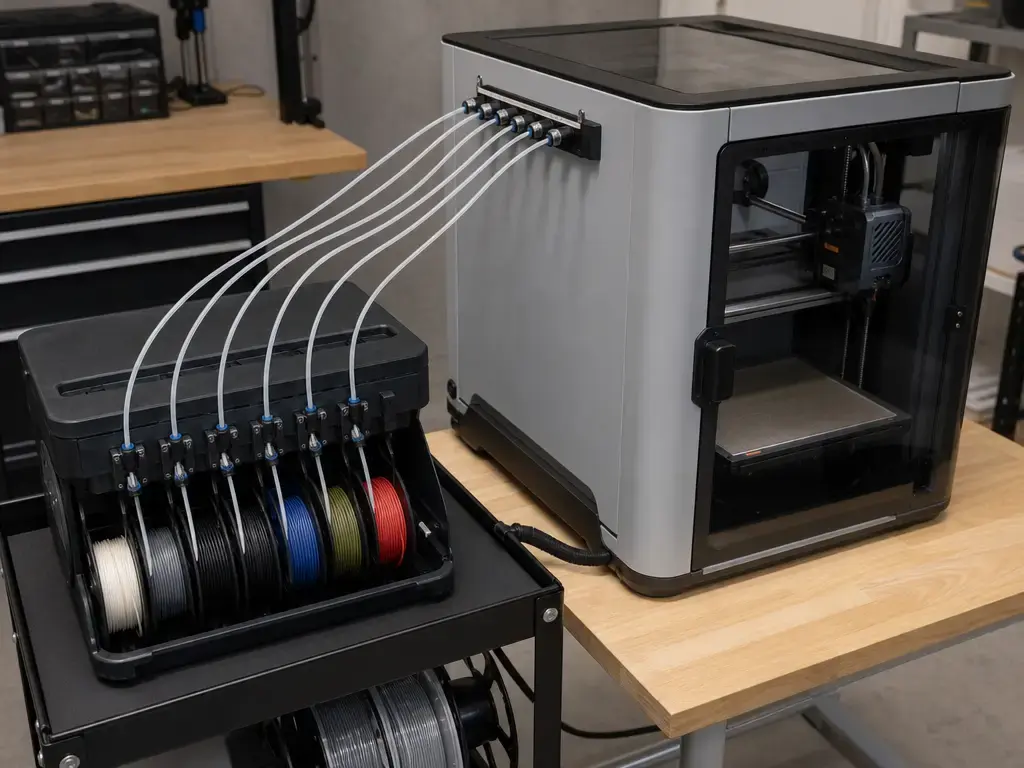
This section stays at compatibility level only. It does not compare purge efficiency, color waste, or print-quality outcomes in detail, because those numbers are not established in this brief. The practical question is simply which accessory family belongs to which printer family, and what hard limits the vendor documentation already exposes. If a limitation is not sourced here, the right wording is no reliable figure found rather than a guess. [16] [17] [19] [20]
- Bambu AMS — compatible with X1 Series and P1 Series. [16]
- Bambu AMS lite — compatible with A1 Series only; A1 printers can connect to one AMS lite, for a maximum of 4 colors; AMS lite is not compatible with X1 and P1 series. [17]
- Creality CFS — the cited FAQ says K1 series and Ender-3 V3 series are compatible; TPU is not supported in CFS; cited spool diameter range is 197–202 mm. [20]
- Creality CFS revision caveat — the K1-series CFS upgrade kit page excludes K1C 2025 and K1 Max 2025, so revision checks are mandatory. [19]
Applications: which brand fits which workflow?
If you choose by workflow rather than by spec sheet, the split stays consistent: Bambu is easier when you want a standardized, lower-friction path, while Creality becomes more attractive when you want larger build volume, more hands-on ownership, or closer revision-by-revision control. The table below translates that into practical starting points rather than absolute winners. [05] [08] [10] [11]
| Use case | Better starting point | Why | Caveat |
|---|---|---|---|
| Classroom | Bambu A1 | Lower setup burden and clearer beginner guardrails. [11] [12] | Not the right default if the plan is everyday ABS/ASA/PA-style experimentation. [11] |
| PLA farm | Bambu A1 | Current model, straightforward workflow, and easier onboarding for new operators. [11] [12] | If you are already standardized on X1 Carbon, that is a separate legacy-fleet decision, not a fresh 2026 default. [09] [10] |
| Cosplay / large props | Creality K1 Max | The published 300 × 300 × 300 mm build volume is the easiest advantage to exploit. [05] | Verify exact revision if accessory or high-temp plans matter. [05] [06] |
| Functional PETG / ASA | Creality K1 Max | Enclosure-friendly positioning and larger part size make it the stronger starting point here. [05] [06] | That does not remove the need to verify the shipped hotend/nozzle revision. [05] |
| Engineering prototypes | Creality K1 Max | Current larger-format hardware and RJ45-ready networking make it the safer new-buy recommendation. [05] [18] | X1 Carbon can still make sense for a buyer who specifically wants the legacy premium Bambu ecosystem. [09] [10] |
| Modding / firmware learning | Creality K1 or Ender-3 V3 | More room to learn through hardware changes, service tasks, and profile tuning. [04] [13] [14] | This brief does not establish a full firmware-openness ranking, so verify the exact software path you want. [19] |
Limitations, pricing, and regional availability
Exact prices are intentionally omitted in this article because they are region-sensitive and can change faster than model positioning. That is especially true when one model is current, another is sold out, and a third is technically EOL but still represented by a live store page. So the practical comparison here is about price class and lifecycle pressure, not about freezing a dollar figure that may be wrong by the time a reader lands on the page.
Safety and recall wording should also be regulator-first, not rumor-first. If regulator-verified unit counts or region-by-region recall details are not being checked at publication time, the correct language is no reliable figure found. That is better than publishing a number that may apply only to one market, one batch, or one revision.
Checked on Oct 12, 2026. The lifecycle recap is straightforward even when store pages are messy: the P1P is EOL as of 2026-02-10 and supported into 2031; the X1 series is EOL as of 2026-03-31, and the X1 Carbon page shows Sold Out while Bambu says selected distributors may still have stock. The A1 remains the clearest current Bambu model in this article, and its US store page currently shows add-to-cart and in-stock lead-time messaging. The P1P page is harder to read cleanly because it shows both a Sold Out button and in-stock lead-time text, which is another reason to treat it as a legacy listing rather than a normal current-model storefront. [07] [08] [09] [10] [12]
Verdict: creality vs bambu which is better?
For creality vs bambu, the better answer is workflow-first and model-first, not brand-first. Bambu is the safer default when you want less setup friction; Creality is often the stronger fit when you want more room to tune, verify revisions, or print larger parts.
Checked on Oct 12, 2026. Pairwise, the winners are fairly clear. K1 beats P1P for a normal new 2026 buyer because the P1P is already an EOL-era purchase. K1 Max beats X1 Carbon for larger-part buyers because its published build volume is 300 × 300 × 300 mm versus 256 × 256 × 256 mm³, and because it remains a current-platform buy. A1 beats Ender-3 V3 for true beginners because it offers the least-friction first-week path. The X1 Carbon still makes sense only as a special-case legacy premium buy, and the P1P still makes sense only if you deliberately want that older Bambu platform. [05] [08] [09] [10] [11]
FAQ
Which is better for most beginners: Creality or Bambu?
For most true beginners, Bambu A1 is the safer default because the setup path is more guided and the material expectations are clearer. Creality becomes the better choice when the beginner actively wants to learn more through tuning and maintenance rather than minimizing those tasks. [11] [12] [13]
Is Bambu worth paying more than Creality in 2026?
Sometimes, yes—especially if the extra spend buys you less friction. But the answer changes sharply by model. The A1 is a current recommendation; the P1P and X1 series are not. Checked on Oct 12, 2026. The P1P reached EOL on 2026-02-10, and the X1 series reached EOL on 2026-03-31. [08] [10]
Is the Bambu Lab X1 Carbon still worth buying in 2026?
Only as a special-case buy. The X1 Carbon still has a strong legacy feature set, but it is part of the X1 series EOL path and the US store page shows Sold Out. Checked on Oct 12, 2026. That makes it a distributor-stock or used-market question, not a default new-buyer recommendation. [09] [10]
Creality K1 vs Bambu Lab P1P: what changes because P1P is EOL?
EOL changes the risk calculation. The P1P is no longer a normal active-sales platform, so you should think about support horizon, parts planning, and remaining-stock uncertainty before comparing it to the K1 as if both were equally current. Bambu states the P1P EOL date as 2026-02-10 and support through 2031. [08]
Expert: How should I compare dimensional accuracy versus repeatability on hobby FFF printers?
Separate the questions. A printer can repeat the same imperfect result very reliably. NIST’s framing is helpful because it distinguishes measurable ideas like geometric accuracy and surface roughness instead of collapsing everything into “better quality.” For expert comparisons, hold filament, drying state, nozzle, layer height, speed, and cooling constant. [02]
Expert: What does LAN Only Mode actually disable, and what does it not guarantee?
In Bambu’s technical whitepaper, LAN Only Mode means the printer will not initiate external connections, and Bambu Handy will not function. What it does not guarantee by itself is open firmware, open-source licensing, or total independence from vendor ecosystem choices. Those are separate questions and need separate primary-source verification. [21]
Can the A1 really handle ABS, ASA, or nylon if I see them mentioned elsewhere?
For this article, the hard boundary is the A1 technical-spec PDF: ABS, ASA, PC, PA, PET, and carbon/glass-fiber-reinforced polymers are marked Not Recommended. That does not mean experimentation never happens; it does mean the A1 should not be framed as an easy everyday engineering-material machine for beginners. [11]
Sources
- ISO/ASTM 52900:2021 listing. https://www.iso.org/standard/74514.html?browse=tc
- NIST Additive Manufacturing Test Artifact. https://www.nist.gov/el/intelligent-systems-division-73500/production-systems-group/nist-additive-manufacturing-test
- ASME Y14.46-2022 listing. https://webstore.ansi.org/standards/asme/asmey14462022
- Creality K1 Support. https://www.creality.com/support/creality-k1-3d-printer
- Creality K1 Series comparison page. https://www.creality.com/compare/compare-k1-flagship-series
- Creality K1 Max product page. https://www.creality.com/products/creality-k1-max-3d-printer?spm_prev=..index.header_1.1
- Bambu Lab P1P US store mirror page. https://bambulab-us.myshopify.com/products/p1p
- Bambu blog: A farewell to P1P. https://blog.bambulab.com/a-farewell-to-p1p/
- Bambu Lab X1 Carbon US store mirror page. https://bambulab-us.myshopify.com/products/x1-carbon
- Bambu blog: The X1 series is EOL. https://blog.bambulab.com/the-x1-series-is-eol-the-standard-it-set-will-remain-forever/
- Bambu A1 Technical Specification PDF. https://store.bblcdn.com/8137fad1525a4454ac8a28502edbc919.pdf
- Bambu A1 US store mirror page. https://bambulab-us.myshopify.com/products/a1
- Creality Ender-3 V3 Support. https://www.creality.com/support/creality-ender-3-v3
- Creality Ender-3 V3 product page. https://www.creality.com/products/creality-ender-3-v3
- Creality blog: A message from Creality. https://www.creality.com/blog/a-message-from-creality
- Bambu AMS product page. https://bambulab-us.myshopify.com/products/ams-multicolor-printing
- Bambu AMS lite product page. https://bambulab-us.myshopify.com/products/ams-lite
- Creality K1 Max Support. https://www.creality.com/support/creality-k1-max-3d-printer
- Creality Wiki: K1 Series CFS Upgrade Accessory Kit. https://wiki.creality.com/en/k1-flagship-series/CFSUK
- Creality store blog: K2 Plus & CFS FAQs. https://store.creality.com/blogs/all/creality-k2-plus-cfs-faqs
- Bambu Technical Security Whitepaper. https://portal.bblmw.com/trust-center/file/Technical-Security-Whitepaper-EN.pdf