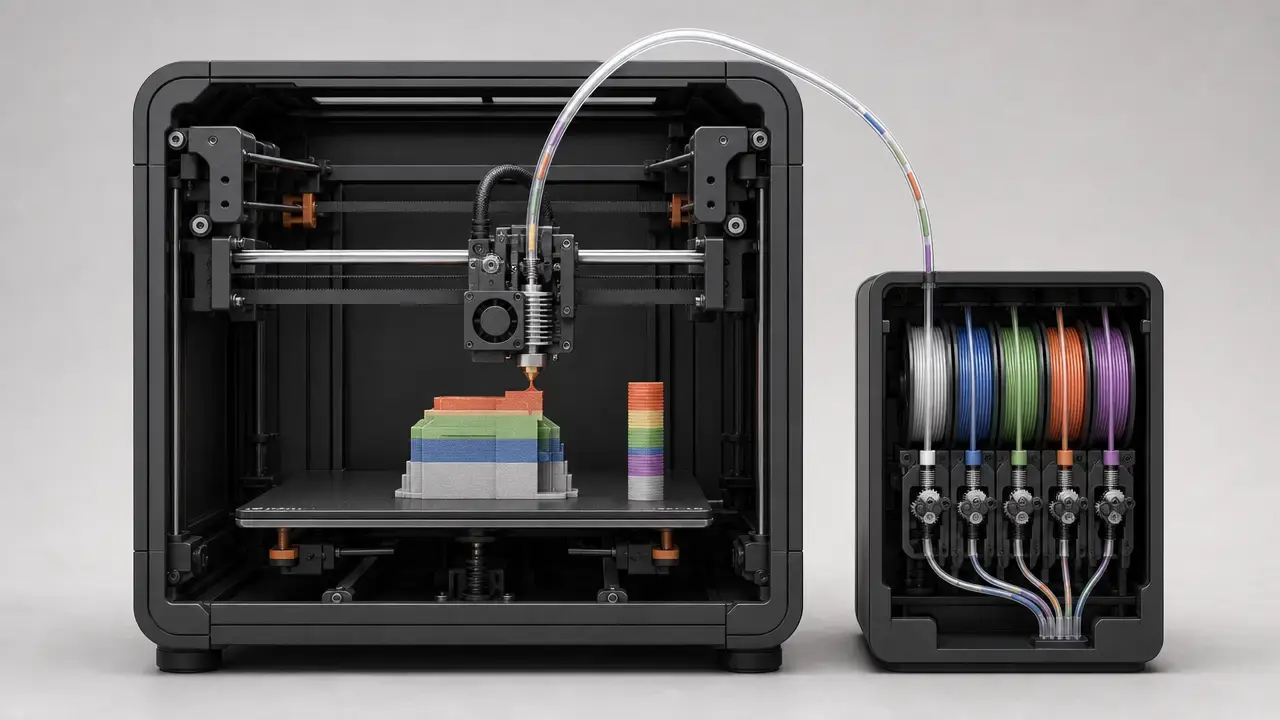

Verdict
In this bundle-aware, US-market-specific anycubic kobra s1 combo vs bambu lab p1s comparison, the broader buyer-group winner is the Bambu Lab P1S. [1] [5] [7] [8] [18] [19]
That does not mean the Anycubic loses on raw bundle appeal. The Anycubic Kobra S1 Combo is compelling because ACE Pro is included in the box, and its listed hotend and bed ceilings are higher on paper. But the P1S is easier to recommend overall because it has the clearer official multicolor expansion path, the longer independent review trail, and the more explicit lifecycle continuity statement. Bambu’s official P1-series material says the platform can scale to up to 16 color-printing with AMS, and Bambu has also said publicly that the P1S will continue to be manufactured and sold with no plans to phase it out in the foreseeable future. Anycubic’s official page, by contrast, positions the Kobra S1 Combo as a 4-color system, with 8-color printing requiring two ACE Pro units plus an eight-color feeding module. [1] [5] [18] [19]
- Choose the Kobra S1 Combo if you want ACE Pro included and you specifically value the higher listed 320°C hotend and 120°C bed limits. [1]
- Choose the P1S if you want the more established platform and the clearer official path to larger multicolor expansion. [5] [18]
- Choose the Kobra S1 Combo if current bundle hardware matters more to you than lifecycle signaling and review history. [1] [8]
- Choose the P1S if you care more about support continuity, broader public review history, and a more established AMS workflow. [7] [18] [19]
- Do not decide on speed alone; real finished print time depends on the job, the profile, the material, and multicolor overhead. [1] [4] [8]
What exactly is being compared
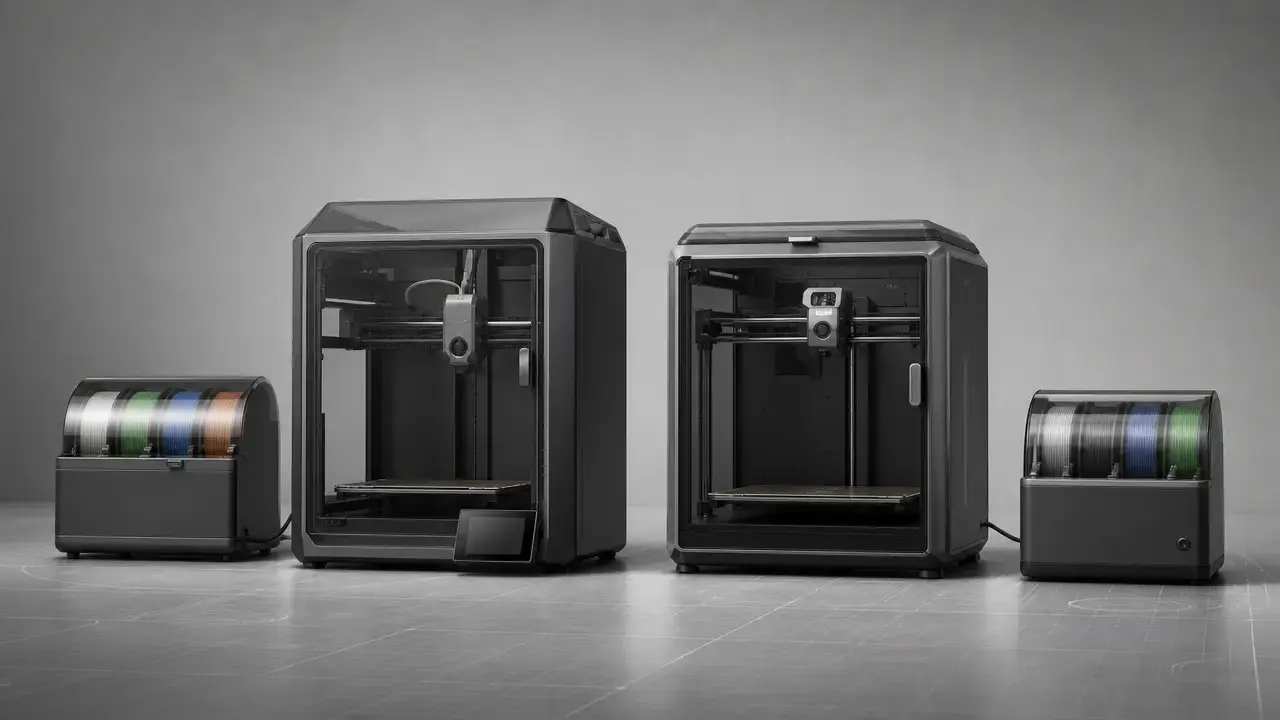
This is not a generic Kobra S1 versus generic P1S article. It is locked to the US-facing, bundle-aware state visible on October 5, 2026. On the Anycubic side, that means the Kobra S1 Combo sold with ACE Pro in the box. The same page also shows an [Enhanced Version] Kobra S1 ACE 2 Pro Combo, but that variant is out of scope here. On the Bambu side, this article treats the purchase path as P1S base printer plus the current multicolor bundle path, with the store listing currently pointing to a P1S AMS 2 Pro Combo configuration that should be rechecked on publication day. [1] [6]
| Bundle | Includes | Multicolor slots | Drying? |
|---|---|---|---|
| Anycubic Kobra S1 Combo | Kobra S1 printer + ACE Pro in the box. [1] | 4 colors base; 8 colors with two ACE Pro units plus an eight-color feeding module. [1] | Yes, ACE Pro drying up to 55°C. [1] |
| Bambu P1S bundle-aware path | Current store listing points to P1S + AMS 2 Pro + 4-Pin Bus Cable + Switching Adapter + AMS Hub + PTFE Tube Coupler; verify on publication day. [6] | Up to 16 colors with AMS on the P1 series. [5] | AMS 2 Pro supports drying up to 65°C, but on P1/X1 printers the drying function requires an official power adapter, so verify included accessories carefully. [12] |
Store bundles change, and multicolor naming changes with them. Verify the cart contents before buying. If the current P1S Combo included AMS generation cannot be verified at publication time, the right wording is no reliable figure found, not a guess. The same caution applies to price snapshots, optional accessories, and what exactly ships separately. [1] [6]
How we are judging speed and print quality
Speed is judged in this order: completed-job time first, then slicer profile assumptions, then the motion and flow explanations that help interpret those times. Manufacturer maximum speed is not the same as finished print time. Bambu does publish a 32 mm³/s flow figure, but it is explicitly tied to a stated ABS test condition, not to every print you might run. For print quality, unless the same model, filament, nozzle size, layer height, slicer version, and settings were used on both machines, the conclusion has to be written as cross-review inference, not as a controlled head-to-head. That is especially important for dimensional claims, because geometric capability requires defined artefacts, methods, and uncertainty-aware benchmarking. [4] [15]
What these printers are
Both machines belong to the same broad class: enclosed, desktop, CoreXY-style material extrusion printers for users who want a faster, more automated workflow than a typical open-frame bed-slinger. In the ISO/ASTM vocabulary, the umbrella term is additive manufacturing, while material extrusion is the process family that everyday buyers usually still call FDM or FFF. That terminology keeps the comparison centered on process and hardware rather than brand labels. [13]
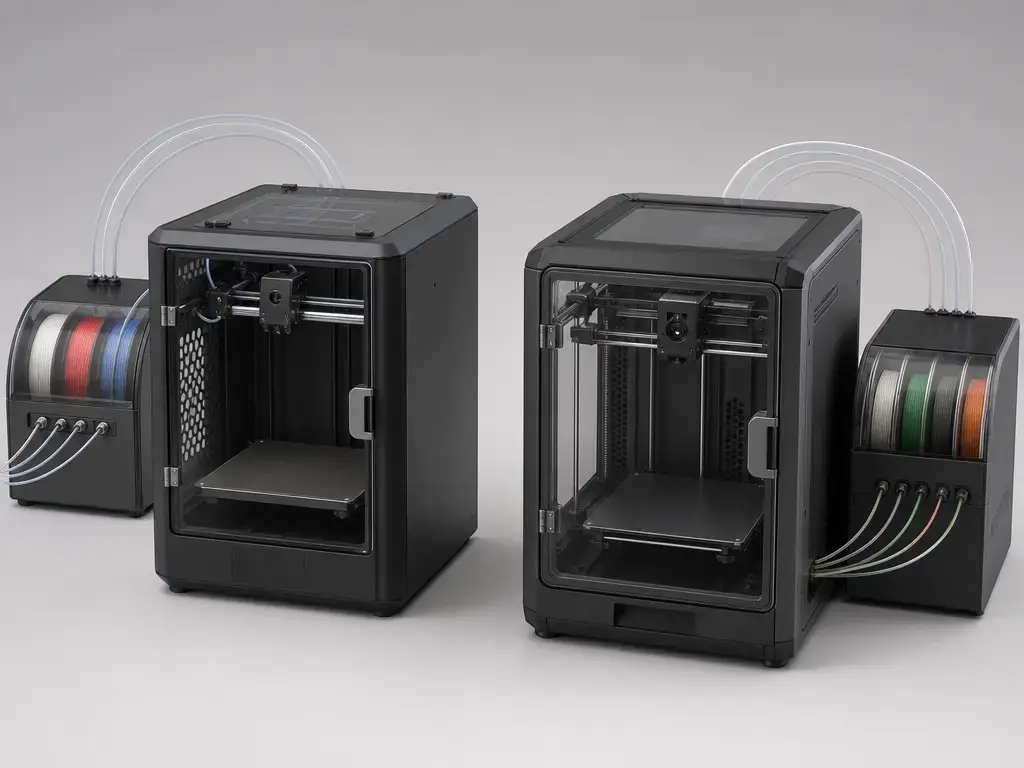
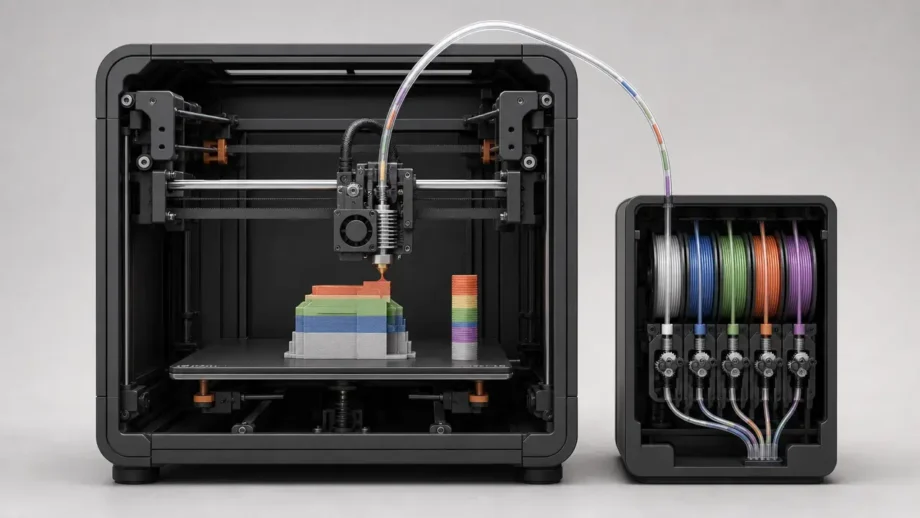
The multicolor angle does not change the underlying architecture. These are not standard dual-nozzle or multi-tool printers. Both still rely on a single hotend and filament switching, so color changes are handled by feeding, cutting, purging, and reloading filament. That is why purge waste, feeder behavior, spool compatibility, and reload control matter so much here. [1] [11]
Specs comparison
The table below is a useful snapshot, but not the whole buying answer. The two systems are close in broad motion class, but they diverge in thermal limits, feeder behavior, and how their multicolor ecosystems are framed officially. [1] [3] [4] [5]
| Metric | Kobra S1 Combo (ACE Pro) | Bambu P1S (bundle-aware) | Why it matters |
|---|---|---|---|
| Build volume | 250 × 250 × 250 mm³. [1] | 256 × 256 × 256 mm³. [3] | The P1S has a slightly larger usable cube. |
| Max toolhead speed | 600 mm/s max; 300 mm/s recommended. [1] | 500 mm/s max. [4] | Headline speed does not automatically predict finished print time. |
| Max acceleration | 20,000 mm/s² max; 10,000 mm/s² recommended. [1] | 20,000 mm/s² max. [4] | Acceleration matters on short moves and on how often a machine can actually reach top speed. |
| Hotend max temp | 320°C. [1] | 300°C. [3] | Higher ceiling can expand thermal margin for some materials. |
| Bed max temp | 120°C. [1] | 100°C. [3] [4] | Bed heat matters for warp-prone plastics such as ABS and ASA. |
| Nozzle material and official upgrade path | Tom’s Hardware reported a brass nozzle on the review unit; Anycubic’s official accessory page lists both brass and hardened-steel Kobra S1 nozzle options. [8] [17] | Stainless steel stock nozzle; official hardened-steel hotend options are available. [3] [10] | Stock hardware affects abrasive wear tolerance, but upgrades matter too. |
| Drying at the feeder | ACE Pro drying up to 55°C. [1] | AMS 2 Pro drying up to 65°C; on P1/X1 printers, drying requires an official power adapter. [12] | Feeder-side drying can help moisture-sensitive filament, but it is not heated-chamber printing. |
| Official color-count claim | 4 colors base; 8 colors with two ACE Pro units plus an eight-color feeding module. [1] | Up to 16 colors with AMS. [5] | Useful as a ceiling, but both are still single-hotend switching systems. |
| Machine size / weight | Printer 400 × 410 × 490 mm³; printer 18 kg; ACE Pro 4.6 kg. [1] | 389 × 389 × 458 mm³; 12.95 kg. [4] | Desk fit and ease of moving the machine matter more than buyers sometimes expect. |
Speed comparison: which is faster in real prints?
If you are searching for an anycubic kobra s1 combo vs p1s speed comparison, the honest answer is that motion specs alone do not settle it. Anycubic lists 600 mm/s maximum toolhead speed and 20,000 mm/s² maximum acceleration, while Bambu lists 500 mm/s maximum toolhead speed, 20,000 mm/s² maximum acceleration, and a 32 mm³/s maximum flow figure under stated ABS test conditions. Manufacturer maximum speed is not the same as finished print time. [1] [4]
That matters because small differences in top speed often count for less than geometry, cooling, layer height, filament type, line width, and profile limits. Bambu’s 32 mm³/s figure is not a generic “this printer is always faster” number; it is a stated test result for ABS, using a 150 × 150 mm single-wall model at 280°C. Anycubic does not publish a directly comparable volumetric-flow figure in the supplied fact set, so the cleaner comparison is still completed job time, not headline motion. In practice, short moves, retractions, overhang cooling, and multicolor pause-and-purge behavior often decide more than the last 100 mm/s on a spec sheet. [4]
A small illustrative callout helps, but it should not be overread:
- P1S: Tom’s Hardware reported a Speed Benchy at 18 minutes at 500 mm/s, versus 26 minutes at a more normal 200 to 300 mm/s range. [7]
- Kobra S1: Tom’s Hardware reported a Speed Benchy at 24 minutes 15 seconds under the reviewer’s stated parameters. [8]
Those are illustrative, not a scientific head-to-head. The reviews did not use a matched cross-brand test protocol, so they show capability, not a lab verdict. The practical takeaway is simpler: both printers sit in the same high-speed consumer class, but the actual winner for your workload will depend on slicer profile, material choice, and how much multicolor switching the job requires. [7] [8]
Print quality: what we can say and what we cannot
For bambu lab p1s vs anycubic kobra s1 print quality, the fairest conclusion is a narrow one. Across independent reviews, both machines are capable of clean consumer-grade output, but no controlled side-by-side tests were run for this article. That means the available evidence is cross-review inference. The P1S benefits from a much longer public review history, which makes it easier to trust the general pattern that its defaults and profiles are mature. The Kobra S1 review evidence is newer, but still strong enough to show that the machine can produce very good results, especially in single-color work and in well-dialed setups. What the public record does not support is a blanket claim that one machine has a universal quality edge across all models, materials, and settings. [7] [8]
That limitation matters even more when people try to reduce print quality to a single numeric “accuracy” score. Reviews rarely use the same test object, filament, nozzle, layer height, cooling setup, or slicer version. Once those change, the result describes the whole setup, not just the printer. That is why this article does not name a dimensional-accuracy winner. For that specific claim, no reliable figure found under a common, uncertainty-aware method. [15] [16]
Accuracy vs precision vs resolution: Accuracy is closeness to the intended value; precision is repeatability; resolution is the smallest step or feature the machine or measurement can distinguish. NIST specifically cautions that accuracy is a qualitative concept and should not be treated as a bare numeric marketing label without method and uncertainty. [16]
Practical takeaway: treat print quality as a near tie unless your jobs strongly favor one ecosystem’s profiles, material guidance, or multicolor tooling. In that case, the better printer is the one that gets you to acceptable output with less tuning and less waste. [7] [8]
Multicolor and filament handling
Capability and color-count fairness
This is where the comparison becomes less symmetrical. Anycubic officially frames the Kobra S1 Combo as a 4-color system, with 8-color printing requiring two ACE Pro units plus an eight-color feeding module. Bambu’s official P1-series page claims up to 16 color-printing with AMS. Those are the fair official ceilings to compare, but they are not the same thing as saying one machine is always better at every multicolor job. [1] [5]
That is because both systems still use single-hotend filament switching. Every extra color can add more switching time, more purge material, and more opportunities for feeder-related trouble. So official color-count ceilings are useful, but they are expansion ceilings, not a guarantee of equal efficiency, equal cleanliness, or equal cost per finished part. [1] [5] [11]
Drying versus dry storage
Drying here is a feeder-side function, not chamber heating. Anycubic’s ACE Pro supports drying up to 55°C. Bambu’s AMS 2 Pro supports drying up to 65°C. The Bambu side needs one extra caveat: the AMS 2 Pro technical data says that on P1/X1 series printers, the drying function requires an official Bambu Lab power adapter. So the capability is real, but buyers should verify that their actual accessory set supports the way they plan to use it. [1] [12]
Waste and time penalty
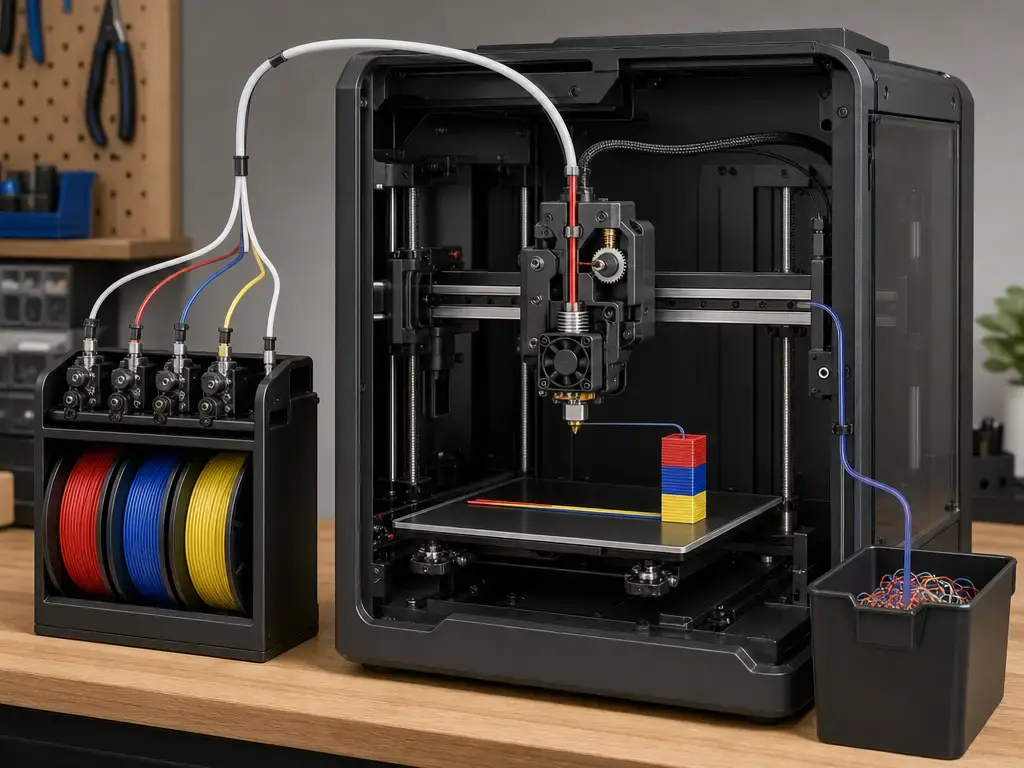
Single-nozzle multicolor has a built-in cost, and this is the most buyer-relevant one: purge waste. Tom’s Hardware’s Kobra S1 review gives a vivid public example. The reviewer reported a multicolor head taking 56 hours, a claw taking 8.5 hours, and 987 g of wasted filament across the two prints. Another example in the same review described a dragon print where the part weighed 312 g, but supports, purge tower, and purge waste added 730 g of scrap. These are not universal constants, and they are not a cross-brand test. They are model- and profile-dependent examples. But they are still useful because they show how quickly multicolor convenience can turn into real time and material cost. [8]
Bambu’s AMS architecture does not escape this reality. Its own technical explanation is explicit that this style of single-in, single-out multicolor system still needs purge material and that filament switches take time. The right question is not whether purge exists, but how well the slicer helps you control it and how much of that overhead matters for the jobs you actually print. [11]
Filament and spool restrictions
Restrictions matter more here than in single-spool printing. Anycubic states that TPU 95A is not compatible with the ACE Pro and that TPU 95A is only suitable for single-color printing. Bambu’s legacy AMS guidance says AMS is not compatible with TPU and warns that cardboard spools can jam. AMS 2 Pro technical data adds spool-size limits of 50 to 68 mm width and 197 to 202 mm diameter, and also says common TPU is not supported. [1] [11] [12]
Multicolor drawbacks to mention
- Purge waste can be substantial. [8] [11]
- Print time rises with every swap. [8] [11]
- Color contamination risk rises as parts get more swap-heavy. [8]
- Spool fit matters, especially with AMS 2 Pro dimensional limits and cardboard-spool caveats. [11] [12]
- TPU support is limited on both ecosystems in multicolor mode. [1] [11] [12]
- Auto-refill is useful, but it does not erase spool-compatibility limits or purge overhead during runout handling. [1] [11]
Materials and enclosure performance
On paper, both printers are enclosed enough to make PLA, PETG, ABS, and ASA easier to manage than they would be on a typical open-frame machine. The Kobra S1 Combo lists a 320°C hotend and 120°C bed. The P1S lists a 300°C hotend and 100°C bed. Those numbers matter, especially for warp-prone materials, but they do not automatically translate into the same real-world behavior with every filament brand or part geometry. [1] [3] [4]
The temperature numbers also need context because enclosure does not mean heated chamber. Tom’s Hardware specifically notes that the Kobra S1 does not have active chamber heating. The enclosure helps, but it is not the same thing as a heated-chamber process. This article also does not claim active chamber heating for the P1S, because that claim is not established by the supplied sources. [8]
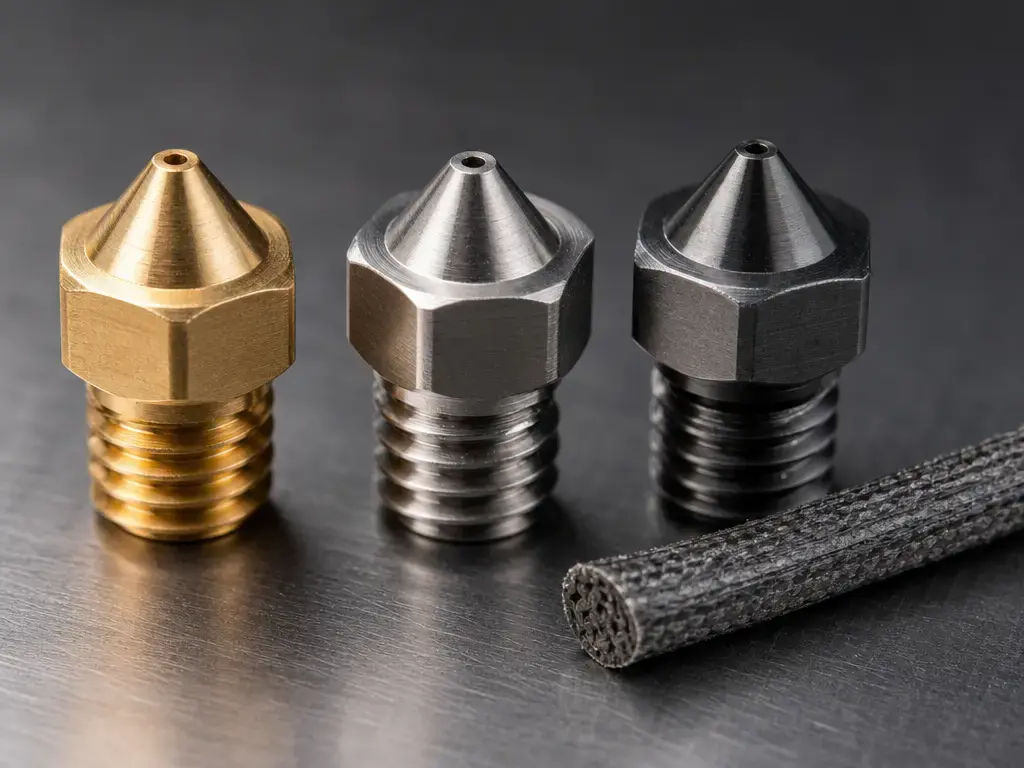
Nozzle material and official upgrade options are a separate question from heat. On the Bambu side, the P1S ships with a stainless steel nozzle, the newer technical spec PDF marks carbon/glass fiber reinforced polymer as Not Recommended on the stock setup, and Bambu’s official hotend store page offers hardened steel options, with a 0.6 mm hardened steel nozzle commonly recommended for general CF/GF use to reduce clogging and abrasion risk. On the Anycubic side, Tom’s Hardware reported a brass nozzle on the review unit, while Anycubic’s official accessory page lists both brass and hardened-steel Kobra S1 nozzle options. The buyer-relevant point is simple: temperature ceiling is not the same as abrasive readiness. For abrasive composites, both ecosystems should be treated as upgrade-aware, not as solved out of the box. [3] [8] [10] [17]
Setup, calibration, slicers, and daily workflow
Out of the box, both printers are much more guided than older hobby machines, but neither is magic. Expect first-setup checks, calibration passes, and profile selection before you get the best results. Anycubic markets the Kobra S1 Combo as a fast-start machine and highlights auto-leveling, resonance compensation, and flow compensation; Tom’s Hardware’s Kobra S1 review also describes a mostly assembled machine with guided initial calibration. The P1S review history tells a similarly guided story, though with a longer record of users and reviewers repeating the process. [1] [7] [8]
The slicer story matters because these machines depend on tuned profiles to deliver their advertised speed. Anycubic says Anycubic Slicer Next is built on the open-source Orca software. Bambu’s P1S spec sheet says Bambu Studio is supported and that third-party slicers exporting standard G-code, such as SuperSlicer, PrusaSlicer, and Cura, are also supported, though certain advanced features may not be. So the real difference is not a simple open-versus-closed split. It is that the Kobra S1’s public review evidence is more critical of current multicolor control, especially around purge management, while Bambu’s profile ecosystem has a longer maturity trail. [1] [3] [8]
For daily use, multicolor is where friction shows up fastest. Loading spools, checking spool dimensions, verifying filament paths, managing runout behavior, and dealing with purge waste all add overhead that single-color owners do not face as often. Tom’s Hardware specifically criticized the Kobra S1’s slicer for not clearly reporting purge consumption and for lacking a purge-object option, which matters directly to part planning and material budgeting. On the P1S side, the camera spec is only 1280 × 720 at 0.5 fps, which is fine for basic monitoring but not a reason by itself to choose the machine. On the Anycubic side, the official product page lists Activated Carbon (1pcs) in the box, but that should not be turned into a broad air-safety promise. [4] [7] [8] [1]
Reliability, support, and ecosystem maturity
Ecosystem maturity is not the same as a quantified reliability rate, so this section has to stay evidence-bound. The safest claim is that the P1S has the broader independent review track record. The P1S has been in the public review ecosystem since July 2023, while the Kobra S1’s public review trail is newer and shorter. That does not prove lower failure rates for Anycubic. It does mean buyers have had more time to observe how the P1S behaves after initial launch impressions wear off. [7] [8] [18]
Bambu also provides clearer lifecycle signaling in the supplied sources. In its February 10, 2026 “A farewell to P1P” post, Bambu said the P1S will continue to be manufactured and sold and that it has no plans to phase it out in the foreseeable future. In the October 14, 2025 P2S announcement, Bambu also said the introduction of the P2S does not discontinue the P1S and that the P1S remains available and fully supported. That does not make the P1S automatically more reliable. It does make it easier to recommend as a lower-anxiety platform purchase. [18] [19]
Running costs, price, and total cost of ownership
Live price check: Re-check US prices and bundle contents on publication day. If the current Bambu store configuration or combo content cannot be verified, use no reliable figure found rather than freezing a stale store snapshot in the article. [6]
On the Anycubic side, the official product page snapshot accessed on October 5, 2026 showed $459.00 for the [Enhanced Version] Kobra S1 ACE 2 Pro Combo, $399.00 for the Kobra S1 Combo, and a $599.00 crossed-out comparison price on the page. Those figures are volatile e-commerce data, not permanent MSRP truth. They are useful as a same-day snapshot, but not as a timeless pricing claim. [1]
Total cost is also much bigger than sticker price. Multicolor waste can raise filament consumption sharply, and the Kobra S1 examples from Tom’s Hardware show how dramatic that can get on swap-heavy models. Nozzle wear is another hidden cost. On the Anycubic side, a brass-style starting point or brass replacement path makes abrasive use more consumable-heavy unless you move to hardened steel. On the Bambu side, official hardened-steel hotend options improve abrasive readiness, but they also add upgrade cost. The better value therefore depends on your workload: cheap single-color PLA and PETG are one story, while heavy multicolor or abrasive composite use is another. [8] [10] [17]
Who should buy which
The practical answer depends less on brand loyalty and more on what you print most often. If you know whether you are mostly printing single-color functional parts, decorative multicolor pieces, or hotter enclosure-friendly materials, the choice gets easier. [1] [5] [8]
| User profile | Better fit | Why | Watch-outs |
|---|---|---|---|
| First-time user | P1S | Longer independent review trail and clearer lifecycle continuity. [7] [18] | AMS still adds setup and material-management complexity. |
| Multicolor decorative prints | P1S | Stronger official multicolor ceiling with up to 16 colors with AMS. [5] | Purge waste and longer print times still apply. |
| Functional PLA/PETG | P1S | Safer default recommendation because the public profile ecosystem is more established. [7] [18] | Stock nozzle/material guidance still matters for abrasives. |
| ABS/ASA | Kobra S1 Combo | Higher listed bed and hotend ceilings on paper: 120°C bed and 320°C hotend. [1] | Do not assume active chamber heating. [8] |
| School / makerspace | P1S | Easier to justify as a known quantity with documented platform continuity. [7] [18] [19] | Multicolor adds waste and spool-management overhead. |
| Open workflow preference | Kobra S1 Combo | Anycubic Slicer Next is Orca-based, and the combo includes the feeder hardware in one purchase. [1] | Bambu Studio also supports third-party slicers, so this is a preference edge, not a hard lockout claim. [3] |
| Minimize waste preference | P1S | The Kobra S1 review specifically criticized current purge-control visibility and purge-object limitations, which pushes cautious buyers toward the more documented Bambu workflow. [8] | AMS still produces purge waste. [11] |
Limitations, failure modes, and current market context
The biggest buyer-relevant failure modes here are practical, not mysterious: purge waste, long multicolor job times, feeder misfeeds, spool-size incompatibility, cardboard-spool debris, and TPU limitations. Anycubic’s own FAQ notes that smoother multicolor printing is recommended with plastic filament spools. Bambu’s older AMS guidance warns that cardboard spools can jam, while AMS 2 Pro adds formal spool-size limits of 50 to 68 mm width and 197 to 202 mm diameter. TPU remains constrained on both sides in multicolor contexts. Anycubic says TPU 95A is not compatible with the ACE Pro, and Bambu’s guidance says AMS does not officially support TPU, with AMS 2 Pro also stating that common TPU is not supported. [1] [11] [12]
Noise claims also need context. Anycubic’s page says ≤46 dB in standard mode and ≤44 dB in quiet mode, measured at 1 meter, and explicitly notes that actual performance may deviate. That is useful as a manufacturer-condition reference, but it is not a lab-comparable verdict pillar. The same caution applies to setup-time marketing, camera convenience, and broad odor-filtration assumptions. [1]
The market context can stay short. Yes, the P2S exists. No, that does not make the P1S an orphan. Bambu’s official blog says the P1S remains in production, remains for sale, and remains supported, and the P2S launch did not discontinue it. For buyers, that means the P1S is still a current platform rather than a clearance-only afterthought. [18] [19]
Final verdict
For the average buyer making an anycubic kobra s1 combo vs bambu lab p1s decision, the Bambu Lab P1S is still the better all-round recommendation. Its advantage is not a simple spec-sheet win. It comes from the combination of a longer review trail, a clearer official multicolor scaling story, and explicit continuity messaging from Bambu Lab. [5] [7] [18] [19]
The cleanest way to separate the two machines is by source class. On official spec-sheet numbers, the Kobra S1 Combo looks more aggressive, especially on hotend and bed temperature. On official multicolor ceiling and lifecycle messaging, the P1S looks more settled. On independent review evidence, the P1S also benefits from a longer public history, while the Kobra S1 shows that its hardware can be very capable but that its current multicolor workflow still asks more from the user. On print quality, the honest answer remains cross-review inference, not a lab-grade verdict. [1] [5] [7] [8] [16]
Buy this if…
- Buy the Kobra S1 Combo if you want ACE Pro included, higher listed thermal ceilings, and strong current bundle value. [1]
- Buy the P1S if you want the safer long-term platform bet, the clearer official multicolor expansion path, and the more established ecosystem story. [5] [18] [19]
FAQ
1) Anycubic Kobra S1 Combo vs Bambu Lab P1S: which is better for a first enclosed printer?
For a first enclosed printer, the P1S is the easier recommendation. The reason is not that the Kobra S1 Combo is weak. It is that the P1S has the longer independent review trail and the clearer documented support continuity. The Kobra S1 Combo is still appealing if you specifically want the included ACE Pro and the higher listed thermal limits. [1] [7] [18]
2) Anycubic Kobra S1 Combo vs P1S: which is faster in real finished print time?
There is no universal winner from the available evidence. The P1S has an illustrative 18-minute Speed Benchy result in one Tom’s Hardware review, while the Kobra S1 has an illustrative 24-minute 15-second result in a separate review. Those are not matched tests, so they show capability, not a scientific head-to-head. [7] [8]
3) Bambu Lab P1S vs Anycubic Kobra S1: what print quality evidence actually exists?
The public evidence is cross-review inference, not a controlled side-by-side. Both machines have review evidence showing good output, but the conditions are not identical across sources. Without matched models, filament, nozzle size, slicer version, and settings, the safest answer is that both are capable and neither has a proven universal quality edge. [7] [8] [16]
4) ACE Pro vs AMS or AMS 2 Pro: what are the biggest multicolor drawbacks?
The main drawbacks are purge waste, longer print times, more sensitivity to spool compatibility, and limited TPU support. The Kobra S1 review provides especially clear public examples of how waste can balloon on complex multicolor jobs. Bambu’s AMS documentation also makes clear that single-hotend switching still costs purge material and time. [8] [11] [12]
5) Can the Kobra S1 Combo print TPU with ACE Pro multicolor?
No. Anycubic states that TPU 95A is not compatible with the ACE Pro and that TPU 95A is only suitable for single-color printing, not ACE Pro multicolor. [1]
6) Expert: how should I compare max speed, acceleration, and volumetric flow when choosing between these printers?
Treat them as related but different limits. Speed is how fast the toolhead can move, acceleration is how quickly it reaches that speed, and volumetric flow is how much molten polymer the hotend can actually sustain. Bambu publishes a 32 mm³/s figure, but only under a stated ABS test condition. Anycubic does not publish a directly comparable flow figure in the supplied fact set, so real job time still depends more on profile and geometry than on the top-speed headline alone. [4]
7) Expert: what do stock nozzle materials imply for abrasive filaments, and what upgrades are officially available?
Abrasive composites punish soft nozzle materials. On the P1S, the stock nozzle is stainless steel, and Bambu officially offers hardened-steel hotend options, with hardened 0.6 mm often recommended for general CF/GF use. On the Kobra S1 side, Tom’s Hardware reported a brass nozzle on the review unit, and Anycubic’s accessory page lists both brass and hardened-steel Kobra S1 nozzle options. In short, abrasive printing is upgrade-aware on both sides, but the P1S’s stock starting point is more conservative. [3] [8] [10] [17]
Sources
- Anycubic Kobra S1 Combo product page — bundle contents, build volume, speed, acceleration, temperatures, drying, TPU limits, noise, dimensions, weight, and in-box items.
https://us.anycubic3d.com/products/kobra-s1-combo - Bambu Lab P1S technical specifications PDF — build volume, stock nozzle material, hotend temperature, bed temperature, and stock material guidance.
https://store.bblcdn.com/7032c40b1ca64c70bcb3239d46cc72aa.pdf - Bambu Lab P1S technical specifications PDF — max speed, max acceleration, max hotend flow test condition, dimensions, weight, and camera spec.
https://store.bblcdn.com/0de21072f69f4ac9ad9639adb36d4b20.pdf - Bambu Lab P1 Series official page — official up-to-16-color AMS claim.
https://bambulab.com/en-us/p1p - Bambu Lab US store P1S page — current combo contents as listed; verify at publication time.
https://us.store.bambulab.com/collections/3d-printer/products/p1s - Tom’s Hardware review of the Bambu Lab P1S — illustrative Benchy timing and workflow context.
https://www.tomshardware.com/reviews/bambu-lab-p1s - Tom’s Hardware review of the Anycubic Kobra S1 — illustrative Benchy timing, multicolor waste examples, workflow limits, and no-active-chamber-heating note.
https://www.tomshardware.com/3d-printing/anycubic-kobra-s1-review - Bambu Lab P1 Series all-in-one hotends kit page — hardened-steel nozzle availability and abrasive-filament guidance.
https://us.store.bambulab.com/bundles/all-in-one-hotends-kit-p1-series - Bambu Lab blog, “AMS explained” — AMS scaling to 16 colors/materials, purge/time tradeoffs, TPU limitation, and cardboard-spool warning.
https://blog.bambulab.com/ams/ - Bambu AMS 2 Pro technical data PDF — drying temperature, spool dimensions, material limits, and P1/X1 drying-power requirement.
https://hub.bblcdn.com/default/eb0dbb24ea55483a8c9d5eead4443b75.pdf - ISO record for ISO/ASTM 52900:2021 — additive manufacturing vocabulary reference for material extrusion terminology.
https://www.iso.org/standard/74514.html - ISO record for ISO/ASTM 52902:2023 — geometric capability assessment and benchmarking-method caution.
https://www.iso.org/standard/79683.html?browse=tc - NIST TN 1297 terminology appendix — accuracy, precision, and uncertainty language caution.
https://www.nist.gov/pml/nist-technical-note-1297/nist-tn-1297-appendix-d1-terminology - Anycubic hotend accessory page — official Kobra S1 brass and hardened-steel nozzle options.
https://ca.anycubic.com/products/hotend - Bambu Lab blog, “A farewell to P1P” — P1S remains manufactured and sold; no plan to phase it out in the foreseeable future.
https://blog.bambulab.com/a-farewell-to-p1p/ - Bambu Lab blog, “The Icon Redefined: meet the P2S” — P2S launch does not discontinue the P1S.
https://blog.bambulab.com/the-icon-redefined-meet-the-p2s-a-completely-reengineered-version-of-the-ultra-productive-p1-series/