
Summary
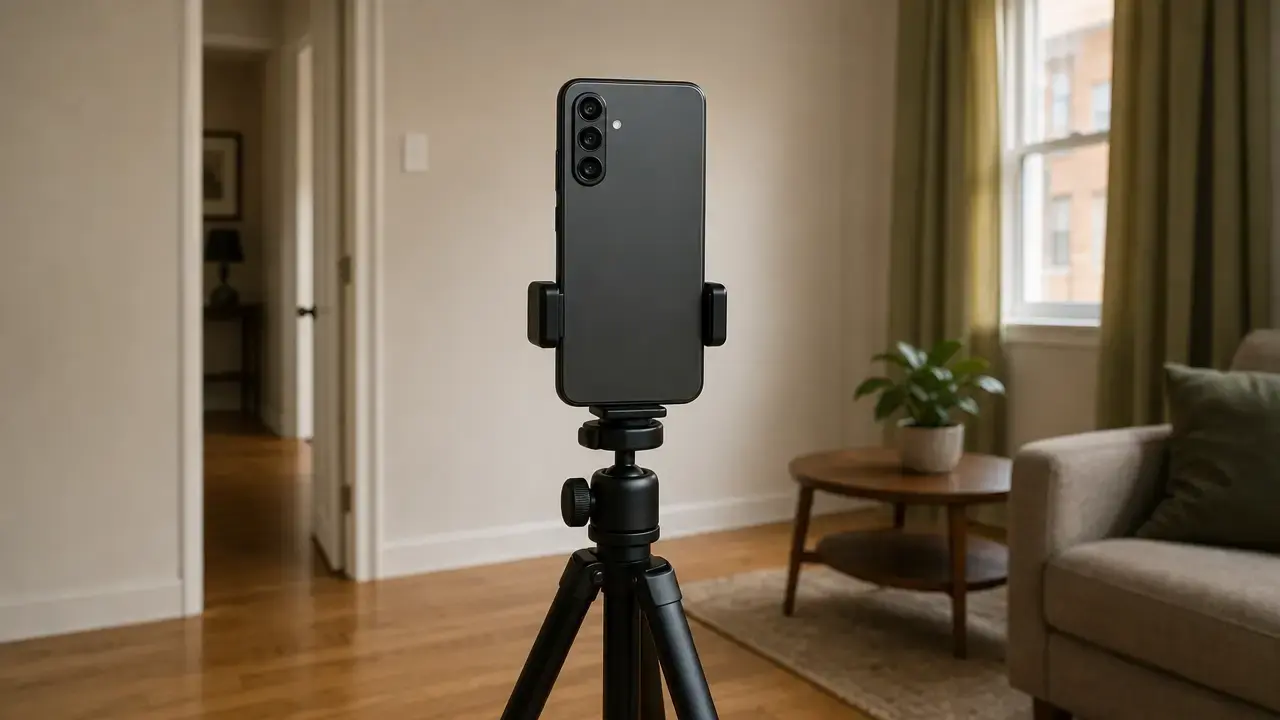
A 3d room scanner app turns a phone or tablet walk-through into a mobile spatial-capture workflow, but its deliverable may be a 2D floor plan, a parametric room model, a point cloud, or a mesh. These outputs serve different purposes: a drawing supports layout discussions; a parametric model provides editable recognized elements; a point cloud supports spatial inspection; and a mesh represents visible surfaces. Apple RoomPlan is an example of semantic room capture, recognizing elements such as walls, windows, openings, doors, and selected room-defining objects. Recognition, however, is not geometric verification. [1]
Choose a workflow by the required deliverable, acceptable error, validation method, and export compatibility—not simply by the word “LiDAR.” Not all mobile depth is hardware LiDAR: Google ARCore Depth API uses depth-from-motion and can combine it with available hardware depth data. [5] No consumer mobile workflow should be assumed to replace a licensed survey, certified as-built, or code-compliant drawing.
What a “3D Room Scanner App” Actually Produces
The output class determines what is being measured, how it should be checked, and which downstream software must be tested. A depth map stores estimated distances for image pixels. A point cloud is a collection of 3D points. A mesh connects points into surface faces. A parametric room model represents recognized building elements as editable objects. A 2D floor plan reduces a space to a plan-view drawing.
One mobile spatial-capture workflow may generate more than one representation from the same walk-through. Apple RoomPlan, for example, can identify architectural elements and selected objects, then export recognized-component data in USD or USDZ formats. [1] [2] E57, by contrast, is designed for point data and can carry point attributes and imagery. Format support alone does not prove that an app exports every field required by another program. [7] [8]
| App/output class | Main deliverable | Best-fit use | Principal limitation |
|---|---|---|---|
| 2D floor plan | Plan-view walls and dimensions | Space documentation and layout discussion | Validation is required; export does not guarantee interoperability. |
| Parametric room model | Editable walls, openings, and recognized objects | Early planning and structured documentation | Recognition is not verification; validation is required. |
| Point cloud | Spatial point dataset | Inspection, registration, and reference capture | Noise and incomplete coverage require validation. |
| Mesh | Connected surface geometry | Visualization and surface-based modeling | It can conceal uncertainty; export does not guarantee editability. |
| Scan-to-CAD or scan-to-BIM | Reviewed CAD or BIM deliverable | Renovation, design, and facility workflows | Usually requires human or service processing and downstream checks. |
How Mobile Room Scanning Works
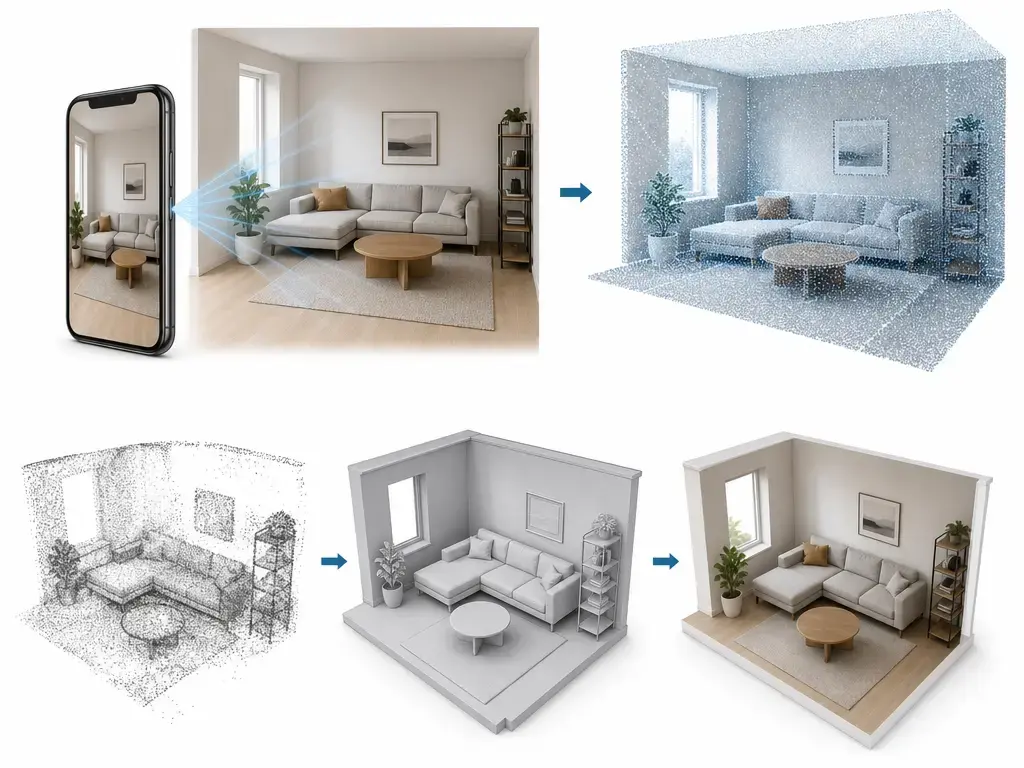
A mobile spatial-capture workflow combines camera images with inertial measurement unit (IMU) data that records device motion and orientation. Simultaneous localization and mapping (SLAM) estimates device pose while building a map of the room. Depth may come from an active sensor, camera-derived inference, or both. Apple AVFoundation/ARKit API characteristics describe one version of this pipeline: sparse LiDAR measurements are fused with color imagery through machine-learning processing to create a dense depth map. [4]
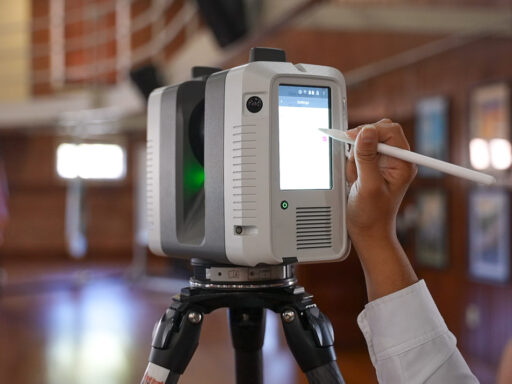
A LiDAR-equipped phone is not the same thing as a calibrated terrestrial laser scanner. Walking path, viewing angle, reflective materials, occlusion, motion, and tracking loss can all affect reconstruction. Loop closure can recognize a previously observed area and help constrain accumulated trajectory drift, but it does not certify global geometry or replace independent checks.
The resulting floor plan, point cloud, mesh, or semantic model is a reconstruction product, not a raw dump of sensor frames. Apple states that filtering is enabled by default in its LiDAR Depth Camera pipeline to reduce noise and fill missing values. This can make data easier to use, but it also makes independent checks of critical walls, openings, and dimensions essential. [4]
From walk-through to usable model
- Capture: Cameras acquire overlapping images while the IMU records device motion.
- Tracking: SLAM estimates device position and orientation during the walk-through.
- Depth estimation: The system assigns distance using active-depth samples, visual cues, or both.
- Registration and reconstruction: Observations are aligned, fused, and filtered into a point cloud, mesh, plan, or semantic model.
- Export and verification: The selected deliverable is exported and checked against required dimensions, geometry, and target software.
LiDAR vs Camera-Derived Depth: iPhone and Android Workflows
Active-depth systems, including LiDAR and other time-of-flight implementations, estimate range by emitting light and measuring its return. Depth-from-motion instead infers scene depth from differences among camera views as the device moves. A phone may also use sensor fusion, combining imagery, motion data, and hardware depth measurements.
Google ARCore Depth API uses depth-from-motion and can merge data from available hardware sensors such as time-of-flight sensors. Android depth is therefore not synonymous with hardware LiDAR. Google’s guidance states that depth images are most accurate when the device is roughly 0.5 m to 5 m from the scene. That is depth-image guidance under stated operating conditions, not a floor-plan tolerance or room-model accuracy specification. [5]
Apple AVFoundation/ARKit API characteristics distinguish depth maps up to 768 × 576 pixels for photo capture from ARKit depth maps at 256 × 192 pixels. These pixel dimensions cannot be used to infer room-model accuracy, point-cloud density, or exported mesh quality. [4]
RoomPlan and iPhone LiDAR Room Scanning: What Apple Actually Promises
Apple RoomPlan guidance says the workflow works best for a single residential room up to 30 ft × 30 ft, approximately 9 m × 9 m. This is operational guidance for that output workflow, not a LiDAR range claim or accuracy specification. Apple also recommends 50 lux or higher for a clear video stream and AR tracking; this concerns the camera-and-tracking workflow, not a claim that LiDAR itself needs illumination. [1]
Apple identifies full-height mirrors, glass, very dark surfaces, and high ceilings as challenging RoomPlan conditions. Its RoomPlan overview describes USD and USDZ exports with dimensions of recognized components, while MultiRoom guidance recommends a maximum total merged area of 2,000 ft², approximately 186 m². That area figure is operational guidance for RoomPlan MultiRoom, not a universal app limit or measurement tolerance. Apple also demonstrates default mesh export and optional model export when a Model Provider is used, so the same capture can produce structurally different representations. [1] [2] [3]
Caution: RoomPlan’s parametric output is recognized and simplified geometry. Treat it as starting geometry until validated. Check critical dimensions, room boundaries, openings, and missing or misclassified elements against site measurements before using an export for design, estimating, or construction decisions.
How to Scan a Room With and Without LiDAR
Start with a clear route around the perimeter, then add views needed to observe corners, doorways, windows, recesses, and areas blocked by furniture. Move steadily, maintain overlap between views, and inspect the live capture before leaving the room. Apple RoomPlan guidance links usable lighting to video and AR tracking and identifies glass, mirrors, dark surfaces, and high ceilings as potential problem conditions. [1]
Without active-depth hardware, a camera-based workflow can still be useful when its output and validation method fit the task. Depth-from-motion depends on movement and changing viewpoints, so texture-poor, transparent, dark, or poorly observed areas need additional scrutiny. [5]
Pre-export validation checklist
- Inspect coverage for missing, merged, or implausible walls, openings, and surfaces.
- Compare critical wall-to-wall dimensions using like-for-like endpoints.
- Repeat critical measurements from a second capture path or independent observation.
- Record checked endpoints, the reference tool used, and the tolerance decision.
- Note reflective, transparent, dark, or texture-poor materials that may affect reconstruction.
- Test-import a representative export sample into the intended downstream software.
- Remember that local checks do not validate global alignment, squareness, levelness, opening placement, or completeness.
Performance Metrics: What “Accurate” Means
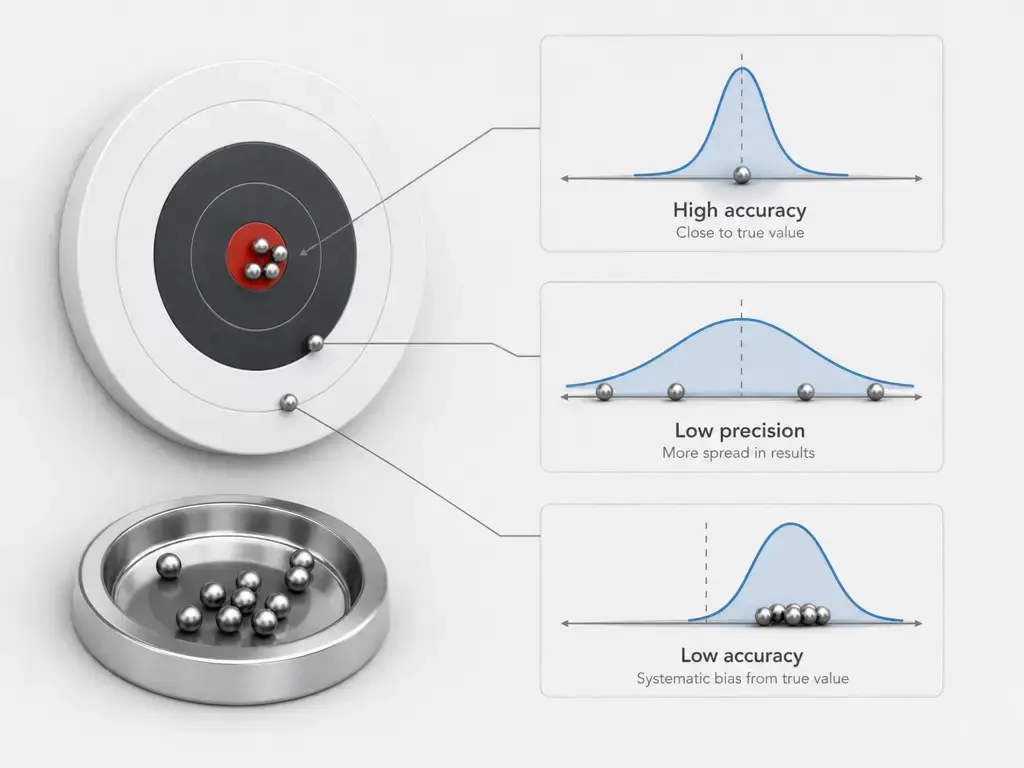
Accuracy is closeness to a reference value. Precision is the dispersion of repeated results, while repeatability is precision under repeated conditions. RMSE is an error-magnitude statistic relative to a reference dataset. A confidence interval depends on the model and sample. Resolution is a sampling increment, not accuracy. [11] [12]
A clean-looking floor plan or smooth mesh can still contain shifted corners, displaced openings, missing surfaces, or simplified geometry. The metric must match the output and decision: wall dimensions require endpoint comparisons, while point-cloud and mesh workflows require reference registration and surface checks. In a 2026 study of selected iPhone LiDAR point-cloud apps, reflective and glazed areas were important error zones in the documented case. This is mechanism evidence, not a universal room-accuracy figure. [6]
| Output | Primary metric to report | Practical validation method | What it does NOT validate |
|---|---|---|---|
| Floor plan | Wall-to-wall endpoint discrepancy | Compare like-for-like endpoints with repeats | Global alignment or completeness |
| Point cloud | Registration RMS and surface deviation | Compare with reference capture or control points | Semantic labels or design intent |
| Mesh | Surface deviation and topology condition | Inspect holes and compare surfaces to a reference | Hidden geometry or opening correctness |
| Parametric model | Element completeness and key opening dimensions | Check endpoints and model consistency | Global squareness or recognition completeness |
Validation method: Define critical endpoints before capture. Measure those same endpoints with a suitable reference instrument, such as a tape for an appropriate short check or a laser distance meter where suitable. Record the instrument’s stated uncertainty when available, repeat critical measurements, and decide the allowable discrepancy before relying on the scan. Compare like-for-like endpoints rather than a simplified mesh edge against an unrelated field point. Measurement terminology and uncertainty framing should follow metrology practice. Local agreement does not constitute global certification of alignment, squareness, levelness, opening placement, or completeness. [11] [12]
Why Scan Accuracy Changes From One Room to Another
Room geometry, surface materials, capture path, visual tracking, and reconstruction settings all affect scan accuracy. Apple identifies mirrors, glass, very dark surfaces, and high ceilings as challenging RoomPlan conditions. In the 2026 point-cloud study, the largest errors in one documented case clustered around glazed openings. [1] [6]
Nice-looking geometry is not the same as verified geometry. Filtering can reduce noise and fill depth gaps, but it can also make uncertainty less visible in the exported result. [4]
- Drift and loop closure causing global distortion: Check separated locations, not only dimensions near the capture start.
- Occlusion causing missing geometry: Walk around furniture and inspect corners, recesses, and openings for incomplete coverage.
- Reflective or transparent surfaces causing poor depth returns: Independently measure important glass, mirror, and glossy boundaries. [1] [6]
- Texture-poor walls, motion blur, or low light weakening tracking: Re-scan with steadier movement, improved visual conditions, and more varied viewpoints. [1] [5]
- Reconstruction smoothing or filtering hiding uncertainty: Compare important endpoints with field measurements rather than trusting a continuous-looking surface. [4]
What a 2026 Point-Cloud Study Shows About Metric Dependence
In a 2026 study, researchers screened free iPhone LiDAR point-cloud apps for raw-cloud access and export in at least one standard format, such as E57, PLY, LAS, or LAZ, without a mandatory subscription. The retained apps were Modelar, 3D Scanner, and SiteScape. This was a study-specific point-cloud comparison, not an assessment of RoomPlan floor plans, a current-market survey, or a product ranking. [6]
In one case, ICP registration changed reported RMS discrepancy from 8.1 cm to 4.6 cm for Modelar, 19.6 cm to 8.5 cm for 3D Scanner, and 11.7 cm to 7.9 cm for SiteScape. M3C2 was used as a surface-deviation-style comparison. These figures depend on the capture, reference, registration method, and metric; they are not universal room-accuracy values or floor-plan tolerances. Registration can improve a reported discrepancy without proving that every opening, local dimension, or global room relationship is correct. [6]
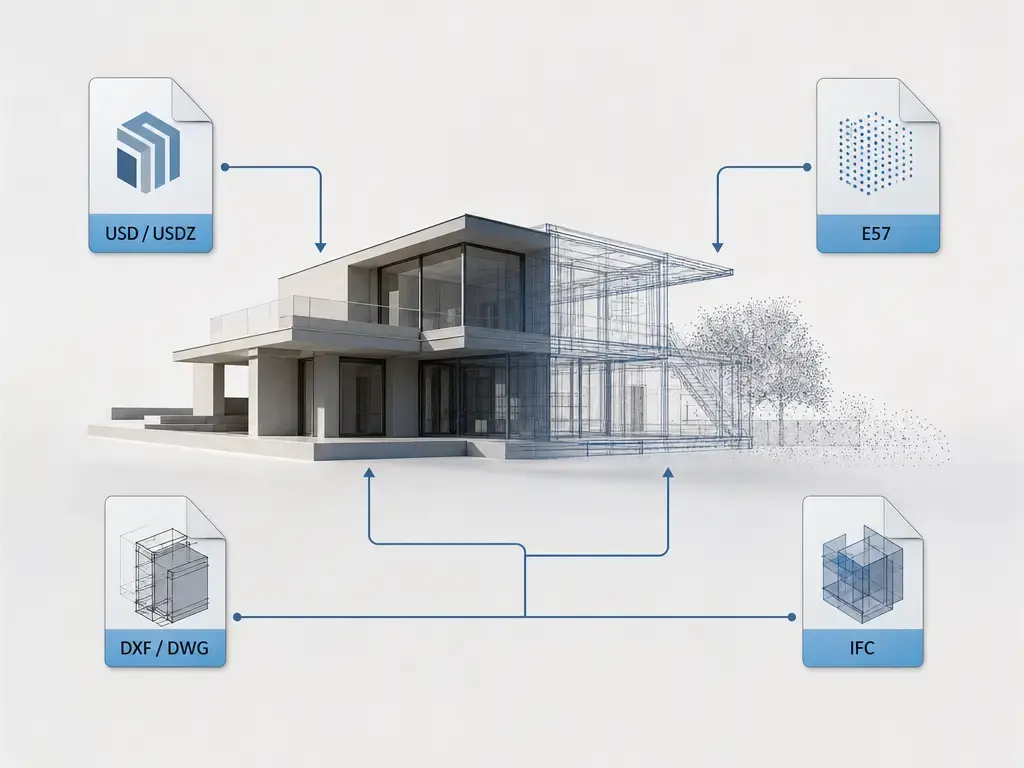
Exports and Interoperability: USD/USDZ, DXF/DWG, E57, IFC
An export format carries a particular representation, not an all-purpose building model. Apple RoomPlan’s USD and USDZ outputs can carry recognized components and dimensions for spatial and digital-content-creation workflows, but they are not automatically CAD or BIM deliverables. [2] A mesh may transfer surfaces but not editable walls; a parametric model may transfer recognized elements but omit construction semantics required by BIM workflows.
DXF is an interchange drawing format, while DWG is Autodesk’s native drawing format. Autodesk documents a DXF-to-DWG workflow in which the DXF is opened and saved as a DWG file. Conversion does not guarantee that layers, object semantics, dimensions, constraints, or editability will meet the recipient’s requirements. [15]
E57 is intended for 3D point data and can include point attributes, 2D imagery, and SI-unit quantities. It is useful when the downstream requirement is a point-cloud handoff, not when the recipient only needs editable floor-plan lines. [7] [8] IFC, defined by ISO 16739-1:2024, is a structured building-information exchange schema; a file with an .ifc extension still requires model-structure and downstream validation. [10]
Export gotchas (file extension ≠ success)
- Units and scale: Confirm that imported dimensions match the intended real-world size.
- Coordinate system: Check origin, axis direction, elevation, and local versus project coordinates.
- Layer conventions: Verify that categories arrive on usable layers or classes.
- Object semantics: Confirm whether walls, doors, windows, and rooms remain objects or become generic geometry.
- Topology: Inspect meshes for holes, non-manifold edges, disconnected surfaces, and unsuitable face structure.
- Metadata: Check retained names, dimensions, classifications, capture information, and custom properties.
- Editability: Determine whether the receiving program can modify objects or only display geometry.
- Textures and images: Confirm linked images, embedded textures, color data, and file paths.
- Georeferencing and control: Verify survey control, coordinate-reference information, and transformations.
Always test-import a representative file, including the largest expected room and critical objects, before committing to a capture workflow.
Choosing a 3D Room Scanner App for Your Workflow
The best 3d room scanner app is task-dependent. First define the deliverable, then identify critical dimensions and the consequence of error. Choose a capture method—such as a RoomPlan-style semantic model, a raw point-cloud workflow, or a service-processed scan-to-CAD/BIM workflow—and capture with overlap and inspection. Independently verify critical dimensions, then test-import a representative file into the destination software before standardizing the process.
Vendor examples illustrate workflow boundaries rather than universal performance. Polycam states that its 2D floor-plan and DXF workflow requires a LiDAR-equipped iPhone or iPad Pro and claims ± ½ inch accuracy for standard interior captures. This is a vendor claim for a stated workflow, not a transferable comparison result, and it still requires project-specific validation. [14] Twindo likewise advises supplying manually verified field measurements to override critical dimensions in delivered as-built files, reinforcing the value of an independent measurement path. [16]
| Your goal | Output you actually need | App/workflow class | Minimum validation before using |
|---|---|---|---|
| Quick furnishing or visualization | Simplified room model or mesh | Semantic room capture | Check room boundary and major openings |
| Editable 2D floor-plan drafting | Dimensioned drawing, often DXF | Floor-plan capture and drawing export | Compare critical wall endpoints |
| Point-cloud reference or documentation | Point cloud or mesh | Raw-scan capture workflow | Check coverage, scale, and sample registration |
| Structured BIM or as-built deliverable | Reviewed CAD/BIM model | Scan-to-CAD/BIM service workflow | Check elements, coordinates, and required semantics |
FAQ
What is the best 3d room scanner app?
There is no universal winner. The best app depends on whether you need a quick visualization, a dimensioned 2D plan, a point cloud, a mesh, or a structured model. Define the consequence of error, critical dimensions, validation method, and destination software before choosing. A familiar format or attractive preview is not enough; test a representative export before adopting the workflow.
How do you scan a room with iPhone LiDAR?
Walk steadily around the perimeter with overlapping views, then capture corners, openings, recesses, and areas obscured by furniture. Apple RoomPlan guidance describes a best-fit single residential room up to 30 ft × 30 ft, approximately 9 m × 9 m, and recommends 50 lux or higher for video and AR tracking. These are operational conditions, not accuracy specifications. [1]
Can a LiDAR room scanning app create a 3D floor plan?
Yes, but “3D floor plan” can mean different things: a dimensioned 2D drawing, a navigable mesh, or a semantic parametric room model. Apple RoomPlan can export USD or USDZ data containing dimensions of recognized components. That does not automatically create an editable CAD drawing or a validated BIM model. [2]
How accurate is a room measurement app with LiDAR?
There is no universal figure. State the metric, output type, capture conditions, reference instrument, and checked locations. Accuracy means closeness to a reference, not merely a smooth mesh or repeatable result. In the 2026 point-cloud study, reported discrepancies changed with registration method and glass was a case-specific error source, illustrating why a single headline number is unreliable. [6] [11]
Can you scan a room without LiDAR?
Yes. Camera-based workflows can estimate depth from changing views as the user moves, and Google ARCore Depth API can merge depth-from-motion with available time-of-flight sensor data. This may be suitable for tasks with appropriate validation, but it should not be assumed to produce the same coverage, geometry, or failure behavior as an active-depth workflow. [5]
What’s the difference between ICP alignment RMS and M3C2 deviation, and why should I care?
ICP alignment adjusts datasets to reduce correspondence differences, and RMS summarizes discrepancy after that alignment. M3C2 is a surface-deviation-style comparison that evaluates differences across local surfaces. In one study case, ICP changed Modelar’s reported RMS from 8.1 cm to 4.6 cm. That does not prove that every wall, opening, or global relationship is correct. [6]
When is E57 or IFC worth demanding, and when is it a distraction?
Demand E57 when the recipient genuinely needs point data, associated attributes, or imagery for a point-cloud workflow. [7] [8] Demand IFC when the requirement is a structured building-information exchange model with validated object semantics. [10] Both can be distractions when the real need is a simple plan, visualization, or mesh, because file extensions alone do not guarantee usable units, coordinates, semantics, or editability.
Sources
- Apple Developer. Create parametric 3D room scans with RoomPlan. 2022. Accessed October 22, 2026.
- Apple Developer. Introducing RoomPlan. Undated. Accessed October 22, 2026.
- Apple Developer. Explore enhancements to RoomPlan. 2023. Accessed October 22, 2026.
- Apple Developer. Discover advancements in iOS camera capture: Depth, focus, and multitasking. 2022. Accessed October 22, 2026.
- Google for Developers. Depth adds realism. Last updated September 4, 2026. Accessed October 22, 2026.
- Hamdan, A., Loghmanieh, I., and Bertalan, L. Assessing the Metric Accuracy of Free iPhone LiDAR Applications for Multiscale 3D Documentation. Journal of Geovisualization and Spatial Analysis. 2026. Accessed October 22, 2026.
- ANSI Webstore. ASTM E2807-11(2026) Standard Specification for 3D Imaging Data Exchange, Version 1.0. 2026. Accessed October 22, 2026.
- Library of Congress. ASTM E57 3D file format (E57). Last significant update February 6, 2023. Accessed October 22, 2026.
- NIST. ASTM E57 – 3D Imaging Systems. Published June 4, 2008. Accessed October 22, 2026.
- ISO. ISO 16739-1:2024 Industry Foundation Classes (IFC) for data sharing in the construction and facility management industries. Edition 2, March 2024. Accessed October 22, 2026.
- BIPM. JCGM 200:2012 International vocabulary of metrology (VIM). 2012. Accessed October 22, 2026.
- BIPM. JCGM 100:2008 Evaluation of measurement data — Guide to the expression of uncertainty in measurement (GUM). 2008. Accessed October 22, 2026.
- magicplan Help Center. Scan a Floor Plan with LiDAR Auto-Scan (iOS). Undated. Accessed October 22, 2026.
- Polycam. Scan to DWG: Export Floor Plans for AutoCAD. Undated. Accessed October 22, 2026.
- Autodesk Help. About Importing and Exporting DXF Files. 2020. Accessed October 22, 2026.
- Twindo. The Ultimate Guide to Using the Twindo LiDAR 3D Measurements App. Published August 21, 2023. Accessed October 22, 2026.