
Summary
Cura vs PrusaSlicer has no universal winner. Both slicers convert a 3D model into a process plan of layers, toolpaths, and process specifications, then export G-code or another printer-compatible machine-instruction file format, depending on workflow. The result depends on the printer profile, firmware, filament condition, geometry, and process choices. [3]
Cura can suit users who value broad settings access and extensions. PrusaSlicer can suit users who prefer structured presets, project-centered workflows, Organic supports, and explicit volumetric-flow limits. Neither guarantees faster, stronger, or cleaner prints without physical testing.
| Decision | When it fits |
|---|---|
| Choose Cura if… | its settings ecosystem, printer profile, and extension workflow fit your machine. |
| Choose PrusaSlicer if… | its preset structure, project workflow, and support tools fit your process. |
| Test both if… | support removal, dimensional deviation, surface finish, or wall-clock time matter most. |
Version Baseline: Read This Before Comparing Anything
A slicer comparison is meaningful only when the software version, printer, firmware, material, motion configuration, and enabled scripts are recorded together. This article does not rely on an unrecorded publication-day test setup, so unknown fields are marked not recorded rather than inferred. Do not transfer a feature claim from one release to another without verification: paint-on seam tools, for example, are documented for Cura 5.11.0, while UltiMaker’s Cura 5.11 stable announcement was published on October 31, 2025. [8] [9]
Test Baseline Matrix
| Test item | Recorded baseline | Notes |
|---|---|---|
| Cura version/build and stable release date | Not recorded | Cura 5.11.0 is cited only for its release-specific seam-painting feature. [8] |
| PrusaSlicer version/build and stable release date | Not recorded | No mixed-release output comparison is assumed. |
| Operating system and version | Not recorded | Record the OS used for slicing and previewing. |
| Printer model and firmware version | Not recorded | Printer definition and firmware affect executable machine instructions. |
| Nozzle diameter, type, material, and hours used | Not recorded | Record wear state when known. |
| Filament brand, material, color, and drying condition | Not recorded | Material condition is part of the physical baseline. |
| Input shaping, pressure or linear advance, and motion limits | Not recorded | Include acceleration, jerk, or junction-deviation settings. |
| Preview settings | Not recorded | Record line-type coloring and time-estimation options. |
| Plugins and post-processing scripts | Not recorded | Record versions, settings, and generated commands. |
What a Slicer Changes — and What It Doesn’t
In FDM 3D printing, a slicer converts model geometry into layers, extrusion paths, travel moves, temperatures, cooling commands, and other machine instructions. This article uses “FDM 3D printing” for search intent, while material extrusion is the broader standards-oriented term; “FDM” is a Stratasys trademark. [1] [2] A process plan can include discrete toolpath commands and specifications such as tool velocity and deposition temperature, so slicer choice can change the planned output for the same model. [3]
Changing slicers does not repair a loose motion system, a worn or clogged nozzle, wet filament, unsuitable temperature, incorrect extrusion calibration, or firmware limits the printer cannot safely follow. It also cannot make an unsuitable material or geometry reliable.
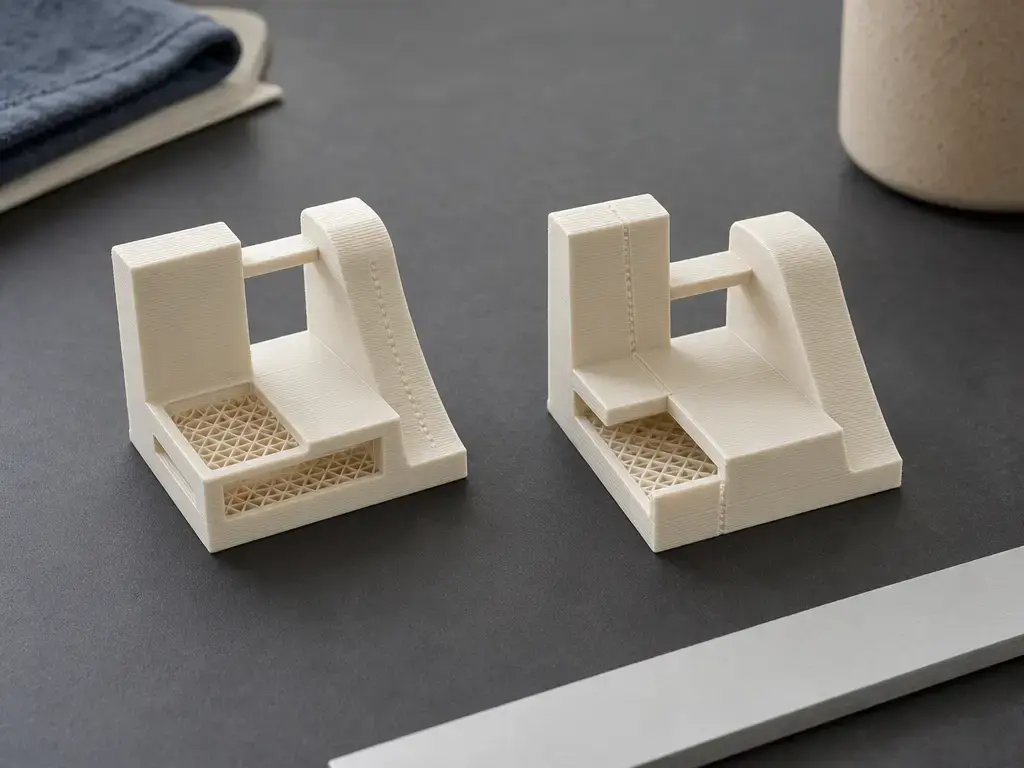
The same STL can produce different wall lines, infill patterns, seam locations, support contacts, travel paths, and time estimates in different slicers. Those differences are not evidence that either toolpath is better until the intended function and physical results are measured under controlled conditions.
What to keep constant when comparing slicers
- The same printer and nozzle.
- The same firmware.
- The same firmware motion limits, input shaping, and pressure-advance or linear-advance state.
- The same filament spool and drying condition.
- The same model orientation and scale.
- Equivalent temperature and cooling policy.
- Equivalent layer-height and wall-thickness targets.
- The same support objective, such as easy removal or maximum underside quality.
- The same measurement method for dimensions, mass, surface observations, and print time.
Interface, Profiles, and Workflow
A profile is a reusable package of slicer parameters associated with a printer, material, and print intent. Cura presents a settings ecosystem with hundreds of settings and community-managed print profiles. [4] That structure can suit users who want direct access to individual parameters, though every profile still needs to be checked against the machine, nozzle, firmware, and filament in use.
PrusaSlicer separates printer, filament, and print presets and supports project-oriented input and output workflows, including 3MF-related documentation. [14] This can suit users who want project context to travel with the selected configuration. Moving from Cura to PrusaSlicer, or the reverse, requires validation: map settings by physical intent, inspect the preview, and print controlled test parts before relying on a migrated preset.
Feature Taxonomy: Walls, Layers, Seams, and Supports
Modern slicers overlap substantially, so the presence of a feature does not establish a print-quality advantage. Cura’s 5.0-era slicing engine introduced variable line width, and PrusaSlicer documents that its Arachne perimeter generator was ported from Cura and uses variable extrusion width for perimeter planning. [5] [6] That shared lineage rules out simplistic claims that only one slicer offers modern thin-wall behavior. The more useful questions are whether the tested build exposes the necessary controls, how its defaults interact with the selected printer profile, and whether the previewed paths fit the part. PrusaSlicer documents automatic, manual, and combined variable-layer-height workflows, while its support taxonomy includes Grid, Snug, and Organic styles. [10] [11] Cura documentation lists support blockers and per-object support controls; paint-on seam capability is specifically documented for Cura 5.11.0 and should be verified in any later tested build. [7] [8]
| Feature class | Cura workflow to verify in tested build | PrusaSlicer workflow to verify in tested build | Comparison boundary |
|---|---|---|---|
| Variable-width perimeters | Verify line-width behavior, wall count, and narrow-gap paths in preview. [5] | Verify Arachne generator selection, extrusion-width settings, and previewed paths. [6] | Shared Arachne lineage does not prove identical output. |
| Layer-height variation | Verify fixed or adaptive controls available in the tested release. | Verify automatic, manual, or combined variable-layer-height workflows. [10] | Compare surface and time targets on identical geometry. |
| Seams | Verify seam-placement controls; paint seams are documented for Cura 5.11.0. [8] | Verify seam-placement controls and previewed start points. | Inspect both the preview and printed seam location. |
| Supports and intervention | Verify support generation, blockers, and per-object controls. [7] | Verify Grid, Snug, or Organic support selection and interface settings. [11] | Support names do not predict removal force or underside finish. |
Capabilities and defaults are version-dependent; this table compares feature classes, not measured output quality.
Supports: Cura Tree vs PrusaSlicer Organic
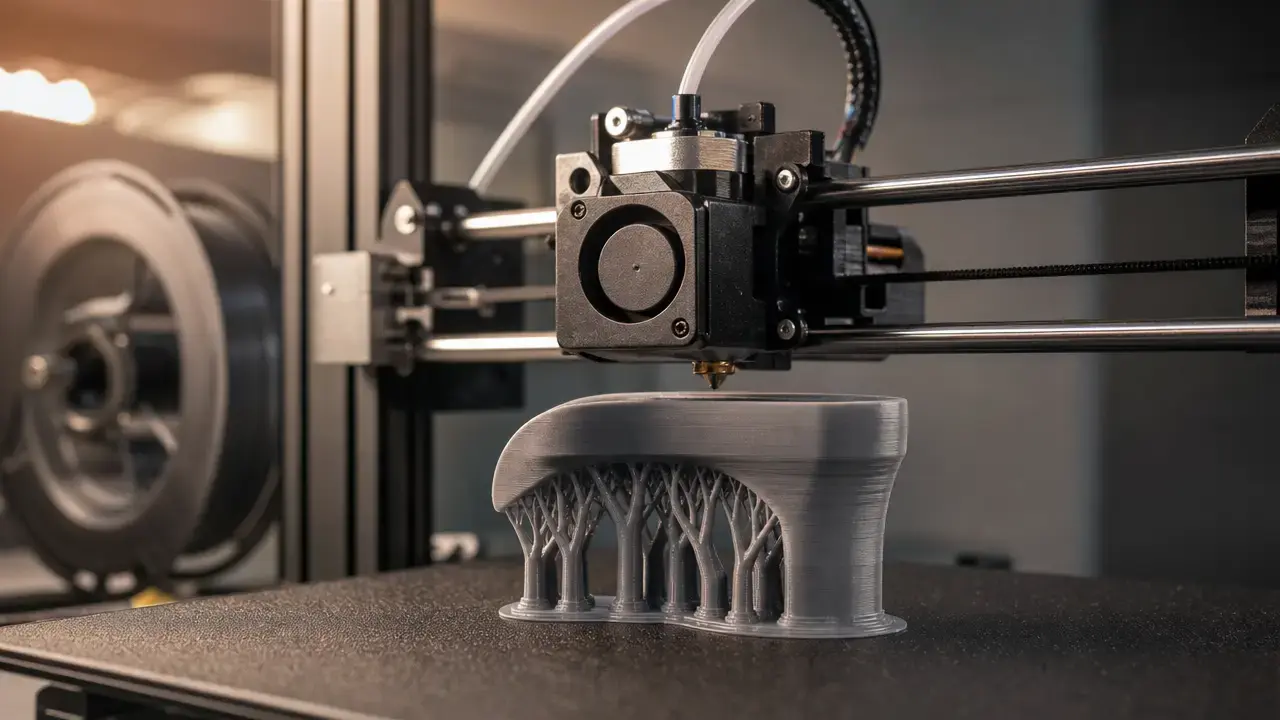
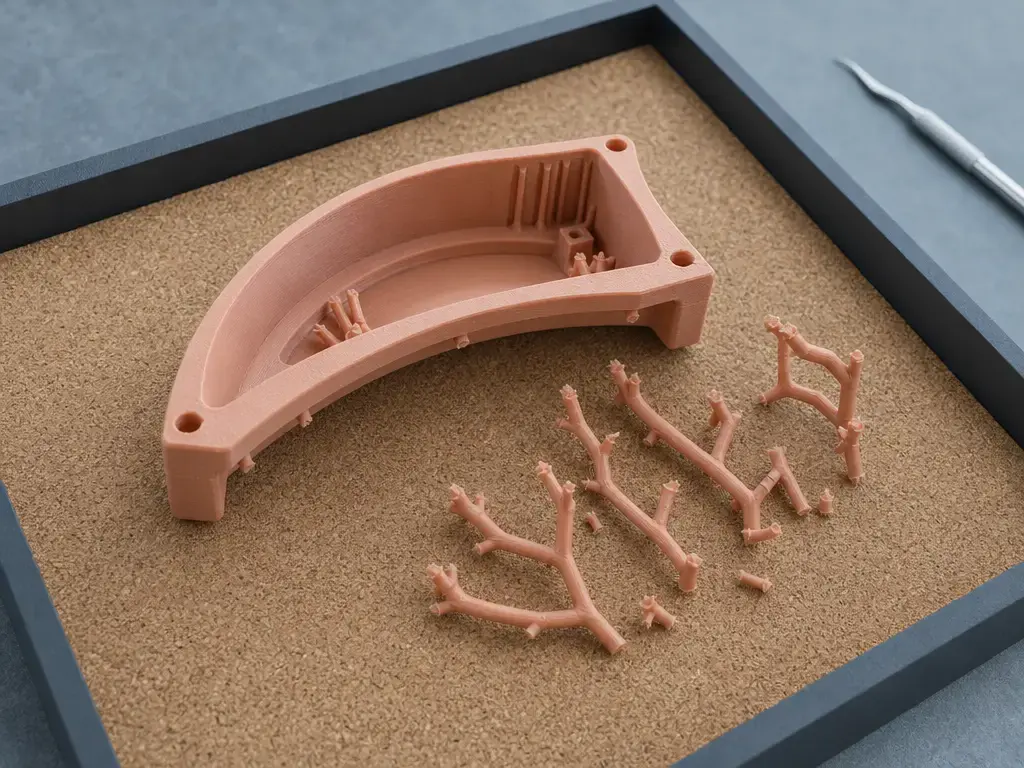
Tree Support and Organic are both tree-like support families, but they are not interchangeable. Their practical goal is to reach overhangs while balancing contact reduction, branch stability, material use, removability, tool access, and supported-surface finish. Toolpath design is only one variable: printer motion, material behavior, cooling, nozzle condition, and support-interface settings determine whether thin branches print successfully and whether contacts separate cleanly.
Support-interface and contact-gap settings create a direct trade-off. PrusaSlicer documentation states that a top contact Z distance between 50% and 75% of layer height can work well, but this is vendor guidance rather than a universal rule. [11] A larger separation can make supports easier to remove while increasing underside sagging; a smaller separation can improve contact while increasing scarring or removal difficulty.
No reliable universal efficiency winner has been established for Cura Tree Support versus PrusaSlicer Organic. Record failed branches, collisions, detached parts, inaccessible contacts, scarring, and aborted prints alongside material and time estimates.
Support Scorecard: How to Compare Fairly
| Metric | How to measure | Why it matters |
|---|---|---|
| Filament used | Record support and total mass, or clearly label slicer estimates. | Estimates indicate planned use, not necessarily actual consumption. |
| Slicer estimated time | Record the reported estimate using matched settings. | Supports planning comparisons only. |
| Wall-clock time | Measure start-to-finish print duration. | Captures printer execution and interventions. |
| Failure count | Record failed branches, collisions, detachment, and aborted prints. | Makes reliability visible. |
| Removability protocol | Record tool, direction, operator, and method. | Makes subjective removal comparisons more consistent. |
| Underside rating | Use defined visual or measured criteria. | Separates removal ease from surface finish. |
| Inaccessible contacts | Count and locate contacts that cannot be reached safely. | Identifies post-processing limits. |
| Interface and Z-gap settings | Record interface layers, density, pattern, and contact distances. | Documents settings that affect removal and finish. |
Print Quality: Surface, Accuracy, and Repeatability
Measurement and Definitions
Metrology terms prevent a single attractive print from being mistaken for a validated result. [18]
- Measurement accuracy is the closeness of agreement between a measured quantity value and a reference value; accuracy is not a quantity by itself. [18]
- Measurement precision concerns the closeness of agreement among repeated measured quantity values under specified conditions. [18]
- Repeatability is measurement precision under repeatability conditions, such as the same method, operator, instrument, and short time interval. [18]
- Tolerance is a permitted design range for a dimension; it is not automatically achieved by a printer or slicer. [18]
For Cura vs PrusaSlicer print quality, separate surface appearance, dimensional results, and consistency. Surface observations can include layer texture, seam visibility, bridging and overhang behavior, retraction-related stringing, support scarring, and top-surface finish. Dimensional results concern deviation from nominal dimensions at defined measurement points. Repeatability concerns how consistently the same baseline produces those results. These cannot be reduced to a general quality score without defining the printer, material, geometry, orientation, process settings, and acceptance criteria. [3]
Use at least three prints for each slicer-and-profile combination. Measure multiple features on every sample, report each result as deviation from nominal, and report both average deviation and spread. A NIST additive-manufacturing round-robin pilot used repeated builds and repeated caliper measurements of defined nominal features; its 40 mm base, 10 mm circular features, 0.02 mm caliper standard uncertainty, and three measurements per feature demonstrate documented measurement discipline, not universal FDM tolerance targets. [16]
No reliable figure found for a universal percentage print-quality advantage between Cura and PrusaSlicer across printers, materials, firmware, geometry, and settings. [3]
Speed: Slicing Time vs Estimated Time vs Real Time
Here, speed refers to three different measurements: slicer computation time, slicer-estimated print time, and wall-clock print time. Computation time depends on model complexity, selected algorithms, preview generation, and computer hardware. Estimated time depends on the slicer’s motion and cooling model. Wall-clock time also reflects firmware planning, acceleration limits, heating, pauses, material flow, and user intervention during the job.
Volumetric throughput explains why a nominal mm/s value is incomplete. Maximum volumetric speed is expressed in mm³/s, and a simplified relation is maximum linear speed = maximum volumetric speed ÷ extrusion cross-sectional area. [12] Changing line width or layer height therefore changes the flow required at a given path speed. Prusa guidance states that layer height should remain below 80% of nozzle diameter, giving about 0.32 mm as an example for a 0.4 mm nozzle; treat this as vendor guidance, not an inviolable rule. [13]
Record the slicer estimate and a stopwatch or firmware-reported elapsed time when available.
How to Test Cura vs PrusaSlicer Fairly
A fair test changes the slicer while holding the physical process as steady as possible. Matching layer height alone is insufficient because equivalent labels can create different deposited widths, path order, cooling behavior, seam placement, or support-contact geometry. Normalize settings by intended physical effect: target wall thickness, deposited line width, thermal conditions, motion limits, and support objective. Inspect the toolpath preview before printing, but do not treat it as proof of physical performance.
Use repeat prints, repeated measurements, and documented acceptance criteria. Record every failed sample, abandoned print, profile change, and intervention rather than retaining only attractive outcomes. Defined manufacturing plans and repeatability or reproducibility practices help separate a slicer change from uncontrolled process variation. [16] [17]
Settings Normalization Checklist
| Setting | Normalize or record | Comparison purpose |
|---|---|---|
| Nozzle diameter | Same physical nozzle and configured diameter. | Sets feasible extrusion geometry. |
| Line width and walls | Match intended deposited width and wall thickness. | Avoids comparing different part structures. |
| Temperatures and fan policy | Match nozzle, bed, and cooling targets. | Controls melt behavior, adhesion, bridges, and overhangs. |
| Flow or extrusion multiplier | Use the same calibrated material baseline. | Separates calibration from path planning. |
| Motion configuration | Match acceleration, jerk or junction deviation, input shaping, and pressure advance. | Influences motion behavior and real time. |
| Seam strategy | Match intended seam-location rule. | Makes seam observations interpretable. |
| Support interface | Match density, layers, pattern, and Z gap or contact distance. | Controls attachment, removal, and supported surfaces. |
| Bridge settings | Match speed, flow, cooling, and direction where available. | Isolates bridging behavior. |
A Fair Cura vs PrusaSlicer Test Set
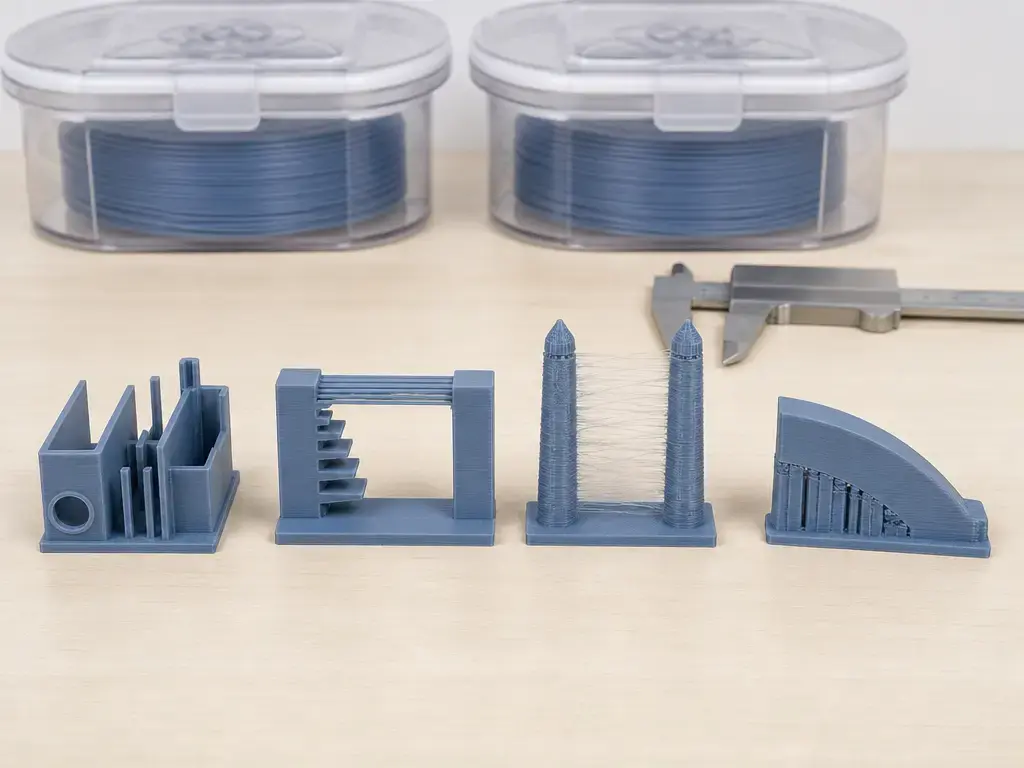
- A thin-wall and small-feature part: Assess preserved narrow sections, unintended gaps, and overfill.
- A bridge or overhang part: Inspect sagging, surface texture, cooling response, and unsupported geometry.
- A retraction and stringing part: Compare travel behavior, ooze, seam effects, and cleanup requirements.
- A support-heavy curved or enclosed part: Record branch failures, contact accessibility, removal procedure, and supported-surface condition.
- A dimensional-tolerance part: State nominal dimensions, measurement points, sample count, and every result as deviation from nominal.
- A representative functional part: Compare fit, wall requirements, surface needs, material use, estimated time, and wall-clock time.
Limitations and Compatibility Risks
Profiles vary by printer model, nozzle, firmware, material, and intended use, so a downloaded or community-managed profile is not evidence that its generated machine instructions are safe or suitable for another setup. [3] [4] Release changes can alter controls, defaults, definitions, or generated paths, making revalidation necessary for important jobs. Extensions, plugins, and post-processing scripts can reduce reproducibility if their versions and generated commands are not recorded. Cura’s support-related output can also vary with blocker and per-object mesh choices, not only global support settings. [7] Mesh defects, including open surfaces, non-manifold edges, intersecting shells, and extremely thin features, can produce unexpected repairs or toolpaths in either program. Preview is an essential diagnostic for paths, seams, supports, and travel moves, but firmware limits, calibration, material condition, and mechanical behavior still determine the physical result.
Market Context
Cura and PrusaSlicer are part of a broader desktop material-extrusion software ecosystem that includes vendor distributions, community-maintained variants, and workflow-specific forks. Cura emphasizes a large settings and community-profile ecosystem, while PrusaSlicer documentation reflects preset, project, and output-format workflows. [4] [14]
For an FDM user choosing between these two, the relevant question is whether the available profile, toolpath workflow, and validation process fit the actual printer and intended parts.
Conclusion: Which Is Better, Cura or PrusaSlicer?
For Cura vs PrusaSlicer, choose Cura when broad settings access and extension workflows better fit the printer and operating habits. Choose PrusaSlicer when structured presets, project-centered configuration, Organic supports, or explicit volumetric-flow limits fit the intended process. [11] [12] There is no reliable figure found for a universal percentage advantage in quality, speed, or material use. Compare baseline-matched test prints, measured deviations, supported surfaces, wall-clock time, and failures rather than relying on screenshots, a single successful print, or untouched default profiles. [3]
FAQ
Which is better, Cura or PrusaSlicer?
Neither is better in every workflow. Cura can fit users who want extensive individual setting access and extensions, while PrusaSlicer can fit users who prefer separated presets, project-centered configuration, Organic supports, or explicit volumetric-flow limits. The useful choice is the slicer that generates validated toolpaths for a specific printer, material, geometry, and part function. [3] [11] [12]
Does PrusaSlicer have better print quality than Cura?
Not as a general rule. Print quality includes surface texture, seams, bridges, overhangs, stringing, support scarring, dimensional deviation, and repeatability. These outcomes depend on printer condition, firmware, material condition, orientation, settings, calibration, and planned toolpaths. No reliable figure found establishes a universal percentage quality advantage. [3]
Which slicer generates better supports, Cura or PrusaSlicer?
Support quality depends on geometry and the removal objective. Cura Tree Support and PrusaSlicer Organic are tree-like support families, but they are not interchangeable. Compare contact placement, interface settings, contact gap, branch stability, accessibility, underside finish, and removal procedure on the same part. PrusaSlicer documentation describes support-contact trade-offs rather than a universal setting. [11]
What is the best slicer for FDM 3D printing?
There is no single best slicer for FDM 3D printing. A suitable choice must support the printer and firmware, provide a workable profile system, generate inspectable toolpaths, and meet requirements for dimensional control, supports, surface finish, and throughput. Process planning connects machine capability, material, geometry, and parameters, so selection should be validated with representative prints. [3]
Is Cura easier to use than PrusaSlicer?
Ease of use depends on prior experience and the task. Cura’s broad access to individual settings can help users who want parameter-level control, while PrusaSlicer’s separated presets can suit users organizing printer, filament, and print configurations. Neither interface removes the need to validate migrated profiles, inspect paths, and test output on the target printer. [4] [14]
How do you normalize settings between Cura and PrusaSlicer for a fair comparison?
Use the Settings Normalization Checklist and match physical intent rather than only matching labels. Keep the same printer, nozzle, firmware motion state, filament spool, drying condition, orientation, wall target, temperatures, cooling policy, seam objective, support interface, and contact gap. Run repeat prints, measure defined points against nominal dimensions, and retain failures in the results. [16] [17]
Do Cura and PrusaSlicer only export G-code, and when do formats like binary G-code or SL1 matter?
No. They can export G-code or another printer-compatible machine-instruction file format, depending on workflow. PrusaSlicer documentation includes binary G-code and 3MF workflow references, while SL1 is a workflow-specific resin-printing file created by slicing a model in PrusaSlicer. These formats matter when the selected printer or workflow requires them rather than conventional plain-text G-code. [14] [15]
Sources
- ASTM F3177-21 / ISO/ASTM 52900: Additive manufacturing — General principles — Fundamentals and vocabulary
- Alexander et al. (2021), terminology for additive manufacturing and FDM trademark context
- NIST process planning for additive manufacturing
- UltiMaker Cura GitHub README
- UltiMaker Cura 5.0 beta announcement: variable line width
- PrusaSlicer Arachne perimeter generator documentation
- Cura Wiki: Tools
- Cura 5.11.0 release notes
- UltiMaker Cura 5.11 Stable Released announcement
- PrusaSlicer variable layer height function documentation
- PrusaSlicer support material documentation
- PrusaSlicer maximum volumetric speed documentation
- PrusaSlicer layers and perimeters documentation
- PrusaSlicer input and output documentation hub
- Prusa SL1 file glossary entry
- NIST additive manufacturing round robin pilot
- NIST round robin guidance for repeatability and reproducibility
- International Vocabulary of Metrology, JCGM 200:2012