
Summary
For U.S. beginners in 2026, the cheapest 3d printer is not necessarily the machine with the lowest number on a product page. There is no permanent winner: prices vary by audit date, store region, selected version, shipping, sales tax, and condition. Official listings also change. In the November 14, 2026 U.S. audit used here, ELEGOO listed shipping separately at checkout for the Neptune 3 Pro, while its Neptune 4 page offered multiple version options. Creality’s Ender-3 V3 SE price was likewise a dated listed-price snapshot, not a final checkout total. [6] [7] [10]
The useful decision rule is the lowest practical cost for the job, not the lowest sticker price. This guide covers:
- how to compare price basis rather than headline discounts;
- which beginner-relevant FDM specifications matter;
- what setup and ownership friction can add beyond the printer itself.
Define “Cheap” Before You Compare Any Models
Four different “prices”
Listed price is the amount displayed on a product page before checkout. It may depend on a promotion, selected color or version, and regional storefront. Delivered price is the listed price plus applicable shipping, fees, and sales tax. A low listed price is not a verified final total until checkout for the relevant destination. [6] [7] [10]
First-successful-print cost is the practical outlay needed to make a usable first part: compatible filament, basic handling tools, cleaning materials, and anything genuinely absent from the chosen bundle. Ownership-friction cost describes the time and uncertainty associated with assembly, calibration, first-layer problems, replacement consumables, parts access, support, and returns. Budget coverage often separates printers into price bands rather than treating “cheap” as one fixed threshold. Historical sub-$100 machines have existed, but that does not establish a low-friction ownership experience today. [4] [5]
Price-audit checklist
- Confirm the official store region.
- Record the displayed currency.
- Record the audit date and time.
- Identify the listed-price basis.
- Identify the tax basis.
- Identify the shipping basis.
- Record the selected variant or option.
- Note any explicit in-stock or pre-order label.
- Verify warranty and return validity for the purchase region.
- Check included accessories, manufacturer notices, and recall databases. A 2024 U.S. recall of Bambu Lab A1 printers illustrates why this belongs in a buying check. [17]
How a Budget FDM/FFF Printer Works
FDM/FFF vs. material extrusion
ISO/ASTM 52900 establishes terminology for additive manufacturing, which creates three-dimensional geometry through successive additions of material. In standards terminology, the process family used by common filament printers is material extrusion: material is selectively dispensed through a nozzle or orifice. Consumer listings commonly call these machines FDM or FFF printers. [1] [2]
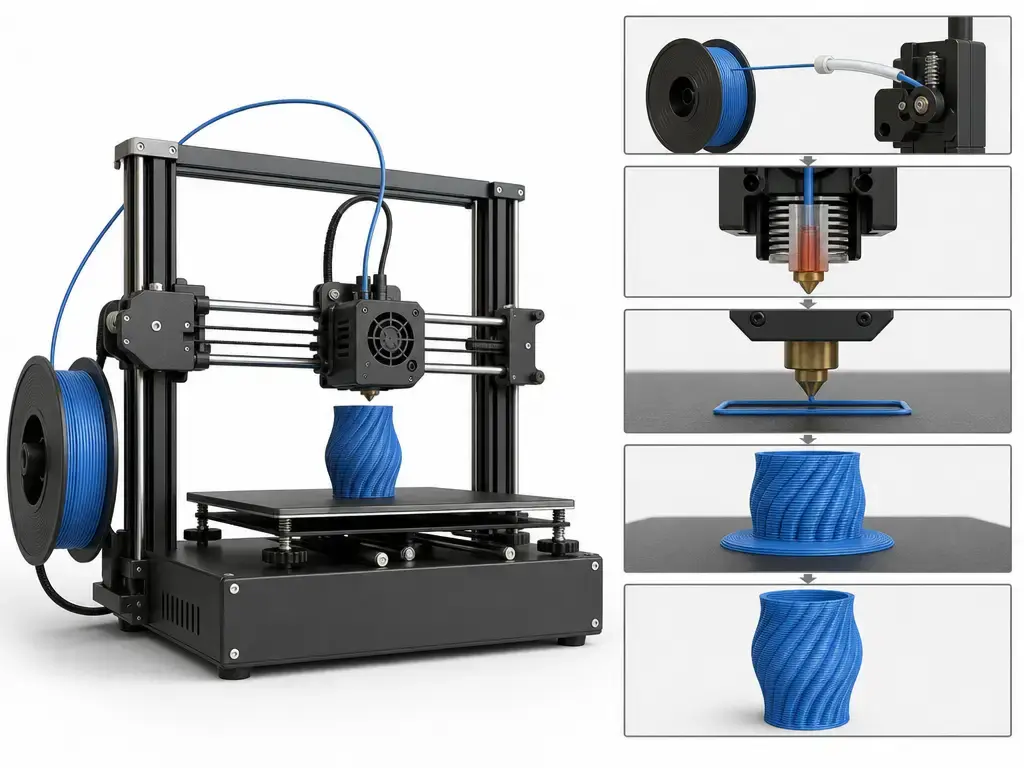
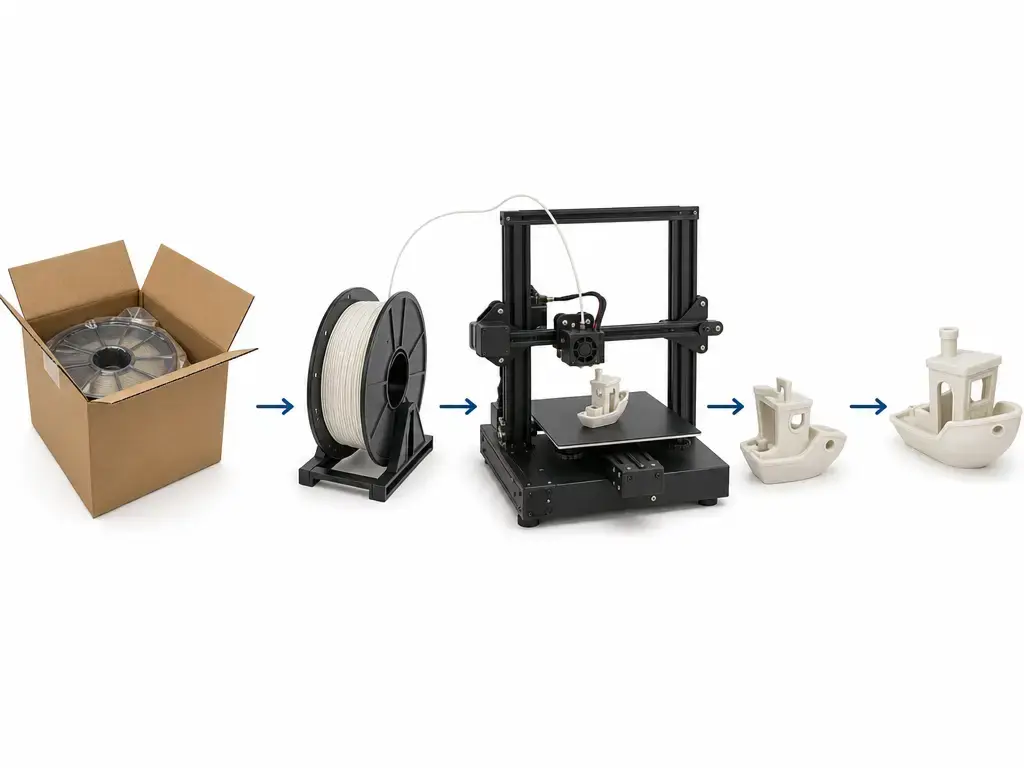
In practical terms, a spool supplies thermoplastic filament such as PLA. The printer feeds filament into a heated assembly, softens it, and pushes it through a nozzle. The nozzle follows paths generated from a digital model and deposits thin layers that build the finished object. [1] [2]
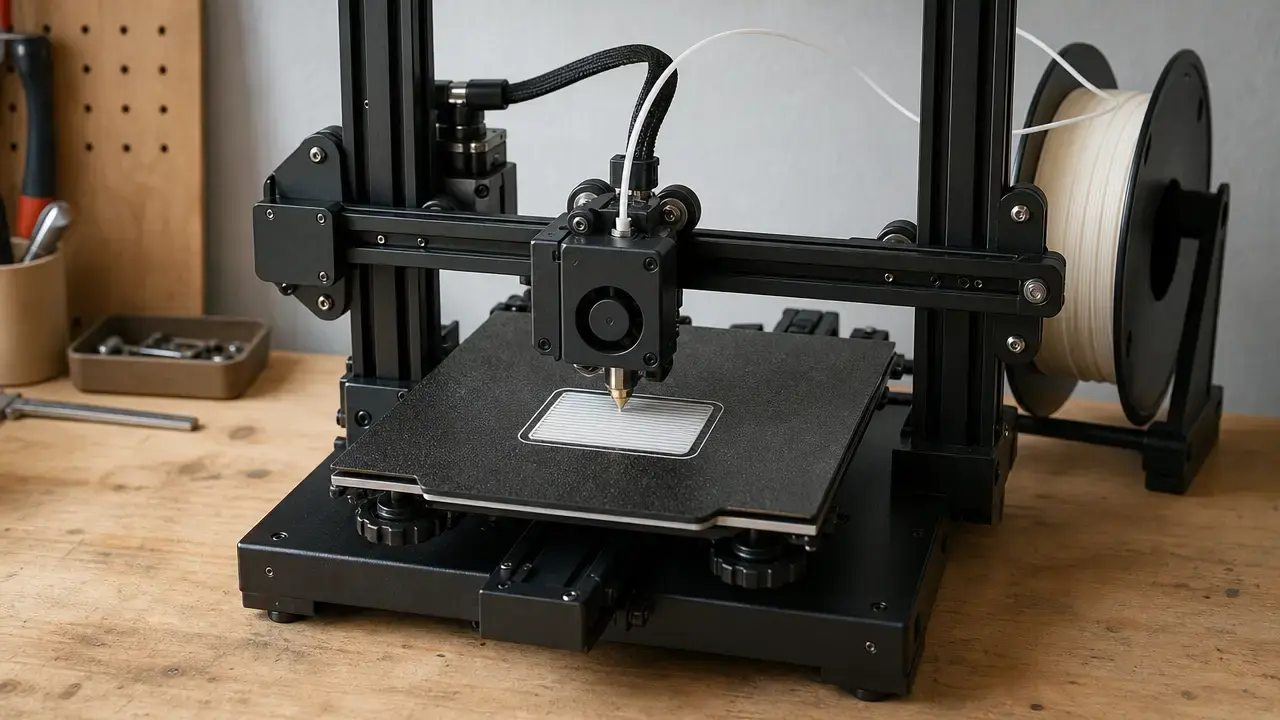
The filament drive may sit close to the nozzle in a direct-drive layout or farther away in a Bowden layout. These are different mechanical arrangements, not automatic indicators of which affordable FDM 3D printer for beginners is preferable. The build surface supports the part during printing, while a heated bed can help manage the thermal behavior of deposited plastic. Slicer software converts a model into machine instructions, and an appropriate printer-and-material profile can reduce initial setup work.
Specs That Matter More Than Sticker Price
Build volume is the nominal maximum part envelope, not the printer’s required desk space. A low cost 3D printer comparison should also account for clearance for moving components, a filament spool, cable routing, access to the build surface, and maintenance. A printer may fit within its published external dimensions yet remain inconvenient to load or service in a cramped location.
A manufacturer-stated maximum speed is not a promise that every useful part can be made at that rate. Practical print time and output depend on acceleration, model geometry, material, nozzle size, layer height, cooling, travel moves, and the slicer profile. Volumetric-flow claims also need conditions. For example, Bambu Lab specifies the A1 mini’s maximum hot-end flow as 28 mm³/s for ABS under stated material, geometry, and temperature conditions. That is more informative than an unqualified flow figure, but it is not a cross-model ranking. [16]
Layer height affects visible vertical stepping on printed surfaces. Nozzle diameter affects deposited-bead width and practical feature limits. Neither is the same as accuracy, precision, or repeatability. Accuracy concerns closeness to a reference dimension; precision concerns agreement among results; repeatability concerns whether a result can be reproduced under the same defined conditions. Measurement strategy affects uncertainty in dimensional and surface measurements, so an isolated specification-sheet claim is incomplete without its test method. [3]
Why we won’t publish a single “printer accuracy” number
A meaningful accuracy claim requires a defined test artifact, print settings, sample count, measuring instrument, measurement strategy, and stated uncertainty. Without those details, one number cannot reliably transfer to another geometry, material, orientation, or processing condition. [3]
“Auto Leveling” Is Not One Feature
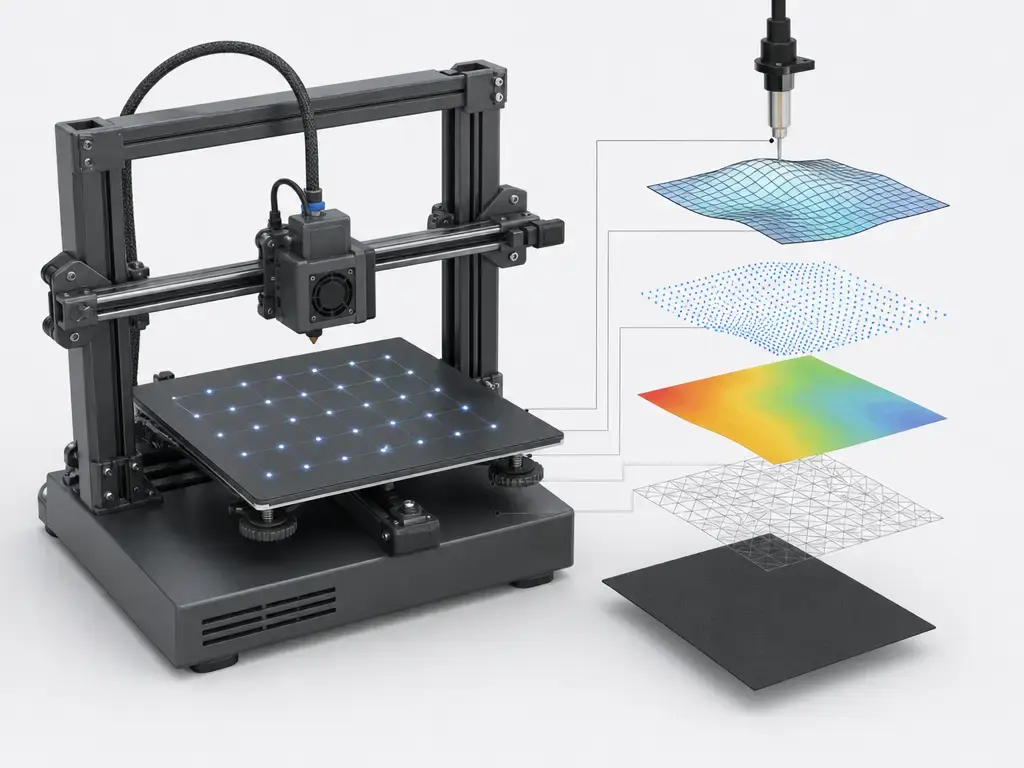
Bed-mesh probing measures multiple locations on the build surface to create a compensation map. Gantry tramming or manual corner leveling addresses the mechanical relationship between the bed and motion system. Z-offset is the nozzle-to-build-surface relationship used to establish a usable first layer. A saved mesh and first-layer live tuning are related functions, but they are not the same setup action.
The manuals show why “auto leveling” should not be treated as a standardized feature. The Neptune 3 Pro manual describes 36-point automatic calibration followed by Z-axis compensation using an A4-paper friction test; for that routine, it specifies a 140 °C nozzle and 60 °C bed. [9] The Neptune 4 manual describes auxiliary leveling at four corners, automatic calibration, and A4-paper Z-axis compensation. Its interface includes 36-point and 121-point options, and it cautions that the leveling sensor detects the metal platform plate. [8] The Ender-3 V3 SE manual instructs users to select Leveling, wait for the process to complete, use Nozzle Auto Z offset, and clean the platform before leveling. [12]
These are manual-verified workflows, not guarantees of identical results. Automatic probing does not remove the need to prepare the surface, follow the documented sequence, and inspect the first layer.
Selected Official U.S. Listings (Observed 2026-11-14) — What the Pages Show
This is a date-stamped set of official U.S. manufacturer-store examples, not a market scan or ranking. Each included model is a consumer desktop material-extrusion printer with an accessible official listing, a stated nominal build volume, and accessible official documentation for leveling or setup workflow. Prices are listed-price snapshots before tax. Product pages, availability labels, selected versions, and checkout conditions can change after the audit. [6] [7] [10]
| Printer | Official U.S. listed price (pre-tax) + shipping basis | Nominal build volume | What to verify before buying |
|---|---|---|---|
| ELEGOO Neptune 3 Pro | $159.00 USD; shipping calculated at checkout. [6] | 225 × 225 × 280 mm. [6] | No reliable in-stock label found on page; confirm included accessories, warranty region, and checkout total. |
| ELEGOO Neptune 4 — Type-C Version | $219.00 USD; shipping calculated at checkout. [7] | 225 × 225 × 265 mm. [7] | No reliable in-stock label found on page; confirm the Type-C versus Ribbon-Cable selection. The page lists a manufacturer-stated maximum of 500 mm/s, 121-point leveling, and a 300 °C nozzle. [7] |
| Creality Ender-3 V3 SE | $199.00 USD; shipping calculated at checkout. [10] | 220 × 220 × 250 mm. [10] | No reliable in-stock label found on page; confirm shipping, selected store region, included accessories, and return terms. |
| Bambu Lab A1 mini | $199.00 USD on the accessible official U.S. store page; confirm shipping terms at checkout. [16] | 180 × 180 × 180 mm. [16] | No reliable in-stock label found on page; confirm whether the smaller build volume suits intended parts and review current manufacturer notices. |
Prices observed on 2026-11-14 on official U.S. manufacturer stores; taxes and shipping may change at checkout.
The table does not establish which machine is cheapest after tax or shipping, nor does it determine the best budget 3D printer under $200 for every buyer. It makes price basis, build volume, and version control visible. The Neptune 4 entry shows why a model name alone can be insufficient: the product page has version choices, so the selected configuration must be recorded. Manufacturer-stated speed, temperature, and probing figures describe product-card limits or features; they are not independent measurements of print quality, real-world output rate, or reliability. [7]
From Box to First Successful PLA Print
The supplied manual for the specific printer revision should control the setup sequence. Menu labels, hardware arrangements, and the exact leveling workflow vary by model. Across the manuals discussed here, the common pattern is preparation, platform cleaning, the manufacturer’s calibration routine, Z-offset confirmation where required, filament loading, and observation of the first layer. [8] [9] [12]
First-print workflow checklist
- Read the manufacturer manual before connecting power or beginning assembly.
- Complete manufacturer-directed checks for fasteners, cables, and moving parts.
- Place the printer on a stable surface with clearance for motion, filament, cables, and access.
- Clean the build platform before running the leveling routine. [12]
- Run the printer’s specified leveling or calibration process.
- Confirm the Z-offset where the documented workflow requires it. [8] [9]
- Load PLA according to the machine’s manual.
- Select a manufacturer-provided or compatible PLA slicer profile.
- Start a simple first print and observe first-layer adhesion during initial deposition.
- Apply firmware updates or other maintenance only when manufacturer-directed and applicable. [8]
Real Costs Beyond the Printer
The printer is only one part of the first-print purchase. A beginner may need PLA filament, basic tools for removing or handling parts, and materials for cleaning the build surface. What is included varies by seller, bundle, and regional store, so check the exact listing rather than assuming a product name identifies the full package.
The harder cost to predict is ownership friction. Failed first layers, replacement nozzles and other consumables, spare-parts availability, support responsiveness, return procedures, and time spent diagnosing extrusion or adhesion problems all affect the experience. These factors vary by machine, arrival condition, local seller, user expectations, and willingness to learn calibration tasks. First-successful-print cost is therefore a planning concept, not a universal dollar total.
Regional Pricing (UK / India) — How to Check Without Overclaiming
A search for cheapest 3D printer UK, cheapest 3D printer in India, or cheapest 3D printer price in India cannot establish a defensible cheapest-model claim without a same-day local audit. Start with an official local storefront and use the manufacturer’s region selector where available. Then verify whether VAT or other tax is included, the plug and voltage configuration, warranty validity, shipping terms, and return procedures. A U.S. listed price should not be converted into another currency and treated as a local offer. ELEGOO’s storefront structure itself illustrates why store-region selection matters. [6]
MSLA/Resin Sidebar — Why “Cheap” Works Differently Here
Announced example; shipping after the audit date. Formlabs said Form Studio 1 was available to order from $699, with global shipping beginning on November 16, 2026, two days after the November 14 audit used for the U.S. FDM listings. It is therefore not included in the selected official U.S. FDM table. [18]
Form Studio 1 uses masked stereolithography rather than material extrusion. Its stated build volume is 20.0 × 12.5 × 23.5 cm, or 5.9 L; its stated layer-thickness range is 25–250 µm and its stated pixel size is 35 µm. These are resin-process specifications and should not be treated as interchangeable with FDM nozzle diameter, layer height, or filament-printing workflow. Resin printing also changes the consumable and post-processing categories a buyer must plan for. [19]
Bottom Line — Choosing the Cheapest 3D Printer That Fits the Job
Choose a cheapest 3d printer through seven decisions. First, establish the actual price basis for the correct official store, version, and audit date. Second, define the maximum part size you genuinely expect to make, then compare nominal build volume. Third, measure the workspace, including clearance for movement, filament, cables, loading, and maintenance. Fourth, choose a material and workflow you are prepared to manage; PLA material extrusion is a different commitment from resin printing. Fifth, read the documented bed-leveling and Z-offset workflow before purchase rather than relying on an “auto leveling” label. Sixth, check whether replacement parts, warranty coverage, support, and returns are realistic in your location. Seventh, review recalls and manufacturer notices, then verify the delivered checkout total with applicable tax and shipping. The goal is the lowest practical cost for the job, not the lowest sticker price.
FAQ
These answers are U.S.-focused where pricing is discussed. Listed prices depend on the date, store region, selected variant, shipping, tax, and documented setup workflow.
What is the cheapest 3D printer in the world?
There is no stable worldwide answer. Historical sub-$100 examples have existed, but country, tax treatment, shipping, stock, condition, and warranty all change the practical result. A global lowest-price claim does not identify the lowest practical cost for an individual buyer. [5]
What is the cheapest 3D printer that’s worth buying?
There is no universal model answer. A low price is worth considering only if the buyer can verify the delivered total, usable build volume, documented setup process, return terms, parts access, and time required for troubleshooting.
Is a best budget 3D printer under $200 realistic in 2026?
For the official U.S. store snapshot observed on November 14, 2026, yes: the Neptune 3 Pro was listed at $159.00 and the Ender-3 V3 SE at $199.00 before tax. Those figures do not establish current stock, shipping, or final checkout totals. [6] [10]
What does auto leveling actually do on budget printers?
It may probe multiple bed positions and generate compensation data. It does not necessarily replace mechanical preparation, platform cleaning, Z-offset confirmation, or first-layer observation. Manuals use different sequences, so follow the instructions for the exact printer revision purchased. [8] [9] [12]
Expert: Why doesn’t ±0.1 mm accuracy mean what beginners think it means?
Without the test artifact, settings, sample count, measuring instrument, measurement strategy, and uncertainty, the figure is incomplete. Dimensional results can change with geometry, orientation, material, and process conditions, so one number cannot describe every printed part. [3]
Expert: How should I interpret max speed vs. volumetric flow vs. print time?
Treat each as conditional. Motion limits, flow capability, and estimated job time depend on the model, material, nozzle, layer settings, cooling, travel paths, and slicer profile. Do not rank printers by these figures unless test conditions are genuinely comparable. [16]
What should I check before buying the cheapest 3D printer in the UK or India?
For cheapest 3D printer UK or cheapest 3D printer in India searches, audit the appropriate official local store on the same day. Check tax inclusion, plug and voltage version, warranty validity, shipping, returns, selected variant, and final checkout price before comparing offers. [6]
Sources
- [1] ISO — ISO/ASTM 52900:2021 Additive manufacturing — General principles — Fundamentals and vocabulary (standard): https://www.iso.org/standard/74514.html
- [2] NIST — Additive Manufacturing: Standards & Other International Trends (official documentation): https://www.nist.gov/system/files/documents/el/isd/Plenary_Stucker.pdf
- [3] NIST — An Additive Manufacturing Test Artifact (scientific publication): https://nvlpubs.nist.gov/nistpubs/jres/119/jres.119.017.pdf
- [4] All3DP — Best Budget 3D Printers 2025: Our Top Picks in 4 Categories (industry article): https://all3dp.com/1/best-cheap-budget-3d-printer-affordable-under-500-1000/
- [5] All3DP — What’s the Cheapest 3D Printer Actually Like to Use? (industry hands-on article): https://all3dp.com/4/cheapest-3d-printer-hands-on-review/
- [6] ELEGOO US — Neptune 3 Pro product page (manufacturer listing): https://us.elegoo.com/products/elegoo-neptune-3-pro-fdm-3d-printer-225x225x280mm
- [7] ELEGOO US — Neptune 4 product page (manufacturer listing): https://us.elegoo.com/collections/subscriber-exclusive-offer/products/elegoo-neptune-4-fdm-3d-printer
- [8] ELEGOO — NEPTUNE 4 User Manual-English-B-V2.2 (manufacturer manual): https://elegoo-downloads.oss-us-west-1.aliyuncs.com/download.elegoo.com/06%20FDM%20Printer/02%20ELEGOO%20Neptune%20Series%20Files/Neptune%204/3.%20User%27s%20Guide/1.User%20Manual/NEPTUNE%204%20User%20Manual-English-B-V2.2.pdf
- [9] ELEGOO — NEPTUNE 3 PRO User Manual-V1.4 (manufacturer manual): https://elegoo-downloads.oss-us-west-1.aliyuncs.com/download.elegoo.com/06%20FDM%20Printer/02%20ELEGOO%20Neptune%20Series%20Files/Neptune%203%20Pro/4.%20User%20Guide/1.%20User%20Manual/NEPTUNE%203%20PRO%20User%20Manual-V1.4.pdf
- [10] Creality Store — Ender-3 V3 SE 3D Printer product page (manufacturer listing): https://store.creality.com/products/ender-3-v3-se-3d-printer