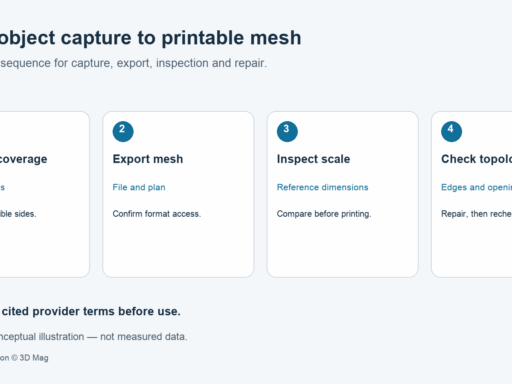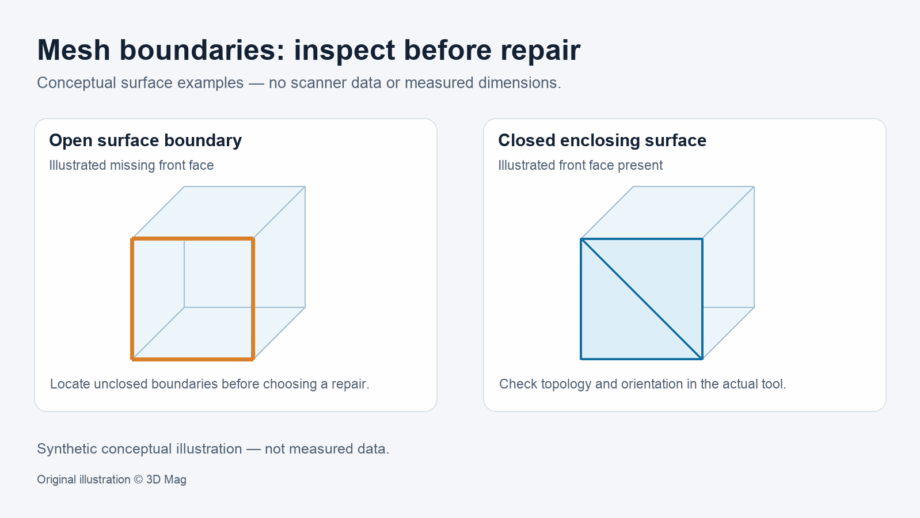
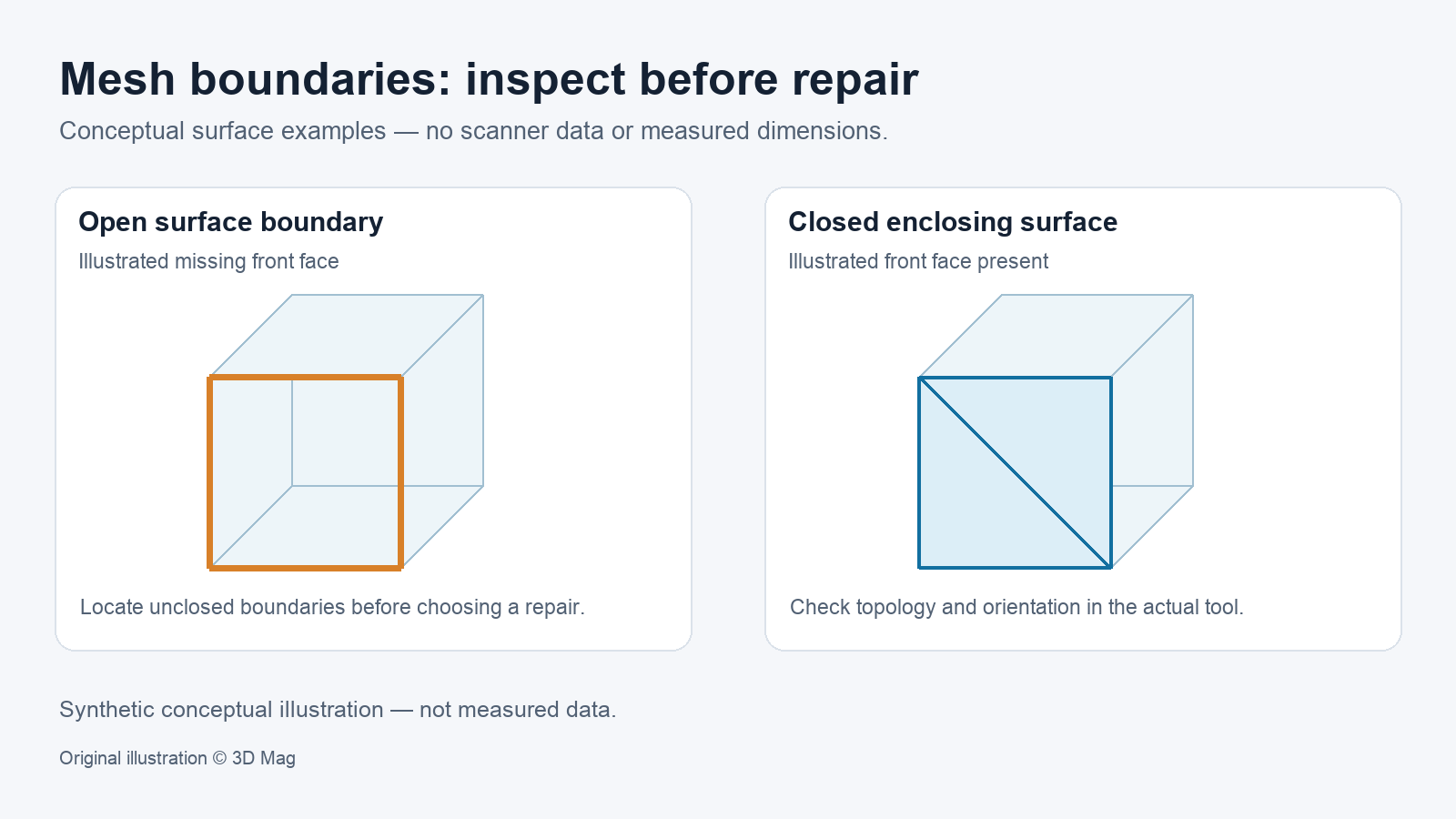

To print a scan or calculate its volume, the mesh must enclose a volume. It needs no open boundary edges, no non-manifold edges or vertices and no self-intersections. The Open3D 0.19.0 mesh tutorial defines a watertight mesh as one that is edge manifold, vertex manifold and not self-intersecting. In its open-box example, the mesh is edge manifold when boundary edges are allowed, but it fails the check when boundary edges are disallowed, and it is not watertight. Passing these checks shows that the mesh is topologically closed. It does not show that the mesh matches the physical object’s dimensions.
Orientation is a separate step. Open3D’s is_orientable reports whether the triangles can be oriented so that all normals point outward. The tutorial’s open box is orientable but not watertight, and the check does not change the current normals (Open3D). Before computing volume, check or set the orientation of the closed mesh. For example, CGAL documents orient_to_bound_a_volume, which orients the connected components of a closed polygon mesh so that they bound a volume (CGAL Polygon Mesh Repair manual).
Watertight, manifold and self-intersecting: the software definitions
Each tool defines these terms for itself, so other software may not use identical definitions. The table summarises the wording in the Open3D 0.19.0 mesh tutorial.
| Check | Open3D description | What it tells you |
|---|---|---|
| Edge manifold | Each edge bounds one or two triangles; the allow_boundary_edges parameter sets whether boundary edges are accepted | Whether edges are shared by too many faces; with boundaries disallowed, also whether open edges remain |
| Vertex manifold | The star of the vertex is edge-manifold and edge-connected | Whether any faces are joined only at a single vertex rather than along an edge (a vertex-manifold failure) |
| Self-intersection | is_self_intersecting returns True “if there exists a triangle in the mesh that is intersecting another mesh” (Open3D’s wording) | Whether surfaces pass through each other |
| Watertight | Edge manifold, vertex manifold and not self-intersecting; checked by is_watertight | Topological closure only, not dimensional accuracy |
| Orientable | Triangles can be oriented so that all normals point outward; checked by is_orientable | Whether consistent orientation is possible; it neither sets the normals nor proves closure |
Why scan meshes fail these checks
Scan-derived meshes rarely arrive perfect. The CGAL 6.2.1 Polygon Mesh Repair manual notes that geometric models acquired through imprecise tools or imperfect processes frequently exhibit defects such as inconsistent orientations, degeneracies, gaps, missing data, non-manifold features or self-intersections. This is a general statement, not a diagnosis of any particular scanner or workflow.
Inspecting boundaries before changing anything
In mesh terms, a hole is a loop of border edges. CGAL describes border edges as edges with only one incident non-null face (CGAL). Open3D’s is_edge_manifold has an allow_boundary_edges parameter. Running the check once with boundary edges allowed and once with them disallowed separates non-manifold edges from open boundaries (Open3D).
The Open3D tutorial’s text says that it shows non-manifold edges in red, boundary edges in green and non-manifold vertices as green points (Open3D). This colour scheme belongs to the tutorial example and is not a general standard. The habit it teaches still applies: look at where each boundary is before you change anything.
Editorial explanation: classify each boundary. A designed through-hole, such as a bore through a bracket, can have a closed surrounding surface; its walls are part of that surface. An unclosed boundary is different. Calling an open boundary intended does not make the mesh suitable for a closed-volume calculation. The mesh stays open until the surface is closed.
Repair choices and what each one can change
| Repair | What it addresses | What it can change or fail to do |
|---|---|---|
| Stitching borders (CGAL) | Duplicated border edges and vertices | The input should represent a manifold surface; otherwise stitching may not succeed |
| Duplicating non-manifold vertices (CGAL) | Non-manifold vertices | The mesh becomes combinatorially manifold but is still not manifold from a geometric point of view |
| Hole filling (CGAL) | Loops of border edges | Patches for complex boundaries may self-intersect; filling can be limited to holes not exceeding a chosen diameter or number of edges |
| PrusaSlicer automatic repair | Corrupted print models | Repairs only to a certain degree; not all corrupted models can be repaired automatically |
| Meshmixer “Make solid” | Listed by Prusa as an external repair option | Described as almost always working, but with resolution loss |
The CGAL rows draw on the CGAL 6.2.1 Polygon Mesh Repair manual. The PrusaSlicer and Meshmixer rows give the characterisations in the Prusa Research knowledge base. Prusa’s page is tagged for older product families. This article does not confirm the current availability of any repair service or of Meshmixer.
The CGAL example sets its hole-size limit as a diameter without naming a unit (CGAL). The limit follows the mesh’s own coordinate units. Confirm whether your export uses millimetres, metres or another unit before you set it.
Every repair changes the data you will print or measure. Record which operation ran, the parameters you used and the regions it changed, and disclose the repair in your deliverable.
Preserving intentional holes and thin walls
Automatic tools cannot infer design intent. Limiting hole filling to small holes (CGAL) protects large designed openings better than filling every hole, but it can still close a small intended hole. Prusa lists resolution loss as a downside of Meshmixer’s “Make solid” (Prusa Research). Treat intended holes and thin walls as acceptance criteria. After each repair, compare the result with the unmodified scan and confirm that these features remain. The sources used here give no wall-thickness thresholds or printer-specific minimum feature sizes, so take those from your printer and material documentation.
Suggested validation workflow before printing or volume calculation
The following steps are editorial guidance. 3D Mag has not performed or reported them as a test.
- Keep the unmodified scan export as a reference copy.
- In your tool, check edge-manifold status with boundary edges allowed and disallowed, then check vertex-manifold status, self-intersection, watertightness and orientability. Record the tool name and version.
- Visualise boundary edges and non-manifold elements. Separate designed through-holes with a closed surrounding surface from unclosed boundaries, capture gaps and artefacts.
- Choose the narrowest repair for each issue: stitch duplicated borders, split non-manifold vertices, or fill only holes not exceeding a documented size limit in the mesh’s units.
- Re-run every check after each repair. CGAL notes that a filled patch for a complex hole boundary may have self-intersections (CGAL).
- Compare the repaired mesh with the reference copy and confirm that intended holes and thin walls remain.
- Check or set the orientation of the closed components so that they bound the intended volume, then re-check before you compute volume. If the volume comes from a repaired mesh, report that.
- Record every repair, its parameters and the regions affected in the deliverable notes.
Reader questions
Is a manifold mesh automatically watertight? No. In Open3D, the tutorial’s open box is edge manifold when boundary edges are allowed, but it fails the edge-manifold check when boundary edges are disallowed. It is orientable but not watertight (Open3D).
Should I fill every hole automatically? No. Keep designed through-holes whose surrounding surface is closed, fill unclosed boundaries selectively, re-check the mesh and disclose each repair.
Does passing a watertight check mean the mesh is dimensionally accurate? No. Topology checks test connectivity and intersections. They do not measure tolerance against the physical object.
Can a slicer repair my scan? Sometimes, but not always. Prusa says that PrusaSlicer repairs models only to a certain degree and that not all corrupted models can be repaired automatically (Prusa Research).
Related background: How to Scan an Object for 3D Printing and Understanding the STL File.
Sources
This explainer is based on cited published sources; 3D Mag did not conduct hands-on testing. Publisher sponsorship.