
Summary: what a JT file is and when it matters
A JT file is a binary 3D product-data format used mainly for visualization and downstream product-information sharing. Today, the formal standards framing is the ISO 14306 series, which defines a binary file format description for product information that enables 3D visualization across different computer systems and environments across a product lifecycle. [1] IANA also registers the format as media type model/JT with binary encoding and the .jt extension. [8]
In practice, a JT file often carries lightweight geometry for viewing, plus some combination of product structure, metadata, and PMI, depending on how it was exported. Siemens JT is the common industry label for the format, but the exact contents vary by exporter settings and by JT version, so converting JT to STEP is not guaranteed to be lossless. [8] [16]
How to open a JT file
For how to open a JT file, it helps to separate three tasks: viewing, importing, and converting. A viewer shows the model and its metadata; an importer brings JT data into another CAD or PLM system; a converter writes a different file format, such as STEP. The right tool depends on whether you only need to inspect the JT file or also edit or re-export it. [17] [19] [20]
| Tool | Role (view / import-edit / convert-export) | JT version caveat | Export/conversion caveat |
|---|---|---|---|
| Siemens JT2Go | View. [17] | Intended for viewing JT data; the desktop app displays .jt and .vfz files. [17] |
No general JT-to-STEP export workflow is described on the JT2Go viewer page. [17] |
| Autodesk AutoCAD | Import-edit. [19] | AutoCAD IMPORT supports JT versions 7.0, 8.0, 8.1, 8.2, 9.0–9.5, 10.3, and 10.4. [19] |
This reference is for JT import support, not a blanket claim of full JT-to-STEP preservation. [19] |
| Open Cascade CAD Assistant | View / import. [20] | JT import is available through commercial Open Cascade components. [20] | Model export/conversion is explicitly disallowed for that imported data in CAD Assistant. [20] |
A viewer-first workflow is usually the safest starting point. Siemens JT2Go is a free viewer for JT and Parasolid XT data, and the desktop app displays .jt and .vfz files. [17] Its feature sheet also distinguishes between basic measurement using facets and more precise measurement when the JT file contains B-rep geometry. [18] That makes a viewer useful for checking whether the file opens, whether the assembly structure is present, and whether PMI appears as expected, but it does not guarantee that every model detail is editable or reconstructable in another system. [17] [18]
Version and content caveats matter before you choose a tool. AutoCAD’s JT support is operation-specific and version-specific, so compatibility depends on the product and release you are using. [19] Open Cascade CAD Assistant can import JT through commercial components, but because model export/conversion is disallowed there, it is not a general JT-to-STEP path. [20]
Open/view decision checklist
- Decide whether you need view-only, measurement/PMI review, editing, or conversion. [17] [20]
- Check the JT version before assuming compatibility. [19]
- Confirm whether B-rep geometry exists if you need precise measurement or downstream CAD use. [18]
- Don’t open untrusted files unless you have a controlled workflow. [23]
Siemens JT and the ISO 14306 series
Siemens JT is the common industry label for the format, but the current standards picture is the ISO 14306 series, not the older single-document edition. ISO 14306-1:2024 is the overview and fundamentals part, ISO 14306-2:2024 is the vocabulary, ISO 14306-3:2025 is Part 3: Version 2, and ISO 14306-4:2026 is Part 4: Version 3. ISO also lists ISO 14306:2017 as withdrawn rather than current. [1] [2] [3] [4] [5]
Standards box
- Part 1 — overview and fundamental principles — 5 pages. [1]
- Part 2 — vocabulary — 6 pages. [2]
- Part 3 — Version 2 specification — 664 pages. [3]
- Part 4 — Version 3 specification — 479 pages; the specification states that it does not define runtime architecture for viewing or processing JT data. [4]
- Withdrawn 2017 edition — Edition 2, 649 pages. [5]
The ISO 14306 series is therefore the right standards reference for describing the JT file format today, even though vendor pages, software dialogs, and older registry pages may still use legacy naming or cite older editions. [1] [5] [10]
Version mapping
Vendor labels such as JT 9.5 or JT 10.x are not the same thing as ISO Part 3 “Version 2” or Part 4 “Version 3.” The standards pages and tool documentation in this source set use both naming schemes, but they do not provide a verified one-to-one crosswalk between vendor release labels and the ISO part structure, so no reliable mapping found. [3] [4] [19] [21]
For positioning, JT/ISO 14306 is the standards family most closely framed around binary product information for 3D visualization across systems and lifecycle environments, while STEP/ISO 10303, especially AP242, is the stronger neutral reference for broad engineering exchange, interoperability, and long-term archiving narratives. [1] [11] [13]
What can a JT file contain?
Can a JT file contain exact CAD geometry? Sometimes. It depends on whether B-rep geometry was included at export; many JT workflows rely on tessellated geometry for lightweight viewing instead. [16] [18]
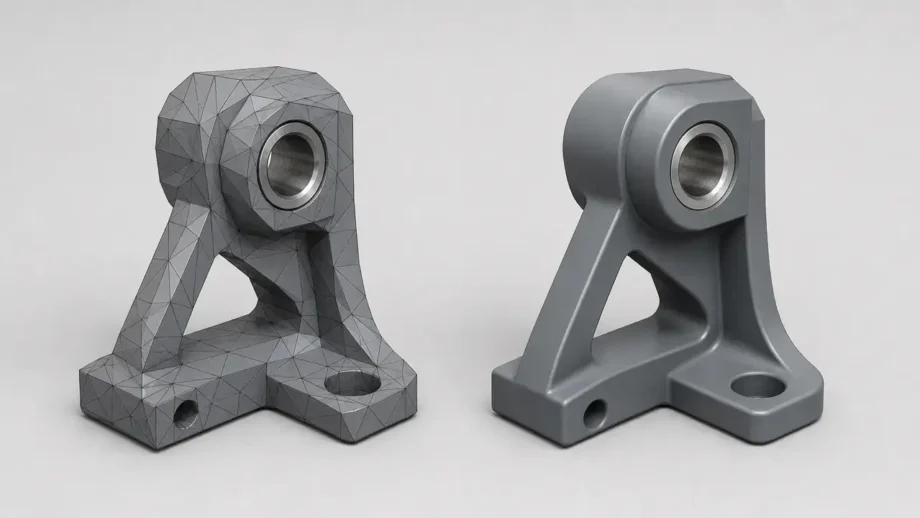
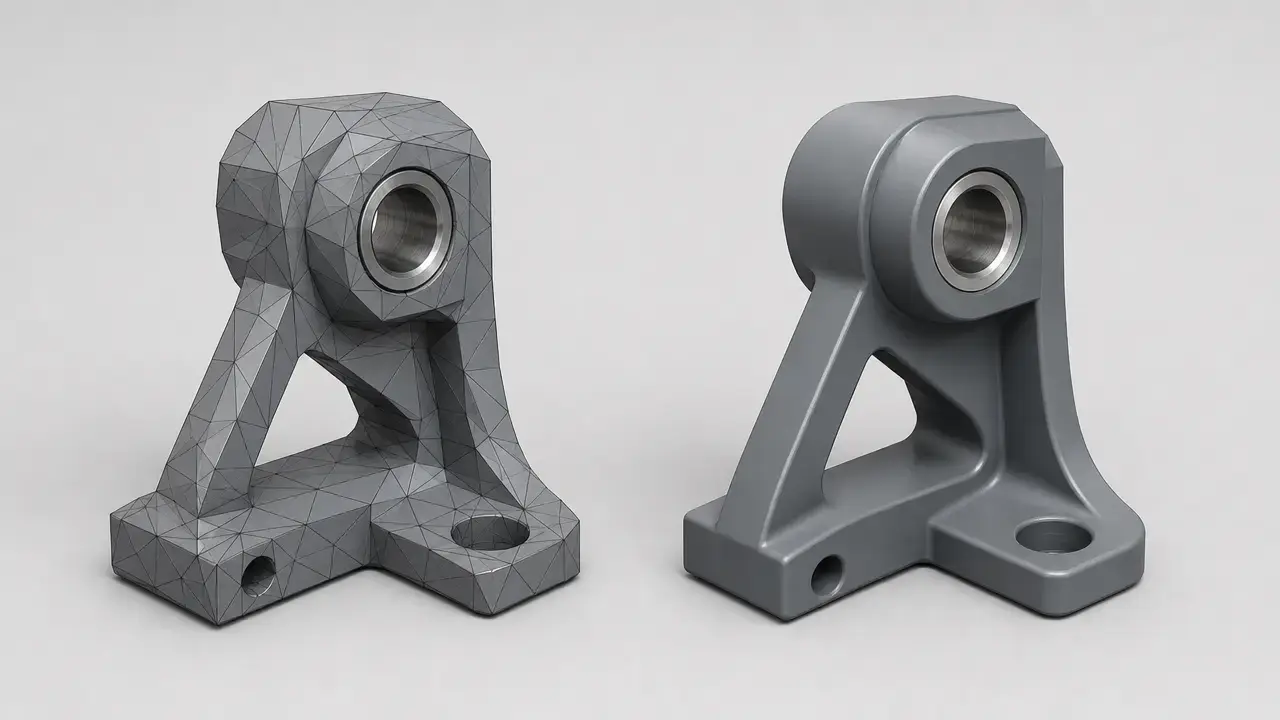
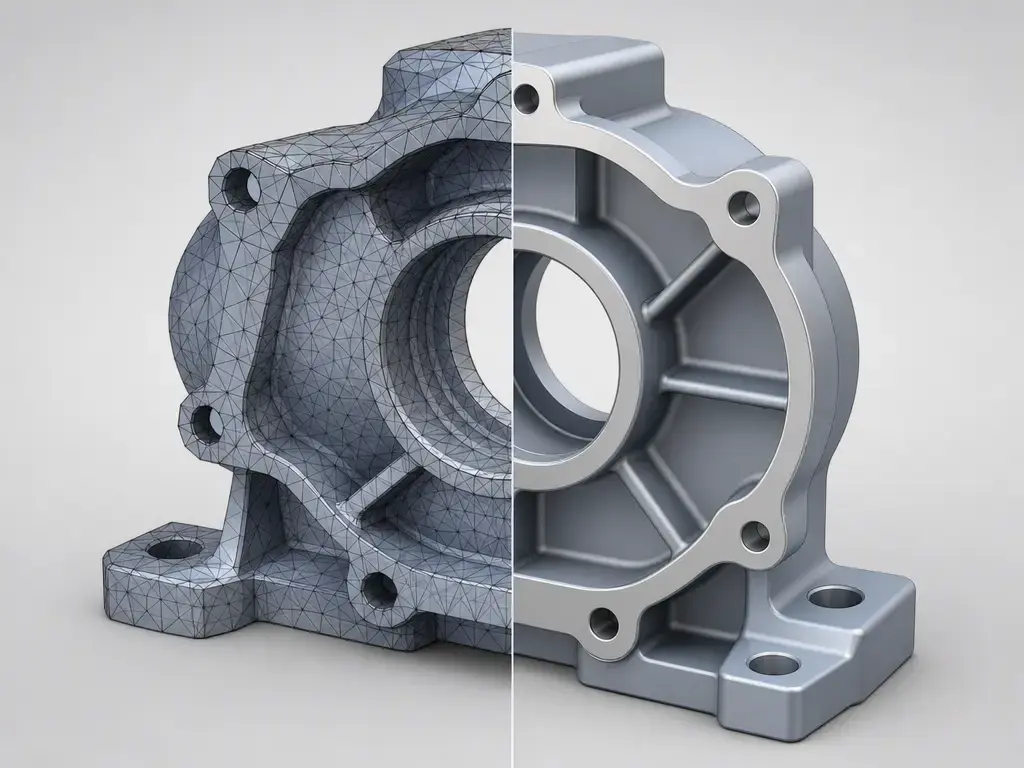
A quick glossary helps here. Tessellation means the shape is stored as facets or triangles rather than exact analytic surfaces. B-rep geometry means a boundary-representation model closer to exact CAD geometry, with faces, edges, and surfaces defined precisely. PMI means product and manufacturing information such as dimensions, tolerances, datums, and related annotations. NIST further distinguishes semantic PMI, which is computer-interpretable, from graphic PMI, which is only the visible appearance of the annotation and is not intended to be computer-interpretable. [12] Siemens describes the JT Open Toolkit as providing read/write access to product structure, metadata, attributes, LODs, PMI, and precise XT B-rep geometry, which shows the range of content a JT file may hold. [16]
| Content type | What it means | Common use | Conversion risk to STEP |
|---|---|---|---|
| Tessellated geometry | Faceted surface approximation rather than exact CAD surfaces. [18] | Fast loading and lightweight visual review. [18] | Exact geometry may not exist to transfer. Validate shape quality and whether the target accepts faceted data. |
| B-rep geometry | Precise boundary-representation geometry. [16] [18] | More exact measurement and richer downstream CAD use. [18] | Better translation potential, but still validate body integrity and interpretation in the target system. |
| PMI, graphic vs semantic | Product and manufacturing information; semantic PMI is computer-interpretable, graphic PMI is visual-only. [12] | Design review, MBD/MBE communication, inspection context. | Graphic PMI may stay display-only; semantic meaning may not map cleanly across tools. [12] |
| Product structure / assemblies | Part and subassembly hierarchy. [16] | Assembly review and PLM context. | Hierarchy may need validation after translation. |
| Metadata / attributes | Names, IDs, and other associated properties. [8] [16] | Identification, filtering, search, workflow context. | Custom properties may not map one-to-one. |
| LODs | Levels of detail for the same model. [16] | Large-assembly performance control. | Target workflows may ignore or flatten some detail states. |
What matters most is the content class. A JT file that contains only tessellation may open and look fine in a viewer, yet still be limited for exact measurement or downstream CAD translation. A JT file that also contains B-rep geometry, richer metadata, and usable PMI can support more demanding workflows. JT2Go reflects that difference directly by offering basic measurement on facets and precise measurement when B-rep exists. IANA’s registration also describes JT as a scene-graph-based format whose scope includes PMI, B-rep, and metadata. [8] [18]
JT file format structure in plain language
A JT file is easiest to think of as a binary container organized for selective access, not as one undifferentiated block of geometry. IANA describes JT as a scene graph and lists facets, PMI, B-rep, and metadata as in-scope content. [8] PRONOM also records a BOF signature note of 'Version' followed later by 'JT', which is a practical clue that the file begins with version-identifying information. [9] Public format-description material from the Library of Congress further describes JT as structured into a header, a table-of-contents concept, and data segments, which is a useful mental model for non-programmers even though older registry pages can lag the current ISO series. [10]
How to convert JT to STEP
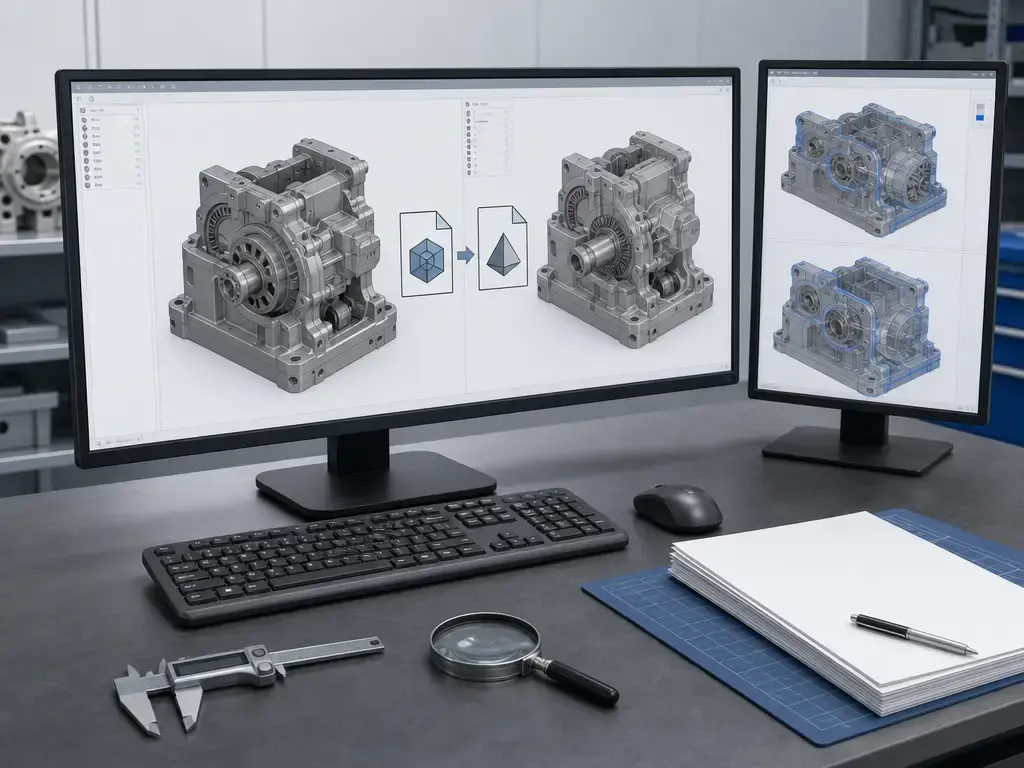
Converting a JT file to STEP is possible in some toolchains, but the result depends on what the JT file actually contains, how it was exported, and what the target system expects. A JT file with only tessellated graphics may yield a much less useful STEP result than a JT file that also includes B-rep geometry. PMI type matters too, because semantic PMI carries machine-interpretable meaning that is more portable than graphic PMI alone. AP242 is the current STEP baseline here, specifically ISO 10303-242:2025 Edition 4. [12] [13] [21]
| JT input contains… | STEP output likely contains… | What may be lost | What to validate |
|---|---|---|---|
| Tessellated geometry only | Approximation-based geometry, if the toolchain supports it. | Exact surfaces and feature-level precision may never have been present in the source. | Surface quality, visible deviation, and whether the target workflow accepts faceted data. |
| B-rep geometry | A more complete solid or surface transfer is possible. [21] | Exact outcomes still depend on the translator and target application. | Body integrity, missing faces, and whether solids remain usable downstream. |
| Semantic PMI | Better chance of machine-readable PMI in STEP, if the translator supports it. [12] | Specific semantic mappings may still be dropped or simplified. | Datums, tolerances, callouts, and whether the target treats them as data or display. |
| Graphic PMI only | Visual annotations may transfer as graphics. [12] | Machine-usable meaning may not transfer. [12] | Whether PMI is display-only in the receiving system. |
| Product structure / assemblies | Assembly tree or part hierarchy may transfer. | Naming, instance handling, or hierarchy details may change. | Parent-child relationships and BOM alignment. |
| Units and metadata | Units and some properties may transfer if mapped. | Custom properties or scale assumptions may be lost. | Model scale, identifiers, and property completeness. |
A practical conversion check starts with B-rep optionality. PTC Creo’s JT export documentation shows that includeBrep controls whether B-rep geometry is included, that export version options extend through JT 10.6, and that xt_brep and jt_brep cannot be included in the same file. [21] That tells you two things: the source JT file may or may not contain exact geometry, and representation choices at export can constrain what survives translation. If the JT input was created mainly for visualization, a generated STEP file cannot recover precision that was never exported. [21]
Conversion checklist
- JT version. [21]
- Whether B-rep is included. [18] [21]
- Assembly/product structure integrity. [16]
- PMI type — graphic or semantic. [12]
- Units. [11]
- Validation after conversion. [11] [13]
- Downstream application requirements. [11]
JT file vs STEP (AP242): which format should you use?
JT file vs STEP is less about choosing a universal winner and more about matching the format to the job. If the goal is fast 3D visualization, review, or lightweight collaboration across systems, JT is usually the better fit because ISO 14306 frames it around binary product information for 3D visualization. [1] If the goal is neutral engineering exchange with broader interoperability and stronger product-definition handoff, STEP, especially AP242, is the more conservative baseline. [11] [13]
| Format | Best use | Geometry/PMI behavior | Caveats |
|---|---|---|---|
| JT | Visualization, review, PLM collaboration. [1] [15] | Can carry tessellation, product structure, metadata, PMI, and sometimes B-rep geometry. [8] [16] | Fidelity depends heavily on exporter settings, representation choices, and tool support. |
| STEP/AP242 | Engineering exchange, interoperability, long-term product-definition workflows. [11] [13] | Designed for neutral exchange; AP242 includes PMI-oriented and long-term archiving scope. [11] [13] | Translation effort and validation demands are often higher. |
| STL/3MF | Mesh-centric manufacturing workflows, including 3D printing. | Focused on mesh output rather than rich product-data exchange. | Not equivalent to JT or STEP for assembly context or PMI-rich exchange. |
NIST’s STEP materials note that STEP Part 21 files commonly use the extensions .stp, .step, and .p21, and describe STEP as a vehicle for interoperability across CAD, CAM, CAE, and inspection workflows with PMI context. [11] The current AP242 reference in this brief is ISO 10303-242:2025 Edition 4, published in August 2025 at 64 pages. [13] That makes AP242 the most relevant STEP reference when the question is not just “can I open the geometry?” but “can I exchange the engineering meaning of the model?” [11] [13]
JT and STEP often coexist rather than compete directly. JT is a strong choice for lightweight access, review, and supported PLM collaboration, while STEP/AP242 is usually the safer choice when neutral exchange and long-lived engineering meaning matter most. [1] [11] [13]
Performance, fidelity, and validation
For a JT file, performance and fidelity are related but not the same thing. A file can open quickly because it uses tessellation and lightweight structure, yet still omit exact geometry, semantic PMI, or assembly detail that matters later. A richer JT file with B-rep geometry and semantic PMI may preserve more meaning, but the real question is not whether it opens. It is what survives. IANA’s JT registration describes compression and both lossless and lossy storage behavior, but it does not provide a universal compression-ratio benchmark, so for “JT is always X% smaller” style claims there is no reliable figure found. [8]
A practical validation playbook should check the information that matters to the downstream task, not just the picture on screen. [11] [12] [18]
- Geometry: Check whether the model uses facets only or also includes B-rep geometry. Verify critical dimensions against the source, and assess mass properties only where the target system can derive them meaningfully. [18]
- PMI: Distinguish semantic PMI from graphic PMI, and confirm that views, callouts, and annotations appear in the receiving system as intended. [12]
- Assemblies: Look for missing parts, broken references, incorrect instance counts, or flattened hierarchy. [16]
- Units and coordinates: Verify units, origin, orientation, and any coordinate-system assumptions before sign-off. [11]
Applications in CAD, PLM, manufacturing, and digital mockup
JT files are commonly used in workflows such as data exchange, supplier collaboration, design review, and digital mockup in PLM environments. That positioning comes mainly from Siemens’ own JT materials, which also invite readers to “join a community of 130+ manufacturers, software vendors and academic institutions” adopting the format. These are vendor-positioning statements, not neutral standards claims, but they help explain why JT is often chosen when a lightweight model needs to move through a supply chain without forcing every participant onto the same native CAD system. [15]
For model-based definition and model-based enterprise workflows, PMI matters because JT can carry annotations and related product context, not just shape. That makes JT useful for review and communication, but portability still depends on whether the PMI is semantic or only graphic. [12] [16]
For retention and archiving, it helps to keep the framing separate. Siemens presents JT as used in long-term data-retention workflows, but that remains vendor positioning. [15] The more neutral standards baseline here is STEP/ISO 10303, especially AP242, whose scope explicitly includes engineering and product data for long-term archiving and retrieval. [13] In practice, JT is strong for distributed access and review, while STEP/AP242 is usually the more conservative choice when long-lived engineering exchange is the priority. [11] [13]
Limitations and common problems with JT files
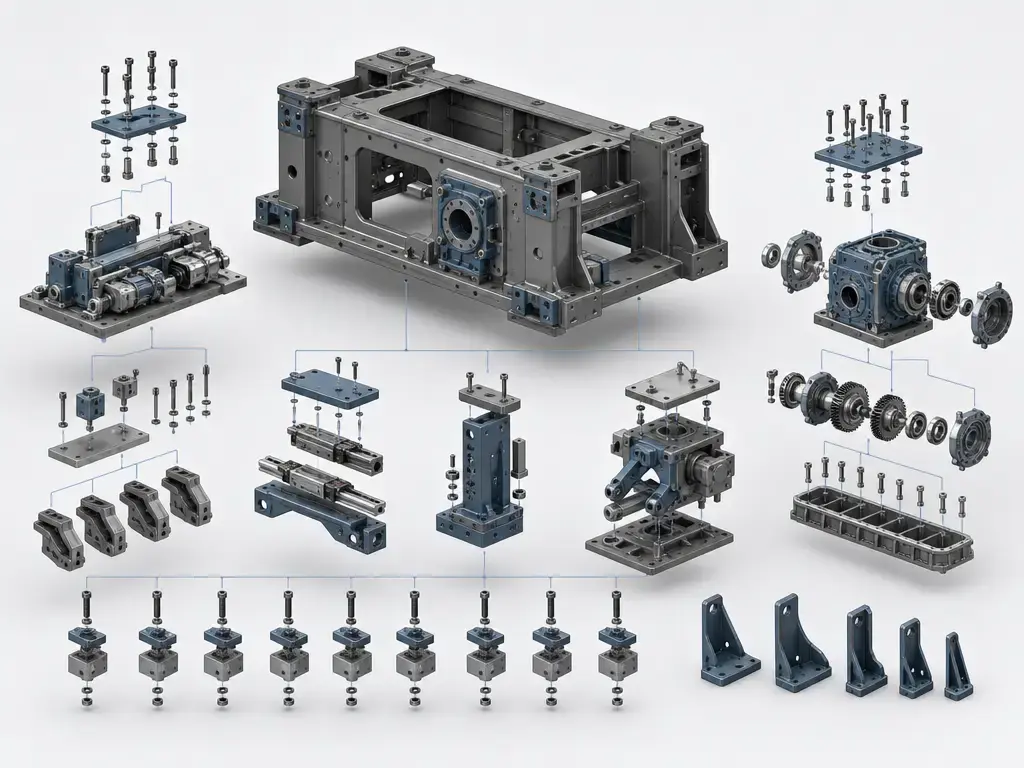
A JT file can be limited by version support, exporter settings, and the content that was actually written into it. A tessellated-only export may open cleanly but still lack B-rep geometry, semantic PMI, or complete assembly information. That means a JT CAD file viewer may show the model, yet a downstream translator may still deliver reduced fidelity. Version-specific support, missing hierarchy, unit mismatch, and tool capability gaps are common failure points when files move between systems. [18] [19] [20]
The practical difference between a viewer and a converter is simple: a viewer is meant to display what the JT file contains, while a converter tries to map that content into another format and preserve meaning. Successful opening therefore does not guarantee export fidelity. A JT file can be readable and measurable in one tool and still lose precision, PMI meaning, or hierarchy when translated elsewhere. [17] [18] [20]
Security considerations
The risk is primarily in parsing complex files, including crashes or potential code execution through bugs in readers, not in a JT file “containing scripts.” IANA’s registration says JT has no executable or scripted content, while also warning that corrupted or maliciously created files may crash readers and could be exploitable in the presence of memory-safety bugs. [8] Siemens ProductCERT advisories make the same point more concretely: JT file parsing vulnerabilities have been documented, including cases that could crash an application or potentially lead to arbitrary code execution, and Siemens has recommended avoiding untrusted files from unknown sources. [22] [23] Practical precautions are ordinary ones: keep viewers and translators patched, prefer trusted sources, and isolate unusual files where policy requires it.
Historical background
A compact standards timeline explains the JT format without turning it into an unsourced origin story. In 2003, Siemens says the JT Open Program was formed. [16] In 2011, ISO/PAS 14306:2011 defined the syntax and semantics of JT Version 8.1 at 339 pages. [6] In December 2012, ISO 14306:2012 appeared as Edition 1 at 559 pages and described a binary .jt file used primarily for lightweight 3D product definition data; that edition is now withdrawn. [7] In November 2017, ISO 14306:2017 Edition 2 was published, and ISO now lists it as withdrawn as well, at 649 pages. [5] From 2024 through 2026, the standard moved to the current multi-part structure: ISO 14306-1:2024, -2:2024, -3:2025, and -4:2026. [1] [2] [3] [4]
Current standards and market context
Older registry and documentation pages can lag behind the current standards picture, so date context matters. The Library of Congress JT format page shows a last significant FDD update of 2023-01-24 and still describes ISO 14306:2017 as current, which is a normal documentation-lag issue rather than a contradiction in principle. [10] ISO’s own listings now mark ISO 14306:2017 as withdrawn and show the newer 2024–2026 ISO 14306 series instead. [1] [5] When you evaluate Siemens JT pages, software help files, or preservation registries, check the page date as carefully as the page title.
JT file takeaway
A JT file is best treated as a lightweight 3D product-data package for visualization and collaboration across systems. [1] Depending on how it was exported, it may also carry B-rep geometry, PMI, assembly structure, and metadata. [8] [16]
In practice, choose JT when the workflow prioritizes fast viewing, review, and supported PLM distribution. Choose STEP/AP242 when the main goal is neutral product-definition exchange and broader interoperability, especially where long-term engineering reuse matters. Then validate the result after translation, especially geometry, PMI, assemblies, and units, because a file that opens successfully is not automatically faithful in the next system. [11] [13]
FAQ
What is a JT file?
A JT file is a binary 3D product-data format used for visualization and lifecycle collaboration across systems. The current standards framing is the ISO 14306 series, and IANA registers the media type model/JT with binary encoding and the .jt extension. [1] [8]
How do I open a JT file?
The simplest path is usually a viewer such as Siemens JT2Go, which Siemens describes as a free viewer for JT and Parasolid XT data. The desktop app displays .jt and .vfz files, so it is a good first stop for inspection before you try import or conversion. [17]
Is JT proprietary or an ISO standard?
Both descriptions are true in different senses. Siemens JT is the common industry name and Siemens still provides JT tooling, but the formal specification is standardized through the ISO 14306 series. So the ecosystem is vendor-led in practice while the specification itself is ISO-based. [1] [16]
Does a JT file always contain exact CAD geometry?
No. A JT file may contain only tessellated geometry for lightweight viewing, or it may also include B-rep geometry for more exact representation. One practical clue is tool behavior: Siemens says JT2Go supports basic measurement using facets for JT without B-rep and precise measurement when B-rep is present. [16] [18]
What is the difference between semantic PMI and graphic PMI, and why does it matter for JT↔STEP translation?
Semantic PMI is computer-interpretable; graphic PMI is the visible appearance of the annotation and is not intended to be computer-interpretable. That distinction matters because a JT-to-STEP workflow may preserve how annotations look while still losing the machine-usable meaning needed for downstream automation, inspection, or reuse. [12]
Can I convert JT to STEP without losing PMI or assembly structure?
Sometimes, but not by default. The outcome depends on whether the JT file includes B-rep geometry, what kind of PMI it carries, how assemblies are represented, and how the translator maps all of that into STEP/AP242. A successful conversion should still be validated for geometry, hierarchy, units, and PMI behavior afterward. [12] [13] [21]
Sources
- ISO 14306-1:2024 — Overview and fundamental principles
- ISO 14306-2:2024 — Vocabulary
- ISO 14306-3:2025 — Part 3: Version 2
- ISO 14306-4:2026 — Part 4: Version 3
- ISO 14306:2017 — Withdrawn listing
- ISO/PAS 14306:2011 — JT Version 8.1
- ISO 14306:2012 — Withdrawn listing (committee mirror)
- IANA media type model/JT
- PRONOM fmt/1908 — Jupiter Tesselation (JT) File
- Library of Congress FDD — JT
- NIST STEP File Analyzer and Viewer
- NIST STEP File Analyzer DOI page — semantic vs graphic PMI
- ISO 10303-242:2025 — AP242 Edition 4
- STEP, the grand experience
- Siemens JT file format page
- Siemens JT Open Program
- Siemens JT2Go viewer page
- Siemens JT2Go Desktop features PDF
- Autodesk AutoCAD JT Translator Reference
- Open Cascade CAD Assistant
- PTC Creo — Exporting Levels of Detail to JT
- Siemens ProductCERT SSA-836777 — JT File Parsing Vulnerabilities
- Siemens ProductCERT SSA-595101 — parsing vulnerabilities including JT