
Summary
The sense 3d scanner is a legacy handheld option for capturing people, objects, and simple scenes as editable meshes. “Sense” refers to two distinct generations, so specifications, cables, software, and scan results must be evaluated by model rather than combined.
Sense 3D Scanner: Which Model Do You Mean?
The shared Sense name causes frequent confusion in used listings, manuals, drivers, and accessories. Sense 1st gen and Sense 2nd gen are different hardware generations. Before relying on a stated range, USB connection, operating-system requirement, or scan result, identify the model from its documentation and hardware.
Legacy status also changes the buying decision. 3D Systems states that Sense 1st gen and Sense 2nd gen reached end of service life on December 31, 2022, and are no longer directly supported. [12] A unit may still work, but installer access, activation, drivers, and host-computer compatibility should be demonstrated before purchase.
Sense 1 vs Sense 2 quick ID cues
- Sense 1st gen: USB 2.0; published operating range of 0.35–3 m. [1]
- Sense 2nd gen: USB 3.0; published operating range of 0.45–1.6 m; documented for 64-bit Windows 10. [2]
- If you cannot confirm the generation, do not trust the spec sheet.
How the Sense Captures Shape
A handheld scan is not a single photograph. Sense 1st gen documentation describes the scanner translating observations into multiple depth images, then combining depth frames into a surface mesh of connected triangles. [1] The practical sequence is depth map → registered frames → mesh → repaired/exported mesh. Registration, or tracking, estimates how successive observations fit together in 3D space. Lost tracking can produce gaps, doubled features, floating fragments, or warped areas.
Sense 2nd gen documentation refers to the application as “Sense for Intel RealSense” and identifies an interface option available on an SR300 handheld camera. [4] Intel describes the related SR300/SR305 family as short-range coded-light 3D imaging: an infrared projector casts coded patterns, an infrared camera observes their deformation over the subject, and processing produces depth frames. [5] This provides useful context for Sense 2nd gen, but does not establish that both Sense generations use identical sensing hardware or reconstruction methods.
Mesh repair occurs after capture. Hole filling, smoothing, trimming, and surface closing can make a mesh easier to print or edit, but they can also alter geometry. A repaired mesh is not proof of dimensional correctness.
Sense 3D Scanner Specifications
A working range indicates where a scanner is intended to observe a subject; it is not a whole-object dimensional-accuracy statement. Capture volume likewise describes the practical scale of a scan, not a guarantee that every surface in that envelope will track equally well. For both generations, the published 0.9 mm x/y and 1 mm depth figures are manufacturer-published resolution values at a stated 0.5 m distance, not accuracy claims. [1] [2]
Sense specs by generation (manufacturer-documented)
| Generation | Capture envelope (volume/range) | Sensor/output specs (as documented) | Notes/risks |
|---|---|---|---|
| Sense 1st gen | Minimum scan volume: 0.2 × 0.2 × 0.2 m; maximum: 3 × 3 × 3 m. Published range: 0.35–3 m. [1] | Field of view: 45° horizontal, 57.5° vertical, 69° diagonal. At 0.5 m: 0.9 mm x/y resolution and 1 mm depth resolution. The manual lists both a 640 × 480 VGA depth map and a 240 × 320 depth-image size. [1] | USB 2.0. The two depth-image entries are an apparent documentation inconsistency and should not be treated as one resolved sensor specification. [1] |
| Sense 2nd gen | Scan volume: 0.2 × 0.2 × 0.2 m to 2 × 2 × 2 m. Published range: 0.45–1.6 m. [2] | Windows 10 64-bit; USB 3.0; 640 × 480 depth image; maximum 30 fps; 0.9 mm x/y and 1 mm depth resolution at 0.5 m. Scanner dimensions: 17.8 × 12.9 × 3.3 cm. [2] | The shorter range is not an accuracy comparison with Sense 1st gen. Software and activation dependencies are separate practical risks. |
The Sense 1st gen manual’s two depth-image entries should be disclosed rather than silently reconciled. It specifies a “VGA depth map” of 640 × 480 while separately listing “Depth Image Size” as 240 wide by 320 high pixels. [1] The documentation does not establish whether these entries refer to separate processing stages, display modes, or an error. Do not infer a single confirmed depth-output specification from the conflicting entries.
Software, Activation, and Export Workflow
The scanner is only one part of the workflow. Sense 1st gen documentation describes linking the scanner to a Cubify account and entering a four-digit activation PIN. [1] Sense 2nd gen documentation describes activation through a 3D Systems account, a four-digit activation key, and an offline activation path. [3] These are historically documented workflows, not evidence that an installer, account service, activation path, or driver remains usable in 2026.
File handling is also generation-specific. Sense 1st gen documentation says scans can be saved as STL, PLY, or OBJ. [1] Sense 2nd gen documentation says saved models are OBJ and lists WRL, STL, PLY, and OBJ as export formats. [3] An exported file does not prove that a surface is complete, watertight, dimensionally correct, or suitable for CAD work.
Sense 1st gen describes Solidify as making a scan print-ready as a closed, watertight model. [1] Sense 2nd gen lists Solidify, Surface, and Fill among its Repair tools; Solidify fills holes and closes the model. [3] These functions may improve downstream usability, but they can change the mesh and should not be treated as dimensional validation.
Capture-to-Print Workflow
- Prepare the object and scene.
- Launch verified software and activate if required.
- Maintain the working distance.
- Capture overlapping depth frames while preserving tracking.
- Inspect and trim the mesh.
- Repair only as needed.
- Export the intended format and inspect it in the next tool.
Validate manifoldness and scale in the next tool; repair steps can change geometry. [1] [3]
For a used scanner, “usable in 2026” means that legitimate installer access, a successful activation path where required, and device recognition on the intended computer can all be demonstrated. A unit that powers on but cannot complete a capture-to-export workflow is not a verified working tool.
Sense 3D Scanner Accuracy: What the Published Numbers Do (and Don’t) Mean
Accuracy, precision, and resolution describe different aspects of measurement. The International Vocabulary of Metrology defines measurement accuracy as the closeness of agreement between a measured quantity value and a true quantity value, while noting that accuracy is not itself a quantity. [8] Precision concerns the agreement among repeated measured values or indications under specified conditions. [9] Resolution is the smallest change in a measured quantity that causes a perceptible change in an indication. [10]
For Sense 1st gen, the manual publishes 0.9 mm x/y resolution and 1 mm depth resolution at 0.5 m. [1] Sense 2nd gen publishes the same values at 0.5 m and lists a 640 × 480 depth image. [2] These specifications do not state whole-object dimensional error, uncertainty method, test artefact, object scale, surface condition, registration method, number of views, or repair settings. A detailed point cloud or mesh can still differ from the original object in size or shape.
VDI/VDE 2634 Parts 2 and 3 provide context for evaluating optical 3D measurement systems under defined conditions. [7] However, VDI/VDE 2634 Part 2 covers area-scanning optical systems and explicitly excludes multi-view systems in which separate views are merged; its DIN catalog entry also identifies it as withdrawn and points users toward DIN EN ISO 10360-13:2023-11. [11] That limitation matters for handheld scans assembled from many registered frames. The reviewed Sense manuals do not state conformance; absence of a claim is not evidence of nonconformance.
Do not confuse
- Depth resolution with dimensional accuracy.
- Point density with measurement uncertainty.
- Repeatability with correctness.
- A watertight mesh with a dimensionally validated mesh.
What the Sense Is Still Good For (and What It Isn’t)
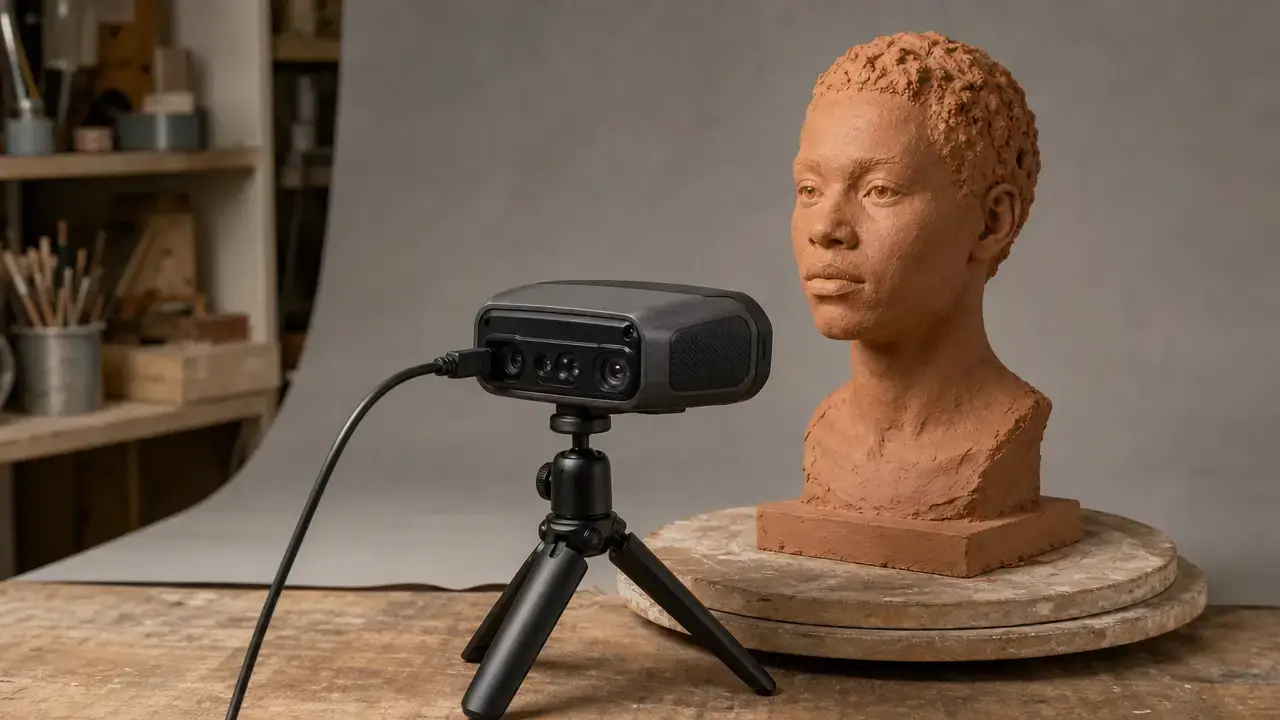
A working Sense scanner can still suit applications that need plausible digital shapes rather than verified measurements. Reasonable uses include figurines, faces and busts, costume or prop work, simple 3D-printing projects, noncritical digital assets, and learning handheld scanning techniques such as maintaining tracking, selecting useful viewpoints, and trimming unwanted capture.
It is not a good default choice for inspection, tight-tolerance reverse engineering, production-critical workflows, or fit-sensitive replacement parts. Shiny, transparent, dark, deeply concave, or featureless subjects add further risk. Treat a Sense mesh as reference geometry unless critical dimensions are independently verified.
Limitations and Failure Modes
Handheld capture can fail before repair begins. Sense 2nd gen documentation says tracking may be lost if the operator moves too quickly or the object leaves the camera view; its recovery guidance is to aim at a previously scanned area. [3] Sense 1st gen guidance likewise depends on a trackable scene with usable features. [1] For small or featureless objects, Sense 2nd gen guidance recommends adding surrounding features that provide visual reference for tracking. [4]
General optical-depth-scanning research explains other failure conditions, although these are not generation-specific test results for every Sense unit. NIST identifies shiny and dark surfaces, concave geometry, and ambient-light effects as important sources of structured-light scanning error. [7] Transparent objects can produce unreliable depth observations through absorption and refraction, while occlusion can introduce shadow noise by blocking the projected-light path. [16] Intel also notes general depth-camera difficulties with weak infrared reflectivity and reflective surfaces. [6]
Visible symptoms include holes, incomplete recesses, lost edges, drifting alignment, or a plausible-looking mesh that proves incomplete from another view. Repair can conceal some defects, but it cannot establish inspection-grade confidence in the original capture.
Before You Buy a Used Unit
- Confirm the exact generation: Sense 1st gen or Sense 2nd gen.
- Verify the cable and computer port: Sense 1st gen uses USB 2.0, while Sense 2nd gen uses USB 3.0. [1] [2]
- For Sense 2nd gen, verify access to a 64-bit Windows 10 system. [2]
- Confirm legitimate software access and that the documented activation path can be tested. [1] [3]
- Request a recent test scan and exported file: Sense 1st gen should demonstrate STL, PLY, or OBJ; Sense 2nd gen should demonstrate OBJ saving or WRL, STL, PLY, and OBJ export as applicable. [1] [3]
- Match tolerance expectations to the available evidence; do not buy for inspection or metrology.
Sense 3D Scanner Alternatives (2026)
A useful comparison begins with the job, not a headline number. Manufacturers may publish single-frame accuracy, precision, fused point distance, scan accuracy, or volumetric accuracy. These labels describe different properties under different conditions. A smaller single-frame value does not automatically predict the dimensional result of a complete handheld, multi-view scan after alignment and mesh processing. Sense 1st gen and Sense 2nd gen each publish resolution figures at 0.5 m rather than whole-object accuracy claims. [1] [2]
All figures below are manufacturer-published unless otherwise stated, and test methods differ. Standards-based testing exists in the market but is not universal. EinScan, for example, describes VDI/VDE 2634-based factory testing for a different product family, while VDI/VDE 2634 Part 2 has a scope limitation for merged multi-view systems. [15] [11] The manufacturer product pages for the two current alternatives below were accessible on November 19, 2026. [13] [14]
| Scanner/family | Tech/mode (as described by maker) | Published metric (keep labels) | Metric conditions + decision relevance |
|---|---|---|---|
| Sense 1st gen | Handheld depth capture; multiple depth frames combined into a triangle mesh. [1] | Resolution at 0.5 m: 0.9 mm x/y; 1 mm depth. [1] | This is a resolution statement at one distance, not whole-object accuracy. Consider it only after confirming a viable legacy workflow. |
| Sense 2nd gen | Sense for Intel RealSense workflow. [4] | Resolution at 0.5 m: 0.9 mm x/y; 1 mm depth; 640 × 480 depth image. [2] | These figures are not dimensional-accuracy claims. Windows 10 64-bit and account activation are practical workflow risks. [2] [3] |
| Revopoint POP 3 Plus | Dual-camera infrared structured light. [13] | Single-frame accuracy: up to 0.08 mm; single-frame precision: up to 0.04 mm; fused point distance: up to 0.05 mm. [13] | Published working distance: 150–400 mm. Compare the labelled metrics with the intended object size, surface, and complete-scan workflow. [13] |
| EinScan H2 | White-light mode and infrared mode. [14] | Scan accuracy: up to 0.05 mm in white light and 0.1 mm in IR. Volumetric accuracy: 0.05 ± 0.1 mm/m in white light and 0.1 ± 0.3 mm/m in IR. [14] | Mode matters. The maker’s volumetric-accuracy definition belongs to its own test context and is not directly interchangeable with single-frame metrics. [14] |
For props, learning, and printable reference shapes, a confirmed Sense workflow may be sufficient. For fit-sensitive work, compare the maker’s metric label, test conditions, operating mode, object scale, current software support, and scans of the actual part type.
Is the Sense 3D Scanner Still Worth Buying?
Yes, but only under narrow, verifiable conditions. It can be reasonable for learning handheld capture, producing noncritical meshes, creating figurines or props, and basic printing projects when the exact generation, legitimate software access, activation path, device recognition, and sample export have all been tested. No reliable current used price figure was found.
For dependable support, flexible current operating systems, small-detail work, or dimension-critical reverse engineering, the answer is usually no. Published resolution figures do not establish complete-mesh accuracy, and legacy activation and software dependencies add uncertainty. Buy a sense 3d scanner only after testing the exact capture-to-export setup you intend to use.
FAQ
Sense questions are clearer when generation, historical software documentation, and intended use are kept separate.
How accurate is the Sense 3D scanner?
Neither reviewed manual provides a standards-based whole-object accuracy specification. VIM defines accuracy as agreement with a true quantity value and notes that it is not itself a quantity. [8] Sense 1st gen and Sense 2nd gen both publish 0.9 mm x/y and 1 mm depth resolution at 0.5 m; Sense 2nd gen also lists a 640 × 480 depth image. [1] [2] These figures do not guarantee dimensional error after tracking, alignment, and repair.
What software does the Sense 3D scanner use in 2026?
Sense 1st gen documentation describes a Cubify account and four-digit activation PIN. [1] Sense 2nd gen documentation describes a 3D Systems account, four-digit activation key, and offline activation path. [3] 3D Systems states that both generations reached end of service life on December 31, 2022. [12] Do not assume installers, accounts, activation services, or drivers remain available; test them on the intended computer.
What are the Sense 3D scanner specifications?
Sense 1st gen is documented with a 0.35–3 m operating range, USB 2.0, and scan volumes from 0.2 × 0.2 × 0.2 m to 3 × 3 × 3 m. [1] Sense 2nd gen is documented with a 0.45–1.6 m range, USB 3.0, 64-bit Windows 10, and scan volumes from 0.2 × 0.2 × 0.2 m to 2 × 2 × 2 m. [2] Do not combine these generation-specific specifications.
Does the Sense software export STL / OBJ / PLY / WRL?
Sense 1st gen documentation lists STL, PLY, and OBJ as save formats; it does not list WRL in the reviewed manual. [1] Sense 2nd gen documentation says OBJ can be saved and lists WRL, STL, PLY, and OBJ as export formats. [3] Historical format support does not guarantee that a legacy installation can activate, recognize the scanner, or complete an export today.
What’s the difference between resolution, precision, and accuracy for 3D scanning?
Accuracy concerns agreement with the true value, precision concerns agreement among repeated results under specified conditions, and resolution concerns the smallest change that produces a perceptible indication. [8] [9] [10] A scanner can show fine mesh detail yet still have dimensional error from tracking, registration, surface conditions, or repair. Published Sense resolution figures therefore do not independently establish accuracy or repeatability for a completed handheld mesh.
What does it mean when a scanner is tested to VDI/VDE 2634, and why might it not match your workflow?
A VDI/VDE 2634 claim can indicate that a manufacturer tested an optical scanner under stated conditions and artefacts. EinScan provides one manufacturer-specific example involving a certified ceramic ball bar and sphere-spacing error. [15] Test scope matters, however: VDI/VDE 2634 Part 2 excludes systems based on merged multi-view measurements. [11] That limits direct comparison with a handheld workflow assembled from many registered frames, particularly when surface and lighting conditions differ. [7]
Sources
In-text citations map to the numbered source register below.
- 3D Systems Sense 3D Scanner User Guide (Sense 1st gen)
- 3D Systems Sense™2 User Guide — “Features and Specifications”
- 3D Systems “Capture your world in 3D” — Sense2 UserGuide (031519)
- 3D Systems Sense™ 2 (2nd gen) User Guide (Windows) — “Sense for Intel RealSense”
- Intel RealSense SR300/SR305 Product Datasheet (Rev 002, June 2019)
- Intel RealSense Depth Testing Methodology (Rev 1.0, Jan 2018)
- NIST — Sources of Errors in Structured Light 3D Scanners (pub_id=927473)
- BIPM/JCGM VIM3 — 2.13 Measurement accuracy
- BIPM/JCGM VIM3 — 2.15 Measurement precision
- BIPM/JCGM VIM3 — 4.14 Resolution