
Verdict
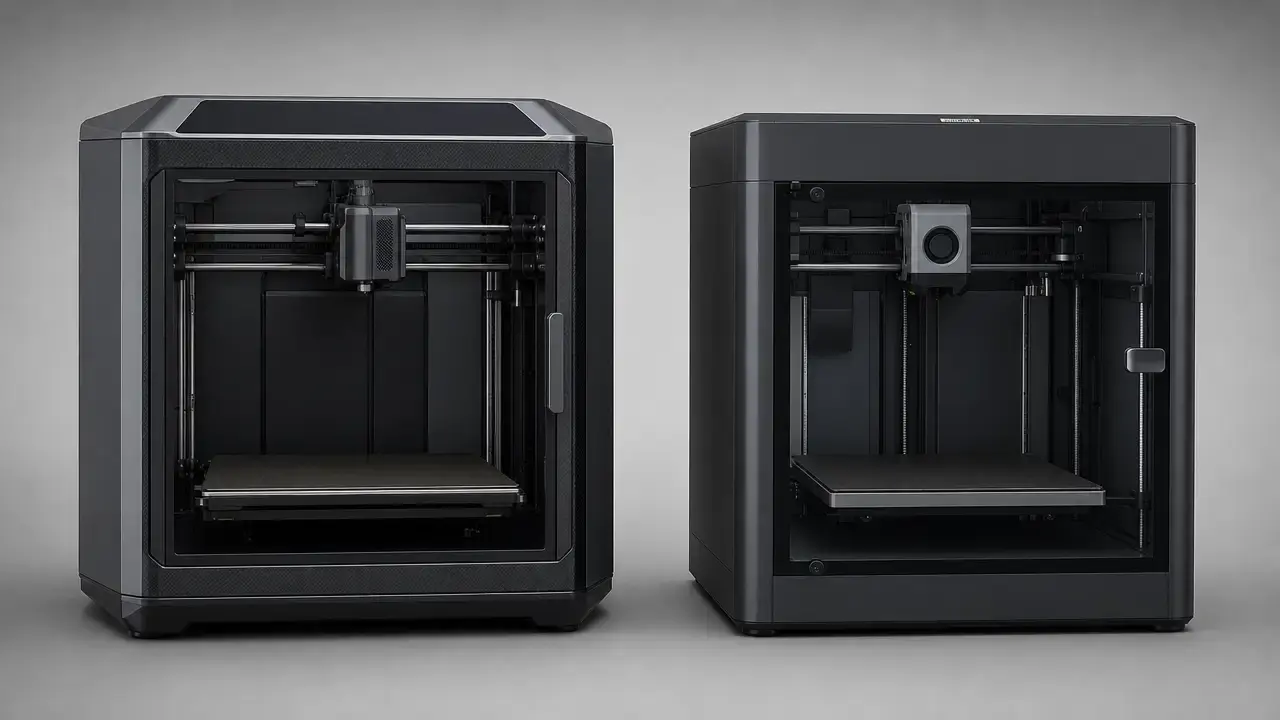
For most buyers, the P1S is the safer pick if you prioritize multicolor maturity, a more documented accessory path, and lower workflow uncertainty. The Centauri Carbon is the value pick when its live price stays far below the P1S and you want an enclosed filament printer with higher stated thermal limits and more favorable stock nozzle wording for abrasive materials on paper. As of September 7, 2026, the Centauri Carbon product page showed $309.00 USD with $419.99 USD struck through. [3] [4] [7] [9] [10]
In elegoo centauri carbon vs bambu lab p1s, the practical difference is less about the frame and more about the surrounding system. Recheck the live printer price, bundle contents, and CANVAS status on the day you buy, because those are volatile. As of September 7, 2026, CANVAS was still listed as PRE-ORDER at $55.00 USD, with estimated shipping shown as “September 25” and no year displayed on the page. If multicolor printing is central to your purchase, Bambu’s official AMS path is clearer in the current source set, with 4 filament slots per AMS, up to 4 AMS units, and up to 16 colors via the AMS Hub. [3] [6] [10]
Summary + at a glance
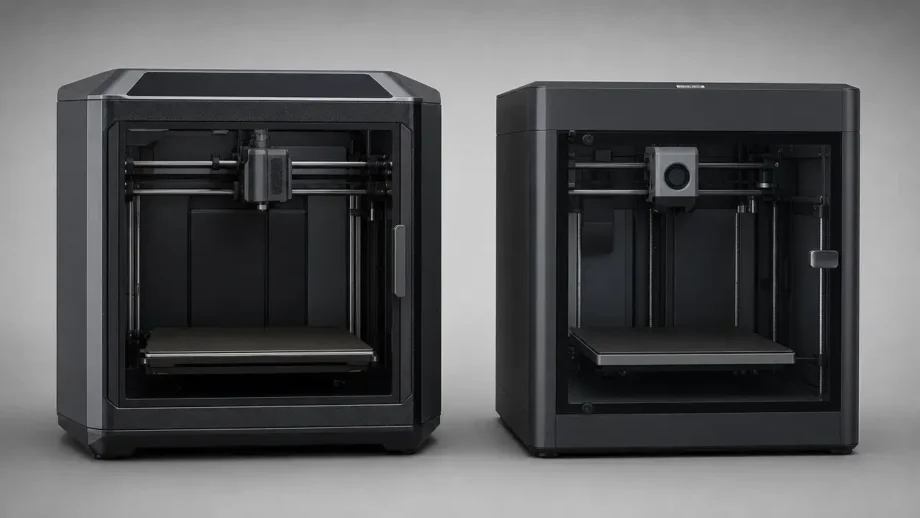
If you are deciding between elegoo centauri carbon vs bambu lab p1s, the short version is that both sit in the same nominal 256 × 256 × 256 mm build class, but they target different priorities. The Centauri Carbon is the cheaper enclosed option when its live sale price remains much lower, while the P1S is the more established path for multicolor printing and a better-documented workflow. [3] [9] [10]
This is not a controlled head-to-head lab test. It can help with a buying decision, but it does not support hard claims about which machine is more accurate, more reliable, or universally faster on real parts. What the sources do show is that Bambu defaults the P1S to 250 mm printable height in Bambu Studio, ties the remaining 6 mm to safety instructions, publishes explicit AMS scaling up to 16 colors, and currently has a more settled multicolor story than the Centauri’s still-preorder CANVAS accessory. [8] [6] [10]
- Pick Centauri Carbon if you want the cheaper enclosed option and its live price stays much lower, especially if higher stated thermals and a brass-body/hardened-tip nozzle appeal to you on paper. [3] [4] [7]
- Pick P1S if you want the more mature AMS path, clearer third-party slicer boundaries, and less uncertainty around multicolor workflow. [9] [10]
- Recheck before buying live prices, regional bundles, and CANVAS shipping status the same day you order. [3] [6]
What exactly is being compared
This article is scoped to the first-generation Elegoo Centauri Carbon and the Bambu Lab P1S. Centauri Carbon (first gen) ≠ Centauri Carbon 2 / 2 Combo, so model drift matters when you check accessories, sale listings, and compatibility pages. The CANVAS page distinguishes Centauri Carbon from a future Centauri Carbon 2 version, and Elegoo’s nozzle-kit compatibility list also separates the original Centauri Carbon from later Centauri variants. [6] [7]
Category-wise, this is a desktop material-extrusion comparison. In ISO/ASTM terminology, material extrusion is the additive-manufacturing process category used for printers that selectively dispense material through a nozzle or orifice. In the hobby and prosumer market, you will also see FFF and FDM used for the same family of machines. That is why resin, powder-bed, and metal systems are out of scope here except as terminology contrast. [1]
Core specs side-by-side
| Spec | Centauri Carbon | Bambu Lab P1S |
|---|---|---|
| Build volume | 256 × 256 × 256 mm [3] | 256 × 256 × 256 mm nominal [9] |
| Usable height default note | not published [3] | 250 mm default in Bambu Studio; remaining 6 mm requires wiki safety instructions [8] |
| Motion headline | 500 mm/s velocity; 20,000 mm/s² acceleration [4] | 500 mm/s max toolhead speed; 20 m/s² max toolhead acceleration [9] |
| Hotend / bed max temps | 320°C hotend; 110°C heated bed [4] | 300°C max hotend; 100°C max build plate [9] |
| Stock nozzle material / construction | brass-hardened steel nozzle; accessory page clarifies brass body + hardened steel tip [3] [7] | stainless steel [9] |
| Abrasive CF/GF stance | marketed for carbon-fiber-reinforced filament; no separate CF/GF caution line found in cited specs [4] | Carbon/Glass Fiber Reinforced Polymer Not Recommended [9] |
| Camera | Yes; resolution not published in the cited spec text [5] | 1280 × 720 at 0.5 fps; timelapse supported [9] |
| Size / weight / power | 398 × 404 × 490 mm; 17.5 kg; 1100 W @ 220 V; 350 W @ 110 V [5] | 389 × 389 × 458 mm; 12.95 kg; 1000 W @ 220 V; 350 W @ 110 V [9] |
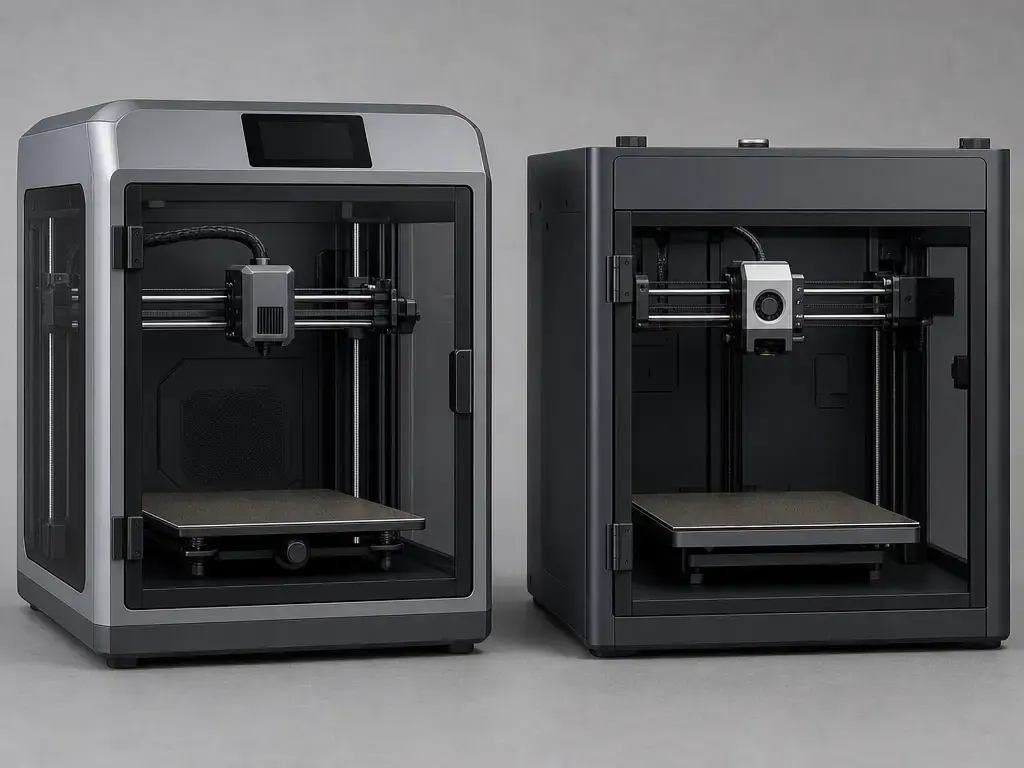
The table is useful as a map of published differences, not proof of print-quality leadership. It shows where the machines differ in thermals, nozzle wording, default height behavior, camera disclosure, and stock abrasive-material guidance. It does not prove which one will hold tighter dimensions, deliver better surface finish, or stay more reliable over time. That kind of claim needs method-defined testing, not a spec-sheet matchup. [2]
At a glance, the P1S documentation is more explicit about software limits, third-party slicer support, and AMS scaling, while the Centauri Carbon publishes a higher thermal ceiling and more favorable stock nozzle/material language for abrasive use on paper. The practical comparison is less about nominal size and more about what each company has documented clearly. [4] [7] [8] [9] [10]
Price & value
The Centauri Carbon’s value case is highly price-sensitive. As of September 7, 2026, the Elegoo US page showed $309.00 USD with $419.99 USD struck through. That is a big enough swing to change the recommendation by itself, so recheck the exact listing on the day you order rather than treating any screenshot or article as current. [3]
CANVAS adds both cost and uncertainty. As of September 7, 2026, its page showed PRE-ORDER status, a $55.00 USD price, estimated shipping listed only as “September 25,” and a note that it was only compatible with Centauri Carbon. If your buying logic depends on multicolor, that status matters as much as the base printer discount. [6]
For the P1S, this comparison avoids freezing a sticker price into the article unless it is rechecked on publication day. Prices, bundles, and store mirrors move too often for a static comparison to stay trustworthy. The more useful question is not just which one is cheaper, but how much more you are paying for the P1S ecosystem and how much uncertainty you are removing. [9] [10]
Costs worth comparing beyond the printer:
- AMS or CANVAS
- Spare nozzles or hotends
- Build plates
- Filters
- Filament waste from multicolor printing
- Other wear parts
- Shipping and tax, if separate
Base price is only the entry ticket. Multicolor hardware, wear items, and consumables can shift the real spend enough to erase a headline sale advantage.
Speed claims vs real print time
Top-line speed numbers are easy to compare and easy to overread. What matters in practice is the full stack: maximum toolhead speed, acceleration, volumetric flow rate, cooling, and part geometry. A printer can advertise 500 mm/s yet spend much of a real job below that number because short segments, corners, overhangs, and flow limits keep it from sustaining the headline rate. This is also where visible artifacts enter the picture. Aggressive motion can shorten print time on favorable geometry while increasing the chance of ringing or ghosting on certain shapes. Equal speed headlines therefore do not imply equal throughput, and equal throughput claims do not imply equal print quality.
Here, both printers publish 500 mm/s motion headlines, but their 32 mm³/s flow claims are not documented in the same way. Elegoo presents 32 mm³/s as a headline specification on the Centauri Carbon overview page. Bambu’s P1S spec sheet also lists 32 mm³/s, but ties it to an ABS case with a 150 × 150 mm single-wall model, Bambu ABS, and temperature listed as 280. That makes the P1S claim more method-shaped in the cited source, even though it is still a manufacturer claim rather than an independent benchmark. [4] [9]
Throughput metrics to watch:
- volumetric flow rate, not just mm/s
- acceleration on small features
- cooling limits on bridges and overhangs
- the test context behind any “max flow” number
- whether the slicer profile is tuned for the material you actually use
Do not assume identical print times from identical headline speed.
Materials & enclosure reality check
PLA and PETG are the easy starting point because they are less dependent on chamber conditions. ABS and ASA usually benefit from an enclosure because warping and layer bonding become more sensitive to ambient disturbance. PC and PA raise the bar again, and fiber-filled materials add abrasive wear and profile constraints on top of the thermal ones. Just as important, “enclosed” does not mean “actively heated chamber.” These are different promises. The Centauri Carbon publishes a 320°C hotend and 110°C bed, while the P1S publishes a 300°C hotend and 100°C bed. Those numbers matter, but they do not erase the role of drying, chamber behavior, part shape, and tuning. [4] [9]
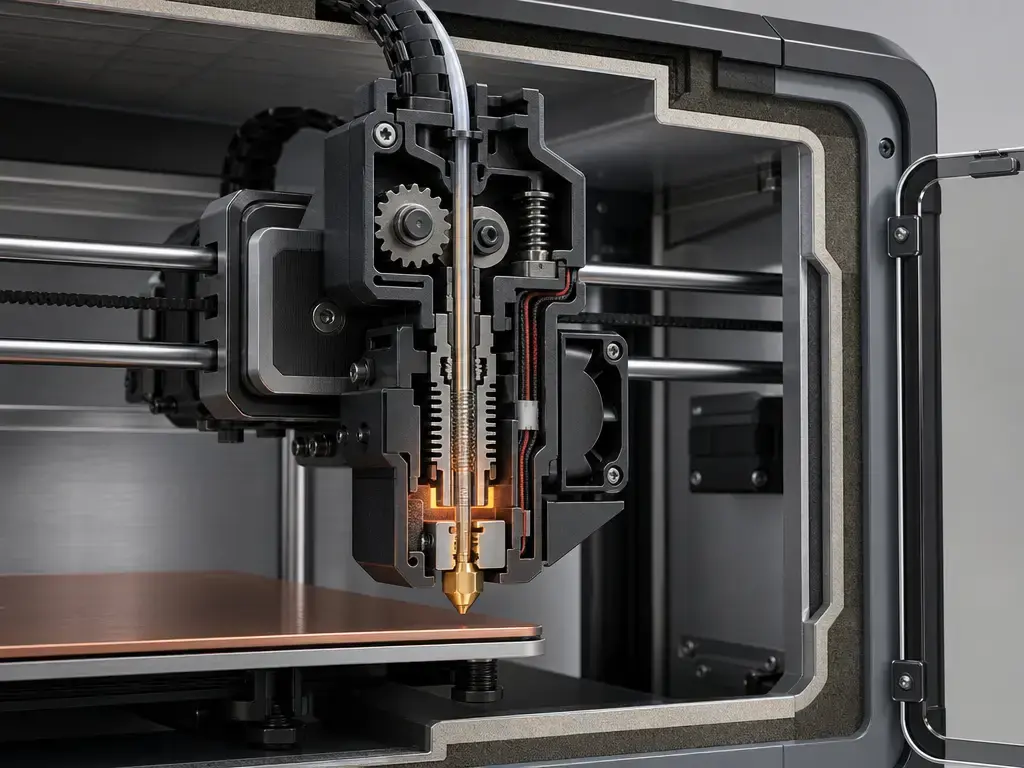
Higher hotend and bed numbers help, but they do not make PC or PA easy by themselves. On the P1S, Bambu’s spec sheet says carbon/glass-fiber-reinforced polymer is not recommended in stock form, and the store FAQ reinforces that it is not recommended to directly print glass– or carbon-fiber-reinforced filaments before extruder and hotend upgrades. That is clearer stock guidance than the current Centauri source set provides. [8] [9]
| Material class | What actually matters (hardware + enclosure + profile) |
|---|---|
| PLA / PETG | First-layer consistency, basic cooling balance, and stable extrusion |
| ABS / ASA | Enclosure behavior, airflow management, bed adhesion, and warp control |
| PC / PA | Hotend ceiling, bed heat, filament drying, chamber conditions, and geometry |
| Fiber-filled | Nozzle wear resistance, abrasion path robustness, drying, and tuned profiles |
On nozzle hardware, Elegoo’s wording is unusually clear because the accessory page breaks the construction out plainly: brass body for heating, hardened steel tip for wear resistance. That does not make the nozzle immortal, but it does support reading the Centauri as the more abrasive-ready stock configuration on paper than a plain stainless stock nozzle with an explicit CF/GF caution. [7] [9]
Multicolor: AMS vs CANVAS
Bambu’s AMS is the more mature multicolor option in the current source set because the scaling is explicit. The official page states 4 filament slots per AMS, up to 4 AMS units in parallel, and up to 16 colors when connected through the AMS Hub. That is a clearly documented path from single-unit use to a larger multicolor setup. [10]
CANVAS for the original Centauri Carbon is newer and currently less settled. As of September 7, 2026, the official page still showed PRE-ORDER status, a $55.00 USD price, estimated shipping as “September 25” with no year shown on the page, and compatibility limited to Centauri Carbon. The page also positions it as a 4-color system, but preorder status means you should treat shipping and support timing as live variables, not fixed assumptions. [6]
That gap matters because multicolor buying is not just about maximum color count. It is also about swap reliability, purge waste, accessory availability, and whether the workflow you are paying for is already stable. A documented, shipping accessory path reduces ambiguity; a preorder accessory may still be good value, but it carries more uncertainty on the day you order. [6] [10]
Questions to ask before buying multicolor:
- How many colors do I actually need?
- Is the accessory in stock or still preorder-only?
- Do I need an extra hub to reach the advertised color count?
- Is purge waste acceptable for my typical part size?
- Is multicolor central to the purchase, or only occasional?
Software, connectivity, and ecosystem
The software question is not whether a printer can output standard G-code. It is how much of the workflow is vendor-profiled, vendor-integrated, and vendor-enhanced. On the P1S, Bambu’s spec sheet says third-party slicers that export standard G-code are supported, but certain advanced features may not be supported. That is a concrete boundary: you are not locked out of third-party slicing, but you may give up some vendor-specific functions. [9]
Accessory integration is where the ecosystem difference is clearer. AMS is an established Bambu workflow with explicit scaling and an official hub path for larger color setups. CANVAS, by contrast, is currently a Centauri-specific accessory with preorder status on the cited page. That does not make one automatically better for every buyer, but it does mean the integration maturity is different today. [10] [6]
No reliably citable official doc is available in our source set for exact LAN-only limitations; behavior may vary by firmware. For that reason, this article separates slicer support from network behavior instead of guessing at cloud or local boundaries that are not documented cleanly in the cited material. [9]
Running costs and ownership overhead
Long-term ownership cost is mostly about consumables and service parts. That includes nozzles, hotends, build plates, filters, and the filament that gets purged during multicolor swaps instead of ending up in the finished part. On the Centauri side, the brass-body/hardened-tip nozzle description points to a different wear profile than a plain soft-brass nozzle, but it is still a consumable part. [7]
The P1S creates a different cost path. Its stock nozzle is stainless steel, its official spec sheet says CF/GF reinforced polymer is not recommended in stock form, and the likely upgrade path changes if abrasive materials are part of the plan. On top of that, AMS is an add-on ecosystem cost on the Bambu side, while CANVAS is an extra purchase with current preorder status on the Elegoo side. [9] [10] [6]
A practical cost-check shortlist:
- spare nozzles and hotends
- build plates
- filters
- purge waste from multicolor work
- abrasive-related wear
- shipping and tax
Print quality, dimensional accuracy, and what we can’t conclude from available data
Accuracy, precision, and tolerance are related, but they are not the same thing. Accuracy is closeness to the intended dimension. Precision is repeatability from print to print. Tolerance is the allowed error band in the design. In additive manufacturing, a machine can be repeatable without being especially accurate, and it can do better on one artifact geometry than on another. ISO/ASTM 52902 matters here because it frames geometric capability with defined test artefacts and measurements rather than casual sample prints. [2]
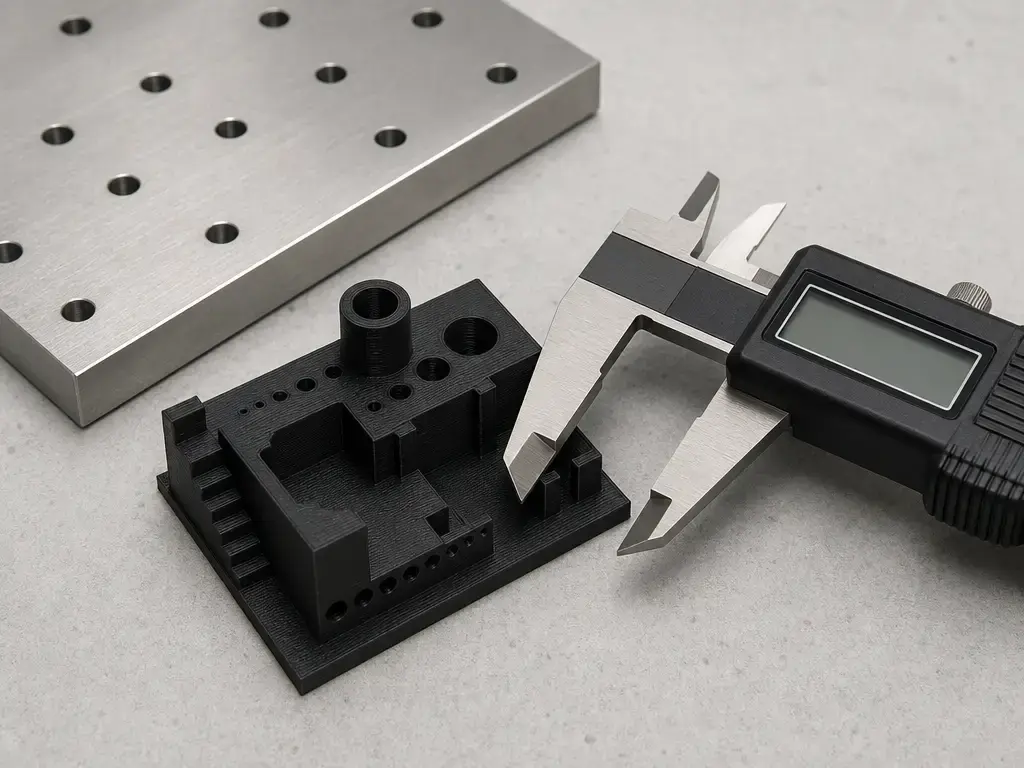
There is no accuracy winner here from the available spec sheets, and no comparable method-defined dataset was found in the provided source set. That is the hard limit of the evidence. Manufacturer motion numbers, marketing phrases, and attractive sample prints are not enough to rank geometric capability across two different machines. The defensible conclusion is narrower: both printers occupy the same general desktop class, but the source set does not support a universal claim that one is more dimensionally accurate than the other. [2]
What we can conclude / What we can’t
- We can compare published build size, motion, thermals, and stock nozzle wording.
- We can compare multicolor ecosystem maturity and current accessory status.
- We can compare explicit stock guidance for abrasive filaments.
- We cannot infer a universal accuracy winner from spec sheets alone.
- We cannot treat casual print photos as a geometric-capability ranking.
- We cannot assume equal tolerances from equal nominal build volume.
- Method-defined testing is required for stronger dimensional claims. [2]
Reliability, maintenance, and ownership risks
The cleanest way to think about maintenance is to separate hardware wear from workflow wear. On the Centauri side, the hardened-tip nozzle wording suggests better abrasion tolerance than plain brass, but it is still a part that wears and eventually gets replaced. On the P1S side, the stock stainless nozzle and official CF/GF caution point toward a different upgrade path if abrasive materials matter to you. Power and monitoring also shape ownership: the Centauri spec text lists 1100 W @ 220 V and 350 W @ 110 V with camera presence noted only as “Yes,” while the P1S spec sheet lists 1000 W @ 220 V, 350 W @ 110 V, and a low-rate 1280 × 720 camera at 0.5 fps. [7] [5] [9]
That low-frame-rate P1S camera is useful for status checks and timelapse, but it is not the same as detailed remote inspection. Filters belong in the maintenance and emissions-mitigation discussion, not as a safety certification claim. The emissions literature defines ultrafine particles here as under 100 nm and shows that emissions vary by printer and filament, while filtration performance is something to discuss in relation to defined test methods rather than assumption. [9] [11] [13]
Enclosure filtration and indoor air: conservative guidance
Ultrafine particles in this literature are commonly defined as particles smaller than 100 nm, and emissions depend on the printer, filament, and print conditions. That is why enclosure-plus-filter language should stay conservative. A filter may reduce some particles or odors, but it is not the same as certified local exhaust ventilation, and it is not enough evidence to label ABS or ASA printing safe indoors by default. [11] [12] [13]
The control-strategy literature discusses measures such as spot ventilation and sealed enclosures with efficient gas and particle filtration, and modern emissions work also uses defined methods such as ANSI/CAN/UL 2904.2-style testing in controlled chambers. That is useful for measurement, but it is not a shortcut to a universal safety claim for home use. [12] [13]
If you print ABS/ASA indoors:
- prioritize ventilation
- keep exposure time down
- treat filtration as one layer of control, not the whole answer
- be more cautious with long jobs and enclosed rooms
Who should buy which
For a first printer or a low-maintenance preference, pick the P1S. That recommendation is not about magic print quality; it is about the better-documented ecosystem in the current source set, clearer third-party slicer boundaries, and the already-defined AMS path if you later want multicolor. For budget enclosed printing, pick the Centauri Carbon only if its live price remains near the observed September 7, 2026 sale level and the bundle still makes sense on the day you buy. [9] [10] [3]
For multicolor decorative printing, pick the P1S. AMS is the more mature official multicolor path here, with 4 slots per AMS and scaling to 16 colors through a multi-AMS setup with the AMS Hub. The Centauri story is more conditional because CANVAS was still preorder-only in the cited snapshot. [10] [6]
For functional prototyping in ABS or ASA, both are plausible enclosure-class material-extrusion machines, but the P1S has clearer stock documentation while the Centauri’s value case depends more heavily on live pricing. For engineering-material hobby use, the Centauri’s higher stated thermals and nozzle construction make it the more promising paper spec, while the P1S’s stock CF/GF caution means you should assume upgrades sooner if abrasive filaments are part of the plan. [4] [7] [8] [9]
- First printer / low-maintenance preference — pick P1S. Clearer documented workflow and the more established multicolor path. [9] [10]
- Budget enclosed printing — pick Centauri Carbon if the live sale price still holds. Recheck the exact listing and bundle on the day you buy. [3]
- Functional prototyping (ABS/ASA) — conditional tie. Both fit the general use case, but they differ in stock guidance and ecosystem certainty. [4] [8] [9]
- Engineering-material hobbyist (PC/PA/fiber-filled) — lean Centauri on paper. Higher stated thermals and more favorable stock nozzle wording help, but profiles and drying still decide outcomes. [4] [7]
- Multicolor decorative printing — pick P1S. AMS is the clearer and more established official path today. [10] [6]
Verdict
For most buyers, the P1S is the better choice if you value multicolor maturity, clearer official workflow boundaries, and a more established accessory path. The Centauri Carbon is the stronger value play when its live price remains far lower and you want an enclosed machine with stronger stock thermal and nozzle language on paper. As of September 7, 2026, the Centauri page showed $309.00 USD with $419.99 USD struck through. [3] [4] [7] [9] [10]
The practical answer in elegoo centauri carbon vs bambu lab p1s is conditional, not universal. If you want the safer ecosystem bet, choose the P1S. If you want the lower-cost enclosed option and can accept more uncertainty around the newer multicolor accessory story, the Centauri Carbon is the stronger value case. In either direction, verify live prices, bundle contents, regional availability, and CANVAS status on the same day you buy. [3] [6]
FAQ
1) Which is better, Elegoo Centauri Carbon or Bambu Lab P1S?
For most buyers, the P1S is better because the multicolor path and workflow boundaries are more clearly documented. The Centauri Carbon is the value pick only when its live price stays far below the P1S and that specific sale is still active when you buy. [3] [9] [10]
2) Are both printers truly 256 × 256 × 256 mm — and why does P1S default to 250 mm printable height?
Nominally, yes: both are in the 256 × 256 × 256 mm class. But Bambu’s store footnote says Bambu Studio defaults the printable height to 250 mm to help prevent heatbed damage from collisions, with the remaining 6 mm tied to safety instructions. [3] [8] [9]
3) Does 500 mm/s mean they print equally fast?
No. Equal headline speed does not guarantee equal real throughput. Acceleration, volumetric flow, cooling, geometry, and profile tuning all affect job time, and Bambu’s 32 mm³/s claim is documented with more test context than Elegoo’s headline 32 mm³/s figure. [4] [9]
4) Which is better for carbon-fiber or glass-fiber filament out of the box?
Out of the box, the Centauri looks more favorable on paper because of its brass-body/hardened-tip nozzle wording and higher stated thermals. The P1S spec sheet explicitly says carbon/glass-fiber-reinforced polymer is not recommended in stock form, and the store FAQ warns against direct use before upgrades. [4] [7] [8] [9]
5) Is CANVAS actually available for the original Centauri Carbon right now?
As of September 7, 2026, the official CANVAS page still showed PRE-ORDER at $55.00 USD, with estimated shipping shown as “September 25” and no year displayed on the page. Treat that as a live status item and recheck it the same day you buy. [6]
6) How meaningful is the 32 mm³/s flow spec — and why does the test context matter?
It is only meaningful if the test context is disclosed. Bambu ties 32 mm³/s to an ABS case with a 150 × 150 mm single-wall model, Bambu ABS, and temperature listed as 280, while Elegoo presents 32 mm³/s as a headline spec without equivalent detail on the cited page. [4] [9]
7) Do enclosures/filters make ABS safe to print indoors?
No. The literature used here defines UFPs as under 100 nm and shows emissions vary by printer and filament. Filters can help reduce some particles or odors, but they are not the same as local exhaust ventilation and should not be treated as proof that ABS printing is safe indoors. [11] [12] [13]
Sources
-
ISO/ASTM 52900:2021 — Additive manufacturing — General principles — Fundamentals and vocabulary.
https://www.iso.org/standard/74514.html -
ISO/ASTM 52902:2023 — Additive manufacturing — Test artefacts — Geometric capability assessment of additive manufacturing systems.
https://www.iso.org/standard/79683.html -
Elegoo Centauri Carbon (US product page).
Historical store page cited in the original article; unavailable when checked on 7 October 2026. -
Elegoo Centauri Carbon overview page.
https://us.elegoo.com/pages/elegoo-centauri-carbon -
Centauri Carbon + 10 kg PLA-CF (US bundle/spec text).
Historical store page cited in the original article; unavailable when checked on 7 October 2026. -
Elegoo CANVAS for Centauri Carbon.
https://us.elegoo.com/products/canvas-for-centauri-carbon -
Elegoo 0.4 mm brass-hardened-steel nozzle kit for Centauri Series.
https://us.elegoo.com/products/0-4-mm-brass-hardened-steel-nozzle-kit-for-centauri-carbon-series -
Bambu Lab P1S store page.
https://bambulab-us.myshopify.com/products/p1s -
Bambu Lab P1S tech specs PDF.
https://cdn.shopify.com/s/files/1/0611/4036/9460/files/bambu-lab-P1S-tech-specs.pdf?v=1689302935 -
Bambu Lab AMS multicolor printing page.
https://bambulab-us.myshopify.com/products/ams-multicolor-printing -
Emissions of Ultrafine Particles and Volatile Organic Compounds from Commercially Available Desktop Three-Dimensional Printers with Multiple Filaments.
https://pubs.acs.org/doi/10.1021/acs.est.5b04983 -
Predicting Concentrations of Ultrafine Particles and Volatile Organic Compounds Resulting from Desktop 3D Printer Operation and the Impact of Potential Control Strategies.
https://pmc.ncbi.nlm.nih.gov/articles/PMC13061758/ -
A Summary Report: The Effect of Filtration on Particle and Chemical Emissions from a 3D Printer.
https://chemicalinsights.org/wp-content/uploads/2022/03/2021-Summary-Report-Effects-of-Filtration-on-Particle-and-Chemical-Emissions-from-3D-Printers_revised.pdf -
Review of volatile organic compound (VOC) emissions from desktop 3D printers and associated health implications.
https://www.nature.com/articles/s41370-025-00778-y.pdf