
Summary
Artec Leo is not the best overall tool for 3D scanning for cultural heritage, but it is a strong fit for defined artifact workflows where portability, fast capture, and textured surface recording matter more than maximum metrology rigor. [1] [11]
That makes the comparison practical rather than absolute. TLS or LiDAR is the better fit for rooms, facades, and sites; photogrammetry is often the simplest path for color-rich objects and broader documentation; and close-range structured light is often the more relevant category when a handheld scanner must capture small to medium objects in the round. Leo sits in that last group, so it is best judged against specific artifacts and field constraints, not as a universal replacement for every heritage workflow. [14] [17] [18]
Terminology and scope guardrails
Structured light 3D scanning projects a known pattern and measures how that pattern deforms on the object. That differs from laser triangulation and from TLS or LiDAR used at site scale. Artec Leo belongs to the structured-light class: Artec describes it as using a VCSEL 3D light source, a white 12 LED array for 2D light, an 808 nm laser wavelength, and a Class 1 projector that casts an invisible pattern onto the surface. Leo is therefore a short-range surface-capture tool, not a terrestrial laser scanner. In this article, ASTM E2544-24 is the terminology anchor for 3D imaging systems. [1] [12]
The output language matters too. A point cloud is a set of measured 3D points; a mesh connects those points into surfaces; and a digital surrogate or 3D model is the broader deliverable used for viewing, analysis, archiving, or publication. “Digital twin” is best used cautiously in heritage, because it can imply live operational synchronization that many museum or archaeology assets do not have. For most cultural-heritage work, the practical question is whether capture produces a sufficiently faithful digital surrogate for documentation, comparison, conservation support, or dissemination.
- Point cloud: raw or cleaned measured points in 3D space.
- Mesh: a surface built from connected points.
- Accuracy: closeness to the true value.
- Resolution: the smallest feature the system can separate.
- Precision or repeatability: how consistently the system reproduces the same result.
- Digital surrogate: a usable 3D model representing the object.
Why heritage digitization is not a one-scanner problem
Heritage institutions scan for different reasons, and those reasons do not all demand the same sensor or workflow. Museum digitization may prioritize color and surface appearance for display, while archaeology 3D documentation may need geometry that supports comparison, condition tracking, or publication. Artifact digitization can also support restoration reference, replica production, teaching, accessibility, or research. European Commission guidance is explicit that 3D digitisation does not replace physical preservation and does not by itself imply long-term digital preservation. The U.S. National Park Service makes a similar point in field documentation: scan data can be vital, but it is not formal documentation by itself and is often supplemented with traditional measurement. That is why a handheld structured-light scanner, a camera workflow, and a site-scale laser scan may all appear in the same project. [15] [16]
- Condition recording
- Restoration reference
- Digital exhibits
- Replicas
- Research and teaching
- Accessibility
Scan data usually supports, rather than replaces, broader documentation. [15] [16]
“3D laser scanning for heritage” versus handheld artifact scanning
In heritage guidance, the phrase “3D laser scanning for heritage” usually refers to TLS or LiDAR workflows for buildings, landscapes, and archaeological sites, not handheld artifact capture. Historic England’s 3D Laser Scanning for Heritage third edition was published on 8 February 2018, runs to 119 pages, and follows earlier editions from 2007 and 2011. That guidance context is useful, but it does not map directly onto a portable structured-light scanner such as Artec Leo. Leo uses a Class 1 invisible-pattern projector for short-range structured-light capture, so it belongs in the object-scanning category rather than the site-survey category. [1] [14]
The overlap is that both approaches are optical and depend on line of sight. The National Park Service notes that laser scanning cannot record obscured elements and has difficulty with dark or mirror-like surfaces such as glass, water, chrome, or highly polished finishes. That reminder comes from TLS-focused guidance, but the line-of-sight and surface-behavior warning still matters when judging handheld optical scanners. The difference is scale and intent: TLS or LiDAR is built for broader spatial coverage, while Leo is built for close-range artifact capture and surface detail. [1] [15]
Historical background
Historic England’s guidance did not appear all at once. Its published lineage traces back to the 2006 Heritage3D project, then to the first edition in 2007, the second edition in 2011, and the third edition in 2018. [14]
That history helps explain why one of the best-known English-language heritage guidance lines formalized “laser scanning” around archaeology and architecture. The field is now more mixed: a single project may combine TLS, photogrammetry, and close-range structured light depending on whether the target is a building, a trench, or an artifact. [14] [17] [18]
How Artec Leo works and what the specs actually mean
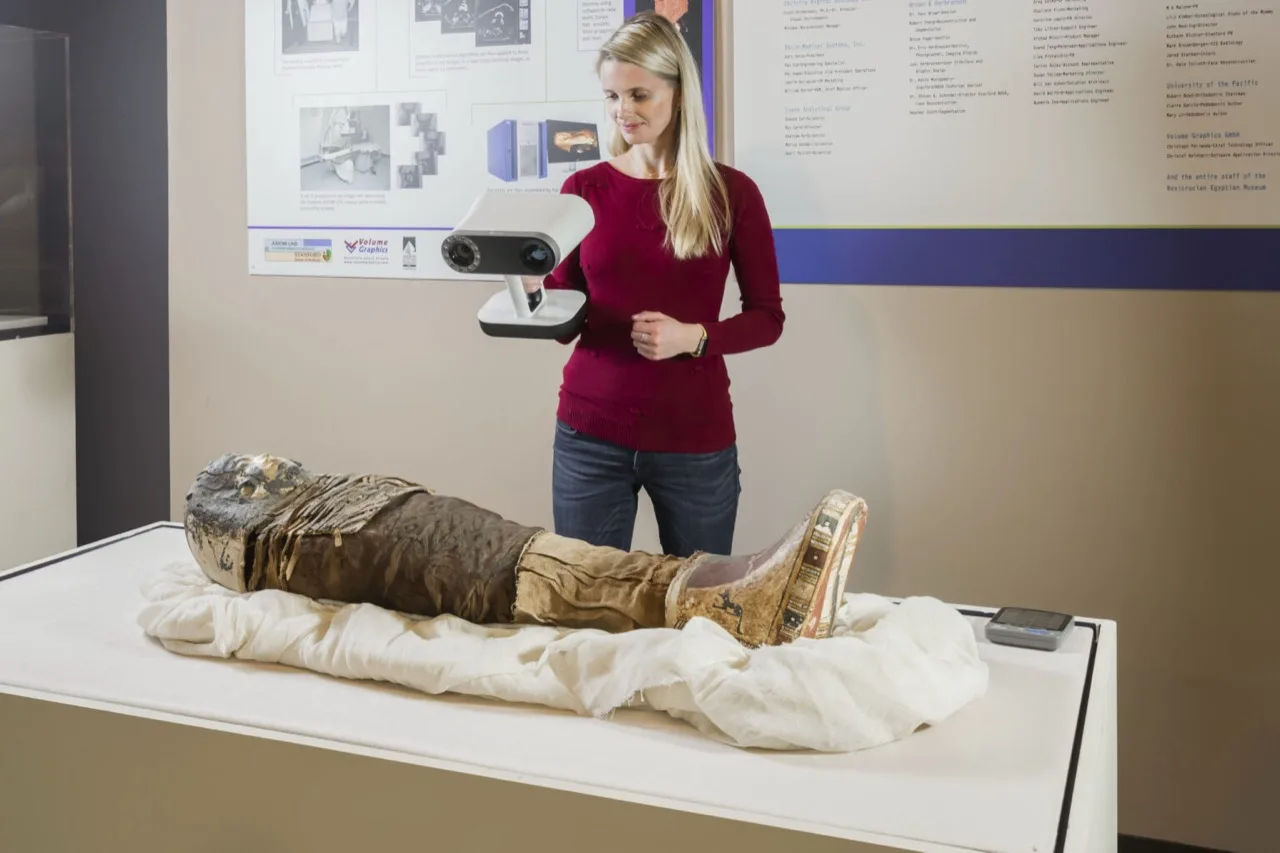
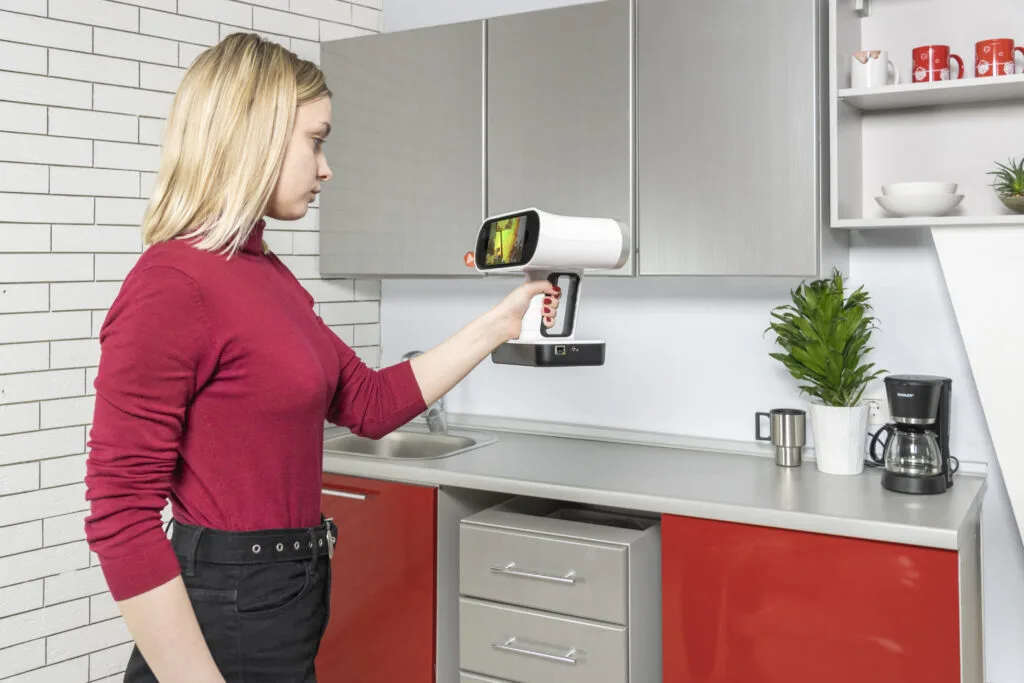
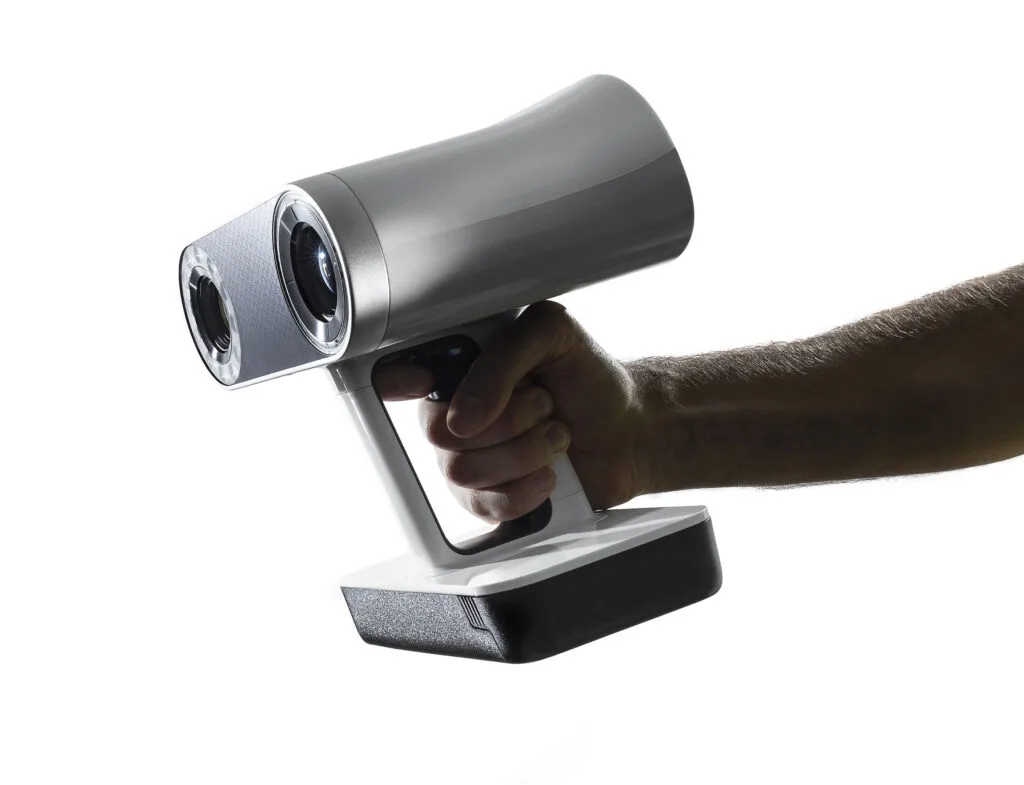
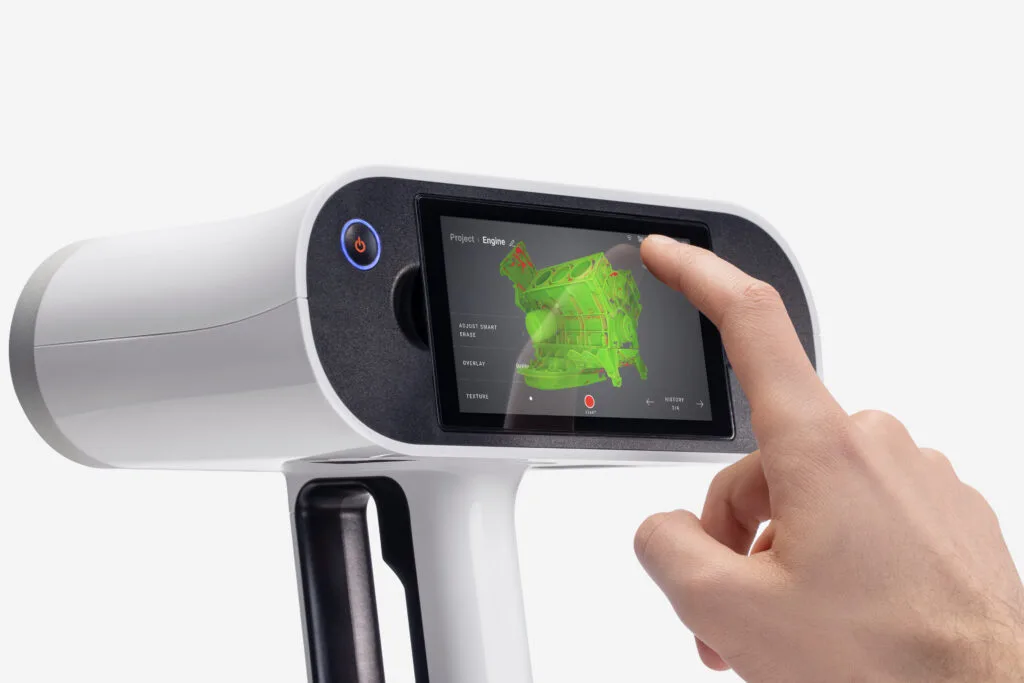
Artec Leo is a structured-light 3D scanning system. It projects a pattern, the cameras observe how that pattern deforms, and the device reconstructs geometry during capture using onboard computing. Artec says scanning does not require a computer, while post-processing runs on Windows after capture. The product information also lists a built-in 9 DoF inertial system, which can support tracking and operator feedback, but does not remove the need for overlap and registration control. The 02/2022 spec sheet revision is L2-001-02/2022-NP-EN, and it lists hardware such as a 512 GB SSD and NVIDIA Jetson TX2. [1] [2]
The headline performance figures are manufacturer “up to” values: 3D point accuracy up to 0.1 mm, 3D resolution up to 0.2 mm, and 3D accuracy over distance up to 0.1 mm + 0.3 mm/m. Those numbers are useful, but they do not mean the same thing. Point accuracy is not resolution, and a single quoted accuracy figure does not describe how an object’s shape, position, surface finish, or scan distance interact in practice. NIST warns that structured-light performance varies with artifact location and distance, and that concave, deep, dark, or shiny features can behave differently from simple test artifacts. [1] [11]
For heritage teams, the practical envelope matters more than the brochure line. Leo’s working distance is 0.35 to 1.2 m, its volume capture zone is 160,000 cm³, its angular field of view is 38.5 × 23°, and its linear field of view ranges from 244 × 142 mm at the closest distance to 838 × 488 mm at the furthest. Artec also lists 2.3 MP texture capture at 24 bpp, real-time fusion up to 22 fps, 3D video recording up to 44 fps, streaming up to 80 fps, acquisition speed up to 35 million points per second, and 3D exposure time of 0.0002 s. The scanner body is 231 × 162 × 230 mm, weighs 2.6 kg, and uses an exchangeable battery with optional AC power. Those figures explain why Leo is portable and fast for artifact work, but they still do not tell you whether a specific object will scan cleanly without glare, occlusion, or texture loss. [1] [2]
Best fit by artifact class
In artifact digitization, the scanner label matters less than the smallest feature you need to preserve, the standoff you can maintain, and the way the surface behaves under light. Leo’s default range is 0.35 to 1.2 m, with an optimal distance of about 0.5 m, so size and access affect fit before any software setting does. Official Leo documentation also warns that texture frames scanned from more than 1.2 m are not recorded on the device, while Artec Studio 19 documentation says scan depth can reach 2 m or more but texture frames beyond 1.5 m may be excluded from final texture rendering. That is a versioned workflow caveat, not a universal texture rule. [1] [3] [7]
Before comparing methods, remember that point accuracy, accuracy over distance, volumetric accuracy, resolution, data rate, and field of view are not interchangeable metrics. A method can look strong in one category and still be the wrong choice for a given object. Optical line-of-sight limits also remain real, especially with dark, mirror-like, transparent, or highly recessed surfaces. Independent literature supports the broader split between passive SfM photogrammetry and active structured-light methods, with hybrid workflows often used when geometry and high-quality photo texture both matter. [1] [11] [15] [17] [18]
| Artifact class | Recommended primary method | Why | Main caveat |
|---|---|---|---|
| Coins / inscriptions | Close-range structured light, often with macro-style photogrammetry support | Fine relief and edge detail need short standoff and controlled lighting | Shiny metal and tight curvature can reduce clean capture |
| Small relief / engraving | Structured light 3D scanning | Surface depth is usually the main information | Recesses and shadowed areas can remain incomplete |
| Medium sculpture | Structured light 3D scanning | Good match for walk-around capture with usable color | Undersides and deep undercuts need extra views |
| Glossy glazed ceramics / metal | Photogrammetry first, structured light only with controlled conditions | Reflective surfaces can defeat active optical capture | Dark and mirror-like areas remain difficult under line-of-sight optics. [15] |
| Objects behind glass | Conditional workaround with structured light or photogrammetry through glass | Useful in special cases when access is restricted | Glass adds reflection and refraction risk; vendor examples are not standard advice. [10] |
| Room-scale interiors | TLS / LiDAR | Better fit for spatial coverage and longer-range geometry | Not a substitute for close object detail |
| Buildings / sites | TLS / LiDAR | Heritage guidance is built around site-scale capture | Handheld scanners do not replace survey-grade range workflows |
Leo is strongest for small to medium objects when the goal is portable capture of sculptural or relief surfaces with usable texture. It is conditional for reflective, transparent, or highly recessed objects, and it is a poor fit for rooms and buildings. For mixed collections, artefact digitization is often a hybrid method rather than a one-scanner purchase. As a vendor-published deployment example rather than a benchmark, Artec says Google Arts & Culture’s “Museum in 3D” includes more than 200 Ukrainian museum artifacts scanned with Leo. [9] [18]
Portable artifact digitization workflow with Artec Leo
A workable portable workflow starts before the scanner is switched on. The object should be approved for handling, and fragile pieces should not be moved without conservator oversight. For Leo, the useful range is usually 0.35 to 1.2 m, with an optimal distance of about 0.5 m, so planning the capture path matters as much as the scanner choice. Leo documentation also notes that texture frames captured from more than 1.2 m are not recorded, which means standoff affects not just geometry but color coverage. Leo scanners are delivered pre-calibrated, and Artec states that a calibration certificate is issued from March 2022 onward, so field teams should treat calibration status as a starting condition rather than proof of object-specific accuracy. [3] [4]
- Confirm object handling permissions and conservation constraints.
- Decide whether the target needs geometry only, geometry plus scanner texture, or later photo registration.
- Plan a scan path that keeps the object near the recommended distance.
- If registration is struggling, reduce the Leo range setting to about 0.8 m. [5]
- Capture from multiple angles and return to already scanned areas every 10 to 15 seconds to reinforce registration. [5]
- If photo registration will be used, keep at least 66% overlap and photograph each element at least three times. [6]
- Review coverage before moving the object or ending the session.
- Process the scan in Artec Studio on the workstation, separate from field capture.
- Export the result and package it with notes on scale, method, controls, and missing areas.
Do not confuse calibration with verification. Calibration refers to the scanner’s internal state; validation means checking output against references, scale bars, or control measurements. That distinction matters in museum digitization, where the file may be used as a record, not just a visual model. The texture-distance caveat also needs version labels: Leo documentation warns about missing texture beyond 1.2 m during capture, while Artec Studio 19 documentation says scans may reach 2 m or more but excludes texture frames deeper than 1.5 m from final rendering. If color fidelity matters, photo registration is often worth considering. [3] [4] [6] [7]
Performance metrics that matter and how not to misuse them
For heritage projects, the key performance terms are easy to mix up. Accuracy is closeness to the true value, resolution is the smallest feature the system can separate, and precision or repeatability is how consistently the system reproduces the same result. In museum digitization, those three are related but not interchangeable, especially when texture and color capture are part of the deliverable. Leo’s published numbers are manufacturer “up to” values, so they describe stated limits under specified conditions, not guaranteed outcomes on every object. [1] [11]
NIST’s standards framing helps explain why brochure reading so often goes wrong. NIST notes that VDI/VDE 2634 Part 2 applies to area scans based on a single view, while Part 3 applies to systems that combine multiple views to extend measurement volume. NIST also warns that one accuracy value may be inadequate for end users because error changes with artifact position and distance. In practical terms, point accuracy, accuracy over distance, volumetric accuracy, resolution, data rate, and field of view are not interchangeable. Optical systems also inherit line-of-sight limits and can struggle on dark or mirror-like surfaces. [11] [15] [21] [23]
| Metric | What it helps answer | What it does not tell you |
|---|---|---|
| Point accuracy | How close a measured point is to the true surface | How the full merged model behaves over distance or volume |
| Accuracy over distance | How error changes as standoff increases | Whether a deep recess or reflective area will scan cleanly |
| Volumetric accuracy | How a controlled measuring workflow behaves across a larger object or volume | Whether a baseline handheld workflow matches that result |
| Resolution | Whether fine relief or tool marks can be separated | Whether the model is metrically trustworthy overall |
| Data rate | Whether capture can keep up with motion and coverage | Whether the object is fully visible or well registered |
| Field of view | How much surface is visible per frame | Whether the chosen distance preserves the features you need |
For planning a capture job, a checklist is more useful than a single headline spec:
- Smallest feature you need to preserve
- Dimensional tolerance needed for analysis or comparison
- Surface reflectance, transparency, or darkness
- Occlusion, undercuts, and physical access around the object
- Whether true color is required, or only scanner texture
- Handling limits, mounts, and conservation restrictions
- Final deliverable: mesh, point cloud, texture model, or archive package
That checklist keeps method choice tied to the object rather than the brochure. For some heritage tasks, the limiting factor is geometry; for others it is texture and color; for others it is simply whether the object can be seen safely from enough angles. [11] [15] [18]
Validation, drift, and standards framing
Validation is where many handheld scans are over-claimed. A single frame may look clean, but a merged model can still drift if overlap is poor, the operator path is inconsistent, or the scan loses track and later reconnects. Artec’s guidance to reduce range to about 0.8 m and to return to previously scanned areas every 10 to 15 seconds is a registration strategy. It can help the software keep the model coherent, but it is not the same as proving dimensional performance against a reference artifact or control network. [5]
NIST frames structured-light evaluation with VDI/VDE 2634 Part 2 for single-view area scans and Part 3 for multi-view systems that extend measurement volume. That matters because public statements about “accuracy” should say what was tested, how the scan was built, and whether the number is per frame, per merged object, or for a separate controlled workflow. NIST also warns that a single accuracy value may not be adequate for the end user. [11]
Artec states that Leo scanners are delivered pre-calibrated and issued with a calibration certificate from March 2022 onward, but that certificate reflects calibration status, not full validation of a specific museum or archaeology task. The Metrology Kit is a separate workflow: Artec’s brochure cites Leo/Eva volumetric accuracy of 0.115 mm + 0.015 mm/m and refers to a VDI 2634 page 1 certified measuring system. That is useful when controlled inspection is required, but it is not default Leo performance for every artifact. For a Leo-specific public VDI/VDE certificate, the outcome is simple: no reliable public certificate found. [4] [23]
Preservation and interoperability
For preservation, it helps to separate three archival layers. The first is the proprietary capture or project file, which preserves working state and processing history. The second is the preservation master: the curated 3D model or point set that the institution intends to keep long term under its own policy. The third is the access derivative, such as a lighter mesh for web viewing, a textured OBJ or PLY, an E57 interchange file, or a USDZ file for mobile display. European Commission guidance explicitly distinguishes between versions and formats for different use cases, and hybrid workflows often leave institutions with multiple representations worth retaining. [16] [18]
Exports alone do not equal digital preservation. Artec Studio can export E57, USD/USDZ, STEP, IGES, X_T, and other formats, but the format list is only part of the decision. E57 matters because it can store 3D point data, attributes such as color or intensity, and 2D imagery in a documented interchange format. But even an open format does not remove the need for metadata, checksums, storage migration, review, and policy. The National Park Service warns about permanence concerns around born-digital records and says scan data is vital but not considered formal documentation by itself. The European Commission is more direct: digitisation does not replace physical preservation and does not by itself guarantee long-term digital preservation. ISO 19264-1:2021 is relevant here as imaging-quality context for cultural heritage digitization, but it is not a substitute for geometric validation of a 3D model. [8] [13] [15] [16] [22]
Alternatives and pairing strategies
Pairing strategies are usually more useful than single-device rankings. Within a heritage lab, Artec Leo can sit beside a shorter-working-distance structured-light scanner for finer relief, a TLS or LiDAR system for rooms and sites, and photogrammetry for color-rich surfaces or larger assemblies. Independent literature treats photogrammetry as passive SfM and structured-light or TLS workflows as active methods, while hybrid SfM plus structured-light workflows are often used when high 3D quality and high-resolution photo texture both matter. [17] [18]
| Method or device class | Metric to discuss (type) | Best use | Main caveat |
|---|---|---|---|
| Leo | Point accuracy, texture capture, working distance | Portable artifact digitization | Not a site-scale survey tool |
| Close-range structured light like Spider II | Accuracy over distance, short-standoff detail, frame rate | Very small features and tight geometry | Limited working distance and smaller capture envelope |
| TLS / LiDAR like Ray II | Range, point accuracy at distance, coverage | Buildings, rooms, sites | Less suited to fine local surface relief |
| Photogrammetry | Texture quality, coverage, SfM alignment | Color-rich objects and larger assemblies | Depends heavily on overlap, lighting, and surface texture |
| Metrology handheld workflow | Volumetric accuracy, certified measuring setup | Controlled inspection tasks | Separate workflow, not baseline handheld capture |
Metrics are not directly comparable across methods, and outcomes depend on surface behavior, tracking, and alignment workflow. Leo, Spider II, Ray II, external vendor volumetric figures, and Metrology Kit figures describe different metric types and different test conditions. [19] [20] [21] [23]
Is Artec Leo the best 3D scanner for cultural heritage?
Artec Leo is not the best 3D scanner for cultural heritage in general, but it can be an excellent best fit for 3D scanning for cultural heritage when the target is a small to medium artifact that benefits from short-range structured-light capture, portable field use, and textured surface recording within Leo’s working distance and manufacturer “up to” envelope. NIST’s warning that one accuracy value is not enough for every use case is the right caution here, and the European Commission’s reminder that digitisation is not the same as preservation keeps the conclusion grounded. For rooms, buildings, and sites, TLS or LiDAR fits better; for the finest relief, a shorter-range scanner or a separate metrology-oriented workflow may be better. [1] [11] [16]
FAQ
Is Artec Leo the best 3D scanner for cultural heritage?
No, not in a universal sense. Leo is a strong fit for short-range artifact work, especially when you need structured-light capture, portability, and onboard scanning without a tethered computer. But that does not make it the best overall heritage scanner. The right choice changes with object scale, access, surface behavior, and how strict the documentation requirement is. For rooms, buildings, and sites, TLS or LiDAR is the better starting point; for very fine local relief, a shorter-working-distance scanner may be more appropriate. [1] [11] [14]
Is 3D scanning for cultural heritage the same as 3D laser scanning for heritage?
No. In practice, 3D scanning for cultural heritage is the broader category. It includes handheld structured light, photogrammetry, and site-scale laser scanning. By contrast, “3D laser scanning for heritage” is commonly used in guidance for TLS or LiDAR work on buildings, landscapes, and archaeological sites. Historic England’s guidance sits in that lineage, while Artec Leo is a short-range structured-light tool that projects an invisible Class 1 pattern onto the object surface. The overlap is optical capture, but the workflows are not interchangeable. [1] [14] [15]
How accurate is the Artec Leo for cultural heritage artifacts, and what do “up to” specs mean?
Artec publishes Leo’s headline numbers as manufacturer “up to” values: 3D point accuracy up to 0.1 mm, 3D resolution up to 0.2 mm, and 3D accuracy over distance up to 0.1 mm + 0.3 mm/m. Those are useful reference figures, but they are not a complete error budget for every artifact. NIST warns that a single accuracy value may be inadequate because performance changes with position, distance, shape, and surface behavior. For heritage work, the spec sheet is a starting point, not the last word. [1] [11]
How should teams explain and mitigate registration drift on 1–2 m artifacts without inventing a total uncertainty?
Treat drift as a model-building issue, not as a single published number. In handheld workflows, the merged result depends on overlap, operator path, tracking stability, and how often the scan returns to already captured geometry. Artec’s own support guidance recommends reducing Leo’s range setting to about 0.8 m and revisiting scanned areas every 10 to 15 seconds to help registration. That is sensible mitigation, but it is not the same as proving total dimensional uncertainty for a large sculpture. In reporting, state what was controlled, what references were checked, and what remains unquantified. [5] [11]
Is Artec Leo’s 2.3 MP texture enough, or should we use photo registration or photogrammetry for color fidelity?
It depends on the goal. Leo’s 2.3 MP, 24 bpp texture workflow is useful for many documentation and access models, but it is still scanner texture, not a substitute for a dedicated color survey. Official Artec guidance also shows why texture decisions need context: Leo documentation warns that texture frames beyond 1.2 m are not recorded, while Artec Studio 19 documentation says scans can reach 2 m or more but excludes texture frames deeper than 1.5 m from final rendering. When color fidelity matters, photo registration or a hybrid photogrammetry workflow is often safer. [1] [3] [6] [7] [18]
What files and metadata should a museum retain after artifact digitization for long-term preservation and reuse?
Keep three layers: the proprietary capture or project files, one or more preservation masters defined by institutional policy, and access derivatives for delivery or display. E57 is valuable as an interchange format because it can store 3D point data, associated attributes such as color or intensity, and 2D imagery. But exports alone are not preservation. Retain method notes, scale or control information, processing settings, validation records, and version history as well. European Commission guidance is explicit that digitisation is not the same as long-term digital preservation. [8] [13] [15] [16]
When is a terrestrial laser scanner or LiDAR workflow the better fit than Artec Leo?
Use TLS or LiDAR when the target is a room, building, landscape, or other site-scale subject where long range and broad spatial coverage matter more than close local surface detail. Historic England’s guidance and the National Park Service laser-scan notes both reflect that use case. Ray II class systems also operate on a very different scale, with a stated range of 0.5 to 130 m and published point-accuracy figures at 10 m, 20 m, and 40 m. Leo is the better fit when you are working on objects, not spaces. [14] [15] [20]
Related on 3D Mag
- Artec Leo: the best 3D scanner for forensics and crime scene documentation
- Artec Leo: the best 3D scanner for automotive
- Conductive Filament: What It Can and Cannot Do
Sources
The numbered list below matches the in-text citations.
- Artec Leo product page: https://www.artec3d.com/portable-3d-scanners/artec-leo
- Artec Leo spec sheet PDF (L2-001-02/2022-NP-EN): https://cdn.artec3d.com/pdf/Artec3D-Leo.pdf
- Artec Leo documentation v1.7, Scan: https://docs.artec3d.com/leo_/1.7/scan.html
- Artec Support, How to re-calibrate Artec Leo with Artec Leo Calibration Kit: https://support.artec3d.com/hc/en-us/articles/4415187879058-How-to-re-calibrate-Artec-Leo-with-Artec-Leo-Calibration-Kit
- Artec Support, Reaching maximum accuracy scanning with Artec Leo: https://support.artec3d.com/hc/en-us/articles/15787954421778-Reaching-maximum-accuracy-scanning-with-Artec-Leo
- Artec Studio 20 docs, Data Processing / Photo Registration: https://docs.artec3d.com/as/20/en/process.html
- Artec Studio 19 docs, Viewing Scans and Models: https://docs.artec3d.com/as/19/en/navigate.html
- Artec Studio tech specs: https://www.artec3d.com/3d-software/artec-studio/tech-specs
- Artec case study, Preserving heritage in Ukraine: https://www.artec3d.com/cases/preserving-heritage-in-ukraine
- Artec case study, Can Artec scanners capture objects through glass?: https://www.artec3d.com/cases/3d-scanning-through-glass
- NIST, Sources of Errors in Structured Light 3D Scanners: https://tsapps.nist.gov/publication/get_pdf.cfm?pub_id=927473
- ASTM E2544-24 listing: https://store.astm.org/e2544-24.html
- ASTM E2807-11(2019) E57 listing: https://store.astm.org/e2807-11r19.html
- Historic England, 3D Laser Scanning for Heritage (3rd ed.): https://historicengland.org.uk/images-books/publications/3d-laser-scanning-heritage/
- U.S. National Park Service, Laser Scan Guidance: https://www.nps.gov/subjects/heritagedocumentation/laser-scan-guidance.htm
- European Commission, Basic principles and tips for 3D digitisation of cultural heritage: https://digital-strategy.ec.europa.eu/en/library/basic-principles-and-tips-3d-digitisation-cultural-heritage
- ACM JOCCH comparative analysis paper (DOI landing page): https://doi.org/10.1145/3469126
- Journal of Cultural Heritage (2022), portable hybrid SfM plus structured-light workflow: https://www.iof.fraunhofer.de/content/dam/iof/de/documents/kompetenzen/bildgebung-und-sensorik-%28neu%29/publikationen-09/09-portable%20solution%20for%20high-resolution%203D%20and%20color%20texture%20on-site%20digitization%20of%20cultural%20heritage%20objects.pdf
- Artec Spider II product page: https://www.artec3d.com/portable-3d-scanners/artec-spider
- Artec Ray II brochure PDF: https://cdn.artec3d.com/content-hub-files/ray-ii-web-en.pdf
- Creaform Go!SCAN SPARK technical specifications: https://www.creaform3d.com/en/products/portable-3d-scanners/handheld-portable-3d-scanner-goscan-3d/technical-specifications
- ISO 19264-1:2021 listing: https://www.iso.org/standard/79172.html?browse=tc
- Artec Metrology Kit brochure PDF: https://cdn.artec3d.com/content-hub-files/artec-metrology-kit-a4-web-nop-en.pdf