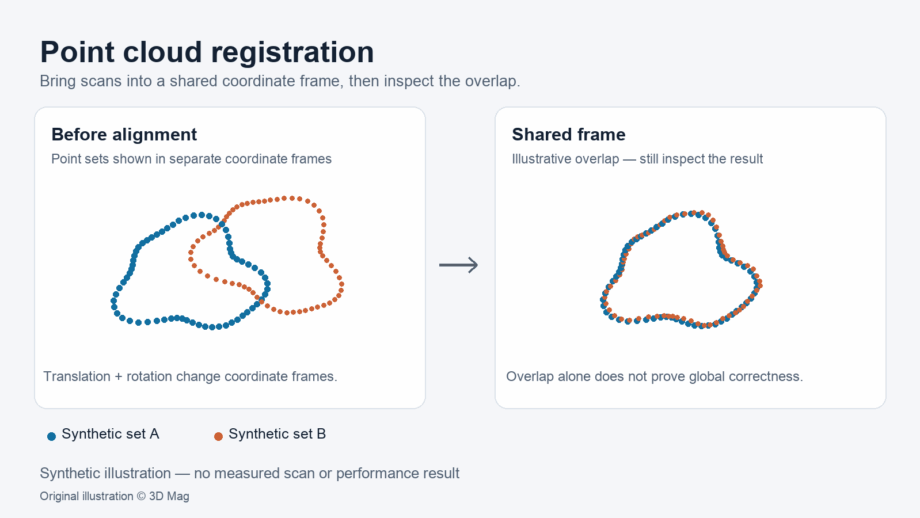
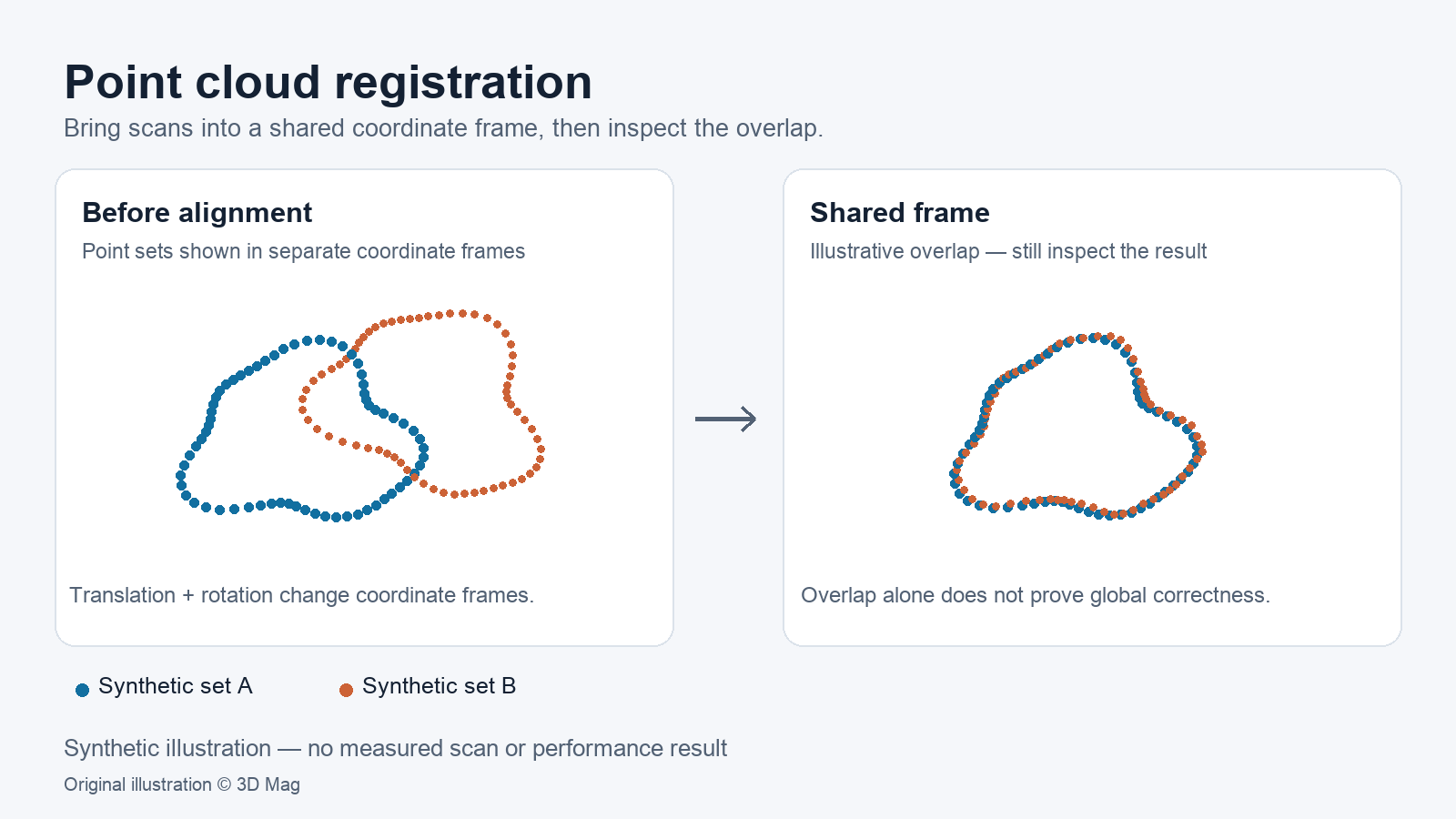

If you have several scans of the same object or site, registration brings them into one coordinate frame. One documented workflow, shown in the Open3D tutorials, is to get a rough alignment first and then refine it. The Open3D global registration tutorial (0.19.0 documentation) describes global registration as a family of methods that do not require an alignment for initialization. These methods usually produce less tight results and are used to initialize local methods.
The second half of the answer matters just as much. In the Open3D ICP tutorial, fitness and inlier RMSE describe the fit of its demo alignment under the chosen correspondence settings. They do not tell you whether the combined data meets your dimensional requirement. To judge that, check the result against something the alignment did not use. The RealityScan control-point help describes ground test points as ground control points that are not involved in the scene optimization and are used to report deviations from defined positions.
This article assumes you already know what a point cloud is. If not, start with What is a Point Cloud in 3D Technology?
| Stage | Purpose | What to record |
|---|---|---|
| Plan | Overlap, targets, check points, agreed tolerance | Deliverable, units, coordinate system, tolerance |
| Coarse alignment | Usable starting pose | Method and software version |
| Refinement | Tighter fit from that starting pose | Parameters, fit statistics with their reported units |
| Independent check | Compare with points or lengths the alignment did not use | Each check deviation against the agreed tolerance |
| Decision | Accept, rework or recapture | Reason, and any changes made |
Plan overlap and targets before you capture
Registration is easier when you plan for it at capture time. The FARO Focus best practices advise placing the scanner in positions where each scan will overlap with another scan. They also advise scanning transition areas such as doorways to aid registration.
The same FARO Focus guidance covers artificial targets. It states that at least three targets are required for registration, or two if sensor data such as the inclinometer is used. It also advises arranging targets in unique three-dimensional patterns by varying their height and spacing, and not moving the targets during scanning. Treat the target count as FARO Focus guidance, not a universal rule. Follow the documentation for your own scanner and software.
Overlap also affects software refinement. The Open3D ICP tutorial notes that a larger max correspondence distance is needed if the aligned point cloud does not have sufficient overlap. That is an algorithm setting, not an accuracy figure.
Coarse (global) alignment: getting a usable starting pose
Coarse alignment gives the refinement step a usable starting pose. In the Open3D global registration tutorial, global registration is performed only on a heavily downsampled point cloud for performance reasons. The tutorial describes the result as not tight and then uses point-to-plane ICP to refine the alignment. Its voxel sizes and thresholds are example settings for its demo dataset, not accuracy figures for real projects.
Refinement with ICP and why the starting pose matters
The Open3D global registration tutorial classes ICP and colored point cloud registration as local methods because they rely on a rough alignment as initialization. The Open3D ICP tutorial describes the ICP inputs as two point clouds plus an initial transformation that roughly aligns the source point cloud to the target.
The starting pose is not a formality. The Open3D ICP tutorial runs its demo data with an identity initialization and observes that poor initial alignment might cause ICP convergence to fail. That is a tutorial observation, not a general failure rate.
Reading fitness and RMSE without over-reading them
The Open3D ICP tutorial reports fitness and inlier RMSE for the correspondences matched under its chosen settings; check your own software’s documentation for what its figures mean. These numbers help you compare runs and spot problems. They do not establish that the combined data meets a dimensional tolerance.
A zero is not automatically good news. The Open3D ICP tutorial states that when no correspondences are found, fitness and inlier RMSE are both 0. Its example reports this case as a convergence failure. A zero RMSE in that situation is a failure signal, not a perfect fit.
Coordinate systems, units and scale
The RealityScan control-point help advises keeping all control points in the same coordinate system to preserve correct orientation and sizes. That guidance is written for photogrammetry. Applying it to scan registration is our analogy, but the principle of working in one agreed coordinate system carries over.
Unit and scale handling are product-specific. The GeoSLAM Hub control-file article states that the Adjust to Control import supports values only in meters and does not apply a scale factor. The article notes the potential for measurement errors on larger distances and recommends, where possible, coordinate systems in a local, flat grid. Those limits apply to that import only, so check your own software’s documentation.
Independent check points and acceptance
The RealityScan control-point help defines ground test points as ground control points that are excluded from scene optimization and used to report deviations. It states that best practice is to distribute test points evenly in the scene. Applied to scan registration by analogy, this means keeping a set of check points that you measure but do not use to compute the alignment.
A known length offers a simpler check. The FARO Focus best practices suggest placing an item with a known length, such as a FARO Scale Bar or a meter/yard stick, in the first scan area. This lets you verify scan accuracy after registration is complete.
The FARO Focus accuracy-check article also describes a two-orientation consistency check. The scanner is moved at least 2 m and rotated, and the two scan sets are registered using target-based registration. For the Focus S70/S150/S350/Max/Premium/Core, the article says the point distance should not exceed 2 mm. That limit applies only to the listed models and that procedure. Because the targets are used in the registration, this is a consistency check rather than an independent held-out-point acceptance test.
None of these sources supplies a universal acceptance tolerance. The tolerance has to come from the project specification, and you should agree on it before you look at any results.
A practical verification workflow (guidance, not a reported test)
The following checklist is editorial guidance informed by the sources above; steps on setting and holding the tolerance, and reporting each deviation, are our recommendations rather than source requirements. 3D Mag did not perform it as a test.
- Before capture, write down the deliverable, units, coordinate system and acceptance tolerance.
- Plan overlap between neighbouring scans, capture transition areas, and place stable targets at varied heights.
- Designate check points or a known-length object that will not be used to compute the registration.
- Run coarse alignment, then refinement. Record the software name and version, the parameters and the reported fit statistics.
- Treat a result with no correspondences as a failure, not a perfect fit.
- Measure the held-out checks in the registered data. Report each deviation, not just an average, and compare it with the agreed tolerance.
- If the checks fail, add overlap, ties or control, or recapture. Do not loosen the tolerance after seeing the results.
Once the data is accepted, see Point Cloud to BIM and Point Cloud to Revit for downstream modelling.
Reader questions
Does a low RMSE mean my scans are dimensionally accurate? No. It describes the fit of the matched correspondences under the chosen settings. Dimensional acceptance needs independent checks against known references.
Why does ICP need a starting alignment? The Open3D documentation treats ICP as a local method that relies on a rough initial alignment, and its tutorial observes that a poor start might cause convergence to fail.
How many targets do I need? It depends on the system and software. The FARO figure quoted above applies to the Focus workflow only.
What is a check point versus a control point? In RealityScan’s photogrammetry terminology, ground test points are ground control points that are excluded from the scene optimization and used to report deviations. For scan registration, we use “check point” by analogy for a point you measure but do not use to compute the alignment.
Sources
This explainer is based on cited published sources; 3D Mag did not conduct hands-on testing. Publisher sponsorship.