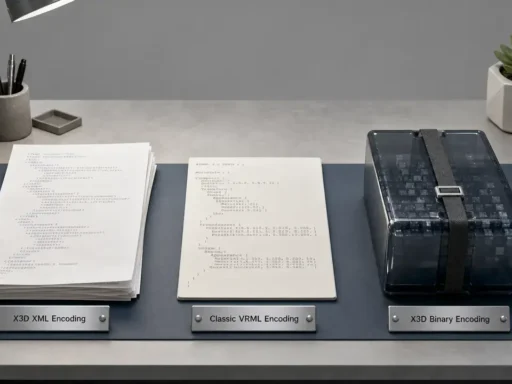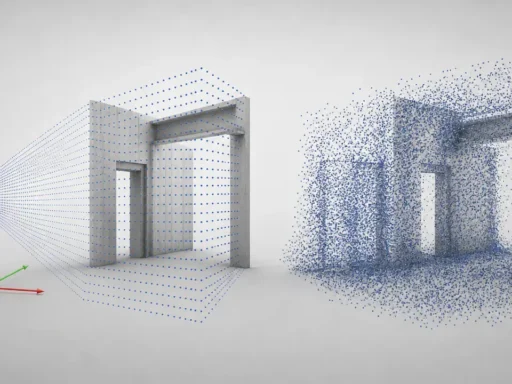

Summary: 3DS file format at a glance (and why people search “DS file format”)
The DS file format here means the .3ds / 3DS file format from 3D Studio (DOS), not Nintendo 3DS. Autodesk defines 3DS as the 3D Studio (DOS) mesh-file format, and 3ds Max remains the clearest documented reference path for importing and exporting it today. [1] [2]
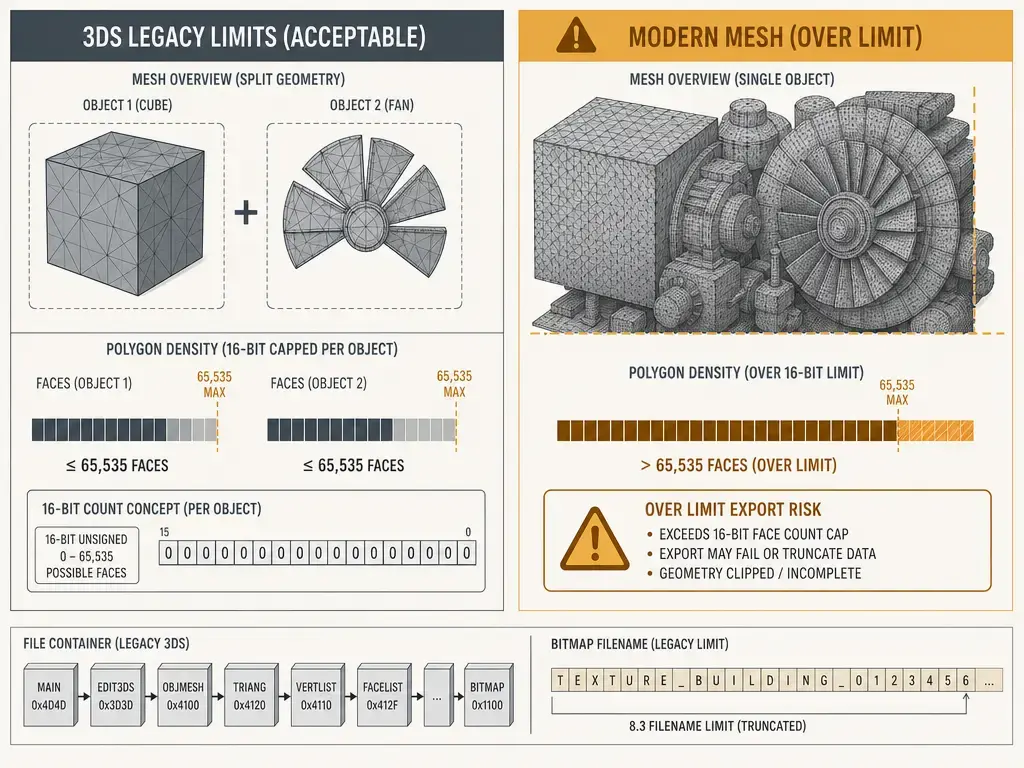
Expect a legacy, mesh-centric container: triangulated meshes, UVs, basic materials, bitmap filenames, and limited scene data. [FORMAT] Core mesh arrays use 16-bit counts, so a single N_TRI_OBJECT is limited to 1 to 65,535 vertices and 1 to 65,535 faces. [3DS MAX EXPORT] Autodesk also documents 8.3-style filename truncation, export of basic Standard material parameters and single maps, and transform animation rather than full rig data, with frame 0 used when a controller is not a key controller. [6] [2]
Disambiguation: .3ds vs .max vs Nintendo 3DS
A .3ds file is a legacy interchange and mesh-oriented format from 3D Studio DOS, so the usual task is opening or converting an older 3D Studio file rather than editing a native modern scene file. By contrast, .max is Autodesk’s native 3ds Max scene format, and Autodesk says .max files can be saved only three versions back for backward compatibility. If you have a .max file, this article is not a guide to opening it outside 3ds Max. [1] [17]
Nintendo 3DS belongs to a different product category. If you are searching for a 3DS file, the extension determines the workflow: .3ds points to legacy 3D asset handling in the Autodesk and 3D Studio lineage, while console and ROM-related meanings are unrelated here. This article stays focused on opening, converting, and troubleshooting .3ds files.
Historical background: from 3D Studio DOS to a legacy exchange format
3D Studio DOS r1 shipped in October 1990, and the .3ds format belongs to that early DOS-era pipeline. It persisted because old asset libraries, archival scenes, and inherited production workflows kept using it long after newer interchange formats appeared. That age explains much of its behavior today: strict mesh-oriented structures, filename conventions shaped by DOS-era assumptions, and scene or animation limits that feel narrow beside modern DCC formats. When a 3DS file appears now, it usually reflects legacy asset recovery, conversion, or long-tail interoperability work rather than current authoring practice. [12]
Technical principles: what a 3DS file stores (and why partial imports happen)
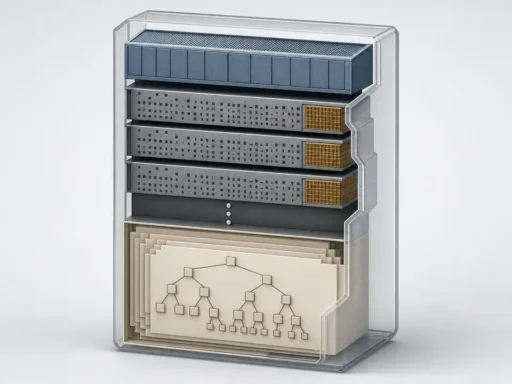
[FORMAT] The 3DS file format is chunk-based. It is built from nested records whose headers contain a 16-bit unsigned identification tag and a 32-bit unsigned length value. Because each chunk stores its own length, a parser can skip unknown chunks and continue reading later ones. That is one reason some importers can open a 3DS file even when they do not understand every record inside it. [6]
A practical way to think about conversion loss is the three-part split into geometry, appearance, and scene information. If a destination tool or format supports only part of one layer, the file may still open but lose details such as shading assumptions, object relationships, or animation behavior. [16]
[FORMAT] In practice, 3DS is mesh-centric, but it can also carry material data, bitmap references, UVs, lights, cameras, and keyframer-related scene information. [3DS MAX EXPORT] Autodesk’s exporter confirms the practical boundary: position, rotation, and scale animation can be exported, along with basic Standard material parameters, single maps, and some camera and light data, but richer modern scene constructs do not round-trip cleanly. [6] [2]
A 3DS file may contain…
- [FORMAT] Mesh vertices, faces, and related object records. [6]
- [FORMAT] UV coordinates and texture mapping data. [6]
- [FORMAT] Materials and bitmap filename references rather than embedded texture payloads. [6]
- [FORMAT] Cameras and lights for simple scene layout. [6]
- [FORMAT] Scene and keyframer-related structures that some tools interpret only partially. [6]
- [3DS MAX EXPORT] Limited transform animation: position, rotation, and scale. [2]

What 3DS doesn’t store cleanly: normals, shading, and hierarchy expectations
[FORMAT] 3DS does not store vertex normals in the modern editable sense many current pipelines expect. Instead, smoothing behavior is represented through face-level smoothing-group data stored as bitfields, and importers commonly compute normals from topology plus smoothing information. That is why the same model can shade differently after import or conversion even when the face layout survives unchanged. [7] [6]
[3DS MAX EXPORT] Hierarchy is also fragile. Autodesk says grouped object transformations are not exported, because the 3D Editor side of the format has no modern group-hierarchy concept; groups are pushed through Keyframer-related structures instead. A file may therefore open successfully while still changing object relationships, grouping behavior, or downstream transform edits in another tool. The practical lesson is simple: 3DS is a legacy mesh container with some scene data, not a modern scene-graph format. [2]
How to open a 3DS file (reference-first workflows)
The safest order is [3DS MAX IMPORT] 3ds Max first, [BLENDER EXTENSION] Blender second, and [AUTOCAD IMPORT] AutoCAD when you only need a narrower subset of the scene. That order follows the documentation: Autodesk’s 3ds Max import path is explicit and closest to the original ecosystem, Blender support is extension-based and version-sensitive, and AutoCAD documents a partial importer rather than a full scene round trip. [1] [13] [4]
- [3DS MAX IMPORT] In 3ds Max, use
File > Import > Files Of Type > 3D Studio (*.3DS). Autodesk documents this as the direct.3dsimport path. [1] - [BLENDER EXTENSION] In Blender, use the Autodesk 3D Studio extension or add-on rather than assuming universal built-in support. The official Extensions listing shows compatibility for Blender 4.2 LTS and newer, while the GitHub repository notes that the add-on was moved from Blender’s bundled add-ons and is now maintained as an extension by its maintainer and the Blender community. [13] [15]
- [BLENDER EXTENSION] Blender 4.2 LTS itself was supported until July 2026 and is now end-of-life as of September 30, 2026, so match the add-on version to your actual Blender release instead of relying on an old LTS assumption. [14]
- [AUTOCAD IMPORT] In AutoCAD, use the
3DSINcommand. Autodesk says it can import meshes, materials, mappings, lights, and cameras, but not procedural materials, smoothing groups, or keyframe data. [4] - [AUTOCAD IMPORT] If you need to filter objects during import, Autodesk’s 3D Studio File Import Options dialog lets you select up to 70 objects. That is a tool UI limit, not a 3DS specification limit. [5]
Do not rely on double-click behavior or operating-system file association to identify the right importer. With a 3DS file, the application and import path matter more than the filename alone. [1] [4] [13]
How to convert a 3DS file without losing the wrong things
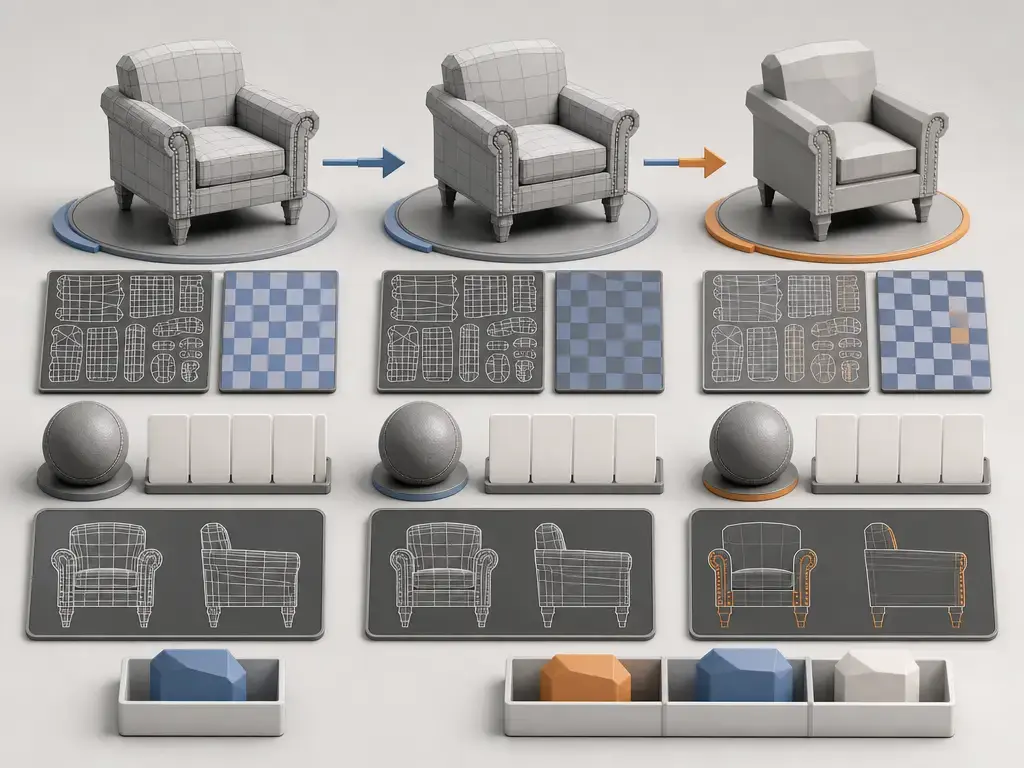
Converting a 3DS file is triage across geometry, appearance, and scene information, not a simple file-extension rename. That matters because .3ds can carry meshes, UVs, materials, bitmap references, lights, cameras, and limited animation, while every destination format preserves a different subset. The first job is to decide what must survive. The second is to validate those parts after export. If 3ds Max is available, it is the best first validation stop because Autodesk’s import and export behavior is documented more explicitly there than in most third-party paths. [16] [6] [1] [2]
Before converting, check…
- [FORMAT] Vertex and face counts per object. 3DS uses 16-bit counts for core mesh arrays, so each
N_TRI_OBJECTis capped at 1 to 65,535 vertices and 1 to 65,535 faces. Split dense meshes before export instead of hoping the target tool will silently fix them. [6] - [FORMAT] Bitmap filenames and paths. Common 3DS map structures store bitmap filenames as strings, and
MAT_MAPNAMEuses a twelve-characters-plus-NULL pattern. [6] - [3DS MAX EXPORT] Filename truncation risk. Autodesk says 3DS uses DOS-style names limited to 12 total characters, meaning
8 + "." + 3, and warns that truncated bitmap names may require manual reassignment after reimport. [2] - [3DS MAX IMPORT] Units and scale. In 3ds Max, the 3DS Import Dialog has a Convert Units option; when it is on, 3ds Max assumes the imported file uses inches and converts to the current system units. Validate scale before converting onward. [18]
- [FORMAT] Shading assumptions. Because modern-style vertex normals are not stored the way many current pipelines expect, importers often compute normals from topology and smoothing-group information. Check the converted result under lighting, not only in wireframe. [7] [6]
- [3DS MAX EXPORT] Non-mesh geometry and modifiers. Autodesk says all non-mesh geometry is collapsed to meshes before export, and modifier or morph animation is frozen, collapsed, and exported as a simple mesh. Treat that as a real loss event if the source scene depends on procedural modeling or deformations. [2]
- [3DS MAX EXPORT] Animation scope. Export is limited to position, rotation, and scale animation, with only frame 0 saved when a controller is not a key controller. [2]
- [3DS MAX EXPORT] Scene grouping and hierarchy. Grouped object transformations do not survive as a modern hierarchy, so test whether parent-child meaning and transform behavior still match the source intent. [2]
For destination choice, the usual logic is straightforward. OBJ is a simple surface-geometry baseline that can include vertex normals. FBX is broader when you need scene interchange with cameras, lights, and other scene elements, but the Library of Congress notes the format remains proprietary and SDK-dependent. glTF or GLB fits runtime and delivery workflows, because Khronos and ISO both position glTF as an efficient runtime asset-delivery format rather than a universal editable DCC master. [10] [11] [8] [9]
If you use a web converter, treat it as untrusted until you have reviewed its privacy, retention, and file-handling terms.
3DS vs OBJ vs FBX (and where glTF fits)
The comparison most readers need is 3DS vs OBJ vs FBX. 3DS is the legacy mesh-centric format with strict per-object limits and compact scene data. OBJ is the surface-geometry baseline. FBX is broader for scene interchange, but it remains tied to Autodesk’s ecosystem and SDK. glTF belongs beside them as a delivery format, not as a claim that every DCC workflow should replace its editable scene master. [6] [10] [11] [8] [9]
| Format | Best use | Commonly carries | Main caveat |
|---|---|---|---|
| 3DS | Legacy libraries and simple interchange | Meshes, UVs, basic materials, bitmap filenames, some lights and cameras | 16-bit per-object limits, 8.3 naming, and shading, animation, and hierarchy limits. [6] |
| OBJ | Static mesh exchange | Surface geometry and optional vertex normals | Weak scene and animation semantics compared with broader interchange formats. [10] |
| FBX | DCC and game-tool interchange | Cameras, lights, meshes, NURBS, and wider scene data | Proprietary and SDK-dependent; the Library of Congress notes the format is not documented as an open spec. [11] |
| glTF/GLB | Runtime and web delivery | Efficient delivery of 3D assets with runtime-friendly structure | Not a general substitute for editable DCC scene masters. [8] [9] |
For beginners, the practical reading is simple: use 3DS when rescuing legacy assets, OBJ when you mainly need geometry, FBX when you need wider scene interchange, and glTF/GLB when the destination is runtime delivery. For pipeline users, the key point is that scene behavior still needs validation at the format boundary.
Legacy limits and interoperability caveats (format limits vs tool limits)
[FORMAT] The safest technical statement is that 3DS stores per-object mesh counts in 16-bit fields. In the chunk definitions, POINT_ARRAY and FACE_ARRAY both use unsigned short counts, so a single N_TRI_OBJECT can hold 1 to 65,535 vertices and 1 to 65,535 faces. That is a format-level statement, not a promise about how every importer or exporter will behave around it. [6]
[3DS MAX EXPORT] Autodesk’s support wording is less clean, and it is worth being explicit about that. The support article for the “too many faces” export error describes the legacy limit as 64K, or 65,536, total polygons in the scene, but the same article also shows an object-level error message and tells users to split geometry so that no exported piece exceeds the 65,536-face limit. In other words, Autodesk-facing wording is inconsistent, but the safe action is the same in either interpretation: split large meshes before export. [3] [6]
[FORMAT] Texture references are another place where legacy assumptions show up. In the chunk definitions, MAT_MAPNAME is a bitmap filename string with a twelve-characters-plus-NULL pattern. [3DS MAX EXPORT] Autodesk separately says 3DS filenames are limited to 12 total characters, meaning 8 + "." + 3, and warns that long bitmap names will be truncated and may fail to relink on later import. [AUTOCAD IMPORT] AutoCAD’s separate “select up to 70 objects” cap belongs only to its import dialog and should not be confused with any .3ds specification limit. [6] [2] [5]
Where you still see 3DS files today
3DS files still turn up in inherited asset libraries, archived visualization scenes, educational samples, and older CAD-to-mesh or content-exchange handoffs that were never reauthored into newer formats. Autodesk still documents .3ds import and export paths because production teams and individual users continue to encounter legacy 3D Studio material even when the original source application is long gone. In practice, the format survives because the asset still matters, not because .3ds remains a preferred authoring target. [1] [2]
Limitations and common failure modes (with quick fixes)
The same small set of problems appears repeatedly with .3ds: missing textures, flatter-than-expected materials, shading changes, broken hierarchy assumptions, and incomplete animation. Most come from the same root cause: 3DS carries less information than modern scene formats, and different tools preserve different subsets of that information. [6] [2]
- [FORMAT] Textures are missing: likely cause: the file stores bitmap references by filename rather than embedding texture data in the cited map structures. [3DS MAX EXPORT] Autodesk also warns that long names can be truncated to 8.3 form, breaking relinking on reimport. Quick fix: repath the textures, rename files to shorter names, and verify that the target application preserved the links. [6] [2]
- [3DS MAX EXPORT] Materials look flatter or simpler than expected: likely cause: Autodesk exports basic Standard material parameters and single maps, while composite and procedural maps are not exported. Quick fix: simplify the material before export or rebake it to texture images. [2]
- [FORMAT] Shading changes after import: likely cause: importers usually compute normals from topology and smoothing groups instead of reading modern-style stored vertex normals. Quick fix: inspect smoothing, then recheck the asset under lighting rather than assuming the wireframe tells the whole story. [7] [6]
- [3DS MAX EXPORT] Animation is incomplete or missing: likely cause: export is limited to position, rotation, and scale, with frame 0 saved when the controller is not a key controller. Quick fix: verify transform tracks and assume unsupported controller data, rigs, or morph behavior will be lost. [2]
- [AUTOCAD IMPORT] AutoCAD shows less than the source scene: likely cause:
3DSINcannot import procedural materials, smoothing groups, or keyframe data. Quick fix: treat AutoCAD as a partial importer and compare results against the original.3dsfile, not against the richer source scene that produced it. [4]
If a workflow asks for a universal maximum file size, texture-count ceiling, or similarly global 3DS “capacity” number, no reliable figure found. The real limits usually come from a mix of format structure and tool-specific behavior, not the extension by itself.
Current context: using the “DS file format” term in modern pipelines (what to use instead)
In current usage, the DS file format phrasing is mostly a search-term variant for the .3ds / 3DS file format. In practice, the real question is usually not how to author new work in 3DS, but how to open, validate, and migrate a legacy asset without losing the wrong things. If you are choosing a format now, the decision should follow the job, not nostalgia. [1] [2]
OBJ remains the geometry-first option for static mesh exchange. FBX remains the broader DCC interchange option when the toolchain supports it. glTF or GLB is the better fit when the target is efficient transmission, viewing, or runtime loading rather than general-purpose editable scene authoring. [10] [11] [8] [9]
Khronos describes glTF as a royalty-free 3D Asset Delivery Format for efficient transmission and loading, and ISO/IEC 12113:2022 describes it as an API-neutral runtime asset-delivery format bridging creation tools and graphics applications. That makes glTF highly useful for deployment and viewing, but it is not a universal replacement for editable DCC scene masters. [8] [9]
FAQ
What is a 3DS file?
A 3DS file is the legacy 3D Studio (DOS) mesh-file format documented by Autodesk. In practical use, it is an interchange format for older 3D assets, not a modern rich-scene master, so you should expect meshes, UVs, materials, and some scene data rather than full-fidelity contemporary authoring features. [1] [6]
What does “DS file format” mean?
In this article, “DS file format” is a search-term variant for the .3ds / 3DS file format. It does not point to a separate Autodesk format. It points back to the same legacy 3D Studio lineage discussed throughout this guide. [1]
How do I open a 3DS file in 3ds Max, Blender, or AutoCAD?
In 3ds Max, use the documented File > Import path for 3D Studio (*.3DS). In Blender, use the Autodesk 3D Studio extension or add-on and confirm compatibility with your Blender version. In AutoCAD, use 3DSIN, but expect a partial import rather than a full scene round trip. [1] [13] [4]
Why are textures missing after import?
Usually because the file stores bitmap references by filename and path, not embedded texture payloads in the cited structures, and 3ds Max can truncate long bitmap names to DOS-style 8.3 form during export. The mesh may load while the texture links fail. Repathing and shorter filenames usually solve it. [6] [2]
Can a 3DS file store animation?
Yes, but only in a narrow way. In Autodesk’s documented 3ds Max export path, 3DS carries transform animation such as position, rotation, and scale. If a controller is not a key controller, only the object transformation at frame 0 is saved. That is far from modern rig, constraint, or deformation portability. [2]
Does 3DS store normals or smoothing groups?
It stores smoothing-group information, not modern editable vertex normals in the way many current pipelines expect. In practice, importers usually compute normals from topology and smoothing data, which is why shading can shift between applications even when the mesh itself survives intact. [6] [7]
Is .3ds the same as .max?
No. .3ds is the legacy interchange format; .max is 3ds Max’s native scene format. Autodesk also says .max backward compatibility is limited to saving three versions back, which is one reason a .max file is not a general-purpose open-anywhere substitute for .3ds. [1] [17]
Sources
Numbered sources in the order cited.
- Autodesk Help — Importing 3DS Files (3ds Max 2022 help)
- Autodesk Help — Exporting to 3DS (3ds Max 2024 help)
- Autodesk Support — “Too many faces” message appears when exporting to .3DS format from 3ds Max
- Autodesk Help (AutoCAD) — 3DSIN (Command)
- Autodesk Help (AutoCAD) — 3D Studio File Import Options Dialog Box
- 3DS chunk definitions reference — Appendix 3DS Chunk Definitions
- Brno University of Technology — 3ds file format loading library (MSc thesis, 2006)
- Khronos Group — glTF – Runtime 3D Asset Delivery
- ISO — ISO/IEC 12113:2022 (Khronos glTF 2.0)
- Library of Congress — Wavefront OBJ File Format (fdd000507)
- Library of Congress — Autodesk FBX (fdd000558)
- Autodesk Investor Relations — 3ds Max software celebrates its 20th anniversary
- Blender Extensions — Autodesk 3D Studio format: Version History / Compatibility
- Blender.org — Blender 4.2 LTS lifecycle page
- GitHub — ioscene3ds (Autodesk 3D Studio add-on repo)
- NCSA / NARA-hosted technical report — An Overview of 3D Data Content, File Formats and Viewers
- Autodesk Support — 3ds Max backward compatibility
- Autodesk Help — 3DS Import Dialog