


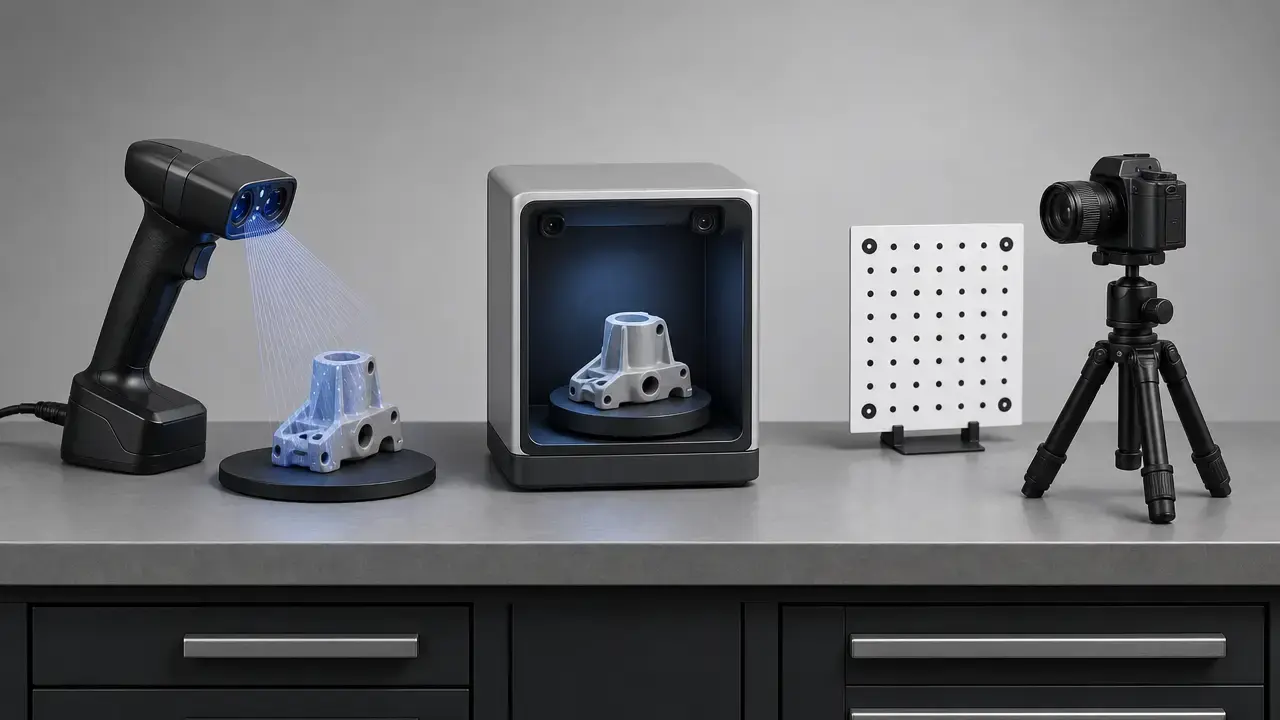

Quick buying summary: choose by workflow, not by spec sheet
The safest 2026 gift choice is the workflow the recipient will actually use. In this 3D Scanning & Photogrammetry Holiday Gift Guide, that means starting with object type, dimensional expectations, host-device fit, and cleanup tolerance rather than hunting for a universal winner. Active scanners and camera-based photogrammetry can both produce useful models, but they operate under different assumptions. Formal standards exist for optical 3D coordinate measuring systems, NIST has documented multiple error sources for structured-light scanning, and hobbyist spec sheets still do not translate into a single trustworthy cross-brand comparison table. [1] [3] [18]
For hobbyists, the best 3D scanner for hobbyists is the one that matches the objects they actually handle. Small props, figurines, and printed parts often point toward compact handheld scanners or a camera-first workflow. Larger props, room-scale subjects, or measurement-oriented tasks need better tracking, better scale control, or both. Photogrammetry can be an excellent gift when the recipient already owns a usable camera and is willing to trade hardware cost for more capture discipline and processing time, especially because it needs scaling references when dimensions matter. [4] [5] [8] [10] [12]
If you only remember three things:
- Buy for the workflow, not the most flattering spec number. [3] [18]
- Photogrammetry can look excellent without being dimensionally dependable unless scale is controlled. [4]
- Cross-brand scanner pages often mix unlike metrics such as single-frame accuracy, point distance, and whole-object behavior. [1] [2] [18]
How to choose the right gift
Start with the object, not the product page headline. Size matters, but surface finish, feature richness, and occlusion matter too. A dark textured prop, a glossy helmet, a thin mechanical bracket, and a tabletop miniature can all require different capture habits even if they fit within the same advertised scan volume. In a practical portable 3D scanner gift guide, the key questions are whether the recipient needs a visual model or a dimensionally cautious one, whether they already own the right host device, and how much cleanup they will tolerate after capture. [3] [4] [18]
The other key decision is how much trust to put in the metric label itself. A single-frame claim is not the same as whole-object behavior, and photogrammetry can be visually convincing while still needing scale bars or known dimensions for measurement-oriented use. The buying decision is really a workflow decision: capture method, scaling method, host hardware, and patience level matter as much as the scanner model. [3] [4] [18]
Gift-matching checklist:
- Object size: tiny parts, tabletop items, helmets, furniture-sized subjects, or mixed sizes.
- Surface finish: matte, glossy, dark, transparent, metallic, or feature-rich.
- Required dimensional confidence: visual model only, rough fit, or measurement-oriented use.
- Operating system and host device: iPad, Windows, macOS, or mixed-device setup.
- Output goal: 3D printing cleanup, visual asset, documentation, or CAD reference.
- Budget: scanner only, software only, or a full workflow with accessories.
- Patience for cleanup: low, moderate, or high.
- Accessory needs: lighting, markers, tripod, turntable, scale aids, or storage.
Portable 3D scanner gift guide by workflow class
A useful portable 3D scanner gift guide groups products by the work they support instead of pretending that one device wins every use case. In 2026, the most practical buckets are entry handhelds, mid-range handhelds, hybrid multi-mode scanners, premium self-contained or tabletop systems, and tablet-linked depth workflows. Alongside them sits camera-based photogrammetry, which is often the better gift when the subject is static, textured, and the recipient already has the patience for image-based reconstruction. [4] [18]
| Workflow class | Good fit | Key caveat | Example products |
|---|---|---|---|
| Entry handhelds | Small to medium objects; first-time users | Surface finish and operator technique still matter | 3DMakerpro Fox, Revopoint POP 3 Plus |
| Mid-range handhelds | Hobbyists who want one scanner for several kinds of objects | Better results usually depend on more deliberate setup | 3DMakerpro Moose, SHINING 3D Einstar |
| Hybrid blue-laser / NIR scanners | Users who expect to switch modes for different subjects | Mode-specific claims are not interchangeable | Creality CR-Scan Raptor |
| Premium self-contained or tabletop workflows | Small parts, repeatable desk setups, or self-contained scanning | Higher cost and less grab-and-go flexibility | Revopoint MIRACO Plus, Matter and Form THREE |
| Tablet depth ecosystem | Mobile depth capture tied to an existing tablet workflow | Host-device compatibility and live spec pages need checking | Structure Sensor 3 |
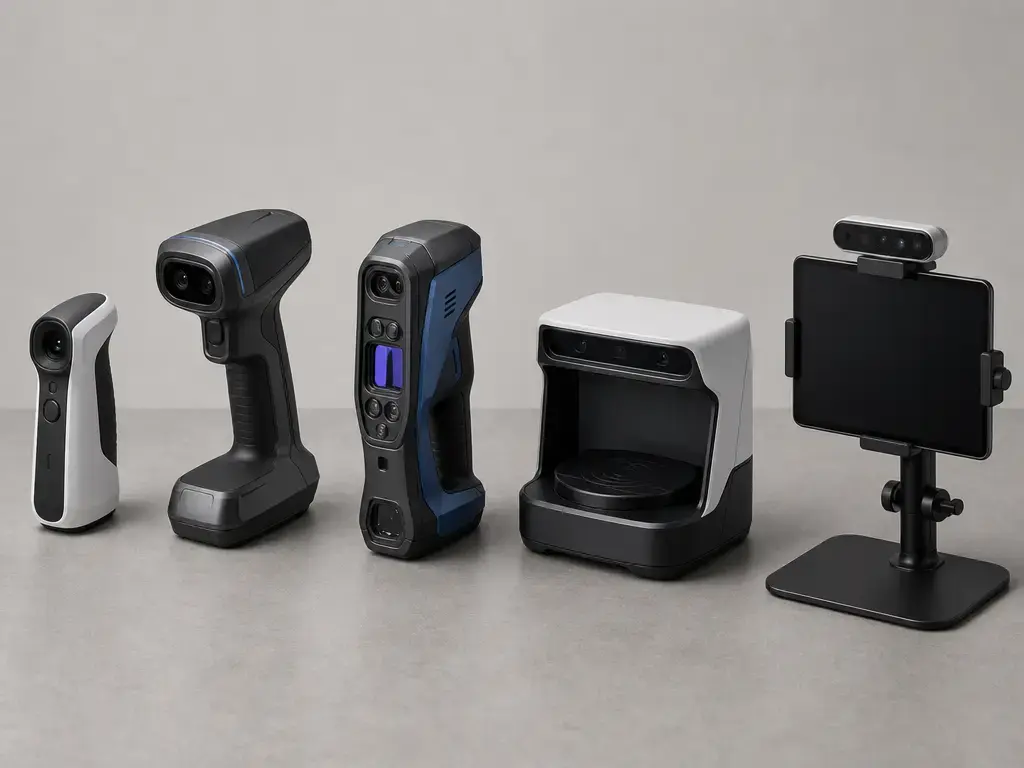
Entry-level handhelds
Entry-level handhelds are the least intimidating route into dedicated 3D scanning when the recipient wants a portable tool for hobby objects rather than a more elaborate measurement setup. The Revopoint POP 3 Plus is a good example because its official page separates several manufacturer-claimed metrics instead of collapsing them into one number: dual-camera infrared structured light, single-frame accuracy up to 0.08 mm, single-frame precision up to 0.04 mm, fused point distance up to 0.05 mm, working distance of 150 mm to 400 mm, and weight of 190 g. That does not prove real-world superiority by itself, but it does at least show buyers what kind of number they are reading. [5]
The 3DMakerpro Fox represents the other side of the entry category: a lighter, simpler, lower-cost general-object scanner whose current product page lists 0.07 mm accuracy, 0.10 mm resolution, 10 fps, 210 g weight, a typical object-size range of 40 mm to 1,200 mm, and an NIR light source. These are still manufacturer-claimed values, and they are not directly comparable to the POP 3 Plus page because the terms are framed differently. As a gift, Fox makes sense for someone who wants an easy route into props, toys, tools, and printed parts and is willing to accept that some surfaces and geometries will still need repeat scans or prep. [9]
Mid-range handhelds
Mid-range handhelds are where many buyers start asking for the “one scanner for most hobby jobs” option. That is also where caution matters most, because this category is often treated as the answer to “what is the best 3D scanner for hobbyists?” even though the real answer still depends on object type and cleanup tolerance. The 3DMakerpro Moose is positioned for medium objects, with manufacturer-claimed 0.03 mm accuracy, 0.07 mm resolution, typical object sizes from 15 mm to 1,500 mm, 10 fps, and 280 g weight. That profile suggests a better fit for users who want more reach and more detail than the cheapest handhelds, but still within a maker-oriented workflow rather than a formal metrology environment. [10]
SHINING 3D’s Einstar sits in a similar practical zone but is clearer about some workflow details. The official page identifies it as a structured-light scan system using infrared VCSEL structured light and separates “high quality data up to 0.1 mm,” point distance of 0.1 mm to 3 mm, working distance of 160 mm to 1,400 mm, and scan speed up to 14 FPS. That makes it a strong example of why mid-range scanners are appealing gifts: they can cover more object types and produce denser data, but they still reward users who will spend time on tracking quality, positioning, and post-processing rather than expecting the scanner to solve everything automatically. [8]
Hybrid blue-laser / NIR scanners
This class is worth calling out because it exposes a common spec-sheet mistake. The Creality CR-Scan Raptor is not simply a “blue-light scanner.” Its official materials describe a combination of blue laser and infrared structured light, with different numbers by mode. Current product information lists blue-laser accuracy up to 0.02 mm at 100 mm, NIR accuracy up to 0.1 mm, blue-laser scanning speed up to 60 fps, NIR speed up to 20 fps, different working distances by mode, and different alignment modes as well. This is exactly the kind of device that shows why scanner figures cannot all be compared as though they were measured under one shared test method. [7]
As a gift, a hybrid scanner suits the technically curious recipient who will actually read the mode descriptions and switch workflows when the object changes. Smaller detailed parts may benefit from the higher-detail laser mode, while larger or feature-rich subjects may be easier in infrared structured-light mode. The tradeoff is a real learning curve. Hybrid devices are flexible because they expose more control, not because they make the physics disappear. [7] [18]
Premium self-contained or tabletop workflows
Premium systems split into two different gift ideas. The Revopoint MIRACO Plus is a self-contained handheld scanner whose official page emphasizes standalone use and a manufacturer-claimed photogrammetric length-accuracy expression of 0.02 mm + 0.05 mm × L (m), alongside single-frame accuracy up to 0.04 mm, single-frame precision up to 0.02 mm, and speed up to 20 fps. The point is not that these figures automatically make it better than cheaper scanners. MIRACO Plus is aimed at buyers who want a more complete device workflow without building a separate capture rig around a laptop or tablet. [6]
Matter and Form THREE represents the opposite premium idea: a fixed-space tabletop workflow. Its official page highlights 13 MP Sony cameras, built-in software served from the device over Wi‑Fi or Ethernet, and manufacturer-claimed accuracy figures that vary with distance, including up to 0.033 mm at 220 mm. That makes THREE attractive for collectibles, small parts, and controlled desk setups where repeatability and minimal setup friction matter more than portability. It is less suited to someone who wants to carry a scanner around the house or scan larger props by hand. [11]
Phone/tablet depth ecosystem
This class is best treated as an ecosystem purchase rather than a simple scanner purchase. Structure Sensor 3 is sold as an iPad-focused product, so the real gift is not just the sensor but the host-device workflow it plugs into. That can be valuable for users who already live inside a tablet-first documentation or field-capture process, because the whole point is mobile integration rather than maximum small-object detail. [12]
It is also the class where buyers should check live pages most carefully. Structure’s current shop and support pages do not present one perfectly consistent set of headline figures across all contexts, so compatibility, bundle details, and technical limits should be confirmed immediately before purchase. In practical terms, that makes Structure Sensor 3 a better gift for someone already committed to mobile depth capture than for a beginner who wants a self-contained hobby scanner with one clear spec sheet. [12]
How 3D scanning and photogrammetry work
Structured light, laser triangulation, NIR depth, and LiDAR/ToF
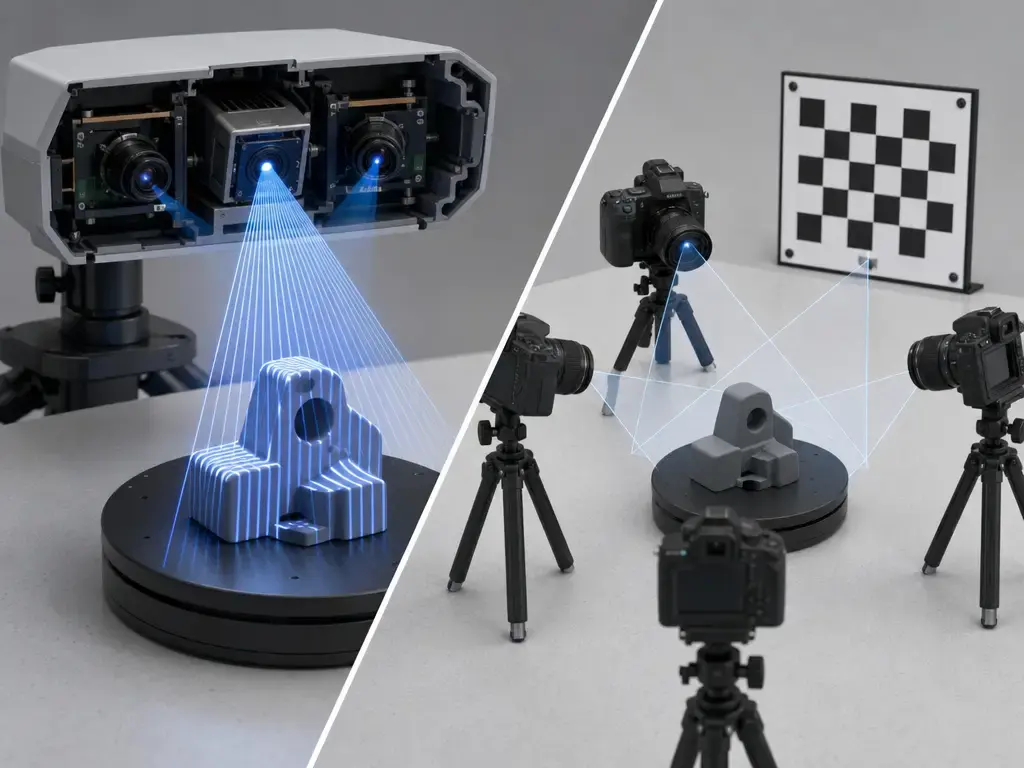
3D scanning is an active measurement family, not a single technology. Structured light projects a known pattern and reads how that pattern deforms on the object. Laser triangulation uses the geometry between a laser source and imaging system to infer shape. NIR depth systems use near-infrared sensing, while LiDAR and ToF estimate distance from light timing or phase behavior rather than from the same image-reconstruction logic used in photogrammetry. These classes overlap in marketing, but they are not the same thing. NIST’s structured-light work is a reminder that the measurement result depends on configuration, surface behavior, calibration, and test conditions rather than on one headline value alone. [3]
Photogrammetry, SfM, and MVS
Photogrammetry is passive image reconstruction rather than active projection. NIST Technical Note 2093 states that photogrammetry localizes an object in 3D using at least two images from different viewpoints, and it also describes the internal and external orientation parameters that must be understood or estimated for useful reconstruction. In practical beginner software, that usually means a pipeline that first aligns overlapping photos and then densifies the scene into more geometry. The strength of photogrammetry is flexibility: if the subject is static, well lit, and visually rich, a camera can go surprisingly far. The weakness is that geometry, overlap, blur control, and scale discipline all become the user’s job. [4]
Point cloud to mesh
A point cloud is a set of sampled or reconstructed points in 3D space. A mesh is a connected polygon surface built from that data. A textured mesh adds color imagery back onto the surface so the model looks visually closer to the original object. Both active scanners and photogrammetry software can get you to a point cloud and then to a mesh, but neither guarantees a print-ready or CAD-friendly result as soon as capture ends. The last steps often include alignment fixes, hole filling, simplification, cleanup, and scaling checks, which is why “point cloud to mesh” is a workflow stage rather than a one-click promise. [3] [4] [18]
Photogrammetry software for beginners
Beginner-friendly photogrammetry software for beginners is best chosen by constraint, not by brand loyalty. The useful criteria are straightforward: lowest cost, easiest onboarding, confidence about plan terms and export rights, degree of local control, and how seriously the user intends to treat scale and measurement. If the goal is a quick visual model, a phone- or web-friendly service may be enough. If the goal is a larger offline project or a more controllable reconstruction pipeline, a desktop-oriented tool becomes more attractive. That is why the honest answer to what photogrammetry software is best for beginners is still “it depends on the beginner.” [4] [13] [14] [15] [16] [17]
RealityScan is the easiest entry point for many users who want strong capability without paying first, because its current licensing page says it is free for individuals and small businesses under $1 million USD in gross revenue over the past 12 months, as well as educational institutions and students, with paid seats above that threshold at $1,250 per seat per year. Meshroom is the classic free desktop choice, but the caveat is real: the current Meshroom page says the binaries are built with CUDA-12, require NVIDIA compute capability of at least 5.0 for full use, and have no official macOS release. That makes it excellent for the right Windows or Linux user and a frustrating gift for the wrong one. [13] [14]
KIRI Engine and Polycam are easier to recommend when the recipient values convenience more than local control. KIRI Engine’s current FAQ and pricing pages say the free plan allows Photo Scan with up to 150 photos and unlimited free export, while the yearly Pro plan works out to about USD 6.66 per month. Polycam’s current pricing page says the free tier includes 10 photogrammetry captures and that prices are billed in USD, which is exactly the kind of live plan detail buyers should recheck before paying. Agisoft Metashape sits at the other end of the beginner-to-serious spectrum: the current buy page lists Standard at $169 excl. tax and Professional at $3,370 excl. tax, and says the license is not time-limited while including 12 months of email support and updates up to version 2.x.x. That makes Metashape the cleaner recommendation for the recipient who wants a mature paid workflow and expects to spend real time learning it. [15] [16] [17]
The important warning is that photogrammetry is not measurement-grade by default. NIST’s guidance makes clear that dimensional use needs control of geometry, calibration, and scale, which in practical hobby terms means scale bars, known dimensions, or another reliable reference built into the capture plan from the start. Without that discipline, the model may still be excellent for visualization or even for a print after cleanup, but its size should not be treated as dependable measurement data. [4]
Beginner software decision tree:
- Want free desktop and have an NVIDIA CUDA-capable GPU: Meshroom. [14]
- Want free under the revenue threshold and a powerful pipeline: RealityScan. [13]
- Want mobile or web convenience: KIRI Engine or Polycam. [15] [16]
- Want a paid, mature, perpetual-style desktop workflow: Metashape. [17]
Structured light 3D scanner comparison: metrics that matter
In any structured light 3D scanner comparison, accuracy, precision, resolution, and point distance have to stay separate. Accuracy is closeness to a known dimension. Precision is repeatability across repeated captures. Resolution or point distance describes sampling density or the spacing of captured detail, not whether the dimensions are right. Working distance is the usable sensor-to-object range, scan speed is how quickly frames or points are acquired, and object-size range is simply the class of subject the vendor expects the device to handle. ISO and VDI-related standards matter here as context because they frame acceptance and reverification thinking for optical 3D systems, even though consumer pages rarely explain their claims in that language. [1] [2] [3]
Consumer pages show how easy it is to compare unlike things. POP 3 Plus publishes single-frame accuracy, single-frame precision, fused point distance, working distance, and speed as separate fields. MIRACO Plus adds a length-accuracy expression rather than only single-frame terms. Einstar separates point distance from scan speed and general data-quality language. CR-Scan Raptor splits its figures by blue-laser mode and NIR mode. Structure Sensor 3 is better treated as an ecosystem device whose official pages emphasize range, frame-rate presets, and bundle context rather than one universally comparable hobby metric. The safe rule is to treat manufacturer figures as starting points and to avoid reading a generic “0.03 mm” on one page as equivalent to a single-frame, length-accuracy, or whole-object performance claim on another. [5] [6] [7] [8] [12] [18]
Accessories that make better gifts than another spec upgrade
Before moving up one product tier, check whether the recipient is missing the pieces that make capture repeatable. A stable turntable, controlled lighting, marker dots, scale aids, or more storage can remove more frustration than a slightly stronger headline spec. That is especially true in workflows where the hidden cost is not the scanner but the number of rescans, alignment failures, or cleanup hours that follow a rushed capture. [3] [4] [18]
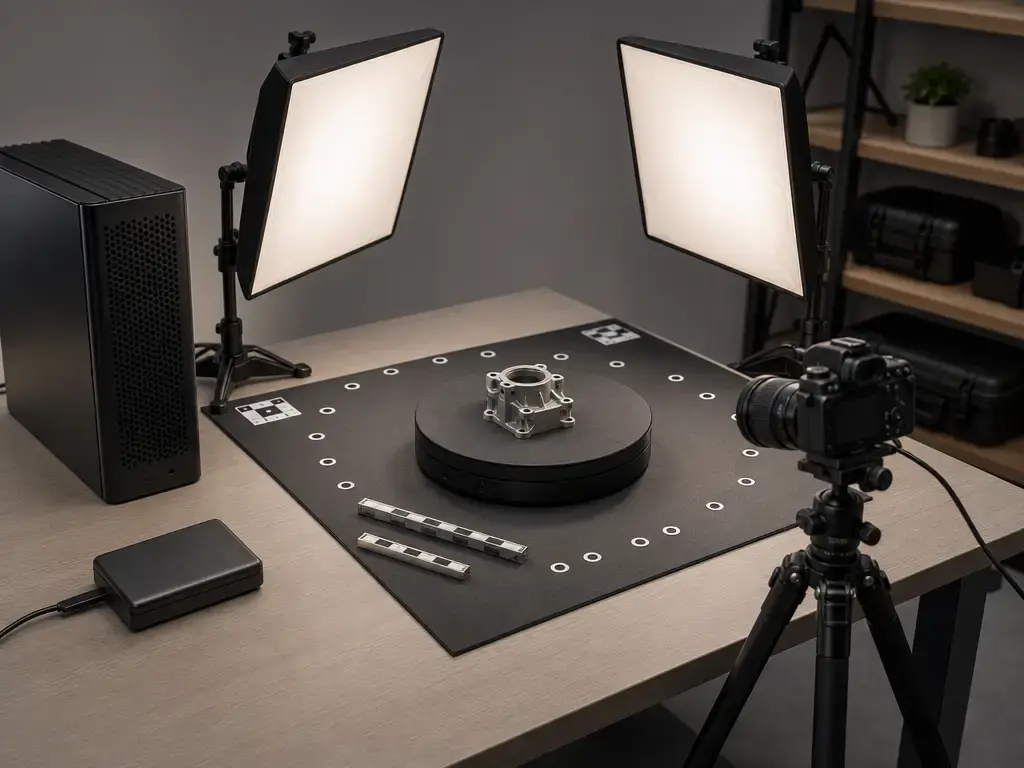
Best accessory add-ons:
- Turntable
- Cross-polarized lighting
- Marker kit
- Scanning spray
- Measurement scale bars
- GPU/storage upgrade
- Mesh cleanup software
Photogrammetry makes the computer side even more important. A faster GPU, enough RAM, and enough local or external storage can matter more than a new scanner body if the real bottleneck is reconstruction time or mesh cleanup. Meshroom’s CUDA dependency and Metashape’s more serious project orientation are good reminders that a workflow gift can be computing headroom, not just capture hardware. [14] [17]
For museum, heritage, or otherwise sensitive objects, surface prep deserves caution. Sprays and temporary coatings can be useful on difficult surfaces, but they should only be used when the material, owner, and workflow allow it. When in doubt, the safer gift is usually better lighting, markers, or scale aids rather than anything applied directly to the object.
Which gift fits which recipient?
For miniature painters, tabletop makers, prop builders, and many 3D printing hobbyists, a compact handheld scanner or a camera-plus-software workflow is usually the most sensible place to start. Entry handhelds such as POP 3 Plus or Fox fit small to medium objects and emphasize portability, while mid-range handhelds such as Moose or Einstar better suit users who want broader object coverage and will tolerate more setup. For CAD hobbyists, repair users, or reverse-engineering experiments, the safer gift is the workflow with clearer dimensional language and a more repeatable setup, not necessarily the one with the flashiest color scan demo. [5] [8] [9] [10]
For educators, museums, and makerspaces, a camera plus photogrammetry software often beats a dedicated scanner when the subjects are static, textured, and shared across many users. RealityScan’s free-use threshold for individuals, small businesses, schools, and students makes it especially attractive for classrooms, while Metashape is the more serious paid route when the institution wants a mature long-lived workflow. A dedicated scanner becomes the safer gift when the recipient expects repeated handheld capture, harder surfaces, or more direct geometry acquisition than a photo-only workflow can comfortably provide. [4] [13] [17] [18]
Limitations, safety, and common failure modes
The hardest subjects are still hard in 2026. Glossy plastic, dark matte surfaces, transparent materials, fine edges, repeated patterns, hair, fur, and deep cavities all create failure points because scanners need stable optical return and photogrammetry needs reliable image features. NIST’s structured-light work explicitly warns that error sources extend beyond one headline figure, and hobbyist buying guides still note that manufacturer numbers typically describe favorable conditions rather than every real object a user might attempt to capture. [3] [18]
Another common failure mode is drift or broken alignment. In handheld scanning, this shows up as warped geometry, seams, or accumulated whole-object error after tracking loss. In photogrammetry, the parallel problem is weak overlap, blur, or inconsistent exposure, which can leave holes or split the model into badly aligned chunks. If the output is supposed to mean anything dimensionally, the scale problem comes after that: photogrammetry needs known dimensions or reference bars, and scanner users still need to check whether a tidy-looking mesh is actually trustworthy for fit or measurement. [3] [4] [18]
Safety advice is simpler than some marketing language suggests. Treat active scanners as instruments, not toys, and read the current vendor documentation for the exact model before handing it to a child or using it around faces and eyes. In home and classroom setups, the more common hazards are practical ones: cables across the floor, unstable tripods, crowded turntables, rushed mounting, and poor lighting that encourages awkward movement during capture. For younger recipients or very casual users, a camera-plus-software workflow can still be the lower-friction first step.
Current research and 2026 market context
The standards context is clearer than the consumer market. ISO 10360-13:2021 gives optical 3D coordinate measuring systems a formal acceptance-and-reverification framework, while the DIN page for the withdrawn VDI/VDE 2634 Blatt 2:2012-08 now recommends DIN EN ISO 10360-13:2023-11 instead. NIST’s structured-light work remains relevant because it explains why the real measurement problem is broader than a single vendor number: surface cooperation, geometry, calibration, and test conditions still shape the result. That is useful context for buyers, but it should not be mistaken for proof that a consumer scanner page meets an ISO or VDI-style verification regime. [1] [2] [3]
The 2026 hobby and prosumer market is better at naming more metrics than it used to be, but not necessarily better at making them comparable. Current manufacturer pages now mix single-frame claims, point-distance claims, mode-specific laser and NIR figures, length-accuracy expressions, and tablet-ecosystem specs in the same shopping field. Independent cross-brand validation is still sparse enough that no reliable hobbyist lab table solves the comparison problem. That is why methodology remains the real buying question. [5] [6] [7] [8] [12] [18]
Final buying checklist for the 2026 3D Scanning & Photogrammetry Holiday Gift Guide
The safest conclusion is still the least glamorous one: buy the workflow, not the biggest accuracy number. If the recipient wants textured models of static objects and already owns a decent camera, software plus accessories may be the smartest present. If they want fast handheld capture of small-to-medium objects, start with the entry or mid-range handheld class. If they want a self-contained premium workflow or repeatable desktop capture, move up only when the workspace and patience level justify it. [4] [18]
This 3D Scanning & Photogrammetry Holiday Gift Guide is really about matching capture habits to object habits. The most useful gift is the one that fits the surfaces, sizes, software tolerance, and cleanup reality the recipient already has. [18]
- Confirm object size and surface behavior first.
- Check the host device and operating system before buying.
- Decide whether the goal is visual modeling or measurement-oriented use.
- Budget for at least one accessory if the workflow is incomplete.
- Prefer the clearest fit over the prettiest headline number. [18]
FAQ
What is the best 3D scanner for hobbyists in 2026?
There is no universal winner. In the context of this 3D Scanning & Photogrammetry Holiday Gift Guide, the best choice depends on subject size, surface type, tolerance for cleanup, and whether the user wants a printable mesh, a textured asset, or cautious dimensional reference data. Entry handhelds are great for accessible object capture, mid-range handhelds are more flexible, and photogrammetry can beat both when the subject is static and the user already owns a capable camera. [4] [5] [8] [10] [18]
What photogrammetry software is best for beginners?
The short answer is still conditional. RealityScan is attractive because of its free-use threshold for many individuals, schools, and small businesses. Meshroom is the free desktop option if the user has the right NVIDIA GPU and does not need official macOS support. KIRI Engine and Polycam suit convenience-first users, while Metashape is the better paid path for someone who wants a mature workflow and a non-time-limited license. In other words, the best photogrammetry software for beginners is usually the best fit. [13] [14] [15] [16] [17]
What is the difference between a 3D scanner and photogrammetry?
A 3D scanner is part of an active measurement workflow: it projects or senses light and estimates geometry from that signal. Photogrammetry is passive reconstruction from overlapping images, and NIST notes that at least two viewpoints are required for 3D localization. In practice, scanners can be more direct for geometry capture, while photogrammetry is often more flexible and cheaper on hardware if the object is static and well textured. If dimensions matter, photogrammetry needs scale control from the start. [3] [4]
Are scanner accuracy and scan resolution the same thing?
No. Accuracy describes closeness to a known dimension, while resolution or point distance describes how finely surface detail is sampled. Precision is a third thing: repeatability across repeated captures. This matters because one product page may advertise single-frame accuracy, another may publish point distance, and a third may emphasize working distance or scan speed instead. Reading them as interchangeable numbers is one of the easiest ways to buy the wrong tool. [1] [2] [5] [8] [18]
Can photogrammetry make 3D-printable models?
Yes, but usually not in one frictionless step. Photogrammetry can generate geometry that becomes printable after cleanup, which often means removing noise, filling holes, checking scale, and sometimes simplifying or remeshing the surface. The technique works especially well on static textured subjects. The caution is dimensional trust: without known dimensions or scale references in the capture plan, the model may look right while still be poorly scaled for fit-sensitive printing. [4] [18]
Expert-level: How should I interpret single-frame accuracy vs volumetric accuracy?
Treat them as different statements about performance, not as alternative labels for the same thing. Single-frame accuracy describes one capture condition. Whole-object or length-related behavior also depends on tracking, alignment, accumulation of views, object size, and scene stability. That is why a scanner can look excellent on a small test patch and still drift or soften on a larger subject. Hobby pages often quote the friendliest number, which is exactly why independent cross-brand comparison remains difficult. [3] [6] [18]
Expert-level: When does a consumer scanner become measurement-oriented rather than just hobby-oriented?
It becomes measurement-oriented when the user needs repeatable dimensions under known conditions and has a method to verify that performance on real objects. That usually means more than buying a scanner with a small advertised number. It means understanding calibration discipline, scaling method, object cooperation, and what kind of acceptance logic standards such as ISO 10360-13 are trying to formalize. For photogrammetry, it also means adding scale references or known dimensions instead of trusting visual similarity alone. [1] [3] [4]
Sources
- ISO 10360-13:2021 — Geometrical product specifications (GPS) — Acceptance and reverification tests for coordinate measuring systems (CMS) — Part 13: Optical 3D CMS. Edition 1, 2021-09. https://www.iso.org/standard/74957.html
- VDI/VDE 2634 Blatt 2:2012-08 — Optical 3-D measuring systems — Optical systems based on area scanning. DIN Media page noting 16 pages and recommending DIN EN ISO 10360-13:2023-11. https://www.dinmedia.de/de/technische-regel/vdi-vde-2634-blatt-2/154896837
- NIST — Sources of Errors in Structured Light 3D Scanners. Conference publication page, created 2019-04-15 and updated 2022-04-14. https://www.nist.gov/publications/sources-errors-structured-light-3d-scanners
- NIST Technical Note 2093 — close-range photogrammetry principles PDF. https://www.govinfo.gov/content/pkg/GOVPUB-C13-21b66bc171af97acf5692defc80e6909/pdf/GOVPUB-C13-21b66bc171af97acf5692defc80e6909.pdf
- Revopoint — POP 3 Plus: The Handheld 3D Scanner with Color Scans. https://www.revopoint3d.com/products/portable-3d-scanner-pop3?msged=1
- Revopoint — MIRACO Plus: First Standalone 3D Scanner with Photogrammetric Metrology Capabilities. https://www.revopoint3d.com/products/all-in-one-3d-scanner-miracoplus
- Creality — CR-Scan Raptor. https://store.creality.com/as/products/cr-scan-raptor
- SHINING 3D — EINSTAR Handheld 3D Scanner. https://www.shining3d.com/entry-level-solutions/best-cost-effective-3d-scanner-for-beginners/einstar
- 3DMakerpro — Fox 3D Scanner. https://store.3dmakerpro.com/products/fox
- 3DMakerpro — Moose Scanner. https://store.3dmakerpro.com/products/moose
- Matter and Form — THREE 3D Scanner. https://www.matterandform.net/products/three
- Structure — Structure Sensor 3 for iPad and Structure Sensor 3: Technical Specifications. https://structure.io/structure-sensor-3-for-ipad/ ; https://support.structure.io/article/461-technical-specifications
- RealityScan — Licensing. https://www.realityscan.com/license
- AliceVision — Meshroom. https://github.com/alicevision/Meshroom
- KIRI Engine — Pricing and Is KIRI Engine Free? https://www.kiriengine.app/pricing ; https://www.kiriengine.app/faq/is-kiri-engine-free
- Polycam — Pricing. https://poly.cam/pricing
- Agisoft Metashape — Buy. Current commerce page listing Standard and Professional editions and license terms. https://www.agisoftmetashape.com/buy/
- All3DP — I’ve Tested More than a Dozen Budget 3D Scanners — These Are My Favorites. Used for hobby-market caveats on single-frame versus whole-object claims and optimal-condition specs. https://all3dp.com/1/best-cheap-3d-scanners-low-budget/



Gift – digital photo editing tablet (such as Wacom). Please review this as a tool to edit noise on dense clouds… is it more efficient than the mouse?