
Summary
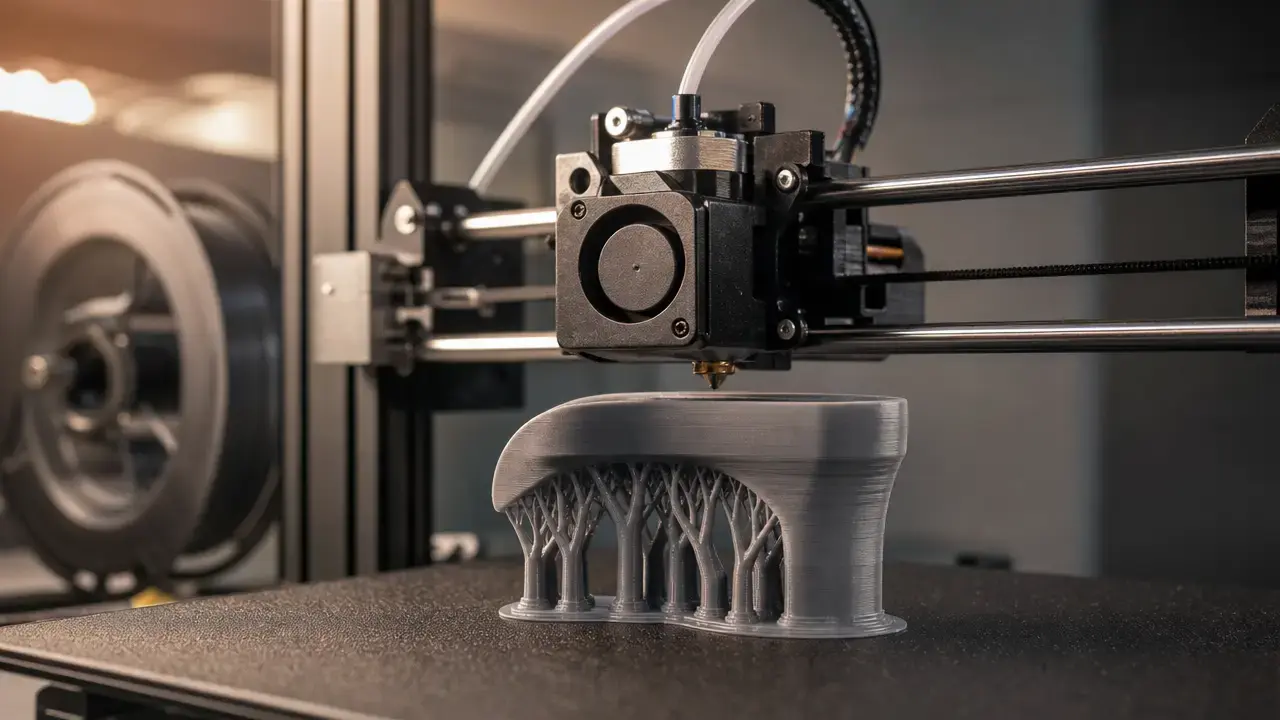
In a 0.4 vs 0.6 nozzle choice, a 0.4 mm nozzle is the versatile default, while a 0.6 mm nozzle is a throughput-oriented option for parts that suit wider lines and taller layers. In filament-based FDM/FFF, material extrusion (MEX) forms a part by selectively dispensing material through a nozzle or orifice. [2]
Nozzle diameter affects the practical range of line widths, layer heights, thin features, and visible stepping on sloped surfaces. It does not determine print time by itself. Maximum volumetric speed (MVS), expressed in mm³/s, limits how much plastic a hotend can reliably melt; cooling, acceleration, feature-specific speed limits, and part geometry also affect the result. [3] Small text, narrow walls, holes, and sharp contours often favor 0.4 mm. Broad shells and uncomplicated functional parts may benefit from 0.6 mm.
Terminology: nozzle diameter, line width, layer height, and what detail means
Material extrusion, or MEX, is the ISO/ASTM term for additive manufacturing in which material is selectively dispensed through a nozzle or orifice. ISO/ASTM 52900:2021 is the second edition of the standard, published in November 2021 and confirmed in 2025. [1] [2] FDM and FFF are common terms for filament-based MEX.
The nominal nozzle diameter is the physical opening in the nozzle, such as 0.4 mm or 0.6 mm. It does not guarantee resolution, surface finish, or dimensional accuracy, which also depend on molten-material behavior and XY and Z motion control. [9] Line width is the slicer’s target width for a deposited road, while layer height is the Z-axis increment between layers. With its default extrusion-width value set to zero, PrusaSlicer derives width from nozzle diameter, but that is slicer behavior rather than a physical rule. [4]
Small positive features include thin posts and raised text strokes. Negative features include gaps, slots, and clearances; holes are curved negative features with their own toolpath and compensation behavior. Feature reproduction asks whether a shape survives slicing and deposition. Dimensional accuracy asks how closely its measured size matches CAD. Unless noted otherwise, the examples here assume Arachne or another variable-line-width generator is enabled. Arachne has been PrusaSlicer’s standard perimeter generator since version 2.5.0 and varies perimeter and gap-fill widths as needed. [6] Variable-width strategies are also used in other mainstream slicers. [15]
How a 0.4 mm to 0.6 mm nozzle change alters deposition
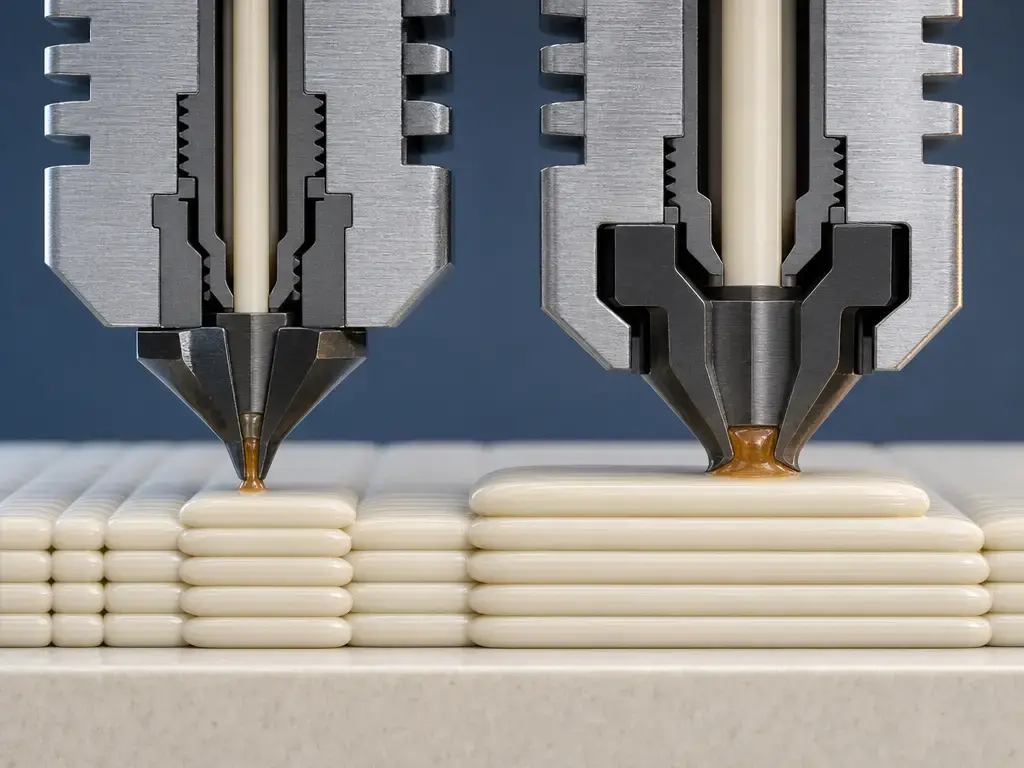
A nozzle change alters deposited bead geometry before it alters the visible result. Molten filament exits the orifice, is compressed against the previous layer or build surface, and becomes a road whose width and height are selected by the slicer. A wider or taller road has a larger cross-sectional area, so it can fill walls and infill with fewer paths. It also requires more material for every millimeter travelled.
Commanded print speed in mm/s is therefore not the same as material throughput in mm³/s. Prusa defines the MVS-limited speed as MVS divided by extrusion cross-sectional area. Its slicer uses a stadium-shaped cross-section model for a more accurate volume calculation than a simple rectangle. [3] Increasing line width or layer height can reduce the maximum travel speed permitted by the same MVS, even while increasing the material deposited per path.
For PrusaSlicer’s automatic-width behavior, a default extrusion-width value of zero derives a width of 1.125 times nominal nozzle diameter. That makes a 0.4 mm nozzle 0.45 mm and a 0.6 mm nozzle 0.675 mm. Prusa also gives roughly 110% of nozzle diameter as a general starting heuristic. These are slicer-guidance examples, not universal settings. [4]
The usable throughput ceiling is also influenced by extruder force, melt pressure, filament-path resistance, cooling, and feature-specific limits. A slicer may separately limit perimeter speed, MVS, overhang speed, cooling behavior, and minimum layer time. [3]
Speed is not one number
Print duration reflects commanded mm/s, bead cross-section, MVS in mm³/s, cooling, layer time, and acceleration. A 0.6 mm profile may reduce path count while still slowing individual features to remain within one or more active limits. [3]
0.4 mm vs 0.6 mm nozzle comparison table
This table is a decision aid, not a universal specification sheet. Results depend on the printer, material, selected profile, part geometry, cooling capacity, and maximum volumetric speed.
Variable-width perimeter planning can widen or thin lines and alter gap filling, so the same CAD wall may be handled differently by different slicers or profiles. [6] A 0.4 mm nozzle is generally more feature-friendly, while a 0.6 mm nozzle is generally more throughput-friendly when the part permits wider deposition.
| Factor | 0.4 mm (typical advantage) | 0.6 mm (typical advantage) | Important qualification |
|---|---|---|---|
| Small positive features, such as text strokes and thin posts | Finer toolpaths | — | Geometry and perimeter planning determine whether the feature survives. |
| Small negative gaps, slots, and holes | More room for narrower paths | — | Holes also depend on compensation, cooling, and orientation. |
| Layer stepping visibility at typical layer heights | Finer layer-height options | Taller layers and fewer layers | Surface angle and selected layer height matter. |
| Dimensional accuracy and tolerances | — | — | Calibration, shrinkage, pressure control, and compensation matter; neither nozzle guarantees accuracy. [9] |
| Potential throughput | — | Larger deposited cross-section | MVS, cooling, and geometry can limit the gain. [3] |
| Wall and perimeter planning | Suits narrow walls | Can reduce paths in broad walls | Variable-width planning can change both outcomes. [6] |
| Slicer adaptability | Fits common detail-oriented profiles | Fits broad, simple geometry | Profile settings remain decisive. |
Layer height, line width, and wall planning
Layer height is a profile choice constrained by nozzle diameter, printer capability, material, and surface requirements. Prusa advises a maximum layer height of roughly 70% to 80% of nozzle diameter and states that layer height cannot exceed nozzle diameter. [4] Bambu Lab’s H2D manual instead describes layer height as typically 50% of nozzle diameter, with a recommended range of 30% to 70%; its 0.4 mm example spans 0.12 mm to 0.28 mm. [11]
Applied arithmetically, that range gives 0.18 mm to 0.42 mm for a 0.6 mm nozzle: 0.6 × 0.30 = 0.18 mm and 0.6 × 0.70 = 0.42 mm. This calculation is derived from one vendor’s guidance, not a validated universal 0.6 mm profile. The tested profile for the specific printer takes priority.
Wall planning is not simply nozzle diameter multiplied by perimeter count. Adjacent roads overlap and have a shaped cross-section. Prusa’s example of 0.45 mm extrusion width at 0.2 mm layer height gives a suggested two-perimeter wall thickness of 0.86 mm rather than 0.90 mm. [5] Formlabs similarly uses 1.2 mm rather than 1.0 mm as a 0.4 mm-nozzle wall-planning example, but that is design guidance rather than a universal conversion rule. [10]
Design checks before choosing 0.6 mm
- Identify embossed or engraved details whose appearance depends on a minimum line width.
- Inspect gaps, slots, and internal clearances that must remain open.
- Check whether target wall thickness fits the planned wall count and Arachne behavior.
- Review curved and sloped surfaces for visible stepping at the intended layer height.
- Decide whether cosmetic appearance, functional output, or both are the priority.
- Examine delicate support interfaces and thin bridges separately from the main walls.
Does a 0.6 mm nozzle print faster than a 0.4 mm nozzle?
Often it can, but not automatically. A 0.6 mm nozzle can use wider lines, taller layers, or both, allowing broad regions to require fewer extrusion paths and fewer layers. That reduces time only if the requested deposition remains within the printer’s material-flow and feature-speed limits. MVS can cap travel speed as bead cross-section increases. [3]
A useful intuition is:
[
\text{flow} \approx \text{line width} \times \text{layer height} \times \text{speed}
]
If width and layer height increase, travel speed must decrease under the same flow limit. This rectangular expression is an estimate for intuition, not an exact slicer calculation. PrusaSlicer uses a stadium-shaped extrusion model, and real prints are subject to several overlapping constraints rather than one flow equation. [3]
There is no reliable universal time-saving percentage for a 0.6 mm nozzle. Small perimeters, bridges, overhangs, cooling rules, and minimum-layer-time requirements may dominate a print even when infill and long walls benefit from wider deposition. Compare matched slicer estimates, then verify representative parts under the same material and environmental conditions. [3]
How to compare your own slicer estimates fairly
- Use the same model and material.
- Match functional requirements, including wall thickness, infill, top and bottom thickness, and support strategy.
- Choose a surface or feature target first, such as similar stepping on visible faces, rather than comparing arbitrary presets.
- Set realistic MVS limits for the printer, hotend, nozzle, filament, and temperature combination. [3]
- Compare estimated time and, if tested, measured time.
Slicer workflow after changing nozzle diameter
Changing nozzle hardware is not a complete profile change. Select a printer profile that matches the installed nozzle, then confirm the nozzle-diameter setting used by the slicer. Prusa notes that this setting is primarily a machine limit and does not itself make PrusaSlicer generate thicker lines; extrusion-width setup remains essential. [4] Prusa also instructs users of its HT Hotend to select the correct printer profile and matching nozzle diameter. [7]
Revalidate the settings that translate the new nozzle diameter into deposited geometry: line-width strategy, Arachne behavior, layer-height range, first-layer settings, temperature, cooling, retraction, and pressure or linear advance where applicable. Bridges deserve separate review because their flow and cooling behavior may differ from ordinary perimeters. MVS should be set for the actual printer, hotend, nozzle, filament, and temperature condition rather than treated as a universal material constant. [3]
0.6 mm nozzle changeover checklist
- Select or create a profile for the actual 0.6 mm nozzle and intended perimeter generator, including Arachne where used. [6]
- Confirm the line-width strategy: automatic width or explicitly configured widths. [4]
- Use a validated, conservative layer-height range for the printer and nozzle combination. [4] [11]
- Revalidate first-layer adhesion, squish, and elephant-foot compensation if it is used.
- Recheck MVS for the printer, hotend, nozzle, filament, and temperature condition. [3]
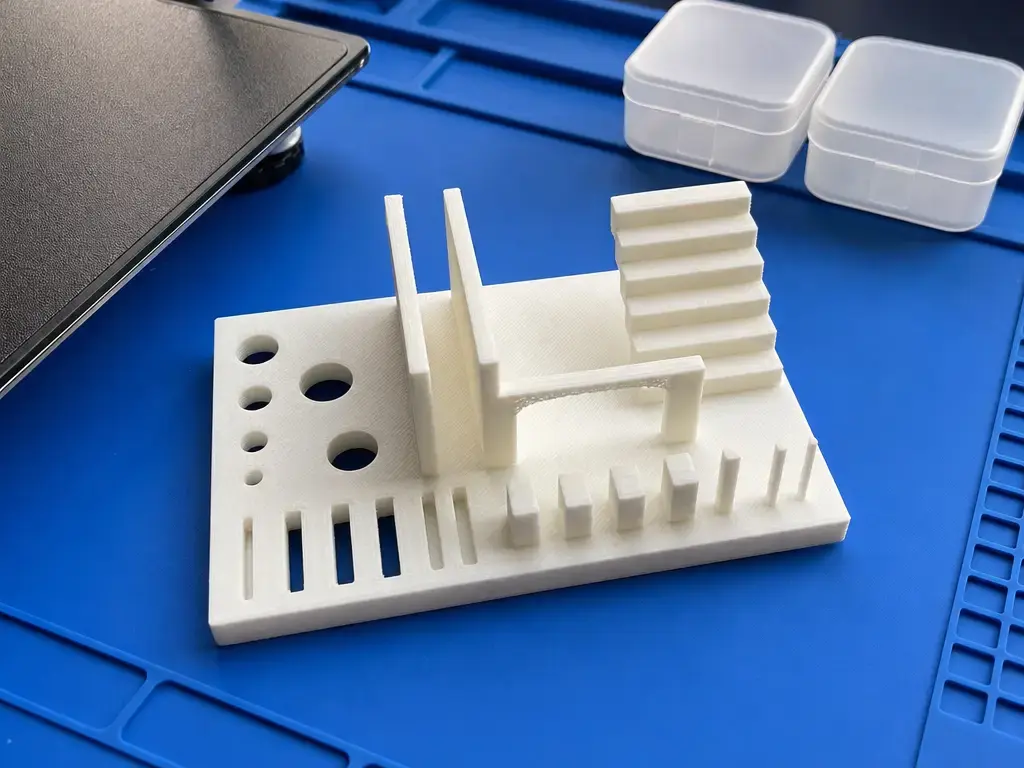
- Print a feature test covering text, thin walls, holes, gaps, bridges, overhangs, and support interfaces.
Feature reproduction versus dimensional accuracy
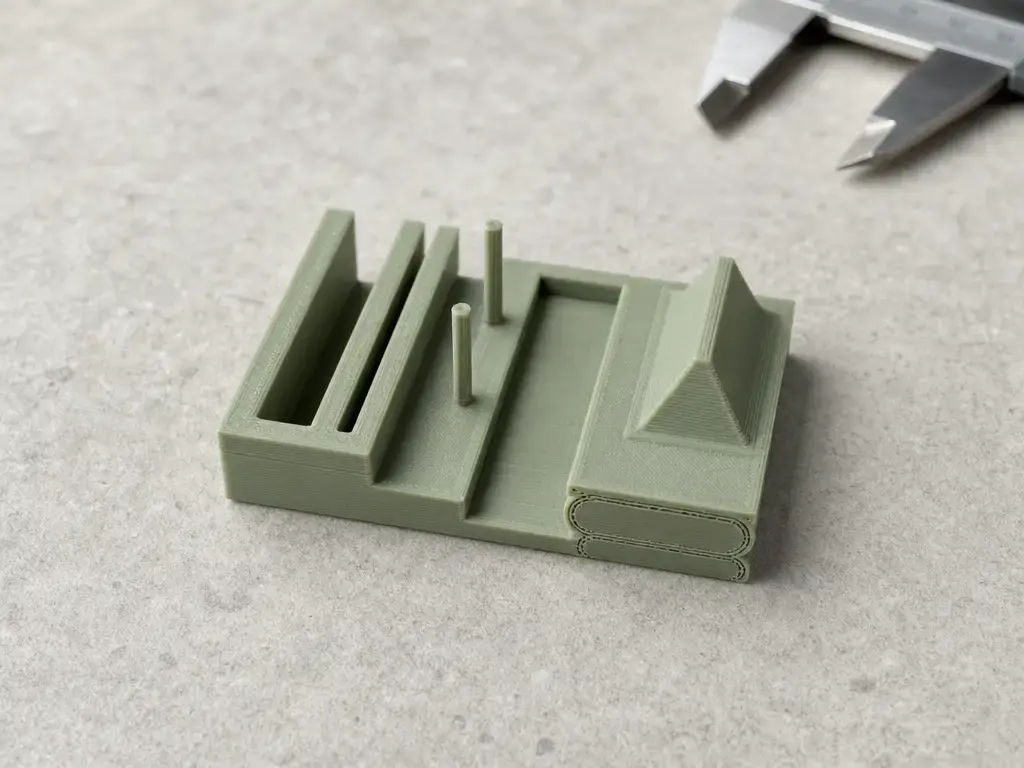
A smaller extrusion width can help reproduce thin positive features such as raised text and pins, as well as narrow negative features such as slots and gaps. This makes a 0.4 mm setup feature-friendly in many models, while a 0.6 mm setup is often throughput-friendly where wider roads fit. It is not an accurate-versus-inaccurate distinction. Finished dimensions also depend on motion behavior, material shrinkage, extrusion response, orientation, and compensation applied in CAD or the slicer. Nozzle diameter alone does not guarantee resolution or dimensional accuracy. [9]
Holes may need CAD oversizing or a slicer compensation setting, validated with a test part rather than a universal value. Arachne and gap-fill behavior can determine whether a marginal feature receives an extrusion path at all. [6] In PrusaSlicer, Detect thin walls can create a single perimeter for some thin regions, but walls below the effective single-perimeter width may still be ignored; the option is disabled when Arachne is active. [5] A slicer producing something recognizable is not the same as reproducing a feature with its intended dimensions.
Where a 0.4 mm nozzle is usually the better choice
A 0.4 mm nozzle is usually the better choice when a model demands small, closely spaced geometry rather than broad material deposition. Typical cases include miniatures, small text or logos, tight clearances, narrow slots, thin decorative features, and delicate support interfaces. It is also practical when a low layer height is chosen mainly to improve the appearance of shallow curves and sloped surfaces. These are conditional advantages, not proof that 0.4 mm is always more accurate. Finished dimensions and feature quality still depend on the complete printing system, material behavior, orientation, and settings. [9]
Where a 0.6 mm nozzle is usually the better choice
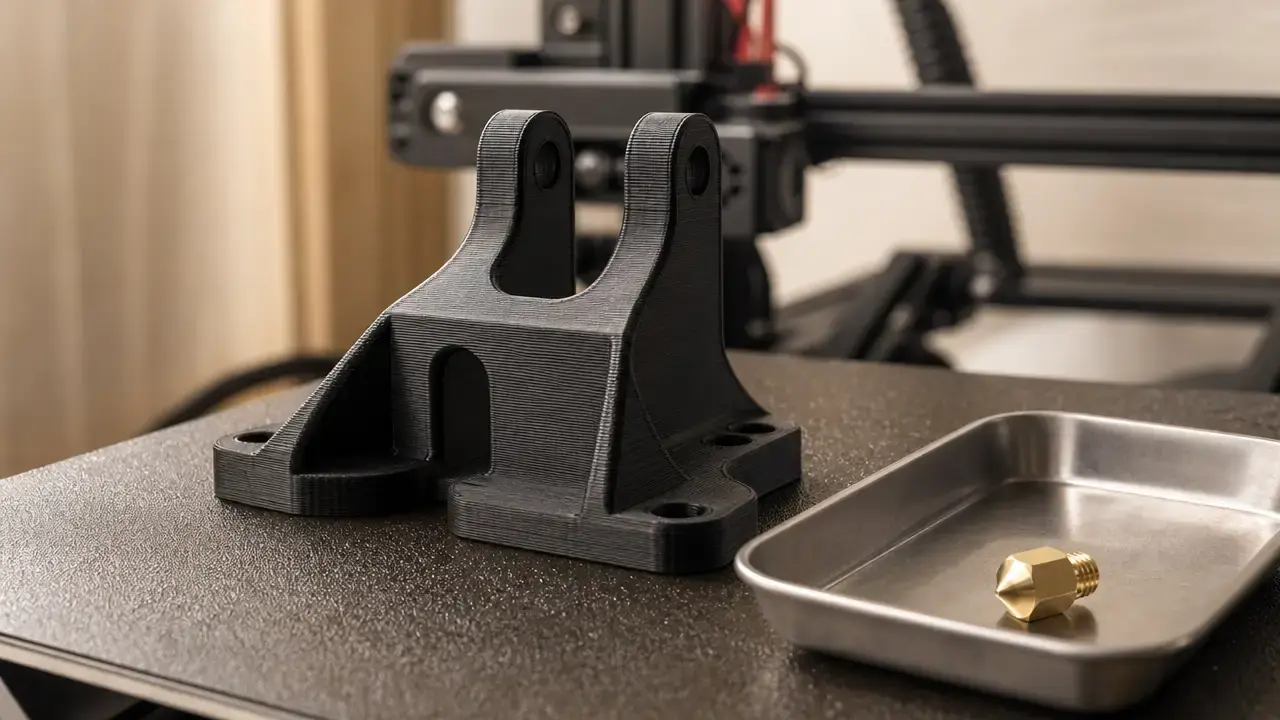
A 0.6 mm nozzle is usually a good fit for larger functional parts whose geometry is dominated by broad walls and long runs, including brackets, jigs, fixtures, enclosures, organizers, and early design drafts. These parts can often accept wider extrusion paths and less finely stepped surfaces in exchange for fewer toolpaths.
The advantage is conditional. Wider lines or taller layers must be acceptable for the required surfaces and features, while the printer must sustain the requested flow within MVS and cooling limits. [3] Small perimeters, holes, bridges, overhangs, cooling rules, and minimum-layer-time limits can still determine the overall schedule. A 0.6 mm nozzle is therefore a geometry- and profile-dependent throughput choice, not a universal upgrade.
Limitations: detail, thin walls, bridges, overhangs, cooling, and warping
A 0.6 mm nozzle does not remove limits imposed by geometry, material, fan capacity, temperature, bridge length, and cooling time. Small details and thin walls depend heavily on the slicer’s perimeter generator and settings. Variable-width planning and gap filling may preserve regions that a fixed-width strategy would omit, but results remain model-specific. [5] [6] Bridges and overhangs can require different flow, speed, and cooling behavior from ordinary walls, so wider-nozzle profiles need separate inspection rather than a global setting change.
Prusa notes that larger nozzle diameters deposit more solid material that must cool, which may increase warping, particularly with materials such as ASA and PC Blend. [8] Mechanical performance should not be ranked by nozzle diameter alone; material, geometry, orientation, and processing conditions all contribute to the outcome. [12]
Research and standards context: why there is no one upgrade answer
Material-extrusion research treats nozzle diameter as one condition within a larger process window. NIST’s review identifies factors including raster angle, air gap, filament width, layer height, and build orientation. [12] These variables can interact with geometry and material behavior, so changing from 0.4 mm to 0.6 mm does not isolate a single cause or produce one transferable result. A cited Rapid Prototyping Journal abstract likewise lists nozzle diameter, layer thickness, and orientation as separate parameters, without establishing a general outcome for this comparison. [17]
Mechanical or dimensional claims need reported process and testing context. ASTM F2971-13(2021) provides a practice for reporting data from additive-manufacturing test specimens, while ASTM F3489-23 highlights the multiple influences on reported polymer material-extrusion properties and the need to record relevant factors. [13] [14] These standards support traceable comparison; they do not prescribe 0.4 mm or 0.6 mm as the generally correct choice.
Conclusion: which is better in a 0.4 vs 0.6 nozzle choice?
For a 0.4 vs 0.6 nozzle decision, 0.4 mm remains the versatile option when feature reproduction, close-spaced geometry, and appearance-oriented layer heights matter. A 0.6 mm nozzle is more suitable when the model accepts wider lines and taller layers, and when fewer paths can reduce the work required. Neither diameter wins independently of the printer or part. MVS, feature-specific speed limits, cooling, overhangs, bridges, layer time, acceleration, and material behavior can all limit the result. [3] Select according to functional and visual requirements, then validate the chosen profile on the intended geometry and material.
FAQ
0.4 vs 0.6 nozzle: which is better for beginners?
A 0.4 mm nozzle is usually the simpler starting point because common printer profiles and model assumptions are often built around it. Choose 0.6 mm when the part has broad geometry and fewer toolpaths matter more than small features. Neither choice removes the need to match the slicer profile and extrusion settings to the installed nozzle. [4]
Does a 0.6 nozzle print faster than 0.4?
Often, but not automatically. Wider and taller extrusion paths can reduce the number of paths and layers, yet MVS, cooling, bridges, overhangs, and feature-specific speed limits may constrain the result. [3] There is no universal time-saving percentage. Compare matched slicer estimates, then measure representative prints if timing matters.
What layer height should I use with a 0.6 mm nozzle?
Use the validated profile for the printer and material first. Prusa describes a maximum layer height of roughly 70% to 80% of nozzle diameter, while Bambu gives a recommended 30% to 70% range. [4] [11] Applied arithmetically to 0.6 mm, Bambu’s range is 0.18 mm to 0.42 mm, but that is vendor-derived guidance rather than a universal profile.
Will a 0.6 nozzle reduce print quality compared to 0.4?
It can change appearance, but quality has several meanings. A 0.6 mm nozzle may make small details harder to reproduce and can show more layer stepping if taller layers are selected. It may also reduce paths on broad walls. Surface artifacts still depend on cooling, flow control, geometry, and settings, not nozzle diameter alone.
How do line width and Arachne or variable line width change thin-wall printing?
Variable-line-width generators such as Arachne can alter perimeter widths and gap fills to fit walls that fixed-width planning might omit or handle poorly. [6] This can improve the chance that a thin region receives a toolpath, but it does not guarantee the intended dimension, strength, or appearance. Inspect the sliced preview around narrow walls, gaps, and text.
What should I change in the slicer after switching from 0.4 to 0.6?
Select a matching 0.6 mm printer profile, then review the line-width strategy, Arachne or other variable-width settings, layer-height range, and first-layer behavior. [4] [6] Recheck temperature, cooling, retraction, bridge behavior, and MVS for the actual hotend, nozzle, filament, and temperature combination. [3] Test feature-heavy geometry before committing to production parts.
Sources
- ISO/ASTM 52900:2021 standard listing metadata — ISO
- ISO/ASTM 52900:2021 preview sample PDF — ISO/ASTM
- Max volumetric speed — Prusa Knowledge Base
- Creating profiles for different nozzles — Prusa Knowledge Base
- Layers and perimeters — Prusa Knowledge Base
- Arachne perimeter generator — Prusa Knowledge Base
- Using the HT Hotend — Prusa Knowledge Base
- Prusa nozzle types for Nextruder printers — Prusa Knowledge Base
- FDM vs. SLA vs. SLS — Formlabs
- Minimum wall thickness for 3D printing — Formlabs
- Bambu Lab H2D User Manual — Bambu Lab
- NISTIR 8059: Measurement Science Roadmap for Polymer-Based Additive Manufacturing — NIST
- Additive Manufacturing Standards — ASTM International
- ASTM F3489-23 listing page — ASTM International
- Get an engine boost with UltiMaker Cura and Arachne beta — UltiMaker
- Bambu Lab high-flow hotend support — E3D
- Rapid Prototyping Journal abstract mirror — Bishtref