
Summary
The X3D file format is an ISO-standard scene architecture and runtime model for interactive 3D, not just an XML model file. [1] [2] [8] The current architecture baseline is ISO/IEC 19775-1:2023, Edition 4, while .x3d specifically names the XML encoding of X3D rather than the whole standard. [1] [8]
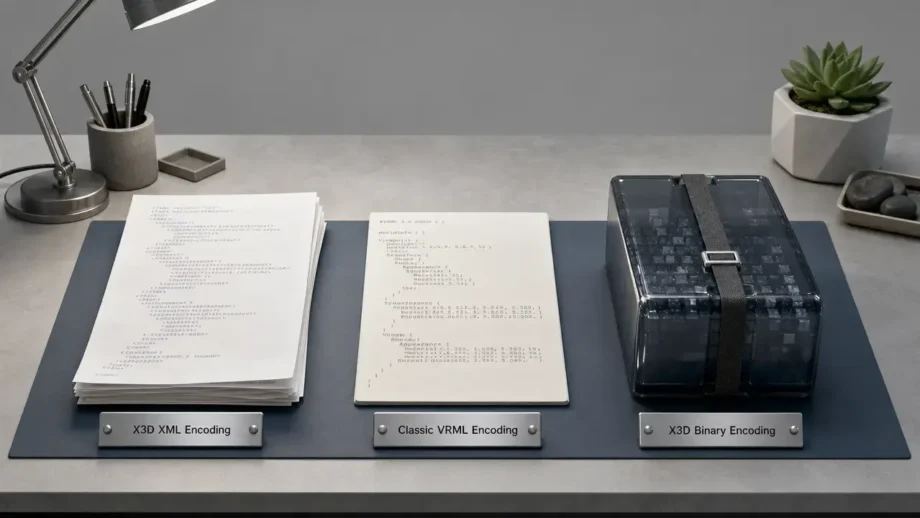
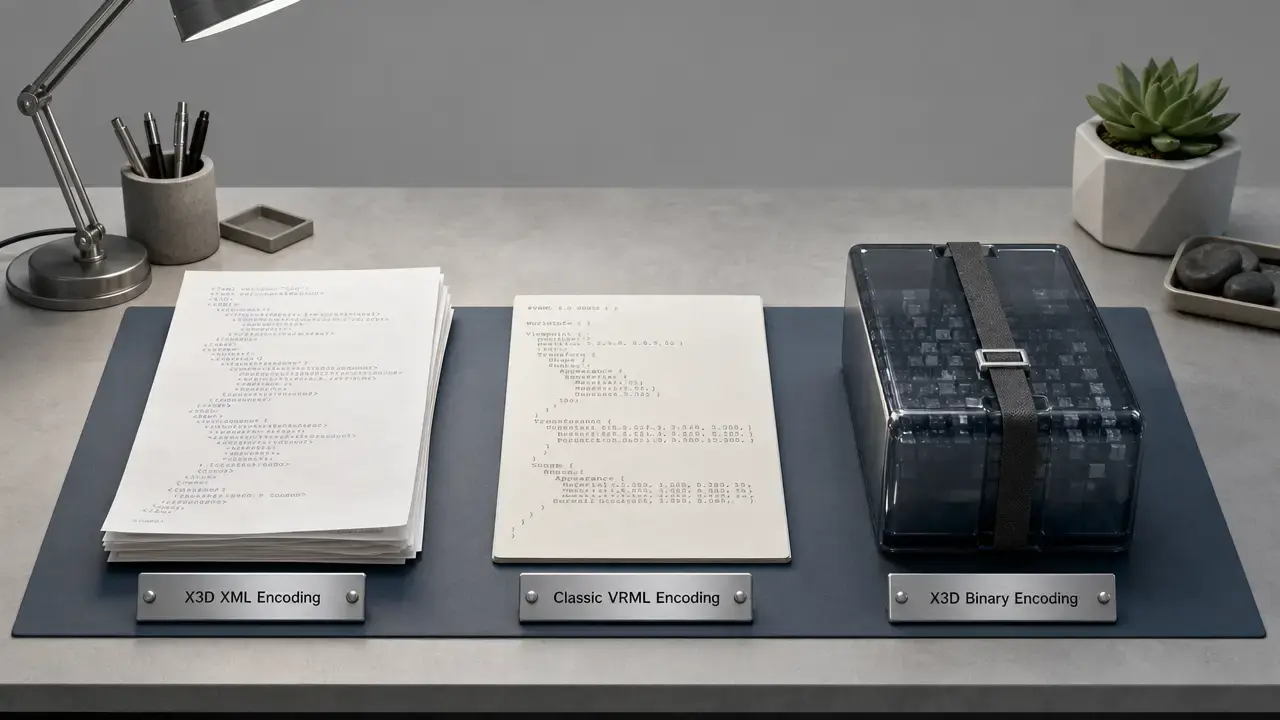
In practice, X3D scenes can be stored as .x3d, .x3dv, or .x3db, depending on how the same scene graph is encoded. [8] [9] [10] X3D is best understood as a family of coordinated standards with profiles, components, runtime behavior, and multiple encodings, not as a single mesh container. [1] [2] [25] That is why comparing X3D with glTF is useful: the two overlap in web 3D workflows, but they define different scopes and are not interchangeable in every pipeline. [2] [3] [24]
Historical background: from VRML97 to X3D4 architecture
X3D grew out of the VRML line of web 3D standards. VRML97 was published as ISO/IEC 14772-1:1997 in December 1997, and the X3D Working Group was formed in 1999 to address limitations in VRML97 while extending its scene-based approach. [11] [13] X3D later developed into a broader standards suite, with the architecture specified separately from its encodings. The XML, Classic VRML, and compressed binary encoding parts were all published as ISO standards in 2015. [5] [6] [7] The current architecture baseline was published in December 2023 as ISO/IEC 19775-1:2023, Edition 4. [1] Classic VRML syntax remains part of the X3D family, but legacy .wrl VRML97 files are still a distinct older format. [9] [11]
- 1997-12 — VRML97 published as ISO/IEC 14772-1:1997. [11]
- 1999 — X3D Working Group formed. [13]
- 2015 — ISO/IEC 19776-1/2/3 published for XML, Classic VRML, and compressed binary encodings. [5] [6] [7]
- 2023-12 — ISO/IEC 19775-1:2023 published as the current X3D architecture baseline. [1]
Technical principles: scene graph, nodes, ROUTEs, profiles, and components
At its core, X3D is a scene graph format rather than a flat model description. The architecture defines an X3D scene graph as a directed acyclic graph. [3] A node is one building block in that graph, and each node exposes values through its field definitions. [3] That makes X3D closer to a structured scene description than to a simple geometry container: along with shapes, an X3D scene can also store cameras, lights, metadata, interactions, hyperlinks, time-based behavior, and relationships between elements. [2] [3]
An X3D file contains zero or more root nodes in the abstract architecture. [3] The standard also defines shared spatial conventions, with some important nuance: the initial base unit for world-coordinate length is the metre, that default can be changed with UNIT statements, the base unit of time is seconds and cannot be changed, and the coordinate system is Cartesian, right-handed, and three-dimensional. [3] These rules improve interoperability, but they do not guarantee geometric accuracy or metrological precision in a workflow. [3]
X3D is modularized through profiles and components, so implementations can target declared subsets of the overall architecture. [1] [25] A ROUTE connects events between fields, which is one reason X3D is often described as runtime-capable rather than static. [3] In ISO terminology, a browser or viewer presents and executes the scene, while a loader may import content without applying its full run-time execution model. [3] In practice, that means a loader may bring in geometry, materials, and some transforms but fail to reproduce sensors, scripts, timing, or other scene logic. [3]
X3D encodings, extensions, and web media types
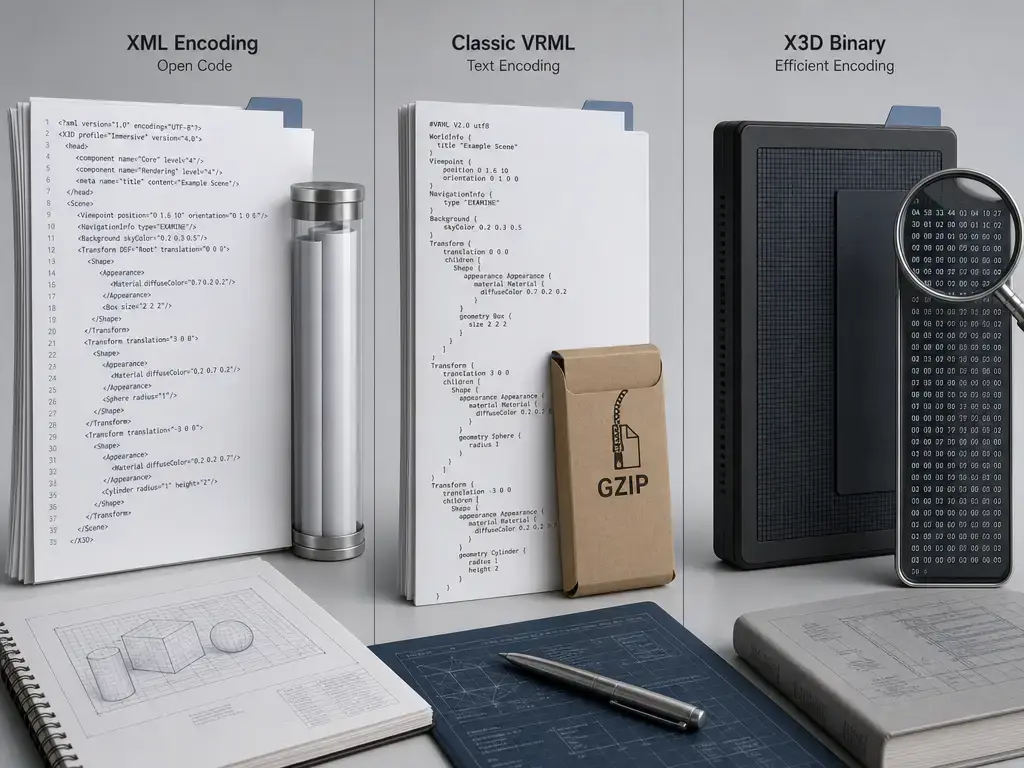
X3D has three ISO-published encodings: XML, Classic VRML, and compressed binary. [5] [6] [7] These are different encodings of the same X3D architecture, not separate 3D standards. [1] [25] gzip is not a fourth encoding; it is a compression or transport layer applied on top of an encoded file. [8] [9] [10] The most recent ISO-published encoding baselines cited here are ISO/IEC 19776-1:2015 for XML, ISO/IEC 19776-2:2015 for Classic VRML, and ISO/IEC 19776-3:2015 for compressed binary, all Edition 3. [5] [6] [7] No later ISO edition was found here for those three parts. [5] [6] [7]
That version split matters. X3D4 architecture is ISO/IEC 19775-1:2023, while the most recent ISO-published XML, Classic VRML, and compressed-binary encoding parts we found are ISO/IEC 19776-1/2/3:2015; Web3D tracks 4.0 encoding updates as draft or preliminary work rather than as ISO-published replacements. [1] [5] [6] [7] [12] Some tools also support X3D JSON, often discussed with .x3dj, but Web3D describes ISO/IEC 19776-5 JSON as work in progress, so it should not be presented as an ISO-published peer of the 2015 encoding parts. [12] [20] [26] Classic X3D syntax should also not be confused with legacy .wrl VRML97 files, which belong to the older VRML line even though the languages are historically related. [9] [11]
X3D file extensions vs MIME/media types (why both exist)
File extensions are the names users see on disk, while MIME or media types mainly matter when content is served over the web or passed through systems that depend on HTTP metadata. [16] [19] For X3D, that means local opening often depends on the application and extension, while web delivery depends heavily on the media type a server sends. [16] [17] [18] One extra complication is that some older Web3D 3.3 specification pages use model/x3d+vrml and model/x3d+binary, while IANA registers model/x3d-vrml and model/x3d+fastinfoset; for web serving, the IANA registrations are the safer baseline. [9] [10] [17] [18] [25]
| Encoding | Extensions | MIME/media type | Typical use |
|---|---|---|---|
| XML encoding | .x3d, .x3dz, .x3d.gz. [8] |
model/x3d+xml. [16] |
Readable or editable text; archival; interchange. [8] [25] |
| Classic VRML encoding (X3D Classic) | .x3dv, .x3dvz, .x3dv.gz. [9] |
model/x3d-vrml in IANA. [17] |
Compact text syntax with VRML-like structure. [9] |
| Compressed binary / Fast Infoset | .x3db, .x3db.gz; some registrations and legacy notes also mention .x3dbz. [10] [18] |
model/x3d+fastinfoset in IANA. [18] |
Binary-oriented transport and storage, with compression tradeoffs. [10] [18] |
| VRML97 (legacy reference) | .wrl, .wrz. [11] [20] |
model/vrml. [19] |
Legacy VRML content, not an X3D encoding. [11] [19] |
How to open an X3D file
To open an X3D file in a browser, use a JavaScript runtime or library such as X_ITE or X3DOM rather than assuming Chrome, Firefox, or Safari renders .x3d files natively. [20] [21]
Practical opening options include:
- Open the scene in a browser page that uses XITE, a JavaScript/WebGL X3D browser whose referenced page was updated on September 13, 2026 and lists XITE v16.4.1. [20]
- Open the scene in a browser page that uses X3DOM, which describes itself as requiring no plugin and working by including a JavaScript file. [21]
- Use a desktop viewer or engine with X3D support, such as Castle tools, but treat support as implementation-dependent. [22]
- Use Blender import or export cautiously; the Blender manual shows the X3D menu path, but third-party tooling notes significant feature gaps in Blender’s X3D pipeline. [22] [27]
- Convert only when the target format can preserve the semantics you need, such as interaction, ROUTEs, scripts, or metadata. [3] [24]
Support is profile-, component-, and node-dependent, so import and playback results vary by implementation. [3] A desktop content-creation tool may preserve geometry and materials while dropping sensors, scripts, ROUTEs, metadata, and other runtime behavior. [3] [22]
| Task | Best tool category |
|---|---|
| Inspect or edit text-based content. | Text editor or XML-aware editor for .x3d, or a text editor for .x3dv. [8] [9] |
| Validate or standards-check content. | Validator or standards checker appropriate to the encoding and feature set. [3] |
| Render interactively in a web page. | JavaScript runtime such as X_ITE or X3DOM. [20] [21] |
| View in an engine or desktop scene tool. | X3D-aware viewer or engine such as Castle tools, with implementation caveats. [22] |
| Deliver to modern web engines. | Consider conversion to glTF when asset delivery matters more than preserving full X3D runtime semantics. [24] |

X3D vs glTF format for web 3D
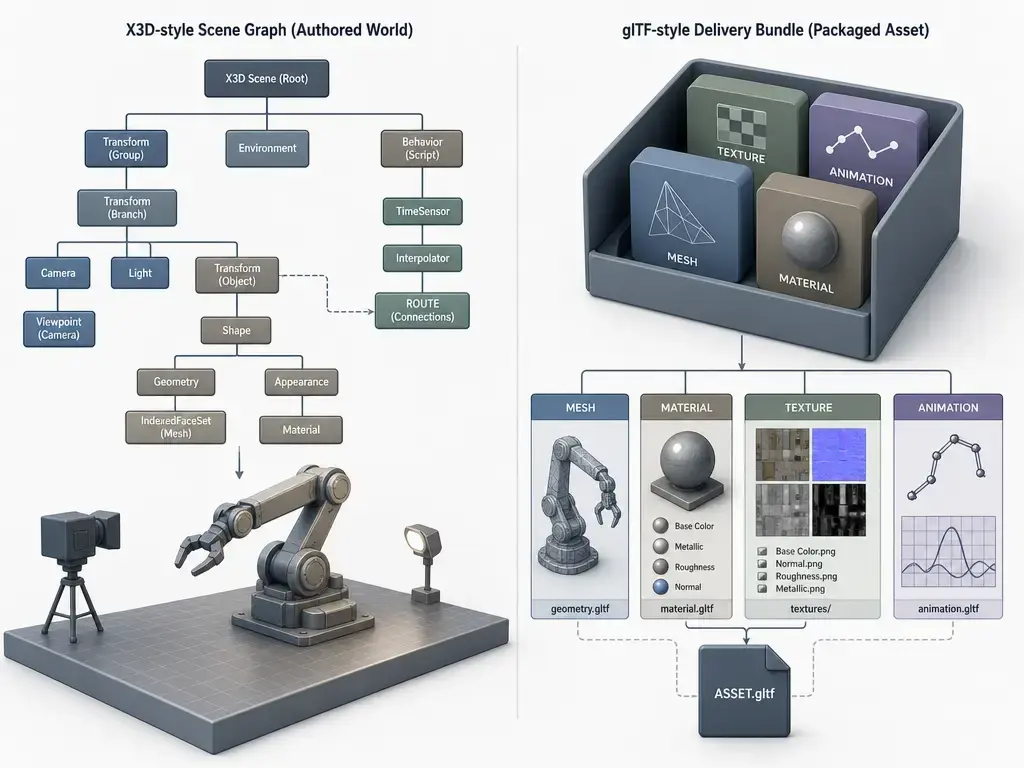
For most web delivery jobs, glTF is usually the better default for compact runtime asset delivery. [24] X3D is the better fit when you need a standards-based declarative scene graph with interaction, metadata, profiles, and event routing. [1] [2] [3] In other words, X3D vs glTF format is less a matter of replacement than of scope and workflow fit. [2] [24]
The key difference is scope. X3D defines a software system for network-enabled 3D graphics and multimedia, with an architecture that includes scene structure and runtime semantics. [1] [2] glTF, by contrast, is specified by Khronos as an API-neutral runtime asset delivery format and explicitly as an asset format that does not mandate runtime behavior. [23] [24] That means glTF can carry complete scenes, nodes, materials, cameras, and animations, but it does not standardize the same kind of event-routing model or integrated behavioral runtime that X3D does. [3] [24] If your content depends on ROUTEs, sensors, scripts, scene metadata conventions, or the broader X3D architecture, conversion to glTF may preserve visible geometry while losing part of the authored behavior. [3] [24]
| Criterion | X3D | glTF | Practical takeaway |
|---|---|---|---|
| Main purpose | Declarative scene architecture with runtime behavior. [1] [2] [3] | API-neutral runtime asset delivery format. [24] | X3D behaves more like a scene system; glTF behaves more like a delivery package. [2] [24] |
| Standards status | ISO/IEC 19775-1:2023 for the architecture. [1] | ISO/IEC 12113:2022 for glTF 2.0. [23] | Both are standardized, but they standardize different scopes. [1] [23] |
| Runtime behavior and interactivity | Event routing and time-based behavior are part of the model. [3] | Runtime behavior is not mandated by the format. [24] | Keep X3D when authored behavior matters. [3] [24] |
| Typical web pipeline today | Browser runtime or X3D-aware viewer, sometimes with conversion. [20] [21] | Direct asset delivery into engines and viewers is the intended design center. [24] | glTF is usually simpler when the goal is efficient asset publishing. [24] |
| Best fit | Interaction, structured scene semantics, standards-driven interchange, or archival readability. [1] [25] | Lean delivery of models, materials, and animations into modern pipelines. [24] | Choose by required semantics, not by format popularity. [3] [24] |
Performance, interoperability, and compatibility
Conformance tells you whether a file follows the standard, but it does not directly define performance or resource requirements. [4] A valid X3D scene can still be slow to load, expensive to render, or awkward to deploy if it uses large textures, heavy geometry, complex scripts, or unsupported features. [3] Compatibility is also implementation-dependent, because what matters is not only whether the syntax parses, but whether the target tool supports the profiles, components, and nodes used by the scene. [3]
When checking a real file or pipeline, look at:
- file size
- textures
- triangle count
- nodes or profiles used
- external URLs
- scripts
- validation errors
- viewer target
Applications: what the X3D format is used for
X3D still fits workflows that need more than a static asset package. The Library of Congress describes X3D as a format family with an associated runtime architecture, which helps explain where it remains useful. [25] In practice, it works best where scene structure, metadata, interaction, and standards context matter alongside geometry. [1] [25] Browser delivery is still possible through JavaScript runtimes such as X_ITE and X3DOM. [20] [21]
Typical uses include:
- web 3D publishing through JavaScript runtimes. [20] [21]
- education, training, and simulation scenes. [25]
- scientific and technical visualization. [25]
- metadata-rich or standards-driven interchange. [1] [25]
- CAD-adjacent visualization rather than parametric CAD authoring. [25]
- archival or preservation contexts where a documented scene model is valuable. [25]
Limitations and pitfalls
The main practical limitation is uneven tool support. X3D is broad, and implementations do not all support the same profiles, components, or nodes. [3] That means a file can be valid and still behave differently across viewers, loaders, engines, or DCC tools. [3] Conversion is another common source of loss: importers and exporters may preserve geometry while dropping event routing, metadata, scripts, sensors, or other runtime features. [3] Toolchain notes from Castle Game Engine illustrate this directly by warning that the current Blender exporter to X3D lacks many important features. [22] XML-based X3D can also feel verbose to author and exchange, which is a workflow inconvenience even when the file is technically correct. [8]
For untrusted files, treat X3D as active content. IANA’s X3D media-type registrations warn that X3D content can involve scripts, external URLs, and other linked resources, and that untrusted content should not be executed in an unprotected environment. [16] [17] The Fast Infoset registration also notes decompression concerns, including input that can expand greatly when processed. [18] This is not a claim that every X3D file is dangerous; it is a reminder to use normal security precautions with viewers, loaders, and web delivery of unknown content. [16] [17] [18]
Current standards and tooling context
As of September 28, 2026, the architecture baseline is ISO/IEC 19775-1:2023, Edition 4. [1] The XML, Classic VRML, and compressed-binary encoding parts cited in this article remain the ISO/IEC 19776-1/2/3:2015 publications, while Web3D’s standards-progress material tracks 4.0 encoding updates as draft or preliminary rather than as newer ISO-published replacements. [5] [6] [7] [12]
Tooling reflects that mixed status. X_ITE can load multiple related formats in one web runtime, which is useful in practice, but tool support does not equal ISO publication status. [20] Web3D’s JSON materials likewise describe ISO/IEC 19776-5 as work being prepared, with JSON Schema and extension details still treated as development work rather than as a finished ISO encoding on par with the 2015 trio. [12] [13] [26]
Practical takeaways: where the X3D file format fits today
The X3D file format fits best when you need interaction, scene-graph semantics, standards context, or archival readability rather than only compact runtime delivery. [1] [25] Keep X3D when those properties matter, or when the authored scene depends on behavior that goes beyond asset packaging. [3] Prefer glTF when the main goal is efficient delivery of models, materials, and animations into modern engines and web pipelines. [24] The most useful mental model is that X3D is a family and architecture, not just one syntax, so how you open and use it depends on both the encoding and the target workflow. [8] [25]
FAQ
What is an X3D file?
An X3D file is one encoding of the X3D architecture, not the entire standard by itself. [1] The .x3d extension specifically refers to the XML encoding, while X3D more broadly includes other encodings and a runtime architecture for interactive 3D scenes. [8] [25]
Is X3D the same as VRML?
No. VRML97 is the predecessor standard, published as ISO/IEC 14772-1:1997. [11] X3D evolved from that lineage and includes a Classic VRML encoding, but legacy .wrl VRML files remain part of the older VRML ecosystem rather than becoming X3D files automatically. [9] [11] [19]
How do you open an X3D file in a browser?
Typically by opening it through a page that uses a JavaScript runtime such as X_ITE or X3DOM. [20] [21] That is different from a browser natively handling .x3d as a built-in format. [20] [21]
Does Chrome, Firefox, or Safari open .x3d natively?
In normal practice, no. The usual method is to use a web runtime or library such as X_ITE or X3DOM, or a separate viewer or engine that understands X3D. [20] [21]
What is the difference between .x3d, .x3dv, and .x3db?
They are different encodings of X3D. .x3d is the XML encoding, .x3dv is the Classic VRML text encoding, and .x3db is the compressed-binary encoding. [8] [9] [10] gzip-compressed variants also exist, such as .x3dz, .x3dvz, and .x3db.gz. [8] [9] [10]
X3D vs glTF format: which is better for web 3D?
glTF is usually the better default when you need compact runtime asset delivery. [24] X3D is the better choice when you need declarative scene semantics, interaction, metadata, or the broader standards-driven runtime model. [2] [3]
Expert-level: how do X3D profiles and components affect interoperability between viewers?
They let implementations support declared subsets of X3D rather than the entire architecture at once. [1] That improves modularity, but it also means interoperability depends on whether a viewer or loader supports the profiles, components, and nodes used by the file. [3] A scene can therefore validate correctly and still lose behavior in another tool. [3]
Sources
- ISO/IEC 19775-1:2023 (X3D architecture, Edition 4) — https://www.iso.org/standard/82562.html
- Web3D spec: ISO/IEC 19775-1:2023 Scope — https://www.web3d.org/specifications/X3Dv4/ISO-IEC19775-1v4-IS/Part01/scope.html
- Web3D spec: ISO/IEC 19775-1:2023 Concepts — https://www.web3d.org/specifications/X3Dv4/ISO-IEC19775-1v4-IS/Part01/concepts.html
- Web3D spec: ISO/IEC 19775-1:2023 Conformance — https://www.web3d.org/specifications/X3Dv4/ISO-IEC19775-1v4-IS/Part01/conformance.html
- ISO/IEC 19776-1:2015 (XML encoding) — https://www.iso.org/standard/60502.html
- ISO/IEC 19776-2:2015 (Classic VRML encoding) — https://www.iso.org/standard/60503.html
- ISO/IEC 19776-3:2015 (Compressed binary encoding) — https://www.iso.org/standard/60504.html
- Web3D: 19776-1 XML concepts (extensions + MIME + gzip) — https://www.web3d.org/documents/specifications/19776-1/V3.3/Part01/concepts.html
- Web3D: 19776-2 Classic concepts (extensions + MIME + gzip) — https://www.web3d.org/documents/specifications/19776-2/V3.3/Part02/concepts.html
- Web3D: 19776-3 Binary concepts (extensions + MIME + gzip) — https://www.web3d.org/documents/specifications/19776-3/V3.3/Part03/concepts.html
- ISO/IEC 14772-1:1997 (VRML97 baseline) — https://www.iso.org/standard/25508.html
- Web3D: X3D Standards Progress (draft vs ISO status) — https://www.web3d.org/new/x3d/progress
- Web3D: X3D Standards Working Group page — https://www.web3d.org/working-groups/x3d-standards
- Web3D: What is X3D? — https://www.web3d.org/x3d/what-x3d
- Web3D: X3D4 Highlights (HTML5 / glTF PBR mention) — https://www.web3d.org/x3d4-highlights
- IANA: model/x3d+xml registration — https://www.iana.org/assignments/media-types/model/x3d%2Bxml
- IANA: model/x3d-vrml registration — https://www.iana.org/assignments/media-types/model/x3d-vrml
- IANA: model/x3d+fastinfoset registration — https://www.iana.org/assignments/media-types/model/x3d%2Bfastinfoset
- IANA: Media types master registry (includes model/vrml) — https://www.iana.org/assignments/media-types
- X_ITE: Getting Started (version/date + supported formats) — https://create3000.github.io/x_ite/
- X3DOM: homepage (JS runtime, no plugin) — https://www.x3dom.org/
- Castle Game Engine: “Scene Graph: X3D nodes” (implementation notes) — https://castle-engine.io/x3d
- ISO/IEC 12113:2022 (glTF as ISO standard) — https://www.iso.org/standard/83990.html
- Khronos: glTF 2.0 specification (purpose/scope/media types) — https://registry.khronos.org/glTF/specs/2.0/glTF-2.0.html
- Library of Congress: X3D file format family — https://www.loc.gov/preservation/digital/formats/fdd/fdd000490.shtml
- Web3D: X3D→JSON stylesheet converter (JSON encoding status language) — https://www.web3d.org/x3d/stylesheets/X3dToJson.html
- Blender manual (X3D import/export add-on page) — https://docs.blender.org/manual/en/4.1/addons/import_export/scene_x3d.html