

Summary: What a PRC File Is
A PRC file is a Product Representation Compact file standardized as ISO 14739-1:2014. In standards terms, PRC is a 3D content format designed for inclusion in PDF and similar document formats for 3D visualization and exchange, which is why most readers encounter it through 3D PDF workflows rather than as a general-purpose standalone CAD exchange format. [SR-01]
At a practical level, a PRC file can store triangular meshes and/or precise/B-rep geometry based on freeform curves and surfaces, including NURBS. It can also carry assembly structure and manufacturing metadata at a high level, so whether a given 3D PDF contains only viewable geometry or something closer to reusable CAD data depends on what was exported into the PRC payload. [SR-03]
Quick disambiguation: “.prc” can mean different things
The .prc extension is overloaded, so the filename alone is not enough to identify the format. In this article, PRC means Product Representation Compact, not other unrelated .prc formats. [SR-03]
- Product Representation Compact is the PRC discussed here. [SR-01]
- A PRC asset may exist as a standalone
.prcfile, but many users encounter it as embedded 3D content inside a PDF. [SR-02] [SR-03] - The
.prcextension is also used for unrelated formats, including a predecessor to Mobipocket. [SR-03] - For Product Representation Compact, IANA registers the extension
.prc, the media typemodel/prc, and the first three bytes50 52 43(PRC). [SR-02] - If a file is not clearly identified as Product Representation Compact, treat it as ambiguous until its source or container is confirmed. [SR-02] [SR-03]
Quick facts about the PRC file format
If you only need the essentials, the PRC file format is a binary, standards-based 3D representation used heavily in PDF-centric document workflows, with support for tessellation and precise/B-rep geometry. [SR-01] [SR-02] [SR-03]
- Full name: Product Representation Compact. [SR-01]
- Standard: ISO 14739-1:2014, Edition 1, published 2014-12, 284 pages. [SR-01]
- Media type:
model/prc. [SR-02] - File extension:
.prc. [SR-02] - Encoding: binary. [SR-02]
- Typical PDF context: embeddable in PDF 1.6 and later files. [SR-02]
- Geometry content: triangular meshes and/or precise/B-rep geometry, including NURBS-based surfaces. [SR-03]
- Standards access: the ISO page listed the standard at CHF 227 on 2026-09-23. [SR-01]
- Practical usage: the Library of Congress notes that, as of late 2019, PRC was used predominantly within PDF documents. [SR-03]
Standards map: PRC format vs PDF container vs embedding mechanisms
Three layers are easy to blur together: the PRC format itself, the PDF container that can carry it, and the annotation or profile rules that govern how 3D data is embedded. ISO 14739-1 defines the PRC format, but it does not define CAD-to-PRC conversion methods, rendering behavior, UI design, or required hardware and operating systems. [SR-01]
| Layer | What it governs | Relevant spec/profile | Why it matters to readers |
|---|---|---|---|
| PRC format | The 3D representation itself. | ISO 14739-1:2014. [SR-01] | Defines what PRC can store, not how a converter or viewer must behave. [SR-01] |
| PDF container context | Where PRC lives inside a document. | PDF context referenced by ISO and IANA; PRC can be embedded in PDF 1.6+ files. [SR-01] [SR-02] | Distinguishes the PRC payload from the PDF wrapper. |
| 3D annotation vs RichMedia annotation | The embedding mechanism used for 3D assets. | PDF/A-4e profile. [SR-12] | Tells you whether the 3D asset follows the older 3D annotation path or the more flexible RichMedia path. |
| PDF/A-4e engineering profile | Constraints for archival engineering PDFs with 3D. | PDF/A-4e. [SR-12] | RichMedia is recommended; 3D annotations are constrained to U3D or PRC. [SR-12] |
| STEP AP242 in RichMedia | STEP-based 3D assets in PDF. | ISO/TS 24064:2023. [SR-13] | Shows that some 3D-in-PDF workflows are not limited to PRC or U3D. |
| Errata and revision pipeline | Corrections and ongoing PRC revision work. | PDF Association errata hub. [SR-15] | Best public place to track corrections while ISO revision work continues. |
PRC file vs PRC in 3D PDF: what’s actually inside the PDF?
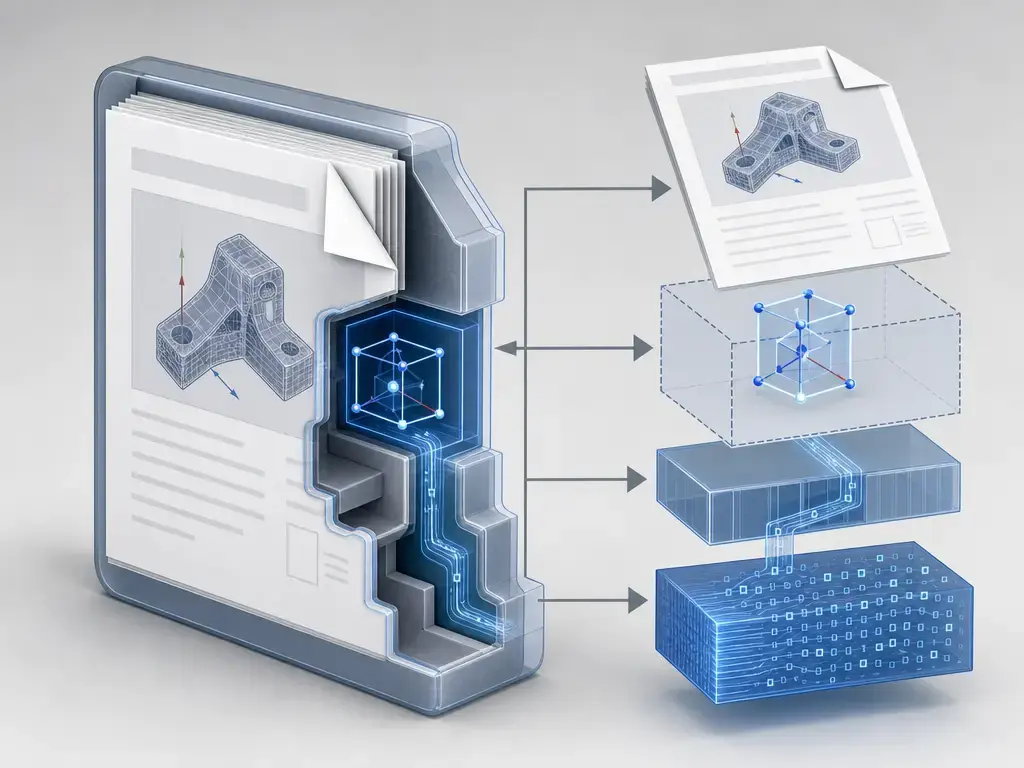
In a 3D PDF workflow, PRC is not the page content itself. The PDF is the container, and the PRC data is the embedded 3D representation. Adobe’s SDK documentation says PRC data can appear in PDF documents as streams referenced by 3D annotations, and IANA says PRC can be embedded inside PDF 1.6 and later files. [SR-04] [SR-02]
That distinction matters because a standalone .prc file and a PRC stream inside a PDF are not the same experience. The Library of Congress notes that, as of late 2019, the predominant use of PRC was within PDF documents, so many users first meet PRC through an interactive 3D PDF rather than by handling a bare PRC file directly. [SR-03]
PRC vs U3D: which is better for 3D PDF?
There is no universal winner. The Library of Congress describes PRC and U3D as the two formats supported by PDF standards for embedded 3D artwork, but they emphasize different strengths. PRC is the better fit when you need precise/B-rep-oriented engineering data in a document workflow, while U3D retains strengths around animation, streaming, and some legacy PDF workflows. [SR-11] [SR-03] [SR-09]
| Feature | PRC | U3D | What this means in practice |
|---|---|---|---|
| Animation | No pre-determined animation sequences or skeleton structures (standard). [SR-03] | Key-frame and bones-based animation; progressive streaming/playback (standard). [SR-09] | If animation-rich behavior matters, U3D has the stronger standards-based feature set. |
| Precise/B-rep geometry | Triangular meshes and/or precise/B-rep geometry, including NURBS (standard). [SR-03] | In common PDF tooling, U3D is usually more mesh/CLOD-oriented; in one HOOPS Publish export matrix, U3D export preserves assembly tree and tessellation but not B-rep, PMI, or views (common workflow/tooling). [SR-16] | PRC is usually the safer choice when model precision matters and the export preserved it. |
| PDF edition constraints | Supported in PDF 3D workflows and embeddable in PDF 1.6+ (standard). [SR-02] [SR-11] | PDF 2.0 only supports U3D as defined by ECMA-363 3rd Edition (standard). [SR-10] | Edition details can affect interoperability and validation. |
| External references | Does not support external references (standard). [SR-02] | Can contain references to external data using HTTP or FTP URLs (standard). [SR-10] | If your workflow depends on external assets, confirm how the target viewer and profile handle them. |
A useful rule of thumb is that PRC tends to fit engineering-document workflows, while U3D still matters where animation features, continuous level of detail, or older viewer compatibility drive the choice. Real results still depend on the authoring workflow and the PDF viewer that has to render the file. [SR-03] [SR-09] [SR-16]
A short history
ISO 14739-1:2014, Edition 1, was published in December 2014. The ISO page says the standard was last reviewed and confirmed in 2021, and its lifecycle now shows “International Standard to be revised” with stage 90.92 dated 2025-02-11. That means the 2014 edition remains current, but revision work is underway. [SR-01]
Adobe’s SDK documentation also mentions support for “PRC format version 7094 and earlier” in older Acrobat-era tooling. That is best treated as legacy product-era format nomenclature, not as an alternative ISO edition. Separately, the PDF Association’s errata page says a formal dated revision is being prepared, which confirms active maintenance without implying that a replacement standard has already been published. [SR-04] [SR-15]
What data a PRC can contain: geometry, tessellation, and compression
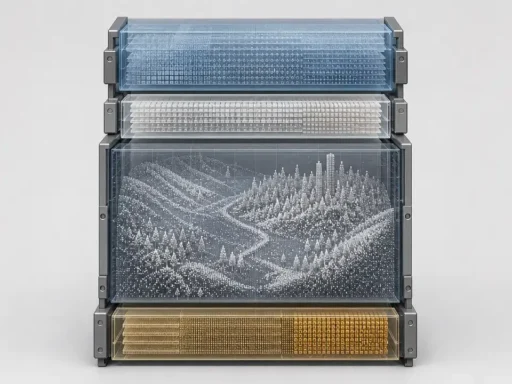
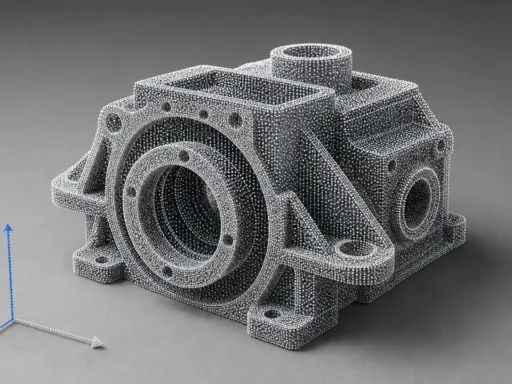
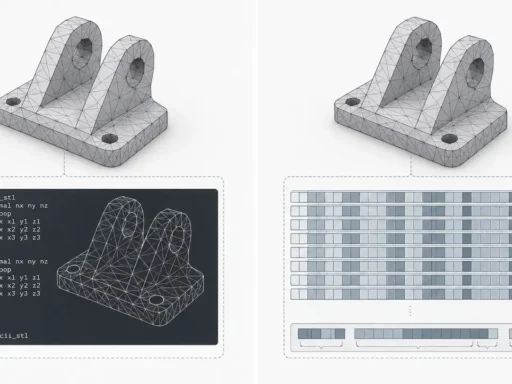
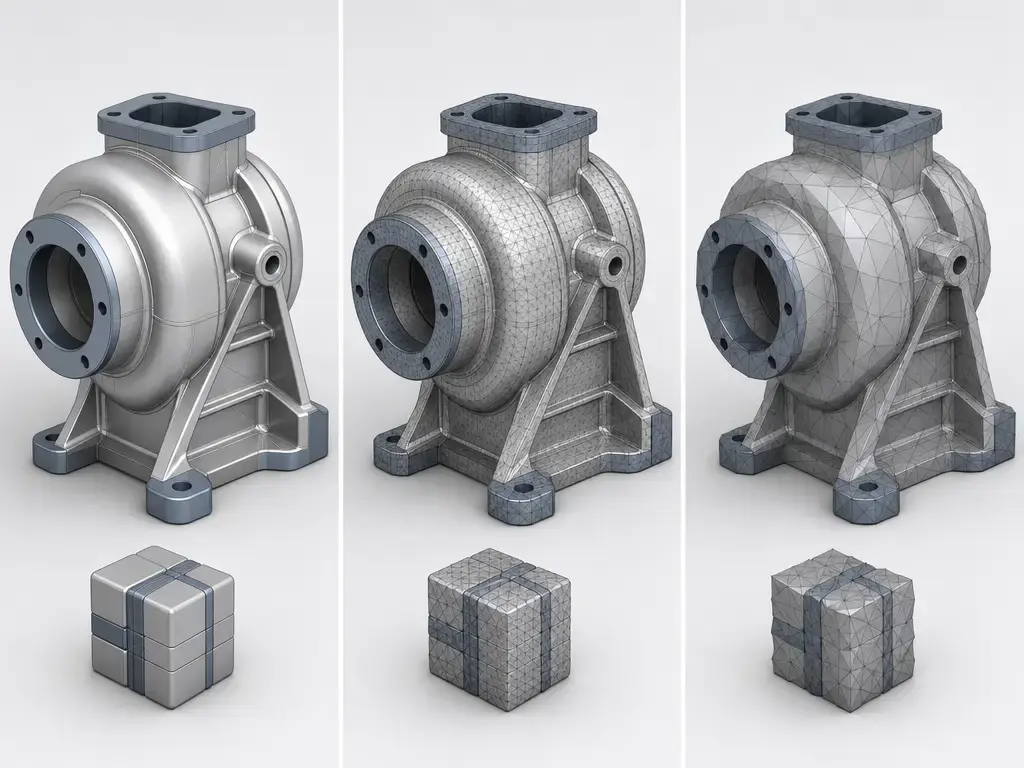
B-rep means boundary representation: a model described by faces, edges, topology, and mathematically defined surfaces. Tessellation or mesh means a faceted approximation built from polygons, usually to make display and lightweight exchange easier. PRC can store either form or both, which is why one PRC file may behave like a lightweight visual model while another retains data closer to a reusable CAD representation. [SR-03]
PRC also supports freeform curves and surfaces, including NURBS. The Library of Congress says PRC supports triangular meshes and/or “precise” geometry, and that a FileStructure can contain assembly-tree information, precise geometry, and tessellation data. A PRC payload may therefore contain the smooth mathematical definition, a faceted display form, or both together. [SR-03]
PRC is called compact because it is a sequential binary format with an uncompressed global header followed by FileStructures that each have an uncompressed header and an individually compressed block of data. That can make files efficient to deliver, but there is no universal compression ratio because size depends on the source model, what geometry was retained, and how the export workflow was configured. [SR-03]
Vendor documentation helps explain why two PRC files can differ so much. Tetra4D documents PRC B-rep, PRC B-rep plus tessellation, and PRC tessellation-only modes, while HOOPS Publish claims PRC is often 20 to 100 times smaller than a native CAD file. That size figure should be treated as a vendor claim against native CAD as the baseline; no reliable independent universal figure was found. [SR-17] [SR-16]
Before you assume a PRC contains reusable CAD geometry, check the following:
- Confirm that it is really PRC by checking the extension, media type, magic bytes, or the tool that produced it. [SR-02]
- Determine whether the file contains precise/B-rep geometry, tessellation only, or both. [SR-03] [SR-17]
- Check whether export tolerance or compression settings were used; Tetra4D, for example, documents workflow-specific settings including guidance around
0.001 mmwhen geometry export is planned. [SR-17] - Verify that your viewer or downstream converter supports the representation you need. [SR-16] [SR-17]
- If the PRC is embedded in a PDF, also verify document trust and 3D enablement before assuming the model is unusable. [SR-06] [SR-07]
Assemblies, PMI, metadata, and views (workflow-dependent)
PMI means product and manufacturing information, such as dimensions, GD&T, notes, and related manufacturing annotations. It is not the same thing as generic metadata, and it is not automatically present just because a file is PRC. Assembly structure, PMI, saved views, and related data are preserved only when the authoring/export workflow preserves them. [SR-03] [SR-18]
The Library of Congress describes PRC as capable of representing geometry, physical structure, and manufacturing metadata, and says a PRC FileStructure can carry assembly-tree information. Tool-specific documentation from HOOPS Publish shows a PRC-centered workflow that supports Assembly Tree, Topology & Geometry, PMI, and Views, but those are workflow capabilities, not guarantees of every PRC file. NIST’s MBE guidance is a useful frame here: lightweight formats matter because they can let humans view, and in some cases software consume, geometry and PMI when the authoring/export workflow preserves it. [SR-03] [SR-16] [SR-18]
How to open a PRC file or PRC-based 3D PDF (and why it may not play)
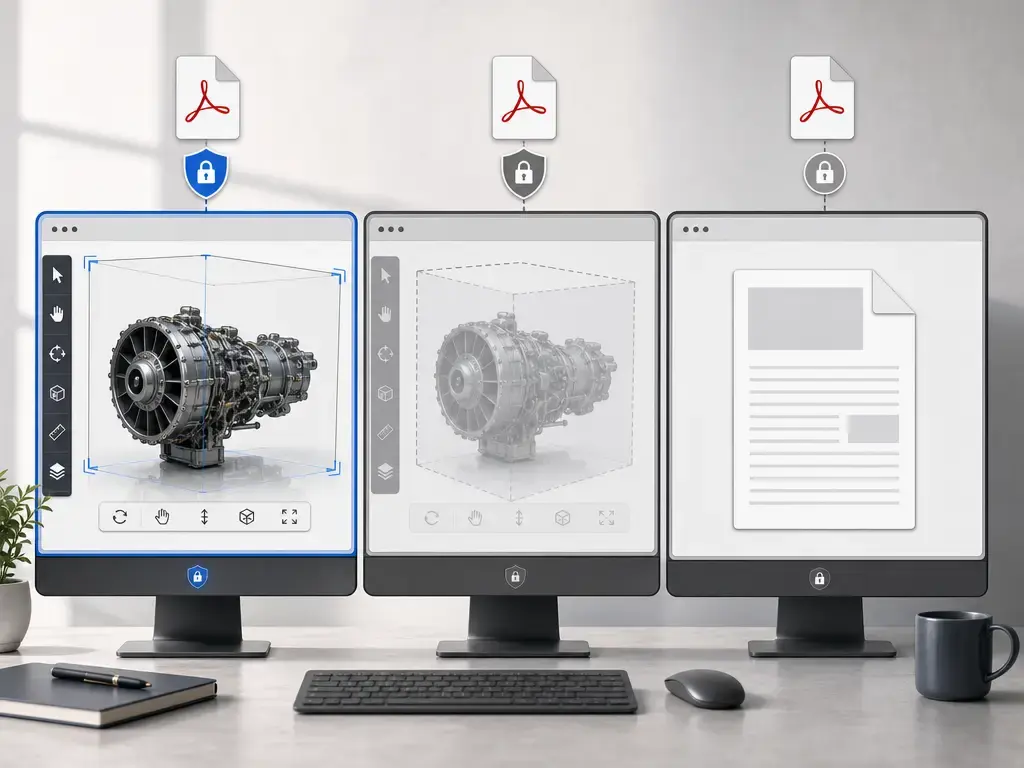
The first practical issue is security, not geometry. Adobe says 3D content in PDFs is disabled by default because of potential security vulnerabilities, and its newer help pages describe autoplay as turned off by default. So if you open a PRC-based 3D PDF and nothing interactive happens, that does not immediately mean the PRC is corrupt. [SR-06] [SR-07]
In Acrobat or Reader, trusted files can be enabled temporarily or permanently, and Adobe documents privileged locations for files, folders, and hosts. For enterprise environments, Adobe’s toolkit shows that the October 13, 2015 behavior change made 3D disabled by default, integrated 3D into the Trust Framework, set b3DEnableContent default to 0, and exposed policy controls such as HKCU ... \3D\b3DEnableContent and HKLM ... FeatureLockDown\bEnable3D. [SR-07] [SR-08]
Support also varies outside Acrobat. MuPDF’s documentation lists RichMedia and 3D among annotation types “not supported yet,” and MuPDF.js marks 3D annotation creation support as “No.” So a 3D PDF that behaves correctly in Acrobat may appear inert in another PDF engine even when the embedded PRC data itself is fine. [SR-19] [SR-20]
5-step opening and troubleshooting checklist:
- Confirm that the file is Product Representation Compact and not another unrelated
.prcformat. [SR-03] - If it is a PDF, open it in a 3D-capable PDF viewer and expect trust prompts. [SR-06] [SR-07]
- Enable 3D only for trusted files. [SR-06] [SR-07]
- Determine whether the embedded model contains precise/B-rep geometry, tessellation only, or both. [SR-03]
- If you need to export or reuse the data, verify permissions and tool support first. [SR-04] [SR-17]
Converting and exporting: PRC ↔ 3D PDF ↔ STEP/mesh (what’s realistic)
A common misconception is that Acrobat is a general CAD translator. Adobe’s SDK says that starting with Acrobat X, the ability to convert various 3D formats for use with PDF is no longer supported. In current terms, Acrobat Pro can add a 3D model in U3D 3rd Edition or PRC format to a PDF, but CAD-to-PRC or CAD-to-3D-PDF conversion is typically the job of dedicated converters, SDKs, or CAD-side publishing workflows. [SR-04] [SR-05]
Exporting back out depends on what is actually inside the PRC and on what permissions and tools you have. If the file contains precise/B-rep geometry and the authoring/export workflow preserved it, some tools can export formats such as IGES, Parasolid, STEP, STL, U3D, VRML, and OBJ. If the file contains tessellation only, reuse is usually more limited and more display-oriented than CAD-reconstruction-oriented. Tetra4D’s documentation is a useful example here precisely because it distinguishes B-rep, B-rep-plus-tessellation, and tessellation-only PRC modes. [SR-17]
Where PRC fits vs STEP, STL, 3MF (choose by intent)
PRC occupies a document-centric niche. ISO describes it as designed for inclusion in PDF and similar document formats for 3D visualization and exchange, so it makes sense when the goal is to distribute a compact 3D model inside a controlled document workflow rather than to replace every neutral CAD exchange format. [SR-01]
NIST’s MBE framing helps explain why. Lightweight derivative formats are useful because they let people review geometry and, in some workflows, PMI without requiring every recipient to own the full authoring CAD system. That is a different goal from full engineering interchange or manufacturing handoff. [SR-18]
- Use PRC when you need a compact 3D model inside a PDF-centric document workflow. [SR-01]
- Use STEP when downstream CAD exchange and reuse matter more than document embedding.
- Use STL or 3MF when the target is manufacturing handoff rather than interactive 3D PDF viewing.
Limitations, security, and compatibility risks
The biggest real-world limitation is workflow friction. Adobe disables 3D by default and ties trusted rendering to its security model, so a valid PRC-based PDF can still appear inert until the file is trusted or 3D is enabled. [SR-06] [SR-08]
At the format level, PRC itself does not support encryption, even though the containing PDF can be encrypted. IANA also notes that PRC may contain sensitive industrial or intellectual-property data, does not support external references, lacks inherent integrity or security mechanisms, and can require protection against resource exhaustion during parsing because it is compressed and model complexity can be high. [SR-03] [SR-02]
PRC is also not easy to inspect with simple text tools. The Library of Congress describes it as a binary sequential format with compressed internal blocks, which is efficient for delivery but less transparent for troubleshooting. And because viewer support varies, a non-Adobe engine that does not implement 3D or RichMedia annotations may fail long before the format’s geometric content becomes the issue. [SR-03] [SR-19]
Current standards context: what’s changing (and what isn’t)
As of 2026-09-23, ISO 14739-1:2014 remains the governing PRC standard. ISO says the publication was last reviewed and confirmed in 2021, while the lifecycle also shows “International Standard to be revised” dated 2025-02-11. The conservative reading is simple: the current edition is still current, but it is not frozen forever. [SR-01]
The PDF Association’s errata hub says a formal dated revision is being prepared. Around that core PRC standard, the adjacent PDF standards picture is also evolving: PDF/A-4e supports both RichMedia and 3D annotations and recommends RichMedia, while ISO/TS 24064:2023 extends ISO 32000-2 so STEP AP242 can be used as a valid 3D asset in RichMedia annotations. That is important standards context, but it should not be mistaken for proof of broad implementation across readers and toolchains. [SR-15] [SR-12] [SR-13]
Key takeaways: when to use a PRC file
A PRC file makes the most sense when you want a compact, PDF-friendly 3D representation that may carry tessellation, precise/B-rep geometry, or both, depending on what the export preserved. It is especially relevant for technical publishing, controlled review, supplier communication, and MBD/MBE-adjacent workflows where the 3D model needs to travel with the document. [SR-01] [SR-03]
- Verify whether the file contains precise/B-rep geometry, tessellation only, or both before expecting CAD reuse. [SR-03]
- Expect viewer and security constraints, because embedded 3D may be disabled by default even when the file is valid. [SR-06] [SR-08]
- Choose U3D when animation-oriented PDF behavior matters more than precise model retention. [SR-03] [SR-09]
- Choose STEP when downstream engineering exchange matters more than embedded document viewing.
- Choose STL or 3MF when manufacturing handoff is the goal, not 3D PDF delivery.
FAQ
What is a PRC file?
A PRC file is a Product Representation Compact file standardized as ISO 14739-1:2014 for 3D content used in document-oriented workflows such as 3D PDF. [SR-01]
What is PRC format in 3D PDF?
In a 3D PDF, PRC is typically the embedded 3D payload, while the PDF is the outer container. Adobe’s SDK describes PRC in PDFs as streams referenced by 3D annotations. [SR-04]
PRC vs U3D: which is better for 3D PDF?
Neither is universally better. PRC is usually the stronger choice for precise/B-rep-oriented engineering content, while U3D has the stronger standards-based animation and streaming feature set. [SR-03] [SR-09]
How to open a PRC file?
If the PRC is inside a PDF, use a 3D-capable PDF viewer and expect security prompts in Acrobat or Reader because 3D content is disabled by default. Outside Acrobat, support varies. [SR-06] [SR-07] [SR-19]
Can a PRC file store exact CAD geometry?
It can store precise/B-rep geometry, but that does not mean every PRC file does. A PRC may contain precise/B-rep geometry, tessellation only, or both, depending on what the authoring/export workflow preserved. [SR-03] [SR-17]
Expert: What’s the difference between a 3D annotation and a RichMedia annotation for 3D assets in PDF/A-4e?
PDF/A-4e allows both. The profile recommends RichMedia; in the 3D annotation path, the model must be U3D or PRC, while RichMedia can reference other 3D asset formats, including STEP and glTF, if they use valid IANA media types. [SR-12]
Expert: Why might a PDF 2.0 workflow constrain U3D to ECMA-363 3rd Edition, and why does that matter?
Because IANA’s model/u3d registration notes that PDF 2.0 only supports U3D as defined by ECMA-363 3rd Edition. That matters because edition-level differences can affect interoperability, validation, and what features a PDF workflow can safely rely on. [SR-10]
Sources
- SR-01. ISO 14739-1:2014 — Document management — 3D use of Product Representation Compact (PRC) format — Part 1: PRC 10001. https://www.iso.org/standard/54948.html
- SR-02. IANA — Media type registration for model/prc. https://www.iana.org/assignments/media-types/model/prc
- SR-03. Library of Congress — Product Representation Compact (PRC) File Format. https://www.loc.gov/preservation/digital/formats/fdd/fdd000496.shtml
- SR-04. Adobe Acrobat SDK — Parsing and Creating PRC Files. https://opensource.adobe.com/dc-acrobat-sdk-docs/library/plugin/Plugins_A3D_API.html
- SR-05. Adobe Help — Adding 3D models to PDFs (Acrobat Pro). https://helpx.adobe.com/acrobat/using/adding-3d-models-pdfs-acrobat.html
- SR-06. Adobe Help — Displaying 3D models in PDFs. https://helpx.adobe.com/acrobat/using/displaying-3d-models-pdfs.html
- SR-07. Adobe Help — Enable 3D content in PDF. https://helpx.adobe.com/acrobat/using/enable-3d-content-pdf.html
- SR-08. Adobe Enterprise Toolkit — 3D Settings. https://www.adobe.com/devnet-docs/acrobatetk/tools/PrefRef/Windows/3D.html
- SR-09. Ecma International — ECMA-363: Universal 3D file format. https://ecma-international.org/publications-and-standards/standards/ecma-363/
- SR-10. IANA — Media type registration for model/u3d. https://www.iana.org/assignments/media-types/model/u3d
- SR-11. Library of Congress — Universal 3D (U3D) format family. ECMA-363, Editions 1-4. https://loc.gov/preservation/digital/formats/fdd/fdd000491.shtml
- SR-12. Library of Congress — PDF/A-4e: PDF/A for Engineering, Use of ISO 32000-2 (PDF/A-4). https://www.loc.gov/preservation/digital/formats/fdd/fdd000651
- SR-13. ISO/TS 24064:2023 — Document management — Portable document format — RichMedia annotations conforming to the ISO 10303-242 (STEP AP 242) specification. https://www.iso.org/standard/77686.html
- SR-15. PDF Association — ISO 14739-1:2014 PRC | Errata for PDF specifications. https://pdf-issues.pdfa.org/14739-1-2014
- SR-16. Tech Soft 3D — HOOPS Publish Technical Overview. https://docs.techsoft3d.com/publish/2024/start/technical-overview.html
- SR-17. Tetra4D — Tetra4D Converter 2024 User Guide. https://tetra4d.com/wp-content/uploads/2024/04/Tetra4D_CONVERTER_Help_ENU.pdf
- SR-18. NIST — MBE Standardization and Validation. https://www.nist.gov/publications/mbe-standardization-and-validation
- SR-19. MuPDF — Glossary. https://mupdf.readthedocs.io/en/1.27.1/reference/common/glossary.html
- SR-20. MuPDF.js — Getting Started: Annotations. https://mupdfjs.readthedocs.io/en/latest/how-to-guide/annotations/getting-started/index.html