
Summary
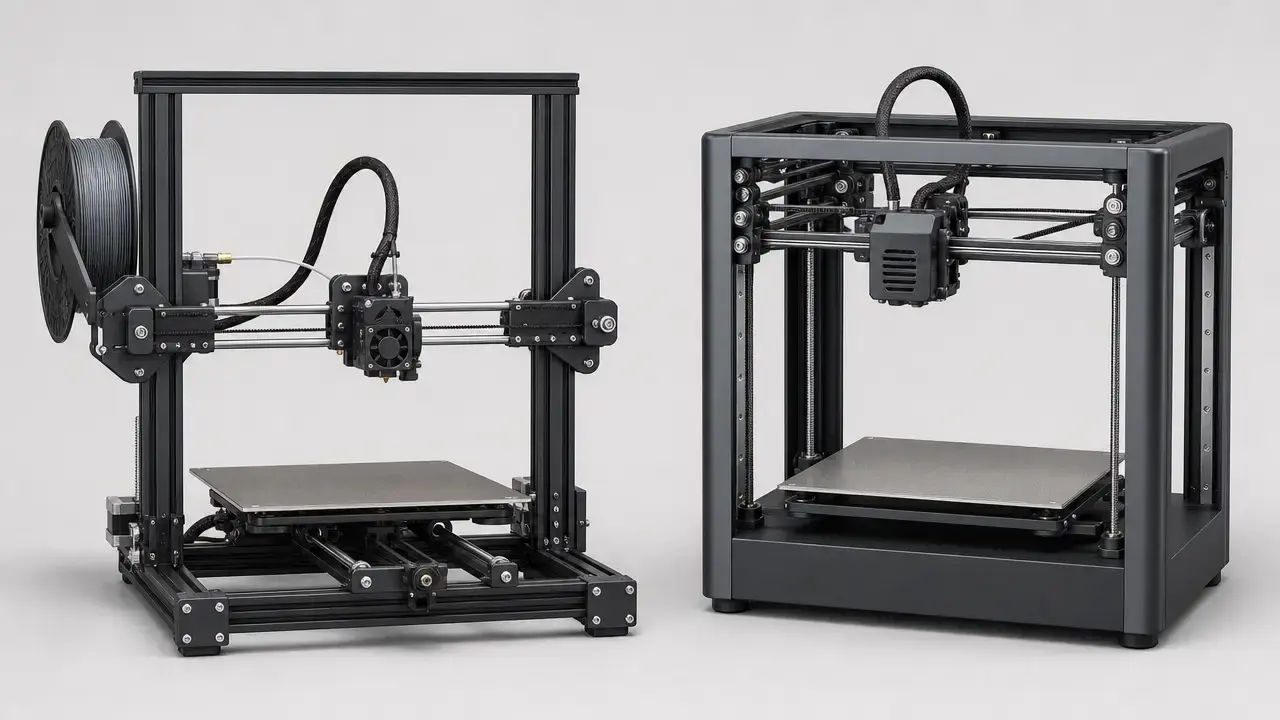
The best cheap 3d printer 2024 query does not have one universal winner. The right fit depends on setup ease, build volume, speed claims, tinkering tolerance, control options, and the materials you actually plan to print.
This is a current buying guide built around a legacy search term. Prices and official US availability were verified on July 28, 2026. The shortlist uses source-backed manufacturer specifications, standards context, and official US store checks rather than undisclosed hands-on lab testing. Here, “under $300” means the official US base-printer price before tax, excluding bundles, multi-color units, enclosures, and accessories. On that basis, the Bambu Lab A1 mini was listed at $249.00 USD, the Elegoo Neptune 4 Pro at $229.00 USD, and the Flashforge Adventurer 5M at $299.00 USD with an extra $50 discount auto-applied in cart. The 2024 references in this article are historical context, not a promise of 2024 pricing or stock. [7] [8] [9]
What this guide is (and isn’t): 2024 keyword, checked in 2026
This article keeps the phrase “best cheap 3d printer 2024” because many buyers still use it when searching for entry-level machines, but the advice itself is current. In practice, this is a US-focused guide to budget filament printers that were officially listed under $300 through manufacturer channels on July 28, 2026. The 2024 angle matters as a turning point, when many low-cost printers started arriving as more complete starter machines instead of half-kit projects. It does not mean 2024 sale prices, stock levels, or bundles still apply.
How we judged these budget printers
This article is not based on undisclosed bench testing by 3D Mag. It relies on four evidence classes: standards for vocabulary and safety context, government research for environmental framing, manufacturer specification sheets for model details, and official US store pages for price checks. ISO/ASTM 52900:2021 is the terminology anchor for additive manufacturing language, UL 2904 Ed. 2-2023 provides emissions-testing context, and NIST provides both a plain-language additive manufacturing definition and an office-like multi-printer environmental reference. [1] [2] [3] [4]
The comparison rules are deliberately strict. “Under $300” means the official US base-printer listing before tax, with bundles, enclosures, accessories, and multi-color packages excluded. Speed claims are kept in vendor wording because “max toolhead speed,” “max printing speed,” “max travel speed,” and acceleration are not interchangeable. Manufacturer noise claims are not normalized against room-level research measurements, and vendor tolerance lines are not treated as guaranteed part accuracy. Material suitability is filtered through enclosure needs and vendor warnings, so a hotend temperature alone is not proof that a printer is a good ABS or nylon choice. [3] [4] [6] [8] [9]
Historical background: Why cheap 3D printers changed by 2024
At the low end of the market, older hobby printers often demanded more assembly, more manual setup, and more patience. Budget machines could work well, but often only after the buyer learned bed setup, slicer tuning, and routine troubleshooting. By 2024, the entry segment had shifted toward easier unboxing, auto-leveling workflows, flexible build plates, and more beginner-oriented software. That did not make low-cost printers maintenance-free, but it changed what buyers could reasonably expect from a first machine. [18] [20]
Competition helped drive that change. A useful marker was the Bambu Lab A1 mini launch pricing: $299 for the printer, $249 for AMS lite, and $459 for the combo. Those were historical launch prices, not current store prices, but they showed that a compact entry printer could be sold as a more complete product instead of a bare-minimum platform. Once that happened, other budget machines had to compete on setup time, motion performance, and usability, not just on price. That is a large part of why the budget-printer discussion looks different now than it did a few years earlier. [18]
What counts as a “cheap” 3D printer here
For this guide, “cheap” means the hobby-class budget range, roughly $100 to $300, while still date-stamping actual listings because printer prices move quickly. A model that looked like a bargain a year ago may now be bundle-only, sold out, or replaced by a newer machine. That is why the table below uses dated official US checks instead of old launch pricing or marketplace screenshots. [19]
The more useful question is not just how little you can spend, but what you get for that spend. For a beginner-friendly 3D printer, the real buying factors are first-layer reliability, setup burden, practical materials, ecosystem maturity, control options, documentation, spare parts, and the total cost of keeping the machine running. A printer with a larger bed or a higher vendor speed number is not automatically the better buy if the workflow is harder, the material caveats are tighter, or the support path is thinner. That is why this guide avoids a fake “best overall” label and leans on best-fit language by use case. [6] [8] [9]
Hidden costs matter. Industry guidance for low-cost ownership commonly includes $20 to $100 in add-ons and about $15 to $25 per kilogram for inexpensive filament. That can mean a machine that looks comfortably under budget at checkout lands noticeably higher once you add spare nozzles, tools, a replacement plate, or a couple of starter spools. [19]
Resin and MSLA printers are not ranked here. They belong to a different workflow category with different post-processing, cleanup, ventilation questions, and handling requirements, so comparing them directly to a cheap filament printer would mix unlike tools. [3] [5]
Buyer priorities checklist
- Best for first-time users
- Best for larger build volume
- Best for fast PLA printing
- Best if you want to tinker
- Best for compact desks
- Best to avoid if ABS/ASA is required without enclosure upgrades
Technical principles: FDM vs FFF vs material extrusion
ISO/ASTM 52900 is the clearest vocabulary anchor here. In consumer language, people often say FDM printer or FFF printer when they mean the common filament-based desktop machine that melts plastic and deposits it through a nozzle. In standards language, the process category is material extrusion. For this guide, the practical takeaway is simple: it covers budget filament printers in the consumer FDM or FFF sense, while “material extrusion” is the more precise standards term. That distinction mostly matters for clarity, because it separates the general process from brand language and hobby shorthand. [1]
NIST’s plain-language explanation is also useful. Additive manufacturing uses digital designs to fabricate three-dimensional products built up layer by layer, and the process is also known as 3D printing. In this printer class, a slicer converts a model into toolpaths, the printer heats filament, pushes it through a nozzle, and deposits material one layer at a time until the part is complete. That is why settings such as nozzle temperature, layer height, speed, and cooling affect both appearance and reliability. [2]
Buying workflow: From budget to first print
The sticker price is only the start. Low-cost ownership usually includes some mix of filament, spare nozzles, plate maintenance, basic tools, and replacement wear parts. If you later move beyond easy PLA printing, you may also end up budgeting for a dry box, better ventilation, or an enclosure plan. A budget 3D printer under $300 is best judged as a starting system, not just a number on a product page. [19]
Auto bed leveling helps, but the phrase describes a workflow rather than a guarantee. One machine may probe the bed and still expect the user to handle Z-offset carefully. Another may automate more of the first-print routine but still depend on a clean plate, sensible slicer presets, and decent filament condition. For first-time users, the first layer remains the most useful early checkpoint because it quickly reveals adhesion problems, nozzle-height issues, and profile mismatch. A machine can be marketed as beginner-friendly and still punish careless setup. [8] [9]
Time cost matters as much as hardware cost. The cheapest machine on paper can become the expensive option if it consumes evenings in retries, vague troubleshooting, and failed prints. Budget printers can be excellent purchases, but the best value is usually the machine whose workflow matches your patience level and material plans. [19]
First-week workflow
- Confirm voltage/region.
- Assemble only what the manual requires.
- Check gantry squareness and belt tension only if the manual calls for it.
- Run leveling and Z-offset workflow as instructed.
- Print a PLA test model.
- Save a working slicer profile.
- Only then try PETG or TPU, and later ABS, ASA, or nylon with enclosure and ventilation planning.
Types of cheap 3D printers under $300
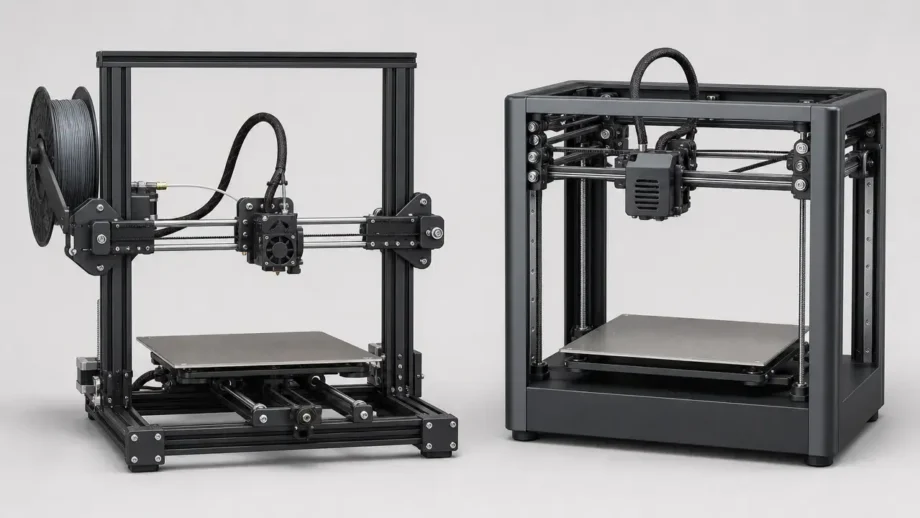
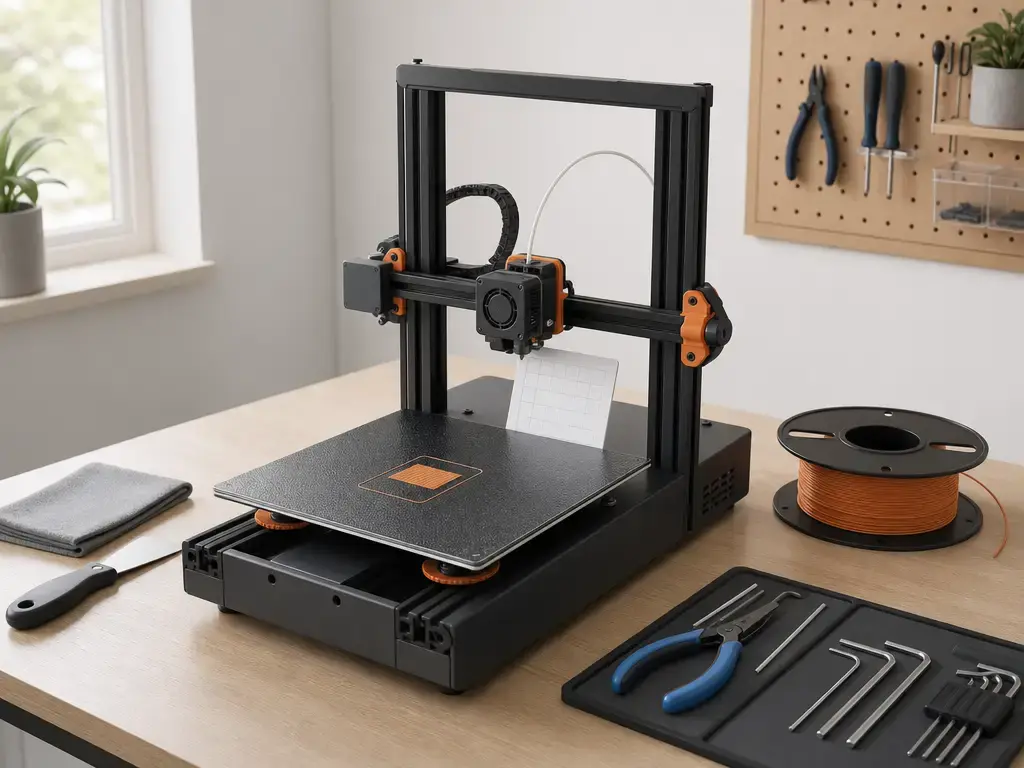
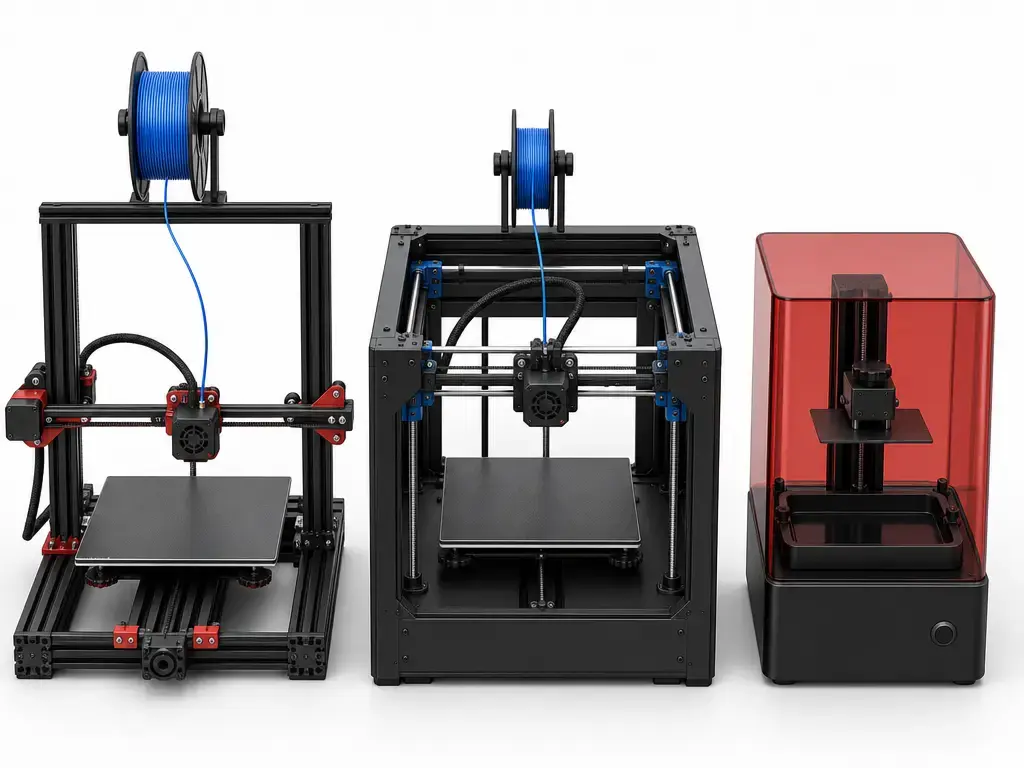
Most cheap 3D printers under $300 are open-frame bed-slingers, where the print bed moves on the Y axis while the toolhead handles the other motion axes. There are also more compact layouts and some entry CoreXY-style designs on the market. The kinematics matter because footprint, moving mass, speed claims, and maintenance are all affected by whether the bed moves back and forth or whether XY motion is concentrated in the gantry while the bed usually moves only in Z. In practice, bed-slingers are common at the low end, while more compact XY-focused layouts can change how a machine feels on a desk and how its speed claims should be interpreted. [1] [8] [9]
Resin printers, often sold as MSLA in the desktop market, are a different class. They can deliver finer surface detail on some small parts, miniatures, and display models, but they bring separate cleanup and curing steps along with a different safety profile. That is why they are excluded from the ranked picks here rather than treated as direct replacements for budget material-extrusion printers. [3] [5]
Comparison table: Budget FDM candidates under $300
Prices below reflect official US base-printer listings checked on July 28, 2026. Shipping, tax, bundle logic, and in-cart discounts can still change, so the live store page is the final check before publication or purchase. [7] [8] [9] [11] [12]
| Printer | Best-fit buyer | Key sourced specs | Main caution |
|---|---|---|---|
| Bambu Lab A1 mini | Compact beginner who wants the easiest source-backed start | $249.00 USD listed; in stock; shipped in 2–3 business days; 180 × 180 × 180 mm³; max toolhead speed 500 mm/s | Small build volume, and ABS/ASA/PC/PA/PET/CF/GF are marked not recommended. [6] [7] |
| Elegoo Neptune 4 Pro | Buyer who wants more bed space and a strong spec sheet for the money | $229.00 USD listed; 225 × 225 × 265 mm build volume; 300 °C high-temp nozzle; 500 mm/s max speed; 121-point auto bed leveling; USB/LAN transfer | Still an open machine, so practical material success depends on setup and room conditions, not just temperatures. [8] |
| Flashforge Adventurer 5M | Buyer who values local-control options and a compact, fast-positioned machine | $299.00 USD listed; extra $50 discount auto-applied in cart; 220 × 220 × 220 mm build volume; 600 mm/s max printing speed; 20,000 mm/s² max acceleration; Wi‑Fi/Ethernet/USB | Open shell, and the product page explicitly says ABS series filaments are not compatible with the AD5M. [9] [10] |
| Creality Ender-3 V3 SE | Lowest mainstream-cost starter from a major brand in this group | $199.00 listed from the Creality Official Store; material guide shows PLA, PETG, and TPU-specific speed guidance rather than one flat real-world speed | Lower price does not remove the need for careful first-layer setup and realistic expectations about tuning. [11] [15] |
| Creality Ender-3 V3 KE | Budget buyer who wants a step-up Creality option without leaving the under-$300 band | $259.00 listed from the Creality Official Store; Creality store collection cross-check also shows “From 259.00” | Feature positioning varies by listing, so treat model-page speed language as conditional, not as guaranteed throughput. [12] [13] |
The Anycubic Kobra 2 Neo still matters as 2024-era budget context, but it is not ranked as a current pick here because the official store page shows it as sold out. [17]
Performance metrics that matter more than the spec sheet
Speed is the easiest spec to misread. Vendor numbers may refer to toolhead motion, maximum printing speed, travel speed, or acceleration, and those are not the same thing. Creality’s Ender-3 V3 SE material guide makes that clear: recommended printing speed is 180 to 250 mm/s for CR-PLA, 120 mm/s for CR-PETG, and 50 mm/s for HP-TPU. That is one machine, three very different working speeds. Bambu’s A1 mini spec sheet shows the same issue from another angle: it lists 500 mm/s max toolhead speed, 10 m/s² max acceleration, and 28 mm³/s max hotend flow at ABS under stated conditions. None of those numbers guarantee identical real throughput on every material or geometry. They describe separate constraints in the motion-and-melting system. [6] [15]
Build volume, heated-bed behavior, and filament notes often matter more than a single headline speed value. The Neptune 4 Pro’s 225 × 225 × 265 mm build volume is materially larger than the A1 mini’s 180 × 180 × 180 mm³, but that only becomes useful if the first layer is trustworthy and the material suits an open-frame setup. The same logic applies to temperature limits. A printer may reach a high nozzle temperature and still be a poor fit for ABS or nylon in a real room because enclosure, warping, and emissions issues are separate from heater capability. [6] [8] [9]
Accuracy, precision, and layer height also need perspective. A marketing tolerance line is not the same as a guaranteed final-part tolerance across all geometries, materials, and slicer settings. For beginners, repeatability from one print to the next and clean first-layer behavior are more useful indicators than a tolerance slogan. That is why this guide keeps manufacturer ±0.1 mm claims out of the main comparison table.
Best cheap 3D printer 2024: pick by use case
Best fit for most beginners: Bambu Lab A1 mini
If your main goal is the shortest path from unboxing to a successful first PLA print, the A1 mini is the strongest source-backed beginner pick in this group. It combines a compact 180 × 180 × 180 mm³ build volume with a $249.00 listed price and an in-stock shipping note on the US store. The tradeoff is its clear material caveat: ABS, ASA, PC, PA, PET, and carbon- or glass-fiber-reinforced polymers are marked not recommended, so it is best understood as a compact hobby-first machine rather than an all-material starter. [6] [7]
Best lowest-cost mainstream starter: Creality Ender-3 V3 SE
The Ender-3 V3 SE is the straightforward low-entry option in this group at $199.00. That makes it the easiest way into a mainstream-brand filament printer on current official US pricing, but the lower price does not mean a lower learning curve in the first week. It makes the most sense for buyers who accept that the savings may come with more hands-on responsibility than the more automated compact options. [11]
Best for speed-focused PLA printing under $300: Elegoo Neptune 4 Pro
The Neptune 4 Pro is a strong candidate if your interest is less about the smallest footprint and more about a larger bed plus aggressive vendor speed positioning. Elegoo lists it at $229.00 with a 225 × 225 × 265 mm build volume, 500 mm/s max speed wording, and USB/LAN transfer. It is a compelling spec set for the money, but it still makes the most sense as an open-frame PLA and PETG machine unless you are prepared to plan around enclosure and ventilation needs. [8]
Best candidate for local control without mandatory cloud use: Flashforge Adventurer 5M
The Adventurer 5M has the clearest official documentation for buyers who care about local paths. Flashforge’s wiki documents WAN mode, LAN Only mode, and USB flash drive printing, which is a more explicit split than many product pages provide. The machine itself is listed at $299.00, with a separate auto-applied in-cart discount note on the official product page. That does not make it the best printer for every beginner, but it does make it one of the clearest under-$300 choices for buyers who want a documented non-cloud workflow option. [9] [10]
Best to avoid for ABS without upgrades: Bambu Lab A1 mini and Flashforge Adventurer 5M
If ABS or ASA is central to your plans, neither the A1 mini nor the Adventurer 5M should be treated as a default choice. Bambu marks ABS and ASA not recommended on the A1 mini spec sheet, and Flashforge says ABS series filaments are not compatible with the AD5M while also listing the machine as open-shell. In both cases, the issue is not just temperature capability. It is the combined reality of vendor restrictions, enclosure needs, and indoor-use planning. [6] [9]
Applications: What a budget 3D printer is good for
A budget filament printer is well suited to practical small and medium parts: desk organizers, cable clips, simple jigs, classroom models, household fixes, tabletop terrain, toy-scale parts, and early prototypes. It is also a reasonable tool for cosplay if you expect segmentation, assembly, filler work, and sanding instead of one-piece full-size props. At this price level, the machine is best seen as a flexible making tool for learning and iteration, not as a one-box replacement for industrial fabrication. [1] [2]
The limits show up when the job needs high heat resistance, dependable load-bearing performance, food-contact confidence, or production-like repeatability. Large single-piece props are constrained by bed size and warping risk, and many “functional parts” are only functional in a narrow context, with the right material and some trial and error. That is normal for this class. Budget printers are useful tools, but their best jobs are usually hobby, education, light prototyping, and modest practical parts rather than demanding engineering use.
Limitations, safety, and hidden costs
Desktop 3D printer safety is best discussed with clear boundaries. UL 2904 Ed. 2-2023 is useful as standards context because it defines methods for assessing coarse, fine, and ultrafine particle emissions plus VOC emissions from 3D printers in defined indoor scenarios. Independent research shows why that matters. In NIST’s office-like multi-printer study, particle emissions during printing were generally stabilized at about 30,000 to 60,000 particles per cubic centimeter above background, and room ventilation at 9.45 air changes per hour reduced particle concentration by half after about 12 to 13 minutes and to near background after about 18 to 20 minutes in that specific setting. The same NIST study reported average sound pressure levels 12 dB above background while three printers were operating. Those are room-level findings, not spec-sheet ratings for a single machine on your desk. [3] [4]
Controlled studies also show why “just add a cover” is not a full answer. The CDC-hosted NIOSH paper evaluated emissions in a 0.5 m³ chamber and a 32.7 m³ room and reported that using a cover on the printer reduced total particle emissions by a factor of 2 in that setup. That is useful evidence, but it is not universal protection. Material, printer design, print settings, and room ventilation still matter, and a loose cover is not the same as a sealed, filtered enclosure. [5]
In practical buying terms, PLA and PETG are the easier starting materials for this price class. TPU is workable but usually slower, while ABS, ASA, and nylon demand more planning around enclosure, warping, and indoor air management. Vendor restrictions reinforce that caution: the A1 mini marks ABS, ASA, PC, PA, PET, CF, and GF not recommended, and the Adventurer 5M page says ABS series filaments are not compatible with the AD5M while also listing the shell as open. [6] [9]
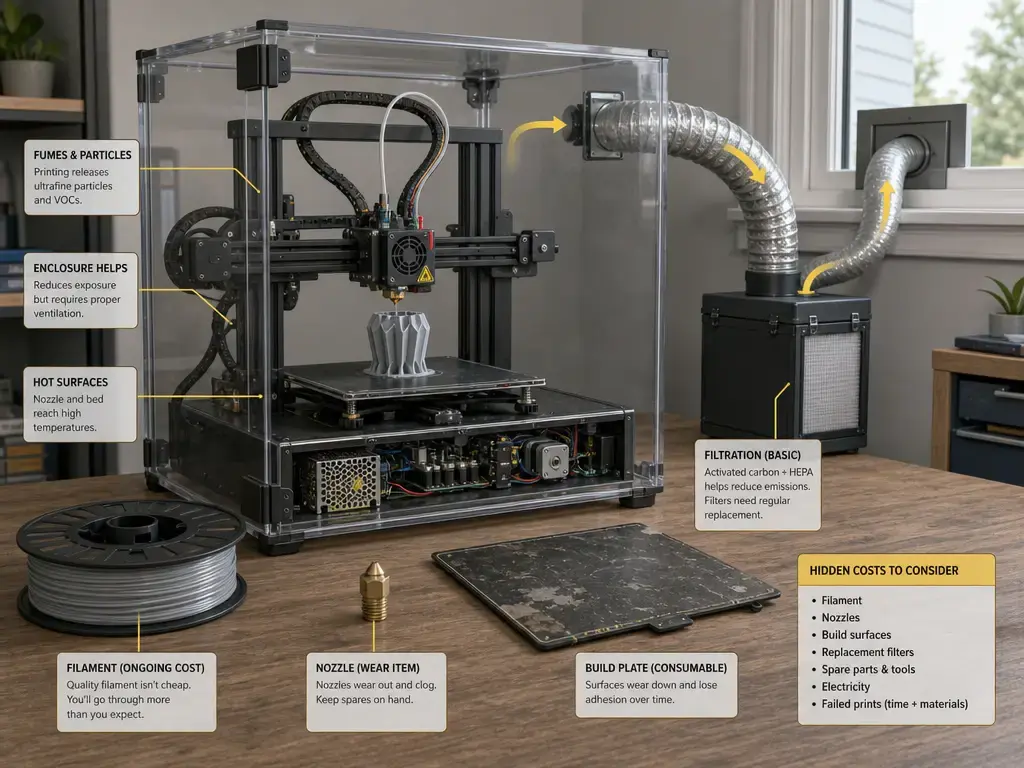
The hidden costs are usually manageable, but they are real. Filament, spare nozzles, replacement plates, failed prints, and time spent learning can shift the value equation more than the initial price tag. For many buyers, the bigger return risk is not buying a cheap printer, but buying the wrong cheap printer for the materials, room, and patience level they actually have. [19]
Ecosystem and control paths: app, cloud, LAN, SD/USB
The cleanest way to compare software and control paths is to stick to what the official documents say. On the A1 mini, Bambu lists Wi‑Fi, Micro SD card storage, Bambu Studio, and support for third-party slicers that export standard G-code, with the caveat that some advanced features may not be supported. That creates a mixed workflow rather than a one-path-only setup. Flashforge’s documentation is even more explicit: its wiki describes WAN mode, LAN Only mode, and printing by exporting files to a USB flash drive. For buyers who care about offline-friendly or local-network-friendly options, that level of documentation matters. [6] [10]
Elegoo and Creality sit in a more middle-ground position. Elegoo says a LAN connection enables access to a web terminal for remote control and monitoring on the Neptune 4 Pro. Creality’s Ender-3 V3 KE download page says Creality Print can help you remote control and monitor your printer and print directly from your computer, and the page shows a dated software release entry on July 1, 2026. Those sources do not prove that every Creality workflow must be cloud-dependent. For buyers, the real decision is preference: some want local-first control, some want app convenience, and some are satisfied with a mixed setup as long as it is documented clearly. [8] [14]
Verdict: Choosing the best cheap 3D printer 2024 (checked July 28, 2026)
The best cheap 3d printer 2024 answer depends on buyer type, not on one absolute winner. If you want the smoothest beginner path in a compact machine, the Bambu Lab A1 mini is the clearest source-backed fit at $249.00. If you want the lowest mainstream entry cost, the Ender-3 V3 SE is the low-price option at $199.00. If you want a larger bed and strong value-per-spec positioning, the Neptune 4 Pro stands out at $229.00. If local-control options matter more than headline simplicity, the Adventurer 5M deserves attention for its documented WAN, LAN Only, and USB paths. Prices and official US availability were verified on July 28, 2026. [7] [8] [9] [11] [12]
Before buying, re-check the official live listing, confirm return terms, and start with PLA instead of forcing a difficult material on day one. Treat all speed claims as conditional because material, cooling, part geometry, and slicer settings change the result. For most new users, first-layer reliability and workflow clarity will matter longer than any single top-line spec. [6] [8] [9] [14] [15]
FAQ
What is the best cheap 3D printer 2024 for most beginners, checked in 2026?
For the shortest path to a first successful print, the Bambu Lab A1 mini is the strongest beginner fit in this group. It is listed at $249.00 on the official US store and pairs that price with a compact 180 × 180 × 180 mm³ format and clear software documentation. [6] [7]
What is the best 3D printer under $300 US?
There is no single universal answer. The A1 mini is the compact beginner-oriented option, the Ender-3 V3 SE is the lowest mainstream-cost entry at $199.00, the Neptune 4 Pro is the larger-bed value pick at $229.00, and the Adventurer 5M is the documented local-control candidate at $299.00 listed price. [7] [8] [9] [11]
Are cheap 3D printers worth it?
Yes, if your use case is learning, school projects, organizers, prototypes, tabletop terrain, toys, and modest practical parts. They are less convincing when you expect production reliability, large single-piece props, or engineering-grade material performance without extra planning. [1] [19]
Do I need an enclosure for a cheap FDM 3D printer?
Not always. For PLA and often PETG, many buyers can start without one. Once you move toward ABS, ASA, or nylon, enclosure and ventilation planning become much more important. UL 2904 provides the testing context, NIST’s room-level work shows ventilation can materially reduce particle concentration over time, and the CDC-hosted paper found a factor-of-2 reduction with a cover in one controlled setup, but that should not be treated as universal protection. [3] [4] [5]
Why are max speed numbers so hard to compare?
Because brands often publish different metrics. One page may show max toolhead speed, another max printing speed, another max travel speed, and another acceleration. Material guidance complicates it further: Creality’s Ender-3 V3 SE guide lists 180 to 250 mm/s for CR-PLA, 120 mm/s for CR-PETG, and 50 mm/s for HP-TPU on the same machine. [6] [9] [15]
Is a budget 3D printer under $300 good for cosplay?
It can be, but usually through segmented parts, assembly, sanding, and finishing rather than one giant print. Build volume and warping risk are the real constraints. A budget machine is a workable cosplay fabrication tool if you plan around those limits. [1] [6] [8]
Should I buy a cheap resin printer instead?
Only if you specifically want resin-type detail and you are prepared for a different post-processing and handling workflow. Resin machines are excluded from the ranked picks here because they are not direct substitutes for budget filament printers. Also, historical budget models like the Anycubic Kobra 2 Neo are not treated as current picks in this update because the official store page shows that model as sold out. [5] [17]
Sources
- ISO/ASTM 52900:2021 Additive manufacturing — General principles — Fundamentals and vocabulary
- NIST Additive Manufacturing Overview
- UL 2904 Ed. 2-2023 Standard Method for Testing and Assessing Particle and Chemical Emissions from 3D Printers
- NIST Publication Page — Occupational Exposure and Indoor Environmental Quality Evaluation from Operating Multiple 3D Printers in an Office-like Setting
- CDC Stacks PDF — Emission of particulate matter from a desktop 3D printer
- Bambu Lab A1 mini Technical Specification PDF
- Bambu Lab US Store — A1 mini Product Page
- Elegoo US — Neptune 4 Pro Product Page
- Flashforge Adventurer 5M Product Page
- Flashforge Wiki — Orca-Flashforge Quick Start Guide
- Shop app (Creality Official Store listing) — Ender-3 V3 SE
- Shop app (Creality Official Store listing) — Ender-3 V3 KE
- Creality US Store Collection — Ender & CR Series 3D Printers
- Creality Downloads — Ender-3 V3 KE / Creality Print
- Creality Wiki PDF — Ender-3 V3 SE Material Guide
- Anycubic Kobra 2 Series Specs and Features Comparison Guide
- Anycubic Store — Kobra 2 Neo Product Page
- 3DPrint.com — Bambu Lab Launches Low-Cost A1 Mini 3D Printer
- All3DP — How Much Does a 3D Printer Cost?
- Tom’s Hardware — Best Budget 3D Printers