
Summary
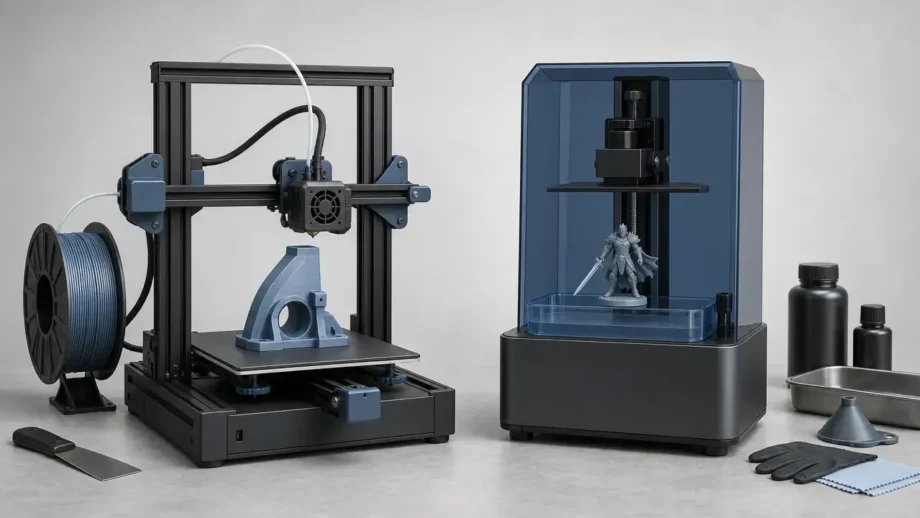
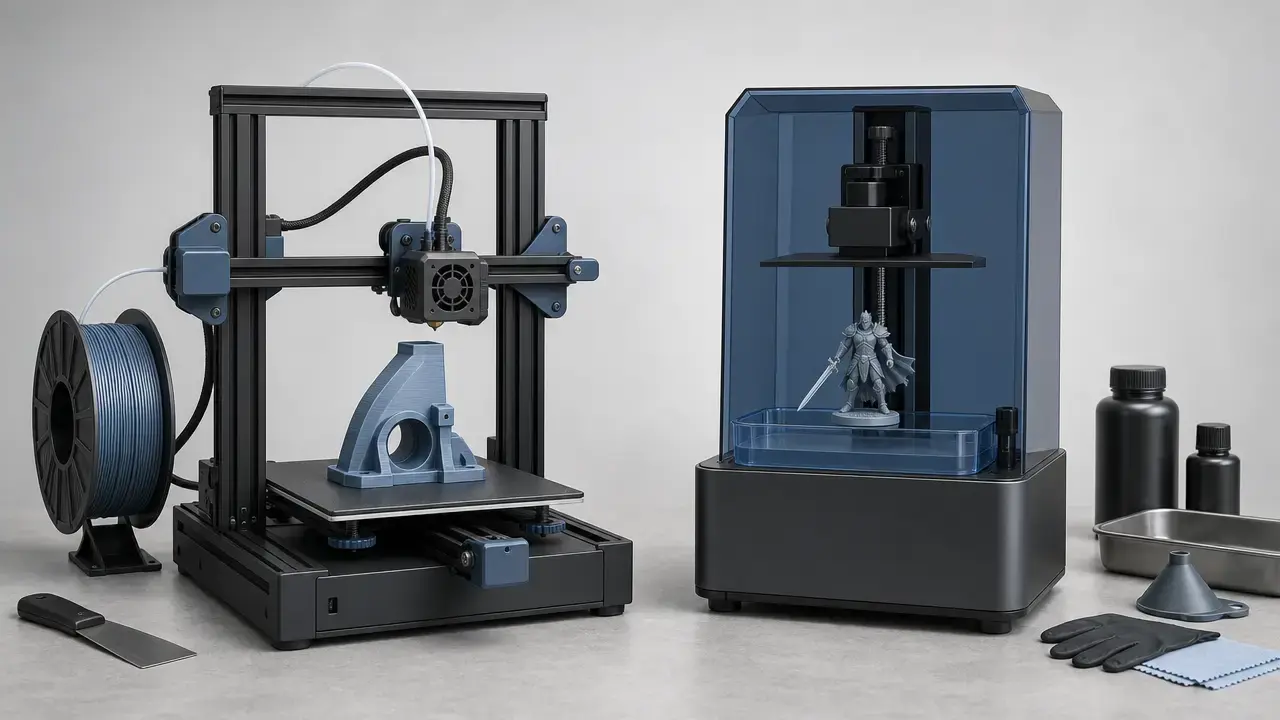
If you are choosing between resin vs filament 3d printing, the short answer is that there is no universal winner. ISO/ASTM vocabulary defines additive manufacturing as making 3D geometries by successive addition of material, while NIST places the two desktop families discussed here under material extrusion and vat photopolymerization. In this guide, “resin printing” means the vat-photopolymerization family, including laser SLA, DLP, and MSLA/LCD systems, while “filament printing” means material extrusion, often called FDM or FFF in everyday use. Published performance numbers depend on the machine, material, orientation, and test method, so they do not collapse into one universal score for speed, strength, accuracy, or cost. [1] [2] [4] [6] [7] [12] [20]
For a first printer, filament is usually the easier starting point because it avoids resin washing, solvent handling, and post-curing. For miniatures and figurines, resin is usually the better fit because small surface features and fine edges are easier to preserve on compact parts. For functional parts, filament is often the safer default because thermoplastic workflows are easier to iterate and many everyday parts care more about toughness and convenience than microdetail. For a classroom, apartment, or shared room, choose the workflow your space can support consistently; both processes need ventilation and safe handling, but resin adds uncured resin and solvent steps to the routine. [6] [7] [16] [17] [19] [20]
-
Choose filament/FDM if…
-
You want a first printer with a simpler routine.
-
You print functional parts more often than display pieces.
-
You expect to revise designs frequently.
-
You want larger desktop build volumes more often.
-
You prefer lighter post-processing after the print finishes.
-
You want to avoid routine resin and solvent handling in a shared space.
-
Choose resin if…
-
You care most about miniature-scale detail.
-
You want smoother-looking parts straight off the printer.
-
You are comfortable with washing and post-curing as standard steps.
-
You mostly print small or medium parts where appearance matters.
-
You need sharp small text, crisp edges, or intricate surface texture.
-
You are willing to budget for cleanup supplies and a more involved workflow.
At-a-Glance Comparison Table
“Better” here means better for a specific job, not better in the abstract. Filament printers map to material extrusion, while resin printers map to vat photopolymerization; in everyday language, you will still see FDM/FFF on one side and SLA/DLP/MSLA on the other. FDM is a Stratasys trademark, which is one reason standards and general technical writing often prefer material extrusion or FFF. [2] [3] [4] [16] [17] [19]
| Factor | Filament / FDM (material extrusion) | Resin / SLA–DLP–MSLA (vat photopolymerization) | Better choice when… |
|---|---|---|---|
| Visual detail | Good for many parts, but nozzle-related feature limits and visible layers show sooner on small geometry. | Usually better for small features, crisp edges, and miniature-scale detail. | You care most about small details, fine text, or display pieces. |
| Surface finish | Often shows layer lines unless sanded, filled, or primed. | Usually smoother off the printer, though supports can still leave marks. | The part will be inspected up close with minimal finishing. |
| Dimensional accuracy & repeatability | Can be good, but depends heavily on calibration, warping, geometry, and orientation. | Can also be good, but vendor tolerance claims are machine- and material-specific. | Fit matters and you will validate with test parts. |
| Strength & toughness | Often favored for tougher functional parts, but properties are directional. | Can be stiff and detailed, but brittleness remains a common concern for many resins. | The part must survive handling, flex, or impact. |
| Heat resistance | Depends strongly on filament grade. | Depends strongly on resin formulation and cure state. | You will choose by material datasheet, not printer label. |
| Part size / build volume | Desktop examples often offer larger practical volumes. | Desktop examples are often smaller. | You need bigger parts or more open geometry. |
| Speed (print vs turnaround) | Can be efficient for sparse infill, one-off iteration, or taller parts. | Layer exposure can be fast, but washing and curing add workflow time. | You care about the shortest time to a usable part, not just machine time. |
| Workflow & cleanup | Usually simpler post-print handling. | Requires washing, curing, and stricter cleanup discipline. | You want a lighter post-process. |
| Safety / indoor suitability | Still needs ventilation and hot-surface awareness; emissions can include particles and VOCs. | Adds uncured resin, solvent, and post-cure handling concerns. | Your space can support the workflow safely and consistently. |
| Cost of ownership | Often lower workflow burden, though spools, nozzles, drying, and setup still matter. | Printer, resin, tanks, gloves, wash media, and failed-support waste can add up quickly. | You are budgeting beyond the sticker price. |
| Common failure modes | Warping, weak layer bonding, overhang sag, adhesion problems, nozzle issues. | Suction, cupping, support scars, peel-related failures, cleanup rework. | The geometry matches the process’s failure patterns. |
Terms You’ll See (and what they really mean)
In standards-friendly language, consumer filament printing belongs to material extrusion. In market language, people still say FDM or FFF, but FDM is a Stratasys trademark, so general technical writing often prefers FFF or the broader term material extrusion. ASTM work item WK73239 notes that ISO/ASTM’s material extrusion terminology overlaps with names such as FDM and FFF, so these labels usually point to the same desktop category in practice. [2] [3] [4]
“Resin printing” is an umbrella term, not one machine type. Some resin printers use a scanning laser, which is what people usually mean by SLA in the narrow sense; others use a projector for DLP, and many desktop machines use an LCD mask in an MSLA/LCD setup. Calling every resin printer “SLA” blurs real differences, because later claims about speed, uniformity, and artifacts depend on how the light is delivered. [2] [6] [20]
Print time is not the same as turnaround time. Print time is the machine’s build time; turnaround time includes setup, support removal, washing, curing, cleanup, and any rework after a failed print. That distinction matters because a process can look fast on paper and still take longer to deliver a usable part. [6] [16] [17]
Metrics Glossary
Buyers often compress several different ideas into one vague word such as “resolution” or “quality,” which is where comparisons start to go wrong. [6] [20]
| Term | What it means in practice |
|---|---|
| Resolution | How finely the process can describe intended detail, often discussed through layer height, pixel size, laser spot behavior, or nozzle-related feature limits. |
| Minimum feature size | The smallest geometry that prints and survives both the process and post-processing. |
| Surface finish | How smooth the outside looks, including layer lines, stepping, support marks, and pixel or voxel artifacts. |
| Dimensional accuracy | How close the finished part is to the intended dimensions. |
| Precision / repeatability | How consistently the same result can be produced again under the same conditions. |
| Tolerance | The allowed dimensional variation in a design or product claim. |
| Strength | How much load a part can withstand in a specific test before failure. |
| Stiffness | How much a part resists bending or stretching. |
| Toughness | How much energy a part absorbs before breaking. |
| Durability | How well a part holds up over time in service and environment. |
| HDT | Heat deflection temperature: the temperature at which a loaded specimen reaches a specified deflection in the test method. |
When datasheets mention tensile, flexural, or HDT values, common anchors include ASTM D638, ASTM D790, and ASTM D648. [13] [14] [15] Do not confuse resolution with accuracy: a smaller layer step or pixel does not guarantee tighter final dimensions. [6] [21] Do not confuse strength with toughness: a stiff, strong specimen can still be brittle in impact or bending. [8] [12]
How Filament (Material Extrusion) Printing Works
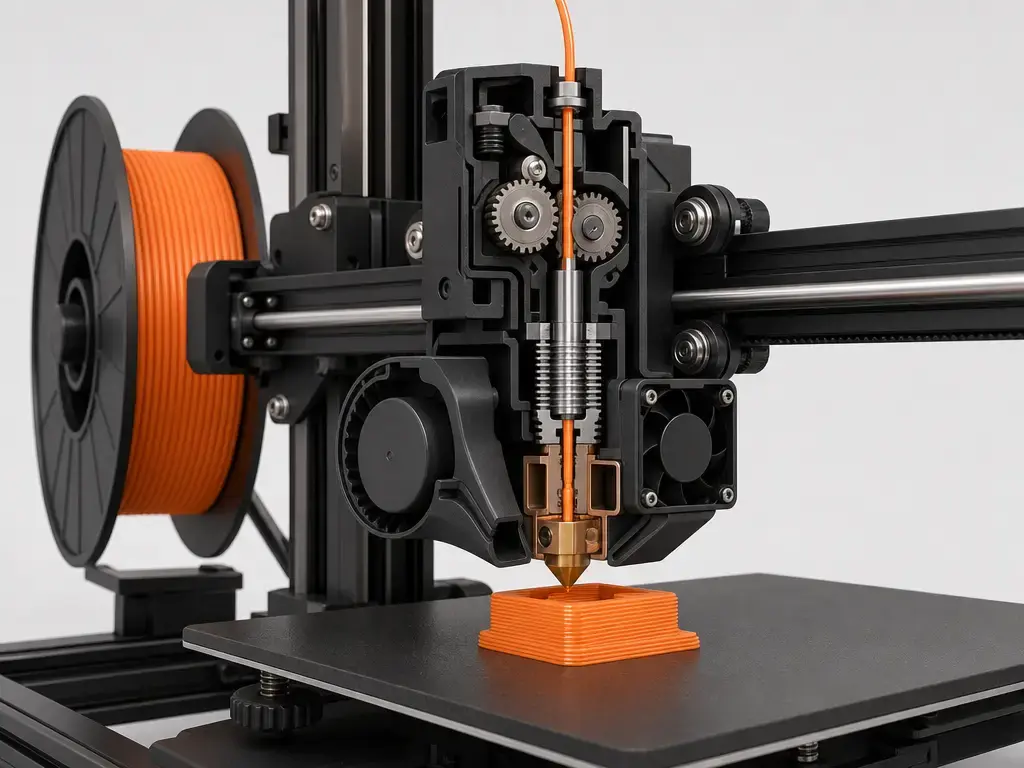
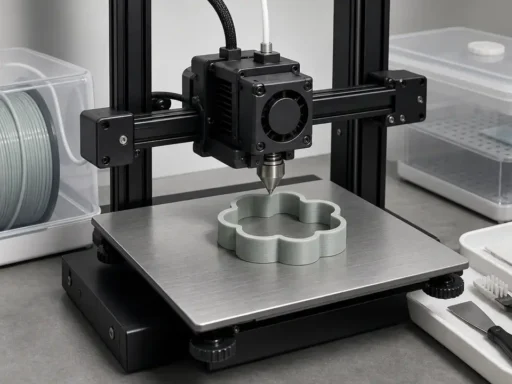
Filament printing maps to material extrusion. A spool feeds thermoplastic into an extruder and hotend, the nozzle melts it, and the printer deposits a bead along a toolpath one layer at a time. That bead cools and bonds to neighboring roads and to the layer below, so part quality depends on bead width, layer height, cooling, and bonding between deposited lines rather than on curing a whole sheet at once. As one current desktop example, the Original Prusa MK4S lists a 250 × 210 × 220 mm build volume, a 0.05–0.30 mm layer-height range, and a 290 °C maximum nozzle temperature. [2] [5]
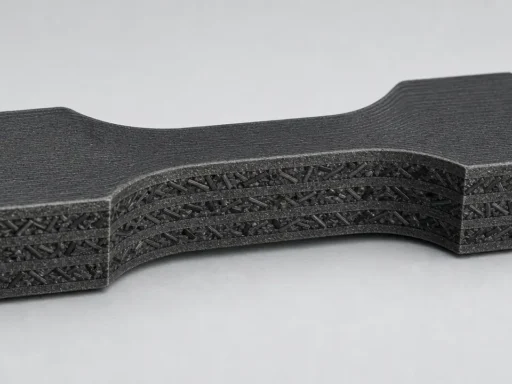
Walls, infill, supports, and orientation all change how a filament print behaves. Thicker walls and better interlayer fusion can improve durability, while steep overhangs, bridges, and unsupported spans expose the limits of molten-bead deposition. This is also why filament parts often behave differently by direction: they are built from stacked extruded roads, so the load path through the part matters almost as much as the material itself. [5] [7] [9]
How Resin (Vat Photopolymerization) Printing Works
Resin printing maps to vat photopolymerization. Liquid photopolymer sits in a vat, a build platform moves into position, light cures one layer, and the platform lifts so fresh resin can flow in for the next cycle. Because each cured layer has to separate from the vat interface, the printer also has to manage peel or release forces as the part grows. [2] [20]
The light source changes how the process behaves. Laser SLA traces each layer with a beam, DLP projects an entire layer, and MSLA/LCD masks a light source through a screen. That matters for speed claims, because a full-layer exposure machine and a scanning-laser machine do not share the same timing logic. It also matters for workflow: washing and post-curing are standard steps for reaching final usable properties. As one product-specific example, Formlabs lists the Form 4 at a maximum print speed of 100 mm/hour and says most prints finish in under two hours based on a 53 mm print height at 100 µm layers. [6] [17] [20]

Print Detail & Surface Finish (what people mean by “quality”)
When people say one printer has “better quality,” they usually mean visual detail, surface finish, or both. On the detail side, filament printers are constrained by nozzle-related feature size, extrusion behavior, and support strategy. Resin printers are constrained by pixel or spot behavior, optical uniformity, cure spread, and support placement. Those are different limits, which is why a single “resolution” number rarely tells the whole story. [5] [6] [20]
Surface finish is where the two families usually look most different. Filament parts tend to show more obvious layer lines, especially on sloped or curved surfaces. Resin parts usually come off smoother, but they can still show support scars, pixel or voxel artifacts, and post-processing marks. In both cases, sanding, priming, and paint can change the final look enough that raw printer output and finished-part appearance should not be treated as the same thing. [5] [6] [20]
The easy mistake is to treat thin layers as an all-purpose quality score. The Form 4 example lists 25–200 µm layer thickness and a 50 µm pixel size, while the MK4S example lists a 0.05–0.30 mm layer-height range, but those numbers describe different parts of the process. Thinner layers often improve appearance, yet they do not automatically guarantee smaller surviving features or better final fit. [5] [6] [21]
Dimensional Performance: Accuracy, Repeatability, and Tolerances
Accuracy and repeatability are related, but they are not the same thing. Accuracy is how close a finished part is to its intended size; repeatability is how consistently the printer can produce the same result again. In both filament and resin printing, calibration, warping, shrinkage, support strategy, geometry, and post-processing can shift dimensions enough that a part can look clean and still miss its target. [6] [21]
A useful example is the Form 4 product page. Formlabs states an XY dimensional tolerance of ±0.15% and a 50 µm pixel size, but those figures should be read as manufacturer-specific numbers for that printer and workflow, not as a universal claim for all resin printers. Pixel size describes addressability in the image plane; it does not guarantee that every part, resin, orientation, and geometry will land exactly on size. [6]
This matters most when parts have to mate, slide, seal, or align. The practical buying rule is simple: if fit matters more than appearance, validate with test coupons, trial assemblies, or a real prototype against the mating geometry. NIST’s 2026 photopolymer workshop report is a reminder that metrology and standards matter because dimensional claims only make sense when the machine, material, and test context are clear. [12] [21]
Strength, Toughness, Heat, and Long-Term Durability (no apples-to-oranges)
Any mechanical comparison should name four things: the material grade, the print orientation, the conditioning or post-cure state, and the test method. Tensile values are commonly tied to standards such as ASTM D638, flexural values to ASTM D790, and heat-deflection values to ASTM D648. Without that context, “resin vs filament strength” quickly turns into an apples-to-oranges comparison. [13] [14] [15]
Filament data make that clear. In Ultimaker’s PLA TDS, 3D-printed samples tested by ASTM D3039 varied by orientation: tensile modulus was 3250 ± 119 MPa in XY, 3292 ± 101 MPa in YZ, and 3071 ± 181 MPa in Z, while tensile stress at break was 45.5 ± 1.1 MPa, 56.0 ± 1.5 MPa, and 33.1 ± 2.8 MPa, respectively. Those specimens were printed on an Ultimaker S5 Pro Bundle at 0.15 mm layers with an AA0.4 printcore, 100% infill, and at least 24 hours of room-temperature conditioning before measurement. In a separate PLA study using ASTM D638 Type IV specimens, upright parts showed 36% less tensile strength than flat ones. [7] [9]
Resin is not orientation-neutral either. One open-access SLA study reported a tensile modulus of 2481 ± 50 MPa and ultimate tensile strength of 51.9 ± 1.3 MPa under its tested conditions and discussed relatively low anisotropy for that setup. But a 2024 paper on SLA orientation found tensile strength decreasing as build orientation angle increased. The practical takeaway is that resin behavior depends on chemistry, cure state, geometry, and test setup, not just on the word “resin.” [10] [11]
Material choice often matters more than process labels. Formlabs lists Grey Resin V5 from $79, with a tensile modulus of 2675 MPa, ultimate tensile strength of 62 MPa, elongation at break of 13%, flexural strength of 103 MPa, and HDT values of 71 °C at 0.45 MPa and 59 °C at 1.8 MPa. Those are formulation-specific properties, not “resin in general.” O’Connor’s 2025 comparison of FDM and SLA materials reinforces the broader point: the tradeoff is often brittleness versus toughness across specific materials and tests, not an absolute winner between processes. [8] [12]
Speed and Throughput: Print Speed vs Time-to-Part
Speed is not one number. In these two printer families, you may be looking at Z build rate, exposure time per layer, toolpath speed, volumetric flow, or total elapsed time to a usable part. Those metrics are not interchangeable. For example, Formlabs lists the Form 4’s maximum print speed as 100 mm/hour and separately says most prints finish in under two hours based on a 53 mm print height at 100 µm layers; those are product-specific metrics, not a universal speed score for resin printers. [6]
Resin often gains when many small parts share the same build area or when each layer can be exposed across the whole cross-section at once. Filament often gains when you want quick single-part iteration, sparse infill, or geometries where steady extrusion is more advantageous than exposing entire layers. The shape of the job matters at least as much as the technology on the spec sheet. [6] [20]
Time-to-part is broader than print time. Resin adds washing, curing, and solvent handling to the normal workflow, while filament usually shifts more of the post-work into support removal and surface finishing. Independent safety guidance treats those handling stages as part of the real process: NIOSH’s resin infographic covers IPA cleaning and curing, and NIOSH’s material-extrusion work measured conditions before, during, and after printing with PLA and ABS. That is why the more useful comparison is often total turnaround, not just machine motion or light exposure. [16] [17] [18]
Cost of Ownership (not just printer + material)
The sticker price is only the first line in the budget. As of July 31, 2026, Formlabs listed the Form 4 Basic Package at $2,625 with a 20.0 × 12.5 × 21.0 cm build volume, while the Original Prusa MK4S page listed a 250 × 210 × 220 mm build volume and a 290 °C maximum nozzle temperature. These are useful examples of current desktop classes, not market averages or value rankings. [5] [6]
Recurring costs are where the split becomes clearer. Filament setups usually mean spools, spare nozzles, build surfaces, drying or dry storage for moisture-sensitive materials, and sometimes an enclosure or better room ventilation depending on feedstock and space. Resin setups usually mean resin bottles, tanks or vats, gloves, wash media such as IPA, filters or cleanup supplies, and the wear that comes with post-processing tools. Independent safety guidance matters here because safer handling often becomes part of the budget, not an optional extra. [8] [16] [17] [18] [19]
Failure and rework also cost money. A warped filament part, a nozzle problem, a resin print lost to suction or support failure, or a part that needs another wash-and-cure cycle all turn material and time into scrap. There is no single universal ownership figure because the total depends on machine class, material, geometry, support strategy, and how often you reprint parts. [5] [6] [12] [17]
Hidden costs & workflow items to budget for:
- Filament: spools for each material you actually use.
- Filament: spare nozzles and occasional hotend wear parts.
- Filament: build plates or build-surface consumables.
- Filament: enclosure or ventilation upgrades if your space or material choice calls for them.
- Filament: dry boxes or dryers for hygroscopic materials.
- Resin: resin bottles and separate materials for different jobs.
- Resin: resin tanks or vats as wear items.
- Resin: gloves and cleanup supplies.
- Resin: wash media such as IPA and containers that fit your workflow.
- Resin: curing equipment or cure capacity matched to your parts.
- Resin: support-failure waste and contaminated wipes or filters.
- Both: failed prints, reprints, calibration pieces, and your own labor time.
Common Failure Modes and Limitations
Filament’s common problems usually show up as visible layers, overhang sagging, warping, weak interlayer bonding, bed-adhesion issues, or nozzle-related faults. The buyer-facing point is that these symptoms usually come from a mix of geometry, thermal behavior, and bead-deposition limits rather than from one magic setting. Filament is often forgiving, but it is not the natural fit for tiny unsupported features or miniature surfaces that will be inspected at close range. [5] [9] [18]
Resin’s typical problems are different: suction, cupping, support scars, peel-related failures, and cleanup burden can all raise the real cost of a print. A part can look successful on the build platform and still distort, mark, or crack during washing, support removal, or post-cure. Better surface appearance comes with a workflow that is less tolerant of sloppy handling and geometry mistakes. [16] [17] [20]
Safety, Indoor Use, and Environmental Considerations
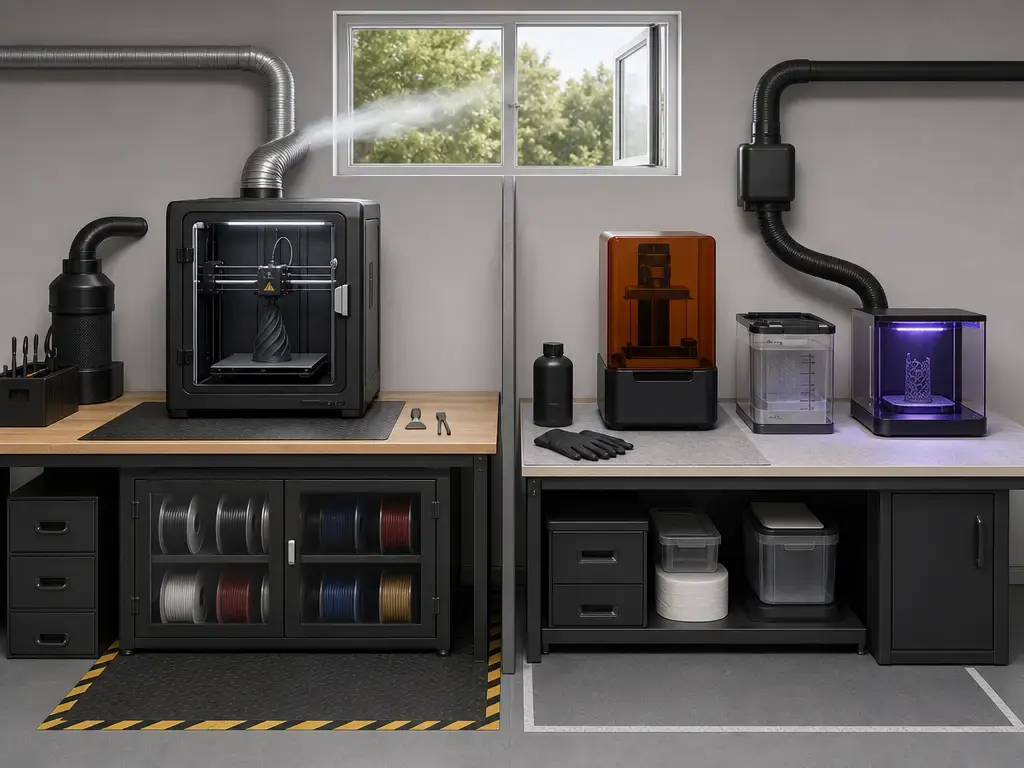
Both processes can be used indoors, but neither is hazard-free. NIOSH’s guide to safe 3D printing highlights concerns about ultrafine particles, chemicals, and other safety hazards, so the real question is not which one is perfectly safe, but which workflow your space can support responsibly. That matters even more in schools, libraries, apartments, and makerspaces, where the print area is often shared with other activities. [16]
For filament printing, the main concerns are hot surfaces, moving parts, and emissions that vary by material, printer, and setup. NIOSH measured particulate and gaseous materials before, during, and after desktop printing with PLA and ABS, and EPA notes that FDM printers have been shown to emit particles and VOCs from heated feedstock. Ventilation, sensible placement, and enclosures can help, but they do not make every printer-material-space combination equivalent. [18] [19]
Resin printing adds chemical-contact and solvent-handling concerns on top of the printer itself. NIOSH’s 2025 vat-photopolymerization infographic flags uncured resin, IPA cleaning, UV curing, and sanding dust as real exposure points, and Formlabs’ own safety guidance also tells users to treat resin and solvents with gloves, eye protection, ventilation, and SDS-first handling. In practice, resin printing works best when approached more like a small lab workflow than a simple appliance. [17] [24]
For disposal, the safest general advice is also the shortest: follow the safety data sheet for the resin and solvent you are actually using, and follow local regulations for disposal in your area. That is especially important for contaminated wipes, wash solvent, and uncured resin residue, which beginners often underestimate when comparing home or classroom suitability. [16] [24]
Best Applications (choose by job type)
Application fit matters more than winner language. The right choice depends on detail needs, part size, material behavior, and how much post-processing your workspace can support. [6] [7] [8] [12] [16] [17] [20]
Best uses for filament/FDM
- Functional brackets, housings, and mounts.
- Larger prototypes that would feel cramped on a small resin build plate.
- Jigs, fixtures, and workshop aids.
- Parts you expect to revise repeatedly.
- Educational projects where workflow simplicity matters.
- Draft fit checks before committing to a higher-finish version.
- Parts where toughness matters more than surface smoothness.
- Everyday utility prints for home, lab, or shop use.
- Components that may need thicker walls, infill tuning, or more forgiving handling.
- Shared-space printing where you want to avoid routine solvent cleanup.
Best uses for resin
- Miniatures and figurines.
- Small display models with intricate texture.
- Jewelry patterns and other detail-first parts.
- Visual prototypes where surface finish matters.
- Small parts with crisp embossed or engraved text.
- Presentation models inspected up close.
- Casting masters and mold patterns where fine edges matter.
- Compact parts where wash-and-cure overhead is acceptable.
- Highly detailed parts that would show obvious stepping on filament equipment.
- Projects where finishing is expected and appearance leads the decision.
Research & Market Reality Check (why specs can mislead buyers)
Specs are useful only if you know what they actually describe. NIST’s Photopolymer Additive Manufacturing 2025 Workshop Report, published on June 10, 2026, emphasizes metrology, safety, standards, and regulatory readiness in vat photopolymerization. That is a reminder that a vendor tolerance or speed claim is never the whole story; you still need the machine, material, geometry, and measurement context behind the number. [21]
The resin umbrella hides real method differences too. Laser SLA, projector DLP, and MSLA/LCD do not deliver light the same way, so they do not create the same expectations for speed, artifacts, or calibration. For buyers, “resin” is a family name, not a full explanation. A sound comparison starts with the actual light-delivery method and workflow, then looks at the material and application. [6] [20]
A Short History Behind FDM/FFF and Resin Printing
Desktop resin and filament systems come from different invention paths. NSF summarizes stereolithography as patent 4575330, filed in 1984 and awarded in 1986, while Google Patents lists Stratasys patent US5121329A as filed on October 30, 1989 and published on June 9, 1992. That split helps explain why the two desktop ecosystems still differ in materials, workflow, and vocabulary. [22] [23]
Which Is Better: Resin vs Filament 3D Printing?
If this is your first printer, choose filament unless you specifically need miniature-scale detail, because the workflow is simpler and easier to manage. If miniatures, figurines, or high-detail display parts are your main job, choose resin, because it usually delivers better small-feature rendering and smoother surfaces. If functional parts are the main goal, choose filament first, because easier iteration and tougher thermoplastic workflows usually matter more than surface polish. If the printer will live in a classroom, apartment, or shared workspace, filament is usually the easier operational starting point because resin adds uncured resin and solvent handling to the routine. [7] [12] [16] [17] [20]
The bigger lesson is that resin vs filament 3d printing is a job-matching decision, not a loyalty test. No reliable universal figure exists for speed, strength, accuracy, or cost across these categories, because outcomes depend on specific machines, materials, orientations, and post-processing steps. If you want one short rule, choose resin for detail-first small parts and choose filament for convenience, iteration, and most everyday functional printing. [6] [7] [12] [21]
FAQ
Resin vs filament 3D printing: which is best for most beginners?
For most beginners, filament is the simpler starting point because it skips resin washing, IPA handling, and post-curing. Resin can produce finer-looking small parts, but it demands more cleanup discipline from day one. [16] [17]
Is resin or filament better for miniatures and figurines?
Resin is usually better for miniatures and figurines because detail-focused resin workflows preserve small edges, textures, and surfaces more cleanly than typical desktop filament printing. That advantage matters most on compact parts viewed up close. [6] [20]
What does “resolution” mean on resin vs FDM printers (XY vs Z vs feature size)?
On resin printers, people often discuss XY addressability and Z layer thickness separately. The Form 4 example lists 25–200 µm layer thickness and a 50 µm pixel size, which are not the same thing. On filament printers, nozzle behavior, extrusion width, and layer height all shape visible features, so “resolution” is not one universal number there either. [5] [6] [20]
Is resin printing actually more accurate, or just more detailed?
Often more detailed, yes; automatically more accurate, no. Accuracy depends on the printer, material, geometry, orientation, and post-processing workflow. Formlabs’ ±0.15% XY dimensional-tolerance claim for the Form 4 is a machine-specific manufacturer claim, not a universal rule for all resin printers. [6] [21]
Which is stronger: resin or filament — and what test standard matters?
Neither process is always stronger. The comparison has to name the material, orientation, conditioning or cure state, and test method. Common standards referenced in these discussions include ASTM D638 for tensile properties, ASTM D790 for flexural properties, and ASTM D648 for heat-deflection testing, but even then the answer can change depending on whether you care more about stiffness, toughness, or impact resistance. [8] [12] [13] [14] [15]
Is resin printing faster than FDM if you include wash/cure time?
Not always. A resin printer may have a strong machine-speed metric, such as the Form 4’s 100 mm/hour maximum print speed, but the usable-part timeline also includes washing, curing, and cleanup. Once you compare total turnaround instead of raw machine time, the answer becomes geometry- and workflow-dependent. [6] [17]
Does print orientation affect SLA/MSLA strength the way it affects FDM?
Yes, though the pattern is not identical. FDM orientation effects are well documented, and one PLA study reported 36% less tensile strength in upright specimens than flat ones. SLA/MSLA parts can also change with build angle: one study found relatively low anisotropy under its tested conditions, while a 2024 paper reported tensile strength decreasing as orientation angle increased. [9] [10] [11]
Sources
- ISO/ASTM 52900:2021 Additive manufacturing — General principles — Fundamentals and vocabulary
- NIST Additive Manufacturing Technologies
- Stratasys Legal Information
- ASTM Work Item WK73239
- Original Prusa MK4S product/specification page
- Formlabs Form 4 Basic Package
- Ultimaker PLA Technical Data Sheet v2.00
- Formlabs Grey Resin V5 material page
- Eryildiz 2021, Effect of Build Orientation on Mechanical Behaviour and Build Time of FDM 3D-Printed PLA Parts
- Shanmugasundaram et al. 2020, Mechanical Anisotropy and Surface Roughness in Additively Manufactured Parts Fabricated by Stereolithography (SLA)
- Li 2024, Effect of printing orientation on mechanical properties of SLA 3D-printed photopolymer
- O’Connor 2025, Comparative analysis of the mechanical properties of FDM and SLA 3D printed components
- ASTM D638 Standard Test Method for Tensile Properties of Plastics
- ASTM D790 Standard Test Methods for Flexural Properties of Unreinforced and Reinforced Plastics and Electrical Insulating Materials
- ASTM D648 Standard Test Method for Deflection Temperature of Plastics Under Flexural Load in the Edgewise Position
- NIOSH Approaches to safe 3D printing: a guide for makerspace users, schools, libraries, and small businesses
- NIOSH Safe Desktop Vat Photopolymerization 3-D Printing infographic
- NIOSH engineering controls deck for desktop 3D printing
- US EPA: Ultrafine Particle and Volatile Organic Compound Emissions from a 3D Printer Filament Extruder
- Formlabs guide: SLA vs. DLP vs. MSLA vs. LCD resin 3D printers
- NIST Photopolymer Additive Manufacturing 2025 Workshop Report: Building a Unified Vision from Research to Regulation
- NSF: The engineering behind additive manufacturing and the 3-D printing revolution
- Google Patents: US5121329A Apparatus and method for creating three-dimensional objects
- Formlabs safety with resin products


Great breakdown of the pros and cons! I’ve been trying to decide between resin and filament printing for my projects. Your insights really helped clarify the differences. I’m leaning towards resin for detailed models but still appreciate the practicality of filament for larger prints. Thanks for sharing!
Great breakdown of the differences between resin and filament 3D printing! I have been leaning towards filament for its ease of use, but your insights really highlighted some of the advantages of resin, especially in terms of detail and finish. I’m curious, for someone just starting out, which would you recommend?
Great post! I never realized there were so many differences between resin and filament 3D printing. The detail in resin prints is amazing, but I can see why filament is more versatile for larger projects. Thanks for breaking it down!
Great comparison! I appreciate the breakdown of the pros and cons of both resin and filament 3D printing. It really helps in deciding which method suits my projects better. I’m leaning towards resin for the detail, but filament seems more versatile for larger prints. Thanks for sharing!
Great comparison! I appreciate the insights on the differences between resin and filament printing. It really helps clarify when to choose one over the other. I’m leaning towards resin for detailed models, but I love the versatility of filament. Thanks for the informative post!