
Summary
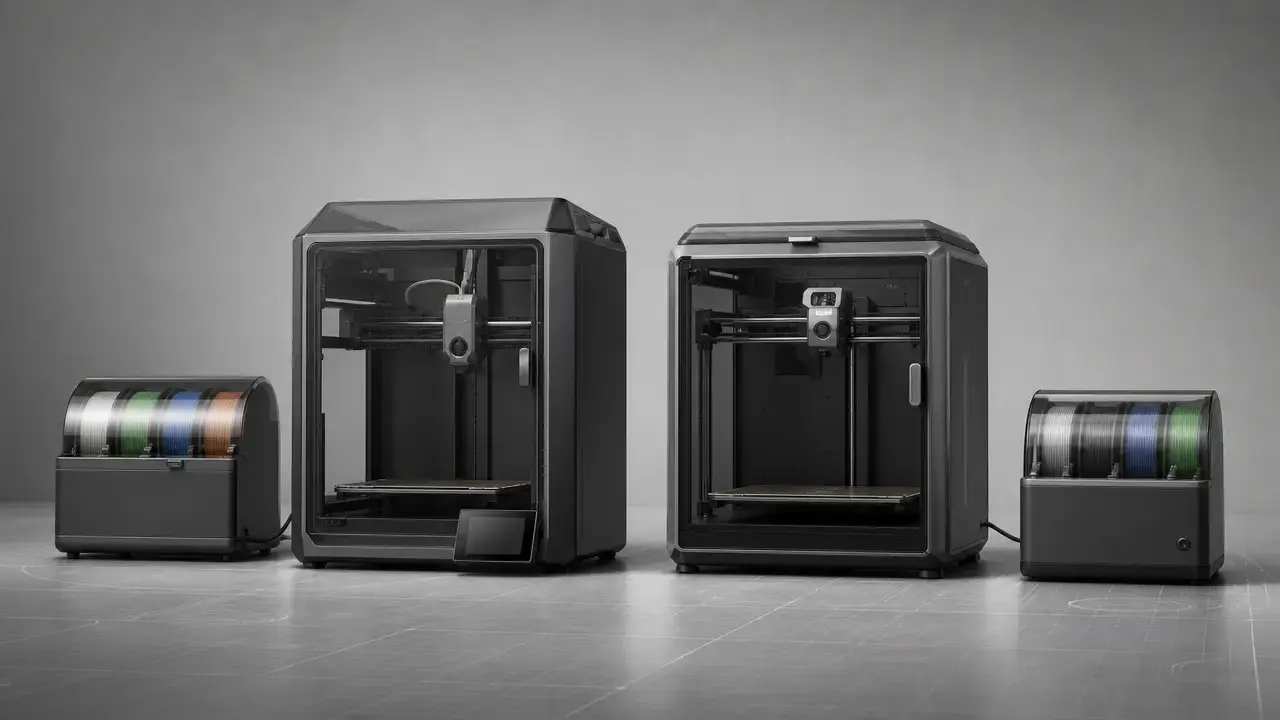
For creality k2 combo vs bambu lab p1s, the short answer is that these are two enclosed desktop filament printers aimed at slightly different buyers. In this creality k2 combo vs bambu lab p1s comparison, the K2 Combo brings a 260 × 260 × 260 mm build volume and a listed sale price of $549.00 on the September 28, 2026 access date, while the P1S offers a 256 × 256 × 256 mm build volume and a more established workflow centered on Bambu Studio and the AMS ecosystem. [5] [6] [9]
If current pricing holds, the K2 Combo is the stronger value pick. If you care more about a mature daily workflow, broader documented software behavior, and a platform with a longer public track record in single-nozzle multicolor printing, the P1S Combo is the safer recommendation. The base K2 should also be treated as an enclosed printer, not as an actively heated-chamber machine, because Creality’s own K2 series guide reserves the heated chamber system for the K2 Pro and K2 Plus. [5]
Choose K2 Combo if…
- You want the lower entry price and the slightly larger build volume. [5] [6] [9]
- You want to start with a 4-slot multicolor bundle and care most about upfront purchase value. [6] [7] [11]
- You mainly print common consumer filaments and do not need to treat the feeder box as a TPU or damp-soluble-material path. [4] [7]
Choose P1S Combo if…
- You want the workflow-first option, with Bambu Studio documented in the official tech sheet and an established AMS-based routine. [9]
- You want the safer printer-level materials brief on paper, including PLA, PETG, TPU, ABS, ASA, PVA, PET, PA, and PC. [9]
- You care more about predictable software behavior and repeatable daily use than about saving the last dollars up front.
Avoid or consider alternatives if…
- You need an actively heated chamber as a baseline requirement, because the base K2 is not the heated-chamber model in Creality’s own K2 series guide. [5]
- You are shopping mainly for reinforced composites or production-first throughput, where feeder-path limits and material recommendations matter more than the headline spec sheet. [9] [10] [12]
| User type | Better fit (and why) |
|---|---|
| Beginner | P1S Combo, because the buying case is less about raw specs than about a polished workflow and predictable routine use. |
| Multicolor hobbyist | K2 Combo, if the lower access-date price matters more than ecosystem maturity. [6] |
| Small shop / print farm | P1S Combo, because routine setup repeatability matters more than a tiny build-volume gap. [5] [9] |
| TPU user | P1S Combo, but mainly as a printer-level choice with an external spool, because the AMS path itself does not support TPU. [9] [10] |
| CF/GF user | Consider alternatives, because the P1S sheet marks carbon/glass-fiber reinforced polymer as not recommended, and the AMS-family feeder rules are also selective rather than universally open-ended. [9] [10] [12] |
At a glance: spec comparison
Headline specs are the right starting point, but they do not tell you everything about throughput, multicolor efficiency, or day-to-day ease. In a corexy 3d printer comparison like k2 combo vs p1s, the table below works best as a baseline: footprint, thermal limits, and feeder format are easy to compare on paper, while total print time, waste, and workflow comfort only become clear in use. [4] [5] [9]
| Metric | K2 Combo | P1S Combo | Why it matters |
|---|---|---|---|
| Build volume | 260 × 260 × 260 mm | 256 × 256 × 256 mm | The K2 is only slightly larger, so this is a minor advantage rather than a category shift. [5] [9] |
| Printer dimensions and weight | 404 × 436 × 545 mm; 18.4 kg | 389 × 389 × 458 mm; 12.95 kg | The P1S is notably smaller and lighter, which matters more for desk fit than the small build-volume gap. [5] [9] |
| Max speed and acceleration | 600 mm/s; ≤ 20,000 mm/s² | 500 mm/s; 20 m/s² | The K2 lists the higher top speed, but the P1S acceleration is the same after unit conversion, so neither number alone predicts faster finished jobs. [4] [9] |
| Nozzle and bed temperature | 300 °C nozzle; 100 °C bed | 300 °C hot end; 100 °C build plate | On paper the thermal ceilings are matched, which shifts the decision toward enclosure behavior, feeder rules, and materials guidance. [4] [9] |
| Nozzle sizes and filament format | 0.4 mm included; 0.2/0.6/0.8 mm compatible; 1.75 mm filament | 0.4 mm included; 0.2/0.6/0.8 mm optional; 1.75 mm filament | Both start from the same basic nozzle ecosystem, so maintenance and tuning choices are familiar on either side. [4] [9] |
| Printing technology label | FFF | Fused Deposition Modeling (FDM) | The naming differs more than the process does; for buyers, both sit in the same desktop material-extrusion family. [4] [9] |
| Multicolor unit included in the comparison | 1 × CFS, 4 slots | 1 × AMS, 4 slots | The base comparison is 4-slot versus 4-slot, not “16 colors out of the box.” [7] [11] |
| Camera spec | No reliable figure found in the supplied source pack | 1280 × 720 at 0.5 fps | The P1S has a clear published camera spec, which helps set remote-monitoring expectations. [9] |
| Price shown on access date | $549.00 sale / $699.00 list | No reliable figure found | The K2’s access-date store price makes its value case easy to quantify, while the P1S price should be re-checked on the live listing before publication or purchase. [6] |
The main deltas are straightforward. The K2 Combo gives you a slightly larger print envelope and, on the cited date, a much easier-to-quantify value proposition. The P1S is smaller, lighter, and backed by a clearer published camera and software brief. Both reach the same headline 300 °C / 100 °C thermal limits, so this comparison is less about raw temperature capability than about footprint, feeder restrictions, and workflow preference. [4] [5] [6] [9]
What you actually get (bundles, add-ons, expansion cost)
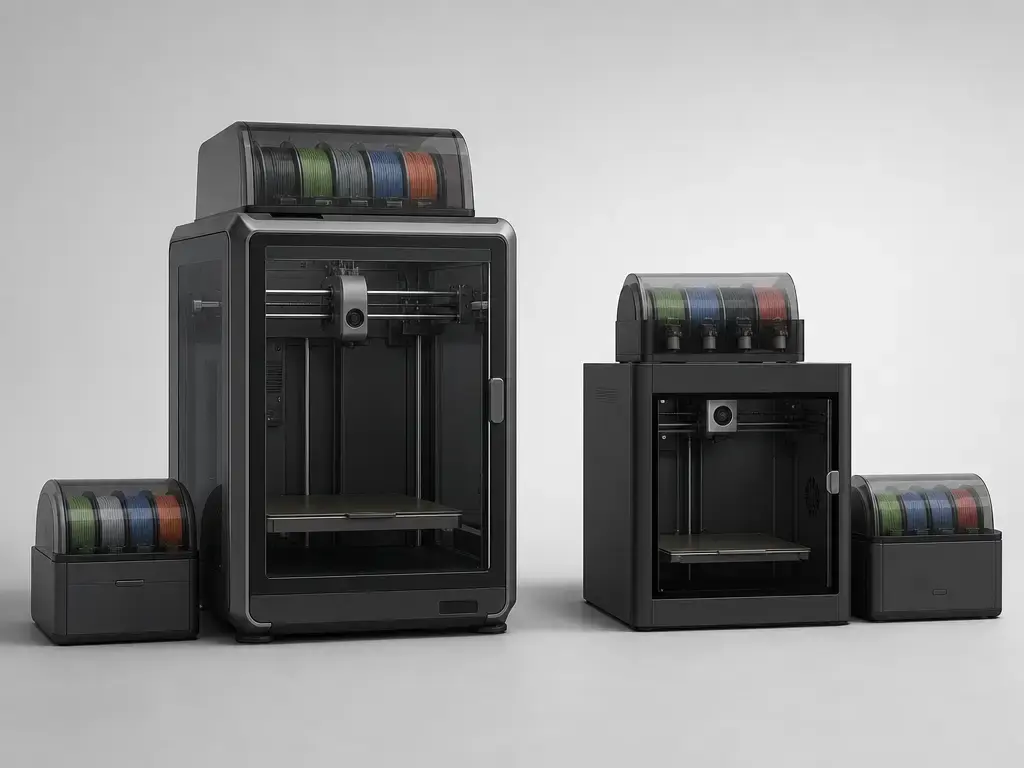
For consistency, Creality K2 Combo here means the K2 printer plus one CFS, and Bambu Lab P1S Combo means the P1S printer plus one original AMS. That is the fairest like-for-like multicolor baseline: one enclosed printer, one four-slot feeder box, and one single-nozzle color-changing workflow on each side. AMS 2 Pro appears later only as a clearly labeled variant, not as a silent replacement for the original AMS in the comparison itself. [7] [11] [12]
That baseline matters because “up to 16 colors” is an expansion story, not a base-bundle reality. Creality’s K2 series guide says 4 × CFS can deliver up to 16 colors, and Bambu’s AMS page says up to 4 AMS units can support up to 16 colors. Once you scale beyond one feeder box, you are buying more than color count: you are adding hardware, cables, placement constraints, and more possible interruption points during long multicolor jobs. Creality’s CFS accessory page also showed $319.00 on the accessed date, which is useful context when thinking about expansion cost. [5] [8] [11]
| Item | K2 Combo | P1S Combo |
|---|---|---|
| Printer in this comparison | K2 printer | P1S printer |
| Feeder unit included | 1 × CFS. [7] | 1 × original AMS. [11] |
| Slot count per feeder | 4 slots. [7] | 4 slots. [11] |
| Maximum expanded color count | Up to 16 colors with 4 × CFS. [5] | Up to 16 colors with up to 4 AMS. [11] |
| Feeder price on access date | CFS listed at $319.00. [8] | No reliable figure found for the original AMS in the supplied source pack. |
| Optional variant note | No separate feeder variant is needed for this article’s baseline. | AMS 2 Pro is a distinct variant with active drying up to 65 °C and active moisture discharge support. [12] |
Core concepts (CoreXY, FDM vs FFF, single-nozzle multicolor)
CoreXY is a motion layout, not a print-quality guarantee. It tells you how motion is organized, not whether the printer will automatically be more accurate, quieter, or easier to use. That distinction matters because architecture is often used as a shortcut for print quality. ISO/ASTM 52900 is useful here mainly as a terminology guardrail: it defines additive-manufacturing language, but it is not a consumer tolerance standard and it does not provide a universal accuracy number for filament printers. [1]
FDM and FFF are mostly naming differences at buyer level. Creality labels the K2 as FFF and lists a CoreXY frame with a direct extruder, while Bambu’s P1S sheet labels the process Fused Deposition Modeling and places it in the same 1.75 mm nozzle-and-filament ecosystem most desktop users already understand. In practice, you are comparing two enclosed desktop material-extrusion printers, not two different printing principles. [4] [9]
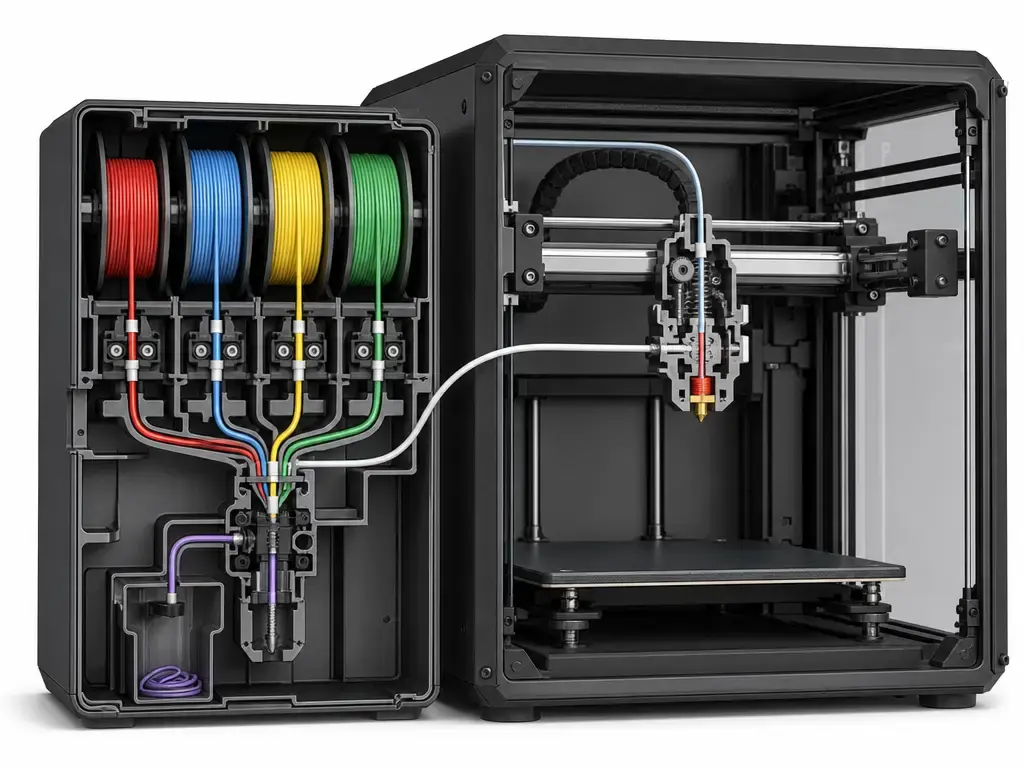
Single-nozzle multicolor is where the real trade-off starts. Each machine can extrude only one filament stream at a time, so changing color means unloading one filament, loading the next, and purging the old color from the hot end before printing continues. Depending on the slicer and model, that overhead shows up as purge waste, longer job time, and more opportunities for a swap to misbehave. A four-slot feeder box therefore adds flexibility, but every extra color change adds handling overhead that a single-color job does not have.
Multicolor hardware: CFS vs AMS (and the AMS 2 Pro variant)
At the one-box level, the Creality CFS and the original Bambu AMS solve the same problem in a similar format. The CFS is listed at 379 × 314 × 276 mm and 4.56 kg, with 4 filament slots, 20 W rated power, and a maximum extension count of ≤ 4 on the cited product material. The original AMS is smaller at 368 × 283 × 224 mm and 2.5 kg, and it also uses 4 filament slots. So the base choice is not which one “does multicolor,” but which box better fits your space, materials, and workflow habits. [7] [10]
The material rules on those feeder boxes matter more than many first-time buyers expect. Creality’s CFS material list on the cited page includes PLA, PETG, ABS, ASA, PET, and PLA-CF, while its restriction line explicitly says it is not compatible with flexible TPU, damp BVOH/PVA, or warped cardboard spools. Bambu’s original AMS has a broader formal feeder list, including PLA, PETG, ABS, ASA, PET, PA, PC, dry PVA, dry BVOH, PP, POM, HIPS, and some Bambu-branded CF variants, but its unsupported list also explicitly blocks TPE, TPU, wet PVA, wet BVOH, Bambu PET-CF/TPU 95A, and other brands’ carbon- or glass-fiber filaments. That means the AMS is not simply “more open,” and the CFS is not simply “more limited.” They differ in exactly which feeder-path compromises they make. [7] [10]
Expansion changes daily use more than the slot count does. Creality frames the ceiling as 4 × CFS for up to 16 colors, and Bambu frames it as up to 4 AMS units for up to 16 colors. On paper, that makes the color ceiling a tie. In practice, every extra box adds space demands, more routing, more mapping to keep organized, and more hardware that has to keep behaving during long prints. Drying and humidity handling are also not equal across the family tree: Notebookcheck describes the CFS as keeping filament dry, and Creality’s own CFS material describes a desiccant-based drying method, but neither source presents it as an active heated dryer. AMS 2 Pro is different: Bambu’s spec sheet gives it active drying up to 65 °C and active moisture discharge support. That makes AMS 2 Pro a meaningful variant for buyers who care about moisture control, but it should remain a clearly labeled variant rather than being folded into a baseline P1S Combo comparison. [5] [11] [12] [13]
| Filament family | CFS feeder path | AMS feeder path | AMS 2 Pro feeder path |
|---|---|---|---|
| PLA | Yes in normal use. [7] | Yes in normal use. [10] | Yes in normal use. [12] |
| PETG | Yes in normal use. [7] | Yes in normal use. [10] | Yes in normal use. [12] |
| ABS / ASA | Yes in normal use. [7] | Yes in normal use. [10] | Yes in normal use. [12] |
| TPU | No; flexible TPU is listed as incompatible. [7] | No; TPU is listed as unsupported. [10] | No; generic TPU is listed as not supported. [12] |
| PVA / BVOH, dry | No reliable feeder-path figure found beyond the damp-material restriction. [7] | Yes when dry. [10] | Yes when dried, but not every drying case is fully covered by AMS 2 Pro alone. [12] |
| PVA / BVOH, damp | No; damp BVOH/PVA is listed as incompatible. [7] | No; wet PVA and wet BVOH are listed as unsupported. [10] | No; damp PVA and damp BVOH are listed as not supported. [12] |
| CF / GF-filled | Partial and narrow: PLA-CF appears in the cited CFS-supported list, but no reliable broad feeder-path rule for CF/GF families was found here. [7] | Limited and vendor-dependent: some Bambu CF variants are listed as supported, but other brands’ CF/GF filaments are explicitly unsupported. [10] | Limited and vendor-dependent: some Bambu CF variants are listed as supported, while many other CF/GF filaments are explicitly blocked. [12] |
For many buyers, that table matters more than the printer body itself. If daily multicolor convenience is the priority, the feeder path often decides what “supported” really means in practice.
Materials & enclosure: what thermal limits do (and don’t) guarantee
Both machines reach the same headline thermal ceiling on paper: 300 °C at the hot end or nozzle, and 100 °C at the bed or build plate. That is enough to place them in the serious hobbyist enclosed-printer category, but it does not guarantee equal behavior with harder materials. It also does not erase the difference between printer-level capability, feeder-path compatibility, and the manufacturer’s own supported-material list. The K2 support page lists PLA, PLA-CF, PETG, PET, and ABS, while the P1S sheet lists PLA, PETG, TPU, ABS, ASA, PVA, PET, PA, and PC, with carbon/glass-fiber reinforced polymer marked as not recommended. [4] [9]
The enclosure question is where spec sheets are easy to overread. The base K2 is enclosed, but Creality’s own K2 series buying guide says the heated chamber system is only for the K2 Pro and K2 Plus, so the base K2 should not be described as an actively heated-chamber machine. On the P1S side, the supplied spec sheet supports calling it enclosed, but this source pack does not verify active chamber heating for that exact model. That means both printers can look similar in a shopping photo while still requiring care around chamber behavior and advanced-material expectations. [5] [9]
- Warping: higher-shrink materials can still curl even when headline temperatures look sufficient.
- Moisture: a wet filament can fail long before the printer reaches its temperature limit.
- Chamber conditions: an enclosure is not the same thing as an actively heated chamber.
- Feeder restrictions: the AMS or CFS path may be more restrictive than the printer body itself.
- Nozzle wear and recommendation limits: reinforced materials need extra caution when the manufacturer does not treat them as an easy, routine feeder-path case. [4] [5] [9] [10] [12]
Print quality & dimensional accuracy (How we compare)
For print quality and dimensional accuracy, the fairest method is standards-based and artifact-based, not marketing-based. ISO/ASTM 52902 is specifically about test artefacts for geometric capability assessment of additive-manufacturing systems, and NIST’s additive-manufacturing test artifact work makes the same point from a practical side: artifacts are used to investigate system performance, including geometric accuracy and surface roughness. That is why broad claims like “accurate printer” or “0.05 mm layer height” do not answer the same question. Creality’s own K2 support page, for example, mixes process settings and output claims, including a stated layer-height range of 0.05–0.3 mm and a separate “100mm±0.1” printing-accuracy line. Those are not interchangeable metrics, and the on-page K2 accuracy claim is not accompanied by a test method there. [2] [3] [4]
The most careful way to present the available evidence is this: Notebookcheck reported one K2 dimensional check on a 20 × 20 × 20 mm cube, measuring 20.005 mm on X, 20.005 mm on Y, and 20.000 mm on Z, while also noting the uncertainty of the measuring instrument. That is a useful data point, but it is still one artifact, one review setup, and one measurement context. For the P1S, no reliable comparable figure was found in the supplied sources using the same kind of clearly described dimensional-artifact framing, so a direct rank-order claim would be overconfident. The right reading is not “K2 proved better,” but “parity data was not available in matched form.” [4] [13]
Performance beyond headline speed (speed, flow, noise, total job time)
Maximum speed is one of the least reliable single-number buying metrics in this category. The K2 lists 600 mm/s and ≤ 20,000 mm/s², while the P1S lists 500 mm/s and 20 m/s², which is the same acceleration once normalized. That tells you both are aimed at fast consumer printing, but not which one will finish your actual multicolor job sooner. [4] [9]
- First-layer consistency: a printer that starts cleanly is faster in practice than one that fails quickly.
- Repeatability across multiple prints: one good demo print matters less than stable output over repeated jobs.
- Multicolor change reliability: single-nozzle color swaps can dominate real print time.
- Purge waste: keep this qualitative; Tom’s Hardware explicitly lists AMS filament waste as a downside. [15]
- Slicer estimate accuracy: compare estimated time to finished time, not just the marketing speed cap.
- Noise at a defined distance: igor’sLAB measured the P1S at 64.7 dB(A) from about 40 cm in active operation; no reliable comparable K2 figure was found in the supplied sources. [14]
- Total job time for the same model and color count: this is the throughput metric that matters most.
The P1S also has a manufacturer flow claim of 32 mm³/s under a specific ABS test condition, which is useful context precisely because the condition is stated: 150 × 150 mm single wall, Bambu ABS, and 280 °C. That is a better way to read flow than treating it as a universal speed constant. [9]
Reliability, maintenance, and ecosystem
Reliability at this level is mostly about how often the printer asks for your attention. On either machine, the likely maintenance categories are familiar: nozzle swaps, PTFE routing, cutter access, and the occasional feeder-path interruption. Notebookcheck’s K2 review is helpful here because it keeps the praise narrow: the printer was described as easy to use, and the CFS was described in keep-dry terms rather than as a zero-maintenance add-on. Tom’s Hardware does something similar on the P1S side by listing “Noisy” and “AMS unit wastes filament” as qualitative downsides rather than presenting the multicolor workflow as friction-free. [13] [15]
The ecosystem picture is clearer when kept to concrete, sourced facts. Creality’s K2 support page lists file transfer by USB Flash Drive, LAN, and Cloud Printing, and it names Creality Print and Creality Cloud directly. Bambu’s P1S tech sheet names Bambu Studio, app/PC control, Wi-Fi, Bluetooth, and Bambu-Bus, while also stating that standard G-code exporters such as SuperSlicer, PrusaSlicer, and Cura are supported, though some advanced features may not carry over. If local-network behavior matters to you, igor’sLAB also notes that an optional LAN-only mode exists, but some remote-access conveniences and app behavior change in that mode. That frames the software choice more usefully than broad brand stereotypes. [4] [9] [14]
The practical takeaway is simple: buy the system whose maintenance style you will actually tolerate. Multicolor convenience still comes with feeder hardware, tubing, and swap-related upkeep, even when the printer itself is well enclosed.
Verdict: creality k2 combo vs bambu lab p1s
For creality k2 combo vs bambu lab p1s, the K2 Combo is the better buy for value-led shoppers if the cited September 28, 2026 pricing still holds. A 260 × 260 × 260 mm build volume and a listed $549.00 sale price make it easy to justify for buyers who want an enclosed, four-slot multicolor entry point without spending more than necessary. The P1S Combo, however, remains the better workflow-first recommendation because its software brief, printer-level material list, and established AMS routine make the daily-use case easier to defend. [5] [6] [9]
By buyer type, the split is clearer than the marketing pages suggest. For beginners and small-shop users, the P1S Combo is the safer default because the whole system reads as the more mature routine-use platform. For multicolor hobbyists who care most about access price, the K2 Combo is the more aggressive value play. For TPU users, the P1S is the stronger printer-level candidate because TPU appears in the P1S materials list, but both feeder systems block TPU in their normal multicolor path. For engineering-material curiosity, the P1S again looks broader on paper, yet its own sheet still marks carbon/glass-fiber reinforced polymer as not recommended, so neither combo should be treated as a no-drama composites machine. [7] [9] [10] [12]
Before publishing or buying, do three simple checks: confirm the live bundle contents, re-check both brands’ current prices, and verify feeder availability. Multicolor efficiency still depends heavily on model geometry, color count, and purge behavior, so the right choice is the one that best matches your real jobs, not the most flattering headline number. [6]
FAQ
Is the Creality K2 Combo better than the Bambu Lab P1S Combo?
It depends on what “better” means for you. If you want the cheaper entry point and the cited K2 price still holds, the K2 Combo is the better value pick. If you want the safer workflow-first recommendation, the P1S Combo is the stronger default. The build-volume difference is small, so the real split is value versus workflow maturity. [5] [6] [9]
Which is better for multicolor printing: CFS or AMS?
Neither wins on slot count alone, because both base systems are 4-slot feeders and both can scale to 16 colors only with multiple boxes. The better choice depends on the feeder-path rules you care about, your desk space, and whether active drying matters enough to push you toward the separate AMS 2 Pro variant. [5] [7] [11] [12]
Can either printer print TPU through the feeder system?
Not through the feeder systems as cited here. Creality’s CFS says flexible TPU is not compatible, and Bambu’s AMS lists TPU as unsupported. That is a feeder-path limitation, not automatically a blanket statement about every possible external-spool workflow at the printer level. [7] [10]
Do either of them have an actively heated chamber?
Do not assume that from the base-model comparison. Creality’s own K2 series guide says the heated chamber system is only for the K2 Pro and K2 Plus, not the base K2. The P1S is enclosed in the supplied specs, but no active chamber-heating claim for the exact P1S model was verified in this source pack. [5] [9]
(Advanced) Why can’t Creality’s “100mm±0.1” claim and the K2 20 mm cube result be compared directly?
Because they are not the same evidence type. ISO/ASTM 52902 frames fair geometric comparisons around test artefacts and method, while Notebookcheck’s K2 cube result is one independent measurement with uncertainty noted. Creality’s “100mm±0.1” is a manufacturer page claim without an on-page method description, so treating those two numbers as a like-for-like shootout would mix artifact size, method, and uncertainty. [2] [4] [13]
(Advanced) What measurement would fairly compare dimensional accuracy between two printers?
Use the same printed artefact, the same material, the same slicer conditions, the same measurement tool, and the same uncertainty reporting for both machines. That is the logic behind standards-based geometric capability assessment and NIST-style test-artifact work. A fair result compares matched methods, not one brand claim against one unrelated review cube. [2] [3]
Sources
- ISO/ASTM 52900:2021 Additive manufacturing — General principles — Fundamentals and vocabulary — https://www.iso.org/standard/74514.html
- ISO/ASTM 52902:2023 Additive manufacturing — Test artefacts — Geometric capability assessment of additive manufacturing systems — https://www.iso.org/standard/79683.html
- NIST Additive Manufacturing Test Artifact — https://www.nist.gov/el/intelligent-systems-division-73500/production-systems-group/nist-additive-manufacturing-test
- Creality K2 Series support/specification page — https://www.creality.com/support/k2-series-3d-printer
- Creality K2 Series buying guide — https://www.creality.com/campaigns/k2-series-buying-guide
- Creality K2 Combo product page — https://store.creality.com/products/creality-k2-combo-3d-printer
- Creality K2 Plus Combo product page with CFS specs — https://store.creality.com/products/creality-k2-plus-combo-3d-printer
- Creality CFS accessory product page — https://store.creality.com/products/cfs-creality-filament-system
- Bambu Lab P1S technical specifications PDF — https://store.bblcdn.com/7032c40b1ca64c70bcb3239d46cc72aa.pdf
- Bambu Lab AMS product page (global) — https://bambu-lab-global.myshopify.com/products/ams-multicolor-printing
- Bambu Lab AMS product page (EU mirror) — https://bambulab-eu.myshopify.com/en-se/products/ams-multicolor-printing
- Bambu Lab AMS 2 Pro specification sheet — https://store.bblcdn.com/s3/default/02bc9c24b207476a9608a314b8039509/AMS_2_Pro-EN.pdf
- Notebookcheck review: Creality K2 Combo — https://www.notebookcheck.net/3D-printer-with-multicolor-support-The-Creality-K2-Combo-prints-well-and-is-easy-to-use.1339559.0.html
- igor’sLAB review: Bambu Lab P1S AMS Combo, page 6 — https://www.igorslab.de/en/bambu-lab-p1s-ams-combo-3d-printer-in-test-setting-the-bar-a-bit-higher-again/6/
- Tom’s Hardware review: Bambu Lab P1S — https://www.tomshardware.com/reviews/bambu-lab-p1s