
Summary
The DAE file format is the .dae instance document used by COLLADA, an XML-based interchange schema for 3D assets and scenes. It works best when a pipeline already expects COLLADA, but it is not always the best fit for runtime delivery or 3D printing, where glTF and printing-oriented formats usually map more directly to the destination workflow. [5] [13] [15] [16]
- A DAE file is a COLLADA XML instance document, and
.daestands for Digital Asset Exchange. [5] - How to open DAE file content depends on the software and its version, not just on the extension. [8] [9] [11]
- Prefer glTF/GLB for runtime delivery, STL for mesh-only fabrication handoff, and 3MF or AMF for printing-oriented workflows when the target tool supports them. [13] [14] [15] [16]
What Is the DAE File Format?
If you are asking what is a DAE file, the short answer is that it is the .dae instance document used by the COLLADA specification family. COLLADA is the schema and specification; DAE is the file extension you usually see on disk. The Khronos specification describes COLLADA instance documents as XML documents that use the .dae extension, with DAE defined as an acronym for Digital Asset Exchange. [5]
Because a DAE file is XML, it is plain text and structured for interchange, inspection, and parsing rather than as a compact runtime delivery format. A .dae file can reference other assets, including images and other documents, so geometry may load even when textures do not. For technical identification, IANA registers the COLLADA media type as model/vnd.collada+xml. [5] [7]
- DAE file: A COLLADA instance document stored with the
.daeextension. [5] - COLLADA: The XML schema and specification family behind DAE files. [5]
- XML: The markup language used to encode COLLADA documents. [5]
- ZAE: A zipped COLLADA exchange archive that can package
.daefiles with their referenced content. [5]
DAE vs COLLADA vs ZAE (and Why Textures Go Missing)
A .dae file is the XML document itself, while a .zae file is an archive package. The COLLADA 1.5.1 specification defines .zae as a ZIP archive containing one or several .dae files and all referenced content, including textures, and it requires a manifest.xml file with a <dae_root> entry that points to the starting document. The same section also notes that an archive may contain other archives, including kmz, but KMZ is not the same thing as ZAE. [5]
Textures usually go missing for a simple reason: the model file and the image files no longer resolve the same paths they used at export time. COLLADA uses URI-style references, so broken folder structure, renamed files, incomplete copies, or a converter that ignores external image references can all leave you with correct geometry and missing appearance. Packaging the model as .zae reduces that risk because the referenced assets travel with the document. [5]
Standards and Version Reality (Keep History Minimal and Sourced)
ISO 17506:2022 is Edition 1 of the COLLADA standard page, published in March 2022 with 477 pages, and the ISO page lists 1 amendment. ISO also states that the document does not specify the implementation of, or definition of, a run-time architecture for viewing or processing COLLADA data. That sets a useful boundary: the standard defines interchange semantics, not a universal playback engine. [2]
As of 2026-09-09, Khronos lists COLLADA 1.5.1 as the latest specification and describes it as a revision of 1.5.0 whose schema is unchanged from 1.5.0. The 2025 Khronos PDFs are easy to mis-cite: the file named collada_1_5_1_release_notes.pdf is the 483-page specification, while collada_spec_1_5_1.pdf is the 6-page release notes. The schema file itself declares version="1.5.0" and is dated August 6, 2008. [1] [4] [5] [6]
Many tools still center their support around 1.4 or 1.4.1. Khronos continues to describe COLLADA 1.4 as the stable release that was widely adopted, and the COLLADA 1.4.1 specification is the March 2008 second edition with 378 pages. A current example is SketchUp, whose help page says the product supports COLLADA 1.4 and validates 1.4.1 files by default. [1] [3] [8]
What a DAE/COLLADA File Can Store (Capability vs Importer Support)
At the specification level, a COLLADA document can represent much more than a bare mesh. Khronos describes COLLADA as supporting comprehensive encoding of visual scenes, including geometry, shaders and effects, physics, animation, kinematics, and multiple representations of the same asset. The ISO standard page likewise describes coverage for geometry, animation, skinning, assets, scenes, physics models, visual effects, boundary representation, and kinematics. The full specification also includes libraries and instance forms for cameras, lights, controllers such as skin and morph data, animation trees, physics models, and articulated or kinematics systems. [1] [2] [5]
That capability is not the same as guaranteed importer support, and it is not the same as modern glTF 2.0 material interoperability. glTF defines a metallic-roughness PBR material model intended for more consistent cross-platform rendering, while COLLADA materials and effects belong to an older, broader interchange model. A DAE file can carry rich scene information on paper, but a specific application may still ignore part of it. [9] [10] [13]
Data classes you may see in a DAE include the following. [1] [2] [5]
- Mesh geometry plus hierarchy and scene nodes. [1] [2]
- Materials and effects plus images and texture bindings. [1] [5]
- Cameras and lights. [5]
- Animation plus skinning and rigging-related controller data. [2] [5]
- Physics and kinematics as specification capabilities that remain importer-dependent in practice. [1] [2] [5]
Key Technical Metadata That Breaks Imports (Units + Up-Axis)
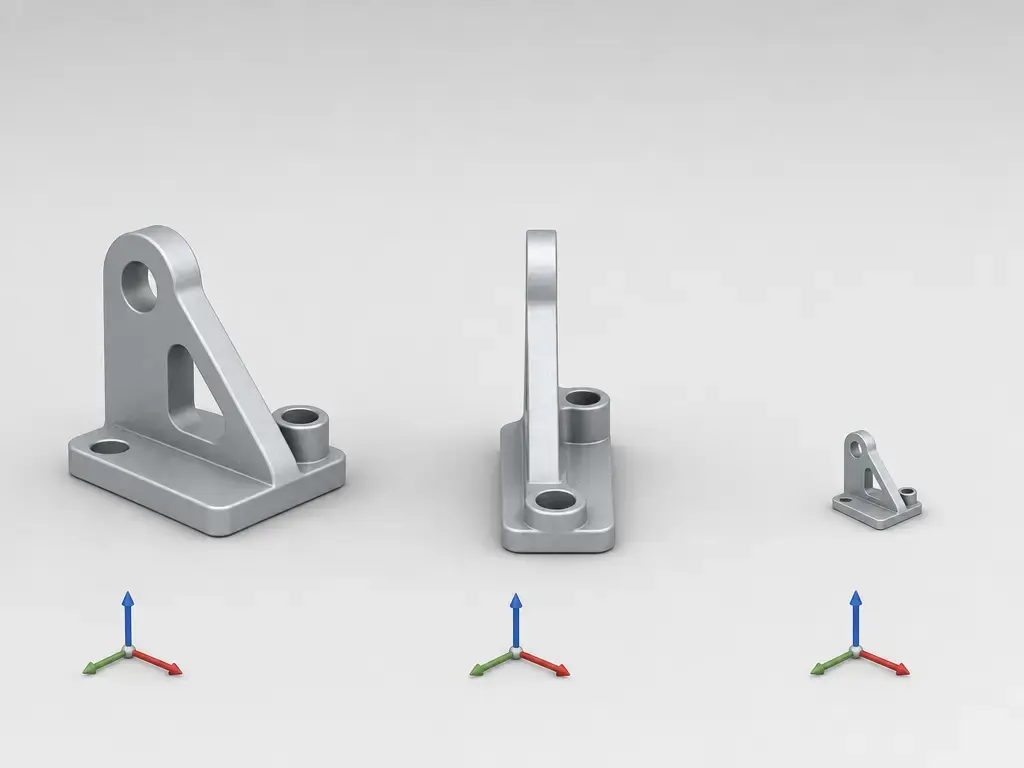
Scale problems often start in the <asset><unit> metadata. The COLLADA 1.4.1 specification states that the standard units are seconds for time, degrees for angles, kilograms for mass, and meters for distance by default, while the <unit> element can redefine distance for the document or a local scope. The same spec explains the meter attribute numerically with examples such as 1.0 for meter, 1000 for kilometer, and 0.3048 for foot. Those values define scale factors, not exporter quality. [3]
Orientation problems usually come from <up_axis>, not from a mysterious rotation bug. The COLLADA 1.4.1 specification says all coordinates are right-handed by definition, allows X_UP, Y_UP, and Z_UP, and shows Y_UP as the default value. If an importer assumes a different up-axis than the file declares, the model may appear rotated, sideways, or upside down even when the geometry itself is fine. [3]
Transform issues can persist even after units and axis settings are correct. The <matrix> element is defined as a list of 16 floating-point values organized into a 4-by-4 column-order matrix suitable for composition. If a tool transposes that matrix, bakes transforms unexpectedly, or maps parent-child transforms differently, the result can be wrong even though the document is still structurally valid. [3]
- Check scale first if the model imports tiny or huge. [3]
- Check the declared up-axis if the model imports sideways or upside down. [3]
- Check unit metadata if the size is wrong by a fixed multiplier. [3]
- Check matrix interpretation if rotations or inherited transforms look inconsistent. [3]
DAE File Anatomy (Practical, Not a Reference Manual)
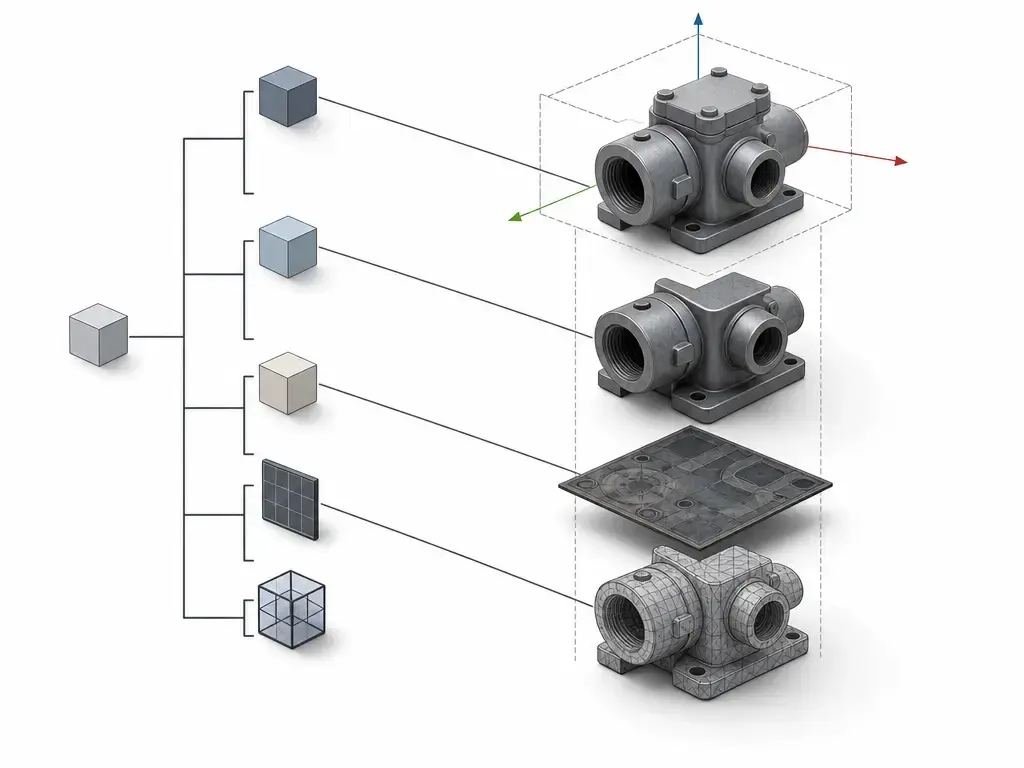
A DAE file is organized as linked libraries and instances rather than as one flat blob of geometry. In practice, one section can define geometry, another can define effects or materials, another can define images, and scene nodes can then instance those resources by ID or URI-style reference. The specification describes COLLADA instance documents as XML and explains how elements are addressed through identifiers and URI fragment syntax. That structure is useful for reuse, but it also creates more places where a broken reference can interrupt the result. [5]
That does not make COLLADA a runtime scene graph. Khronos explicitly positions it as an XML database schema and intermediate language, not a delivery format and not a scene graph. A practical mental model is a scene-oriented interchange document whose libraries, references, transforms, units, images, and materials all need to line up for a successful import. When one link fails, the model may still open partially, which is why DAE troubleshooting often feels more like tracing references than repairing geometry. [1] [3] [5]
How to Open DAE File (Workflows and Version-Stamped Caveats)
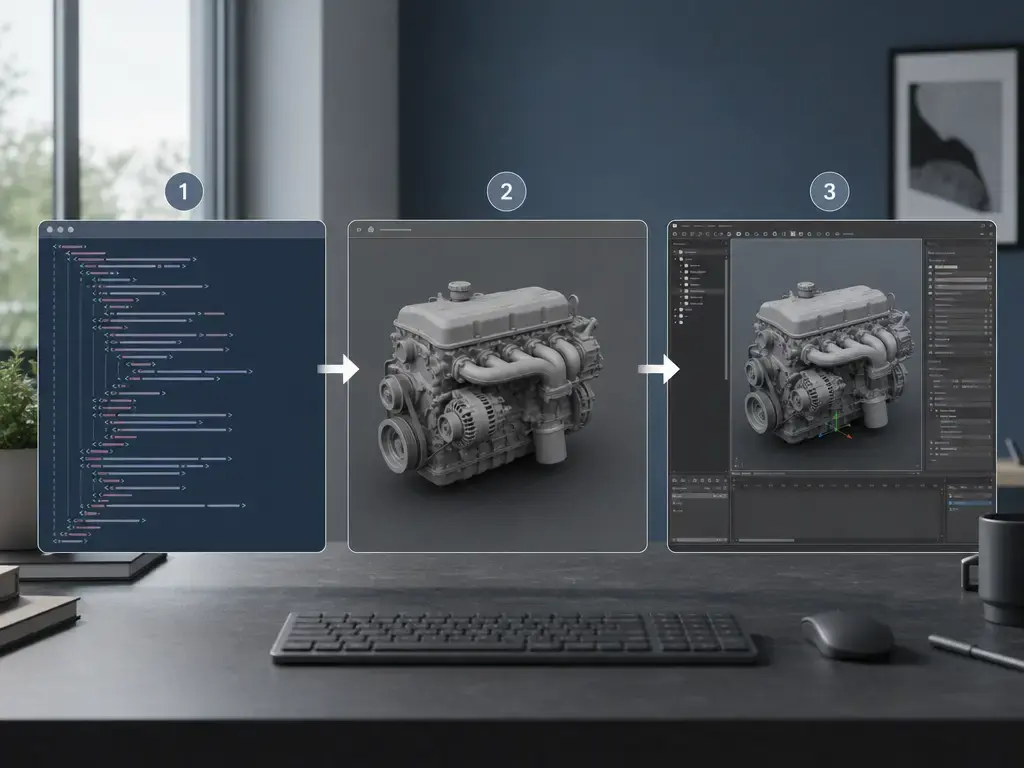
“How to open DAE file” can mean three different tasks: view the model, import it into a DCC or CAD application, or inspect the XML directly. Viewing is useful when you only need to confirm whether geometry and textures are present. Importing is what you do when you want to edit or convert the asset. Inspecting the XML is the fallback when you need to confirm version, units, up-axis, external image references, or whether the file is pointing at content that is no longer present. [3] [5]
A concrete vendor example is SketchUp. Its help page, updated August 21, 2026, says COLLADA files use the .dae extension, that SketchUp supports the COLLADA 1.4 specification and schema, and that the “Validate COLLADA File” option checks whether the file is a valid COLLADA 1.4.1 document by default. The same page also warns that exported COLLADA will not include some SketchUp-specific elements, including dimensions, guide lines and guide points, scenes, section planes, section cuts, shadows, and text. [8]
Blender now requires date-specific advice. The Blender 4.5 LTS manual documents COLLADA import and export as a legacy feature and says it will be removed in a future release. Blender 5.0 release notes then say that Collada (.dae) support has been removed. For Blender 5.0 and newer, the official Blender Extensions listing shows a “Collada Support” add-on as an add-on-based path rather than native support, so compatibility should be verified before a production handoff. [9] [11] [12]
How to Convert DAE File Safely (What You Lose, By Target)
If you are figuring out how to convert DAE file content, think in terms of semantics, not just extensions. Keep the original .dae and the texture folder, or the .zae, before conversion. A conversion that looks successful at first glance can still drop materials, animation, cameras, units, or hierarchy depending on the target format and the importer/exporter pair. [5]
| Target format | Typically preserved | Common losses from DAE | When it fits |
|---|---|---|---|
| STL | Mesh surface only. [16] | Materials, textures, hierarchy, cameras, and animation are outside STL’s standard scope. [16] | Use when the destination only needs printable or process-ready geometry. [16] |
| OBJ | Polygonal geometry plus companion MTL and texture sidecars. [17] | No pre-determined animation sequences or skeleton structures, and no full scene with lighting positions or preset viewing positions. [17] | Use for basic mesh handoff when separate material files are acceptable. [17] |
| FBX | Broader scene-oriented data, including cameras, lights, meshes, and NURBS, depending on the toolchain. [18] | Interoperability can still be opaque because the format is proprietary and Autodesk directs applications toward the FBX SDK. [18] | Use when the receiving application is known and FBX is already the expected interchange path. [18] |
| glTF / GLB | Delivery-oriented meshes, textures, materials, cameras, skins, and animations. [10] [13] | COLLADA-specific effects and any material behavior that does not map cleanly to glTF’s metallic-roughness material model. [10] [13] | Use for runtime, web, or engine delivery where efficient transmission and reduced runtime processing matter. [13] |
| 3MF / AMF | Printing-oriented handoff in additive workflows. [14] [15] | They are not substitutes for general-purpose COLLADA scene interchange. [14] [15] | Use when the destination is a slicer or manufacturing-oriented tool rather than a DCC round trip. [14] [15] |
The main lesson is that preservation depends on what the target format is designed to carry and on how the source and destination tools map that meaning. STL is deliberately narrow. OBJ is broader for mesh appearance but still not a full scene format. FBX may preserve more scene context, but its ecosystem is less transparent. glTF is usually the better fit for delivery because its design goal is efficient transmission and runtime use, not legacy interchange. Printing-oriented formats belong in printing-oriented workflows. [13] [14] [16] [17] [18]
Only in specialized workflows should you consider DAE-to-STEP as a serious goal; do not assume parametric or B-rep recovery from a typical mesh DAE. No reliable figure found for general reliability.
Troubleshooting Checklist (Scale, Rotation, Missing Textures, Partial Imports)
A schema-valid file can still look wrong after import. Validation checks whether the document structure matches the schema, but it does not force every application to preserve the same textures, shading model, transforms, animation, or scene elements. That gap is visible in both the specification boundary and in vendor documentation that lists partial or legacy support. [3] [8] [9]
Use this order when debugging a bad import. [3] [5] [8] [9]
- Identify the COLLADA version and any exporter notes you have. [1] [3]
- Confirm that you actually have the textures, and confirm whether paths resolve or whether a
.zaepackage is available. [5] - Check the
<unit>scale before touching transforms by hand. [3] - Check
<up_axis>and the receiving tool’s handedness assumptions. [3] - Inspect normals, topology, and triangulation if the shape looks faceted or inconsistent. [9]
- Test animation, skinning, lights, cameras, and materials separately because importers may keep some categories and drop others. [1] [8] [9] [12]
| Symptom | Most likely cause | First check |
|---|---|---|
| Model is tiny. | Unit scale mismatch. [3] | Inspect the <unit> meter value. [3] |
| Model is huge. | Unit scale mismatch. [3] | Inspect the <unit> meter value. [3] |
| Model is sideways. | Wrong up-axis assumption. [3] | Check whether the file declares X_UP, Y_UP, or Z_UP. [3] |
| Model is upside down. | Wrong up-axis assumption or transform interpretation. [3] | Start with up_axis, then inspect transform matrices. [3] |
| Textures are missing. | Referenced image files are absent or paths no longer resolve. [5] | Verify the texture folder or test a .zae package. [5] |
| Materials look wrong. | Effects or material mapping changed across applications. [10] | Re-test in another importer and compare the material model used by the target tool. [9] [10] |
| Shading looks faceted. | Normals were dropped, recomputed, or interpreted differently. [9] | Check importer normal handling before editing the mesh. [9] |
| Animation is missing. | The importer does not support that animation or rigging path. [9] [12] | Test geometry first, then animation separately. [9] [12] |
If the geometry is correct but the appearance is not, separate the problem into references, metadata, and importer limits. That is usually faster than editing XML blindly, and it keeps you from “fixing” a file that was actually correct before the receiving tool interpreted it differently. [3] [5] [9]
DAE Compared With OBJ, STL, FBX, glTF/GLB, and 3MF (Where Each Fits)
The comparison that matters is not “best format overall,” but “best fit for the next step in the pipeline.” DAE remains useful as an interchange format when a workflow expects COLLADA semantics, while OBJ, STL, FBX, glTF/GLB, and 3MF each optimize a different balance of mesh simplicity, scene scope, delivery efficiency, or print-oriented handoff. No reliable figure found supports a universal file-size or performance ratio across all of them. [1] [13] [15] [16] [17] [18]
| Format | Best use | Scene/material capability | Main caution |
|---|---|---|---|
| DAE / COLLADA | Legacy or standards-oriented interchange between tools. [1] [2] | Broad spec scope for scenes, materials/effects, textures, animation, and more. [1] [2] [5] | Capability in the spec does not guarantee equal app support. [8] [9] [11] |
| OBJ | Basic mesh handoff with sidecar materials. [17] | Geometry plus MTL-based material and texture references. [17] | No skeletons, no pre-defined animation, and no full scene description. [17] |
| STL | Fabrication-oriented mesh surface exchange. [16] | Surface geometry as a triangular mesh. [16] | No standard support for colors or textures. [16] |
| FBX | Scene-heavy exchange when the target tool is known. [18] | Cameras, lights, meshes, NURBS, and other scene elements. [18] | Proprietary and SDK-oriented. [18] |
| glTF / GLB | Runtime and web delivery. [13] | Delivery-oriented materials, textures, cameras, skins, and animations with a metallic-roughness PBR model. [10] [13] | Not a direct one-to-one replacement for every COLLADA effect or legacy interchange feature. [10] |
| 3MF | Modern slicer and print handoff. [15] | Printing-oriented package behavior in slicer workflows. [15] | Best treated as manufacturing handoff, not as a general DCC interchange format. [15] |
A related ISO/ASTM reference point is AMF, which is explicitly defined as an additive-manufacturing interchange format. That is why STL, 3MF, and AMF usually make more sense than DAE once the real destination is a slicer, while glTF usually makes more sense when the destination is a renderer or engine. [13] [14] [15] [16]
Where DAE Still Fits in Modern Workflows (Neutral)
DAE still fits where interchange is the actual goal rather than the final experience. It is still used in some legacy pipelines, standards-minded archival or preservation contexts, and workflows that need a human-readable, XML-based interchange document instead of a runtime package. Khronos still positions COLLADA 1.5 as relevant to CAD, GIS, and automation-oriented use cases, while ISO frames the standard as an interchange specification rather than a run-time architecture. The .zae package model also gives DAE a practical role in archiving or handoff situations where keeping textures and referenced assets together matters. More often, though, the format appears as a bridge rather than a destination: it can sit between authoring tools, between export and conversion stages, or before a downstream transformation into glTF, STL, 3MF, or another target the receiving application actually prefers. In pre-print preparation, support should be checked rather than assumed, because even current slicer documentation can list many supported imports without listing DAE. [1] [2] [5] [15]
Limitations and Failure Modes (Why It’s Not Usually a Delivery Format)
DAE’s strengths as XML interchange are also part of its weakness as a modern delivery format. XML is readable and flexible, but it is verbose, and the file often depends on additional referenced assets and metadata that must all survive the trip intact. Units, up-axis, transforms, image references, effects, and version differences can all affect the result. In short, format capability is not the same as tool preservation. [1] [3] [5]
For runtime delivery, Khronos positions glTF differently on purpose: it is designed for efficient transmission and loading and to minimize the size of 3D assets and the runtime processing needed to unpack and use them. DAE also fits less cleanly into printing workflows, where support can be variable. OrcaSlicer’s import documentation, for example, lists formats such as STL, 3MF, STEP, DRC, OBJ, AMF, SVG, and ZIP, but not DAE. That is an example of variability, not a universal rule. [13] [15]
When to Use the DAE File Format
Use the DAE file format when a pipeline already expects COLLADA, when you need scene-oriented interchange rather than a mesh-only handoff, or when you are working with legacy assets that are already organized around .dae or .zae. It remains a valid interchange choice when the surrounding tools are known and the receiving application is meant to edit or convert the file rather than stream it directly. [1] [5]
Prefer glTF/GLB when the real goal is runtime or web delivery, because that is what Khronos positions it for. Prefer STL when you only need surface geometry for fabrication and do not need standard color or texture behavior. Prefer 3MF or AMF when the destination is a printing-oriented workflow and the slicer or manufacturing tool supports them. In every case, check the destination application’s documented import list before assuming DAE will be accepted or preserved well. [13] [14] [15] [16]
FAQ
What is the DAE file format?
The DAE file format is the .dae COLLADA instance document used to exchange 3D asset data in XML form. It is designed as an interchange format, so it can describe scenes, geometry, materials, textures, animation, and related metadata, but it is not automatically the best format for runtime delivery or printing. [5] [13]
Is a DAE file the same thing as a COLLADA file?
In normal use, yes. The file you handle is the DAE file, while COLLADA is the schema and specification family behind it. The distinction matters mainly when you hit version or importer issues, because an application may support one COLLADA generation better than another. [1] [5]
What’s the difference between .dae and .zae (and why do textures go missing)?
.dae is the XML document itself. .zae is a ZIP-based package defined by the COLLADA spec for one or several .dae files plus referenced content, including textures, and it uses manifest.xml with a <dae_root> entry to identify the starting document. Textures usually go missing when referenced image files or paths are not preserved during copy, export, or conversion. [5]
How to open DAE file imports in Blender if Blender 5 removed native COLLADA?
Use date-specific guidance. Blender 4.5 LTS still documents COLLADA as a legacy import/export feature, but Blender 5.0 release notes say Collada support has been removed. For Blender 5.0 and newer, the official Blender Extensions site lists a Collada Support add-on, so the safe answer is add-on-based support only, with current compatibility checked before use. [9] [11] [12]
Why does my DAE import at the wrong scale or rotated 90°?
Wrong scale usually points to <unit> metadata, while a 90-degree or sideways result usually points to <up_axis> assumptions. COLLADA defines right-handed coordinates, allows X_UP, Y_UP, and Z_UP, and uses Y_UP by default in the 1.4.1 specification. If the receiving tool assumes a different axis or remaps transforms differently, the model can look wrong even when the file is valid. [3]
What do I lose when converting a DAE to STL or OBJ?
With STL, you should expect a mesh-surface result and not standard colors or textures. With OBJ, you can usually keep geometry plus MTL and textures, but not pre-defined animation sequences, skeleton structures, or a full scene with lights and preset viewpoints. The exact result still depends on the converter, but those are the format-level limits to expect. [16] [17]
Should I use DAE or glTF/GLB for real-time/web delivery?
For real-time or web delivery, glTF/GLB is usually the stronger choice. Khronos positions glTF specifically for efficient transmission and loading and for minimizing runtime processing, whereas COLLADA is positioned as an intermediate interchange language rather than a delivery format. DAE is usually the better fit when a legacy or tool-to-tool pipeline already expects it. [1] [13]
Sources
- Khronos — COLLADA: 3D Asset Exchange Schema
- ISO — ISO 17506:2022 standard page
- Khronos — COLLADA 1.4.1 Specification (2nd Edition) PDF
- Khronos — COLLADA 1.5 Schema (XML)
- Khronos — COLLADA 1.5.1 Specification PDF (483 pp) — filename says “release_notes”
- Khronos — COLLADA 1.5.1 Release Notes PDF (6 pp) — filename says “spec”
- IANA — Media Types Registry
- SketchUp Help — Importing and Exporting COLLADA Files
- Blender Manual 4.5 LTS — Collada (Legacy)
- Khronos Registry — glTF 2.0 Specification (HTML)
- Blender — 5.0 Release Notes page
- Blender Extensions — Collada Support add-on listing
- Khronos — glTF overview
- ISO — ISO/ASTM 52915:2020 (AMF v1.2) standard page
- OrcaSlicer Wiki — Import/Export
- Library of Congress — STL File Format Family (FDD)
- Library of Congress — Wavefront OBJ File Format (FDD)
- Library of Congress — Autodesk FBX (FDD)