
Summary
This 3D Scanning & Photogrammetry Holiday Gift Guide starts with a more useful question than “what is the best 3D scanner for gifts?” The real choice is whether the recipient wants a dedicated capture device, a camera-based reconstruction workflow, or help finishing a workflow they already started. That is why this guide uses a decision framework before any product picks, and why it treats consumer scan output as reference geometry first, not as automatically editable design intent. Consumer scans are usually best understood as reference meshes rather than parametric CAD models. [2]
That distinction matters because workflow burden is often the real gift or the real obstacle. Some recipients want the shortest path from object to mesh, even if cleanup is still required. Others will get more value from a photogrammetry kit holiday gift or from accessories that improve lighting, stability, masking, and export. The guide separates those three routes so you can match the purchase to the recipient’s patience for capture, alignment, and post-processing instead of assuming every 3D result serves the same downstream use.
The three gift routes
A portable object scanner makes the most sense when the recipient wants direct capture of physical things and is willing to learn positioning, tracking, cleanup, and export. That is usually the right route for a portable 3D scanner for hobbyists working on figurines, props, household objects, or small parts where a dedicated capture device is more appealing than a camera-heavy workflow. A scanner gift is also easier to justify when the recipient values repeatable sessions and a self-contained tool more than photographic flexibility.
A close-range photogrammetry kit is a better fit when the recipient already owns a decent camera or phone and is comfortable trading lower hardware cost for more disciplined shooting. For tabletop objects, success depends on consistent coverage, stable framing, diffuse lighting, and background control, so the gift is really a capture setup plus software path rather than a single gadget. That is why a photogrammetry kit holiday gift is strongest for patient users who enjoy photography and do not mind reconstruction time.
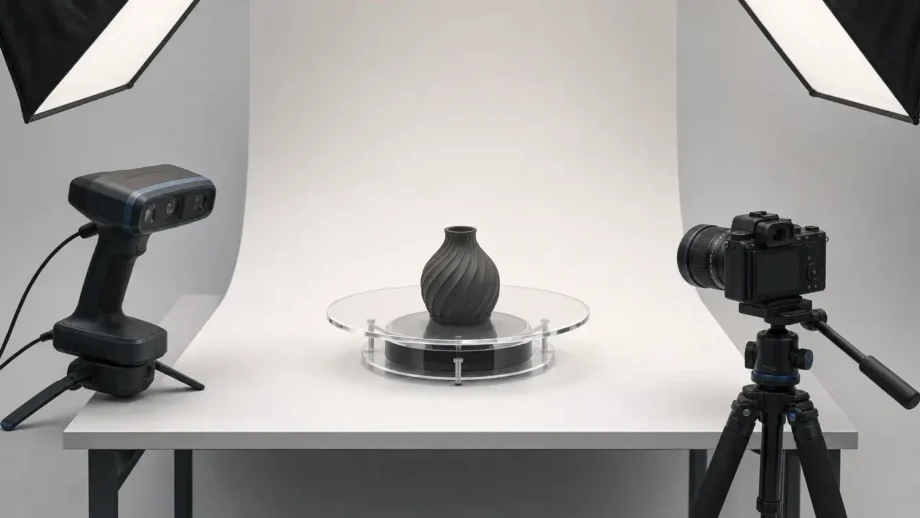
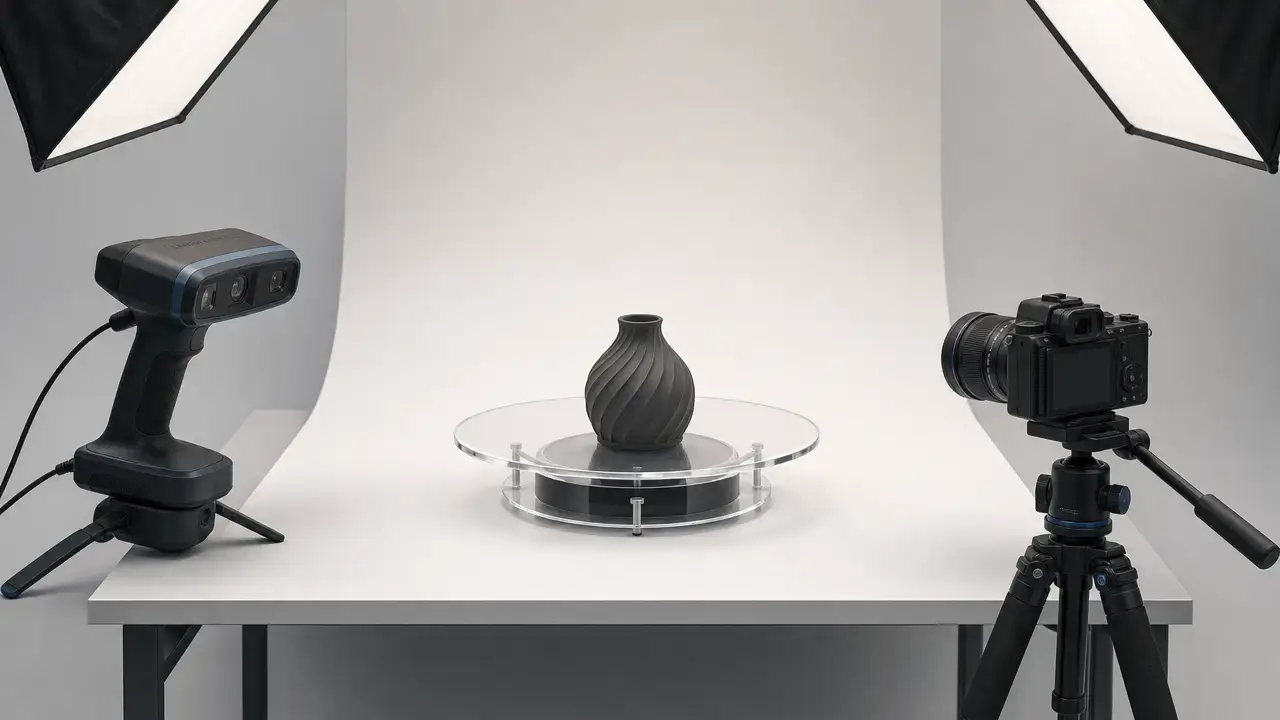
Accessories or software can be the better gift when the recipient already has a scanner or camera but keeps getting stuck later in the workflow. A turntable, stable support, diffuse light, masking background, cleanup tool, or better reconstruction software can remove more friction than another capture device. This route also works well for CAD learners who do not need more raw capture hardware yet but do need a cleaner path from scan data to usable reference geometry.
- Buy a scanner if… the recipient wants direct object capture and can tolerate cleanup.
- Buy a photogrammetry kit if… the recipient already has a camera and can tolerate more shooting discipline and software processing.
- Buy accessories/software if… the recipient already owns capture hardware but is missing the lighting, turntable, stability, cleanup, or licensing pieces that make the workflow usable.
How 3D scanning and photogrammetry actually work
3D scanning and photogrammetry are related capture families, but they begin with different data. In a scanning workflow, the device measures surfaces directly and you accumulate views until the object is sufficiently covered. In photogrammetry, software infers shape from overlapping photographs, so the burden shifts toward coverage, stable lighting, and usable surface features for alignment. Both can produce useful digital geometry, but they demand different habits at capture time. [26]
The usual path is capture → alignment → point cloud → mesh → cleanup → export → optional CAD remodeling. A point cloud is the intermediate set of measured or inferred points in space. A mesh is the connected surface that software builds from those points, typically as triangles. Cleanup is rarely optional in practice: stray points, holes, misalignment, floating fragments, and over-smoothed areas can survive the first reconstruction pass. STL remains a common downstream mesh format for simple geometry workflows and printing, even though richer formats may be better when color or point data matters. [8] [26]
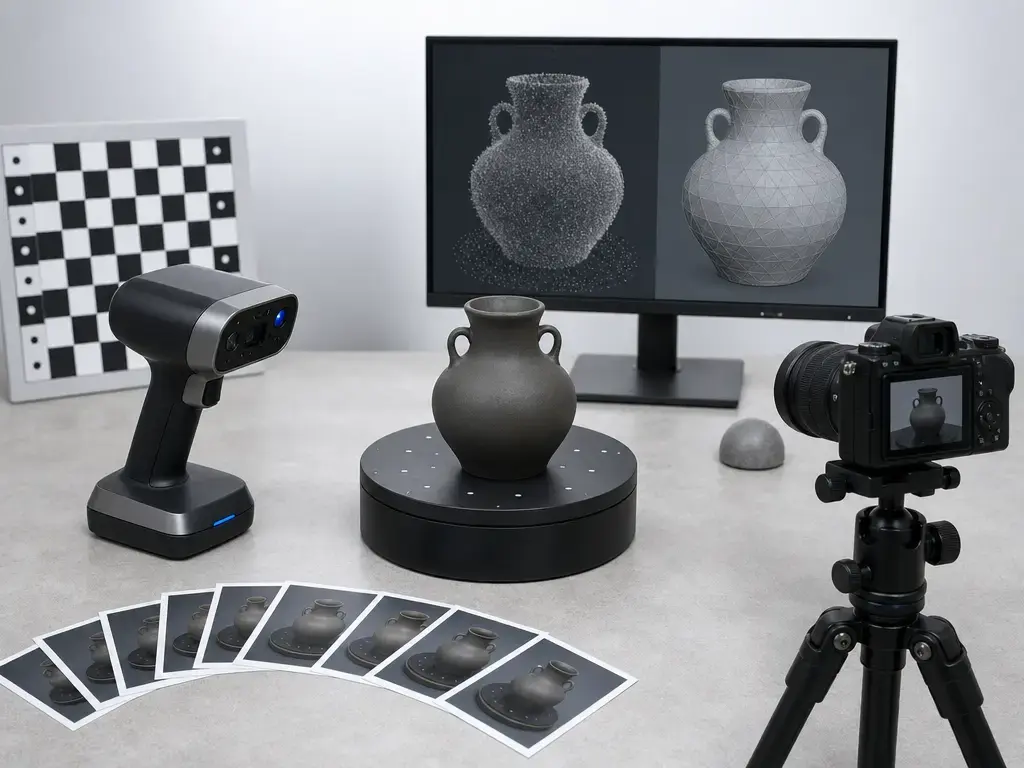
Consumer scans are usually reference meshes, not parametric CAD. That matters because a scan can be very useful for visualization, fit checks, remixing, or remodeling without becoming a fully editable design file. A CAD rebuild creates editable design geometry with dimensions, features, and constraints; a scan does not do that by default. [2]
For gift buying, the real decision is how much workflow burden the recipient will tolerate. A scanner usually reduces photographic setup but still demands tracking discipline and cleanup. Photogrammetry lowers dedicated hardware cost but increases dependence on camera handling, lighting consistency, masking, and reconstruction software. Neither route guarantees a finished model without post-processing.
How to read 3D scanner specs
Metric glossary
Scanner spec sheets are hard to compare because vendors often stack several different measurement ideas on one page. ISO 5725-1 is useful as a vocabulary anchor because it distinguishes accuracy, trueness, and precision instead of treating them as interchangeable buzzwords. In plain terms, a scanner can be repeatable from pass to pass without being close to the true geometry, or close on average while still varying more than you want. [1]
Repeatability and uncertainty deserve separate caution. A visually clean scan is not the same thing as a well-characterized measurement process, and a single good-looking result does not tell you how stable the system will be across repeated captures, different surfaces, or different object positions. That matters more than many gift buyers realize, because consumer spec sheets usually headline one optimistic number rather than a full uncertainty story. [27]
Resolution or point spacing is also not the same thing as final mesh density. A dense capture can still become a coarse-looking mesh after filtering, hole filling, simplification, or aggressive smoothing. The reverse can also happen: a sparse mesh can look more detailed than it really is once color, shading, or smoothing hides the lack of geometric information. Read those figures as capture-side capability, not as a promise about the finished model.
What’s comparable vs not comparable
Single-frame numbers, volumetric formulas, and distance-dependent tables are not directly interchangeable. Revopoint’s INSPIRE 2 page, for example, gives single-frame precision up to 0.03 mm, single-frame accuracy up to 0.05 mm, and a volumetric accuracy formula of 0.05 mm + 0.1 mm × L(m), where L is object length. That volumetric formula is a different kind of claim from a single-frame spot value, so it should not be compared head-to-head with a standalone single-frame number from another scanner. [18]
Working distance and operating mode matter just as much. Matter and Form’s THREE page says accuracy is up to 0.033 mm, but the same page also breaks out Z-accuracy and resolution at 220 mm, 400 mm, and 700 mm, showing that behavior changes meaningfully with setup distance. If a product page says “up to,” splits numbers by mode, or lists separate operating tables, treat those as operating envelopes rather than universal performance. [20]
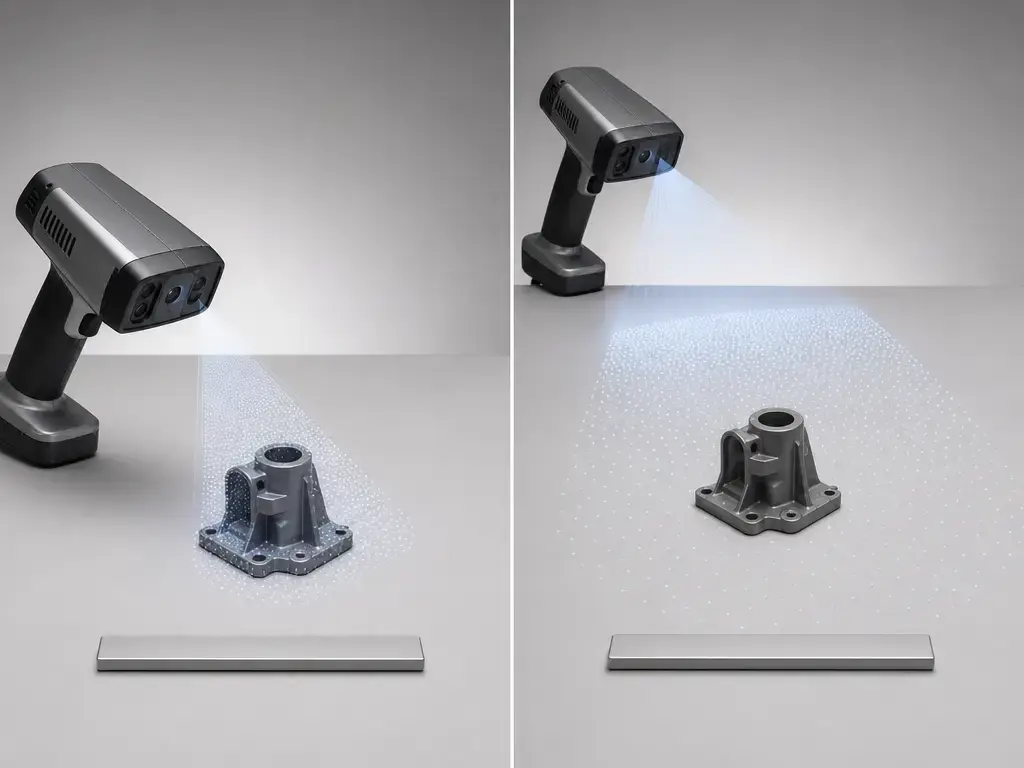
For a portable 3D scanner for hobbyists, the useful question is not “what is the smallest number on the page?” but “which mode, distance, object size, and surface produced that number?” That is the rule followed in the recommendations below: every figure is labeled as single-frame, volumetric, distance-specific, or manufacturer-stated where appropriate.
Standards reality check
Standards context is helpful, but it is not a magic badge that turns a consumer scanner into an inspection system. A scanner page can borrow metrology language, reference test methods, or mention open formats and still leave unanswered questions about real-world surfaces, host hardware, calibration, and the quality of the finished mesh. NIST specifically cautions that artifact-test results do not automatically transfer to all real objects and surfaces. [6]
Standards buckets to keep separate
Terminology and measurement definitions. Use this bucket to keep words like accuracy, trueness, precision, and repeatability straight. ISO 5725-1 belongs here. It helps with language discipline, but it does not validate a hobby scanner’s real-world performance. [1]
Performance-test and acceptance standards. ISO 10360-13 belongs here. It specifies acceptance and reverification tests for optical 3D coordinate measuring systems when measuring lengths as stated by the manufacturer, and its scope assumes restricted, cooperative surface conditions. That is useful context, not blanket approval for a desk-side hobby scanner. Older VDI/VDE 2634 Blatt 2 guidance is listed as withdrawn on DIN Media, which points readers to DIN EN ISO 10360-13:2023-11 instead. [3] [4] [5]
Data-format standards and references. E57 belongs here, along with common scan-mesh formats such as STL, OBJ, and PLY. E57 is an open documented exchange format that can store 3D point data, attributes, and 2D imagery, but file-format support does not guarantee capture quality or easy downstream editing. [7]
Who should get a 3D scanner as a gift?
Good recipient profiles:
- Someone who already scans small objects and wants a faster direct-capture workflow.
- A hobbyist who is comfortable with cleanup, export, and trial-and-error.
- A maker who wants reference meshes for modeling, display, or fit checks rather than inspection-grade measurement. [2]
A scanner is usually a good gift when the recipient likes hands-on capture and can accept that the first useful result may take multiple passes. Cleanup time matters because holes, stray surfaces, and tracking mistakes are normal. The best 3D scanner for gifts is therefore the one that fits the recipient’s patience, surfaces, object sizes, and host hardware rather than the one with the most aggressive headline number.
Not ideal if…
- They expect a one-button result with no cleanup.
- They need inspection-level confidence or traceable measurement claims.
- They mainly want to scan shiny, transparent, black, thin, furry, or moving objects without extra preparation. [6]
Who should get a photogrammetry kit instead?
Photogrammetry is the better gift route when the recipient already has a camera or good phone and is willing to trade hardware simplicity for more careful capture. For close-range tabletop objects, controlled diffuse lighting, stable framing, lens choice, aperture, low ISO, background management, and turntable discipline matter enough that the kit is often more important than the software brand name. Agisoft’s close-range guidance is blunt about the basics: sharp photos, stable light position, and controlled backgrounds are what keep alignment and texture generation from falling apart. [13]
The software path matters too. Meshroom’s current download page recommends a NVIDIA CUDA-enabled GPU, says the binaries are built with CUDA-12 for compute capability 5.0+, and notes that without a supported NVIDIA GPU only Draft Meshing is available for 3D reconstruction. The same page also says there is no official macOS release. That makes photogrammetry a practical gift for Mac-only users only if they already have compatible commercial software or are ready to choose a different reconstruction path. [11]
Required kit components:
- Tripod.
- Turntable.
- Diffuse lighting.
- Background control.
- Scale reference.
- Software.
Entry level 3D scanning setup: what to include
An entry level 3D scanning setup works best as a bundle, not just a scanner body. The capture device is only one part of the workflow; the recipient also needs stable lighting, a controlled background, a way to rotate or reposition the object, and software that can clean and export the result. For tabletop objects, Agisoft’s guidance puts enough weight on lighting stability, masking, and turntable use that accessories-first gifting is often the most practical starting point. [13]
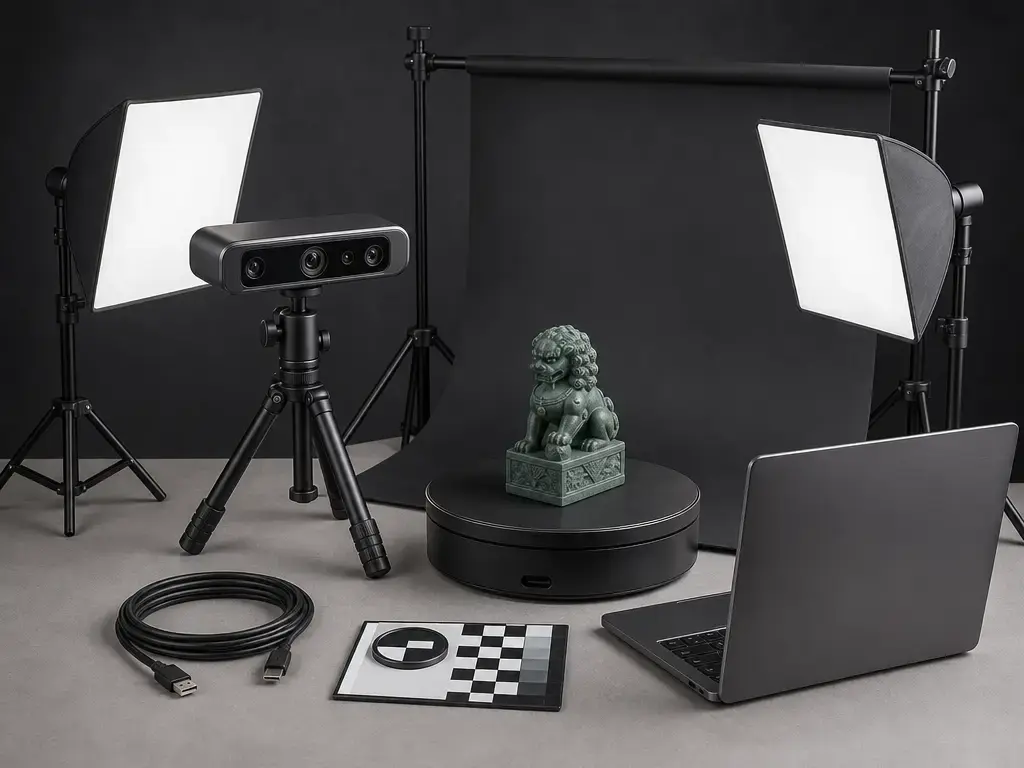
Essential:
- Scanner or camera-based capture device.
- Tripod or other stable support.
- Turntable or repeatable repositioning method.
- Diffuse lighting.
- Controlled background.
- Cleanup and export software.
Optional:
- Scale reference.
- Additional light control.
- Marker kit for difficult tracking cases.
- Scanning spray for compatible objects and workflows.
- Better desktop hardware for larger projects.
- Extra storage for raw captures and project files.
If the recipient already owns capture hardware, the smartest upgrade is often the item that removes the next bottleneck. For some people that means a turntable and lighting before a second accessory. For others it means better cleanup software or a host machine that can finish reconstructions in a reasonable time. The useful gift is not another device by itself; it is the missing part of the workflow.
How this shortlist was selected
The shortlist was filtered before any rankings language entered the draft. A product or software route only stayed in if it had plausible US or EU availability, a usable capture or reconstruction pipeline, at least one common export path or obvious downstream workflow, and discoverable host requirements from official documentation or a credible hands-on review. Performance numbers were treated as manufacturer-stated unless an independent source class existed to contextualize them. [23] [24] [25]
Placement within the guide is practical, not absolute. Budget band, capture modality, tracking robustness, texture needs, host burden, export friendliness, and software maturity all mattered more than affiliate-style “best overall” language. For each shortlisted scanner, the rule was simple: use at least one independent source class when available, and if not, say so directly. The fallback sentence used below is: No reliable independent accuracy verification found for this model; treat specs as manufacturer-stated. That keeps a holiday gift guide from treating every vendor number as if it had been independently validated. [23] [24] [25]
Recommendations by category
The categories below are not a universal ranking. They group tools by gift fit, workflow burden, and budget so the recipient’s actual use case stays visible. Any price, stock, or license note here is time-sensitive and labeled as of July 30, 2026. When a numeric performance claim comes only from the product page, it is labeled as manufacturer-stated.
-
Revopoint POP 3 Plus
-
Best for: A portable scanner gift for small to medium matte objects when the recipient wants handheld or desktop capture with modest host burden.
-
Workflow prerequisites: Official support includes Windows 10/11, Android, iOS, and macOS 11.0 or better. The product page lists minimum PC guidance of Intel i7 12th Gen with 16 GB RAM on Windows or M1 Pro with 8 GB RAM on macOS, and says no discrete GPU is needed for use. [17]
-
Exports: PLY, OBJ, STL, ASC, 3MF, GLTF, and FBX are listed. [17]
-
Spec caveat: Manufacturer-stated. Sale price $526 and regular price $619, as of July 30, 2026; single-frame accuracy up to 0.08 mm, single-frame precision up to 0.04 mm, fused point distance up to 0.05 mm, working distance 150–400 mm, and weight 190 g. A 2026 peer-reviewed evaluation found lower and less stable accuracy than higher-end reference systems under the study conditions, with systematic deviations noted. [17] [23]
-
Revopoint INSPIRE 2
-
Best for: A budget-leaning hybrid handheld for users who want both full-field structured-light scans and a higher-burden multi-line laser mode.
-
Workflow prerequisites: Official support includes Windows 10/11, Android, iOS, and macOS 11.0 or better. Multi-line mode does not support standalone phone operation, and Revopoint’s support article says laser-line modes require dedicated graphics-card acceleration on PC, while AMD and Mac GPUs do not currently support that acceleration. [18] [19]
-
Exports: PLY, OBJ, STL, ASC, 3MF, GLTF, and FBX are listed. [18]
-
Spec caveat: Manufacturer-stated, with workflow context from an independent hands-on review. Sale price $522 and regular price $549, as of July 30, 2026; single-frame precision up to 0.03 mm, single-frame accuracy up to 0.05 mm, volumetric accuracy 0.05 mm + 0.1 mm × L(m), fused point distance up to 0.1 mm, and weight 190 g. Do not compare that volumetric formula directly with another scanner’s single-frame spot number. [18] [25]
-
Matter and Form THREE
-
Best for: A small-object tabletop workflow where the buyer wants onboard processing and browser-based access instead of installed desktop software.
-
Workflow prerequisites: The scanner is self-computing, connects by Wi‑Fi or Ethernet, and serves its interface through a built-in web server; the product page says it runs in any modern web browser on any operating system. [20]
-
Exports: The page lists OBJ, PLY, XYZ, GLTF, DAE, STL, and FBX. [20]
-
Spec caveat: Manufacturer-stated. The product page was marked sold out at $2,049 CAD, as of July 30, 2026, and lists up to 0.033 mm accuracy, Z-accuracy and resolution tables at 220 mm, 400 mm, and 700 mm, 4-second capture time, 10–15-second processing time, and 0.2 mm minimum capturable feature size. No reliable independent accuracy verification found for this model; treat specs as manufacturer-stated. [20]
-
3DMakerpro Seal Lite
-
Best for: A small-format budget option for miniatures and other modest-size objects when the buyer understands that stock can change quickly.
-
Workflow prerequisites: The store page lists Windows 10/11 64-bit and macOS 12/13 compatibility, Android 10.0 or later and iOS 15.0 or later mobile support, plus minimum computer guidance of Intel Core i5 8th Gen, 16 GB RAM, and MX250 GPU with 2 GB VRAM. [21]
-
Exports: OBJ, STL, PLY, and ASC are listed. [21]
-
Spec caveat: Manufacturer-stated. Sale price $269 and regular price $359, marked sold out as of July 30, 2026; accuracy 0.02 mm, resolution 0.07 mm, work distance 180–280 mm, and weight 226 g. No reliable independent accuracy verification found for this model; treat specs as manufacturer-stated. [21]
-
SHINING 3D Einstar Vega
-
Best for: A standalone scanner-style gift for the recipient who wants an onboard device first and optional desktop follow-up later.
-
Workflow prerequisites: The device is self-contained for onboard work, while SHINING 3D’s StarVision compatibility note lists Windows 10/11 or macOS 11.0 or above with Apple Silicon for companion use. [22]
-
Exports: OBJ, STL, PLY, and ASC are listed. [22]
-
Spec caveat: Manufacturer-stated. The specification page lists dimensions of 180 × 95 × 26.5 mm, weight 643 g, a 6.4-inch 2K OLED screen, and an 8064 × 6048 texture camera described as 48 megapixels. No reliable independent accuracy verification found for this model; treat specs as manufacturer-stated. [22]
-
Agisoft Metashape
-
Best for: A software-license gift for users who already have a camera workflow and want a mature close-range photogrammetry path, including Mac users willing to pay for software rather than fight GPU edge cases.
-
Workflow prerequisites: Verify the current edition, host machine, and project size before buying. The gift value here is workflow maturity, not lower cost. [12] [13]
-
Exports: The value is downstream reconstruction and modeling workflow rather than a scanner-style hardware export list. [13]
-
Spec caveat: Price-sensitive. Metashape Standard is listed at $179 and Professional at $3,499 for node-locked licenses, as of July 30, 2026. [12]
-
RealityScan
-
Best for: A software-first photogrammetry route where licensing thresholds matter more than capture hardware.
-
Workflow prerequisites: Check the current licensing page and EULA at purchase time, especially if the recipient is a small business, educator, student, or non-commercial user. [15] [16]
-
Exports: Intended for full reconstruction workflows rather than as a direct CAD substitute. [16]
-
Spec caveat: Publication-time-sensitive. RealityScan is listed as free for individuals and small businesses under $1 million USD in revenue in the past 12 months, educational institutions, and students, while seats are listed at $1,250 per seat per year over that threshold, as of July 30, 2026. The EULA also adds personal/small-business, educational, and non-commercial seat exceptions that can materially change fit. [15] [16]
Across categories, the easiest buying mistake is matching the wrong workflow to the recipient. A handheld scanner can be the right gift when the user wants direct capture and can tolerate cleanup. A photogrammetry software or kit route is stronger when the user already understands cameras and can manage lighting, masking, and reconstruction time. Accessory- or software-first gifts are often better when the recipient already has capture hardware but lacks the turntable, lighting, cleanup tools, or licensing clarity needed to finish the job.
Comparison table: scanners vs photogrammetry kits vs accessory bundles
| Gift type | Best for | Weakness | Buyer check |
|---|---|---|---|
| Handheld scanner | Direct object capture for hobbyists and makers | Cleanup burden and possible host demands | Confirm modes, working distance, exports, and host support |
| Photogrammetry kit | Camera-first users working on tabletop objects | More shooting discipline and software burden | Check lighting control, background strategy, and software/OS fit |
| Accessory bundle | Recipients who already own capture gear | No new capture capability by itself | Verify the current bottleneck before buying |
- Handheld scanner: Expect surface limitations on shiny, transparent, black, thin, or low-feature objects, and remember that some “portable” scanners still have mode-specific host demands. Revopoint’s support documentation is a good example: laser-line modes can ask for stronger PC/GPU support than the word portable suggests. [19]
- Photogrammetry kit: The workflow burden shifts toward diffuse light, coverage, masking, and software compatibility. Meshroom adds a specific host caveat because its current binaries target CUDA-12, it has no official macOS release, and without a supported NVIDIA GPU only Draft Meshing is available. [11] [13]
- Accessory bundle: This route is strongest when the missing piece is obvious, such as lighting, turntable stability, or cleanup/export software. It will not create new capture capability, but it can make an existing scanner or camera workflow actually usable. [13]
What beginners can realistically make
Beginners can usually make useful reference meshes before they can make production-ready parts. Common first wins include display models, props, fit-check references, remix bases, and scanned objects for hobby printing experiments. Those are legitimate outputs, especially for educators, makers, and CAD learners who want to understand form before they commit to remodeling. STL remains a familiar export path for simple geometry workflows, while OBJ and PLY often make more sense when appearance or richer scan data matters. [8] [9] [10]
The limit appears when the goal shifts from “looks right” to “measures and fits like a manufactured part.” A clean scan mesh is not the same thing as editable design geometry, and consumer workflow claims should not be read as metrology-grade inspection validity. For reverse engineering, the common beginner path is still scan first, inspect and measure second, then remodel the critical features in CAD rather than treating the raw scan as the finished design file. [2] [5]
Limitations and common failure cases
Real-world scanning fails for reasons that neat spec sheets often hide. NIST’s structured-light error discussion is a useful reminder that artifact results do not transfer cleanly to all real objects, because surface finish, color, reflectivity, geometry, and material behavior can change the result. In everyday hobby use, glossy, transparent, black, featureless, thin, furry, and moving objects are the classic trouble cases. Tracking can drop, alignment can drift, edges can smear, and holes can appear even when the first preview looks promising. [6]
Photogrammetry has different failure modes but no easier guarantees. Close-range tabletop capture depends on stable diffuse lighting, sharp photos, consistent background handling, and enough overlapping coverage from angle to angle. If light position changes, reflections move, or the background dominates the frame, alignment can fail or produce warped geometry. That is why a photogrammetry kit holiday gift only works well when the user accepts repeated captures, masking, and reconstruction time as part of the process. [11] [13]
Markers, sprays, and cleanup tools can help, but they add their own burden. Some scanner product pages explicitly recommend spray for transparent or specular surfaces, which is a reminder that “marker-free” or “portable” does not mean “surface-proof.” Follow the safety data sheet, and do not use sprays or coatings on skin, food-contact items, or valuable artifacts. Even when a model looks good on screen, repeatability and uncertainty still matter, so one nice result should not be mistaken for a fully dependable dimensional workflow. [17] [18] [21] [27]
Market context (2026): volatility and publication checklist
Prices, stock, bundles, OS support, and licensing can move faster than a seasonal gift guide ages. That is especially true in this category because several of the most useful gift routes depend on live product pages or current license terms rather than stable published specifications. Epic’s older pricing blog now carries a specific update note dated May 27, 2026, which is exactly why historical pricing posts should be treated as context and paired with the live licensing page and EULA at publication time. [14] [15] [16]
Recheck the following within 7 days of publication:
- Verify price, stock status, and bundle contents on the live store page.
- Verify the region or storefront being cited.
- Verify software version and operating-system support.
- Verify GPU or host requirements for mode-specific workflows.
- Verify RealityScan licensing pages and EULA language at publication time. [15] [16]
- Verify whether any “sold out” listing is still active but unavailable, as seen on the Seal Lite page. [21]
For a gift guide, the rule is simple: if a fact affects price, access, or eligibility, it is not stable enough to leave unchecked.
Conclusion
The decision is less about a universal winner and more about matching workflow to person. A scanner is the cleaner gift when the recipient wants direct capture and accepts cleanup. A photogrammetry route is stronger when the recipient already enjoys camera work and can handle lighting discipline and reconstruction software. An accessory- or software-first gift is often smarter when the recipient already owns capture hardware but keeps hitting the same bottleneck. That is the core logic of this 3D Scanning & Photogrammetry Holiday Gift Guide, and it matters more than any single spec-sheet headline. If the recipient is scanner-first, buy a scanner. If the recipient is camera-first, buy a photogrammetry kit or software path. If the recipient already has capture hardware, buy accessories or workflow software. [2]
FAQ
What is the best 3D scanner to gift a beginner?
There is no universal winner. For a beginner, the best 3D scanner for gifts is the one that matches the recipient’s patience for cleanup, host setup, surfaces, and export. If they mainly want direct capture of small physical objects, a handheld scanner makes sense. If they mainly enjoy camera workflows, photogrammetry may be the better gift route. [2]
What should be included in an entry level 3D scanning setup?
At minimum: the capture device, stable support, a turntable or repeatable repositioning method, diffuse lighting, controlled background, and cleanup/export software. For tabletop objects, lighting stability and turntable discipline matter enough that accessories-first gifting is often the practical starting point. [13]
Is a portable 3D scanner good for hobbyists?
Yes, if the hobbyist expects iterative capture and cleanup rather than a one-click result. Portable scanners are useful for small to medium objects, but they still depend on the surface, the active scan mode, and the recipient’s host hardware. A clean-looking result is not the same thing as guaranteed repeatability. [19] [27]
What is a good photogrammetry kit holiday gift if the recipient only has a Mac?
Be careful with Meshroom, because its current page says there is no official macOS release and that full use depends on supported NVIDIA CUDA hardware. A Mac-only recipient is usually a better fit for a commercial Mac-compatible photogrammetry path such as Metashape, provided you verify current pricing and edition before purchase. [11] [12]
What does “volumetric accuracy = 0.05 mm + 0.1 mm × L(m)” actually mean in practice?
It means the stated error grows with object length instead of staying fixed. The formula is distance- or size-dependent, so it should be read as a whole-object claim under the stated conditions, not as a universal single-frame spot number and not as a direct rival to another product’s one-line accuracy claim. [18]
How can I sanity-check a consumer scanner’s dimensional reliability at home without pretending it’s metrology-grade?
Use a matte object with a few simple measurable features, scan it multiple times with the same setup, and compare repeat scans to each other before you compare them to caliper measurements. You are looking for repeatability and obvious drift, not certification. Then remember that success on one cooperative object does not automatically transfer to shiny, thin, or low-feature surfaces. [6] [27]
When should I choose STL vs OBJ vs PLY, and when does E57 matter?
Choose STL when you want the simplest plain-geometry mesh for basic downstream modeling or printing. Choose OBJ when color or texture workflows matter. Choose PLY when you want a common scanned-object format that is comfortable with point clouds or polygon meshes. E57 matters when you want a richer exchange format that can keep 3D point data, attributes, and 2D imagery together. [8] [9] [10] [7]
Sources
- ISO 5725-1:2023 Accuracy (trueness and precision) of measurement methods and results — Part 1
- ISO/ASTM 52900:2021 Additive manufacturing — General principles — Fundamentals and vocabulary
- DIN Media listing for VDI/VDE 2634 Blatt 2 showing withdrawn status
- DIN EN ISO 10360-13:2023-11 listing on DIN Media
- ISO 10360-13:2021 Geometrical product specifications — Acceptance and reverification tests for optical 3D CMS
- NIST publication page: Sources of Errors in Structured Light 3D Scanners
- Library of Congress FDD: ASTM E57 3D Imaging Data File
- Library of Congress FDD: STL family
- Library of Congress FDD: Stanford Triangle Format (PLY) family
- Library of Congress FDD: Wavefront OBJ
- Meshroom download and requirements page
- Agisoft Metashape online store pricing
- Agisoft close-range objects scanning help
- Epic blog pricing update for Unreal Engine, Twinmotion, and RealityCapture
- RealityScan licensing page
- RealityScan EULA
- Revopoint POP 3 Plus product page
- Revopoint INSPIRE 2 product page
- Revopoint OS and system requirements support article
- Matter and Form THREE product/specification page
- 3DMakerpro Seal Lite store page
- SHINING 3D Einstar Vega specification page
- ISPRS 2026 paper evaluating low-cost handheld scanners including Revopoint Pop 3 Plus
- Digitec hands-on review of CR-Scan Otter
- 3DPrinting.com Revopoint INSPIRE 2 review
- 3D Scanning: A Comprehensive Survey
- Uncertainty and repeatability in structured-light 3D scanners