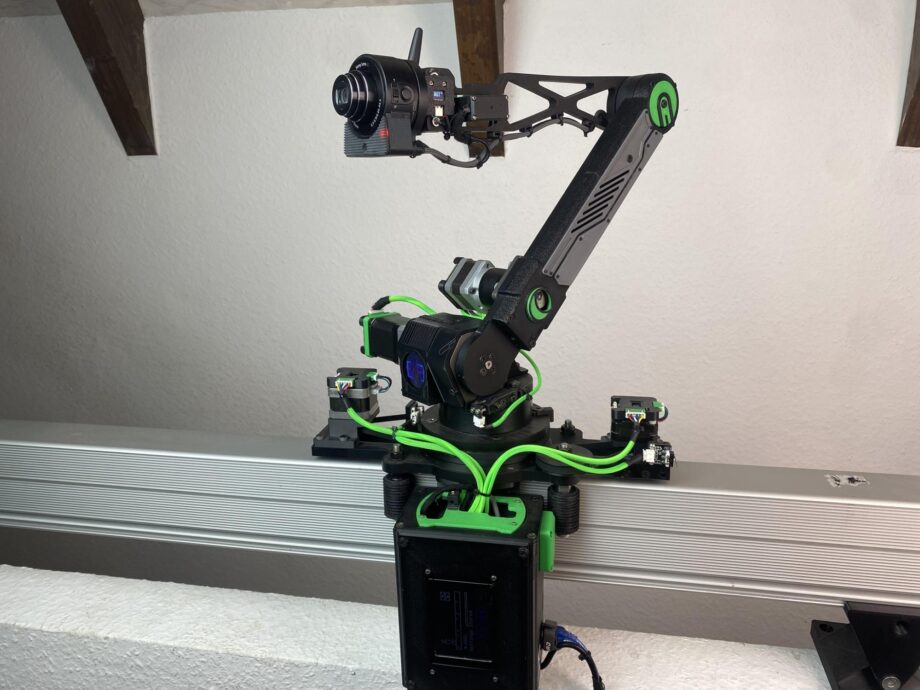
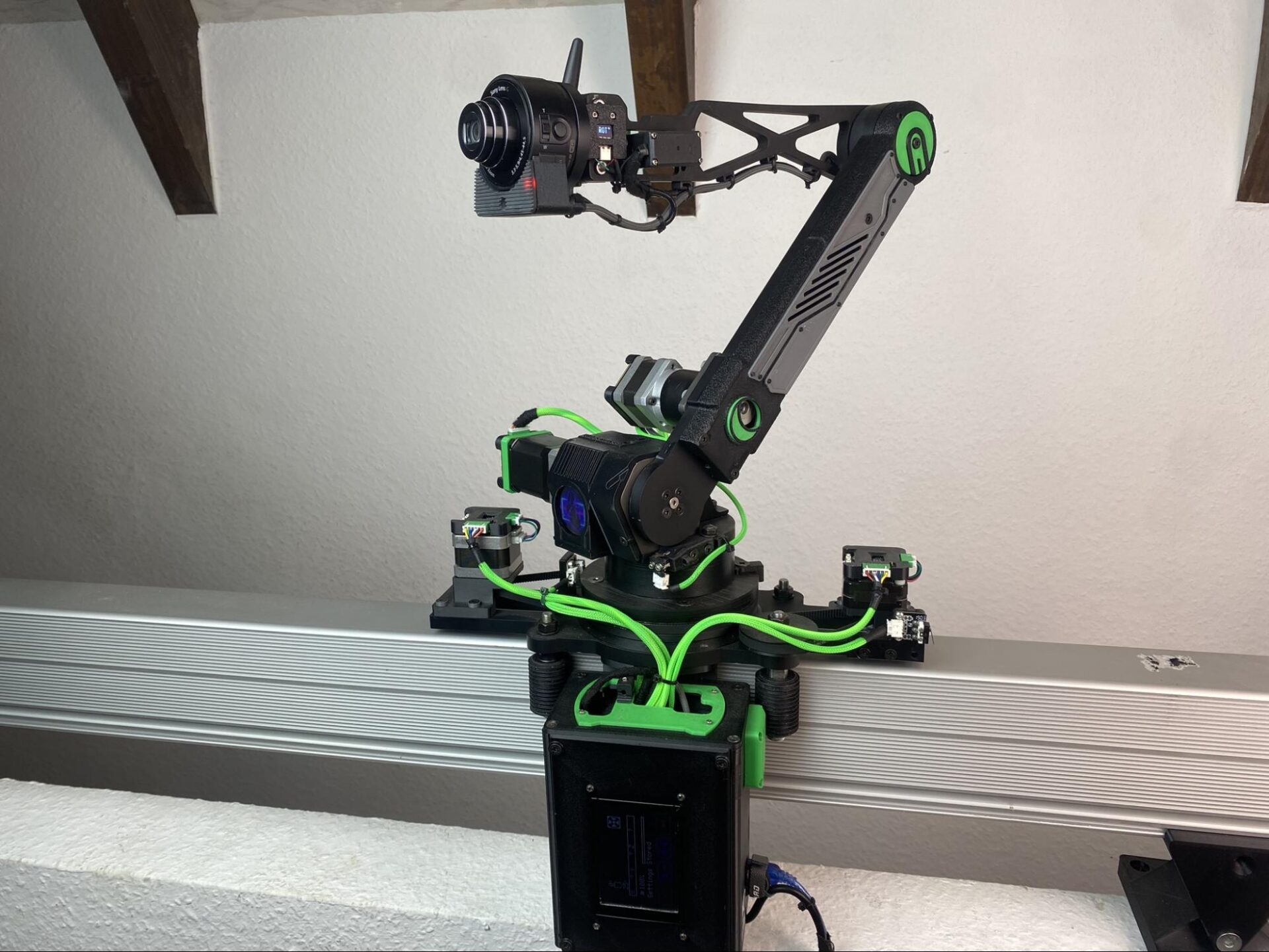

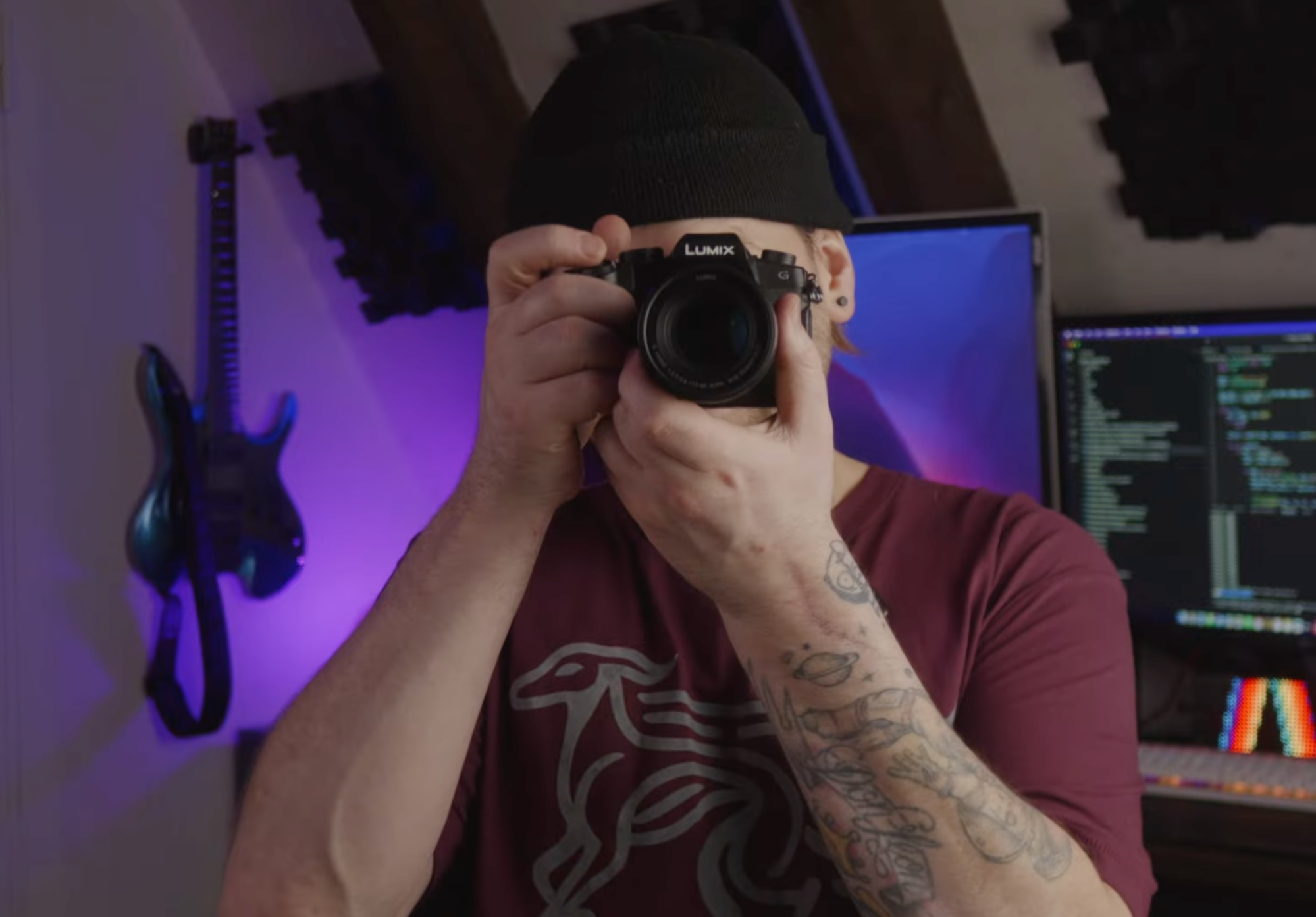
Believe it or not, all solo content creators share the same problem: there is nobody behind the camera. YouTuber WhippetInTech, has gotten around this issue by building a machine capable of doing the job for him.
The result? A custom robotic arm carrying two cameras, one to record footage and another to follow him around the room using AI-based object detection. His channel covers CAD design, CNC machining and 3D printing, and most of his projects draw on all three.
This one grew out of an earlier build: a robotic arm assembled from parts salvaged from old 3D printers. Once that mechanism was working, Leon began to consider what else the arm could do. As someone who films his videos alone, he decided that a robotic cameraman would be the most useful next step.
Two problems stood in the way. The first was stability. At certain angles, the original arm would drop suddenly, and some of its movements were jerky, which is far from ideal for steady footage. The second was weight, as mounting a camera would require a dedicated fixture capable of holding it securely. Neither issue was enough to shelve the idea, and Leon set about redesigning the arm as an autonomous filming assistant.
Rebuilding the arm for smoother motion
Leon’s first change was to replace the arm’s planetary gearbox with a harmonic drive, a type of gearing known for smooth, backlash-free movement. Fitting it meant producing a new coupling. He initially tried making the part by sand casting, but the method could not achieve the precision he needed, so he machined it on a CNC instead.
With the harmonic drive installed, the arm moved far more smoothly and could carry a payload of up to 1.25 kg. That limit shaped the rest of the build. Whatever Leon attached to the end of the arm had to be extremely light, and the job called for two cameras rather than one: one to capture footage and another to track his position in each shot.
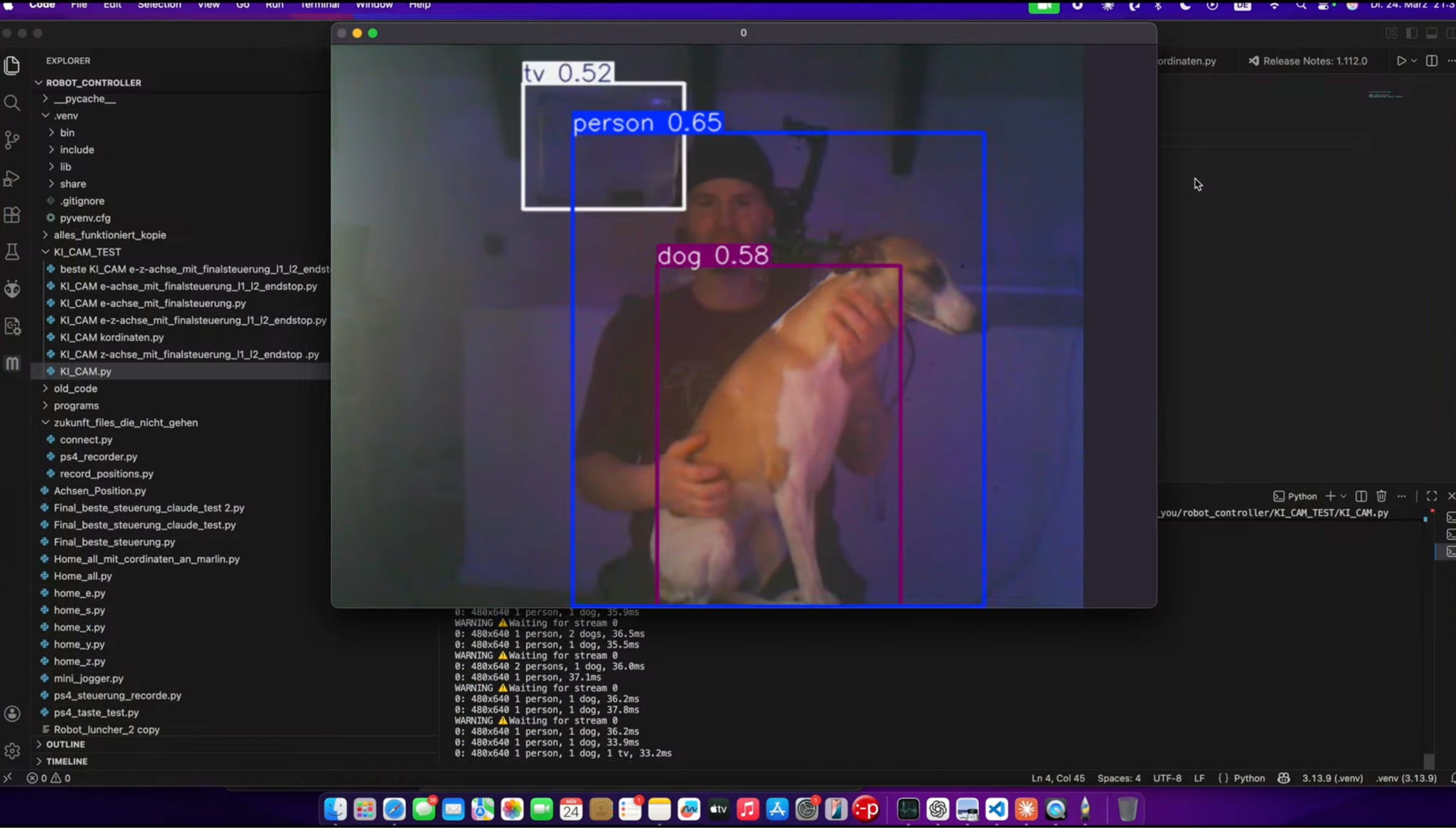
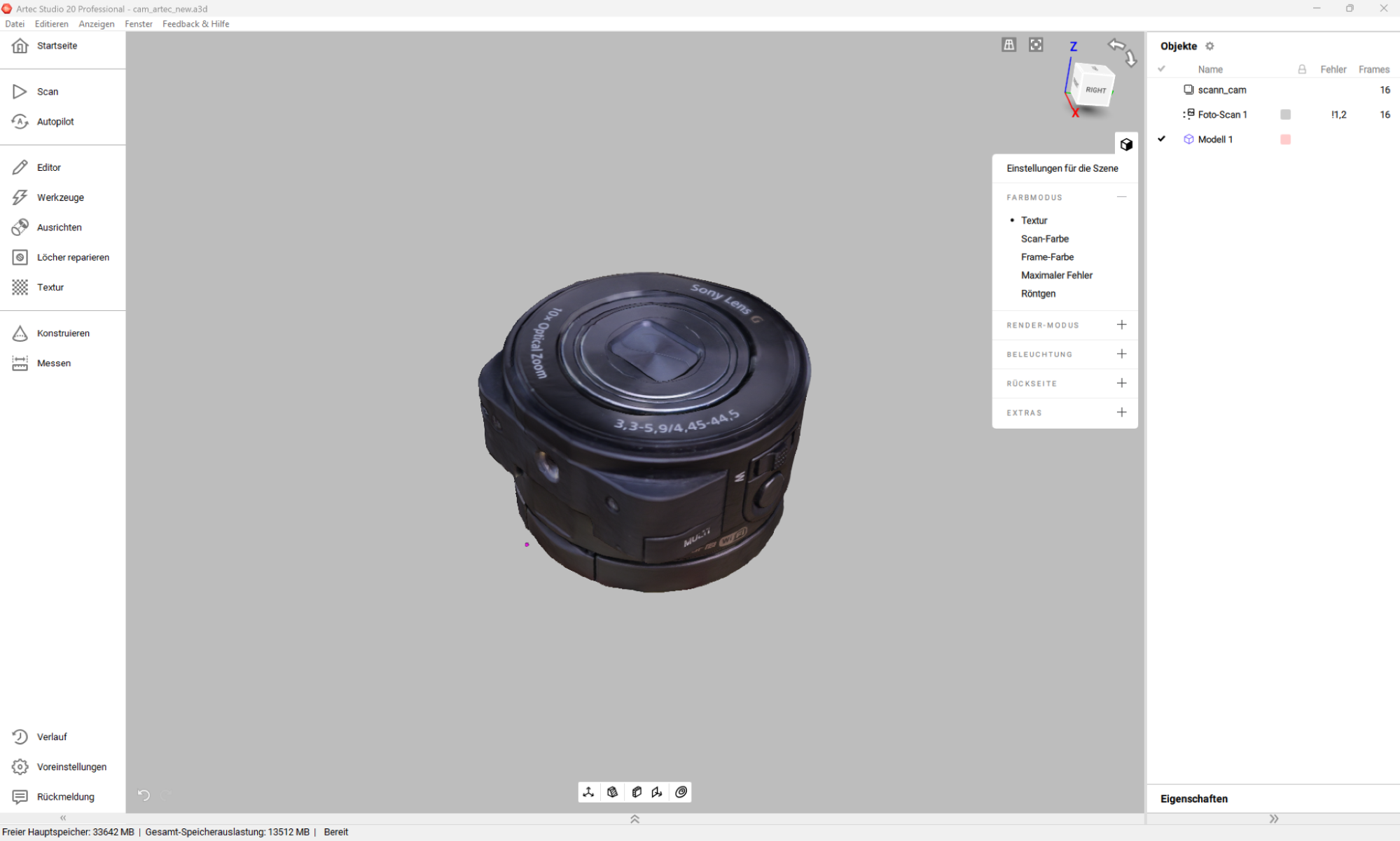
For recording, he chose the Sony QX10, a lens-style compact camera that weighs around 130 g. Its image quality is modest by current standards, but its size and weight made it well suited to the arm. Tracking was handled separately by a USB camera connected to a Mac Mini running You Only Look Once (YOLO), a widely used real-time object detection model.
Once trained to recognize Leon in any given frame, the system could tell the arm where he was and keep him in shot. With the mechanics and software in place, the final requirement was to mount the Sony camera. Rather than measuring the camera by hand, Leon decided to capture its shape digitally. He took around fifty photographs of the QX10 and processed them with the AI Photogrammetry feature in Artec Studio, which reconstructs 3D models from ordinary images. The resulting mesh became the reference for designing a fixture in CAD.
“I had seen a promotional video showing that Artec Studio could now generate 3D models from ordinary photographs. That made me want to try the feature for myself,” explained Leon. “I have to admit that I was genuinely surprised by the result. With an object of this size, I had previously only achieved comparable results with Artec Eva after considerably more work.”
Turning a mesh into CAD geometry
When capturing objects with a handheld 3D scanner, Leon usually has to work through several processing stages in Artec Studio, including aligning scans, filtering noise, registering the data and filling holes, before he has a complete, watertight model. The photogrammetry workflow automates many of these steps, leaving relatively little for the user to carry out by hand.
In this case, the clean-up consisted of filling a few holes and deleting the surface the camera had been resting on during capture. Leon then imported the model into PTC Creo, where he scaled it to the camera’s true dimensions and converted it into solid CAD geometry.
Modelling a rounded, organic object like the QX10 from manual measurements is possible, but it is slow and difficult to get right. Using the mesh as a template made the process considerably more accurate.
He then placed the solid camera model into a CAD assembly of the complete robotic arm and designed a housing around it, ensuring the enclosure would fit the existing hardware. The housing was 3D printed in translucent resin to give the machine a slightly futuristic appearance. Fitted with a red LED and a Wi-Fi antenna, the finished head bears more than a passing resemblance to HAL 9000, the computer from 2001: A Space Odyssey.
“For the camera mounting point and surrounding housing, it was especially important to me that the camera flowed organically into the design,” added Leon. “I did not want it to look as though a standard camera had simply been screwed onto the top of a machine. That was one of the reasons I chose this unusually designed camera. Its shape reminds me of a technical eye, and it already has something resembling a character of its own.”
A lower barrier to 3D capture
Once assembled, the system performed as intended. The arm followed a pre-programmed path while recording, and the YOLO model placed a tracking box around Leon so the camera could follow him as he moved around the room. He has since shown the project to colleagues, less as a case for photogrammetry than as a demonstration of how accessible 3D capture has become.
“Almost everyone has access to a smartphone or a suitable camera, which means that usable 3D data can now be created without immediately requiring a dedicated professional scanner,” concluded Leon. “For me, the two methods do not completely replace one another. Instead, they complement each other.”
In practice, that means each technique has its place in his workflow. Where dimensional accuracy and controlled, metrically scaled results are essential, Artec Eva remains his preferred tool. Photogrammetry, by contrast, stood out for its low hardware requirements and ease of use, as well as the quality it delivered on a small object like the QX10.
Leon also highlights a step that still slows down his work. At the start of every project, he has to decide whether scanning an object will actually save time compared with measuring it and modelling it directly in CAD. A scan produces a mesh rather than a parametric solid, and rebuilding that solid remains a substantial part of the job.
“I could imagine future AI-assisted tools – perhaps even developed by Artec – that could automatically convert a scanned mesh into a clean and editable CAD solid model,” he added. “That would be extremely interesting and could dramatically accelerate the entire reverse engineering process.”
Software developers have been working on this area for some time, and Artec Studio gains new mesh editing, reverse engineering and inspection functions with each annual release. As those tools mature, the gap between a scanned object and a usable design should continue to narrow, giving engineers and makers like Leon more room to experiment.
WhippetInTech’s latest builds can be followed on YouTube: https://www.youtube.com/@LionInTech
AI Photogrammetry is available in both Artec Studio and Artec Studio Lite, a streamlined version of the software.