
Summary
A free 3d scanner app for android can provide a usable route from phone capture to a 3D model, but “free” may only mean the app costs nothing to install. The practical question is whether capture, processing, and the export format needed for the next tool remain available without payment.
Choose the workflow by the required result. A 3D-printing project needs clean, scaled surface geometry that can survive repair and slicing. A game or AR project may benefit more from a textured GLB or glTF asset. CAD work usually begins with a reference mesh rather than a finished parametric model. A free download is not the same as free export, and a successful preview does not prove that a mesh is printable or dimensionally reliable.
Quick answer: publication-date snapshot
Checked on: 2026-11-03. Free-plan terms and export options can change, so confirm the installed Android app before starting an important project.
Answer box
- KIRI Engine: Photo Scan documentation lists STL among its export formats, and the Basic plan claims unlimited free exports. This is a documented route, not a tested guarantee that every Android account and Photo Scan project exposes free STL. [S02] [S01]
- Polycam: The Free plan documents glTF export. It does not document free STL export. [S10]
- RealityScan Mobile: Android project files store the model as GLB, while the reviewed export interface does not document a direct STL format. Its release notes also state that processed models are non-watertight, so print use requires mesh inspection and likely repair. [S07] [S09]
How phone 3D scanning works on Android
Most phone-based object scanning uses photogrammetry. The app records many overlapping photographs while the camera moves around a subject. Reconstruction software identifies matching visual features between images, estimates camera positions, and builds a three-dimensional representation. It can then generate a polygon surface and project image detail onto that surface as a texture.
A depth map stores estimated distance values for image pixels. A point cloud is a set of reconstructed points in three-dimensional space. A mesh connects points into polygonal surface faces, while a texture supplies photographed colour and surface appearance. A textured display mesh can look convincing without being suitable for printing: it may still contain holes, open boundaries, thin fragments, or incorrect scale.
| Method or data source | Typical output | Practical use |
|---|---|---|
| Photogrammetry | Mesh and texture | Capturing the appearance and approximate shape of objects from overlapping photographs |
| ARCore Depth | Depth images, not an automatically printable mesh | AR placement, occlusion, and depth-aware effects |
| Time-of-flight sensor | Hardware depth measurements | Providing depth information where the device and app support it |
| LiDAR | A separate active ranging modality | Not the baseline assumption for Android scanning |
Why “Android LiDAR” is usually the wrong search term
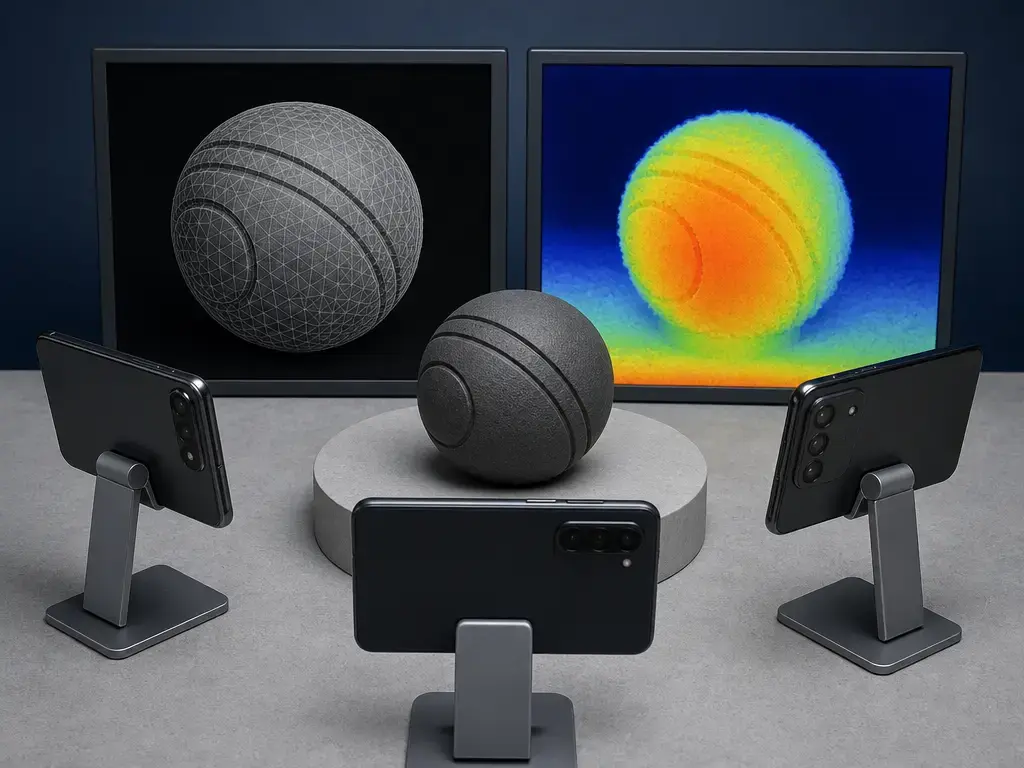
ARCore Depth is not LiDAR. Google describes it as depth-from-motion, which can combine depth information from a time-of-flight sensor when compatible hardware provides one. Google describes depth as most accurate at roughly 0.5 to 5 metres, but that is operating context for depth estimation, not a guarantee of mesh accuracy or printing tolerance. [S11] ARCore’s Depth and Raw Depth APIs do not require a hardware depth sensor such as ToF, although they can use one when present. [S12]
Free plan versus free workflow
A free mobile 3D scanning app can be free at four stages: installation, capture, processing, and export. An app may be free to download while requiring a login, compatible ARCore hardware, cloud reconstruction, a quota-limited plan, or payment for the file format needed by a slicer or CAD package. RealityScan, for example, requires an ARCore-compatible Android device running Android 7/API level 24 or later, plus an Epic Games account. [S06]
Check the full workflow rather than the download button. KIRI’s manufacturer documentation says its 4.0 update replaced a previous three-exports-per-week Basic limit with unlimited exports, while its Google Play listing still says “at least 3 exports per week.” The listing was updated on September 18, 2026, showing that store text can lag behind current plan documentation. [S04] [S05]
Free-workflow audit
- Confirm Android version, device compatibility, and any ARCore requirement. [S06]
- Check whether capture or export requires an account and sign-in. [S06]
- Identify free capture limits, including photo counts, scan counts, and project-size limits. [S01] [S10]
- Determine whether processing is documented as local or cloud-based; do not assume either.
- Compare export-quota wording across the current plan page, app listing, and in-app screen. [S04] [S05]
- Verify the exact formats available on the free Android tier rather than assuming every visible export format is included. [S02] [S10]
- Review privacy and public-sharing defaults separately; they were not confirmed in the reviewed documentation.
Documented Android app paths
Checked on: 2026-11-03. This is a non-ranked snapshot of documented Android routes. A format listed on a feature page is not proof that it is available for every free account, device, capture mode, or export screen.
| App (Android) | Capture method (Android) | Documented free export format(s) | Direct free STL? + key verification point |
|---|---|---|---|
| KIRI Engine | Photo Scan photogrammetry | Photo Scan lists OBJ, FBX, STL, GLB, GLTF, USDZ, PLY, and XYZ. [S02] | Documented, but verify in-app. Basic claims unlimited free exports and allows up to 150 photos and 2 GB per scan. [S01] KIRI’s export wording changed in 2025, while Play copy still uses weekly wording. [S04] [S05] |
| RealityScan Mobile | Photo-based capture; ARCore required. [S06] | Android project files store the model as GLB. [S07] | No documented direct free STL route. An export action exists, but the reviewed documentation does not establish an STL format; processed models can be non-watertight. [S08] [S09] |
| Polycam | Photogrammetry on Android | Free export is glTF. [S10] | No documented Free STL export. The Free plan includes 10 photogrammetry captures and up to 150 images per capture. [S10] |
KIRI Engine on Android: documented route and verification gate
KIRI describes Photo Scan as photogrammetry and says users can upload up to 150 photos for free and create unlimited scans. Its pricing page lists a 150-photo, 2 GB-per-scan Basic limit and states “Unlimited Free Exports.” Photo Scan documentation lists STL among its output formats. These manufacturer claims establish a documented route, but not an independently tested entitlement for every Android device, account, or project type. [S02] [S01]
The export-limit discrepancy has a documented chronology. KIRI’s September 5, 2025, 4.0 release post says the earlier Basic limit of three exports per week changed to unlimited exports; its Google Play listing, updated September 18, 2026, still says users can export at least three times per week. Verify the active Basic entitlement, Photo Scan mode, and STL option in the Android export menu on publication day. KIRI’s LiDAR wording concerns iPhone hardware, described as iPhone 12 Pro and newer, and should not be treated as an Android LiDAR capability. [S04] [S05] [S02]
RealityScan Mobile on Android: GLB workflow and conversion caveats
RealityScan requires ARCore support, Android 7/API level 24 or later, and an Epic Games account on Android. Its project-file documentation identifies GLB as the Android local model format; iOS projects instead store their models as OBJ. [S06] [S07]
RealityScan provides actions to export a 3D model to the device and share it to Sketchfab, but those labels do not establish a list of supported export formats. [S08] Converting a GLB scan to STL is therefore a downstream task in another tool, not evidence of native STL export. Conversion may omit textures and requires fresh checks of topology, dimensions, and scale before slicing.
Polycam on Android: free glTF export, not free STL
Polycam’s Free plan documents glTF export, making it a route for textured assets used in compatible viewers, AR tools, game workflows, or mesh-editing software. It also illustrates why free export does not necessarily mean free STL export. [S10]
The Free plan documents 10 photogrammetry captures with up to 150 images per capture. Polycam is available on Android, but its Space Mode scanning is exclusively available on compatible iOS devices and should not be presented as an Android capture option. [S10]
Capture workflow: object to mesh to export
A useful capture depends on stable visual detail, consistent lighting, complete coverage, and deliberate scale control. Treat the scan as the start of the workflow: the model still needs cleanup, format selection, dimensional checks, and print validation.
- Choose a matte, textured, stationary subject where possible; featureless or reflective surfaces are harder to reconstruct.
- Use diffuse, even lighting to reduce glare, hard shadows, and exposure changes between photographs.
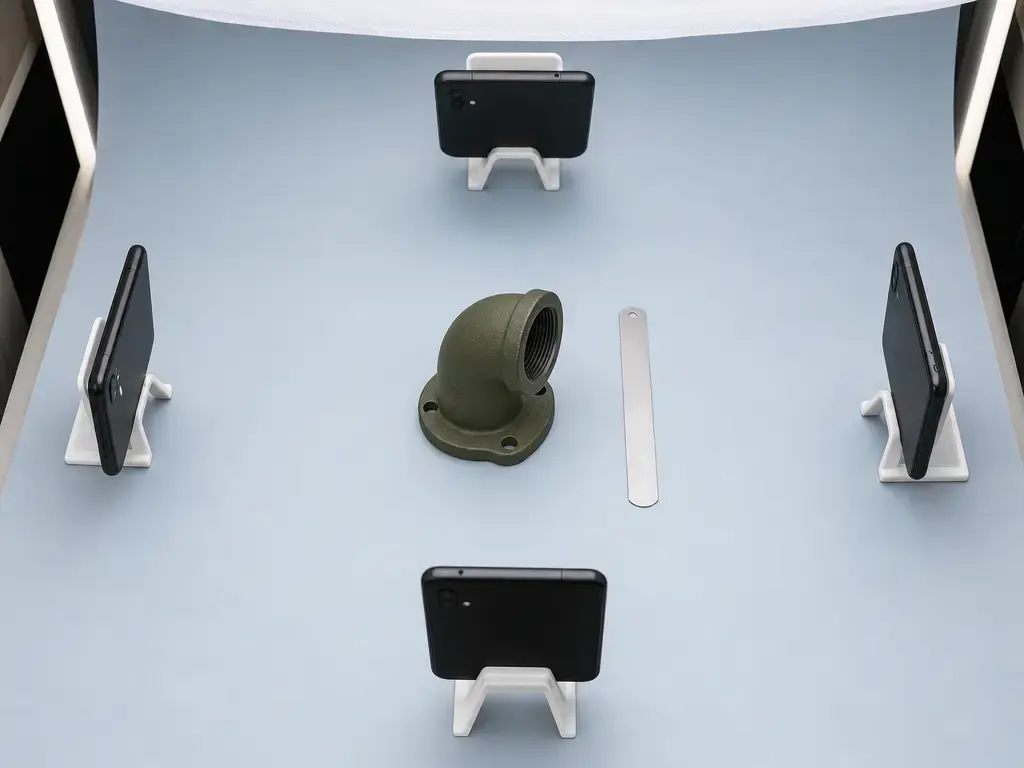
- Move around the object in overlapping orbits that cover the top, sides, and lower edges needed in the final model.
- As KIRI vendor guidance, aim for at least 20 photographs with roughly 70% overlap between adjacent views; this is guidance for its Photo Scan workflow, not a universal standard. [S03]
- Process the project through the route documented for the selected app and account.
- Crop unwanted background geometry, then remove obvious floating fragments and capture artifacts.
- Set scale before export by including a ruler or at least two known-distance markers in the capture when measurements matter. [S16]
- Export the format suited to the next task: a textured asset format for visual work, or a mesh format accepted by repair and slicing software.
- Check dimensions again after import. STL and OBJ do not contain standardized unit metadata, so scale can be interpreted differently by downstream tools. [S13] [S15]
- Validate the mesh in a slicer or repair tool before printing, including closure, dimensions, wall thickness, orientation, and unwanted internal geometry.
Choosing STL versus OBJ versus GLB/glTF versus point clouds
Choose an output format for the next tool rather than for its familiar filename. A slicer mainly needs clean surface geometry, while AR, game, and portfolio workflows usually benefit from textures and material information. No file format automatically makes a mesh watertight, printable, or suitable as a CAD reference.
| Format | Typical contents | Appropriate next step | Scale and texture caution |
|---|---|---|---|
| STL | Surface geometry | Slicer or mesh repair | No textures; STL is unitless, and slicers commonly interpret values as millimetres. [S13] |
| OBJ | Mesh, with textures possible through linked assets | Textured mesh editing or interchange | Vertex positions are unitless; linked texture files may need to travel with the OBJ. [S15] |
| GLB/glTF | Mesh, materials, textures, and scene information | AR, web, game, or portable 3D-asset workflows | glTF specifies metres for linear distances. [S14] |
| Point cloud | Unconnected reconstructed or measured points | Inspection or further reconstruction | Not automatically a printable solid |
For 3D printing, STL is often the practical hand-off after repair and scale checks. OBJ can be useful during appearance-focused editing, while GLB or glTF is generally the clearer path for textured mobile captures. glTF’s metre convention does not guarantee real-world scale unless the exporting app assigned the correct scale in the first place. [S14]
Print prep and mesh validation
A model that looks complete on a phone screen may still fail as a printable solid. Check whether the mesh is watertight or manifold, meaning its surface encloses the intended volume without open holes or boundaries. Also inspect for disconnected shells, flipped or inverted normals, self-intersections, duplicate faces, and trapped internal geometry.
RealityScan’s release notes state that models produced after processing are non-watertight, illustrating why phone captures should be inspected rather than sent directly to a slicer. [S09] Use a compact validation sequence: repair holes; remove stray shells; correct normals; resolve intersections and internal fragments; confirm dimensions, wall thickness, and minimum printable feature size for the specific printer, material, nozzle, or process; then choose orientation, generate supports where needed, and inspect the slicer preview layer by layer.
Metrics: why visual detail is not measurement accuracy
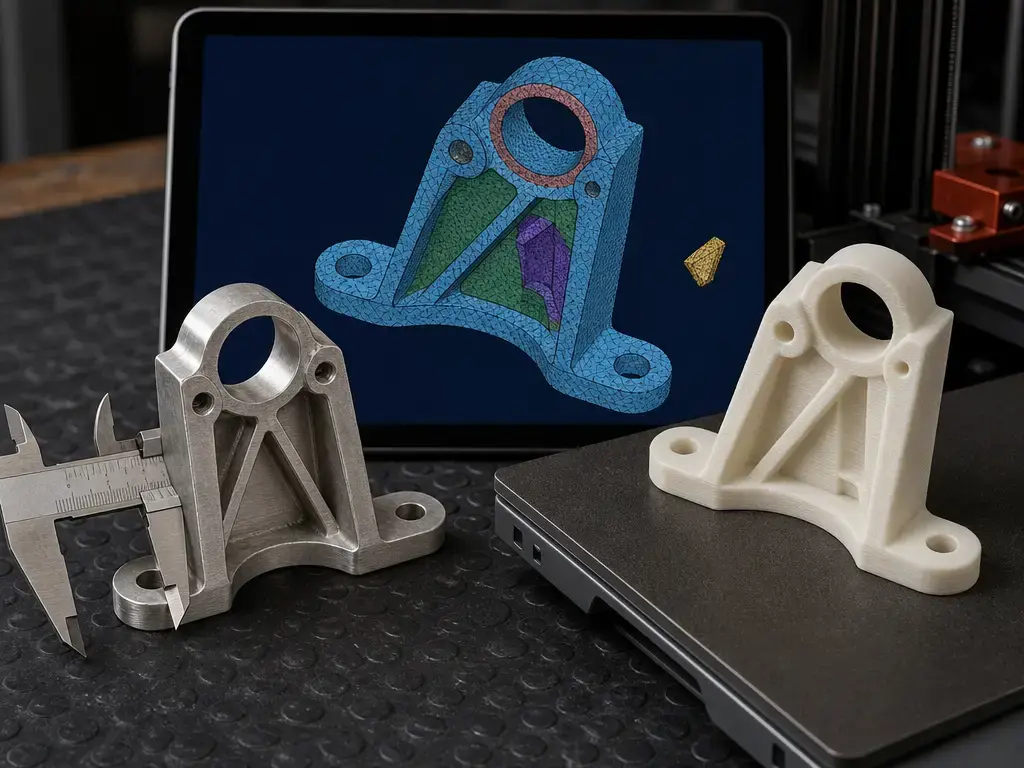
Image resolution describes the source photographs, not the certainty of reconstructed dimensions. Point spacing or point density describes the spacing of reconstructed samples; triangle density describes how finely a mesh surface is tessellated; and the smallest resolvable feature depends on subject texture, camera distance, lighting, motion, calibration, reconstruction settings, and cleanup. Adding triangles can make a surface look smoother without recovering missing geometric information.
Accuracy is closeness to a reference value. Precision is the closeness of repeated results. Repeatability concerns repeated results under the same conditions, while reproducibility considers changed operators, devices, or conditions. Measurement uncertainty expresses the remaining doubt associated with a reported measurement result.
No comparable vendor-published accuracy or repeatability specification was located in the reviewed Android free-plan documentation, so this article does not assign an accuracy figure to any app. ISO 10360-8:2013 concerns acceptance and reverification testing for Cartesian coordinate measuring machines with optical distance sensors; it does not imply that a phone-scanning app meets that standard. [S17] A phone mesh can serve as a CAD reference mesh or starting point, but reverse engineering it into dimensioned parametric surfaces is a separate downstream task.
Where free Android scanning fits
Free Android scanning fits projects where approximate shape and visual appearance matter more than traceable measurement: decorative replicas, rough reference models, classroom demonstrations, game or AR starter assets, and print projects that can be repaired, scaled, and test-fitted. A capture can help a maker understand proportions or rebuild selected features in CAD. It does not replace controlled reverse-engineering workflows, dimensioned surface reconstruction, or metrology when a part must meet known tolerances, fit a critical interface, or document measurement uncertainty.
Limitations and failure cases
Photogrammetry relies on stable, trackable visual features across many images. Untextured, shiny, highly reflective, transparent, repetitive, or moving subjects can produce alignment failures, missing areas, distorted geometry, or background fragments because reliable features are difficult to match. Agisoft’s photogrammetry guidance specifically advises avoiding untextured, shiny, highly reflective, and transparent objects. [S16]
ARCore Depth has different limits. It creates depth-image information from camera motion and can use compatible sensor data, but it is not itself a ready-to-print mesh. Scene conditions, movement, viewing geometry, and operating range affect its output. [S11] A viable workflow can also change when cloud dependencies, quotas, export permissions, or plan terms change, so re-check the installed app before committing time to a large capture.
Choosing a free 3D scanner app for Android
Choose a free 3d scanner app for android by starting with the deliverable rather than the scan preview. If the goal is direct 3D printing, rely only on an app whose current free Android tier explicitly exposes STL export in the installed app. If the goal is a textured visual asset, GLB or glTF is often the more natural target.
If dimensions matter, include a known reference in the capture and verify dimensions after import. Repair and inspect every mesh before slicing, even when export succeeds. When uncertainty in fit, dimensions, or surface form is unacceptable, use a dedicated scanning or measurement workflow rather than treating a phone capture as a measurement-grade model.
FAQ
These answers distinguish documented app paths from features that still need confirmation in the installed Android app.
What is the best free 3D scanner app for Android?
There is no single best choice for every task, and this article does not rank them. Choose according to the required output format, Android compatibility, free capture limits, account requirements, and whether the current free tier exposes the needed export option.
Can a free Android 3D scanning app export STL?
KIRI’s Photo Scan documentation lists STL, while its Basic plan claims unlimited free exports; verify that combination in the current Android export menu. [S02] [S01] Polycam documents free glTF export, and RealityScan documents Android GLB project storage rather than a direct STL route. [S10] [S07]
How do I keep the correct size when exporting STL from a phone scan?
Include a ruler or known-distance markers during capture, scale the model against that reference, and measure it again after importing into the repair tool or slicer. STL is unitless, so downstream software may assume a unit system that does not match the intended model. [S16] [S13]
Does Android have a free LiDAR 3D scanning app?
Do not assume that Android depth features are LiDAR. ARCore Depth uses depth-from-motion and can merge ToF information when compatible hardware provides it; a ToF sensor is not required for the Depth API. [S11] [S12]
Is a GLB file usable for 3D printing?
It can be converted into a print-oriented mesh format, but conversion is not the same as native STL export. GLB can include materials and textures that STL cannot retain, and the converted mesh still needs topology repair and dimensional verification. glTF specifies metres for linear distances, but the scan must have been assigned correct real-world scale before export. [S14]
Why do shiny or transparent objects scan badly with photogrammetry?
Photogrammetry needs stable image features that appear consistently across multiple photographs. Reflections, transparency, plain surfaces, and repeating patterns make feature matching unreliable, which can leave gaps or distort the reconstructed model. [S16]
Sources
Official app documentation, platform documentation, standards, and technical references were prioritized. App-store text is secondary evidence because it can lag a developer’s current plan documentation.
- S01 — KIRI Engine Pricing
- S02 — KIRI Photo Scan Features
- S03 — KIRI Photo Scan Mode Guide
- S04 — KIRI Engine 4.0 Release
- S05 — KIRI Google Play
- S06 — RealityScan Requirements
- S07 — RealityScan Project Files
- S08 — RealityScan View/Edit Projects
- S09 — RealityScan Mobile 1.5.2 Release Notes
- S10 — Polycam Pricing
- S11 — ARCore Depth Overview
- S12 — ARCore Raw Depth API
- S13 — Autodesk Fusion Help: STL Is Unitless
- S14 — glTF 2.0 Specification
- S15 — NVIDIA Omniverse OBJ Reference
- S16 — Agisoft Metashape Professional Edition User Manual 2.1
- S17 — ISO 10360-8:2013