
Summary
The best 3d printer for kids is the one that matches the child’s age, the adult’s willingness to supervise, and the room setup, not the one with the biggest speed number. Safer in this context never means unsupervised. [4] [7]
For very young makers, a guided PLA system such as Toybox is the closest fit because it keeps the workflow small and controlled, with a 75 × 80 × 90 mm build volume. [11] Older kids and teens can move up to a more capable beginner machine like the Bambu Lab A1 mini, which offers a 180 × 180 × 180 mm³ build volume but remains a non-enclosed printer with hot parts. [13] Enclosed family or classroom options such as the Flashforge Adventurer 5M Pro and Anycubic Kobra S1 can reduce direct access to moving parts and support a lower-exposure setup when combined with ventilation or exhaust, but a physical enclosure is not the same thing as emissions control. [16] [17] [7] EPA recommends lower-emission materials, lower nozzle temperature, less time near the running printer, and enclosure with local exhaust when appropriate. [7] NIOSH defines ultrafine particles as smaller than 100 nm, which is why this guide treats material choice, enclosure, filtration, and ventilation as separate controls rather than one catch-all fix. [5] Resin printers are excluded because this guide focuses on a safer 3D printer for children using material extrusion, not liquid-resin workflows. [4]
Quick Picks: best 3D printer for kids by age and use case
- Very young kids: Toybox is the most guided option, with a small 75 × 80 × 90 mm build volume and a tightly controlled PLA workflow, but it gives up part size and material flexibility; current pricing on the main site shows the Pro Saver Bundle at $249.00 and the Pro Mega Bundle at $299.00, so recheck the same day before publishing. [10] [11]
- Enclosed kid-specific alternative: AOSEED X-MAKER JOY is the child-branded enclosed option, with a 120 × 120 × 120 mm build volume and PLA-only workflow, but the product page includes an unresolved nozzle-temperature line, so do not publish a confirmed temperature figure from it; the current page shows $259.00, down from $339.00. [12]
- Older kids and teens: Bambu Lab’s A1 mini gives much more capability and a larger build area, but it is better framed as a supervised older-kid or teen printer than a universal family-safe default; the official US store listing shows $249.00 USD, down from $299.00 USD, and that figure can change. [13] [14]
- Enclosed family printer: Flashforge Adventurer 5M Pro is the enclosed-shell step-up option with faster hardware, but its “99%” filtration language is manufacturer-only in this brief and should not be treated as independent validation; the current page lists $449.00, down from $599.00. [16]
- Enclosed value pick: Anycubic Kobra S1 is a fully enclosed CoreXY machine with a broader temperature envelope, but it is more printer than a child-first starter usually needs; the current page shows $349.00, or $399.00 for the Combo. [17]
- STEM / repairability path: Original Prusa MINI+ is the more hands-on, semi-assembled option for families that want to learn the machine as well as use it, but it asks more from the adult during setup; the current listing shows $508.33. [18]
- Not recommended: Resin printers are excluded from this guide because their liquid handling, chemical cleanup, and UV-curing workflow do not fit a child-first buying guide. [4]
How we chose these picks: the ranking favors guarding, supervision burden, PLA-first workflow, setup friction, support, and value over raw speed or the highest spec sheet number. [4] [7] The market framing also follows the way current reviews separate very young makers, grow-with-your-kid systems, supervised beginner printers, and STEM paths instead of treating every kids 3D printer as the same product. [19]
How kid-friendly 3D printers evolved
Early consumer filament printers were more hands-on, with more manual setup, narrower beginner support, and enough tuning that the adult often had to act like an operator rather than a parent. Over time, beginner machines shifted toward auto-leveling, app-linked printing, pre-profiled slicers, and more guided first-run workflows. [13] [17] That shift matters because the family buying question changed with it: today, the choice is less about whether a machine can print at all and more about how much setup and supervision it demands at home. ISO/ASTM 52900:2021 provides the vocabulary boundary for additive manufacturing, while ASTM usage notes keep material extrusion and the common FDM/FFF names in the same filament-based family. [1] [2]
That is why current best 3d printer for kids reviews often split the field into very young makers, grow-with-your-kid systems, kids and teens beginner printers, and STEM options instead of treating every desktop printer as the same thing. [19]
How FDM/FFF kid printers work
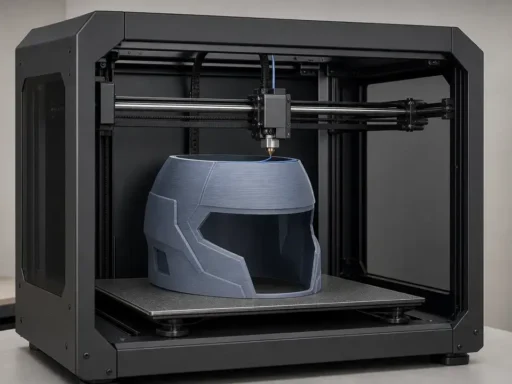
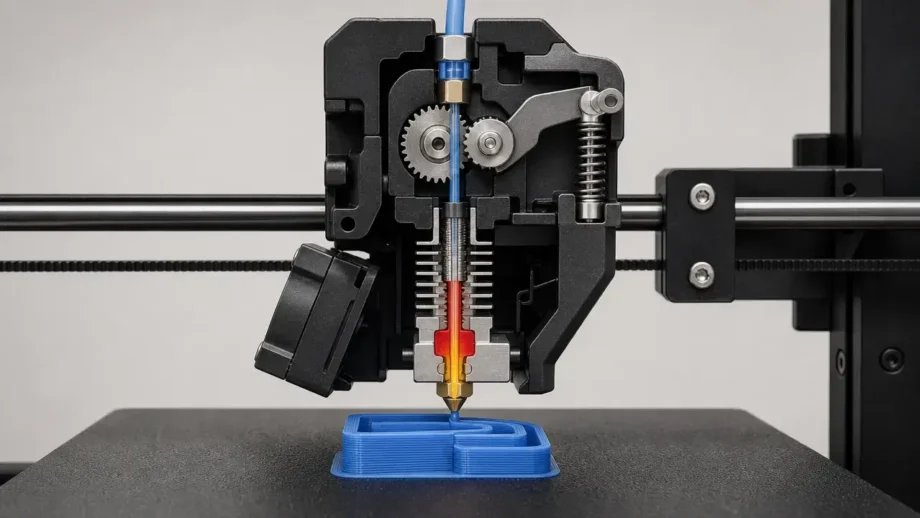
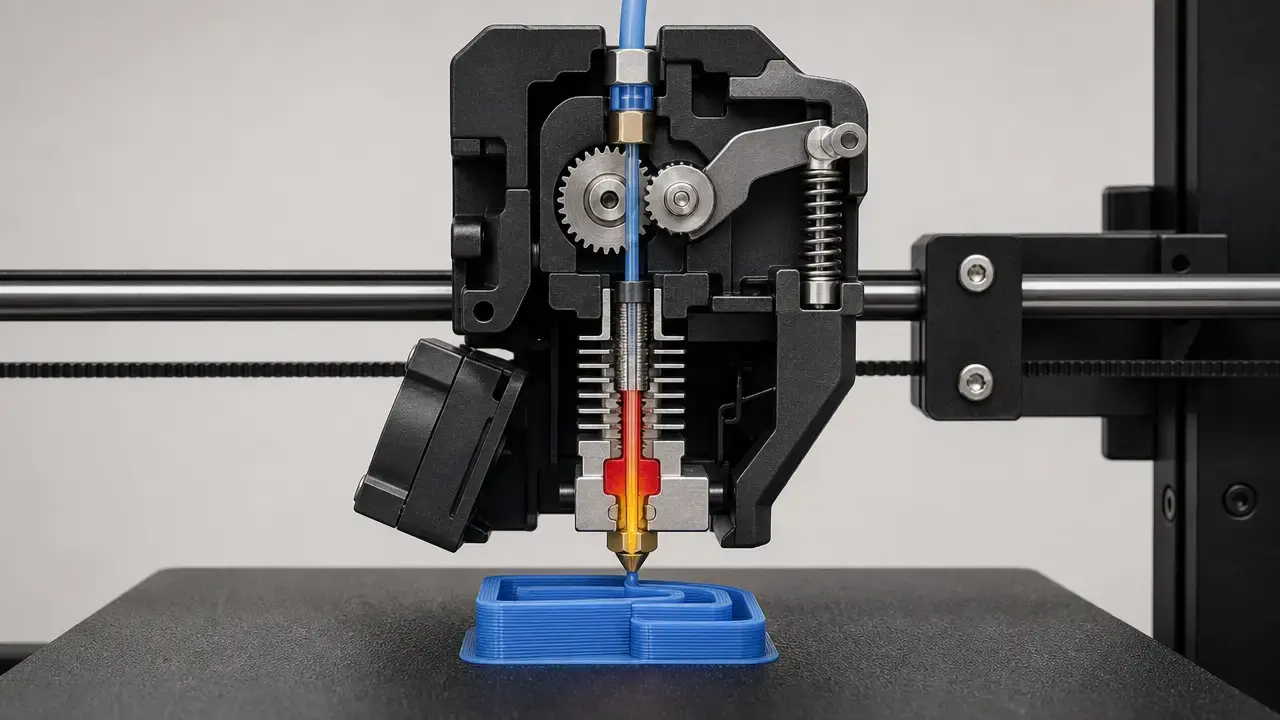
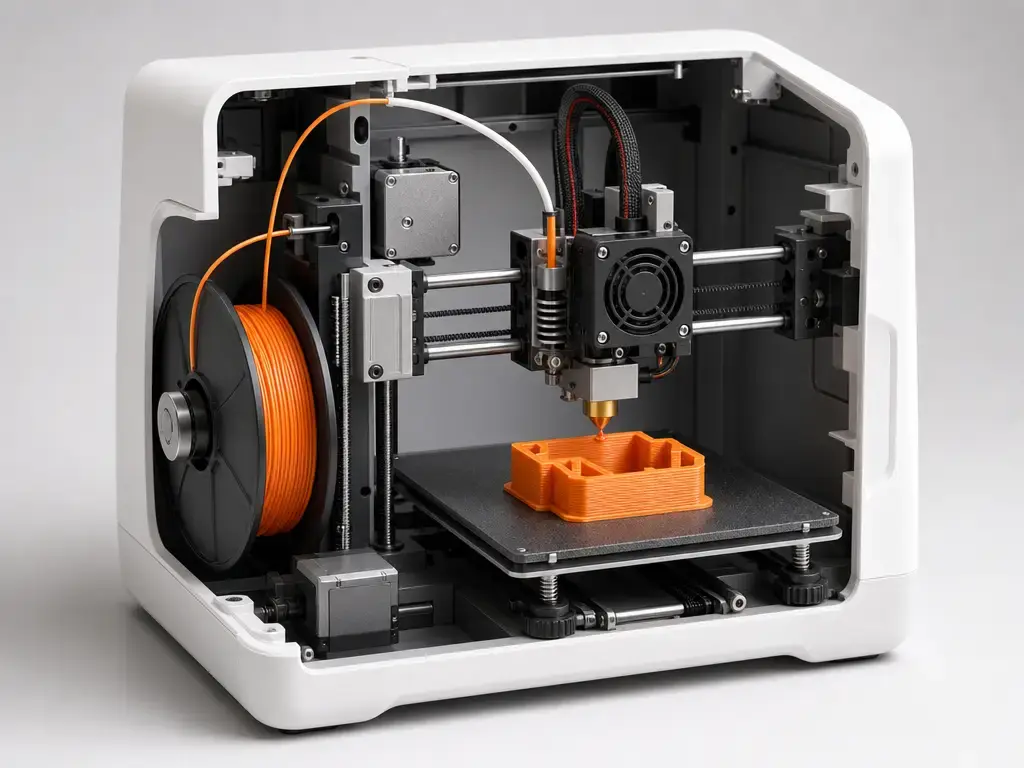
In this article, the relevant process family is material extrusion: a spool feeds thermoplastic filament into a heated nozzle, the nozzle softens the material, and the printer deposits it layer by layer onto a build plate to form the part. [1] [2] The slicer is the software layer that turns a 3D model into toolpaths, temperatures, and movement commands for the machine. [1] [2] For family buying, that matters because the child usually interacts with a simplified software layer while the adult still owns the machine settings and startup decisions. FDM and FFF are common names for this same filament-based process family, not separate consumer technologies. [2]
PLA is the default first material for family use because it is common, easier to print, and usually runs at lower temperatures than ABS-class materials, but lower temperature does not mean harmless. [4] In one study, styrene from ABS and HIPS was reported at about 10 to 110 µg/min, while lactide from PLA was reported at about 4 to 5 µg/min. [8] In another early desktop-printer study, total ultrafine particle emission-rate estimates ranged from about 2.0 × 10^10 min⁻¹ for PLA to about 1.9 × 10^11 min⁻¹ for ABS on the same printer type. [9] So PLA is the simpler first choice, not an emissions-free one. [8] [9]
For a child-facing workflow, the easy to use 3D printer for beginners is usually the one that hides or simplifies these steps:
- bed leveling
- slicer profiles
- nozzle temperature
- supports
- brim or raft choices
- filament loading
Safety principles for a safer 3D printer for children
The core safety question is not whether a printer is marketed for kids. It is whether an adult can control the hot, moving, electrical, and post-processing parts of the workflow well enough for the child’s age and attention span. NIOSH notes that FFF nozzles commonly reach roughly 190°C to 260°C, heated build platforms can run about 55°C to 120°C, and both can cause burns if touched before cooling. [4] NIOSH also warns that desktop printers contain moving parts such as motors, pulleys, rods, carriages, and fans that can trap fingers, hair, or loose clothing, and that electrical shock or mechanical injury is possible during maintenance if a unit is not de-energized. [4] Failed prints create a second layer of risk because adults often intervene while the machine is still hot, and NIOSH specifically advises turning off an FFF printer and allowing it to ventilate and cool before dealing with a nozzle clog. [4] Post-processing can add cutting, grinding, sanding, or scraping tasks that are not child jobs. [4] Pets, toddlers, and curious siblings make these risks worse, so the sensible household rule is simple: no hands inside the printer area while it is printing or cooling. [4]
Emissions are the other half of the safety problem. NIOSH defines ultrafine particles as smaller than 100 nm, and EPA says 3D printers can release particles in the 1–100 nm range. [5] [6] EPA modeling also looked at children from 3 months to 18 years and reported the greatest predicted mass deposition in the lungs, highest in the 9–18-year-old group. [6] That is why “do kids need an enclosed 3D printer for safety” is the wrong yes-or-no question: enclosure, filtration, and ventilation solve different problems. [4] [7] An enclosure can reduce direct access to hot and moving parts and may help contain particles, but EPA still recommends lower-emission materials, lower nozzle temperature, less time near the running printer, and enclosure with local exhaust when appropriate. [7] NIOSH gives examples where a filtered enclosing hood cut particle emissions by 97% to 99%, and a custom ventilated enclosure reduced particle concentration by over 99% while reducing total organic chemical concentration by almost 70%, but those are control examples, not universal performance guarantees. [4] Because EPA also advises against running these devices in poorly ventilated spaces, bedroom placement is not recommended as a conservative home-use rule. [7] No reliable figure found supports a universal safe distance. [4] [7]
The practical rule is conservative by design: children choose, design, and observe; adults load filament, start first prints, remove stuck prints, troubleshoot, and maintain the machine and the room. [4] [7]
Workflow: from model to finished toy or school project
A good family workflow starts before the printer turns on. Adults should choose the model source, screen it for sharp edges and small parts, and decide whether the project belongs in a built-in library, a parent-approved library, or a public repository. A 3d printer for kids should also avoid repeated failed starts and unnecessary idle heating, especially since EPA recommends reducing time near a running printer. [7]
The least confusing path for children is usually guided printing from a built-in catalog or a pre-sliced file, because the adult can lock in supports, infill, and bed settings ahead of time. Toybox is the clearest example of this approach, with 2.4 GHz Wi‑Fi, 60 mm/s print speed, and 200-micron resolution tied to a smaller, more controlled ecosystem. [11] AOSEED’s X-MAKER JOY follows similar child-oriented logic with PLA-only material support and a 120 × 120 × 120 mm build volume, even though its exact nozzle-temperature line is not reliable enough to publish as a confirmed number. [12] A more flexible beginner platform such as the Bambu Lab A1 mini adds a 0.4 mm nozzle, a 180 × 180 × 180 mm³ build volume, and up to 500 mm/s max toolhead speed, which is useful but also means the adult has to think harder about profiles, materials, and whether the chosen file is really appropriate. [13] Semi-assembled printers such as the Prusa MINI+ move even more of the first-run burden to the adult, which is a feature if the family wants to learn the machine, not just use it. [18]
Before launch, adults should review:
- print time
- filament use
- support generation
- bed temperature
- whether the model has weak joints, sharp corners, or small detachable parts
After the print finishes, let the part cool before removal, use the printer’s flex plate or release method where possible, and keep sanding, trimming, or scraper-heavy cleanup under adult control. [4]
Types of kids 3D printer: toy, beginner, enclosed, and STEM
A guided toy printer is the narrowest category. It usually revolves around a simple app or browser flow, PLA printing, and a small build area so the child mostly chooses a model while the adult manages the machine. Toybox fits that definition with a 75 × 80 × 90 mm build volume, 60 mm/s speed, and PLA material support. [11] A child-specific PLA machine sits one step wider: AOSEED’s X-MAKER JOY still keeps the workflow highly managed, but it expands build volume to 120 × 120 × 120 mm and uses a fully child-branded presentation. [12] An open-frame beginner printer such as the Bambu Lab A1 mini is different again. It is a real general-use printer with a 180 × 180 × 180 mm³ build volume and a 300°C hot end, not a toy system with kid-only limits. [13]
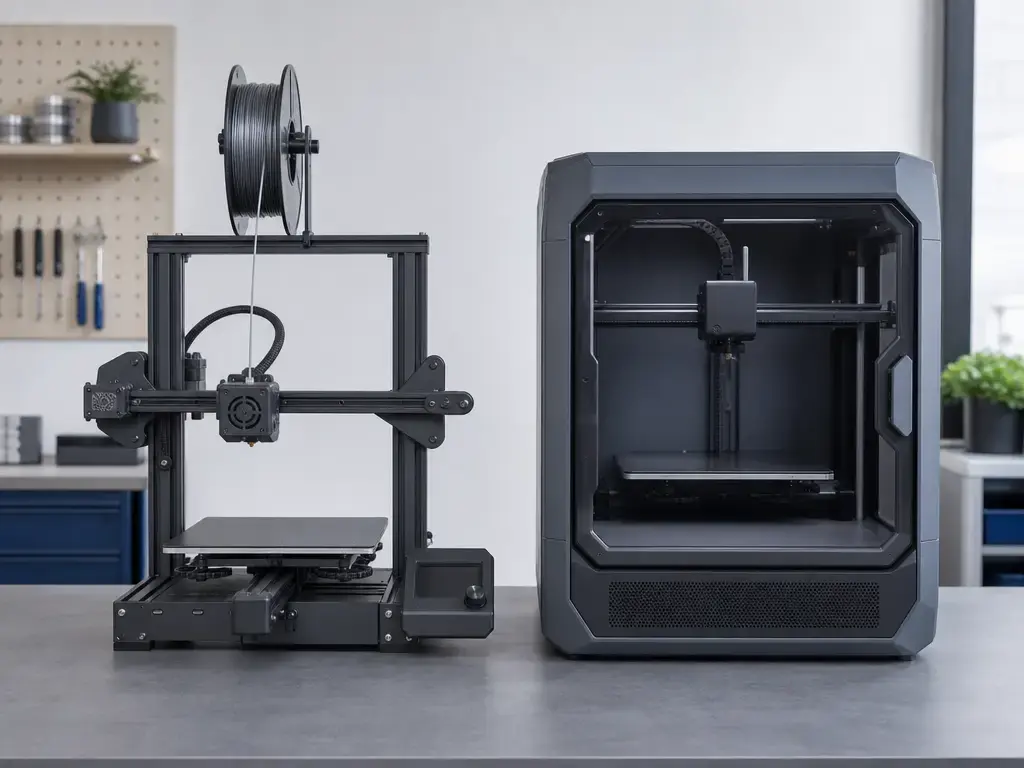
Enclosed home or classroom printers are the next category. Here the goal is not just simplicity, but reduced access to moving parts and a more controllable room setup. Flashforge’s Adventurer 5M Pro uses an enclosed shell and lists a 220 × 220 × 220 mm build volume, while Anycubic’s Kobra S1 is a fully enclosed CoreXY machine with a 250 × 250 × 250 mm build volume and higher-temperature hardware. [16] [17] If you are shopping for an enclosed 3d printer for home use, that distinction matters: the enclosure helps with contact separation, but it does not replace ventilation planning. [4] [7]
STEM and repairability-focused printers sit at the most hands-on end of the spectrum. Prusa’s MINI+ is semi-assembled and support-oriented, which makes it useful when the family wants to learn maintenance and setup along with printing. [18] Resin printers are omitted on purpose. NIOSH describes vat photopolymerization as a process that uses liquid resin cured by UV or laser light, followed by chemical cleanup and UV post-curing, and also notes that some liquid resins can irritate or sensitize skin. [4] That combination of liquid handling, chemical baths, spills, and extra finishing work is why this guide stays with material extrusion machines instead of treating every printer as interchangeable. [4]
The short version is simple: younger children fit guided toy systems, older beginners can move into supervised open or enclosed beginner printers, and STEM-minded families can choose machines that teach maintenance as well as printing. [11] [13] [18]
Performance metrics parents should actually compare
The specs that matter most are the ones that change how much adult help the printer needs. Build volume sets the maximum part size, but it does not tell you whether a child can use the printer sensibly. [11] [13] Layer height affects surface finish, but a smaller micron number does not automatically mean easier printing or better results for children. [11] [12] Nozzle size, max nozzle temperature, and bed temperature matter because they affect material range, hot-surface risk, and the chance that an adult will need to intervene. [13] [16] [17] Print speed sounds impressive, yet “up to 500 mm/s” or “up to 600 mm/s” is not the same thing as stress-free family printing. [13] [16] [17] Noise, enclosure, filtration claims, app workflow, model library quality, replacement parts, and support are usually more relevant than headline speed when best 3d printer for kids reviews are translated into an actual household purchase. [4] [7] [18] [19]
| Printer | Best fit | Evidence tier / open-or-enclosed / safety basis | Main caveat / adult job required |
|---|---|---|---|
| Toybox | Very young makers | Manufacturer specs and pricing; guided PLA workflow; open but tightly limited. [10] [11] | Small 75 × 80 × 90 mm build volume, so adults need to choose short, simple projects. [11] |
| AOSEED X-MAKER JOY | Child-specific enclosed starter | Manufacturer specs only; enclosed child-branded workflow; PLA only. [12] | Nozzle-temperature line is unresolved, so adults should verify thermal details before buying. [12] |
| Bambu Lab A1 mini | Supervised older-kid and teen use | Official store specs and price snapshot; non-enclosed general beginner platform. [13] [14] | 300°C hot end and 80°C build plate keep supervision non-optional. [13] |
| Flashforge Adventurer 5M Pro | Enclosed family printer | Manufacturer specs; enclosed shell; filtration claim is manufacturer-only in this brief. [16] | Faster hardware still needs adult setup, maintenance, and a same-day price check. [16] |
| Anycubic Kobra S1 | Enclosed value pick | Manufacturer specs; fully enclosed CoreXY; higher-temperature hardware. [17] | Better for older supervised kids and teens than for very young beginners. [17] |
| Original Prusa MINI+ | STEM and repair-minded families | Manufacturer listing and support claim; semi-assembled learning path. [18] | More hands-on setup makes it less toy-like and more adult-driven. [18] |
The practical question is not “Which printer is fastest?” but “Which printer keeps the workflow manageable, the supervision realistic, and the room easier to control?” [4] [7]
Recommended picks and buying notes
This ranking is based on two things: how much adult oversight the printer still needs, and how much it simplifies the first successful print. It also separates manufacturer specs from broader safety evidence, because an enclosed shell or a filtration claim is not the same thing as an independently verified lower-exposure setup. [4] [7] Prices and availability move often in this category, so every price below needs a same-day recheck before publication. [10] [14] [16] [17] [18]
Toybox — best toy-like system for very young makers
Toybox fits the youngest, most supervised use case. It has a 75 × 80 × 90 mm build volume, 60 mm/s print speed, 200-micron resolution, 2.4 GHz Wi‑Fi, 2.45 kg weight, and PLA material support, all of which keep the workflow narrow and predictable. [11] The tradeoff is obvious: the machine is intentionally limited, so it is best for adult-operated novelty prints and small toy-scale projects rather than larger builds or material experimentation. The main site currently shows the Pro Saver Bundle at $249.00 and the Pro Mega Bundle at $299.00. [10] Evidence tier: manufacturer specs and pricing only. [10] [11]
AOSEED X-MAKER JOY — enclosed kid-specific PLA printer
AOSEED is the enclosed child-branded option. The current product page shows $259.00, down from $339.00, along with a 120 × 120 × 120 mm build volume, 120–300 mm/s speed, 50–300 micron layer range, PLA-only workflow, 0.4 mm nozzle, 60 W rated power, and age wording that appears as both “kids ages 4+” and “ages 4–12” on the page. [12] The tradeoff is that one key spec line is not reliable enough to treat as confirmed: the nozzle temperature field appears as “s265℃,” so no verified exact value should be published from that page alone. [12] Evidence tier: manufacturer specs only, with one unresolved spec caveat. [12]
Bambu Lab A1 mini — best real beginner printer for older kids
The A1 mini is the strongest real-printer pick for older kids and teens under adult supervision. The official store page lists a 180 × 180 × 180 mm³ build volume, 300°C max hot end, 80°C max build plate, included 0.4 mm nozzle, and 500 mm/s max toolhead speed, while also noting that ABS, ASA, PC, and PA are not recommended. [13] That combination makes it capable without making it child-specific. The tradeoff is that it remains a non-enclosed machine with exposed hot and moving components, so it should not be framed as a child-unsupervised or universally family-safe default. The official US store price snapshot shows $249.00 USD, down from $299.00 USD, but that number is especially likely to move. [14] Evidence tier: official store specs plus an official-store price snapshot. [13] [14]
Flashforge Adventurer 5M Pro — enclosed family/classroom step-up
Flashforge is the family or classroom step-up when you want a closed shell and more performance. The product page lists a 220 × 220 × 220 mm build volume, 600 mm/s max speed, 20,000 mm/s² max acceleration, 280°C nozzle temperature, 100°C platform temperature, 50 dB low-noise mode, 55 dB standard mode, and an enclosed shell. [16] The same page also makes the HEPA-plus-activated-carbon claim and says it can block 99% of particulates and VOCs, but that claim is manufacturer-only in this brief and should not be treated as printer-specific independent proof. [16] Current listed price is $449.00, down from $599.00. [16] Evidence tier: manufacturer specs and manufacturer-only filtration language. [16]
Anycubic Kobra S1 — enclosed teen/family value pick
Anycubic is the value pick among the fully enclosed machines, but it fits better for older supervised kids and teens than for very young children. The product page shows $349.00 for the base machine and $399.00 for the Combo, with a fully enclosed CoreXY design, 250 × 250 × 250 mm build volume, recommended 300 mm/s and maximum 600 mm/s speed, 320°C hotend, 120°C hotbed, standard 0.4 mm nozzle, optional 0.6 and 0.8 mm expansion, and quiet mode as low as 44 dB. [17] The tradeoff is straightforward: this is a more capable machine with a higher supervision ceiling, not a toy-like starter. Evidence tier: manufacturer specs and pricing only. [17]
Original Prusa MINI+ — STEM and repairability pick
Prusa’s MINI+ is the least toy-like option here and the best match for families who want the printer itself to be part of the lesson. The current listing shows the semi-assembled version in stock at $508.33, and Prusa also advertises 24/7 customer support by live chat and email in several languages. [18] The tradeoff is that it asks more from the adult during setup and early maintenance than a guided or enclosed kid-first machine does. Evidence tier: manufacturer listing and support claim. [18]
Under $100 — what to buy instead
There is no reliable new child-safer 3d printer for kids under $100 recommendation in this market slice. EPA’s advice points buyers toward lower-emission choices and lower-exposure behavior, not bargain hunting that ignores ventilation, support, or room placement. [7] If your budget is under $100, the better options are filament and accessories for a future purchase, a 3D pen with separate supervision rules, a used machine with serious caveats, or simply saving for an entry-level unit that actually fits the child and the room. [19]
For most families, the right answer is not the cheapest model. It is the one that matches the child’s age, the adult’s supervision bandwidth, and the space where the printer will actually run. [4] [7] [19]
Applications: what kids can safely make first
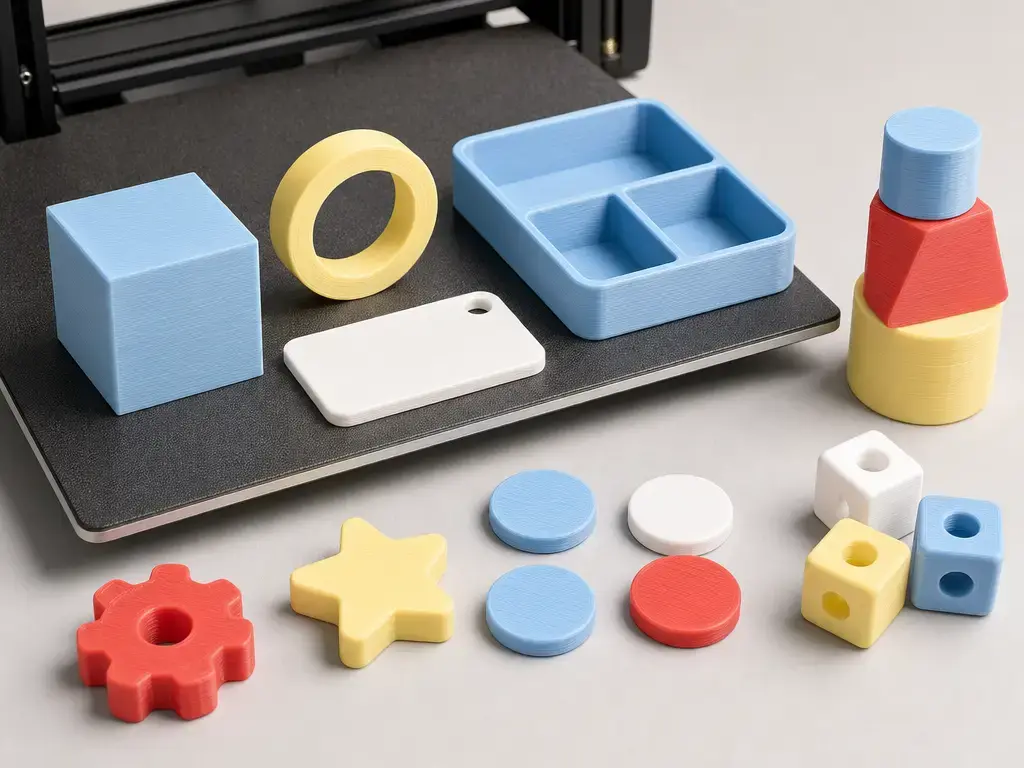
The best first prints are small, low-stakes, and easy to inspect. Think school projects, name tags, simple toys, geometric solids, game tokens, desk organizers, and classroom manipulatives. EPA still recommends reducing time near a running printer, which is another reason to keep early prints short and supervised. [7] PLA is often the default material for these projects, but emissions are not zero; one cited study still reported lactide emissions around 4 to 5 µg/min from PLA. [8] Even a mainstream beginner printer such as the A1 mini still carries a 300°C hot end and an 80°C build plate, so a safe 3d printer for children is really a safer workflow, not a harmless machine. [13]
As a conservative household rule, skip food-contact items, load-bearing parts, helmets or other protective gear, electrical enclosures, tiny choking-hazard toys, and unverified designs. [4] Enclosed family machines such as Flashforge’s Adventurer 5M Pro and Anycubic’s Kobra S1 may help with contact separation, while Prusa’s MINI+ makes more sense as a supervised educational platform than as a handoff toy. [16] [17] [18]
Limitations, maintenance, and adult responsibilities
Even a kid-friendly printer does not remove the ordinary failure modes of desktop 3D printing. Jams, weak bed adhesion, failed supports, warped parts, nozzle clogs, and damp filament can all turn a simple project into a troubleshooting session. [4] Small guided printers also have hard limits: Toybox’s 75 × 80 × 90 mm build volume keeps projects manageable, but it rules out many larger parts. [11] Kid-targeted systems such as AOSEED’s X-MAKER JOY simplify material choice by staying PLA only, but that also narrows flexibility when a project really needs something else. [12] More capable beginner printers bring their own maintenance burden. The Bambu Lab A1 mini still has a 300°C hot end and 80°C build plate, Flashforge’s Adventurer 5M Pro still needs adult maintenance despite its enclosed shell and 50 dB / 55 dB noise figures, Anycubic’s Kobra S1 still has a 320°C hotend and 120°C hotbed, and Prusa’s MINI+ remains semi-assembled and support-oriented. [13] [16] [17] [18]
The adult owns the full operating environment, not just the purchase. That includes room placement, ventilation choices, account setup for app- or cloud-linked features, filament choice, spare nozzles, replacement parts, maintenance intervals, and knowing how to stop or power down the machine if a print goes wrong. [7] [12] [13] [17] EPA’s guidance on lower-emission materials, lower nozzle temperature, and reduced time near the printer should shape where the machine sits and how long it runs in occupied rooms. [7] The safest family setups treat the printer as a supervised tool, not a plug-and-play appliance. [4]
For the first project, a small print is better than a long articulated model with many failure points. That is a better way to learn setup and cleanup, and it is still the most useful test of the best 3d printer for kids. [4] [7]
Current research and market context
The research base still supports a cautious family-use approach. ANSI/CAN/UL 2904 Ed. 2 was published on May 26, 2023, and provides a standards-based framework for testing and assessing particle and chemical emissions from 3D printers rather than taking vendor claims at face value. [3] NIOSH’s 2024 guidance then frames exposure control as a hierarchy: eliminate or substitute where possible, use engineering controls such as enclosures and exhaust, and do not rely on supervision alone. [4] NIOSH also defines ultrafine particles as below 100 nm, while EPA says printers can release ultrafine particles in the 1–100 nm range and has modeled exposure for children from 3 months to 18 years. [5] [6] EPA recommends lower-emission materials, lower nozzle temperature, less time near the printer, and enclosure with local exhaust when appropriate. [7] Material still matters: Azimi et al. reported PLA lactide around 4–5 µg/min and ABS/HIPS styrene around 10–110 µg/min, while Stephens et al. reported total UFP emission-rate estimates of about 2.0 × 10^10 min⁻¹ for PLA and about 1.9 × 10^11 min⁻¹ for ABS on the same printer type. [8] [9] None of that means every printer behaves the same way, but it does mean the burden of proof should stay on ventilation, supervision, and realistic room control. [4] [7]
The market has also changed in practical ways. Several entry-level and family printers in this guide now bundle auto-leveling, app-linked printing, cameras, runout sensing, or pre-profiled workflows, which lowers setup friction even when adult oversight is still required. [12] [13] [16] [17] Current coverage also tends to separate kid, teen, and STEM-oriented buying paths rather than presenting one universal beginner machine. [19] Prices remain volatile enough that value claims can age quickly, especially on direct-to-consumer store pages. [10] [14] [16] [17] [18]
That is why the best 3d printer for kids is usually the one that best matches age, room setup, and adult supervision, not the one with the most dramatic headline spec. [4] [7] [19]
FAQ
What is the best 3D printer for kids in 2026?
There is no one best model for every child. For very young makers, Toybox is the closest fit because it keeps the workflow small and guided, with a 75 × 80 × 90 mm build volume and PLA printing. [11] For older kids and teens, the Bambu Lab A1 mini is the strongest general beginner pick because it offers more room to grow at 180 × 180 × 180 mm³, but it still needs adult supervision because it is a non-enclosed real printer with hot components. [13] For enclosed family use, Flashforge Adventurer 5M Pro and Anycubic Kobra S1 make more sense than Toybox-size machines when the adult wants a closed shell and more capability. [16] [17]
What is the safest 3D printer for kids?
The safer answer is usually a setup, not a single model. NIOSH and EPA both frame 3D printing as a risk-management problem involving hot parts, moving parts, and emissions, so the best option is the one an adult can supervise consistently in a well-managed room. [4] [7] Guided PLA systems such as Toybox reduce workflow complexity, while enclosed options such as AOSEED X-MAKER JOY or Flashforge Adventurer 5M Pro can reduce direct access to moving parts. [11] [12] [16] None of them should be framed as unsupervised or risk-free. [4]
Do kids need an enclosed 3D printer for safety?
Not always, but enclosure helps with one part of the problem. A shell can reduce direct access to hot and moving components, and EPA says an enclosure may help contain particles. [7] But enclosure is not the same thing as emissions control, because the room still needs a ventilation strategy and the family still needs lower-emission materials and less time spent near the printer. [4] [7] NIOSH defines ultrafine particles as below 100 nm, and EPA says 3D printers can emit particles in the 1–100 nm range, which is why an enclosed machine can be helpful without being a complete answer. [5] [6]
Can I buy a 3D printer for kids under $100?
For a new machine, there is no reliable recommendation in this guide’s child-first market slice under that price. Current kid-oriented and beginner machines sit well above that level, from Toybox’s $249.00 bundle pricing to AOSEED’s $259.00 page price and higher still for enclosed family printers. [10] [12] EPA’s guidance also points families toward lower-emission choices and better room control, not the cheapest possible box. [7] If your budget is under $100, the practical move is to wait, buy used with caution, or spend the money on accessories, filament, or a different supervised maker activity instead. [19]
Is PLA filament safe for children’s 3D printing?
PLA is usually the better default than ABS for family beginners, but “better default” is not the same as emission-free. NIOSH and EPA both treat desktop 3D printing as a source of ultrafine particles and chemical emissions. [4] [6] In the cited VOC study, PLA was associated with lactide emissions around 4 to 5 µg/min, while ABS and HIPS were associated with styrene emissions around 10 to 110 µg/min. [8] In the earlier particle-emission study, PLA also emitted far fewer total ultrafine particles than ABS on the same printer type. [9] So PLA is the right first filament for most families, but it is not a bedroom-safe or zero-emission material. [7]
Expert: What matters more for child safety, enclosure or ventilation/filtration?
Neither fully replaces the other. Enclosure mainly helps with direct access and can help contain emissions at the source, while ventilation and filtration determine what happens to the air after the printer starts emitting particles and VOCs. [4] [7] NIOSH gives examples where a filtered enclosing hood reduced particle emissions by 97% to 99%, and where a custom ventilated enclosure reduced particle concentration by over 99% and total organic chemical concentration by almost 70%. [4] But the same NIOSH guide also notes that one study recommended a minimum of six ACH while another found three ACH was not sufficient for regular or long-term desktop printing, so there is no one-number rule that makes a room “safe.” [4] The best family answer is layered control: lower-emission material, lower temperature when appropriate, enclosure, and real ventilation. [7]
Expert: How should age bands change the printer choice?
For ages 4–7, a guided system is the best fit because the child can choose and observe while the adult runs the machine; Toybox is the clearest example in this guide. [11] For ages 8–12, a child-oriented enclosed machine such as AOSEED X-MAKER JOY can make sense if the adult accepts the PLA-only workflow and verifies unresolved specs before buying. [12] For 13+, the choice can widen to a supervised real beginner printer like the Bambu Lab A1 mini or to enclosed family machines like the Flashforge Adventurer 5M Pro or Anycubic Kobra S1, depending on room setup and how much adult involvement is realistic. [13] [16] [17] Families who want the printer itself to be part of a STEM lesson should also consider the Prusa MINI+ because its semi-assembled format teaches maintenance as well as printing. [18] Current review coverage broadly supports that age-and-goal split. [19]
Sources
- ISO/ASTM 52900:2021 — Additive manufacturing — General principles — Fundamentals and vocabulary. https://www.iso.org/standard/74514.html
- ASTM WK73239 — New Classification for Additive manufacturing — Qualification principles — Classification of part properties for additive manufacturing of polymer parts. https://www.astm.org/membership-participation/technical-committees/workitems/workitem-wk73239
- UL 2904 Ed. 2-2023 — Standard Method for Testing and Assessing Particle and Chemical Emissions from 3D Printers. https://webstore.ansi.org/standards/ul/ul2904ed2023
- NIOSH — Approaches to Safe 3D Printing: A Guide for Makerspace Users, Schools, Libraries, and Small Businesses. https://www.cdc.gov/niosh/docs/2024-103/pdfs/2024-103.pdf
- NIOSH Science Bulletin — Safe 3D Printing is for Everyone, Everywhere. https://www.cdc.gov/niosh/bulletin/2024/safe-3d-printing.html
- EPA — 3D Printing Research at EPA. https://www.epa.gov/chemical-research/3d-printing-research-epa
- EPA — Sources of Indoor Particulate Matter (PM). https://www.epa.gov/indoor-air-quality-iaq/sources-indoor-particulate-matter-pm
- Azimi et al., Environmental Science & Technology (2016) — Emissions of Ultrafine Particles and Volatile Organic Compounds from Commercially Available Desktop Three-Dimensional Printers with Multiple Filaments. https://pubs.acs.org/doi/abs/10.1021/acs.est.5b04983
- Stephens et al. — Ultrafine particle emissions from desktop 3D printers. https://hero.epa.gov/reference/2331814/
- Toybox 3D Printer – Toybox Labs. https://toybox.com/
- Learn More About the Toybox 3D Printer – Toybox Labs. https://toybox.com/pages/qr
- AOSEED X-MAKER JOY Starter Toy 3D Printer – Fun and Educational Printing for Kids. https://www.aoseed.com/products/aoseed-xmaker-joy-3d-printer-for-kids
- Bambu Lab A1 mini 3D Printer | Bambu Lab USA Store. https://us.store.bambulab.com/products/a1-mini
- Bambu Lab A1 mini 3D Printer | Bambu Lab US Store. https://us.store.bambulab.com/products/a1-mini?skr=yes&variant=41416712716424
- Bambu Lab A1 mini manual mirror. https://www.manualslib.com/manual/4121703/Bambu-Lab-A1-Mini.html
- Flashforge Adventurer 5M Pro | Enclosed 3D Printer for Faster Prints. https://www.flashforge.com/products/adventurer-5m-pro-3d-printer?cID=101
- Anycubic Kobra S1 3D Printer: Simple, One and Done. https://us.anycubic3d.com/products/kobra-s1
- Original Prusa MINI+ | Original Prusa 3D printers directly from Josef Prusa. https://www.prusa3d.com/category/original-prusa-mini/
- Tom’s Hardware — Best 3D Printers for Beginners 2026: Perfect printers for kids, teens, and adults alike. https://www.tomshardware.com/3d-printing/best-3d-printers-for-kids-and-teens