
Verdict
For the bambu lab a1 vs p1s decision, the P1S is the better buy if you plan to print ABS, ASA, or other materials that benefit from an enclosed machine and a broader manufacturer-recommended filament list. The A1 is the better buy if your work is mostly PLA, PETG, TPU, or PVA and you want the simpler ownership path of a non-enclosed printer. That is the clean decision rule: pick the P1S for enclosure-driven materials and a broader official material envelope, and pick the A1 for mostly easy filaments and a simpler open setup. Both list a maximum toolhead speed of 500 mm/s, so the separation is more about material guidance and throughput potential than the headline speed figure. [1] [2] [5]
In short, buy the A1 if you want the easier fit for everyday PLA and PETG use. Buy the P1S if you expect your filament mix to expand toward ABS, ASA, PET, PA, or PC, or if you want the enclosure-related advantages that come with Bambu’s broader official recommendations for that machine. [1] [2]
Side-by-side spec table
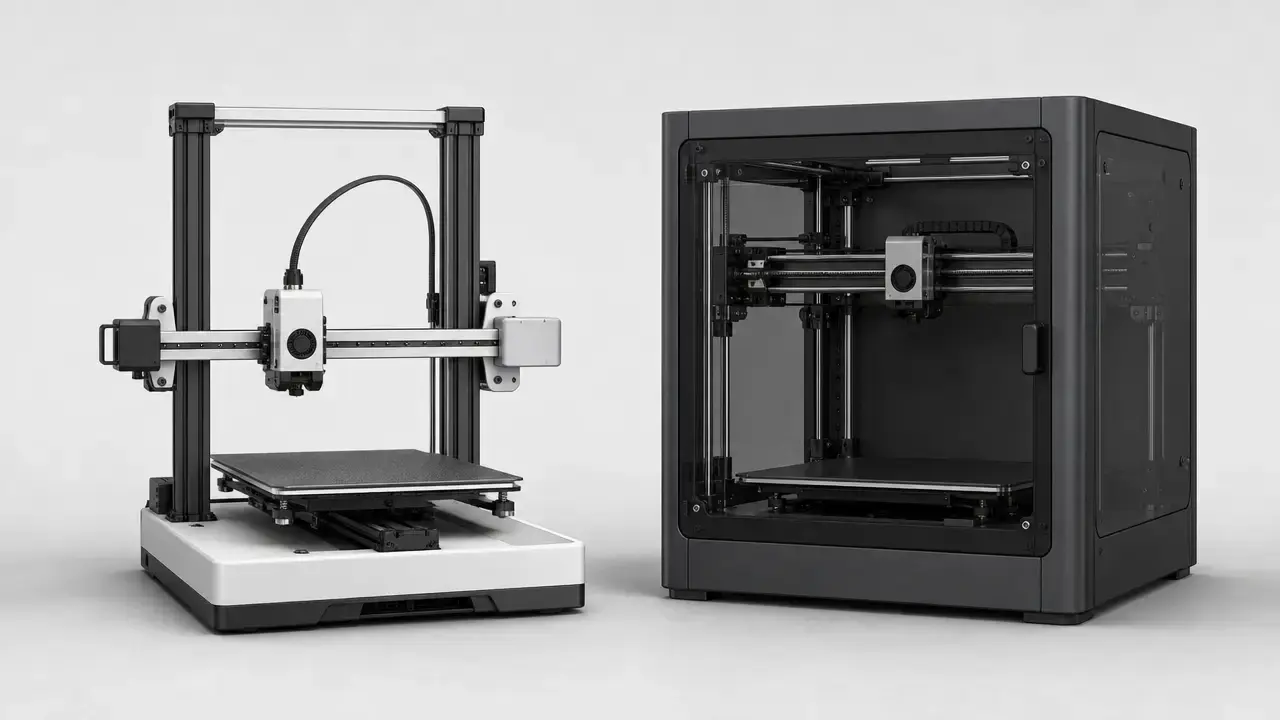
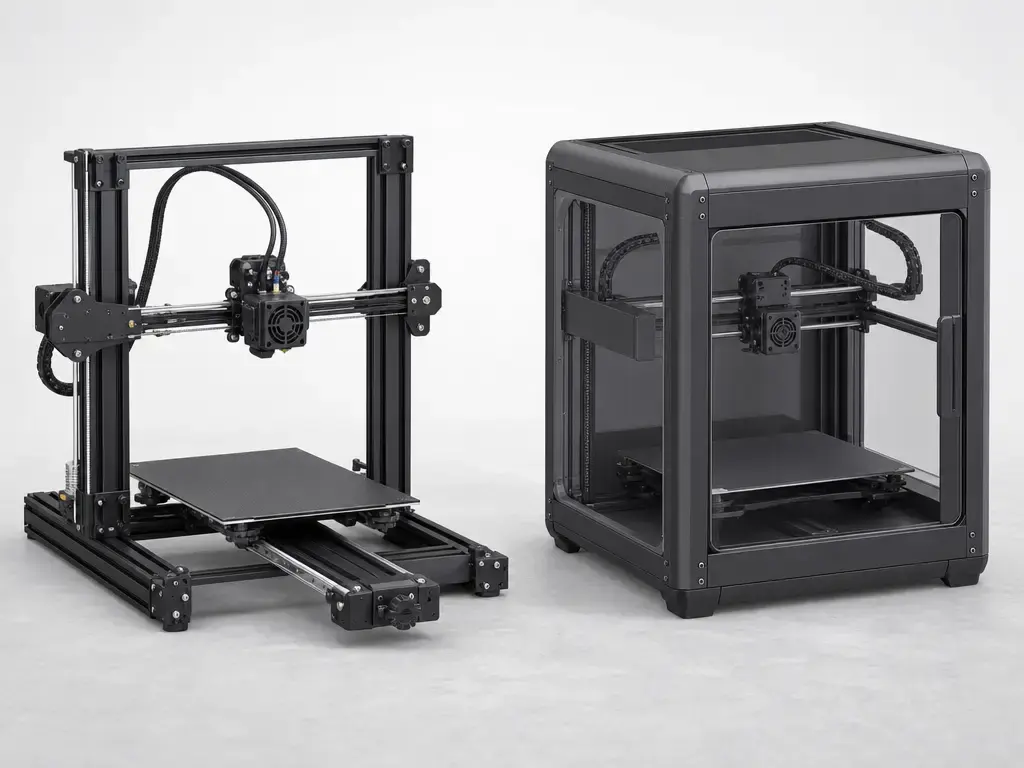
This is not a “same speed, different box” comparison. Bambu’s official pages frame the A1 as a bed slinger and the P1 series as CoreXY, while the P1S product page emphasizes its enclosed body. Those choices shape motion behavior, airflow, usable materials, and how much the print area is exposed to room drafts. [3] [4] [5]
| Feature | A1 | P1S | Why it matters |
|---|---|---|---|
| Motion / enclosure | Bed slinger, non-enclosed. [3] [10] | CoreXY, enclosed body. [4] [5] | Motion layout and enclosure change clearance needs, airflow exposure, and material comfort zone. [3] [4] [5] |
| Recommended materials | Ideal: PLA, PETG, TPU, PVA. Not Recommended: ABS, ASA, PC, PA, PET, carbon/glass fiber reinforced polymer. [1] | Ideal: PLA, PETG, TPU, ABS, ASA, PVA, PET. Capable: PA, PC. Not Recommended: carbon/glass fiber reinforced polymer. [2] | Bambu’s own material categories are more decision-useful than headline speed. [1] [2] |
| Acceleration | 10000 mm/s². [1] | 20 m/s². [2] | Higher acceleration can improve short-move throughput potential, but it is not a blanket speed guarantee. [1] [2] |
| Hotend flow | 28 mm³/s in Bambu’s ABS single-wall test at 280 °C on a 150 × 150 mm model. [1] | 32 mm³/s in the same ABS single-wall test at 280 °C on a 150 × 150 mm model. [2] | Flow is a better guide than max mm/s when asking how much material the printer can actually melt and deposit. [1] [2] |
| Filter | No filter is listed in the A1 spec PDF. [1] | Activated carbon filter. [2] | Filtration is part of the P1S enclosure workflow, especially for materials that are more demanding to print. [2] [8] |
| Camera | Low Rate Camera, up to 1080P; timelapse supported. [1] | Low Rate Camera, 1280 × 720 at 0.5 fps; timelapse supported. [2] | Both are monitoring aids, not high-frame-rate process cameras. [1] [2] |
The practical takeaway is straightforward: the P1S combines an enclosure with higher listed acceleration and higher listed test-condition flow, while the A1 stays focused on easier open-printer ownership and a narrower official material set. That does not make one universally better, but it does make them better suited to different jobs. [1] [2] [5]
What matters more than the 500 mm/s headline
- Acceleration affects how quickly the printer reaches speed on short moves and corners. [1] [2]
- Volumetric flow determines whether the hotend can keep up with requested motion. [1] [2]
- Cooling needs change by material and by part shape. [7] [8]
- Enclosure and ambient drafts matter once you move into warp-prone materials. [5] [8]
- Filament choice is better judged by Bambu’s category labels than by a single speed figure. [1] [2]
- Model geometry changes how often the printer can actually stay near its rated maximum speed. [7]
What actually differs
The CoreXY vs bed slinger split is the core mechanical difference in the a1 vs p1s comparison. On Bambu’s A1 page, the company uses the term “Bed Slinger.” In plain language, the print bed moves during the job, so the machine needs front and rear travel clearance and tends to make desk stability more important. The A1’s listed net weight is 8.3 kg, which also makes it the lighter machine to move or reposition. [1] [3] [10]
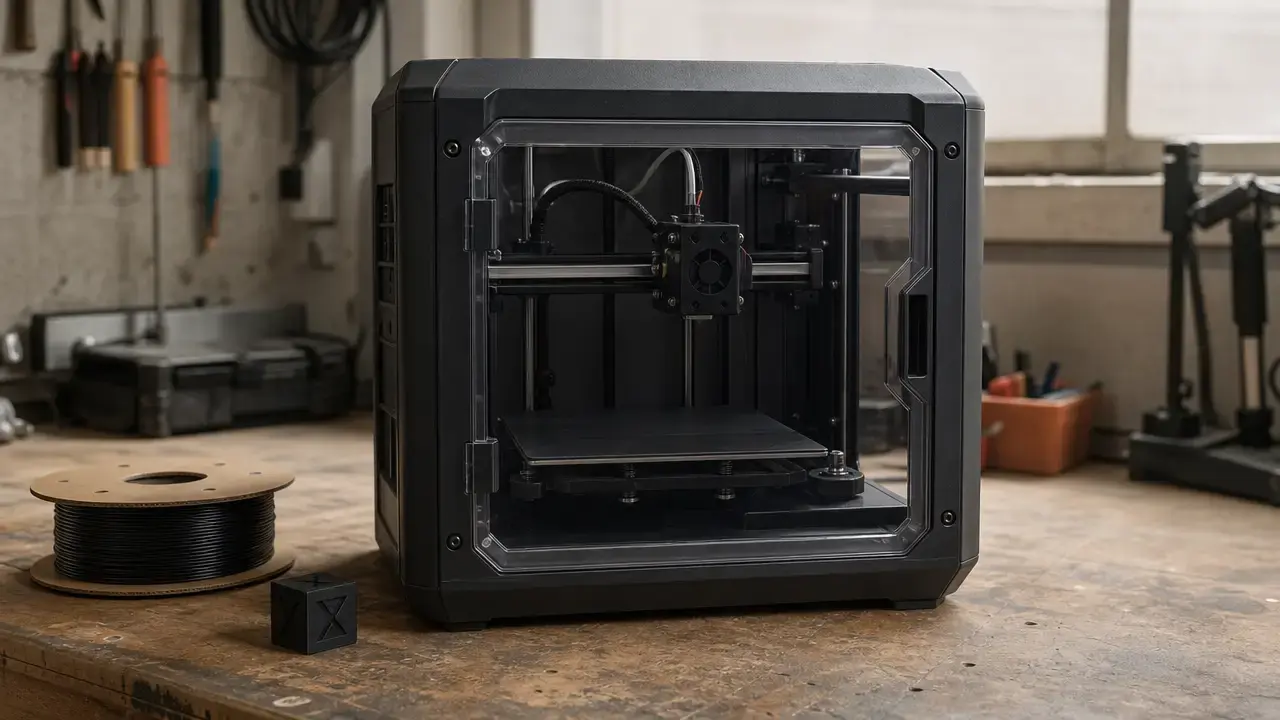
On Bambu’s P1 series page, the company uses the term “CoreXY,” and the P1S store page adds the enclosed-body framing. At a high level, that means the XY motion system is handled inside a box-like chassis rather than with an exposed moving bed as the defining outer feature. The result is a more self-contained layout, which is part of why the P1S is the better official fit for materials that Bambu places beyond the A1’s recommended range. Its listed net weight is 12.95 kg. [2] [4] [5]
For buyers, the important consequence is not that CoreXY is automatically better. It is that the A1 asks for more clearance around bed travel and more tolerance for an open print area, while the P1S is built around a more controlled, enclosed environment. That changes placement, draft sensitivity, and material comfort more than it changes the headline spec sheet. [1] [2] [5] [8]
Print quality and speed in practice
The bambu a1 vs p1s speed question starts with a shared number: both printers list a maximum toolhead speed of 500 mm/s. That does not mean equal print-time performance. A peak speed figure says little about how often the printer can reach that speed, how long it can hold it, or whether extrusion limits, corners, supports, or cooling needs will force slowdowns. [1] [2]
Acceleration is the first reason. The A1 is listed at 10000 mm/s², while the P1S is listed at 20 m/s². Those figures suggest different throughput potential, especially on models with many short segments, repeated direction changes, or frequent speed ramps. They do not translate into a clean “twice as fast” conclusion. [1] [2]
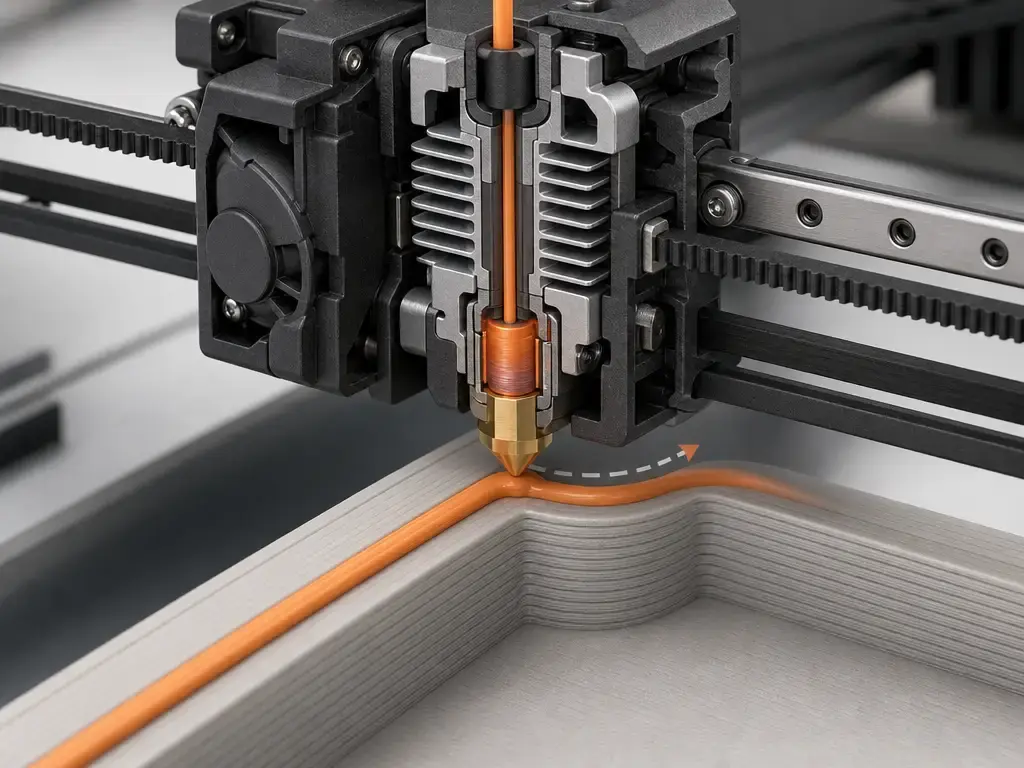
Hotend flow is the second reason. Bambu lists the A1 at 28 mm³/s and the P1S at 32 mm³/s in an ABS single-wall test using a 150 × 150 mm model at 280 °C. That is a more useful comparator than max mm/s because it describes how much molten filament the toolhead can sustain under a stated test condition. Even then, it is still a test-condition number, not a universal print-time promise. [1] [2]
Ringing, ghosting, and speed artifacts
For bambu a1 vs p1s print quality, it helps to stop treating “quality” as one score. Ringing and ghosting are motion-related artifacts, so they can change with acceleration, machine structure, part shape, and the chosen print profile. The P1S’s higher listed acceleration may help on some fast toolpaths, while the A1’s moving-bed layout can make table stability and model geometry more noticeable in practice. Without a controlled benchmark that uses the same filament, slicer settings, layer height, and artifact measurements, there is no single overall print-quality winner here. [1] [2] [7]
Overhangs, cooling, and material-dependent finish
Overhang performance and surface finish are also material-dependent. PLA and PETG often reward stable cooling, while ABS is the classic example of a material that dislikes drafts and benefits from a warmer, more controlled environment. That is why enclosure matters as a practical print-quality variable even when both printers share the same 300 °C nozzle maximum and 100 °C bed maximum. Those heater figures are hardware limits, not promises of equally successful output across all polymers. [1] [2] [8]
Dimensional outcome and repeatability
Dimensional outcome should be discussed even more carefully. NIST’s 3D printing metrology work is a useful reminder that final dimensions depend on the printer-material combination, print constraints, artifact design, and measurement method rather than on a brand name alone. In this comparison, dimensional outcome depends on filament, profile, cooling, geometry, and measurement method, not just printer model. No reliable figure found. [7]
Running costs
Running costs are driven less by the machine alone than by whether the machine matches your material ambitions. If your real workload is mostly PLA, PETG, TPU, and occasional PVA, the A1’s official material guidance lines up with that use and may reduce failed-print friction simply by keeping you inside the printer’s stated comfort zone. If you expect to spend time on ABS, ASA, PET, PA, or PC, the P1S is better aligned with that direction from the start. [1] [2]
The enclosed vs open-frame 3D printer difference matters here because mismatched material choice often costs more in wasted time and failed parts than the machine spec sheet suggests. ABS is the clearest example: general guidance says it is prone to warping and benefits from enclosure and warmer ambient conditions, which is one reason Bambu places ABS in the P1S’s Ideal list and the A1’s Not Recommended list. The P1S also lists an activated carbon filter, which fits that enclosed workflow, but it should be treated as part of the machine’s setup rather than as a broad health claim. [2] [8]
Ecosystem and software
The software side is less divisive than the hardware side. Both official spec sheets list Bambu Studio, and both also say third-party slicers that export standard G-code are supported, although certain advanced features may not be. That means the a1 vs p1s decision is not mainly about basic slicer access. It is more about how the hardware behaves in your room and with your chosen materials. [1] [2]
The monitoring cameras should be treated as workflow aids, not process-control systems. The A1 lists a low-rate camera up to 1080P with timelapse support, while the P1S lists a low-rate camera at 1280 × 720 and 0.5 fps with timelapse support. In practice, both are best for checking whether a print is still healthy, whether the first layers look normal, and whether a long job is still on track. [1] [2]
Both printers also list the same build volume, 256 × 256 × 256 mm, so nominal print size is not the separating factor. The workflow split comes from architecture: the A1’s moving-bed, non-enclosed design gives more direct access but also more exposure to room conditions, while the P1S behaves more like a self-contained enclosure that you monitor from outside. [1] [2] [5]
Who should buy which
Here is the practical match-up for bambu lab a1 vs p1s. The choice is mostly about filament plans, room conditions, and how much broader operating headroom you actually want. [1] [2]
-
Choose A1 if… your printing is mostly PLA, PETG, TPU, or PVA, and you want the simpler ownership path of a non-enclosed machine. Its official categories center on those materials, and its listed acceleration and test-condition flow are lower than the P1S, which is fine for many home and hobby jobs. [1]
-
Choose P1S if… you expect regular ABS, ASA, or PET work, or you want PA and PC to stay inside Bambu’s stated range as Capable materials. Its enclosure, higher listed acceleration, and higher listed test-condition flow make it the safer pick when you want a broader material envelope and more throughput potential. [2] [8]
-
Stretch budget only if… you will actually use the P1S’s broader official material range or its enclosed workflow. If your real use stays with easy filaments, the A1 is usually the cleaner fit. [1] [2]
Materials: what Bambu recommends
Bambu’s material categories are the clearest evidence in this comparison. On the A1, the spec PDF lists PLA, PETG, TPU, and PVA as Ideal, while ABS, ASA, PC, PA, PET, and carbon/glass fiber reinforced polymer are Not Recommended. That does not mean the heater hardware is weak: the A1 still lists a 300 °C maximum hot end temperature and a 100 °C maximum build plate temperature. It means heater maxima alone do not define successful real-world material use. [1]
On the P1S, the spec PDF lists PLA, PETG, TPU, ABS, ASA, PVA, and PET as Ideal, with PA and PC as Capable, while carbon/glass fiber reinforced polymer remains Not Recommended. The P1S also lists the same 300 °C nozzle maximum and 100 °C bed maximum as the A1. The difference is therefore not a simple heater-limit story. It is Bambu’s stated suitability guidance plus the enclosed-machine context around it. [2]
| Material | A1 category | P1S category | Practical note |
|---|---|---|---|
| PLA | Ideal. [1] | Ideal. [2] | Easy baseline on both. [1] [2] |
| PETG | Ideal. [1] | Ideal. [2] | General-purpose option on both. [1] [2] |
| TPU | Ideal. [1] | Ideal. [2] | Both officially support flexible printing. [1] [2] |
| ABS | Not Recommended. [1] | Ideal. [2] | The strongest official split in the lineup. [1] [2] |
| ASA | Not Recommended. [1] | Ideal. [2] | Another enclosure-oriented case on paper. [1] [2] |
| PC | Not Recommended. [1] | Capable. [2] | P1S keeps it in range; A1 does not. [1] [2] |
| PA | Not Recommended. [1] | Capable. [2] | Same pattern as PC. [1] [2] |
| Carbon/glass fiber reinforced polymer | Not Recommended. [1] | Not Recommended. [2] | Excluded in both stock recommendations. [1] [2] |
ABS helps explain why enclosure changes outcomes. General guidance notes that ABS is prone to warping, should avoid drafts, and benefits from enclosure and warmer ambient conditions, with bed temperatures around 100 °C commonly recommended. That is why the P1S can be the more appropriate practical class for advanced filaments even though both machines share the same listed heater maxima. [2] [8]
Best-fit materials by intent
- Low-friction everyday printing: PLA, PETG, TPU, PVA. [1] [2]
- Best official reason to choose the P1S: ABS, ASA, and PET. [2]
- Higher-demand materials still kept in range on P1S: PA and PC as Capable. [2]
- Outside the recommended stock set on both: carbon/glass fiber reinforced polymer. [1] [2]
Noise and home-use practicality
For bambu a1 vs p1s noise, no reliable official dB figure found. [1] [2] That matters because perceived sound in home use depends on more than printer class. Fan curves, acceleration profiles, frame resonance, table rigidity, and how much of the machine is exposed all affect what you actually hear. An enclosure can attenuate some sound paths, but it can also leave fan noise as a dominant part of the experience, so it should not be treated as an automatic silence upgrade. [2] [5] [9]
Practical placement matters for either printer. A rigid table usually helps more than a light desk, and vibration-control mats can reduce how much motion couples into furniture, but they do not remove the underlying sound sources. If you print near a wall, under shelving, or on a resonant surface, the room itself can change perceived noise more than the spec sheet suggests. [1] [2]
Value and current market context
Value in bambu lab a1 vs p1s is a trade-off among enclosure, material range, throughput potential, placement flexibility, and how demanding your projects are. If you mostly print easy materials, the A1 can be the more rational buy because it aligns with that workload without asking you to pay for a broader operating envelope you may never use. If you already know you want ABS, ASA, PET, PA, or PC in the mix, the P1S makes more sense because Bambu’s own category labels support that direction. [1] [2]
This article does not include a live dollar figure because store pricing should be checked on publication day and labeled price at time of writing, subject to change if used. The correct page to verify is Bambu’s US P1S store page. [5]
FAQ
Is the Bambu Lab A1 or P1S better for PLA and PETG?
For PLA and PETG, both printers are officially strong fits because Bambu lists those materials as Ideal on both spec sheets. The A1 becomes the simpler fit if that is most of what you print, because its official guidance is centered on easier open-printer materials rather than on a broader advanced-filament range. [1] [2]
Which is better for ABS and ASA: A1 or P1S?
The P1S is the better match. Bambu lists ABS and ASA as Ideal on the P1S, while the A1 lists both as Not Recommended. That also matches general ABS guidance, which emphasizes enclosure and draft control to reduce warping. [1] [2] [8]
Is the A1 vs P1S difference mainly about speed?
No. Both list 500 mm/s maximum toolhead speed, but the A1 is listed at 10000 mm/s² acceleration and 28 mm³/s test-condition flow, while the P1S is listed at 20 m/s² acceleration and 32 mm³/s test-condition flow. That means the more useful distinction is broader throughput potential, not a shared peak-speed marketing number. [1] [2]
Which is quieter in Bambu A1 vs P1S?
No reliable official dB figure found. [1] [2] The safer answer is that either printer’s perceived noise will depend on fans, acceleration, resonance, table rigidity, and room placement. An enclosure can change the sound profile, but it does not justify a simple absolute ranking from the official source set alone. [2] [5]
How do mm³/s hotend flow limits translate to real print times?
They are throughput limits, not clock-time guarantees. The A1’s listed value is 28 mm³/s and the P1S’s is 32 mm³/s, both under Bambu’s stated ABS single-wall test using a 150 × 150 mm model at 280 °C. Real print time still depends on layer height, nozzle size, cooling, supports, material choice, and model geometry. [1] [2]
Can you talk about dimensional accuracy without tolerance specs?
Only cautiously. NIST’s metrology work is a good reminder that dimensional outcome depends on printer-material combinations, settings, artifact design, and measurement method. Without a standardized artifact and a defined head-to-head method for these two printers, no reliable figure found. [7]
Related on 3D Mag
Sources
Citations in this article appear as [[number]](#sources) after punctuation, and the numbered IDs below match those references.
- Bambu Lab A1 Technical Specification (PDF)
- Bambu Lab P1S Tech Specs (PDF)
- Bambu Lab US Store – A1 product page
- Bambu Lab US site – P1 series page
- Bambu Lab US Store – P1S product page
- ISO/ASTM 52900:2021 catalog page
- NIST: 3D Printing Metrology
- Prusa Knowledge Base: ABS
- Tom’s Hardware: Bambu Lab A1 review
- Tech Advisor: Bambu A1 review