
Summary
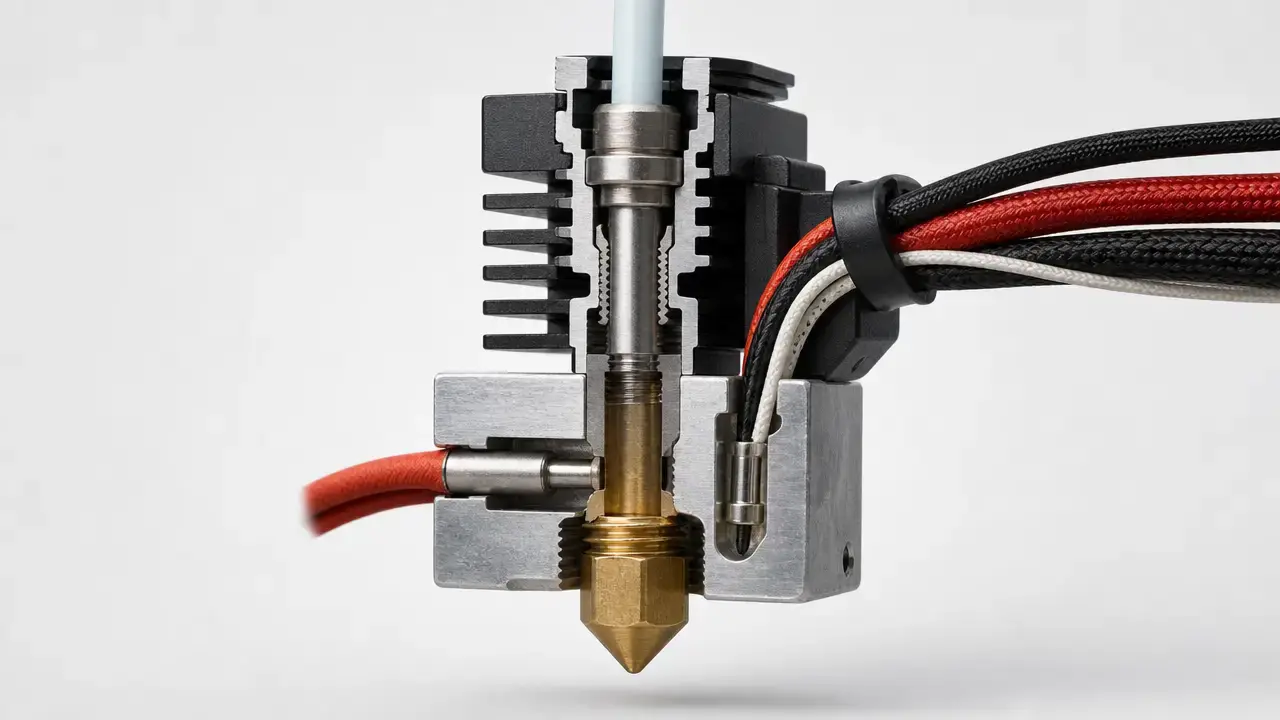
Thermal runaway protection is a firmware safety feature on a material-extrusion 3D printer that checks whether a heater is behaving plausibly and shuts the machine down when it is not. In plain language, a thermal runaway 3D printer problem is a situation where heating can continue because the printer is receiving bad temperature feedback or another control failure is breaking normal control. [S4]
That makes thermal runaway protection necessary, but not sufficient, for fire safety. It can stop some heater-control failures, but it is not a fire-suppression system and it does not replace sound wiring, cooling, detection, recall awareness, or supervision. CPSC hazard reviews also point to max/min temperature check failure, cooling fan failure, lack of fire suppression or detection, unsupervised printing, and combustible or explosive dust as part of the broader risk picture. [S4] [S5]
What Is Thermal Runaway on a 3D Printer?
What is thermal runaway on a 3D printer? In the CPSC’s hazard framing, it is a condition where the heater sensor is not reporting temperature accurately, or another control failure occurs, and that allows additional heat to build until temperature rises uncontrollably. [S4]
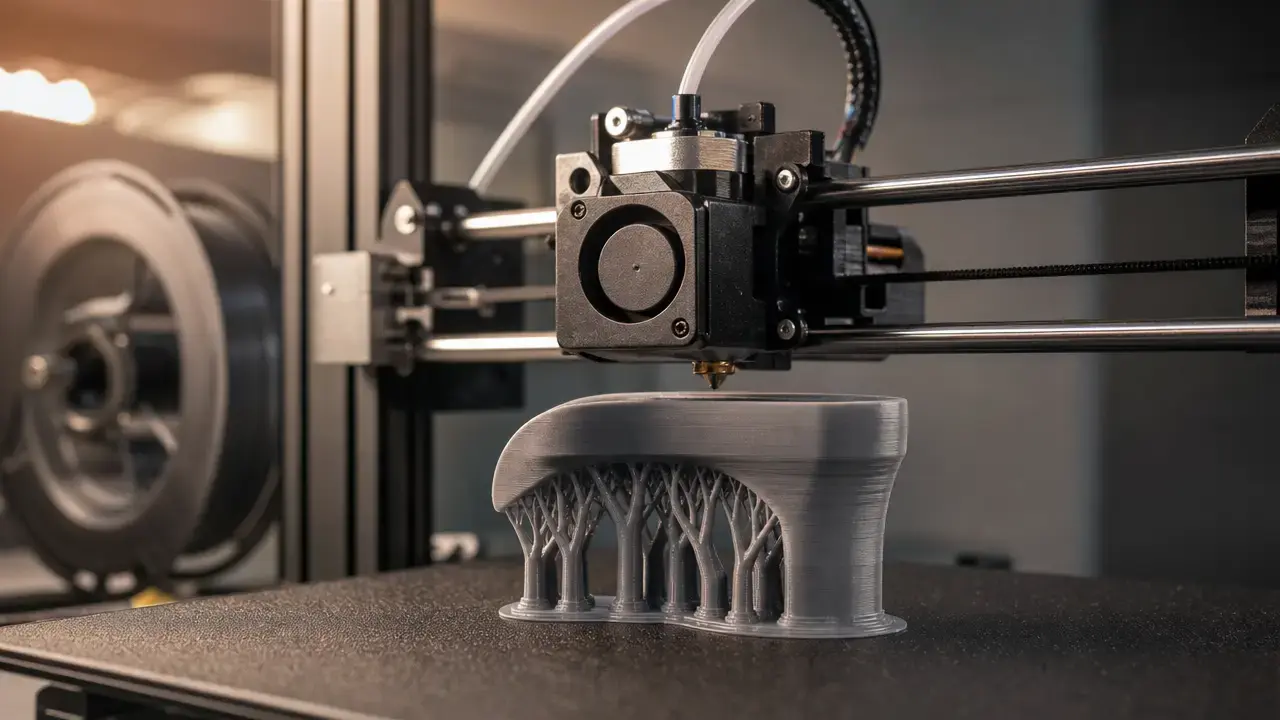
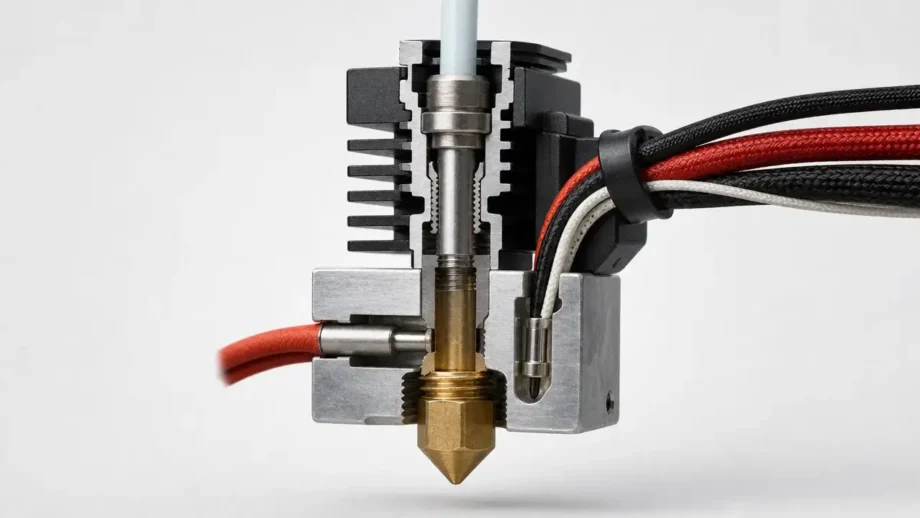
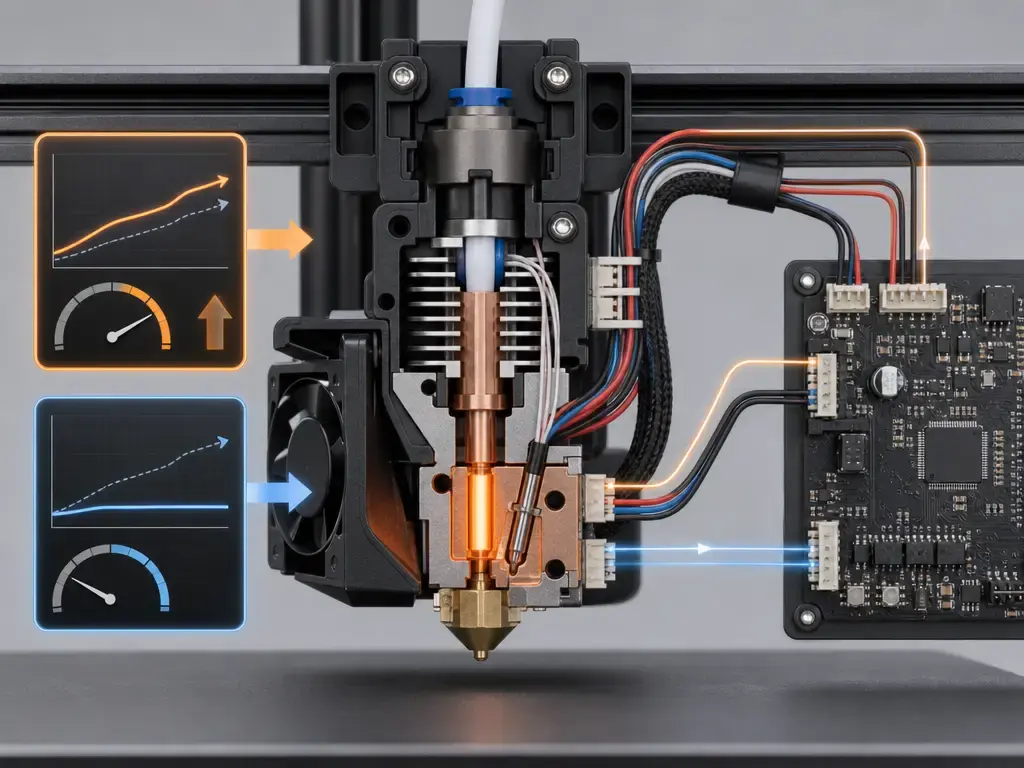
On most hobby machines, the hotend combines a heater cartridge, which adds heat, with a thermistor or similar sensor, which reports temperature back to the controller. If that sensor is loose, damaged, miswired, or mismatched in configuration, the firmware can believe the heater is still too cold and keep applying power. Marlin’s own explanation uses the loose-thermistor scenario directly: if the sensed temperature stays low, the hotend can continue heating indefinitely, which is why the safety logic exists. [S7]
In additive-manufacturing vocabulary, this article is about material-extrusion printers; hobbyists also say FFF, while “FDM” is a registered Stratasys trademark and is best treated as brand-specific language rather than the universal technical term. [S1] [S17] Battery thermal runaway is a different failure mode and is outside scope here.
Does My 3D Printer Have Thermal Runaway Protection? (How to Check Safely)
If you are asking, “does my 3d printer have thermal runaway protection,” the safest verification path is documentation first. Start with the manufacturer manual or support site, then check the installed firmware version, release notes, and any exposed configuration or status pages. On open-firmware machines, version matters as much as brand: Marlin has long treated thermal protection as a vital safety feature, and Marlin 1.1 called out improved thermal protection enabled by default, but the real answer for your printer still depends on the firmware actually installed and how it is configured. [S7] [S18]
Just as important is what not to do. Do not try to induce a fault by unplugging sensors, pulling a thermistor, loosening a heater, or manipulating live wiring. When people ask how to test thermal runaway protection on a 3D printer, the safe answer is to check it by documentation, menus, logs, and vendor procedures only. Klipper documents heater verification as automatically enabled for configured heaters, and RepRapFirmware documents heater monitoring as a fire-hazard-detection feature, so both provide legitimate documentation trails without forcing a fault. [S9] [S10]
If your printer offers built-in self-tests, heater status screens, error logs, or service diagnostics, use those before doing anything physical. On managed machines in a school, library, or makerspace, the right person to confirm the feature may be the vendor, the integrator, or the technician who maintains the firmware image. [S9] [S10]
Safe ways to confirm the feature without inducing a fault
- Read the manufacturer manual or support page for heater-safety, thermal-runaway, or heater-fault language first. [S7] [S10]
- Check the installed firmware version, because protection behavior can change by release and configuration. [S10] [S18]
- Review release notes for the specific firmware branch used on your machine, not just the printer model name. [S18]
- Look for menu items, console messages, or logs that mention thermal protection, heater verification, or heater faults. [S9] [S10]
- On Klipper systems, confirm the heaters are configured and that heater verification is present for configured heaters. [S9]
- On RepRapFirmware systems, review the heater-fault documentation or the machine’s saved configuration with a qualified operator. [S10]
- If the documentation is unclear, ask the vendor or the person who maintains the printer instead of experimenting on the machine. [S7] [S10]
Thermal Runaway vs. Heating Failed vs. MINTEMP/MAXTEMP
One reason thermal runaway detection confuses beginners is that one physical problem can show up under different fault labels. Marlin separates thermistor-range faults from heat-up faults and from post-settling thermal-runaway faults, while RepRapFirmware uses broader heater-fault wording with more specific returned strings underneath. Treat the table below as a map of common patterns, not a remote diagnosis. [S7] [S8] [S10]
| Physical scenario | Sensor symptom | Typical firmware label | First checks |
|---|---|---|---|
| Thermistor open or short | Implausible extreme low or high reading | MINTEMP / MAXTEMP | Power off and inspect the sensor wire, connector, strain relief, and mounting first. [S8] |
| Heater not heating, wrong heater part, wrong voltage, or loose cartridge | Temperature rises too slowly during warm-up | Heating failed / temperature rising too slowly | Check obvious heater seating, correct replacement parts, and visible cable damage before retrying. [S8] [S10] |
| Cooling fan, draft, missing insulation, or cold environment | Temperature falls away from target after reaching it | Thermal runaway / temperature excursion too large | Review fan direction, heater-block insulation, and ambient drafts around the printer. [S8] [S10] |
| Sensor dislodged but still reading something plausible | Reading looks believable but no longer tracks the real block temperature | Thermal runaway / heater fault | Re-seat the sensor mechanically, inspect the hotend or bed assembly, and verify the configured sensor matches the installed hardware. [S7] [S10] |
A fault label is a symptom, not permission to clear the message and print again. Marlin explicitly notes that a fan blowing too close to the hotend can trigger a thermal-runaway label, while RepRapFirmware documents detached sensors, detached heaters, and heater-model mismatch as separate underlying causes. Inspect first, then fix the cause, then re-run whatever vendor-approved checks your machine supports. [S8] [S10]
How Thermal Runaway Protection Works
At a basic level, a printer heater loop has four parts: a target temperature, a sensor reading, a switchable heater output, and control logic that decides how much power to apply. PID control is the normal temperature-control method used to keep the hotend or bed near its setpoint; it is about stable regulation. Thermal runaway protection is a separate safety monitor that asks a different question: is the observed heating behavior believable for this heater and sensor, or has something gone wrong badly enough that power should be cut? Marlin’s documentation makes that separation clear by documenting PID controls separately from thermal-protection logic and by describing thermal protection as a vital safety feature with its own two-layer checks. [S7]
Conceptually, those checks fall into two buckets. First is heat-up verification: when a heater is commanded on, the firmware expects temperature to rise enough within a certain window, and if it does not, that points to a disconnected heater, loose sensor, wrong configuration, or similar fault. Second is stability monitoring: once the heater has reached operating temperature, the firmware watches for the reading to drift too far from the target for too long, which can indicate a displaced sensor, excessive cooling, poor contact, or another abnormal condition. [S7] [S8]
Common signals firmware watches
- Temperature is not rising during the expected heat-up window. [S7] [S9]
- Temperature falls too far below target, or the excursion is too large for too long after settling. [S7] [S8] [S10]
- A sensor exceeds configured maximum or drops below configured minimum limits. [S7] [S8]
- Redundant sensors disagree by too much, where redundant sensing is implemented. [S7]
- A heater’s observed behavior no longer matches the heater model used by the firmware. [S10]
Hotend vs Heated Bed (Why Detection Windows Differ)
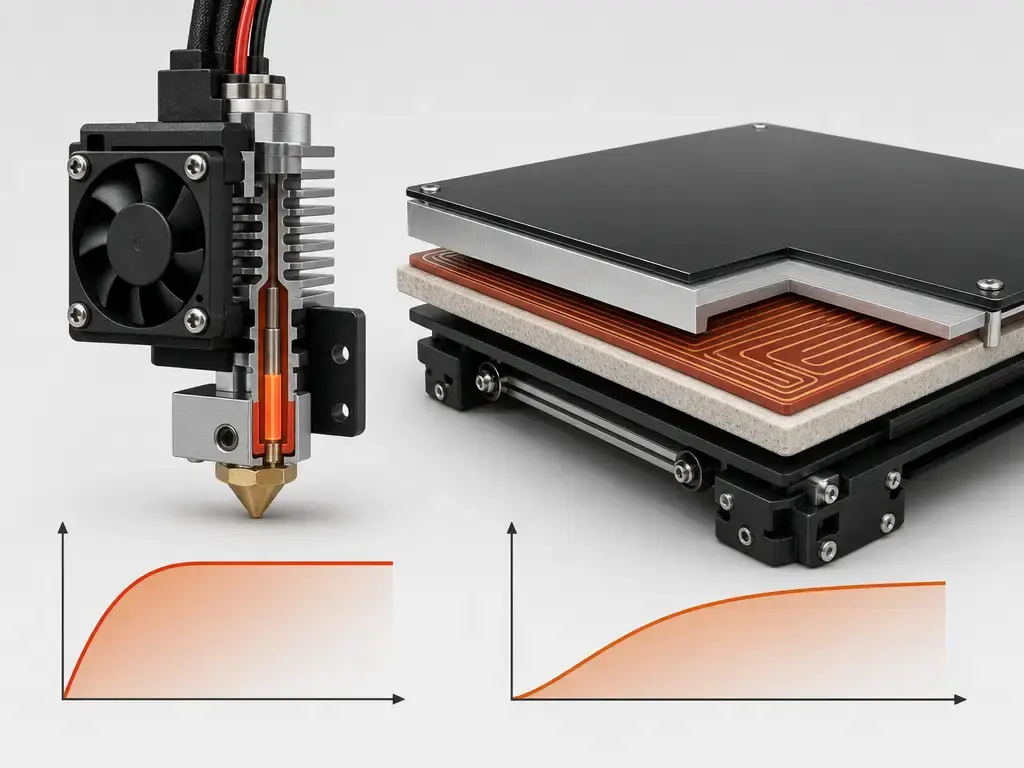
Hotends and heated beds do not heat like the same object, so a sensible firmware does not watch them the same way. A hotend is a small, low-thermal-mass assembly that responds quickly, while a heated bed is a larger plate-and-heater system that warms more slowly and stores more heat. That is why Marlin and Klipper both document different example timing or verification settings for extruders versus beds, and why any published default should be treated as an example configuration value, not a universal rule. Heated chambers also exist, but they are firmware- and hardware-specific and are outside scope here beyond that mention. [S7] [S9] [S10]
| Component | What is heated | Example verification timing/setting | Why it differs |
|---|---|---|---|
| Hotend | Small heater block and nozzle assembly | Marlin example hotend settings include a 40 s protection period, 4 °C hysteresis, and a 20 s watch period; Klipper documents a 20 s default check_gain_time for extruders. [S7] [S9] |
Lower thermal mass means the response should be quicker and easier to verify. |
| Heated bed | Larger build plate and heater assembly | Marlin example bed settings include a 20 s protection period, 2 °C hysteresis, and a 60 s watch period; Klipper documents a 60 s default check_gain_time for heater_bed. [S7] [S9] |
Higher thermal mass means slower warm-up and a wider practical observation window. |
Firmware Examples (Marlin, Klipper, RepRapFirmware, plus Prusa and Bambu)
Implementations vary by firmware, version, and configuration, so broad claims about what “all printers” do are unreliable. One reason the feature feels standard in hobby printing is historical: Marlin 1.1 release notes highlighted improved thermal protection enabled by default, but that still does not tell you what any specific printer is running today. Always check the actual firmware and the actual configuration on the machine in front of you. [S18] [S7]
In Marlin, the core idea is two-layer protection: a heat-up watch and a stability watch. As documented on 2026-07-16, Marlin describes a default heat-up example of 2 °C in 20 s, plus example hotend settings of 40 s for THERMAL_PROTECTION_PERIOD, 4 °C for THERMAL_PROTECTION_HYSTERESIS, 20 s for WATCH_TEMP_PERIOD, and 2 °C for WATCH_TEMP_INCREASE; the bed uses a different example set. Klipper takes a different approach: verify_heater is automatically enabled for configured heaters and uses a cumulative error model, where max_error defaults to 120 and is not a single-temperature cutoff. RepRapFirmware documents heater-model-based monitoring, with M570 defaulting to 15 °C for 5 s, a maintaining-temperature fault once the reading had come within 2.5 °C of setpoint and then departs by more than 15 °C for more than 5 s, and version-dependent sensor-fault timing that changed between RRF 3.4.2 and 3.5.0b1. [S7] [S9] [S10]
Manufacturer examples need even more caution. Prusa’s i3-series knowledge-base article describes shutdown if temperature drops by more than 15 °C for more than 45 s, and it suggests ambient temperature at or above 16 °C for the affected models. A later Prusa MK3/S/+ blog post describes a more model-based “thermal model protection” approach, aiming to stop heating in 10–12 s, using a calibration routine that takes about 15 minutes, and allowing a THERMAL ANOMALY warning to clear if readings recover within 5 s. Bambu’s public blog should be treated as manufacturer claims only: it describes a 24V toolhead-heater scenario, says power is cut after 5 s if the thermistor is unplugged from the connection board, says a thermal-model-based abnormality protection is set to 3 minutes, and claims an around-400 °C passive upper temperature in the extreme scenario described there. [S11] [S12] [S13]
| Firmware/vendor | Protection concept | Example numeric value | Caveat |
|---|---|---|---|
| Marlin | Heat-up watch plus stability monitoring. | 2 °C in 20 s for the heat-up example; hotend examples 40 s period and 4 °C hysteresis; bed examples include a 60 s watch period. [S7] | Example defaults as documented on 2026-07-16, not universal thresholds. |
| Klipper | verify_heater with cumulative error logic. |
max_error 120; check_gain_time 20 s for extruders and 60 s for beds; hysteresis 5 °C; heating_gain 2 °C. [S9] |
Configuration-dependent, and max_error is cumulative rather than a single °C cutoff. |
| RepRapFirmware | Heater-model monitoring with fault categories. | M570 default 15 °C for 5 s; maintaining-temperature logic uses 2.5 °C and 15 °C / 5 s defaults; sensor-fault timing is about 2 s in 3.4.2 and earlier and within 1 s by default in 3.5.0b1 and later. [S10] | Version-dependent and model-dependent. |
| Prusa | Model-specific thresholds and later thermal-model protection. | i3-series article: 15 °C drop for 45 s and suggested ambient 16 °C or higher; MK3/S/+ blog: 10–12 s goal, about 15 min calibration, 5 s recovery window. [S11] [S12] | Model-scoped manufacturer documentation, not a universal Prusa rule. |
| Bambu | Manufacturer-described software plus thermal-model logic. | 24V scenario; 5 s unplugged-thermistor cutoff claim; 3 min abnormality setting; around 400 °C passive maximum claim in the scenario described. [S13] | Manufacturer blog claims only; do not generalize to all models. |
Common Failure Modes That Trigger Thermal Runaway Detection
A thermal-runaway-related error is an alarm about behavior, not a diagnosis of one specific broken part. [S8] [S10]
Common causes fall into a few buckets. Sensor faults include open, shorted, intermittent, or mechanically displaced thermistors. Heater faults include loose or failing heater cartridges, disconnected bed heaters, wrong-voltage replacements, or poor mechanical contact. Cooling and environment matter too: Marlin explicitly notes that fan airflow too close to the hotend can trigger a thermal-runaway label, and RepRapFirmware similarly warns that strong print-cooling airflow or a changed heater environment can break the expected model. Electronics and configuration errors can sit underneath the same message, including a heater MOSFET stuck on, a relay that remains on, or the wrong sensor type configured in firmware. [S7] [S8] [S10]
Likely causes to inspect before restarting a print
- With power off, inspect thermistor wires for fraying, pinching, or obvious intermittent damage. [S8]
- Check that the thermistor is still seated where the machine expects it to be. [S7] [S10]
- Check that the heater cartridge or bed heater is mechanically secure. [S7] [S10]
- Look for damaged connectors, loose terminal points, or strained cable runs. [S10] [S14]
- Review whether a recent part swap introduced the wrong thermistor type or heater specification. [S7]
- Look for fan ducts or airflow paths that may be cooling the heater block instead of the print. [S8] [S10]
- Inspect for a missing or damaged hotend sock or other lost insulation around the heat block. [S8] [S10]
- Check the surrounding setup for open-window drafts or unusually cold ambient conditions. [S8] [S10]
- Look for signs of overheating on the control-board path, including a heater MOSFET or relay that may have remained on. [S7]
- If the printer was modified recently, confirm the firmware configuration still matches the installed hardware before printing again. [S7] [S10]
Thermal Runaway Protection and 3D Printer Fire Safety
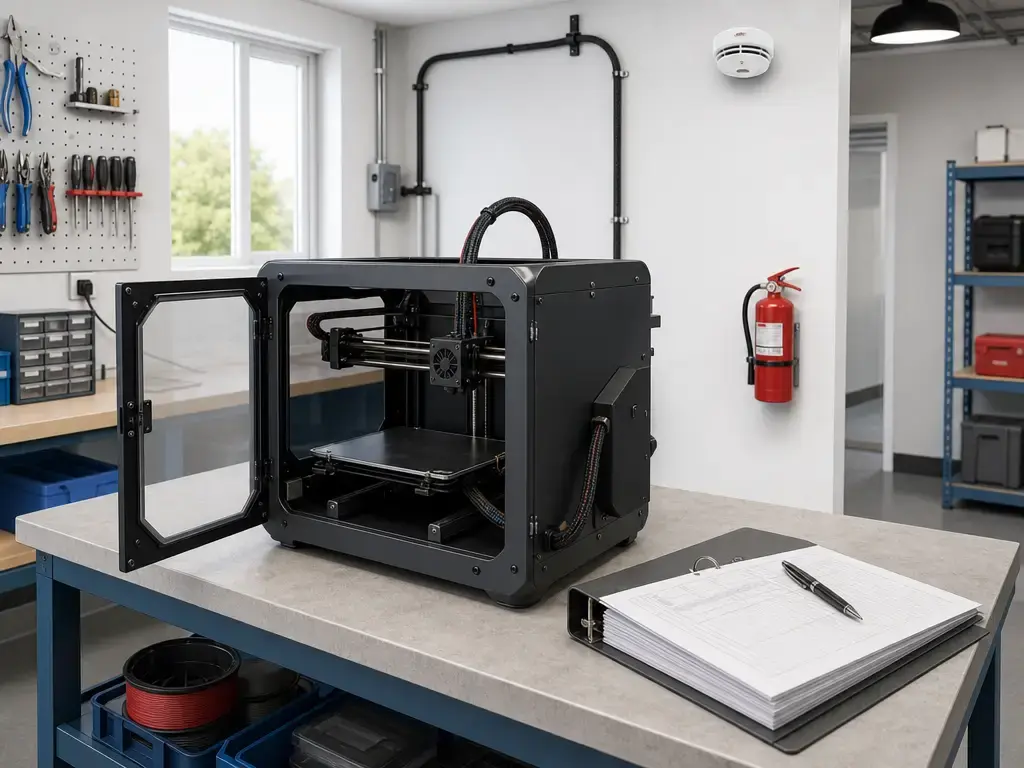
Good 3d printer fire safety starts by treating thermal runaway protection as one layer, not the whole solution. CPSC hazard reviews list broader contributors that include max/min temperature check failure, cooling fan failure, lack of fire suppression or detection, unsupervised printing, and combustible or explosive dust. NIOSH also notes that FFF nozzles typically operate around 190 °C to 260 °C and that properly functioning nozzles are usually below the temperature required to create a fire hazard, which helps separate normal printing from abnormal runaway scenarios. [S5] [S6]
If you are wondering how to prevent 3D printer fires, printer fire safety also includes wiring integrity, strain relief, recall awareness, a clear area around the machine, and ordinary supervision. A concrete example is the CPSC’s June 13, 2024 recall of Bambu Lab A1 printers: about 12,800 units were affected, the agency said it had received 19 reports of damaged heatbed cables including 1 sparking report, and the hazard involved the cable shorting and burning through insulation when bent or damaged. That is a wiring-and-flex-failure problem, not a classic thermal-runaway story, and it shows why cable routing and repeat-motion wear matter. In shared spaces such as schools, libraries, and makerspaces, maintenance logs, recall tracking, and a nearby smoke alarm or other detection layer are part of the same safety picture. [S14] [S5]
Most desktop FFF printers expose relatively low voltages at accessible parts, usually 12V to 24V, but that does not remove risk from damaged wiring, power-supply faults, overheated components, or combustible surroundings. [S6] For extinguishers, USFA’s high-level guidance says Class C is for electrical equipment, and multipurpose extinguishers labeled B-C or A-B-C can be used on many home fires; that is context, not a shopping recommendation or a substitute for training and local guidance. [S16]
If something smells hot, burns, or sparks, stop the print, cut power only if it is safe to do so, move people away from the area, and follow local emergency guidance. [S5] [S16]
Limitations (What Firmware Can’t Guarantee)
Firmware protection depends on trustworthy inputs and on the machine’s ability to remove power when commanded. If a sensor is loose but still reading something plausible, the controller can make a bad decision based on believable data. If the heater model is wrong for the physical setup, a model-based system can also misread the situation. That is why Marlin discusses loose thermistors and why RepRapFirmware discusses detached sensors, detached heaters, and heater-model mismatch as the kinds of faults it is trying to catch. [S7] [S10]
Some failure modes sit partly outside normal firmware assumptions. Marlin’s MAXTEMP note explicitly says the error can reflect a heater MOSFET or relay that stays on, and CPSC’s broader hazard review reminds readers that unsupervised printing, lack of detection, and combustible surroundings still matter even when firmware protections exist. Some hardware is also designed to reduce hazard — E3D, for example, says its Revo HeaterCore uses a positive temperature coefficient so power reduces as it gets hotter — but hardware claims like that are secondary layers, not permission to ignore correct installation or firmware safety. [S7] [S5] [S15]
Standards and Market Context
Standards language matters because many buyers assume any “UL” mention means heater or fire certification. ISO/ASTM 52900:2021, Edition 2, is the additive-manufacturing vocabulary standard; the ISO catalog lists it as 28 pages, published in 2021-11, and confirmed current in 2025. UL 2904 is different: the ANSI listing for UL 2904 Ed. 2-2023 says it was published on May 26, 2023 and covers methodologies for assessing coarse, fine, and ultrafine particles plus VOC emissions from operating 3D printers under defined indoor scenarios. That is emissions scope, not thermal-runaway certification. [S1] [S2] [S3]
The market direction appears to favor more explicit monitoring models, as shown by RepRapFirmware’s heater-model logic, Prusa’s thermal-model protection example, and Bambu’s manufacturer-described thermal-model claims. But that should not be overstated into a quantified trend line, because the public source set here does not include a reliable population-wide consumer fire-rate denominator. No reliable figure found. [S10] [S12] [S13] [S4]
Key Takeaways
Thermal runaway protection is one of the most important firmware safety layers on a material-extrusion printer, but it is only one layer. Use the fault label as a prompt to inspect the machine, not to guess; keep firmware updated, do not disable protections, inspect wiring and heater hardware, and follow basic fire-safety practices around supervision, detection, and housekeeping. [S4] [S5]
FAQ
What is thermal runaway on a 3D printer?
It is the hazardous condition where temperature can rise uncontrollably because the heater sensor is reporting inaccurately or another control failure is preventing normal regulation. In everyday terms, the printer may “think” a heater is cooler than it really is and keep adding power when it should not. A “thermal runaway” firmware message is related to that hazard, but the message itself is a fault label, not a full diagnosis. [S4]
How does thermal runaway protection work?
It compares commanded heating with observed behavior. Marlin describes a heat-up check and a stability check, while Klipper documents heater verification for configured heaters. In both cases, the firmware is not just trying to hold temperature; it is also asking whether the temperature is rising, settling, and drifting in ways that make sense for the heater involved. If the behavior stops making sense, the firmware shuts heating down and reports a fault. [S7] [S9]
Does my 3D printer have thermal runaway protection?
Possibly, but do not assume based on brand alone. The best evidence is the machine’s own manual, support page, firmware version, release notes, and any exposed logs or configuration pages. Open-firmware machines are especially version- and configuration-dependent. Marlin documents thermal protection as a core safety feature, Klipper documents heater verification for configured heaters, and RepRapFirmware documents heater-fault monitoring for fire-hazard detection, but your specific installation still has to be checked. [S7] [S9] [S10]
How can I check or “test” thermal runaway protection safely?
Use a documentation-first approach. Confirm the feature in the manual, support articles, firmware notes, and any built-in status or diagnostic screens the printer already provides. If the machine is community-managed, ask the technician or vendor that maintains the firmware image. Do not induce faults by unplugging a thermistor, disconnecting a heater, or manipulating live wiring, because those are unsafe and unnecessary ways to verify a protection feature. [S9] [S10]
Why did my printer report thermal runaway if the hotend was cooling down?
Because some fault labels are about deviation from expected temperature, not only about overheating. Marlin explicitly says a thermal-runaway label can appear when temperature stays too far from target for too long after settling, and it notes that a fan blowing too close to the hotend can cause it. RepRapFirmware similarly documents excursion faults when a heater departs too far from its setpoint after it had already reached operating range. [S8] [S10]
What does Klipper’s cumulative temperature error (max_error) actually mean?
It is not a single °C cutoff. Klipper says max_error defaults to 120 and describes it as cumulative temperature error: the firmware inspects temperature once per second, resets the internal counter when the heater is within range, and increases the counter when the reading stays below the allowed range. If that accumulated error exceeds max_error, it raises a fault. The number is a running tolerance budget, not one instant trip point. [S9]
What failure modes can bypass firmware protections?
Anything that breaks the firmware’s assumptions can reduce the value of software protection. Marlin explicitly mentions cases where a heater MOSFET or relay may stay on, and both Marlin and RepRapFirmware show why believable-but-wrong sensor readings are dangerous: the software may be “seeing” data, but not truthful data. Wiring shorts, damaged connectors, unsafe modifications, and combustible surroundings are also outside the narrow logic of a heater check alone. [S7] [S10] [S5]
Sources
- S1 — ISO catalog page: ISO/ASTM 52900:2021 (Fundamentals & vocabulary). https://www.iso.org/standard/74514.html
- S2 — ANSI Webstore listing: UL 2904 Ed. 2-2023 (scope excerpt). https://webstore.ansi.org/standards/ul/ul2904ed2023
- S3 — Public PDF: ANSI/UL 2904 (1st edition PDF hosted by UL Chemical Insights). https://chemicalinsights.ul.org/wp-content/uploads/2022/12/ANSI-UL-2904_1_en.pdf
- S4 — CPSC: Safety Concerns Associated with 3D Printing and 3D Printed Consumer Products (PDF). https://www.cpsc.gov/s3fs-public/Safety-Concerns-Associiated-with-3D-Printing-and-3D-Printed-Consumer-Products.pdf
- S5 — CPSC: 3D Printing Potential Hazards and Risk Review (2019 PDF). https://www.cpsc.gov/s3fs-public/3DPrintingPotentialHazardsAndRiskReview10302019.pdf
- S6 — NIOSH/CDC: Approaches to Safe 3D Printing (PDF 2024-103). https://www.cdc.gov/niosh/docs/2024-103/pdfs/2024-103.pdf
- S7 — Marlin docs: Configuration / Thermal protection (concept + settings). https://marlinfw.org/docs/configuration/configuration.html
- S8 — Marlin docs: Troubleshooting tips (Heating failed + taxonomy bullets). https://marlinfw.org/docs/basics/troubleshooting.html
- S9 — Klipper docs: Config reference / verify_heater. https://www.klipper3d.org/Config_Reference.html#verify_heater
- S10 — Duet3D docs: RepRapFirmware heater faults (M570, faults, timing). https://docs.duet3d.com/User_manual/Troubleshooting/Heater_faults
- S11 — Prusa KB: Thermal Runaway (i3 series). https://help.prusa3d.com/article/thermal-runaway-i3-series_2131
- S12 — Prusa blog: MK3S+ 3.12 beta thermal model protection. https://blog.prusa3d.com/mk3s-3-12-beta-firmware-new-thermal-model-protection-and-blob-detection_71230/
- S13 — Bambu Lab blog: “Thermal Runaway?” https://blog.bambulab.com/thermal-runaway/
- S14 — CPSC recall: Bambu Lab A1 heatbed cable hazard. https://www.cpsc.gov/Recalls/2024/Bambu-Lab-Recalls-A1-3D-Printers-Due-to-Electric-Shock-and-Fire-Hazards
- S15 — E3D product page: Revo HeaterCore. https://e3d-online.com/products/revo-heatercore
- S16 — USFA/FEMA: Choosing and Using Fire Extinguishers. https://www.usfa.fema.gov/prevention/home-fires/prepare-for-fire/fire-extinguishers/index.html
- S17 — Stratasys legal terms page (FDM trademark mention). https://www.stratasys.com/en/stratasysdirect/about-us/legal-terms/
- S18 — Marlin GitHub release notes: Marlin 1.1.0 (improved thermal protection enabled by default). https://github.com/MarlinFirmware/Marlin/releases/tag/1.1.0