
Verdict
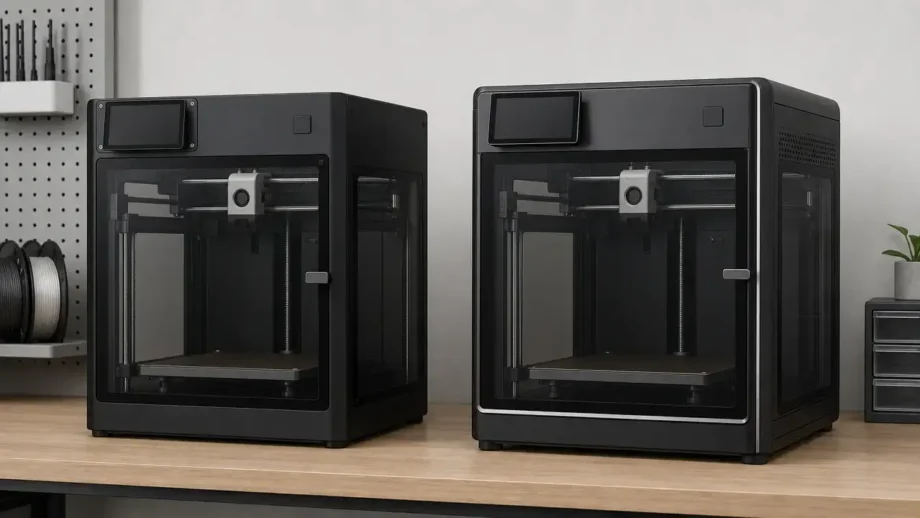
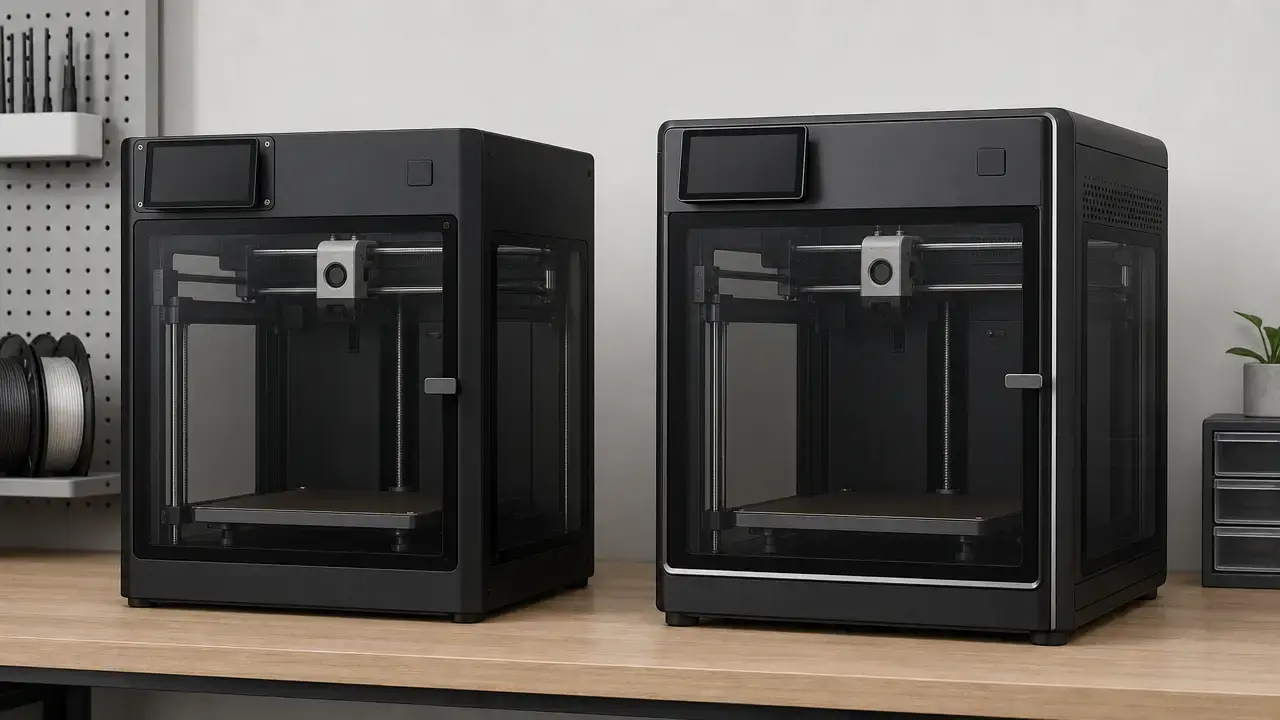
If you are choosing between bambu lab p1s vs p2s for a new enclosed single-nozzle desktop printer, the P2S is the better default pick when the price gap is reasonable. It keeps the same 256 × 256 × 256 mm build volume as the P1S, raises the heatbed ceiling to 110 °C from 100 °C, and adds the newer screen, camera, storage, and hardened toolhead package. [2] [3] [6]
Buy the P1S if you want the value pick and would rather put the savings toward accessories, filament, spare nozzles, or ventilation. Buy the P2S if you want the better local interface, more usable live monitoring, hardened wear parts, and the extra thermal headroom from day one. If you already own a P1S, do not upgrade just for size, because the build volume is unchanged. [2] [6]
Choose P2S for the stronger default hardware package, choose P1S when a discount materially improves the full setup you can afford, and keep an existing P1S unless the newer workflow and wear-part defaults solve a real bottleneck for you. Bambu Lab also says the P1S will continue to be manufactured and sold, with no plan to phase it out in the foreseeable future. [5]
Side-by-side specs at a glance
This p1s vs p2s comparison focuses on the differences that affect ownership: thermals, toolhead wear parts, interface, monitoring, storage, power requirements, and material handling. The overall pattern is simple: the P2S raises the ceiling on motion, flow, and convenience hardware, while the P1S remains the lighter and simpler machine. [2] [3] [6]
| Difference that changes ownership | P1S | P2S | Why it matters |
|---|---|---|---|
| Heatbed max temperature | 100 °C | 110 °C | P2S gives more bed-temperature headroom for ABS/ASA and some engineering plastics. [6] [2] |
| Toolhead wear parts | Stainless steel nozzle; steel extruder gears | Hardened steel nozzle; hardened steel extruder gears | P2S is better prepared for abrasive filaments out of the box. [6] [2] |
| Local UI and storage | 2.7-inch 192 × 64 screen; Micro SD Card | 5-inch 854 × 480 touchscreen; built-in 8 GB eMMC; USB drive support | P2S offers a more modern local workflow and less dependence on removable media. [6] [2] |
| Camera | 1280 × 720 chamber camera at 0.5 fps; timelapse supported | 1920 × 1080 live-view camera at 30 fps | P2S is far more usable for true live monitoring. [6] [2] [3] |
| Throughput metric | 32 mm³/s max hot end flow, tested with ABS | 40 mm³/s max hotend flow, tested with ABS | Higher flow is a throughput ceiling, not a guarantee of faster finished parts in every print. [6] [2] |
| Peak motion metric | 500 mm/s max toolhead speed | 600 mm/s max toolhead movement speed | P2S has the higher published motion ceiling on paper. [6] [2] |
| Filtration features | Activated carbon filter | Activated carbon; VOC filtration supported; particle filtration supported | Both are enclosed machines with carbon filtration, but P2S publishes broader filtration claims. [6] [2] [3] |
| Electrical max, manufacturer-stated | 1000 W @ 220 V; 350 W @ 110 V | 1200 W @ 220 V; 1000 W @ 110 V | These figures matter for circuit planning, not for estimating typical print energy use. [6] [2] |
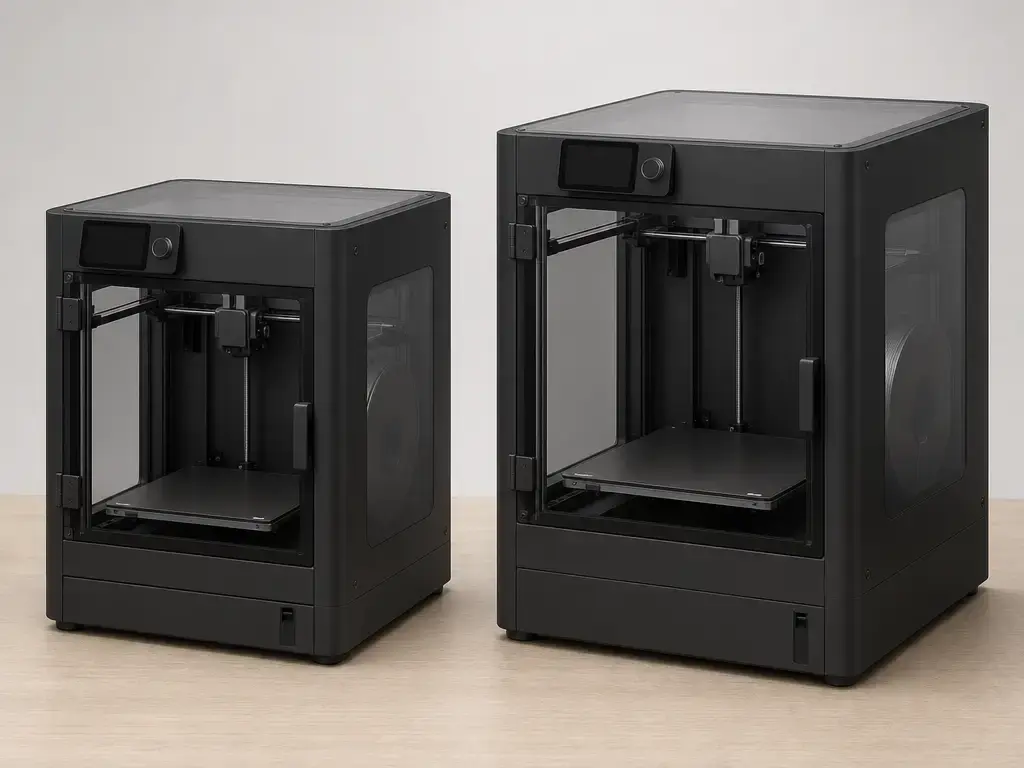
| Footprint and weight | 389 × 389 × 458 mm; 12.95 kg | 392 × 406 × 478 mm; 14.9 kg | P2S needs a bit more desk space and is the heavier machine. [6] [2] |
For most buyers, the rows that matter most are the toolhead, interface, camera, and bed temperature. The P2S is not just a cosmetic refresh. The P1S still makes sense when those upgrades do not change your materials or day-to-day workflow enough to justify the gap. [2] [3] [6]
What actually differs between the P1S and P2S
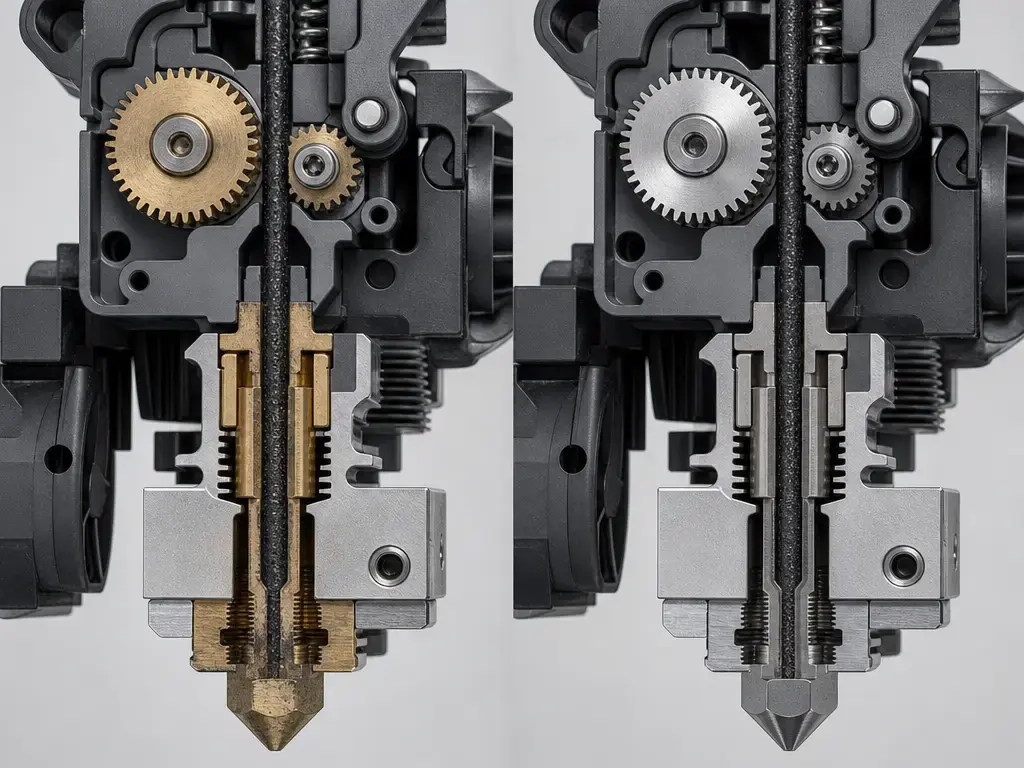
The practical answer to what is the difference between bambu p1s and p2s is that the P2S ships as the more complete, materials-ready machine. It comes with a hardened steel nozzle and hardened steel extruder gears, while the P1S uses a stainless steel nozzle and steel extruder gears. It also moves to a 5-inch 854 × 480 touchscreen with built-in 8 GB eMMC and USB support, instead of the P1S’s 2.7-inch 192 × 64 screen and Micro SD Card workflow. [2] [6]
The other major changes are the published motion and throughput ceilings. Bambu Lab lists the P2S at 600 mm/s, 20,000 mm/s², and 40 mm³/s, while the P1S is listed at 500 mm/s, 20 m/s², and 32 mm³/s under its own ABS test conditions. Those are manufacturer-stated capability figures, not a promise that every model in every material will finish faster on the P2S. [2] [6]
The most important bambu p1s vs p2s differences are about ownership and materials readiness, not build size. The volume is the same. What changes is how much of the upgrade path is already included at purchase: screen, storage, camera, toolhead hardness, quick-release hotend positioning, and higher bed-temperature headroom all move in the P2S’s favor. This brief does not establish a universal print-quality winner head to head. [1] [2] [3] [6]
Terminology you will see in the spec sheets
Bambu’s documents describe these printers as FDM or Fused Deposition Modeling systems. In this article, FFF / material extrusion is used as neutral shorthand for the same filament-based process class. ISO/ASTM 52900:2021 is the vocabulary standard for additive manufacturing, and Stratasys lists FDM as a trademark, which is why spec sheets and reviews often mix these labels. [10] [11] [2] [3] [6]
The speed-related lines on a spec sheet are easy to misread. Max speed of toolhead movement is a peak motion limit. Max acceleration is how quickly the system can reach that motion. Max hotend flow is a throughput metric: the amount of melted plastic the machine says it can push under stated test conditions. Bambu uses those labels on both models, and the wording is close but not identical: P2S says max speed of toolhead movement, max acceleration, and max hotend flow, while P1S says max speed of toolhead, max acceleration, and max hot end flow. [2] [6]
Specs people misread
- Max speed does not equal normal print speed.
- Nozzle temperature does not equal chamber temperature.
- Layer height does not equal accuracy.
- Camera resolution does not equal AI accuracy.
These distinctions matter because a fast peak motion number does not automatically translate into shorter real print times, and a higher flow number does not guarantee better part quality on every model. [2] [6]
Historical background that matters for buyers
Bambu Lab introduced the P1S in July 2023 as the enclosed version of the P1 platform. The P2S arrived later, with Bambu Lab announcing it on October 14, 2025. [5] [1]
That matters because the P2S is not the follow-up to a dead product. It is a later redesign aimed at the same general class of user, with a stronger default hardware bundle and updated interface choices. [1] [5]
Bambu Lab also says the P1S will continue to be manufactured and sold, with no plan to phase it out in the foreseeable future. So this is not an obsolete-versus-current comparison. It is a current value platform versus a newer hardware platform. [5]
Bambu Lab P1S vs P2S specs comparison
This bambu lab p1s vs p2s spec comparison is limited to manufacturer-published items that can affect a buying decision: machine size, temperature limits, motion and flow metrics, toolhead materials, interface hardware, monitoring hardware, filtration, and electrical requirements. The point is to put the hard numbers side by side before translating them into ownership impact. [2] [3] [6]
| Spec | P1S | P2S | Notes / test conditions |
|---|---|---|---|
| Build volume | 256 × 256 × 256 mm | 256 × 256 × 256 mm | Same working envelope on both models. [6] [2] |
| External dimensions | 389 × 389 × 458 mm | 392 × 406 × 478 mm | P2S is physically larger. [6] [2] |
| Weight | 12.95 kg | 14.9 kg | P2S is the heavier machine. [6] [2] |
| Nozzle max temperature | 300 °C | 300 °C | Same published nozzle ceiling. [6] [2] |
| Heatbed max temperature | 100 °C | 110 °C | P2S has more bed-temperature headroom. [6] [2] |
| Chamber temperature / heating | Not published in the P1S spec sheet | Passive chamber temperature can reach up to 50 °C; no active chamber heater | Do not confuse passive chamber warming with active chamber heating. [3] [4] [6] |
| Peak motion metric | 500 mm/s max speed of toolhead; 20 m/s² max acceleration | 600 mm/s max speed of toolhead movement; 20,000 mm/s² max acceleration | 20 m/s² equals 20,000 mm/s². These are peak motion metrics, not normal print-speed guarantees. [6] [2] |
| Throughput metric | 32 mm³/s max hot end flow | 40 mm³/s max hotend flow | P1S test: 150 × 150 mm single-wall model, Bambu ABS, 280 °C. P2S test: 250 mm circular single-wall model, Bambu ABS, 280 °C. The conditions are not the same. [6] [2] |
| Nozzle and extruder materials | Stainless steel nozzle; steel extruder gears | Hardened steel nozzle; hardened steel extruder gears | P2S ships with the wear-resistant parts many abrasive filaments prefer. [6] [2] |
| Nozzle sizes | Included 0.4 mm; optional 0.2 / 0.6 / 0.8 mm | Supported 0.2 / 0.4 / 0.6 / 0.8 mm; 0.4 mm standard | Size availability differs at the stock-package level. [6] [2] |
| Display, storage, and on-board compute | 2.7-inch 192 × 64 screen; Micro SD Card | 5-inch 854 × 480 touchscreen; built-in 8 GB eMMC; USB drive support; 2 TOPS NPU | P2S has the more capable local interface and storage setup. [6] [2] |
| Camera | 1280 × 720 at 0.5 fps; timelapse supported | 1920 × 1080 live-view camera at 30 fps | P2S is much better suited to true live viewing. [6] [2] [3] |
| Filtration | Activated carbon filter | Activated carbon; VOC filtration supported; particle filtration supported | P2S manual says chamber air passes through an activated carbon filter before venting, helping reduce particle and odor emissions. [6] [2] [3] |
| Electrical max, manufacturer-stated | 1000 W @ 220 V; 350 W @ 110 V | 1200 W @ 220 V; 1000 W @ 110 V | Useful for circuit planning only. These are not typical steady-state print-consumption figures. [6] [2] |
The important split is between motion metrics, throughput, and part outcomes. The higher P2S speed and flow numbers are capability ceilings, not a promise of better parts in every setting. The more meaningful ownership changes are the hardened toolhead, the better screen and storage, the stronger camera, and the higher bed temperature. No controlled dimensional-accuracy, repeatability, or print-quality dataset was found in the sources reviewed for this brief, so that should not be claimed here. [2] [3] [6]
Workflow and ownership differences
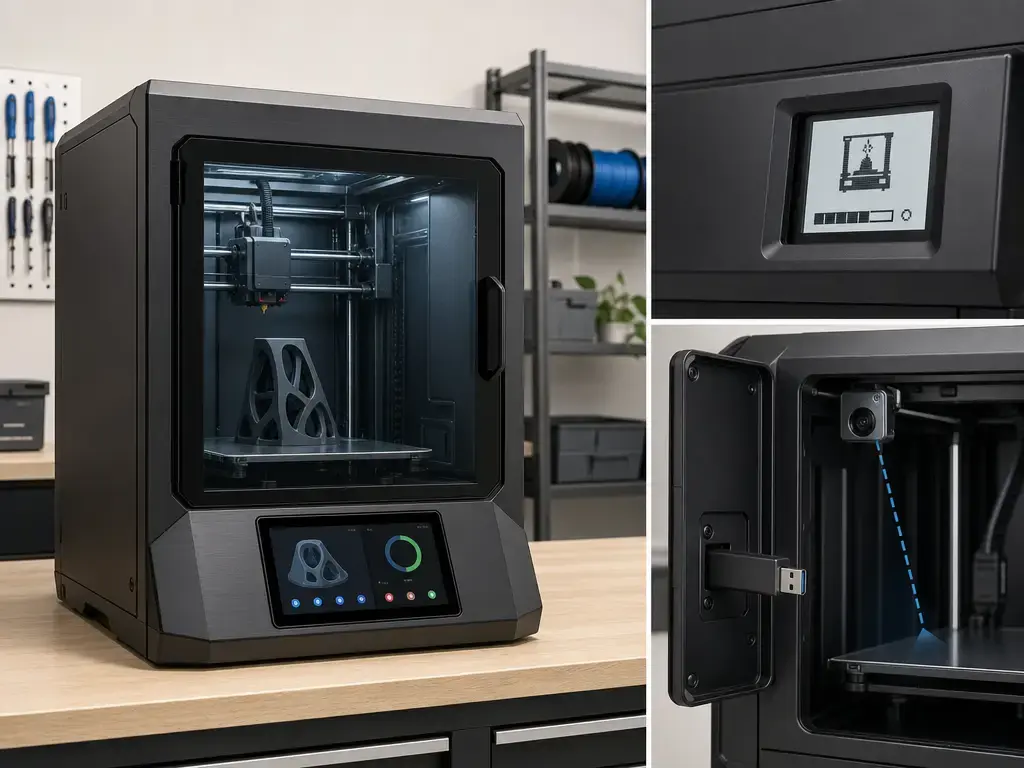
The day-to-day difference starts with the interface. The P2S uses a 5-inch 854 × 480 touchscreen with built-in 8 GB eMMC and USB support, so local control is much closer to a modern appliance workflow. The P1S keeps the smaller 2.7-inch 192 × 64 screen and Micro SD Card workflow, which is functional but much more basic. In a single-printer home setup, that mostly changes convenience. In a school lab or small print farm, it can change how quickly staff can load, check, and move jobs without defaulting to a phone or computer every time. [2] [6]
Remote monitoring is also more practical on the P2S because the camera is specified at 1920 × 1080 and 30 fps, while the P1S chamber camera is 1280 × 720 at 0.5 fps with timelapse support. That does not prove better print quality, better AI detection, or better reliability, and no reliable independent figure was found here for those claims. It does mean the P2S is set up for a much more usable live feed. [2] [3] [6]
The P2S also leans toward easier service positioning. Bambu’s launch material describes a quick-swap nozzle system, and the manual describes a quick-release hotend design that makes routine maintenance and replacement easier. Combined with hardened nozzle and extruder-gear hardware, that shifts the default experience toward fewer wear-related compromises when you start exploring abrasive materials. It is still not a guarantee against wear, clogs, or failed prints, but it is a more complete default package. [1] [2] [3]
Configurations that matter: standalone versus Combo
When comparing standalone and Combo versions, the main rule is to compare like with like. A standalone-versus-Combo price gap is not a fair printer-only comparison because the bundle changes the ownership package. Official P2S store listings show the P2S Combo and identify AMS 2 Pro as the combo add-on. Official P1S store listings still show the standard P1S Combo with AMS, and some regional P1S pages also list separate P1S + AMS 2 Pro bundles. That is why “Combo” is not always a one-size-fits-all shorthand across the whole line. [7] [8] [1]
| Configuration | What is included | Pros | Trade-offs |
|---|---|---|---|
| P1S standalone | Printer only | Lower entry point if you already own material-handling accessories or do not need multi-color yet. | Add-ons later can erase some of the initial savings. [7] |
| P1S Combo | P1S plus AMS | Ready for automated filament handling and multicolor basics. | It is still the older local UI and stock toolhead package. [7] |
| P2S standalone | Printer only | Lets you buy the newer printer without immediately paying for AMS 2 Pro. | No bundle convenience for automated filament handling. [8] |
| P2S Combo | P2S plus AMS 2 Pro | Best official out-of-box package for a new buyer who wants the newer printer and Bambu’s newer AMS generation together. | More expensive bundle, and specialty-material compatibility still depends on the filament and feed path. [8] [9] |
Common buying scenarios
- First enclosed printer: the Combo is the cleaner starting point if you want automated filament handling from day one. [7] [8]
- Existing P1S owner: standalone P2S is the more relevant comparison if you are only replacing the printer. [2] [6]
- School or lab shared printer: the P2S interface and camera are more useful for shared operation, but the right bundle still depends on whether staff will use automated filament handling. [2] [3] [6]
- Print farm: standalone can make more sense if the farm already has a material workflow and only wants the printer upgrade. [1] [5]
- Composite-filament user: compare the printer and toolhead first, because some filled materials have nozzle and feeder-path caveats that matter more than the AMS bundle itself. [2] [9]
- Multicolor hobbyist: Combo is the obvious bundle to compare, but it should still be treated as a workflow convenience system, not as universal support for every material family. [8] [9]
The useful takeaway is that AMS changes workflow more than printer-core specs. It can improve convenience, but material compatibility still depends on the filament’s own requirements and the printer’s wear parts, so it should not be treated as a universal material solution. [8] [9]
Print quality and speed in practice
The speed numbers in this bambu lab p1s vs p2s comparison are best read as ceiling figures. The P2S lists 600 mm/s and 20,000 mm/s², while the P1S lists 500 mm/s and 20 m/s². That does not mean every print runs anywhere near those numbers, because slicer settings, acceleration control, part geometry, and filament limits still dominate real print times. [2] [6]
The throughput figures need even more caution. Bambu Lab lists the P2S at 40 mm³/s using a single-wall 250 mm circular model, Bambu ABS, and 280 °C, while the P1S is listed at 32 mm³/s using a 150 × 150 mm single-wall model, Bambu ABS, and 280 °C. Those test geometries are different, so the numbers are not directly comparable as a clean head-to-head result. They are best treated as separate vendor limits under separate test setups, not as a defensible percentage gap in real production speed. [2] [6]
For part outcomes, this brief does not provide a reliable controlled head-to-head figure for surface finish, dimensional accuracy, repeatability, noise, AI detection accuracy, or reliability. The correct reading is conservative: the P2S has the higher published motion and flow envelope, but that alone does not prove better prints in every use case. In practice, part quality still depends on slicer tuning, material choice, orientation, cooling, and whether the job actually asks for the extra ceiling. [2] [6]
Materials fit: stock P1S, upgraded P1S, and stock P2S
For materials, the most useful comparison is not just P1S vs P2S. It is stock P1S, upgraded P1S, and stock P2S. The stock P1S is already a capable enclosed filament printer for common materials, but Bambu’s own wording is more cautious on fiber-filled polymers. The P2S, by contrast, ships with hardened steel wear parts and a supported-filament list that explicitly includes several carbon- and glass-fiber-filled materials. [2] [6]
| Material family | Stock P1S | Upgraded P1S | Stock P2S |
|---|---|---|---|
| PLA, PETG, ABS, ASA | Good fit for normal use in the published P1S envelope. [6] | Same basic envelope, with wear-part upgrades helping where relevant. [6] | Same, with the P2S adding the higher 110 °C bed limit. [2] |
| PA, PC, and similar engineering plastics | Capable, but more dependent on setup and material choice. [6] | More viable if you deliberately upgrade wear parts for the filament in question. [9] | Better default fit because the hardened toolhead is already there and the bed ceiling is higher. [2] [3] |
| Carbon- and glass-fiber-reinforced polymers | Bambu’s stock wording is not recommended. [6] | Some become officially viable with the right setup. Bambu’s PPA-CF page says P1S is compatible with an enclosure and a hardened steel nozzle. [9] | Better default fit because hardened wear parts are stock, and the published supported-filament list already includes multiple CF/GF options. [2] |
| Example filled materials in Bambu’s published list | Not part of the stock recommendation for CF/GF polymers. [6] | Depends on the specific filament’s own requirements. [9] | PLA-CF, PETG-CF, ABS-GF, ASA-CF, PA6-CF, PA6-GF, PAHT-CF, PPA-CF, and PET-CF are listed as supported. [2] |
Bambu’s PPA-CF page is a useful official example of the upgrade logic. It says a hardened steel nozzle is required, says P1S is compatible when enclosed and fitted with that nozzle, marks 0.2 mm as unsupported, and recommends hardened 0.4 mm, 0.6 mm, or 0.8 mm hotends instead. That is a more useful buyer signal than vague claims that a printer can or cannot print “carbon fiber.” [9]
The practical caveat is that hardened steel improves wear resistance, but it is not a universal guarantee for every abrasive blend, nozzle size, or long unattended run. Some filled filaments often work better with larger nozzles, and Bambu’s own PPA-CF page shows how model-specific those rules can be. The safest reading is simple: stock P1S is fine for many standard materials, upgraded P1S expands the envelope, and stock P2S is the most materials-ready default. [2] [6] [9]
Running costs, filtration, and indoor-air reality
The sources reviewed here do not provide a reliable electricity-cost model or a standardized maintenance-cost comparison, so the safest answer on running costs is narrow. Costs are shaped mainly by the accessory path you choose, the wear parts you replace, the materials you run, and the ventilation setup your room needs. If you need a quantified operating-cost figure in dollars per month, no reliable figure was found in the reviewed sources. [2] [6] [8] [9]
On hardware alone, the P2S lists an activated carbon filter plus supported VOC and particle filtration, and its manual says chamber air passes through an activated carbon filter before venting, helping reduce particle and odor emissions. The P1S also includes an activated carbon filter. Those are real hardware features, but they are not the same thing as a zero-emissions claim. [2] [3] [6]
That caution matters. NIST reported particle concentrations generally stabilized at about 30,000 to 60,000 particles/cm³ above background during most printing operations in its office/library study, and NIOSH says ventilation is an important engineering control for 3D-printer emissions and notes that HEPA-equipped room air cleaners are another option. In plain language, enclosure plus carbon filter is better than treating emissions as a non-issue, but neither printer should be presented as ventilation-free equipment. [12] [13]
Ecosystem, software, and support-lifecycle context
The ecosystem question here is less about raw specs and more about how well the platform remains documented and supported over time. For buyers who care about long-term software expectations, the useful distinction is that the P1S already has an official compliance document with dated update commitments, while no equivalent P2S document was found in the reviewed sources. [14]
For UK-sold P1S units, Bambu’s UK PSTI Statement of Compliance lists guaranteed security patch updates until July 13, 2030 and guaranteed bugfixes and feature updates until July 13, 2028. That is a meaningful support signal for an older model. It should also be read carefully as a UK compliance statement, not automatically as a global promise for every region. [14]
For the P2S, no reliable official support-lifecycle date was found in the reviewed sources, so it should not be assumed. Buyers who care about long support windows should treat that as an open question rather than filling in the blank with optimism. [14]
Pricing and who should buy which
Prices vary by region, bundle, and promotions, so check the official store before purchase. Current official US prices were not verified in this fact-check pass, so this article does not publish fixed current US numbers. What can be verified is that official regional store pages already vary in both configuration naming and pricing, while Bambu’s October 14, 2025 launch post only gives historical launch pricing for Europe. [1] [7] [8]
For historical launch context only, Bambu Lab’s announcement listed the P2S at €519 including tax and the P2S Combo at €749 including tax in Europe, and secondary industry coverage also recorded a launch snapshot with region-specific pricing. That is useful background, but it is not the same thing as current US street pricing on July 28, 2026. [1] [15]
-
Budget-conscious buyer: pick the P1S. If the discount is wide enough to fund plates, nozzles, filament, or better ventilation, the P1S remains the value choice because it gives you the same build volume and a still-current product line at lower cost. [5] [6]
-
New buyer who wants the smoother modern workflow: pick the P2S. If you want the better screen, the much better live-view camera, hardened wear parts, quick-release hotend positioning, and the higher 110 °C bed from day one, the P2S is the safer default when the gap is reasonable. [1] [2] [3]
-
Existing P1S owner deciding whether to upgrade: usually keep the P1S. Do not upgrade for build size, because the volume is the same. Upgrade only if the newer interface, live-view camera, higher bed-temperature ceiling, or stock hardened toolhead will change how you print often enough to matter. [2] [6]
So the practical winner depends on buyer type: P1S for value, P2S for the better default experience, and no size-driven upgrade case for an existing P1S owner. [2] [5] [6]
FAQ
What is the difference between the Bambu P1S and P2S?
The P2S is the newer, more fully equipped machine. It keeps the same 256 × 256 × 256 mm build volume as the P1S, but adds the 5-inch touchscreen, better live-view camera, hardened steel wear parts, and a higher-temperature bed. The P1S is the simpler and cheaper platform; the P2S is the more complete default package. [2] [3] [6]
Is the Bambu P2S worth it over the P1S?
Usually yes, if you are buying new and the price gap is reasonable. The workflow and stock-hardware upgrades are real. The P1S still makes sense if a discount is large enough that you would rather spend the difference on accessories, consumables, or room ventilation. [2] [5] [6]
Should I buy the P1S or P2S for 3D printing as a beginner?
For most beginners, the P2S is the easier first purchase because it starts with the better screen, much more usable camera, and hardened toolhead parts already installed. The P1S still makes sense when budget is tighter and the simpler local interface is not a problem for you. [2] [3] [6]
Bambu P1S vs P2S: which is better for ABS and ASA?
The P2S has the higher bed-temperature ceiling at 110 °C instead of 100 °C, and its manual says passive chamber temperature can reach up to 50 °C. But the FAQ also says it does not have active chamber heating. So the advantage is real, but it is still passive chamber management rather than an actively heated chamber. [2] [3] [4] [6]
Can the P1S print carbon-fiber filament, or do I need upgrades?
Stock P1S guidance says carbon- and glass-fiber-reinforced polymers are not recommended. That is not the same as saying “never.” Bambu’s own PPA-CF page says P1S is compatible when the printer is enclosed and fitted with a hardened steel nozzle, which is the clearest official example of the upgraded-P1S path. [6] [9]
Expert: Are the 32 mm³/s and 40 mm³/s flow figures directly comparable?
No. The P1S figure is published for a 150 × 150 mm single-wall ABS model at 280 °C, while the P2S figure is published for a 250 mm circular single-wall ABS model at 280 °C. Because the test geometries differ, the numbers are best read as separate vendor limits, not as a clean percentage comparison. [2] [6]
Is the P1S being discontinued?
No. Bambu Lab said the P1S will continue to be manufactured and sold, and that it does not plan to phase the model out in the foreseeable future. [5]
Related on 3D Mag
- CoreXY vs Cartesian: Which 3D Printer Is Better?
- Metal vs Plastic 3D Printing: Key Differences
- Electron Beam Melting (EBM) in Metal 3D Printing: Key Differences with SLM
Sources
- Bambu Lab Blog: P2S announcement
- Bambu Lab CN: P2S technical specs
- Bambu Lab: P2S User Manual PDF (V1.0 2026.05)
- Bambu Lab CN: P2S FAQ
- Bambu Lab Blog: A farewell to P1P
- Bambu Lab: P1S Tech Specs PDF
- Bambu Lab JP Store: P1S product page
- Bambu Lab JP Store: P2S product page
- Bambu Lab JP Store: PPA-CF product page
- ISO/ASTM 52900:2021 standard page
- Stratasys legal information
- NIST publication page: desktop-printer indoor-air study
- CDC/NIOSH Science Bulletin: 3D printing emissions and controls
- Bambu Lab: UK PSTI Statement of Compliance (P1S)
- 3D Printing Industry: P2S launch coverage (historical pricing snapshot)