
Summary
A 3d scanner app for android is best chosen by documented fit for the job, not by a single ranking. Most Android workflows are photogrammetry-first: they infer a surface from overlapping photographs and can produce a mesh or textured model for visual reuse, reference, or exploratory printing. Some also produce Gaussian splats, which can look convincing from viewing angles without automatically providing an editable, watertight, or dimensionally validated model. ARCore’s Depth API supports depth-aware AR experiences, but its availability does not establish that an app exports usable scan geometry. RealityScan Mobile, for example, is positioned for creative assets, prototypes, and 3D-print-related use cases rather than measurement certification. [1] [2]
Quick Pick: Which Android 3D Scanning Output Do You Need?
Start with the deliverable rather than the word “scanner.” A phone-captured object may be useful as a textured mesh for visual reference or a creative print prototype while still being unsuitable for verifying dimensions. A splat is generally a viewing-oriented result, whereas a mesh is the more practical starting point for cleanup, editing, and many printing workflows.
Measurement has a higher bar. A plausible-looking model, a scale reference, or a dense mesh does not by itself demonstrate trueness, precision, or uncertainty. Formal optical 3D measurement systems use defined acceptance and reverification procedures; that is useful context, not a benchmark for phone apps. [5] [6]
Pick by output and validation need
| Your goal | Minimum acceptable output | Best documented Android path | When a phone app is the wrong tool |
|---|---|---|---|
| Mesh for print or reference | A reconstructable mesh with scale that can be checked after reconstruction | RealityScan Mobile, Polycam Android Object Mode, or KIRI Engine Photo Scan | You need certified dimensions, tight fits, or reliable hidden-surface capture |
| Splat visualization | A splat-oriented scene representation in a compatible viewer or workflow | Scaniverse Classic, where the selected workflow is available | You need a watertight editable solid, a print mesh, or measurement results |
| Room or space capture | A workflow explicitly available on the target Android platform | Confirm the chosen app’s Android room workflow; Polycam Space Mode is not available on Android | You require Polycam Space Mode on Android or surveyed dimensions |
| Measurement or inspection | A validated method tied to a defined measurand | No phone-app route should be assumed suitable without validation | You need traceable results, stated uncertainty, or acceptance decisions |
Notes: RealityScan Mobile is positioned for creative capture and prototype-related use; Polycam documents Android Object Mode but not Android Space Mode; KIRI documents mesh exports for supported scan workflows. [2] [3] [4] [7] Measurement accuracy is related to both trueness and precision, not visual plausibility alone. [5] [6]
What an Android “3D Scanner App” Actually Does
Most Android object-scanning workflows are image-based reconstruction, not direct precision measurement. The phone primarily collects camera images, so results depend heavily on lighting, visual detail, coverage, and the consistency of the subject throughout capture.
A typical pipeline takes overlapping photos or sampled video frames, identifies visual features shared between views, estimates camera poses, and reconstructs scene structure from those relationships. The app may then create a textured polygon mesh or a splat-based representation, remove background fragments, trim weak regions, simplify the output, and prepare it for export. Polycam describes object photogrammetry as producing a polygon mesh with texture maps rather than as a direct measurement procedure. [8]
- Photogrammetry: Reconstruction from multiple overlapping images by matching visual features and estimating camera positions and orientations.
- ARCore Depth: A depth-image capability for AR. It uses depth-from-motion and can merge information from available hardware, including time-of-flight, or ToF, sensors. It can support scene understanding and AR effects, but does not itself prove that an app exports a scan mesh. [1]
- Point cloud vs. mesh: A point cloud is a collection of sampled 3D positions. A mesh connects positions into polygon faces, creating an explicit surface that can be repaired, edited, textured, or prepared for printing.
- Gaussian splat vs. mesh: A Gaussian splat represents a scene through many view-rendered Gaussian primitives, while a mesh represents connected surfaces. Gaussian splatting is designed for fast view synthesis and scene appearance; it is not automatically a watertight, editable polygon model. [8] [9]
Reconstruction is therefore an inference process. Featureless, reflective, transparent, moving, or occluded areas provide weak or misleading evidence. A clean visual result can still contain gaps, local warping, weak scale control, or background geometry that becomes significant when the model is edited, printed, or measured.
Android Hardware Reality Check: ARCore, Depth API, and (Sometimes) ToF
ARCore is Google’s augmented-reality platform for supported Android hardware. Its Depth API uses depth-from-motion, comparing views as the phone moves, and can merge data from available hardware such as ToF sensors for improved depth estimates. This is useful for AR tasks including occlusion and scene interaction, but it is not equivalent to a calibrated 3D scanner. [1]
ARCore compatibility (or Depth API support) does not prove a given scanner app uses ARCore Depth to generate exported geometry. Check the exact phone model, rather than only its brand or product family, on Google’s ARCore supported-device list. That list can identify device-specific capabilities such as Depth API support, while an app’s reconstruction, exports, and scale controls may remain photo-based. [1] [10]
Depth API guidance for depth estimates
Google describes the most accurate Depth API estimates as occurring from roughly 0.5 m to about 5 m, while reporting robust, accurate depth estimates from 0 to 65 m in relevant conditions. These figures apply only to depth estimates. They are not a scan range, mesh-resolution specification, or dimensional-tolerance claim for an exported model. [1]
Capture Workflow That Actually Improves Results
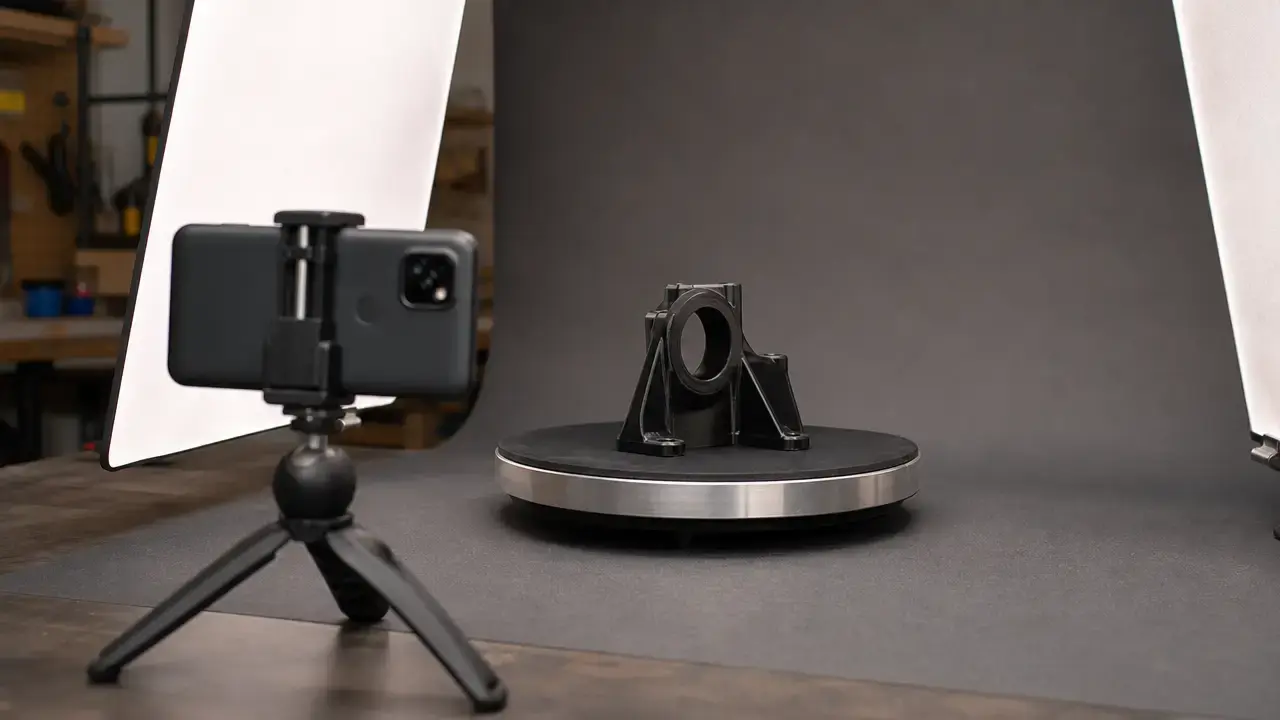
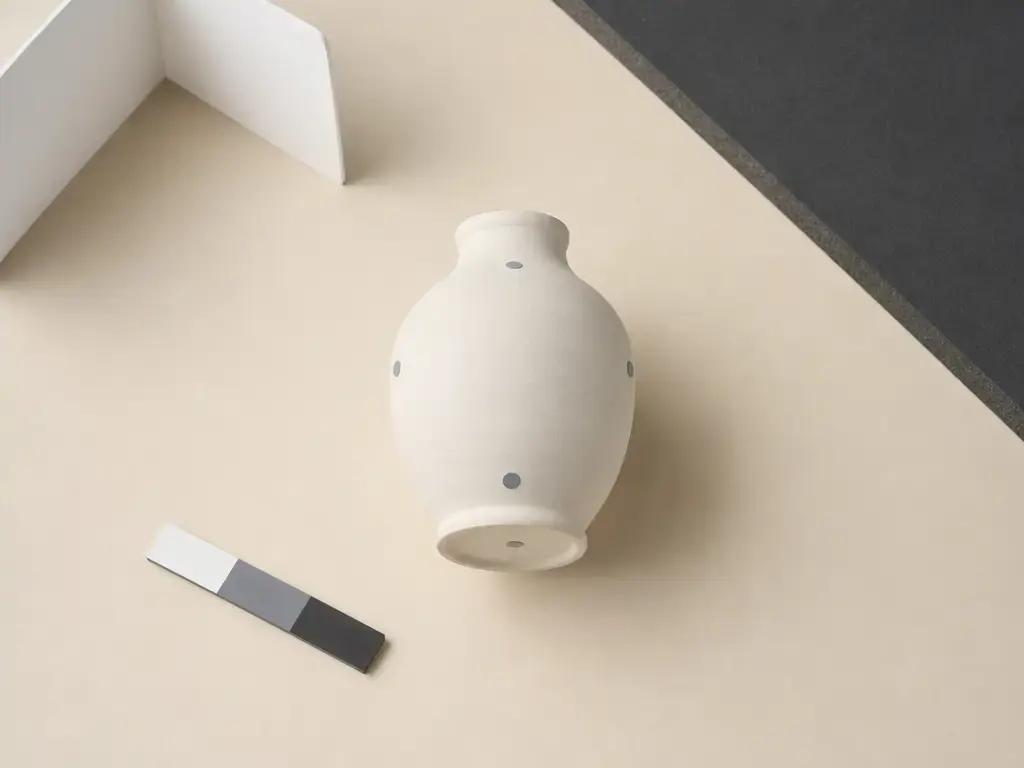
Better reconstructions come from deliberate coverage, stable exposure, and clear separation between the object and its background. Keep the subject still and move the phone slowly enough to avoid blur and abrupt viewpoint jumps. Make passes at more than one height so the reconstruction sees top edges, side transitions, recesses, and, where practical, the underside. Broad, even lighting is usually easier for image matching than shiny highlights, deep shadows, or changing daylight. A scale reference can set nominal model scale, but it does not validate global accuracy. If size matters, compare multiple non-collinear known distances across the reconstructed model rather than checking only one edge. RealityScan provides an app-specific example: its documentation describes a 300-image cap, analysis after 20 images, and image uploads beginning during capture. Those limits are not a universal prescription for every app or subject. [11] [5] [12]
A practical capture workflow
- Prepare the subject: Clean it, keep it motionless, and add temporary non-reflective visual markers only where they do not obscure important geometry.
- Control the light: Use broad, even illumination and reduce glare, blown highlights, deep shadows, and changing daylight.
- Plan the camera path: Circle the object gradually, maintaining a reasonably consistent distance and framing.
- Vary the viewing angle: Add higher and lower passes to reveal edges, holes, recesses, and shape changes that a single orbit misses.
- Capture the underside: Reposition the object carefully or capture a separate set for later alignment when underside geometry matters.
- Simplify the background: Use a visually distinct, non-reflective backdrop so the object is easier to isolate.
- Review reconstruction: Inspect for holes, floating background fragments, warped features, and weakly covered regions before export.
- Export for the task: Preserve the output needed for editing, viewing, or printing, then check size-dependent work against multiple known distances.
Metrics That Matter: “Accuracy” vs. “Looks Real”
A convincing render is not a measurement result. In metrology, measurement accuracy is related to both trueness, meaning closeness to a reference value, and precision, meaning closeness among repeated results. A useful model check starts with scale correctness: does the model reproduce known distances at the size required by the task? It should also consider uncertainty, which expresses the spread associated with values that could reasonably be attributed to a measurand. Capture conditions, reconstruction settings, reference-object quality, and the comparison method all affect what can be claimed. [5] [12]
Polygon cap and texture size are output settings; they do not certify dimensional accuracy. RealityScan Mobile documents mesh caps of up to 1,000,000 polygons for High output and up to 100,000 polygons for Normal output, along with 4K and 8K maximum texture choices. Those controls affect deliverable complexity and image detail, not agreement with the physical object. [13]
For a visual asset, assess missing areas, texture continuity, background remnants, and view-dependent artifacts at the intended viewing distance. For a print reference, check several distributed dimensions and inspect walls, holes, mating surfaces, and incomplete regions after mesh repair. A model can be correctly scaled at one reference length and still have local warping elsewhere. Repeated captures can reveal whether differences are stable or capture-dependent, but they do not turn an unvalidated phone workflow into an inspection system. ISO 10360-13:2021 illustrates the acceptance and reverification culture used for optical 3D coordinate measuring systems; it is not a phone-app test method. [6] No reliable universal accuracy figure found.
Validation metrics by task (what to measure and report)
| Task | What to measure | What to report | Decision use |
|---|---|---|---|
| Visual asset quality | Missing areas, texture continuity, seams, background remnants, and view-dependent artifacts | Intended viewing distance, capture conditions, and visible defects | Whether the asset is convincing enough for viewing or placement in a scene |
| 3D print reference | Several known distances, feature completeness, wall and hole geometry, and test-fit observations | Nominal scale method, checked dimensions, and mesh repairs | Whether the mesh is a workable basis for editing or a prototype print |
| Dimensional measurement claim | Defined features against traceable reference data; repeated results for precision | Trueness-related deviations, uncertainty, reference method, and acceptance rule | Whether a dimensional statement can support a decision |
| Repeatability | Differences across multiple captures of the same subject | Spread, such as standard deviation, plus capture conditions | Whether capture variation is acceptable for the intended task |
Notes: VIM distinguishes accuracy, trueness, precision, and measurement uncertainty. [5] [12] Formal acceptance and reverification concepts provide a contrast to unvalidated consumer capture, not a direct benchmark for phone apps. [6]
Best 3D Scanner Apps for Android (2026): Best Documented Fit by Use Case
This is a documentation-based chooser, not a laboratory comparison. It identifies what developers document for Android capture, processing, and export, while separating workflow claims from dimensional-performance claims. Availability, account requirements, processing location, and export options can change, so confirm current in-app choices before beginning a project with a fixed downstream requirement.
Best documented Android app fit by output and workflow
| App | Documented Android capture/processing posture | Documented exports/outputs | Android-specific caveat you must state |
|---|---|---|---|
| RealityScan Mobile | Requires an ARCore-capable Android device running Android 7 / API level 24 or later; its photo workflow documents a 300-image cap and capture-time analysis behavior | Android project models are stored in GLB format; mesh and texture settings are available as output controls | Capture settings, polygon caps, and texture resolution do not establish dimensional accuracy |
| Scaniverse | The developer documents Classic Scaniverse with on-device Gaussian splat capture and processing, while also describing cloud reconstruction workflows | SPZ, PLY, GLB, and FBX are listed exports | Confirm whether the selected project uses the Classic on-device workflow or a cloud workflow |
| KIRI Engine | Android listing and vendor documentation describe photo-based and other supported scan workflows with format-dependent exports | OBJ, FBX, STL, GLB, glTF, USDZ, PLY, and XYZ are listed for supported mesh workflows | Verify export availability in the app for the chosen workflow, version, and account arrangement |
| Polycam | Android supports Object Mode only, with photogrammetry rather than splat capture | Android Object Mode is the relevant documented capture path | Gaussian Splat capture and Space Mode are unavailable on Android |
Notes: RealityScan documents its Android requirement, capture behavior, Android GLB storage, and output controls. [14] [11] [15] [13] Scaniverse documents on-device and cloud-oriented workflows and lists SPZ, PLY, GLB, and FBX exports; Niantic also describes on-device splat and mesh generation. [16] [17] KIRI’s Android listing and vendor FAQ list the stated export formats for supported workflows. [18] [7] Polycam documents Android Object Mode only, with no Android splat capture or Space Mode. [3] [4] [8]
No first-party documentation found, as of October 29, 2026, that these Android apps export meshes reconstructed directly from ARCore Depth API depth maps; do not imply Depth API-derived geometry without explicit vendor documentation. [1] [14] [16] [18] [3]
RealityScan Mobile is the clearest documented option when the immediate aim is an Android photo-capture workflow leading to a GLB asset. Its capture guidance and output controls help set expectations for a project, but they are workflow controls rather than evidence of a stated tolerance. [11] [13] [15]
Scaniverse is the documented fit when splat-oriented visualization and on-device Classic processing are priorities. Do not treat that route as interchangeable with its cloud reconstruction workflow; confirm the selected processing mode and export needed for the next tool. [16] [17]
KIRI Engine has the broadest documented format list in this group. That list should not be read as a promise that every workflow exposes every format in every version, so check the export panel before committing a capture intended for a specific downstream tool. [18] [7]
Polycam is an Android object-capture option when an object-focused photogrammetry workflow is sufficient. Do not choose it expecting Android Gaussian Splat capture or Android Space Mode. [3] [4]
Export Formats: What to Choose (and Why STL Often Disappoints)
Choose an export by the next stage of the workflow. A print test may need only geometry, while an AR asset, game prop, or visual archive may need materials and texture images to travel with the mesh. A splat-oriented project may require a compatible splat workflow rather than a conventional printable surface model.
STL is widely accepted by slicers and remains useful for geometry-only printing, but standard STL does not carry standardized color or texture information. That makes it a poor handoff for a scanned object whose labels, material appearance, or surface color matter. [19]
Format → keeps textures? → best for → main gotcha
| Format | Keeps textures? | Best for | Main gotcha |
|---|---|---|---|
| STL | No, in standard STL | Geometry-only printing and simple mesh exchange | Standard STL does not preserve color or texture |
| OBJ + MTL | Yes, when the companion MTL and referenced texture images remain linked | Textured mesh handoff to compatible 3D tools | It is a multi-file package; moved or missing texture files can break materials |
| GLB | Yes, in a single binary glTF container | Portable textured assets for compatible viewers, engines, and AR workflows | The receiving application must support the glTF features used by the asset |
| PLY | Sometimes; properties and polygon topology can be stored, but support varies | Point-oriented data or polygonal mesh exchange | Receiving applications may interpret optional properties differently |
| SPZ | Workflow-dependent; do not assume mesh-style texture behavior | Scaniverse splat export and compatible splat workflows | It is not a universal substitute for a printable mesh |
Notes: Standard STL describes surface geometry without standard color or texture support. [19] MTL provides material, color, and texture definitions associated with OBJ files. [20] GLB stores a glTF asset in a single binary container. [21] PLY can describe polygon-based objects using elements such as vertices and faces. [22] Scaniverse lists SPZ among its exports, but that does not establish universal behavior outside compatible workflows. [16]
For a slicer, use STL when appearance data is irrelevant and the mesh has been checked for printability. For a textured asset, use OBJ plus its companion files or GLB when the destination supports it. For a splat project, retain the format explicitly supported by the intended viewer or toolchain instead of assuming it can be converted into a watertight mesh without losses.
Limitations & Failure Modes
Phone reconstruction fails when images do not provide stable visual evidence. Glossy and specular surfaces move reflections as the camera moves, so software can mistake highlights for physical features. Transparent or translucent parts reveal changing backgrounds and internal reflections instead of a consistent exterior surface. Featureless objects provide too little detail, while repeated patterns can create incorrect matches. Thin edges, deep recesses, holes, and narrow gaps may be poorly sampled or hidden from most viewpoints.
Movement and coverage introduce additional failures. Motion blur removes detail needed for matching, while a moving subject no longer presents one consistent shape. Undersides are commonly absent because they were never shown to the camera. Background merging can occur when subject and backdrop look similar, while exposure shifts, harsh shadows, and blown highlights make the same surface appear inconsistent across images. Device cameras, processing settings, and available app modes also vary, so a workable result on one phone is not guaranteed on another.
Scale is a separate limitation. A reference can establish nominal size, but weak or single-point scaling does not reveal distortion elsewhere in the model. If dimensions matter, compare multiple known distances in separate regions and document how they were checked. A visually plausible reconstruction is not equivalent to demonstrated trueness, precision, or uncertainty for a defined measurement task. [5] [12]
Before abandoning a scan, try these corrections
- Use broad, diffuse lighting to reduce hard shadows and moving reflections.
- Increase separation between object and background with a plain, contrasting, non-reflective backdrop.
- Move the phone more slowly and keep the subject still to reduce blur and pose errors.
- Add oblique viewing angles to expose sidewalls, recesses, edges, and holes.
- Reposition the object and capture the underside as a separate set when necessary.
- Lock exposure and focus, if the phone or app allows it, to keep appearance more consistent.
- Repeat the capture with a different camera path when a region is warped or incomplete.
- Remove floating geometry, background fragments, and obvious noise during cleanup.
- For suitable non-sensitive subjects, consider a removable matte treatment only where safe and appropriate; do not apply coatings to valuable, finished, medical, historic, or otherwise sensitive objects.
- Recheck nominal scale against multiple known distances before using the result for a size-dependent task.
When a Phone App Isn’t Enough (and What’s Next)
A 3d scanner app for android is often sufficient for visual assets, scene reference, rough reverse-engineering starts, and exploratory 3D-print prototypes. It is not sufficient when the outcome must support a tight mechanical fit, a pass/fail inspection decision, a documented tolerance, or a measurement statement with known uncertainty. In those cases, the question changes from “Does the model look right?” to “How closely, consistently, and demonstrably does it represent the required feature?” Measurement accuracy involves both trueness and precision. [5]
A dedicated scanner or validated measurement workflow addresses that question through controlled capture, suitable reference artifacts, repeated trials, comparison against known geometry, and documented evaluation methods. The goal is not simply a denser mesh, but a process whose performance can be checked for the dimensions that matter. Formal optical 3D systems use acceptance and reverification concepts to demonstrate continuing performance; those concepts are useful context, not a substitute for task-specific phone validation. [6]
FAQ
What is the best 3D scanner app for Android in 2026?
There is no universal winner. The best documented fit depends on whether you need a mesh for reference or printing, a splat for visualization, a room-oriented workflow, or validated dimensional results. Use the output picker and app comparison table rather than treating this as a single ranking.
Can an Android app scan an object into a 3D model?
Yes. Most Android workflows reconstruct a model from overlapping images by matching visual features and estimating camera positions. Results improve with even lighting, complete coverage, slow movement, stable exposure, and separate underside views where needed. [11]
Does Android support LiDAR 3D scanning apps?
Android supports ARCore Depth API depth estimates based on depth-from-motion, with optional use of available ToF hardware. That does not establish a universal Android LiDAR capture ecosystem, and it does not prove that a given scanner app exports Depth API-derived geometry. [1]
How accurate is an Android 3D scanning app?
No reliable universal accuracy figure found. Results depend on the phone, object surface, lighting, coverage, reconstruction method, scale control, and validation procedure. Use task-specific checks for trueness, precision, repeatability, and uncertainty rather than inferring accuracy from appearance or polygon count. [5] [6]
Can I export OBJ, STL, PLY, or GLB from Android scanning apps?
It depends on the app and workflow. RealityScan documents GLB storage on Android; Scaniverse lists SPZ, PLY, GLB, and FBX; KIRI lists OBJ, STL, PLY, GLB, and other formats for supported workflows. Standard STL is geometry-only and does not preserve standardized color or texture data. [15] [16] [18] [19]
How would you design a meaningful accuracy test for a phone-based scan?
Define the artifact and specific features to be assessed, use a suitable reference instrument or traceable reference geometry, state the alignment method, repeat the capture, and report deviations plus a spread statistic such as standard deviation. The required threshold depends on the task, so no generic pass value should be assumed. [5] [12]
Why are Gaussian splats not the same as a watertight, editable mesh?
Splats represent scene appearance through view-rendered Gaussian primitives, whereas a watertight mesh is connected polygon geometry with explicit surfaces. A splat can be visually compelling from many viewpoints but is not automatically suitable for mesh repair, CAD-adjacent editing, or 3D printing. [8] [9]
Sources
Sources cited in this article are listed in first-use order.
- ARCore Depth API
- RealityScan Mobile on Google Play
- Which Devices Are Supported by Polycam?
- How to Use Space Mode with LiDAR-enabled Devices
- VIM entry 2.13: measurement accuracy
- ISO 10360-13:2021
- What Kind of File Formats Can KIRI Engine Export?
- How to Use Object Mode
- 3D Gaussian Splatting for Real-Time Radiance Field Rendering
- ARCore supported devices
- RealityScan Mobile Step-by-Step Guide
- International Vocabulary of Metrology — JCGM 200:2012
- RealityScan Mobile 1.6 release notes
- RealityScan Mobile system requirements and installation
- RealityScan Mobile project files
- Scaniverse on Google Play
- Niantic Spatial Capture
- KIRI Engine on Google Play
- STL File Format Family
- MTL File Format
- glTF 2.0 Specification
- The PLY Polygon File Format