
Verdict
For most people asking prusa core one vs bambu x1c in 2026, the Prusa CORE One+ is the better new-buy choice. That is the current Prusa product name, and the CORE One+ Ultimate Edition Assembled page is the cleanest canonical hard-spec reference for this comparison. [3] [4]
The Bambu Lab X1 Carbon still makes sense in two cases: if you find remaining stock or a used unit on terms you accept, and if you already own one and want to keep using it. Bambu Lab says the X1/X1C/X1E reached end of manufacturing and active sales on 2026-03-31, while bug fixes and feature updates continue through 2027-05-31, security patches through 2029-05-31, and support plus spare parts through 2031-03-31. [1]
On paper, the X1C still carries the headline specs that made it influential: 256 × 256 × 256 mm build volume, 500 mm/s maximum toolhead speed, 20 m/s² maximum acceleration, and a 300 °C hotend. [5] The CORE One+ is the newer platform, and for a fresh purchase that usually matters more than chasing an end-of-life spec sheet. [4] [5]
- Buy the Prusa CORE One+ if you want the current Prusa platform, a published 55 °C chamber spec, automatic first-layer calibration via load cell, and straightforward local-network or USB-based fallback paths. [3] [4] [10] [11] [12]
- Buy the X1C if you are shopping used or remaining stock, want hardened wear parts out of the box, and value the AMS path enough to accept that the printer is already EOL as a retail platform. [1] [5] [7]
- Keep an existing X1C unless you have a specific reason to change ecosystems. Its support horizon is still long enough that “EOL” does not mean “obsolete tomorrow.” [1]
- If you specifically want a new Bambu printer in 2026, check Bambu’s current lineup rather than hunting X1C inventory as your default plan. [1]
Side-by-side spec table
For prusa core one vs bambu lab x1 carbon, the fastest way to orient the comparison is to separate published hard specs from workflow features. The Prusa side below uses the current CORE One+ Ultimate Edition Assembled page as the hard-spec base, while the X1C is treated as an EOL product whose official specs still matter for used or remaining-stock buyers. [1] [4] [5]
The biggest practical differences are small in raw build size, but larger in lifecycle status, automation style, and multi-material path. The X1C is slightly larger in all three axes and ships with hardened nozzle and extruder gears, while the CORE One+ is the current platform and explicitly lists a 55 °C chamber, automatic first-layer calibration via load cell, and Ethernet plus a removable ESP Wi‑Fi module. [4] [5] [6] [7] [8] Tom’s Hardware’s lidar discussion is best read as workflow and calibration context, not as a dimensional-accuracy guarantee by itself. [6] [14]
| Metric | Prusa CORE One+ | Bambu Lab X1C |
|---|---|---|
| Product status in 2026 | Current model naming: CORE One+. [3] | EOL from 2026-03-31, with later support milestones. [1] |
| Build volume | 250 × 220 × 270 mm — about 14.85 L by calculation from the published dimensions. [4] | 256 × 256 × 256 mm — about 16.78 L by calculation from the published dimensions. [5] |
| Max nozzle / hotend temperature | 290 °C. [4] | 300 °C. [5] |
| Bed temperature | 120 °C. [4] | 110 °C at 220 V / 120 °C at 110 V. [5] |
| Chamber temperature | 55 °C. [4] | No reliable official chamber-temperature figure found. |
| Default nozzle / wear parts | High-flow Prusa Nozzle brass CHT 0.4 mm. [4] | Hardened steel nozzle and hardened steel extruder gears. [5] |
| Layer-height range | 0.05–0.30 mm. [4] | No matching manufacturer range cited in the source set used here. |
| Calibration sensor framing | Fully automatic first-layer calibration thanks to the Load Cell sensor. [4] | Lidar-assisted workflow plus analog force-sensor calibration context in review coverage. [6] |
| Speed headline | No directly comparable 500 mm/s headline is published on the canonical Prusa spec page used here. [4] | 500 mm/s max, 20 m/s² max acceleration, 32 mm³/s @ ABS test condition. [5] |
| Connectivity / workflow | Ethernet, USB drive, and removable ESP Wi‑Fi module; PrusaLink local IP and Prusa Connect cloud path documented separately. [4] [10] | LAN-only operation is described in a staff forum reply as same-LAN communication using an access code. [9] |
| Multi-material path | MMU3 supports up to 5 colors; MMU3 package swaps in a 0.4 mm brass nozzle. [8] | AMS uses 4 spool positions per unit and scales to 16 materials with 4 AMS units. [7] |
2026 buying context
For prusa core one vs bambu x1c, the buying decision in 2026 starts with lifecycle status. Bambu Lab says the X1 series reached end of manufacturing and active sales on 2026-03-31, but it also published separate later windows for bug fixes and feature updates, security patches, and spare parts or support. [1] That matters because “EOL” does not mean “unsupported tomorrow,” but it does mean the X1C is no longer a current retail platform. [1]
Prusa’s side is the opposite case. The CORE One was announced on November 19, 2024, with production and shipping framed at launch as starting in January 2025, and Prusa now presents the product as CORE One+. [2] [3] That makes it the current-family option in this comparison rather than a sunset product. [2] [3]
| Date | Bambu X1/X1C milestone | Prusa CORE One milestone |
|---|---|---|
| 2024-11-19 | — | CORE One announced; launch article said production and shipping start in January 2025. [2] |
| 2026-03-31 | Manufacturing and active sales ended for the X1 series. [1] | — |
| 2027-05-31 | Bug fixes and feature updates continue until this date. [1] | — |
| 2029-05-31 | Security patches continue until this date. [1] | — |
| 2031-03-31 | Support and spare parts continue until this date. [1] | — |
In practice, you may still see new X1C units from distributors after direct sales stopped, because Bambu explicitly says selected authorized distributors may still have stock covered by warranty and support. [1] That does not change the main buying logic: a new purchase in 2026 points toward CORE One+, while X1C makes more sense as a remaining-stock or used-machine decision. [1] [3]
What actually differs
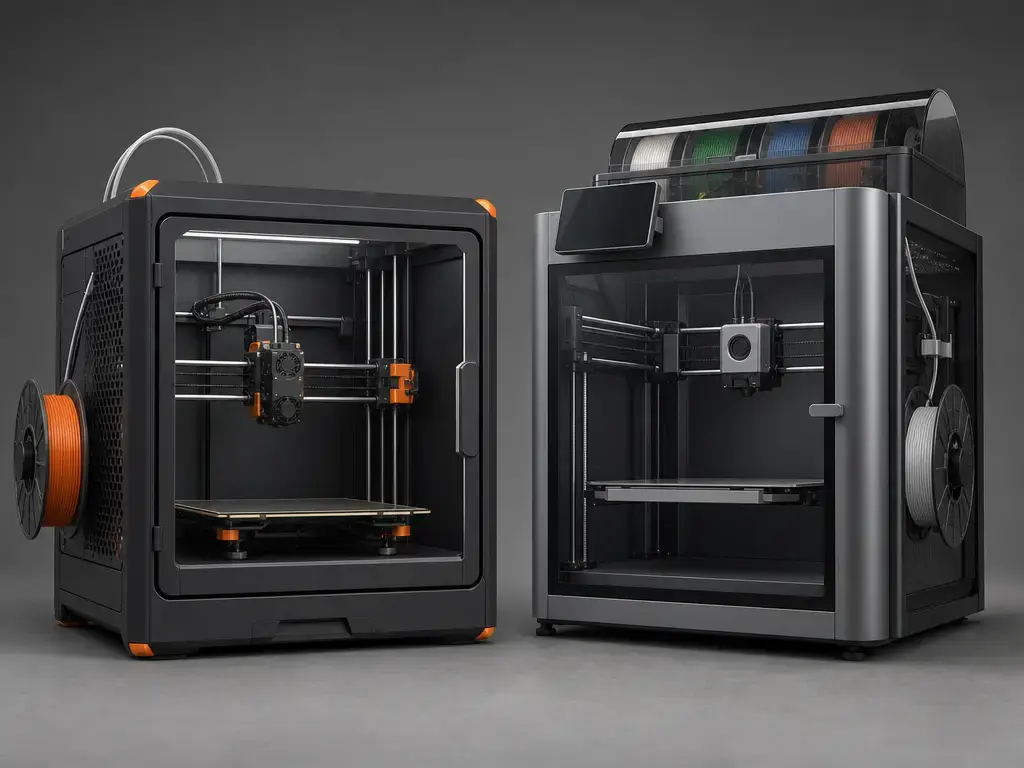
A 3D printer comparison like prusa core one vs bambu x1c is more useful when it stays focused on the design choices that affect finished parts. Both machines are enclosed CoreXY material-extrusion printers, but that architecture alone does not guarantee better prints. Motion-system stiffness, resonance control, extrusion stability, cooling behavior, chamber conditions, and slicer choices all shape the result. A chamber target can help with warp-prone materials, but CoreXY plus enclosure is still a platform description, not a print-quality verdict. [4] [5] [13] [15]
Terminology box
- Material extrusion — the process family where a heated nozzle deposits filament layer by layer. [15]
- FFF/FDM — common labels for filament-based material extrusion; FDM appears in Bambu’s own X1C spec language. [5] [13]
- Build volume — the maximum nominal XYZ envelope stated by the manufacturer.
- Usable build area — the practical subset of that envelope after purge space, skirts, brims, toolpath margins, and geometry are accounted for.
- Dimensional accuracy — how close a printed feature is to the CAD target.
- Repeatability — how consistently the printer reproduces the same result across repeated jobs.
- Layer height — the vertical thickness of each deposited layer.
- Volumetric flow — how much molten polymer the hotend can push per unit time.
- Print speed vs print time — motion capability is not the same thing as total elapsed job time.
ISO/ASTM 52900:2021 is the vocabulary reference that keeps those terms disciplined, while NIST’s material-extrusion overview anchors the process family used in this article. [13] [15] From there, the useful question is not whether a machine is “CoreXY” or “FDM,” but whether its motion system, calibration workflow, and chamber behavior suit the parts you need to print. [4] [5]
Print quality and speed in practice
3D Mag minimum fair print-quality protocol
- Use the same 0.4 mm nozzle diameter on both printers. [4] [5]
- Use the same filament brand and color for each material class.
- Document drying condition and ambient conditions.
- Run a baseline 0.20 mm profile plus 0.12 mm and 0.28 mm passes.
- Measure with calipers and repeated prints, not a single sample.
- Do not claim tolerances without stating sample count, instrument, axis, material, and method.
Visual surface quality vs dimensional accuracy
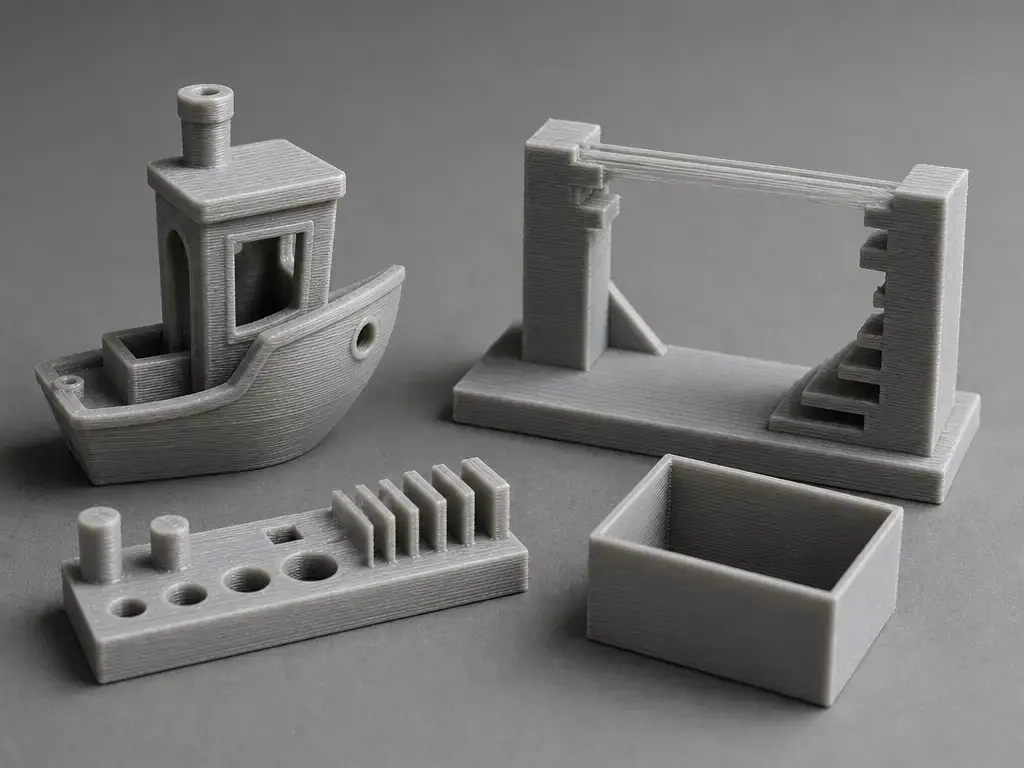
For prusa core one print quality comparison and prusa core one vs x1 carbon print quality comparison, surface finish and dimensional behavior should be treated separately. A printer can produce smooth-looking outer walls on a Benchy while still drifting on hole size, slot width, or repeat-part fit. Ringing, VFAs, seam visibility, bridging quality, top-surface uniformity, and first-layer consistency are real print-quality outputs, but they are not the same as dimensional accuracy or repeatability. ISO/ASTM 52902:2023 is the right framing reference here because it treats geometric capability as a benchmark problem rather than a visual impression. [14]
The CORE One+ page lists a 0.4 mm brass CHT nozzle and a 0.05–0.30 mm layer-height range, which is a reminder that print quality is bounded partly by the toolhead and partly by the profile. [4] On the X1C side, the published motion figures — 500 mm/s, 20 m/s², and 32 mm³/s @ ABS under a stated test condition — are manufacturer limits, not guarantees of final part quality or total print time. [5] Real output depends on slicer settings, geometry, cooling, material state, and whether the chosen layer height keeps the hotend inside a stable flow window. [4] [5]
Minimum fair print-quality test set
- Benchy for broad artifact visibility and bridging behavior.
- A thin-wall part for extrusion consistency.
- A tolerance or fit coupon with holes and pins.
- A vertical tower or column for ringing and vibration artifacts.
- A flat plate or large face for surface uniformity.
- A repeatability pair — print the same part twice and compare fit and dimensions.
Print-time comparison checklist (mandatory whenever you cite minutes)
- Slicer name and version.
- Printer firmware version, if known.
- Nozzle diameter and nozzle material.
- Filament type and brand, plus drying condition.
- Layer height and line width.
- Walls, top and bottom layers, plus infill percentage and pattern.
- Supports on or off, plus support type.
- Speed and acceleration profile name.
- Whether the time is slicer-estimated or stopwatch-measured.
Manufacturer speed numbers are useful, but only as upper bounds. Tom’s Hardware describes the X1C lidar as a tool for Z-offset, flow calibration, and first-layer scanning, with an advertised 7 μm resolution figure for the sensor itself. [6] That is workflow context, not proof of printed tolerance. Calibration aids can reduce setup variability, but they do not replace benchmark discipline or make a printer intrinsically more accurate on every geometry. [6] [14]
For this comparison, the more important question is not which machine can hit the bigger headline. It is which one keeps dimensions stable when layer height changes, when the model has small features, or when the material needs more conservative settings to preserve edge quality.
Build volume, physical size, and chamber behavior
The nominal prusa core one vs x1c build volume gap is real, but not dramatic. The CORE One+ lists 250 × 220 × 270 mm, while the X1C lists 256 × 256 × 256 mm. [4] [5] In practice, the Prusa trades some Y-axis depth for more Z height, while the Bambu offers a more cubic envelope. [4] [5]
Converted from those published dimensions, the CORE One+ works out to 14.85 L, while the X1C works out to 16.777216 L. [4] [5] That makes the X1C’s nominal volume about 12.98% larger by calculation from the published dimensions. That is still only a nominal comparison, not a guarantee of more usable space for every part. [4] [5]
In real jobs, usable build area is smaller than nominal build volume once purge lines, skirts, brims, sacrificial clearance, and orientation are taken into account. A tall narrow part may favor the CORE One+’s extra Z height, while a near-cubic part may benefit more from the X1C envelope. For prusa core one vs x1c build volume comparison, the difference matters most at the edge of fit, not as a deciding factor by itself. [4] [5]
The CORE One+ also has the clearer official chamber figure at 55 °C, which matters if you care about warp-prone materials and repeatable thermal conditions. [4] For the X1C, no reliable official chamber-temperature figure was found, so enclosure behavior is better discussed through workflow and material results than through chamber-number parity. [5] For placement, the Prusa is the larger and heavier machine at 415 × 444 × 555 mm and 22.5 kg, so desk depth and vibration control matter too. [4]
Running costs
A full total-cost-of-ownership model does not belong here without publication-day pricing, region, tax, and configuration details. For prusa core one vs bambu x1c, the more defensible running-cost questions are about wear parts, nozzle swaps, purge discipline, and the accessory stack around multi-material work. Those recurring costs usually matter more than abstract price talk. [4] [5] [7] [8]
The CORE One+ ships with a high-flow brass CHT 0.4 mm nozzle and a 10:1 Nextruder gear system, while the X1C ships with a hardened steel nozzle and hardened steel extruder gears by default. [4] [5] That means the Prusa’s stock nozzle is fine for general materials, but abrasive-filled filaments may push you toward a hardened nozzle sooner than on the X1C. If you mostly print standard materials, the X1C’s hardened hardware is better viewed as built-in wear headroom, not as a guarantee of lower total cost. [4] [5]
Multi-material use changes the equation again. Prusa’s MMU3 for the CORE One swaps to a supplied 0.4 mm brass nozzle, while Bambu’s AMS starts with 4 spool positions and can scale to 4 AMS units. [8] [7] In both cases, purge strategy and accessory choice affect filament use and elapsed time, but any waste or cost claim needs measured data, not intuition. [7] [8]
Ecosystem and software
Prusa’s workflow is built around an explicit split between local and cloud operation. The CORE One family supports Ethernet and Wi‑Fi; PrusaLink is accessed through the printer’s local IP on the local network, while Prusa Connect is the cloud layer. [10] Prusa also documents firmware flashing via USB flash drive, and its first-run guide says the network step is optional and can be skipped until later. [11] [12] In practical terms, that gives the CORE One+ a clear local-first fallback path. [10] [11] [12]
For Bambu’s X1C, the most direct source in this set for LAN-only behavior is a staff forum reply. In that reply, Bambu says that in LAN Only Mode all printer-to-Studio data exchange stays on the same LAN, and Bambu Studio authenticates using an access code shown on the printer screen. [9] That is operationally useful, but it is still best treated as a staff explanation of behavior rather than a formal spec-sheet promise. [9]
For day-to-day use, the friction points are concrete rather than philosophical. They tend to show up when you move printers between networks, update firmware, or decide how much of calibration and print prep you want to handle through a local web UI, a LAN workflow, or a cloud-connected app. If you want the least complicated offline fallback, Prusa’s USB update path and skippable first-run networking are straightforward advantages. If you are comfortable with Bambu Studio plus LAN-only or account-based workflows, the X1C remains workable, but its lifecycle status should be weighed alongside its software path rather than separately from it. [1] [9] [10] [11] [12]
Multi-material workflows — MMU3 vs AMS
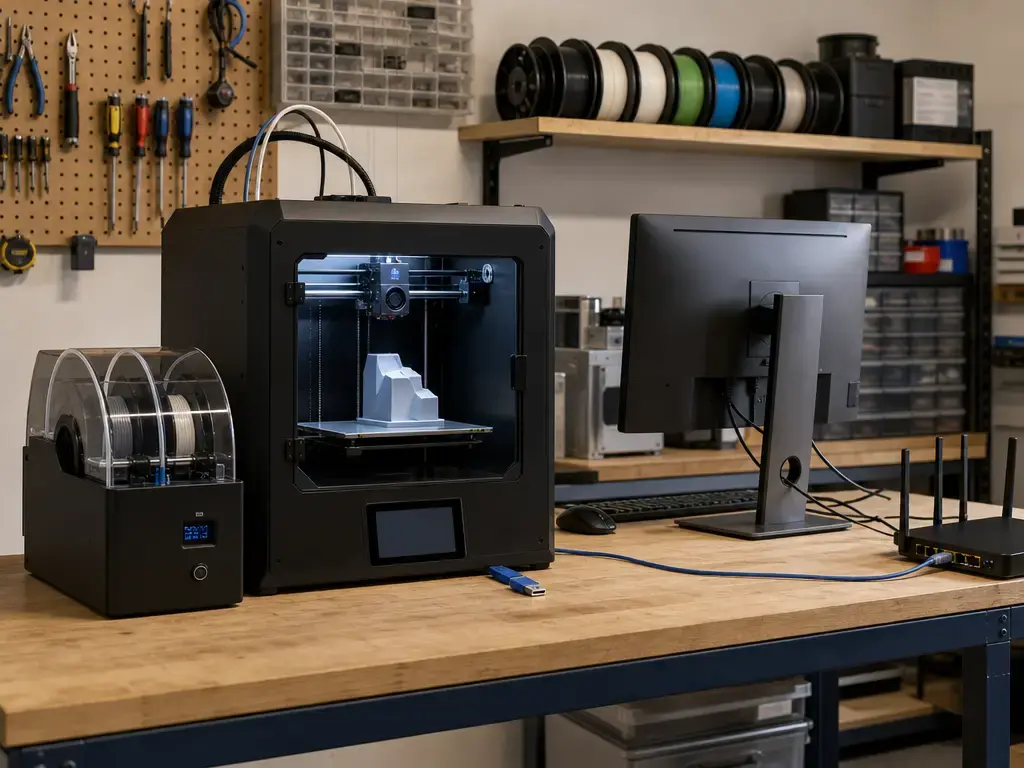
The basic capacity comparison is straightforward. Prusa’s MMU3 for the CORE One supports printing with up to 5 colors at once, and Prusa says the CORE One MMU3 package includes a 0.4 mm brass nozzle to replace the stock high-flow nozzle for better material efficiency. [8] Bambu’s AMS consists of four spool holders, a hub, and a buffer, and Bambu says you can connect up to 4 AMS units for 16 colors or materials. [7]
Operationally, the two systems emphasize different things. Bambu highlights an airtight AMS enclosure with desiccant slots, a humidity sensor, and controlled filament handling through the hub and buffer. [7] Prusa’s MMU3 framing for CORE One emphasizes the supplied brass nozzle swap and side-mounted spoolholders rather than a sealed feeder box. [8] That does not make one workflow universally better; it means the handling, footprint, and maintenance touchpoints differ. [7] [8]
Purge strategy is where the practical trade-off appears. Both systems add tool-change overhead in multicolor or multimaterial jobs, and both can consume extra filament depending on model geometry and slicer settings. The right way to compare MMU3 vs AMS is to measure a specific part with disclosed settings rather than assume one ecosystem is inherently cleaner or faster. [7] [8] For fair print-quality comparisons, hold nozzle diameter and nozzle type constant wherever possible, because the Prusa MMU3 configuration explicitly changes the nozzle setup. [4] [5] [8]
Supportability, repairability, and long-term ownership
For a comparison like prusa core one vs bambu x1c, “reliability” is only part of the ownership question. Maintainability, spare-part access, and the support policy matter just as much, especially when one printer is current and the other has already passed end of manufacturing and active sales. [1] [3]
Bambu says the X1 series gets bug fixes and feature updates through 2027-05-31, security patches through 2029-05-31, and support plus spare parts through 2031-03-31. [1] For a used or remaining-stock X1C, that is a real support runway, but it is still a bounded one tied to an EOL platform. Buyers should treat it as a maintenance horizon, not as an open-ended retail future. [1]
Prusa’s side is simpler to read. The printer is currently presented as CORE One+, so the ownership question starts from a live product family rather than a sunset one. [3] This article does not invent any specific future end-of-support date for Prusa, but current-line status is still a meaningful advantage for a buyer planning around serviceability rather than one-time novelty. [3] [4]
Who should buy which
The answer to prusa core one vs bambu x1c which is better depends more on buyer profile than on a single universal winner. The X1C’s EOL status and long support tail shape the used-market decision, while the CORE One+ stays in the current Prusa line with a published 55 °C chamber and automatic first-layer calibration via load cell. [1] [3] [4]
- Buying new in 2026 for general prosumer use — pick the Prusa CORE One+. It is the current model, it documents a 55 °C chamber and automatic first-layer calibration, and it avoids buying into a platform that already passed end of manufacturing and active sales. [3] [4]
- Buying remaining stock or used hardware at the right terms — pick the Bambu Lab X1C. The X1C still offers hardened wear parts by default, a 500 mm/s speed headline, and an AMS path that scales to 16 materials with four AMS units. [5] [7] Because Bambu’s support windows continue well past EOL, it can still be a rational legacy buy if the unit condition and deal structure make sense. [1]
- Already owning an X1C and deciding whether to switch — keep the X1C unless you specifically need a newer ownership model or Prusa-specific workflow. The support runway is still long enough that there is no automatic technical reason to replace it. [1] Switching makes more sense if you want the CORE One+ ecosystem, prefer its documented chamber behavior, or want to standardize around a current Prusa platform. [3] [4]
If you are choosing one printer today, the practical takeaway is simple: buy the CORE One+ for a fresh purchase, consider the X1C mainly as a supported legacy option, and keep an existing X1C unless your workflow gives you a specific reason to change.
FAQ
Which is better in 2026 — Prusa CORE One+ or Bambu Lab X1C?
For most new buyers, the Prusa CORE One+ is the better choice in 2026 because it is the current product line, while the X1 series reached end of manufacturing and active sales on 2026-03-31. Bambu’s support windows continue through 2027-05-31, 2029-05-31, and 2031-03-31, so a used or remaining-stock X1C can still be sensible. [1] [3]
How does build volume compare?
The CORE One+ is 250 × 220 × 270 mm, while the X1C is 256 × 256 × 256 mm. The X1C is nominally larger and more cubic, but the real-world difference is smaller than the raw numbers suggest because orientation, purge space, and clearance still matter. [4] [5]
Is print quality better on one printer?
Not automatically. Print quality depends on nozzle setup, layer height, filament condition, cooling, geometry, and slicer settings — not just brand or enclosure. For a fair prusa core one vs x1 carbon print quality comparison, use controlled test methodology and repeated measurements instead of photos alone. [14]
Which is faster?
The X1C has the stronger published motion headline at 500 mm/s, plus a stated 20 m/s² maximum acceleration. But headline speed is not the same thing as total print time. Actual job duration depends on geometry, flow ceiling, cooling, layer height, seam strategy, and profile choices. [5]
Should I buy a used or remaining-stock X1C in 2026?
Yes, if the unit condition and terms make sense. The X1C is no longer a current retail platform, but Bambu says bug fixes and feature updates continue to 2027-05-31, security patches to 2029-05-31, and support plus spare parts to 2031-03-31. That makes it a viable legacy buy, not an immediate dead end. [1]
What matters more for dimensional accuracy — speed or repeatability?
Repeatability. Dimensional accuracy is closeness to the CAD target; repeatability is how consistently the printer reproduces the same result over multiple samples. If you want defensible claims, use repeated prints, defined artefacts, disclosed measurement tools, and a standards-aware benchmark approach rather than a single “looks accurate” sample. [14]
Does lidar or load-cell calibration guarantee tighter tolerances?
No. The X1C’s lidar is best understood as a calibration aid, and the cited 7 μm figure refers to the advertised sensor resolution, not to printed tolerance. The CORE One+ load-cell first-layer calibration is also a workflow advantage, but neither feature guarantees tight dimensional error by itself. [4] [6]
Related on 3D Mag
Sources
Specs and dates were checked on 2026-07-28. Re-check time-sensitive facts if you are publishing later.
- Bambu Lab Blog — The X1 Series Is EOL —
https://blog.bambulab.com/the-x1-series-is-eol-the-standard-it-set-will-remain-forever/— Bambu Lab Blog — X1/X1C/X1E EOL + support windows (Mar 31, 2026). - Prusa Blog — Introducing Prusa CORE One —
https://blog.prusa3d.com/introducing-prusa-core-one-fully-enclosed-corexy-3d-printer-with-active-temperature-control_105477/— Prusa Blog — CORE One announcement date (Nov 19, 2024) + “shipping starts in January 2025” statement. - Prusa Product Page — Prusa CORE One+ —
https://www.prusa3d.com/en/product/prusa-core-one/— Prusa product page — current naming/positioning (“CORE One+”). - Prusa Product Page — CORE One+ Ultimate Edition Assembled —
https://www.prusa3d.com/en/product/core-one-ultimate-edition-assembled/— Prusa product/spec page — canonical hard specs for this comparison (build volume, temps, nozzle, load cell, dimensions). - Bambu Lab Technical Specs PDF — X1 Carbon —
https://public-cdn.bambulab.com/store/bambulab-X1-carbon-tech-specs.pdf?v=20241214042009— Bambu Lab technical specs PDF — X1C build volume, speed/accel/flow, temps, nozzle/gears material. - Tom’s Hardware Review — Bambu Lab X1 Carbon —
https://www.tomshardware.com/3d-printing/bambu-lab-x1-carbon-3d-printer-review— Tom’s Hardware review — lidar workflow details + advertised 7 μm figure; secondary spec cross-check. - Bambu Lab Blog — AMS —
https://blog.bambulab.com/ams/— Bambu Lab Blog — AMS architecture; 4 slots; up to 4 AMS / 16 materials. - Prusa Blog — MMU3 for the Prusa CORE One —
https://blog.prusa3d.com/mmu3-for-the-prusa-core-one-is-here_115073/— Prusa Blog — MMU3 for CORE One: up to 5 colors; 0.4 mm brass nozzle note. - Bambu Lab Community Forum — LAN Only Mode staff reply —
https://forum.bambulab.com/t/can-bambu-studio-access-the-printer-directly-in-lan-only-mode/6713— Bambu Lab Community Forum — staff explanation of LAN-only behavior and access-code auth (operational sourcing). - Prusa Help — Network Connection for CORE One family —
https://help.prusa3d.com/article/network-connection-core-one-l-core-one-mk4s-mk3-9s_736892?product=core-one-plus— Prusa KB — Ethernet/Wi‑Fi; PrusaLink local-IP access; Prusa Connect cloud. - Prusa Manual PDF — CORE One Assembled —
https://help.prusa3d.com/wp-content/uploads/generated/prusa-core-one-assembled_2313_en_2026-01-08.pdf— Prusa manual PDF — firmware update via USB. - Prusa First-Run Guide PDF — CORE One Assembled —
https://help.prusa3d.com/wp-content/uploads/generated/prusa-core-one-assembled_2313_guide_980185_en_2026-05-06.pdf— Prusa manual PDF — first-run network step optional/skippable. - ISO — ISO/ASTM 52900:2021 Additive manufacturing vocabulary —
https://www.iso.org/standard/74514.html— ISO — ISO/ASTM 52900:2021 vocabulary standard details. - ISO — ISO/ASTM 52902:2023 Geometric capability and test artefacts —
https://www.iso.org/standard/79683.html— ISO — ISO/ASTM 52902:2023 test artefacts / geometric capability assessment standard details. - NIST — Material Extrusion —
https://www.nist.gov/additive-manufacturing/research-areas/technologies/material-extrusion— NIST — material extrusion process anchor.