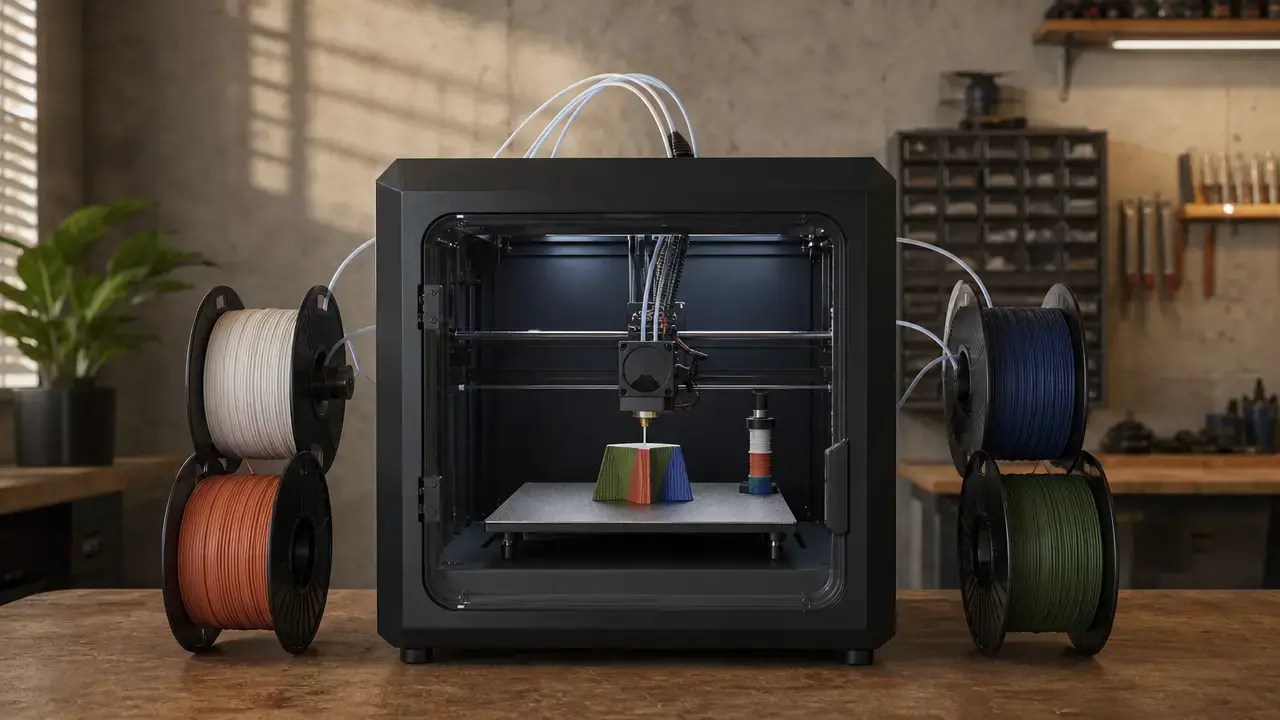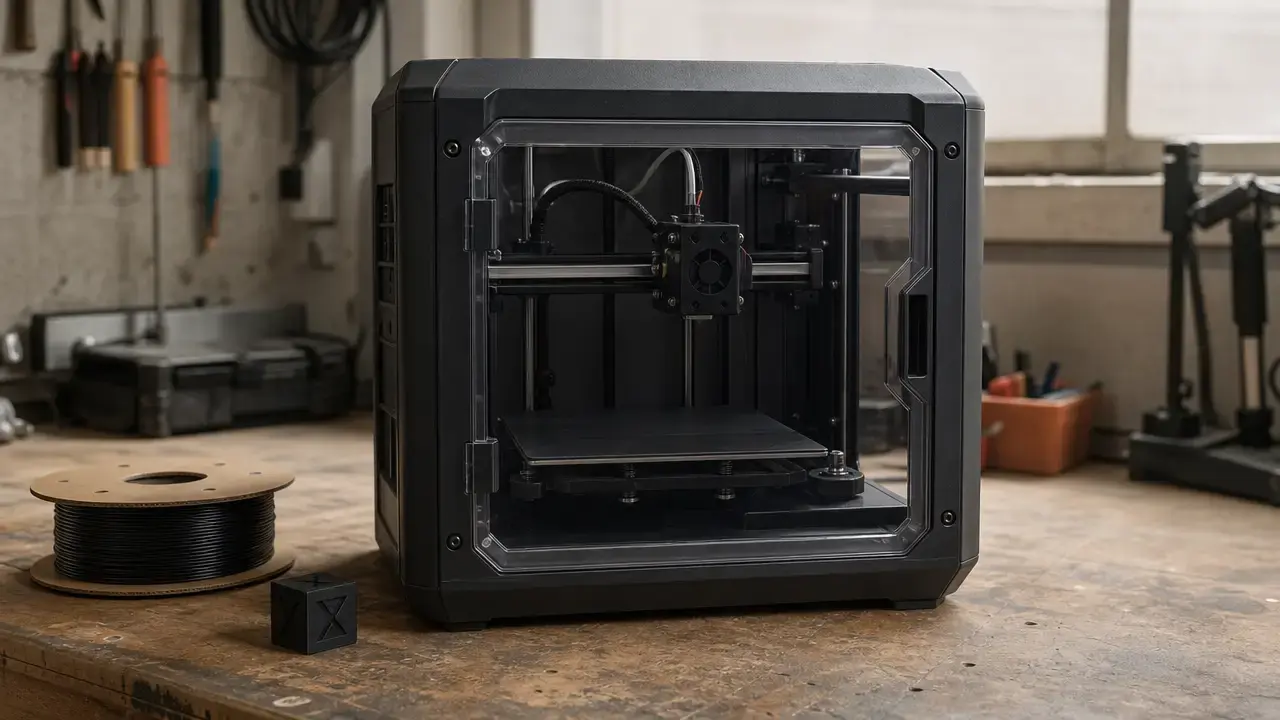
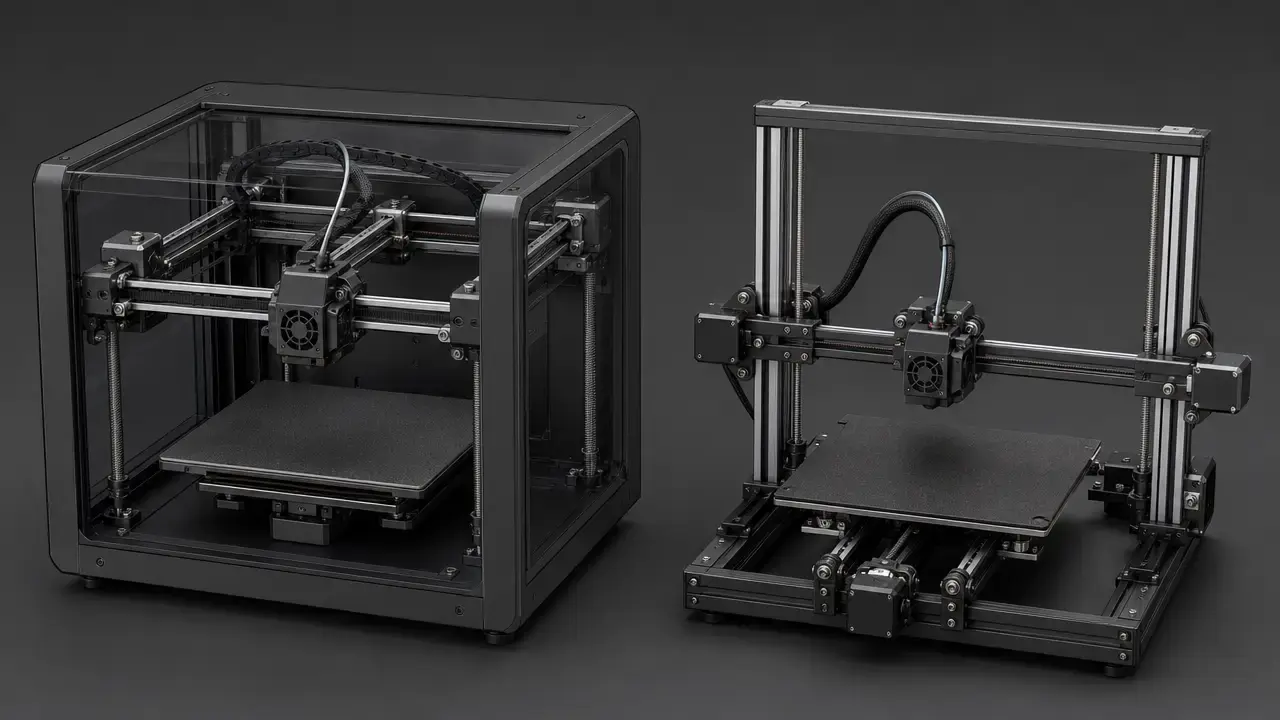

Summary: Prusa vs Bambu Lab (MK4S vs P1S) in one minute
In prusa vs bambu lab shopping for a new desktop material-extrusion printer in 2026, the broader default pick is the Bambu Lab P1S, while the stronger niche pick is the Original Prusa MK4S. The P1S gets that broader recommendation because it combines a built-in enclosure, a larger nominal build volume of 256 × 256 × 256 mm³, and higher advertised motion specs of 500 mm/s and 20 m/s² in one integrated workflow. Bambu also says the P1S will continue to be manufactured and sold after the P1P end-of-life announcement on February 10, 2026. [S12] [S16] The MK4S is the better fit if you care more about documented offline operation, repair-first ownership, and Prusa’s explicit MK4 to MK4S upgrade path than an all-in-one ecosystem. [S08] [S09] [S22]
Choose the MK4S if privacy-sensitive or air-gapped operation, upgradeability, and a less vertically integrated toolchain matter most. [S08] [S09] [S22] Choose the P1S if you want enclosed everyday convenience, stronger out-of-the-box multicolor options, and faster motion-spec ceilings, but verify price at publication for your exact region, currency, and bundle. [S12] [S17]
How we compare
Our evidence hierarchy is simple: first, standards and scientific guidance for terminology and test framing; second, manufacturer specs and official documentation for exact features and numbers; third, independent hands-on reviews for reviewer-reported experience; and fourth, community anecdotes only to show what can happen, not how often it happens. [S04] [S05] [S23] This article uses material extrusion or FFF as the generic process label because ISO/ASTM provides the additive-manufacturing vocabulary framing, while Stratasys lists FDM as a trademark. [S01] [S06]
That hierarchy matters because desktop printer comparisons often blur motion specs, throughput, print quality, and dimensional performance into one vague “better” claim. [S04] [S23] Our rule is strict: no dimensional-accuracy claim is meaningful without the artefact, material, slicer or profile, orientation, sample size, and measurement method. [S04] ISO/ASTM 52902 frames benchmark artefacts and the measurements to take, while NIST’s FFF optimization study is a reminder that geometry outcomes depend on process parameters such as extrusion temperature, extrusion velocity, and layer thickness. [S04] [S23]
The exact printers being compared (and what “MK4 vs P1S” really means in 2026)
For a new buyer in 2026, the real comparison is Original Prusa MK4S versus Bambu Lab P1S, not original-release MK4 versus P1S. [S09] [S16] People still search “Prusa MK4 vs Bambu P1S” because the MK4 name has search momentum, used-market inventory, and upgrade relevance, but Prusa’s documentation now treats MK4 to MK4S as an official upgrade path rather than a dead-end branch. [S09] On the Bambu side, the P1S is the surviving mainstream P1-series enclosure-first option after Bambu’s February 10, 2026 P1P end-of-life notice, which explicitly says the P1S will continue to be manufactured and sold. [S16]
Used/refurb note: A used MK4 can still be sensible if the price is right, but check whether it already has the MK4S upgrades or whether you are budgeting for the official MK4 to MK4S path. [S09]
The surrounding market is broader than this article. Bambu’s own 2026 lineup context now references the P2S, and Prusa’s current product ecosystem also includes the CORE One family, but those machines change the budget and architecture discussion enough that they should not be folded into a “MK4S vs P1S” verdict by implication. [S16] [S22] This guide stays focused on the two models most likely to be cross-shopped by mainstream FFF buyers who want one enclosed convenience pick and one repair-first, offline-friendly pick. [S08] [S16]
CoreXY vs bed-slinger: what changes (and what doesn’t)
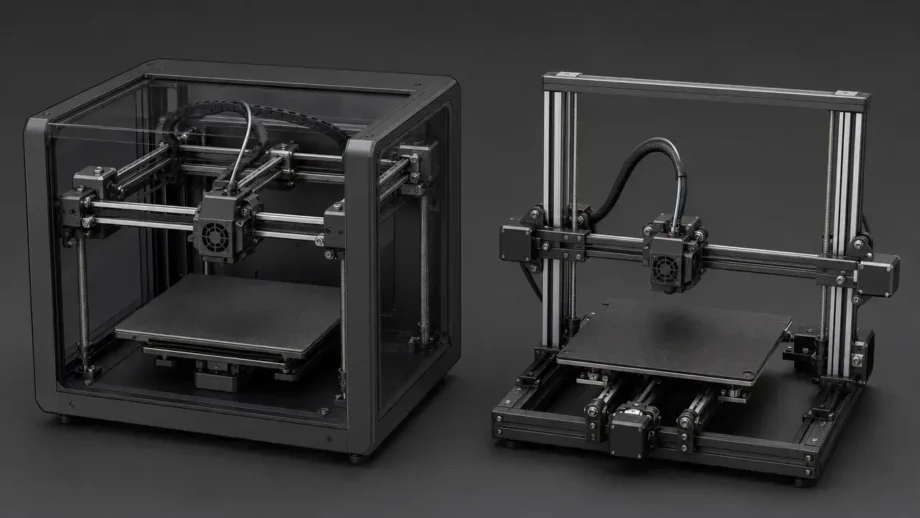
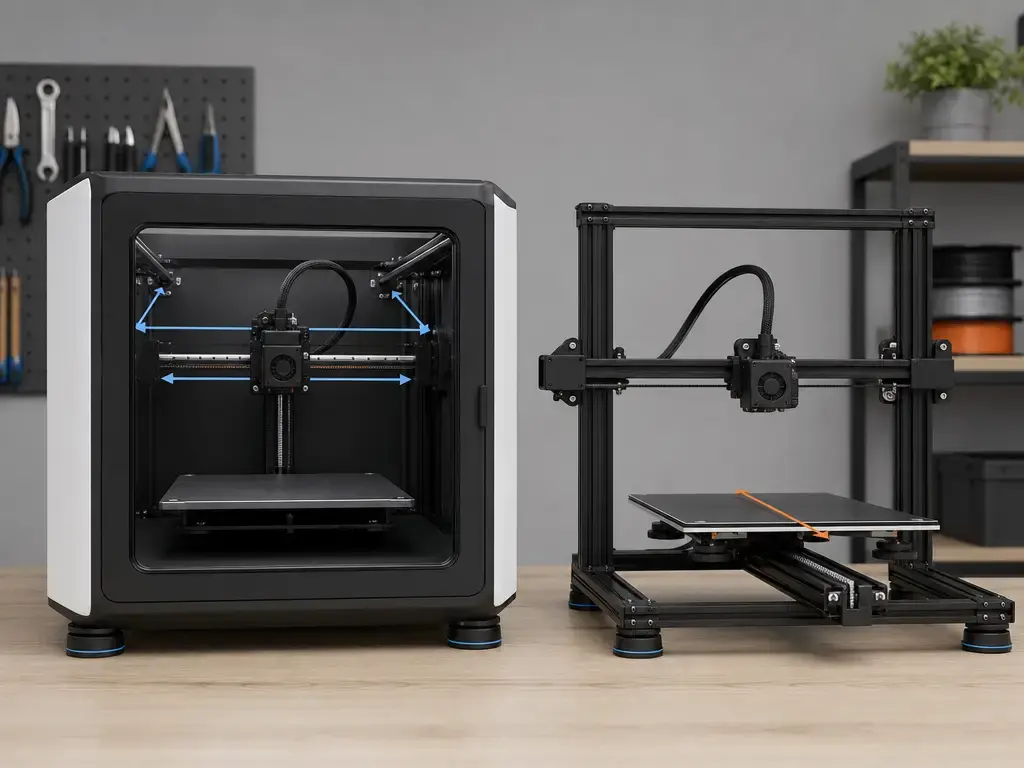
The P1S is a CoreXY machine, which means the toolhead handles the fast XY motion while the bed mainly moves in Z. The MK4S is a Cartesian bed-slinger, which means the bed itself moves during printing travel while the toolhead handles the other axis motion. Those architecture choices affect enclosure design, machine footprint in use, and how moving mass shows up in tuning, but they are not standards-based proof of any universal performance winner. [S01]
- CoreXY toolhead motion: the P1S layout is naturally friendly to an enclosed box because the bed does not shuttle front-to-back during printing travel. [S12] [S13]
- Bed-slinger moving mass: the MK4S moves the bed through print travel, which can make very tall or momentum-sensitive parts behave differently than on a CoreXY machine. [S07]
- Enclosure practicality: the P1S ships enclosed, while the MK4S relies on an optional external enclosure path for materials that benefit from it. [S13] [S07]
- Footprint and vibration: a bed-slinger often needs more working-envelope clearance in front and back, while a boxy CoreXY can feel tidier on a bench. No architecture eliminates vibration by itself; it only changes where the moving mass lives.
- Accuracy caution: none of the above proves dimensional accuracy on its own. [S04] [S23]
The practical takeaway is not “CoreXY good, bed-slinger bad.” The P1S packages enclosure-friendly motion in a more appliance-like shell, while the MK4S keeps more of the machine exposed and easier to access for cleaning, part swapping, and mechanical understanding. [S07] [S13] If you are buying for a classroom, workshop, or private office, that ownership shape can matter as much as speed marketing. [S08] [S24]
Prusa MK4S vs Bambu Lab P1S: the decision snapshot
Use the table below as a fast filter, not as a substitute for the deeper sections. Some features are built-in, some are optional, some are combo-only, and some are workflow-dependent. [S08] [S15]
| Use case | Prefer MK4S when… | Prefer P1S when… | Notes (optional/add-on/dependency) |
|---|---|---|---|
| Privacy-sensitive workflow | You want documented fully offline slicing, transfer, and printing, and may never connect the Wi-Fi module. [S08] | LAN mode on your local network is enough for your environment. [S15] | MK4S offline path is built-in and documented. P1S LAN mode is workflow-dependent and officially means no cloud connection with same-LAN client access in most cases. [S08] [S15] |
| Enclosed ABS/ASA work | You are willing to add the Original Prusa Enclosure with filtration add-on for ABS, ASA, HIPS, or PA. [S07] | You want a built-in enclosure from day one. [S13] | MK4S enclosure is optional. P1S enclosure is built-in. [S07] [S13] |
| Multicolor convenience | Five loaded filaments in the Prusa ecosystem is enough. [S19] | You want the easier mainstream path to four-spool loading and scaling up to 16 with more AMS units and a hub. [S17] | MMU3 is optional. AMS is optional or combo-only, depending on bundle. [S17] [S19] |
| Repair-first ownership | You value documented upgrade paths and Prusa’s open-source matrix. [S09] [S22] | You prefer a more vertically integrated appliance workflow. [S20] [S21] | This is a philosophy split more than a raw-spec split. [S20] [S21] [S22] |
| Classroom or lab deployment | Air-gapped or tightly controlled USB workflows matter. [S08] | Standardized enclosed machines on one local network fit the room better. [S15] | Check your network, privacy, and ventilation policies first. [S15] [S24] |
| Print-farm leaning | You prioritize access, documented service paths, and upgrade continuity. [S09] [S22] | You prioritize enclosed throughput-oriented convenience and higher motion-spec ceilings. [S12] [S13] | No controlled fleet-wide reliability winner is established here. |
| Everyday “just print” ownership | You do not mind a more hands-on, toolchain-controlled experience. [S08] [S22] | You want the more appliance-like mainstream default. [S12] [S13] | This is the row that drives the broad verdict. |
The fast read is straightforward. If your shortlist starts with enclosed convenience, integrated multicolor, and the broader mainstream pick, the P1S is the easier answer. [S12] [S13] [S17] If it starts with documented offline printing, upgrade continuity, and more control over ownership and repair, the MK4S remains very strong. [S08] [S09] [S22]
Specs that matter (with built-in vs optional qualifiers)
This is not a datasheet dump. The table below keeps only the specs and workflow qualifiers that actually change buying decisions between the MK4S and the P1S. [S07] [S12]
| Decision factor | MK4S | P1S | Why it matters |
|---|---|---|---|
| Build volume | 250 × 210 × 220 mm. [S07] | 256 × 256 × 256 mm³ nominal, but Bambu says Bambu Studio defaults printable height to 250 mm to prevent heatbed damage, and the filament cutter stopper can occupy part of the area. [S12] [S13] | The P1S is roomier on paper, but the practical Z story is not just “256 wins.” |
| Max nozzle and bed temperatures | 290 °C nozzle, 120 °C heatbed. [S07] | 300 °C hot end, 100 °C build plate. [S12] | Hotend and bed limits influence which materials are comfortable, especially without overdriving profiles. |
| Stock nozzle and size options | High-flow Prusa Nozzle brass CHT, 0.4 mm stock; Prusa also documents hardened and abrasive-oriented Nextruder nozzle options. [S07] [S10] | Stainless steel 0.4 mm included; optional 0.2, 0.6, and 0.8 mm; CF/GF guidance points to hardened steel for abrasive use. [S12] [S14] | Stock hardware is not the whole abrasive story. |
| Enclosure state | Open printer by default; enclosure path is optional. [S07] | Built-in enclosure. [S13] | This is one of the biggest day-one differences. |
| Filtration | Optional filtration path through enclosure add-ons, not built in. [S07] | Activated carbon filter listed in the official specs. [S12] | Filters can help, but they are not a blanket ABS/ASA safety guarantee. [S24] [S25] |
| Multi-material path | MMU3 supports up to five filaments at the same time. [S19] | AMS provides four spool positions per unit and can scale to 16 with four AMS units and a hub. [S17] [S18] | This is about workflow fit, not just color count. |
| Offline / LAN / cloud workflow | Officially documented offline and air-gapped workflow. [S08] | Officially documented LAN mode where the printer does not connect to the cloud service and usually only same-LAN clients can access it. [S15] | The privacy and network story is different, not binary. |
| Price | Verify at publication (region/currency/bundle). | Verify at publication (region/currency/bundle). | Bundle contents move fast, especially around AMS or accessory combinations. |
The spec pattern explains most of the split. The MK4S gives you a hotter bed, an official offline-first story, and a nozzle ecosystem that can be steered toward abrasives if you choose the right Nextruder hardware. [S07] [S08] [S10] The P1S gives you a built-in enclosure, a slightly hotter nozzle ceiling, a larger nominal volume, and higher advertised motion numbers, but Bambu’s own material positioning still marks carbon/glass-fiber-reinforced polymers as not recommended on the stock P1S spec sheet. [S12] That matters because “enclosed” and “300 °C” do not automatically mean “ready for every engineering composite.” [S12] [S14]
Workflow and day-to-day use
The MK4S workflow is shaped around flexibility and explicit control. Its official spec lists a USB drive print medium, an optional ESP Wi-Fi module delivered with the printer, a loadcell sensor, and automatic mesh bed leveling. [S07] Prusa’s offline workflow documentation goes further and says the entire process, from slicing through data transfer to the printer, can be done completely offline without affecting print quality or the printer’s available settings. [S08] If you want network features later, Prusa Connect exists, but the machine’s core pitch does not depend on it. [S08]
The P1S workflow is more integrated by default. Bambu Studio is the center of gravity, and the P1S spec sheet says it supports third-party slicers that export standard G-code, including PrusaSlicer-family tools, but warns that certain advanced features may not be supported. [S12] That is a useful middle ground: you are not locked to one slicer for basic job generation, but the deepest feature fit is still inside Bambu’s own stack. [S12] On the network side, Bambu’s official LAN mode definition is narrower than vague “offline” talk on forums: the printer does not connect to the cloud service, and usually only client software on the same local area network can access it. [S15] That is enough for many workshops, but it is not the same claim as a deliberately air-gapped USB-first workflow. [S08] [S15]
Reviewer reports broadly match that shape. All3DP described the P1S as a tightly controlled ecosystem that “just works,” while its MK4S hands-on emphasized Prusa’s iterative lifecycle support and upgrade continuity. [S26] [S27]
Print speed vs throughput: what the numbers do and do not mean
Prusa vs Bambu Lab print speed: motion specs vs real parts
“Fast printer” can mean at least four different things: a high toolhead-speed ceiling, high acceleration, high hotend flow, or simply short total job times on real parts. The P1S official spec sheet clearly publishes the first two, with a maximum toolhead speed of 500 mm/s and maximum toolhead acceleration of 20 m/s². [S12] Those are important numbers, but they are kinematic ceilings, not a promise that every perimeter, every corner, and every surface of every print will run at those values. [S12]
The same official P1S PDF also shows why marketing often stops too early. Bambu’s “max hot end flow” claim is 32 mm³/s at ABS, but it is tied to stated test conditions: a 150 × 150 mm single-wall model, Bambu ABS, and 280 °C. [S12] That is useful because it shows flow being measured under a specific material and geometry context, not as a universal printer constant. [S12] Real throughput is still gated by bead width, layer height, cooling limits, minimum layer time, feature size, and how much of a part is actually long straight infill versus detail-heavy outer geometry. [S12] [S23] Higher motion specs can shorten many jobs, especially enclosure-friendly utility parts, but they do not erase extrusion physics or part geometry. [S12] [S23]
That is why this article does not make raw cross-printer print-time promises. Unless your team runs matched tests, or you have tightly matched independent tests using the same material, nozzle, layer height, orientation, and cooling assumptions, “printer A is X% faster” is usually less rigorous than it sounds. [S04] [S23]
Print quality, dimensional performance, and “accuracy” claims
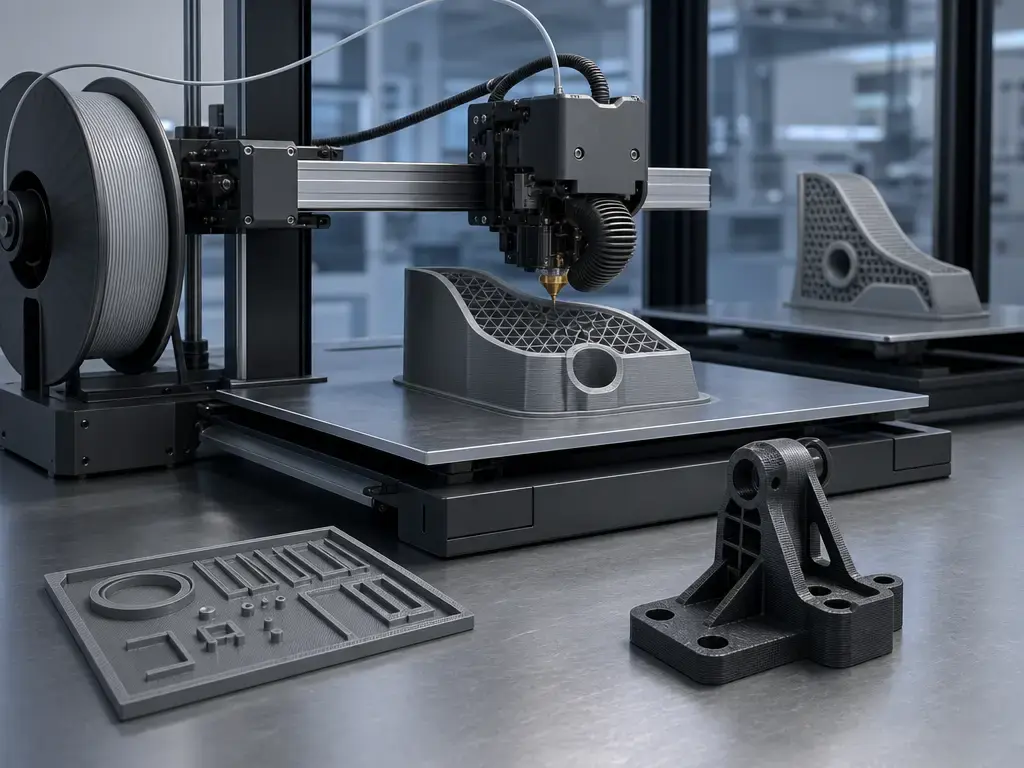
Print quality, precision, resolution, and dimensional accuracy are not the same thing. A layer height range describes selectable vertical slicing increments, not guaranteed dimensional trueness of a finished part. [S04] Surface finish can look better on one model while hole size, flatness, or warpage is worse, and vice versa. [S04] If someone claims one of these printers is “more accurate,” the fair engineering checklist is benchmark artefact, material, slicer profile, part orientation, sample count, and measurement method. ISO/ASTM 52902 is useful here because it frames benchmark artefacts and the measurements to take, while explicitly not dictating one universal measurement method or one universal machine setup. [S04]
If you need formal reporting language for orientation and coordinate context, note that ISO/ASTM 52921:2013 is withdrawn and ISO 17295:2023 is the current published reference for part positioning, coordinates, and orientation reporting. [S02] [S03] Without that protocol, no reliable universal figure was found. [S04] [S23]
Materials & enclosure: capability matrix + air-quality caveats
Materials decisions should be split into four questions: hotend limit, bed limit, enclosure behavior, and abrasive readiness. The MK4S official page lists a 290 °C nozzle limit and 120 °C heatbed limit, and its supported-materials list includes PLA, PETG, Flex, PVA, PC, PP, CPE, and PVB by default, with ABS, ASA, HIPS, and PA added when using the Original Prusa Enclosure with filtration add-on. [S07] The P1S official specs list a 300 °C hot end and 100 °C build plate, and Bambu positions PLA, PETG, TPU, ABS, ASA, PVA, and PET as “ideal,” PA and PC as “capable,” and carbon/glass-fiber-reinforced polymer as “not recommended.” [S12]
Abrasive compatibility depends on nozzle and drive-path wear parts, not only enclosure or max temperature. [S10] [S14] Prusa documents hardened and abrasive-oriented Nextruder nozzle options, and its composite-material guidance says metal-filled materials are highly abrasive and require a hardened steel nozzle. [S10] [S11] Bambu’s hotend compatibility guidance points CF/GF users toward hardened steel, and Bambu’s own compatibility tables flag those materials as requiring hardened hardware for appropriate use on the P1 series path. [S14]
| Material family | Thermal limits | Enclosure need | Abrasive readiness (stock vs upgrade) | Safety/ventilation note |
|---|---|---|---|---|
| PLA / PETG | MK4S: 290/120. P1S: 300/100. [S07] [S12] | Usually optional for both; P1S enclosure is built in, MK4S enclosure is optional. [S07] [S13] | Stock hardware is generally fine. [S07] [S12] | Still use sensible room ventilation. [S24] |
| TPU | Thermal headroom is available on both official spec sheets. [S07] [S12] | Enclosure usually not the main question. | Stock path is the baseline discussion; AMS is not compatible with elastic material like TPU. [S17] | Ventilation still matters, especially in shared spaces. [S24] |
| ABS / ASA | Both have the temperatures to attempt them, but bed and enclosure behavior differ. [S07] [S12] | MK4S: optional enclosure path. P1S: built-in enclosure. [S07] [S13] | Not mainly an abrasive issue. | Filters may reduce exposure, but they are not substitutes for ventilation. [S12] [S24] [S25] |
| PA / PC | MK4S officially supports PC by default and PA with enclosure qualifier; P1S lists PA and PC as “capable.” [S07] [S12] | Often benefits from enclosure stability. [S07] [S13] | Unfilled grades differ from filled grades; check filament requirements. [S10] [S14] | Treat emissions and warping control as separate issues. [S24] |
| CF / GF composites | P1S spec sheet says not recommended; Bambu guidance points to hardened steel requirements for CF/GF use. [S12] [S14] | Enclosure alone does not make them stock-ready. | MK4S needs upgraded nozzle choice for serious abrasive use; P1S needs hardened path, not stock stainless alone. [S10] [S14] | Ventilation remains necessary. [S24] [S25] |
| Metal / wood-filled | Both can have the temperature range, but particle size and wear become the real issue. [S07] [S12] | Usually not mainly an enclosure question. | Prusa says metal-filled materials require a hardened steel nozzle; larger-particle wood or metal blends also raise clogging risk. [S11] | Dust, particles, and post-processing mess justify good controls. [S24] [S25] |
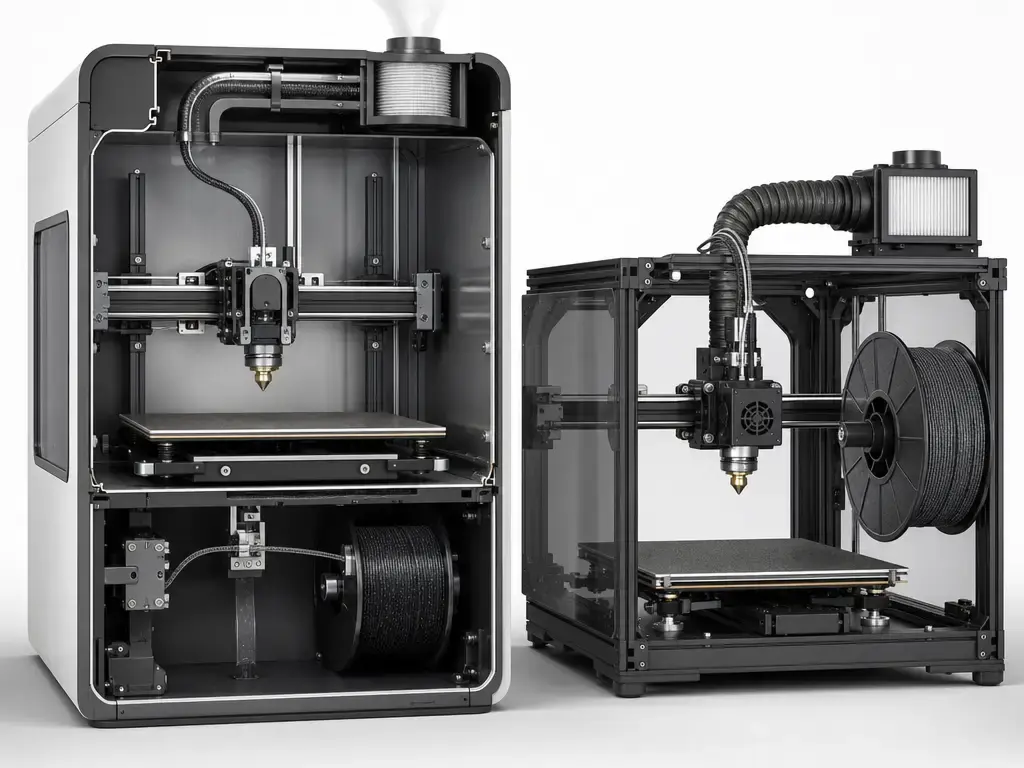
The safety point is easy to overstate, so keep it plain. NIOSH says ventilation is an important engineering control for 3D printer emissions, recommends approaches such as local exhaust or ventilated racks, and notes that there are currently no occupational exposure limits specific to 3D printer emissions and that health effects are not fully understood. [S24] UL Chemical Insights likewise frames filtration and ventilation as part of a broader exposure-control strategy, not as a printer-specific promise that one carbon filter makes ABS or ASA safe. [S25]
Multi-color & multi-material workflow: AMS vs MMU3
Treat AMS and MMU3 as workflow systems, not as color-count scoreboard entries. Bambu describes the AMS as a system built around four spool holders, and says a single printer can use up to four AMS units with an AMS hub for up to 16 colors or materials. [S17] Its spare-parts documentation also describes each AMS as having four feeder units, which helps explain why it feels like a tightly integrated add-on rather than just an external spool rack. [S18] Prusa’s MMU3, by contrast, is officially framed as printing with up to five filaments at the same time. [S19]
The workflow tradeoff is about what annoys you less. Bambu’s AMS explainer openly notes purge waste, switch time, incompatibility with elastic material like TPU, and sensitivity to cardboard spools. [S17] Prusa’s MMU3 page likewise frames change efficiency as a major feature and claims average filament changes of 35 to 45 seconds, which is useful context but still a manufacturer claim rather than a universal field number. [S19] Both systems are still single-nozzle color or material changers, so both pay a time and waste penalty compared with a true multi-tool machine. [S17] [S19]
- Choose AMS if integrated convenience and scaling color count are your priority. [S17]
- Choose MMU3 if the Prusa ecosystem, serviceability, and five loaded filaments fit your workflow better. [S19] [S22]
- Avoid either if purge waste and color-change time are unacceptable for your jobs. [S17] [S19]
Reliability, maintenance, repairability, and support
This is where evidence quality matters most. Official pages tell us a lot about service paths, upgrade continuity, accessories, and documented workflows, but they do not provide a controlled head-to-head fleet reliability dataset. Prusa’s side is stronger on explicit lifecycle messaging, including the official MK4 to MK4S upgrade route and a public open-source matrix that documents what layers are available across products. [S09] [S22] Bambu’s side is stronger on integrated packaging and appliance-like setup, but that same integration also means more of the experience is centered on Bambu’s own software, accessories, and workflow assumptions. [S20] [S21]
No fleet-level controlled reliability dataset was found in the provided sources, so there is no evidence-based universal reliability winner here. Reviewer experience can still help with ownership texture: All3DP’s P1S review emphasized low-fuss printing inside a tightly controlled ecosystem, while its MK4S hands-on framed Prusa’s machine as another step in a longer support-and-upgrade story. [S26] [S27] That is useful buying context, but it is not failure-rate evidence. [S26] [S27]
Privacy, offline use, and ecosystem lock-in
Prusa’s official position is unusually direct. Its offline-workflow documentation says the whole workflow can be done completely offline without affecting print quality or the printer’s available settings, and it explicitly says users can keep the printer fully isolated from the outside world. [S08] It even notes that users can choose never to connect the Wi-Fi module at all. [S08] If you are buying for a private workshop, secure lab, or policy-heavy school environment, that clarity matters more than vague “supports USB” bullet points. [S08]
Bambu’s official LAN mode claim is also real, but narrower. Bambu defines LAN mode as a working mode in which the printer does not connect to the cloud service, and usually only client software on the same local network can access it. [S15] That means the P1S should be described as having official local-network operation, not as a cloud-only machine. [S15] It also means you should avoid claiming more than Bambu claims, because “LAN mode” is an official mode definition, not a blanket substitute for every cloud-adjacent behavior people may assume. [S15]
The open-source question is layered, not binary. Prusa’s page presents an open-source matrix of printed parts, firmware, electronics, and other hardware availability across products, which is why “fully open” is too blunt a label. [S22] Bambu Studio’s GitHub repository says it is licensed under GNU AGPL v3 and based on PrusaSlicer, but Bambu also says an independent closed-source networking plugin is used to communicate with Bambu Cloud Service. [S20] [S21] For buyers, the practical difference is control over the toolchain, not a one-word tribal label. [S08] [S20] [S21] [S22]
Who should buy which?
For most readers comparing prusa vs bambu lab, the answer is not ideological. Buy the machine whose workflow assumptions already match your room, materials, and tolerance for ecosystem control.
If you are a beginner, or you mostly want décor prints, cosplay parts, everyday utility pieces, and occasional multicolor work without a long tuning phase, the P1S is the safer broad recommendation. [S12] [S13] [S17] The built-in enclosure, higher motion-spec ceiling, and easier path into AMS-style multicolor are the main reasons. [S12] [S17]
If you are buying for a school, lab, or privacy-sensitive environment, the MK4S becomes much easier to defend. [S08] Prusa’s air-gapped documentation and its more transparent upgrade and documentation posture are concrete advantages there. [S08] [S09] [S22]
For farms, engineering-material users, and repair-first owners, the recommendation splits. The P1S makes sense when you want enclosed convenience now and are happy to work inside Bambu’s workflow while adding hardened parts if your material plan moves into abrasives. [S12] [S13] [S14] The MK4S makes more sense when you care about documented upgrade paths, deliberate offline control, and selecting the right nozzle path for abrasive work inside the Prusa ecosystem. [S08] [S09] [S10] [S11] If your engineering-filament plan really means regular CF/GF production on stock hardware, neither printer should be oversold: the stock P1S spec sheet says not recommended for carbon/glass-fiber-reinforced polymer, and the MK4S still depends on choosing the right upgraded nozzle hardware. [S10] [S12] [S14]
Limitations + what to verify before you buy
This comparison can tell you the official specs, workflow posture, materials framing, and ownership philosophy of each machine. It cannot settle universal winners for reliability, dimensional accuracy, or total cost of ownership without controlled testing or same-day commercial verification. [S04] [S23] It also cannot erase bundle drift: on the P1S side especially, whether you are looking at printer-only versus combo packages changes the real value proposition, and official store notes such as the default 250 mm printable-height setting in Bambu Studio are exactly the kind of practical caveat buyers miss when they compare only headline numbers. [S13]
Before you buy, verify these five things.
- Region and currency price, plus exact bundle contents, especially whether AMS or similar accessories are included.
- Stock nozzle type, and whether your abrasive plans require hardened parts. [S10] [S14]
- Whether your environment needs Prusa-style fully offline workflow or whether Bambu LAN mode is sufficient. [S08] [S15]
- Spare-parts availability expectations and how much self-service maintenance you expect to do. [S09] [S22]
- Your room ventilation plan if ABS or ASA is on the material list. [S24] [S25]
Hard prices should be verified at publication for the U.S. region, exact currency, and exact bundle date. The printer that looks cheaper in a headline may be missing the accessory path you actually need. [S13] [S17] [S19]
FAQ
Prusa vs Bambu Lab: which is better overall?
For the broadest new-buyer audience, the P1S is the easier default because it bundles an enclosure, larger nominal volume, and higher published motion specs into a very integrated workflow. [S12] [S13] The MK4S is the better fit if your priorities are offline control, lifecycle support, and a more repair- and documentation-friendly ownership model. [S08] [S09] [S22]
Prusa MK4 vs Bambu Lab P1S: which should I buy in 2026?
If you are buying new in 2026, compare the MK4S to the P1S, not the older MK4 naming in isolation. [S09] The reason people still say “MK4” is mostly search shorthand and used-market context. [S09] A used MK4 can still make sense, but only if you account for the official MK4 to MK4S upgrade path when comparing value. [S09]
Is the Bambu Lab P1S faster than the Prusa MK4S?
The P1S clearly has the stronger published motion numbers, with 500 mm/s maximum toolhead speed and 20 m/s² maximum toolhead acceleration, and Bambu also publishes a 32 mm³/s ABS hotend-flow claim under stated test conditions. [S12] That makes it fair to call the P1S the more speed-forward spec sheet. [S12] It does not make every real print universally faster without matched job testing. [S04] [S23]
AMS vs MMU3: which is better for multicolor?
AMS is the better fit if you want the more integrated mainstream path, with four spools per AMS and scaling to 16 colors or materials via four AMS units plus a hub. [S17] MMU3 is the better fit if five loaded filaments are enough and you want to stay inside Prusa’s ecosystem, while accepting Prusa’s own claim of average 35 to 45 second filament changes. [S19] In both cases, waste and change-time penalties still exist because both are single-nozzle systems. [S17] [S19]
Can I run the P1S without cloud (LAN-only)? What changes?
Officially, yes: Bambu defines LAN mode as a mode in which the printer does not connect to the cloud service, and usually only client software in the same local area network can access the printer. [S15] What you should not do is expand that claim into promises Bambu does not make. [S15] LAN mode is a specific official mode definition, not a generic guarantee that all cloud-linked workflow behavior is identical locally. [S15]
How should I compare “accuracy” between printers fairly?
Ask for the full protocol. A fair comparison needs the artefact, material, slicer profile, orientation, sample size, and measurement method. [S04] ISO/ASTM 52902 is useful because it frames benchmark artefacts and measurements, but it does not impose one universal measurement technique for everyone. [S04] If the claim ignores process parameters, remember NIST’s reminder that geometry outcomes in FFF depend on factors such as extrusion temperature, extrusion velocity, and layer thickness. [S23]
Do enclosures or carbon filters make ABS/ASA printing “safe”?
No. A built-in enclosure or activated carbon filter may help reduce exposure, but neither NIOSH nor UL guidance supports turning that into a blanket safety claim for ABS or ASA. [S12] [S24] [S25] NIOSH recommends ventilation controls and notes there are currently no occupational exposure limits specific to 3D printer emissions, while UL frames filtration as part of a broader engineering-control strategy. [S24] [S25]
Sources
Numbers are sourced; prices should be verified at publication for the exact bundle, region, and date.
- S01 — ISO/ASTM 52900:2021, additive manufacturing vocabulary. https://www.iso.org/standard/74514.html?browse=tc
- S02 — ISO/ASTM 52921:2013, withdrawn coordinate-system terminology standard. https://www.iso.org/standard/62794.html
- S03 — ISO 17295:2023, part positioning, coordinates, and orientation. https://www.iso.org/standard/76471.html?browse=tc
- S04 — ISO/ASTM 52902:2023, benchmark artefacts for geometric capability assessment. https://www.iso.org/standard/79683.html?browse=tc
- S05 — ISO/ASTM 52927:2024, main characteristics and corresponding test methods. https://www.iso.org/standard/81802.html
- S06 — Stratasys legal information, including FDM trademark listing. https://www.stratasys.com/en/legal/legal-information/
- S07 — Original Prusa MK4S product/spec page. https://www.prusa3d.com/product/original-prusa-mk4s-3d-printer/?country=US¤cy=usd
- S08 — Prusa Knowledge Base, offline workflow with Prusa 3D printers. https://help.prusa3d.com/article/offline-workflow-with-prusa-3d-printers_973330
- S09 — Prusa Knowledge Base, MK4 to MK4S upgrade manual introduction. https://help.prusa3d.com/guide/1-introduction_754288?product=mk4s
- S10 — Prusa Knowledge Base, nozzle types for Nextruder printers. https://help.prusa3d.com/article/prusa-nozzle-types-for-nextruder-printers_928993
- S11 — Prusa Knowledge Base, composite materials with metal or wood particles. https://help.prusa3d.com/article/composite-materials-with-metal-or-wood-particles_166863?product=plus-1-75-mm
- S12 — Bambu Lab P1S technical specifications PDF. https://store.bblcdn.com/s6/default/57bab19d60ce435685834435cbf4f791/bambu-lab-P1S-tech-specs.pdf
- S13 — Bambu Lab P1S store page. https://ca.store.bambulab.com/products/p1s?variant=44863489409264
- S14 — Bambu Lab P1 Series hotend compatibility page. https://us.store.bambulab.com/collections/bambu-hotends/products/bambu-hotend-p1-series?variant=43676461433072
- S15 — Bambu Lab blog, LAN mode definition in firmware authorization update. https://blog.bambulab.com/firmware-update-introducing-new-authorization-control-system-2/
- S16 — Bambu Lab blog, P1P end-of-life and P1S continuation notice dated 2026-02-10. https://blog.bambulab.com/a-farewell-to-p1p/
- S17 — Bambu Lab blog, AMS explained. https://blog.bambulab.com/ams/
- S18 — Bambu Lab AMS feeder-unit page. https://us.store.bambulab.com/en/products/ams-feeder-unit-hall
- S19 — Original Prusa MMU3 product page. https://www.prusa3d.com/product/original-prusa-mmu3-for-mk4s-mk3-9s-full-kit-5/
- S20 — BambuStudio GitHub repository. https://github.com/bambulab/BambuStudio
- S21 — Bambu Lab blog, AGPL compliance of Bambu Studio. https://blog.bambulab.com/agpl-compliance-of-bambu-studio/
- S22 — Prusa Research open-source matrix page. https://www.prusa3d.com/en/page/open-source-at-prusa-research_236812/
- S23 — NIST, optimization of FFF process parameters under uncertainty to maximize geometry accuracy. https://www.nist.gov/publications/optimization-fused-filament-fabrication-process-parameters-under-uncertainty-maximize
- S24 — CDC/NIOSH science bulletin on 3D printing emissions and controls. https://www.cdc.gov/niosh/bulletin/2018/3d-printing.html
- S25 — UL Research Institutes Chemical Insights, 3D printing emissions and controls guidance. https://chemicalinsights.ul.org/3d-printing/
- S26 — All3DP review, Bambu Lab P1S. https://all3dp.com/1/bambu-lab-p1s-review-3d-printer-specs/
- S27 — All3DP hands-on, Original Prusa MK4S. https://all3dp.com/4/original-prusa-mk4s-review-hands-on/