
Summary: What Is Fuzzy Skin 3D Printing?
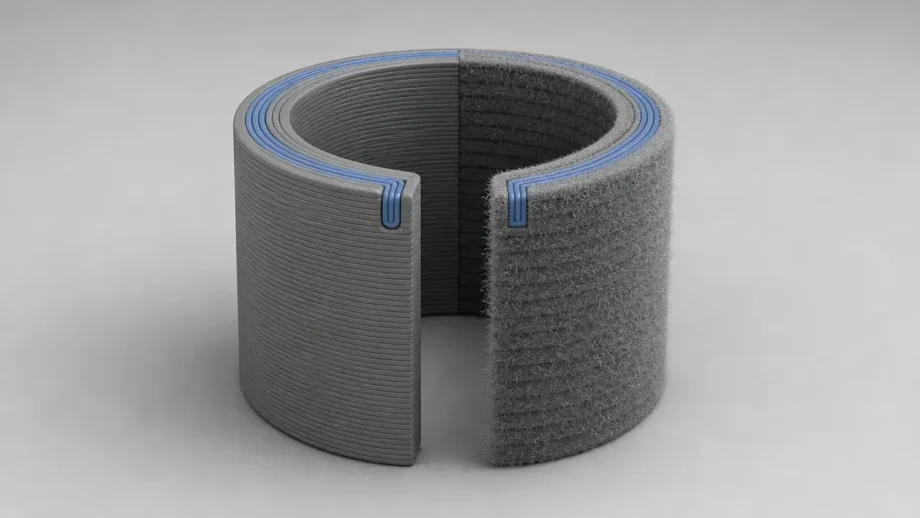
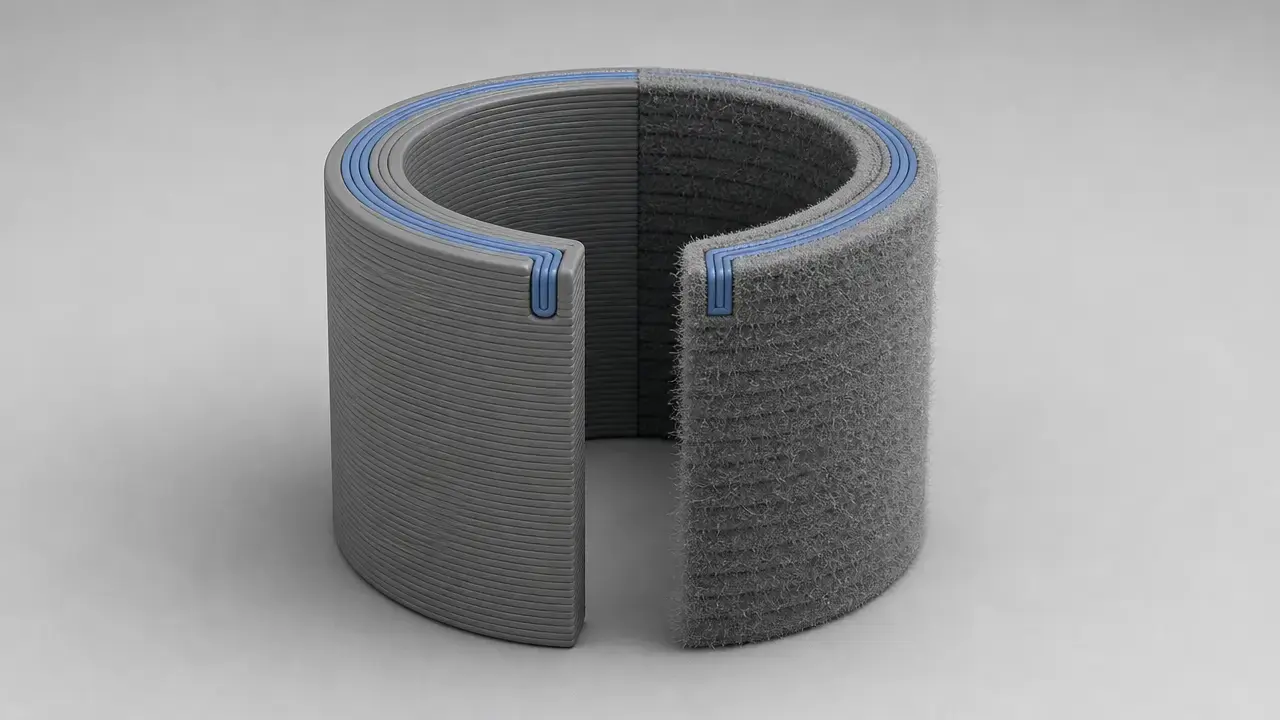
Fuzzy skin 3D printing is a slicer-generated textured-surface effect for FDM/FFF parts. In standards terminology, the underlying additive manufacturing process family is material extrusion. [2]
In Cura, fuzzy skin is described as randomly jittering the outer wall so the printed surface gets a rough, fuzzy look. That makes it a toolpath and G-code feature, not a new material, coating, or post-processing step. In the cited Cura base definition, the feature is off by default, fuzzy skin thickness defaults to 0.3 mm, density to 1.25 1/mm, and point distance to 0.8 mm. As a vocabulary baseline, ISO/ASTM 52900:2021 is Edition 2, was published in 2021-11, and lists 28 pages. [5] [1]
Historical Background: From Slicer Trick to Common Texture Feature
Fuzzy skin is now part of the standard slicer toolset rather than an obscure tweak. Cura includes it in its official configuration definitions, UltiMaker says Cura’s custom mode gives over 400 settings, and Prusa documents fuzzy skin as an official feature as well. That helps explain why the option can feel hidden to some users while still being a normal, supported part of modern FDM workflow. [5] [6] [7]
Technical Principle: How Fuzzy Skin Changes the Toolpath
Cura’s wording is deliberately conservative: the feature randomly jitters the outer wall while printing so the surface looks rough and fuzzy. The key point is that the slicer changes generated paths, not the original STL or mesh. The geometry file can stay the same while the wall toolpath sent to the printer becomes irregular. Cura’s base definition also uses a 0.4 mm nozzle and line-width context in related defaults, which is useful only as a scale reference, not as a claim that every printer uses a 0.4 mm nozzle. [5]
Prusa describes the same idea more explicitly. Its knowledge-base article says the perimeter is resampled with a random step size and that each new sample point is shifted inside or outside the perimeter by a random amount limited by fuzzy skin thickness. That wording is useful for comparison, but it should remain scoped to Prusa’s documented implementation unless Cura explicitly documents the same internal model. Prusa also documents four ways to apply the feature—global settings, per-object settings, modifiers, and paint-on fuzzy skin—which shows that slicers can share the concept while exposing it through different workflows. [7]
In practice, standard fuzzy skin primarily affects wall or perimeter toolpaths, not generic top and bottom face texturing. It is better understood as an outer-surface path effect than as a wall thickness or shell-count change. [5] [7]
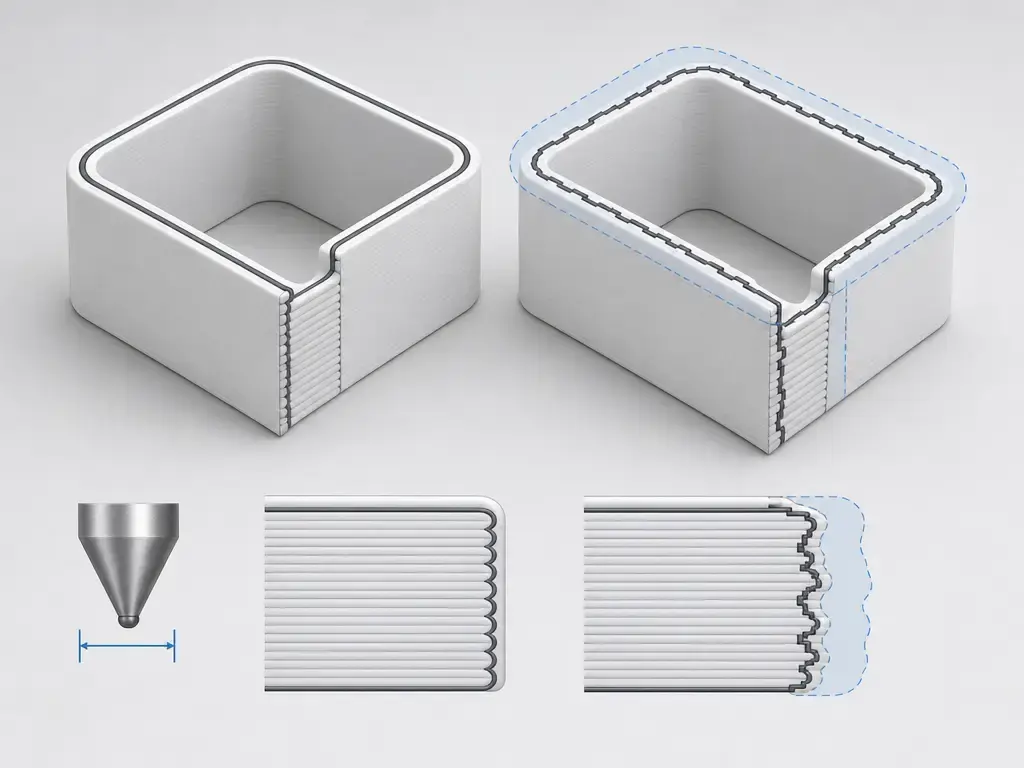
Fuzzy Skin Cura Settings Explained
In Cura, fuzzy skin sits among the more detailed process controls, so many users only find it after searching for the term or switching to a fuller settings view. The values below are base-definition defaults from the referenced source state, not guaranteed visible defaults for every installed printer or profile. Cura’s own product page says custom mode gives over 400 settings, which helps explain why a specialized fuzzy skin setting can be easy to miss. [5] [6]
Core Cura controls include the following items. [5]
- Fuzzy Skin
- Fuzzy Skin Outside Only
- Fuzzy Skin Thickness
- Fuzzy Skin Density
- Fuzzy Skin Point Distance
In the cited base definition, both Fuzzy Skin and Fuzzy Skin Outside Only default to false. Fuzzy Skin Thickness defaults to 0.3 mm, has a minimum of 0.001 mm, and carries a warning maximum tied to the outer wall line width. Fuzzy Skin Density defaults to 1.25 1/mm, has a minimum of 0.008 1/mm, warning bounds from 0.1 to 10 1/mm, and a formula-based maximum of 2 divided by fuzzy skin thickness. Fuzzy Skin Point Distance defaults to 0.8 mm, has a minimum formula of thickness divided by 2, and is defined as 1 divided by density unless density is zero. Practically, thickness is the allowed displacement envelope, density is the perturbation frequency, and point distance is the spacing between perturbation points. Cura’s outside-only option applies the jitter to outlines and not to holes. [5]
For tuning, a simple mental model works well: thickness sets how far the surface may wander, density sets how often it wanders, and point distance sets how tightly those random points are spaced. Treat fuzzy skin as a slicer setting that changes the printed outer path, not as a material property. [5]
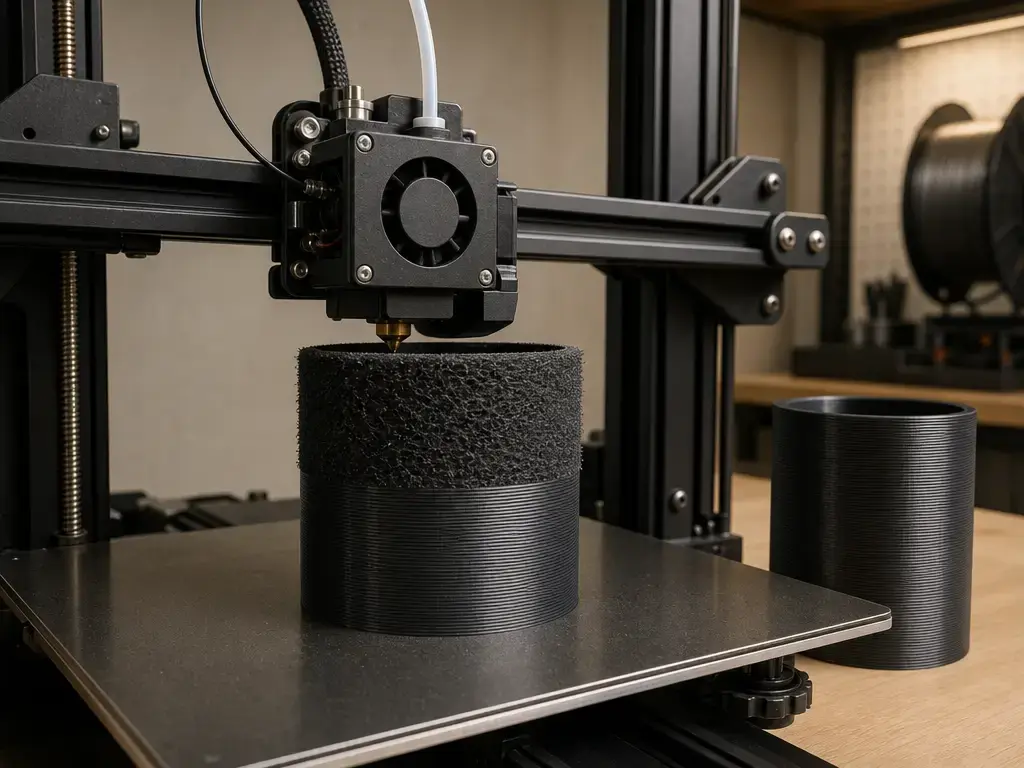
Does Fuzzy Skin Increase Wall Thickness?
This is where the fuzzy skin wall thickness confusion usually starts. Structural wall thickness in FDM refers to shell count, line width, and the planned wall stack. Fuzzy skin is different. It alters the outer wall path, so the outside feel and local envelope become irregular even though you did not add another shell. The cited Cura base definition separates fuzzy skin thickness from wall-count settings, and Prusa’s explanation of random inward and outward offsets helps illustrate why the surface envelope can change even when shell count does not. With Cura’s cited 0.3 mm default fuzzy skin thickness and its 0.4 mm base nozzle or line-width context, the effect is large enough to matter visually and sometimes functionally. Fuzzy skin does not increase wall thickness in the same sense as adding walls or increasing shell count; it perturbs the surface path and changes the local outer envelope and feel. [5] [7]
For fit-sensitive parts, keep mating faces smooth and be cautious around holes, threads, clips, and press-fit interfaces. Outside-only can reduce risk on some external faces, but it is not a universal safety switch because Cura documents it as outlines only, not holes. Use test coupons before committing fuzzy skin to tolerance-critical geometry. [5] [7]
Fuzzy Skin vs Other Textured Surface 3D Print Methods
Fuzzy skin is only one route to a textured surface 3D print. Its main distinction is that the texture comes from slicer-generated wall toolpath changes rather than from remodeling the part itself, and Prusa’s documentation reinforces that it is a controllable slicer workflow rather than a material property. [5] [7]
| Method | Where texture comes from | Best for | Main limitation |
|---|---|---|---|
| Fuzzy skin | Slicer wall toolpath jitter | quick matte/grip texture | affects fit and repeatability |
| CAD-modeled texture | actual mesh geometry | controlled patterns | heavier modeling/slicing |
| Textured build plate | first-layer contact surface | bottom-face texture | only build-plate face |
| Post-processing | sanding/blasting/coating | controlled finishing | labor and material changes |
Fuzzy skin is fast to try but less deterministic than modeled geometry. If the exact texture shape matters, modeled geometry is usually the more predictable route. [5] [7]
Performance Metrics: Texture, Roughness, Tolerances, and Print Time
A fuzzy-looking part is not automatically a quantified surface roughness result. ASME B46.1 gives surface-texture terms a formal metrology meaning, and the ASME poster makes the cutoff issue concrete: for one illustrated profile, Ra is shown as 0.057 µm at lc = 0.8 mm, 0.044 µm at lc = 0.25 mm, and 0.028 µm at lc = 0.08 mm, while Wt changes in the opposite direction. Visual texture is not the same as a standards-based roughness value. [3] [4]
Measured roughness depends on the method, the specimen, the filtering or cutoff choice, the measurement direction, and the print context. Published FDM work on PLA cylinders also shows that orientation matters, with tested orientations extending up to 85°. A broader review adds another practical limit: raster or path width in FFF is regularly about 1.2 to 1.5 times nozzle tip size, and the smallest minor XY features are about two times the path width. Those limits matter because fuzzy skin cannot create arbitrarily fine microtexture smaller than the process can resolve cleanly in the first place. [4] [8] [9]
Metrics not to infer from fuzzy skin settings alone:
- Ra/Sa roughness
- coefficient of friction
- dimensional accuracy
- wall strength
- watertightness
- print-time increase
If someone asks for a universal number for any of those outcomes from settings alone, the correct answer is no reliable figure found. You need a test method, a specimen, and usually a measurement or fit check. [3] [4]
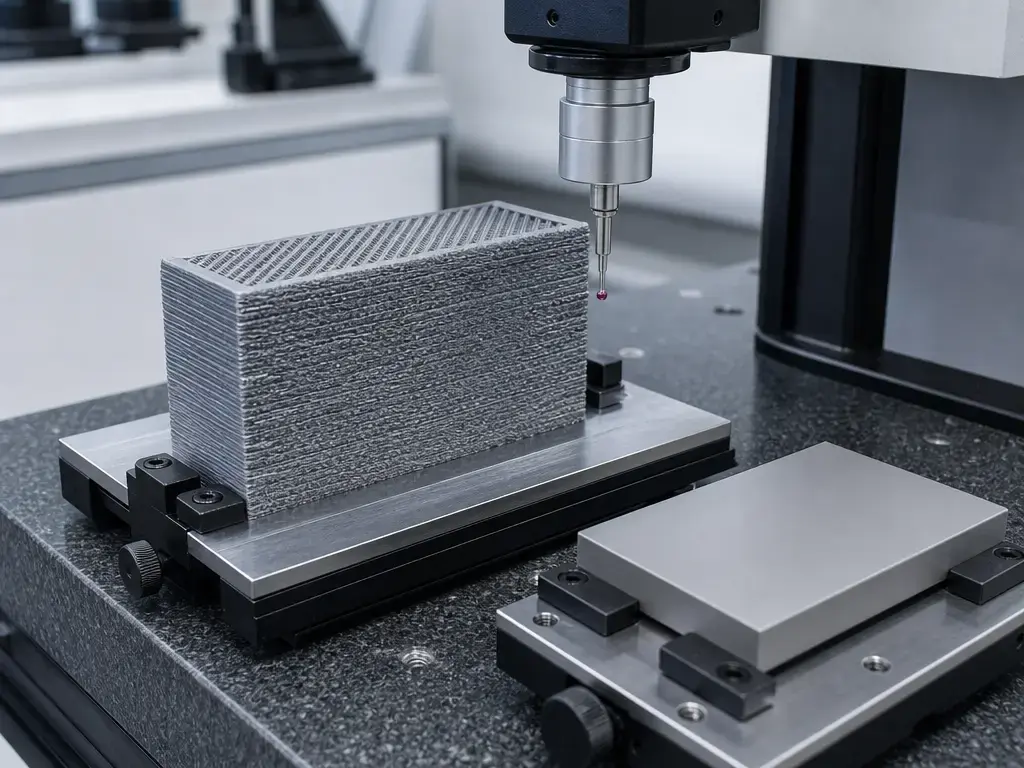
Applications: When Fuzzy Skin Works Well
Common use cases include grip texture, consumer prototypes, tool handles, props, vases, and prints where the goal is to break up visible layer lines without remodeling the part. Depending on the geometry and settings, the fuzzy skin 3D print texture can read as matte, stone-like, fabric-like, or simply less obviously layered than a smooth wall. These are common use cases, not quantified guarantees of friction, strength, or appearance. [5] [7]
A practical workflow is to print small test coupons and change one variable at a time. Start with thickness, because it is usually the strongest visual control. Then vary density or point distance to change how busy the surface feels, while keeping material, layer height, nozzle, and wall speed constant. That makes it easier to judge a textured surface 3D print result without confusing fuzzy skin changes with unrelated process changes. [5] [7]
Limitations and Failure Modes
Do not apply fuzzy skin blindly to precision surfaces. Because the feature acts on the outer wall, anything that depends on a clean and predictable external envelope can be affected. [5]
The highest-risk cases are holes, threads, clips, seams, small text, supports, overhangs, and thin walls. Cura’s outside-only setting is explicitly limited to outlines and not holes, so it should not be treated as universal tolerance protection. When discussing directionality, keep Cura wording conservative and reserve explicit inside or outside shift language for Prusa’s documentation, where that behavior is described directly. Small details are especially vulnerable because published scale guidance for FFF puts minor XY features at about two times the path width. [5] [7] [9]
Machine and process factors also change the final feel. Nozzle diameter, line width, layer height, speed, acceleration, pressure advance, and material behavior all influence how sharply the jittered path is actually reproduced. A texture that looks strong in preview may print softer on one machine and harsher on another, especially near thin walls or delicate edges. That is another reason to test on coupons before using the setting on functional geometry. [5] [9]
Current Research and Market Context
Fuzzy skin is only one variable in final surface quality. Published research on FDM roughness shows that build orientation can matter strongly, and broader reviews point to layer height, raster width, and path width as major drivers as well. In practice, that means a part’s surface finish comes from the interaction of geometry, orientation, line deposition, and slicer choices, not from fuzzy skin alone. [8] [9]
The broader slicer trend is toward more localized control. Cura emphasizes a large settings ecosystem, while Prusa documents modifiers and paint-on fuzzy skin workflows that let users place texture regionally instead of globally. That makes fuzzy skin more useful as a practical design and slicing option, but it still does not turn the feature into a certified finishing process or a substitute for metrology. [6] [7]
Practical Takeaways for Fuzzy Skin 3D Printing
Fuzzy skin 3D printing is best treated as a practical outer-wall texture tool. It works well for grip, visual softening, and hiding layer lines, and thickness is usually the first control to tune before density or point distance. The main caveat is unchanged: keep it away from tolerance-critical faces unless you have tested the actual geometry with coupons first. [5] [7]
FAQ
What is fuzzy skin in 3D printing?
It is a slicer feature that deliberately jitters the outer wall so the printed part gets a rough or fuzzy-looking surface. In Cura, that effect is generated in the toolpath, not by changing the STL itself, and it primarily affects wall or perimeter toolpaths rather than generic top and bottom faces. [5]
How do I use fuzzy skin Cura settings?
Enable the feature, then tune thickness first, followed by density or point distance. In the cited Cura base definition, thickness defaults to 0.3 mm, density to 1.25 1/mm, and point distance to 0.8 mm, but those are source-state defaults rather than guaranteed visible defaults for every machine profile. [5] [6]
Does fuzzy skin increase wall thickness?
Not in the structural sense. It changes the surface path, but it is not the same as adding more walls or increasing shell count. If you are asking, “does fuzzy skin increase wall thickness?”, the safest answer is that it changes the local outer envelope, so you should print a coupon and measure the real part if fit matters. [5] [7]
What fuzzy skin setting controls how rough the print feels?
Thickness is the most direct control because it sets the allowed displacement envelope. Density and point distance then change how frequently and how tightly the perturbations appear along the path. [5]
When should I use fuzzy skin vs a modeled textured surface?
Use fuzzy skin when you want a quick slicer-level texture and do not need exact pattern geometry. Use modeled texture when the texture shape itself must be repeatable, aligned, or dimensionally intentional. [5] [7]
Does fuzzy skin affect tolerance-critical parts?
Yes. Holes, threads, clips, seams, and press-fit surfaces can all be affected because the outer envelope is no longer smooth. Cura also documents outside-only as outlines only, not holes, so use test coupons before applying the feature to fit-sensitive parts. [5]
Can fuzzy skin be treated as a roughness spec or measured finish?
No. Surface roughness has a standards-based meaning, and reported values depend on cutoff, filtering, specimen, and process context. From fuzzy skin settings alone, there is no reliable figure found for universal Ra, friction gain, strength gain, or print-time increase. [3] [4]
Related on 3D Mag
- Silicone 3D Printing: How It Works and Where It Fits
- What is 3D printing?
- What is LiDAR 3D scanning?
Sources
- ISO/ASTM 52900:2021 standard page — https://www.iso.org/standard/74514.html
- ISO/ASTM 52900:2021 sample PDF — https://cdn.standards.iteh.ai/samples/74514/57d795b6267a427899d7b351598bece2/ISO-ASTM-52900-2021.pdf
- ASME B46.1 surface texture page — https://www.asme.org/codes-standards/find-codes-standards/surface-texture-%28surface-roughness-waviness-and-lay%29
- ASME B46.1 poster PDF — https://www.asme.org/getmedia/f22128e5-acad-429d-bc75-0ac4bdffdf44/b46-1-2019-11×17-poster.pdf
- Ultimaker Cura fdmprinter.def.json at tag 5.13.0 — https://github.com/Ultimaker/Cura/blob/5.13.0/resources/definitions/fdmprinter.def.json
- UltiMaker Cura software page — https://ultimaker.com/software/ultimaker-cura/
- Prusa Knowledge Base: Fuzzy skin — https://help.prusa3d.com/article/fuzzy-skin_246186
- Buj-Corral et al., 2019, Materials — https://www.mdpi.com/1996-1944/12/23/3834
- Springer review, 2023, surface roughness of as-printed polymers — https://link.springer.com/article/10.1007/s00170-023-11566-z