
Summary
For a desktop vs industrial 3d printer decision, there is no universal winner. The right fit depends on throughput, workflow burden, reproducibility needs, facility constraints, and total cost. A small desktop machine can be the right tool for concept models, classroom use, and early fixture iteration, while a professional desktop or benchtop system may add better process control, materials handling, documentation, and service support. Industrial systems usually matter when downtime consequences, traceability, or repeatable output under defined conditions outweigh purchase price and operator overhead. The price spread is also wide: vendor-marketed industrial systems can range from about $2,500 to over $500,000, depending on process, scale, and ecosystem scope. [13]
The three tiers used here — desktop, professional desktop/benchtop, and industrial — are practical market labels, not formal standards classes. ISO/ASTM 52900 defines additive manufacturing vocabulary and process terminology rather than purchasing categories, while ASTM’s additive manufacturing standards focus on terminology, process performance, end-product quality, and calibration. [1] [2] Vendors also use intermediate labels in practice: Formlabs calls the Form 4 a desktop industrial printer, the Form 3+ an affordable desktop industrial printer, and the Fuse 1+ 30W a compact industrial SLS printer. [13]
Quick decision matrix: desktop, professional desktop/benchtop, or industrial?
Use this matrix as a buyer shortcut, not as a standards definition. No standards-backed threshold cleanly separates these tiers by price, size, tolerance, or certification; no reliable figure found. [1] The middle tier is still real in vendor positioning, and facility burden can be decisive before print quality is even discussed. A benchtop-industrial powder workflow, for example, can involve a negatively pressurized hood, replaceable HEPA filtration, minimum access dimensions of 221.1 × 122.0 × 218.0 cm, dedicated electrical service, and an auxiliary vacuum with static-dissipative components that is grounded and bonded. [13] [15]
| Constraint / need | Desktop | Professional desktop / benchtop | Industrial |
|---|---|---|---|
| budget | Lowest entry cost | Higher machine and consumable cost | Broadest capital range; ecosystem costs matter |
| space/utilities | Office, classroom, or lab bench | Bench plus controlled post-processing area | Dedicated room, ventilation, utilities, safety controls |
| batch size | One-offs and small plates | Repeated prototypes, fixtures, pilot batches | Larger builds, nesting, production scheduling |
| material/workflow burden | Filament or small resin workflow | Engineered resins, powders, wash/cure, sieving | Documented material handling and controlled process chain |
| service/qualification needs | User-maintained | Vendor service often useful | Service contracts, calibration, traceability often expected |
| best-fit applications | Concepts, education, early jigs | Functional prototypes, shop aids, short runs | Qualified tooling, end-use parts, regulated or high-throughput work |
If those facility requirements are unrealistic, a smaller enclosed polymer printer may outperform a more capable machine that cannot be installed, cleaned, or used consistently. [15]
What “desktop” and “industrial” mean — and what they do not mean
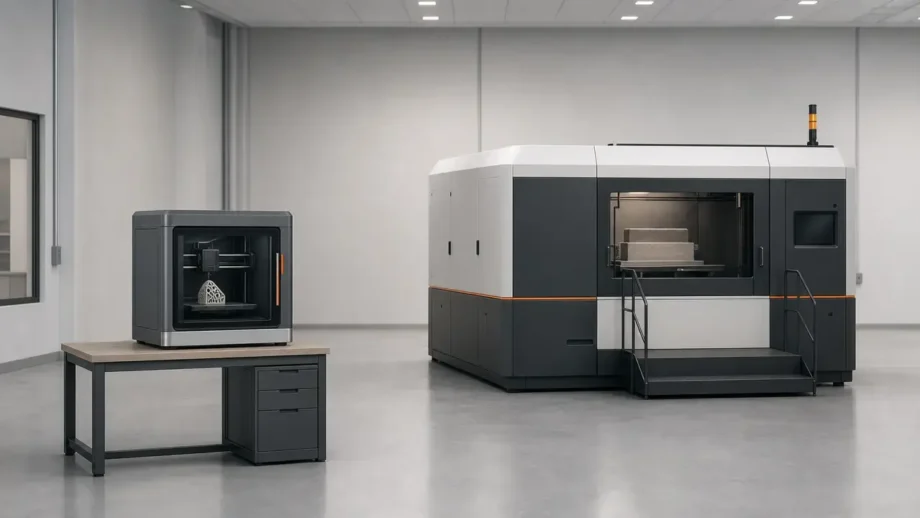
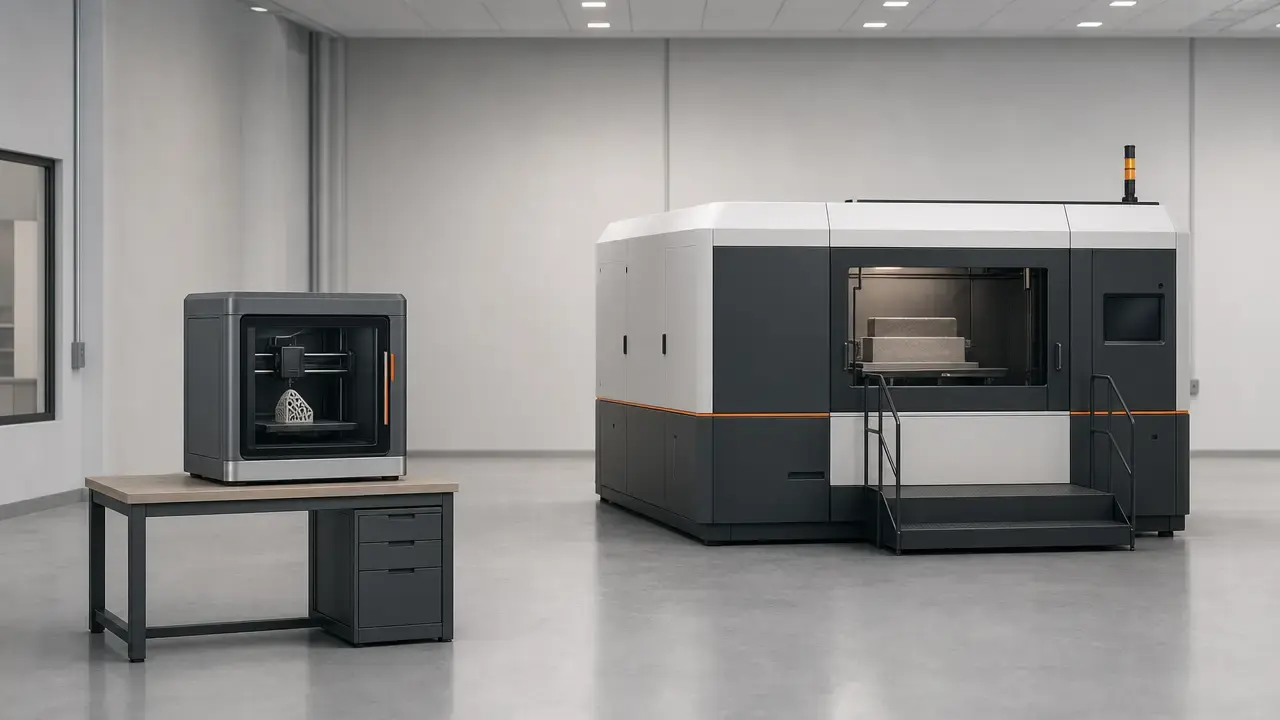
A desktop 3D printer is usually a compact machine intended for benches, classrooms, offices, or small labs. A professional desktop or benchtop system keeps a relatively small footprint but adds stronger process controls, supported materials, post-processing accessories, service options, or documentation. An industrial 3D printer is typically purchased as part of a production or engineering workflow rather than as a standalone appliance. These are market-positioning labels, not standards classes with fixed size, price, or accuracy thresholds. [1] [2]
What standards do define is process and quality language. ISO/ASTM 52900:2021, Edition 2, was published in November 2021 and reviewed and confirmed in 2025 as a vocabulary basis for additive manufacturing. [1] ASTM’s additive manufacturing standards address terminology, process-performance measurement, end-product quality, and machine calibration, while ISO/ASTM 52927 covers quality characteristics, test procedures, and specimen-building procedures for AM parts. [2] [3] Qualification language also exists in standards work: ISO/ASTM TS 52930 addresses IQ/OQ/PQ issues for PBF-LB equipment. [4]
How this article classifies printer tiers
- facility burden and utilities
- process control / qualification support
- workflow scale and batch handling
- operator/environment burden
- serviceability / downtime consequences
- validated materials / traceability
No official single threshold separates these market labels; no reliable figure found. [1] The practical divide is operational, not just rhetorical. Accuracy, precision, resolution, repeatability, reliability, uptime, and throughput are related, but they are not interchangeable, and collapsing them into a single idea of “print quality” obscures the actual buying decision.
Technology mix and workflow burden in practice
Material extrusion systems
Material extrusion is often the lowest-burden entry point because filament is comparatively easy to store, swap, and inspect. NIOSH says fused filament fabrication and vat photopolymerization are the types most likely to be found in makerspaces, schools, libraries, and small businesses because of lower purchase and material costs. [8] That does not make material extrusion hobby-only or hazard-free. NIOSH frames safe use around pre-printing, printing, post-printing, maintenance and cleaning, engineering controls, administrative controls, and PPE, and CDC/NIOSH notes that AM hazards vary by technology, materials, and environment. [8] [9] On the hardware side, material compatibility depends on hot-end capability, enclosure control, and feed reliability, not just the filament label. UltiMaker’s S8, for example, lists nozzle temperature up to 340 °C, layer resolution from 60 to 400 microns, and XY speed up to 500 mm/s, but those figures describe a process window, not automatic part accuracy. [10]
Resin systems
Resin printers shift the burden from spool handling to liquid chemistry, washing, curing, waste management, and surface contamination control. NIOSH’s guide for smaller workplaces treats vat photopolymerization as a common non-industrial process and flags resin handling, solvents, and skin exposure as practical control issues. [8] Formlabs’ process comparison also distinguishes SLA from MSLA/LCD architectures rather than treating all resin systems as identical. [13] That distinction matters because shortest time-to-part and highest throughput are not the same thing: Formlabs says MSLA printers usually offer the shortest time to part, while SLS can achieve higher throughput by packing many parts into one longer build. [13] As a concrete benchmark, Form 4 documentation says most prints are in under 2 hours and gives a typical benchmark of 53 mm print height at 100 µm layers completed in 1 hour 19 minutes. [14]
Powder systems
Powder workflows change operator burden more than the machine silhouette suggests. Loading powder, depowdering, sieving, reclaim strategy, housekeeping, respiratory controls, and electrostatic precautions all become part of routine operation. CDC/NIOSH notes that additive manufacturing hazards can include inhalation of powdered materials, dermal exposure, fire or explosion risk, and mechanical or ergonomic injury, depending on the process and environment. [9] A compact polymer PBF machine can therefore carry infrastructure more typical of a small production cell than of a desk appliance. EOS lists the FORMIGA P 110 Velocis at build volume 200 × 250 × 330 mm, with scan speed up to 5.0 m/s, machine dimensions 1320 × 1067 × 2204 mm, approximate weight 600 kg, and power consumption of 5.0 kW maximum or 3.0 kW typical. [12] The surrounding powder station matters too: Formlabs’ Fuse Sift uses a negatively pressurized hood with replaceable HEPA filtration and requires a grounded, bonded auxiliary vacuum with static-dissipative components. [15]
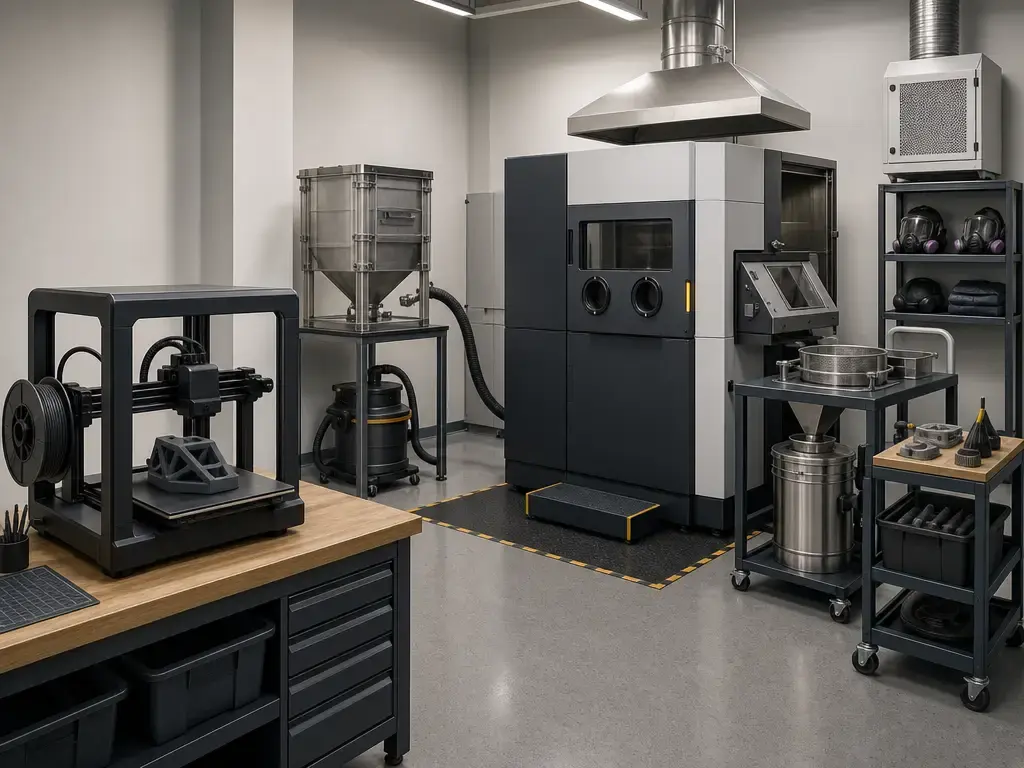
Build volume, footprint, and facility requirements
Build volume is the printable envelope; footprint is the physical space the machine, operator, feedstock, and post-processing hardware actually need. They do not scale together neatly. Industrial does not always mean larger build volume. A machine can have a modest build chamber yet still demand more power, clearance, weight capacity, and ancillary hardware than a larger-looking desktop or benchtop unit. [10] [11] [12]
The contrast is clear in published specifications. The UltiMaker S8 lists a build volume of 330 × 240 × 300 mm, assembled dimensions of 495 × 585 × 800 mm, maximum power output of 500 W, and weight of 30 kg. [10] The Stratasys F170, an enclosed industrial FDM example, lists a maximum build size of 254 × 254 × 254 mm, which is smaller than the S8 build envelope. [11] The EOS FORMIGA P 110 Velocis lists a build volume of 200 × 250 × 330 mm, but machine dimensions of 1320 × 1067 × 2204 mm, recommended installation space of at least 3200 × 3500 × 3000 mm, approximate weight of 600 kg, and power consumption of 5.0 kW maximum or 3.0 kW typical. [12] Powder handling can add another layer beyond the printer itself: Fuse Sift specifies minimum access dimensions of 221.1 × 122.0 × 218.0 cm and a dedicated circuit. [15]
Facility questions to ask before buying
- Will the crated or assembled equipment fit through doors, corridors, elevators, and lab access routes?
- Does the room need ventilation, filtration, negative pressure, or local exhaust?
- Is the required electrical service already available, including dedicated circuits if specified?
- Where will resin, powder, filament, solvents, and waste be handled safely?
- Will heat, noise, odor, or emissions affect nearby work areas?
- Is there enough cleaning, curing, depowdering, or support-removal space?
- Where will feedstock, tools, PPE, and finished parts be stored?
- Can technicians reach panels, filters, hoppers, and service zones without moving the machine?
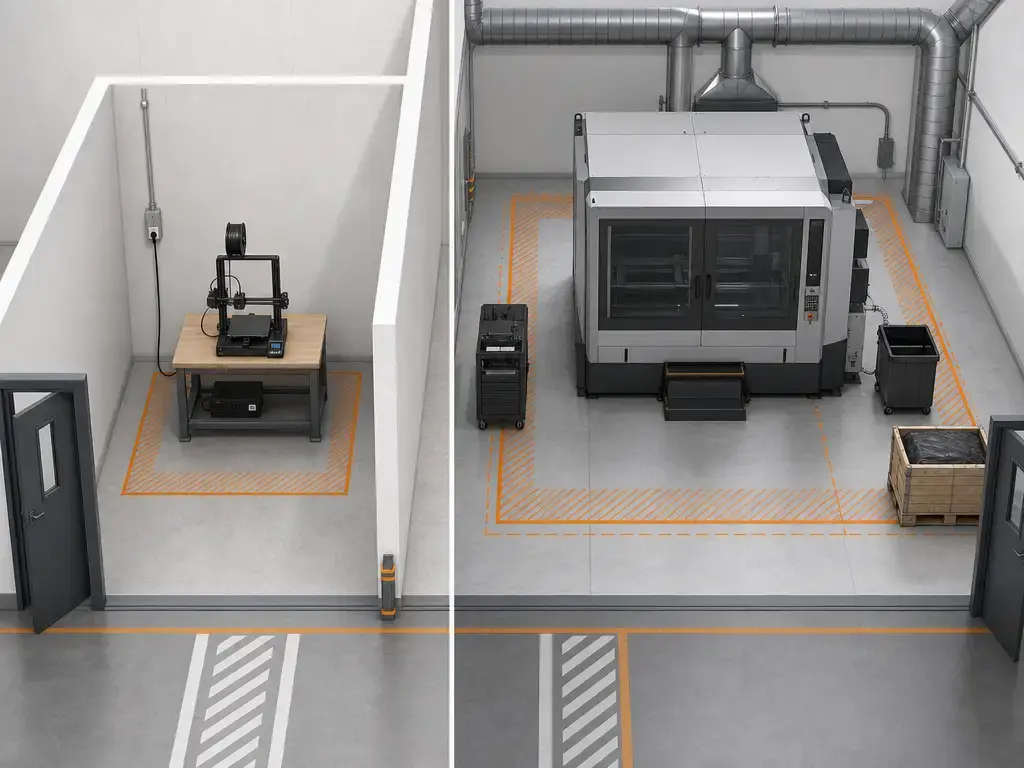
Skipping these checks can turn a printer purchase into an installation problem. The risk is not only that the machine cannot fit, but that operators cannot use, clean, maintain, or service it without disrupting the rest of the space.
Cost comparison: machine price vs total ownership
A useful 3D printer cost comparison treats the machine as one layer of ownership, not the whole budget. Formlabs says industrial 3D printers can cost anywhere from $2,500 to over $500,000, with the Form 3+ at $2,499, the Form 3L at $4,999, the Fuse 1+ 30W just under $30,000, and about $60,000 for the broader Fuse ecosystem. [13] Those figures show why tier labels are not enough: a low-entry resin unit, a benchtop powder cell, and a large factory machine create very different costs after purchase.
| Factor | Desktop | Professional desktop / benchtop | Industrial |
|---|---|---|---|
| machine price | Lowest entry point; often bought from lab or departmental budgets | Higher initial cost, often justified by supported materials and workflow control | Broadest range; may require capital approval |
| accessories/post-processing | Basic tools, build plates, nozzles, wash/cure for resin | More formal drying, curing, washing, sieving, or material stations | Integrated handling, monitoring, filtration, or safety equipment |
| facility modifications | Usually minimal, though ventilation may still matter | Possible storage, electrical, filtration, or waste-handling changes | Room planning, power, clearance, air handling, and access requirements |
| labor/operator time | More user tuning and troubleshooting | More repeatable workflows, but still hands-on | Trained operators, scheduled maintenance, documentation burden |
| service/downtime exposure | Downtime may delay prototypes | Downtime can block fixtures or pilot builds | Downtime can affect production schedules and commitments |
| typical buying context | Education, concepts, early prototypes | Engineering labs, tooling teams, small-batch work | Production, qualified workflows, high utilization |
Capital expenditure is only the visible part. Accessories, consumables, and facility work can change the total quickly, especially when the process adds heat, powder, resin, or controlled post-processing. Power is one example: the UltiMaker S8 lists 500 W maximum power output, while the EOS FORMIGA P 110 Velocis lists 5.0 kW maximum, 3.0 kW typical, and much larger installation space. [10] [12] Powder ecosystems show why accessory cost is not optional in practice. The Fuse Sift example includes dedicated electrical service, replaceable HEPA filtration, a negatively pressurized hood, and a grounded, bonded auxiliary vacuum with static-dissipative components. [15] Labor is another cost layer: a cheaper printer that needs repeated tuning, failed-build recovery, or manual documentation may consume more staff time than its sticker price suggests.
The real comparison is not cheap versus expensive. It is whether the tier matches the organization’s utilization, staffing, installation limits, and tolerance for delay.
Performance metrics that actually matter — and which are not directly comparable
Dimensional performance, resolution, and test-method caveats
Accuracy and resolution are often quoted together, but they answer different questions. ISO/ASTM 52927 says testing AM parts requires defined quality characteristics, corresponding test procedures, and procedures for building specimens. [3] NIST’s additive manufacturing program separately highlights high process variability, low part accuracy and surface quality, inconsistent material properties, and gaps in qualification, calibration, preventive maintenance, and measurement methods. [5] Its AM test artifact is intended to characterize geometric accuracy and surface roughness, and NIST says process parameters and machine settings should be documented with the artifact. [6] Measurement method also changes the result: NIST’s 2022 paper says different techniques applied to the same AM feature can yield different results, with deviations often increased by an order of magnitude, and different association criteria can create statistically significant differences. [7] Read vendor numbers with those caveats in mind. UltiMaker lists typical dimensional accuracy of ±0.15 mm ±0.15% of feature nominal length on selected geometries and materials, tested on Tough PLA and PLA and based on randomly selected machines. Stratasys describes F170 accuracy as geometry-dependent and derived from statistical data at 95% dimensional yield, with layer thickness options depending on material. Formlabs’ Form 4 claims 50 µm pixel size and ±0.15% XY dimensional tolerances, which are axis-specific rather than a complete all-axis dimensional statement. [10] [11] [14]
Speed, time-to-part, and throughput
Print speed is not a universal productivity metric. A material-extrusion travel speed, a powder-bed scan speed, and a benchmark finished-part time are not the same measurement. UltiMaker lists XY speed up to 500 mm/s, while EOS lists scan speed up to 5.0 m/s for the FORMIGA P 110 Velocis. [10] [12] Those numbers describe different motion systems and should not be ranked as a simple leaderboard. Formlabs explicitly separates time-to-part from throughput: it says MSLA printers usually offer the shortest time to part, while SLS builds take longer but can pack parts efficiently to achieve the highest throughput. [13] Form 4’s “most prints in under 2 hours” claim is likewise tied to benchmark conditions, including 80th-percentile print height of 53 mm and 100 µm layers. [14]
Repeatability, reliability, uptime, and serviceability
Repeatability is not resolution, reliability is not uptime, and print-success rate is not the same thing as facility availability. NIST’s metrology work exists partly because process variability, measurement gaps, and qualification gaps still limit predictable AM output. [5] [7] Vendor success-rate numbers can still be useful, but only within scope. Formlabs says Form 4 achieved a 98.7% print success rate in independent testing referenced by the company, yet that is still different from long-term uptime, maintenance burden, or recovery speed after a fault. [14]
Metrics vendors report that are not directly comparable
- travel speed
- scan speed
- benchmark print time
- XY tolerance only
- geometry-dependent yield-based accuracy
- layer thickness or layer resolution
- print success rate versus uptime
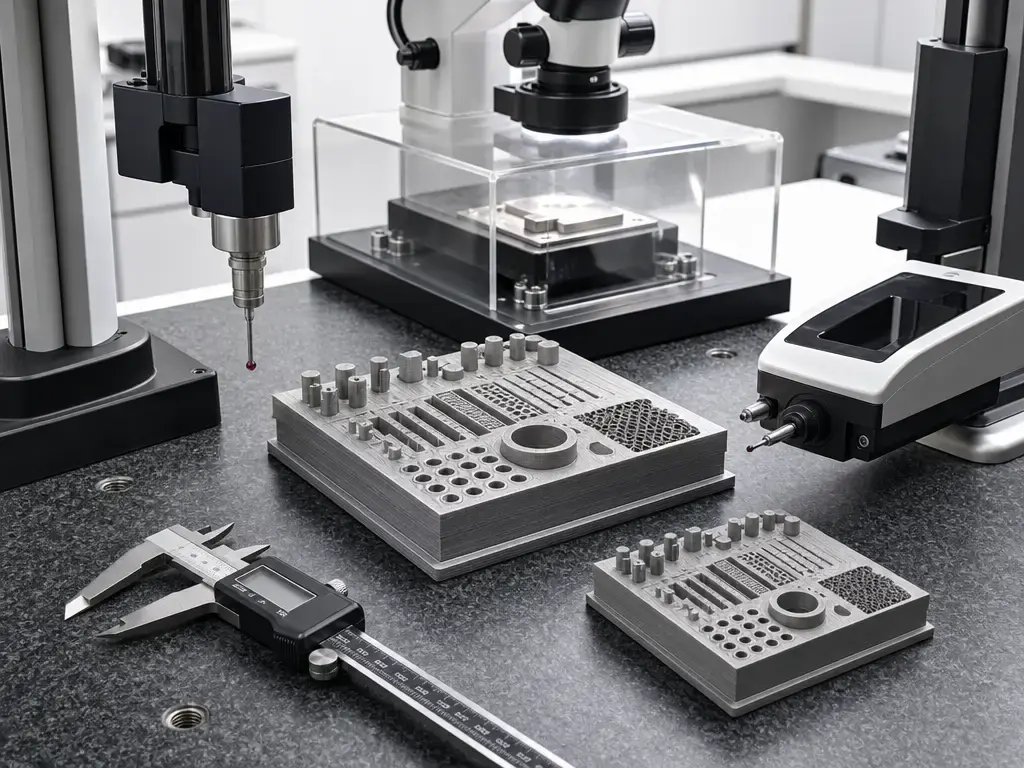
For equipment selection, compare metrics only after matching material, geometry, orientation, post-processing, measurement method, and acceptance criteria. When a datasheet gives a number without that context, ask for the method notes. [3] [6] [7]
Best-fit applications by tier
Desktop systems
Desktop systems are best for fast local iteration where access matters more than formal qualification. Typical fits include home use, classroom demonstrations, concept models, ergonomic mockups, simple brackets, and occasional fixtures in small-footprint environments. They are also useful in engineering teams that need many low-risk prints close to the CAD workstation instead of waiting for a shared queue. Industry coverage from TCT reflects this shift: desktop printers have become essential tools in professional workflows, but not substitutes for every larger or more controlled production system. [16]
Professional desktop / benchtop systems
Professional desktop and benchtop systems fit teams that have outgrown casual prototyping but do not need a full production installation. Strong matches include functional prototypes, engineering lab work, jigs and fixtures, casting patterns, assembly aids, and small-business workflows that need lower-friction in-house printing with better control than entry-level machines usually provide. This middle tier is not imaginary shorthand; vendor positioning itself uses labels such as desktop industrial and affordable desktop industrial. [13] What buyers are really getting here is a more controlled workflow, often with better materials support, post-processing discipline, and service options.
Industrial systems
Industrial systems are best when the organization needs batch production, tooling, repeat runs, or traceability-sensitive output that justifies more infrastructure. Suitable uses include production fixtures, bridge manufacturing, end-use polymer parts, spare-parts programs, and powder workflows that reward packed builds rather than one-off speed. Formlabs’ process comparison is useful here: SLS can take longer per build yet still deliver the highest throughput when many parts are nested together. [13] Desktop machines can support industrial work, but they do not eliminate the cases where service model, documentation, material handling, and reproducibility requirements push the choice toward a more controlled system. [16]
Limitations and buying traps to avoid
The first trap is assuming that industrial automatically means larger, faster, or more accurate. Build volume is the simplest counterexample: the Stratasys F170 lists a 254 × 254 × 254 mm build size, which is smaller than some professional desktop examples. [11] The same caution applies to dimensional claims. NIST’s measurement work shows that different techniques can yield different results on AM features, with deviations often increased by an order of magnitude, so a quoted tolerance is not automatically transferable from one geometry, material, or inspection method to another. [7]
The second trap is treating safety, workflow, and service as side issues. CDC/NIOSH says risk profiles vary by technology, material, and environment, including inhalation, dermal, fire or explosion, mechanical, and ergonomic hazards. [9] A compact powder machine can still bring substantial ecosystem burden, and ancillary hardware can shift the facility requirement more than the printer body suggests. Fuse Sift’s filtration, electrical, access, and vacuum requirements are a clear example. [15] Compare installed workflows, measured parts, operator time, maintenance access, and documentation needs, not labels in isolation.
Research, standards, and qualification context
Standards and metrology work focus on terminology, calibration, measurement, and test methods because those are the pieces that make printer comparisons auditable. ASTM’s additive manufacturing standards address terminology, production-process performance, end-product quality, and machine calibration rather than market labels such as desktop or industrial. [2] NIST’s measurement science program similarly emphasizes variability, calibration, preventive maintenance, and qualification gaps as central barriers to predictable AM output. [5] In practical terms, that means a buyer should ask how the machine, materials, settings, post-processing, and inspection method will be controlled, not just what tolerance appears in a brochure.
Qualification-heavy environments raise the burden further. ISO/ASTM TS 52930 brings installation qualification, operational qualification, and performance qualification language into additive manufacturing for PBF-LB equipment, and NIST’s test-artifact guidance emphasizes documenting process parameters and machine settings, not just measuring a finished part. [4] [6] That is why qualification support is one of the classification axes used here: it affects traceability, repeatability, training, maintenance records, material control, and acceptance testing.
Which should you choose?
For a desktop vs industrial 3d printer choice, start with the parts and the workflow, not the badge on the front panel. Choose desktop when your work is mostly concepts, teaching, early prototypes, and low-risk jigs where immediate access matters more than qualification. Choose professional desktop or benchtop when you need better material control, more repeatable post-processing, service support, and short-run engineering output without building a full production cell. Choose industrial when utilization, traceability, documented process control, or downtime consequences justify the added burden. There is no universal standards-backed cutoff between the tiers; no reliable figure found. [1]
Borderline cases are usually decided by the cost stack and installation reality. Vendor-marketed industrial pricing spans from about $2,500 to over $500,000, with the Fuse 1+ 30W starting just under $30,000 and the full Fuse ecosystem around $60,000. [13] Compact industrial hardware can still require dedicated electrical service, filtration, controlled powder handling, and large access space. [15] Buy for validated workflow and part requirements, not a marketing tier.
Before buying, reduce the decision to five checks:
- What parts must the printer make, and what acceptance criteria will prove they are usable?
- How many parts per week or month are needed, and can the workflow support that batch size?
- Who will handle setup, material control, post-processing, cleaning, and records?
- Can the facility support the equipment, accessories, storage, and safety controls?
- What happens if the printer is down during a design review, shop-floor job, or production run?
FAQ
These answers assume polymer-focused prototyping, fixtures, educational labs, and low-volume production rather than a single universal buying rule.
Desktop vs industrial 3D printer: which is better for prototyping and fixture work?
For early prototypes, the deciding metrics are access and cost, so desktop is often better. For recurring fixture work, the deciding metrics shift to throughput, repeatability, and downtime risk, which can favor industrial or professional benchtop systems. “Better” depends on whether you are optimizing for fast iteration or dependable repeated output.
What is the difference between a desktop, professional desktop, and industrial 3D printer?
A desktop system is usually a local iteration tool. A professional desktop or benchtop system adds stronger workflow control, supported materials, service options, or post-processing hardware. An industrial system is chosen as part of a documented production or engineering workflow. There is no universal standards-backed cutoff separating these categories. [1]
Is build volume the main reason to buy an industrial 3D printer?
No. Build volume is only the printable envelope, not the whole installation. The Stratasys F170 is an industrial example with a 254 × 254 × 254 mm build size, which shows that industrial does not automatically mean larger. Buy industrial for workflow control, service model, material handling, and throughput when those matter more than chamber size. [11]
Can a desktop or professional desktop 3D printer be used for real production parts?
Yes, if the application tolerances, material behavior, post-processing, inspection, and documentation are appropriate for the job. Low-risk end-use parts, tooling, and fixtures can fit well on desktop or benchtop systems. The question is not category prestige; it is whether the process can repeatedly meet the part requirement with acceptable operator burden.
Expert: Why can’t I compare vendor accuracy figures across material extrusion, MSLA/SLA, and SLS directly?
Because the method caveats differ. NIST says different measurement techniques on the same AM feature can yield different results, and deviations can increase by an order of magnitude on AM components. [7] Vendor figures can also be axis-limited or benchmark-limited; Form 4’s ±0.15% figure, for example, is an XY tolerance claim rather than a universal all-axis accuracy number. [14]
Expert: How should throughput be compared for one-off parts versus packed builds?
For one-off parts, compare time-to-part under matched assumptions for layer height, material, orientation, and post-processing. For batches, compare usable parts per completed build and operator cycle. Formlabs’ summary is useful: MSLA usually offers the shortest time to part, while SLS can take longer per build but achieve the highest throughput through packed builds. [13]
Related on 3D Mag
Sources
- [1] ISO/ASTM 52900:2021 — Additive manufacturing — General principles — Fundamentals and vocabulary. https://www.iso.org/standard/74514.html
- [2] ASTM Additive Manufacturing Standards. https://store.astm.org/products-services/standards-and-publications/standards/additive-manufacturing-standards.html
- [3] ISO/ASTM 52927 / ASTM F3122-24 — Main characteristics and corresponding test methods. https://store.astm.org/f3122-24.html
- [4] ISO/ASTM TS 52930:2021 — Qualification principles — Installation, operation and performance (IQ/OQ/PQ) of PBF-LB equipment. https://www.iso.org/standard/79527.html
- [5] NIST Measurement Science for Additive Manufacturing Program. https://www.nist.gov/programs-projects/measurement-science-additive-manufacturing-program
- [6] NIST Additive Manufacturing Test Artifact. https://www.nist.gov/topics/additive-manufacturing/resources/additive-manufacturing-test-artifact
- [7] NIST — The Impact of Measurement Methodology on the Diameter Measurement of Simple Additively Manufactured Features. https://www.nist.gov/publications/impact-measurement-methodology-diameter-measurement-simple-additively-manufactured
- [8] NIOSH — Approaches to Safe 3D Printing. https://www.cdc.gov/niosh/docs/2024-103/default.html
- [9] CDC/NIOSH — 3D Printing (Additive Manufacturing). https://www.cdc.gov/niosh/manufacturing/additive/index.html
- [10] UltiMaker S8 product/specifications page. https://ultimaker.com/3d-printers/s-series/ultimaker-s8/
- [11] Stratasys F170 spec sheet PDF. https://www.stratasys.com/siteassets/3d-printers/printer-catalog/fdm-printers/f123-series-printers/redesign-f123/pss_fdm_f170_0324a.pdf?v=493592
- [12] EOS FORMIGA P 110 Velocis product page. https://www.eos.info/en-us/polymer-solutions/polymer-printers/formiga-p-110-velocis
- [13] Formlabs Industrial 3D Printers page. https://formlabs.com/3d-printers/industrial/
- [14] Formlabs Form 4 product page. https://formlabs.com/global/3d-printers/form-4/
- [15] Formlabs Fuse Sift product page. https://formlabs.com/global/products/fuse-sift/
- [16] TCT — How desktop 3D printers became an essential industry tool. https://www.tctmagazine.com/desktop-3d-printing-essential-industrial-tool/
- [17] Extrusion-Based 3D Printing of Microfluidic Devices for Chemical and Biomedical Applications: A Topical Review. https://pmc.ncbi.nlm.nih.gov/articles/PMC6187380/