
3D Print Warping: Definition and Quick Answer
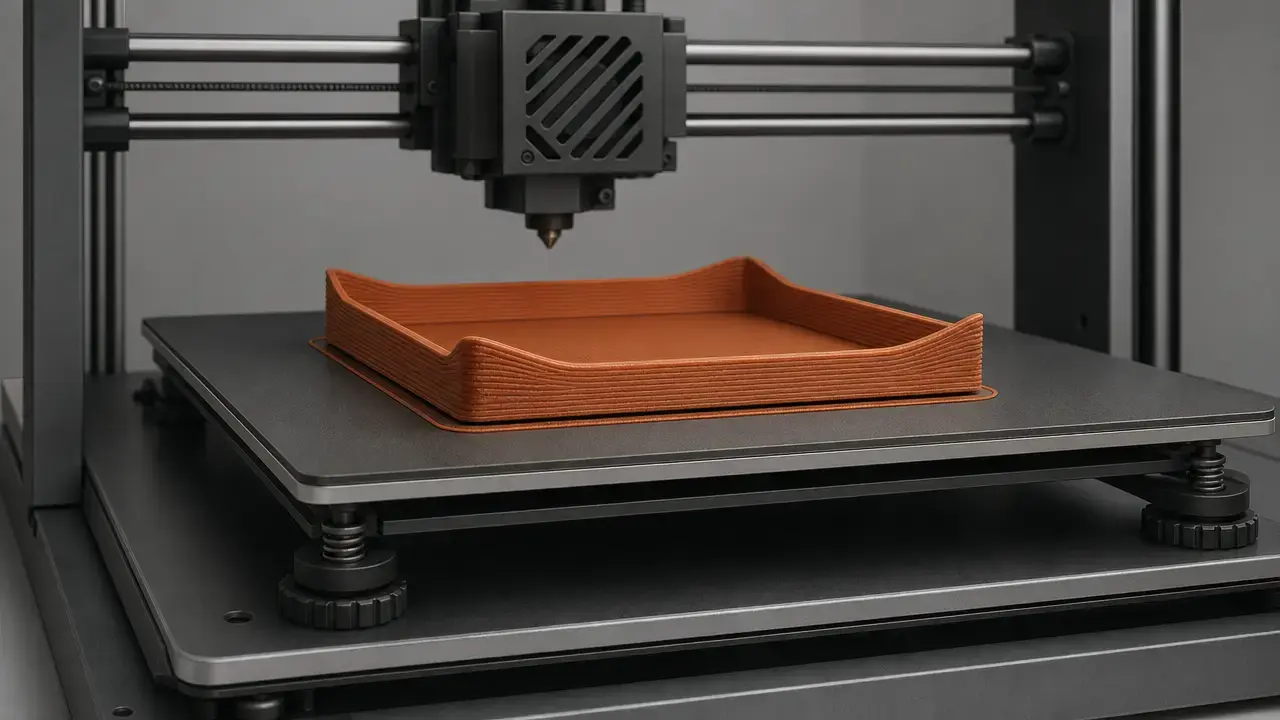
3D print warping is the out-of-plane distortion seen when a material-extrusion print lifts at the base, curls at the edges, or loses flatness as it cools on the build plate. [5] [13]
The short answer is simple: deposited plastic cools and contracts, but not uniformly. Upper layers, exposed edges, and thin sections can shrink differently from the warmer material below, while the bed restrains the bottom surface. That mismatch builds residual stress over time. When the stress exceeds local adhesion and part stiffness, the visible result is corner lift, edge curl, or broader shape distortion. Research describes this as thermally driven warpage; in day-to-day printing, it usually appears as corners lifting off the bed. [4] [5] [13]
What causes 3D print warping?
Warping usually comes from contraction, uneven cooling, and limited restraint acting together through the print, rather than from one bad setting alone. [4] [5]
- Steep temperature differences through the part and across exposed edges. [4] [5]
- Contraction mismatch between hotter upper layers and bed-restrained lower layers. [5]
- Adhesion that is too weak for the stress being generated. [5] [13]
- Geometry that concentrates stress, especially long flat spans, sharp corners, and thin tall walls. [18] [20]
Why Warping Matters in 3D Printing
Warping is not just cosmetic. Even slight lift can ruin flatness, shift hole positions, spoil mating surfaces, and make fixtures, covers, and panel-like parts unusable even if the print technically finishes. If the lift continues during the job, the nozzle can strike the part, reduce layer accuracy, or detach the model entirely. It helps to think of warping as out-of-plane deformation under restraint, not just bad bed adhesion. [5]
Terminology: Material Extrusion, FFF, and FDM
For standards-aligned language, material extrusion is the family term, and ISO/ASTM 52900:2021 is the vocabulary baseline. [1] In hobby use, FFF is also common. FDM, however, is a registered trademark of Stratasys, so it is better treated as a brand-linked term than as the generic name for the whole process family. [21] This article focuses on warping in material extrusion; resin and metal systems can also deform, but through different mechanisms.
Technical Principles: The Mechanism Behind Warping
A printed polymer road leaves the nozzle hot, is placed into cooler surroundings, and keeps losing heat as more layers are added above it. Because cooling is uneven, the part develops both through-thickness and edge-to-core temperature gradients. The lower region is partly restrained by the bed, while newly deposited material above still wants to contract as it cools. This creates a constrained contraction mismatch. As layers accumulate, that mismatch can build residual stress, and the part stores elastic energy that tends toward a lower-stress shape. In material-extrusion research, warpage is the resulting out-of-plane deformation driven by these thermal gradients. [4] [5]
Adhesion is not the root cause by itself; it is the restraint the stress must overcome. Strong bed bonding may keep a part flatter for longer, but the stress still exists. If the bond is weaker than the local stress, detachment begins and the part lifts. This also explains why simulation papers that assume ideal adhesion can differ from real prints, where surface condition, first-layer quality, and local defects make restraint imperfect. [5] [13]
Corners and edges are common initiation points because they cool more aggressively, expose more perimeter relative to mass, and often show the first visible lift. [4] [13]
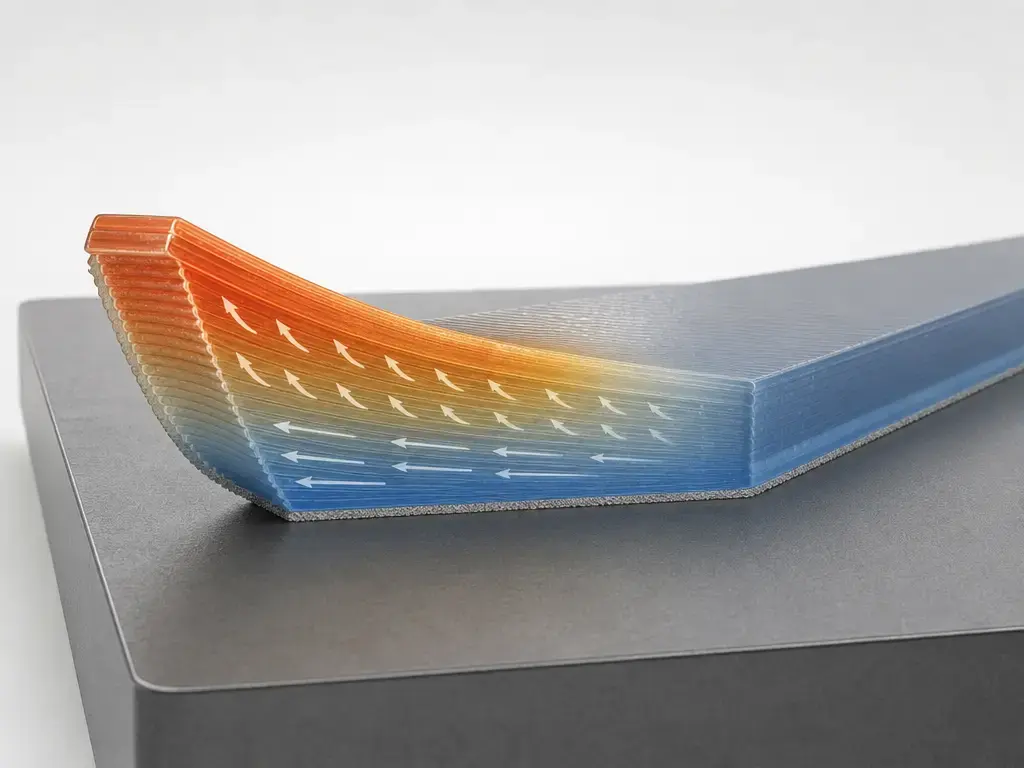
The force balance behind warping
- Contraction drive: the polymer wants to shrink as it cools. [5]
- Temperature gradients: uneven cooling makes different regions want to shrink by different amounts. [4] [5]
- Adhesion and restraint: the bed and first layer resist that motion until the stress exceeds the bond. [5]
- Part stiffness and geometry: shape determines whether the stress stays hidden, redistributes, or produces visible lift. [18] [20]
Warping vs Curling vs Elephant Foot vs Layer Splitting
Users often call the symptom “warping,” while studies quantify out-of-plane deformation, or warpage, using specific metrics and specimens. [5] [13] In practice, warping usually means corners or edges lifting from the bed. Curling is often used for the same family of deformation, especially when a paper reports a defined curling factor or a specific upward edge deflection. The visible symptom and the metric in a study are related, but they are not automatically the same thing. [5] [10] [13]
Elephant foot is different. BCN3D treats it as a first-layer deformation issue associated with an overly squashed base or other calibration problems, while warping is partial lifting from the printing surface and can also be linked to contraction. BCN3D also notes that wrong Z-calibration can contribute to the confusion. [17] Layer splitting or cracking is different again: with ABS in particular, BCN3D links the material’s high contraction ratio to both warping at the base and cracking or layer separation higher in the part. [18]
How Warping Is Measured (and Why Numbers Don’t Transfer Between Studies)
What users see is corner lift; what papers quantify is a defined deformation metric. In the literature, common measurements include z-deflection, warpage, curling factor, and flatness-style deviation, all tied to a specific specimen and method. That is why a paper’s millimeter value is meaningful only within that paper’s setup. [5] [7] [10]
Common warping metrics in papers
- Visible corner or edge lift from a reference plane. [5]
- Z-direction deflection or out-of-plane warpage. [5]
- A study-defined curling factor. [10]
- Flatness-style deviation measured on a controlled specimen. [7] [11]
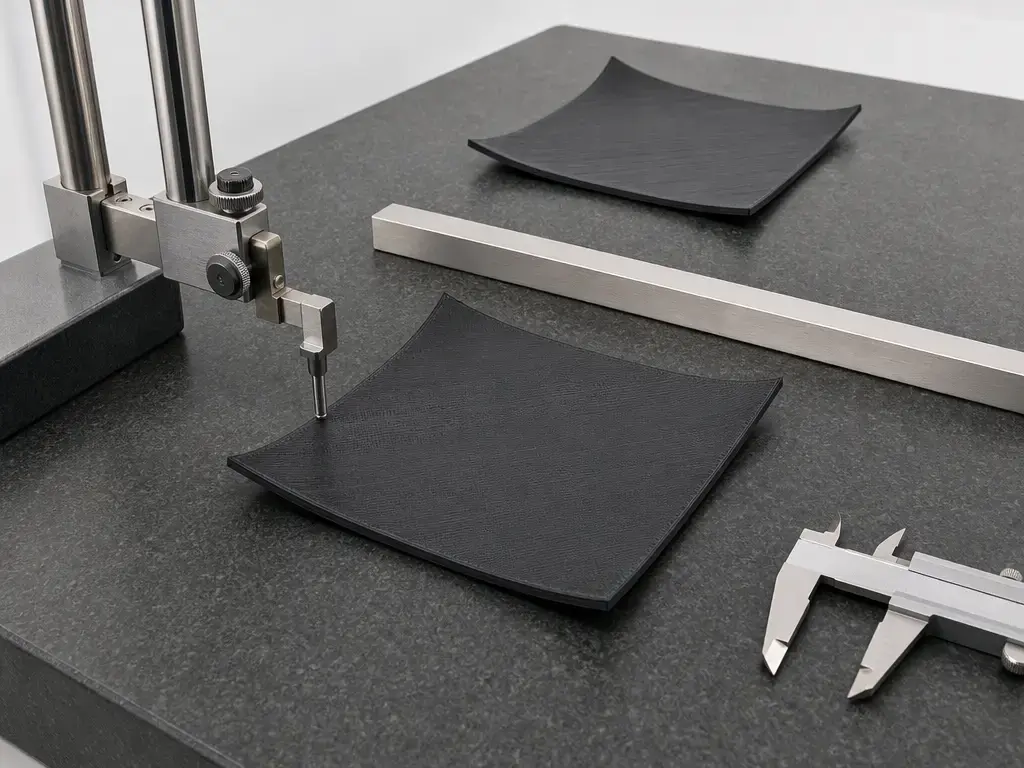
One Springer PLA study used a specimen measuring 150 mm × 10 mm × 4 mm. [7] That study varied infill direction between 0° and 90°, infill nozzle temperature between 200 °C and 230 °C, and fan speed from 0% to 100%. [8] Its fixed parameters included a 70 °C build plate, 0.2 mm layer height, 0.4 mm line width, 30 mm/s contour speed, 60 mm/s infill speed, and 100% infill density. [9] Under that setup, one reported result gave a curling factor of 0.855 mm at Ti = 200 °C, αi = 0°, and vf = 100%. [10] A separate ABS study organized 27 cuboids into 6 categories, which is another reminder that researchers define their own geometries and test plans. [11] There is no reliable universal allowable warping tolerance applicable to all printers, materials, and geometries.
Why Some Prints Warp More: Geometry and Printer Thermal Architecture
Geometry changes both stress generation and resistance. Large flat footprints give the part more restrained area and more distance over which contraction mismatch can build, while sharp corners often become the first visible lift points. Thin tall walls can also be vulnerable because they have little cross-section to resist bending. Stratasys Direct warns that warping may occur with large extents of minimum-thickness vertical walls unless support features such as ribs or a support tower are used. BCN3D also recommends chamfers on sharp angles for large ABS models, and design for material extrusion is formalized in ASTM F3529-21. [20] [18] [3]
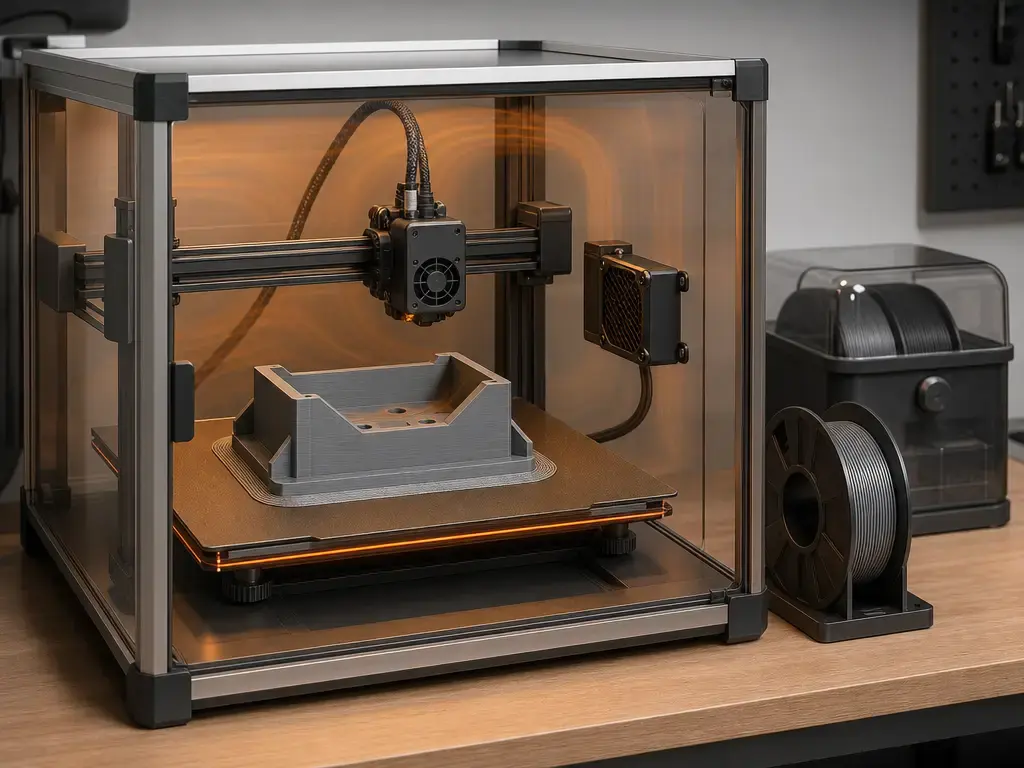
Printer architecture matters because it shapes the local thermal environment around the part. Open-frame machines are harder to keep thermally stable, so drafts and room fluctuations more easily deepen gradients at exposed edges. Enclosures can help, especially with higher-temperature materials, because they reduce sudden cooling around the print. But an enclosure is not a universal cure; it is simply one way to manage the local heat field, and its usefulness depends on both material and printer limits. [5] [13] If a part repeatedly fails, sectioning it into smaller pieces can be a manufacturability strategy, but not a guaranteed cure for warping. [20]
Warping by Material: PLA, PETG, ABS/ASA, and Higher-Warp Engineering Polymers
Risk varies strongly by grade and printer environment.
| Material family | Warp risk (typical) | Main control lever | Key caution |
|---|---|---|---|
| PLA | Usually lower, but not zero | First layer and draft control | Closed hot enclosures can create heat-creep problems |
| PETG | Usually low to moderate | First layer and profile-specific temperatures | Can adhere too strongly to some surfaces |
| ABS/ASA | Moderate to high on desktop systems | Warm, stable environment and stronger restraint | Shrinkage and cracking sensitivity |
| Higher-warp engineering polymers (varies strongly by grade; includes PA/PC/PP) | Often high, but highly formulation-dependent | Printer thermal stability and material-specific profile | No universal chamber recipe |
Material family alone is not enough to predict warping. Grade, fillers or reinforcement, moisture condition, spool history, and printer environment all matter, which is why a filament TDS or vendor profile should outrank internet averages. A useful example is the Prusament PETG TDS, Version 1.1 with last update 16-02-2022, which specifies 1.75 ± 0.02 mm filament diameter, 250 ± 10 °C nozzle temperature, 80 ± 10 °C heatbed temperature, and 50% fan, while also reporting moisture absorption figures of 0.07% after 24 h and 0.10% after 7 days under its stated test conditions. [16]
PLA and PETG are often easier to keep flat than ABS, but neither is immune. Prusa’s generic PETG guidance recommends 230 °C for the first layer and 240 °C for later layers, with 85 °C bed temperature for the first layer and 90 °C for the others. [15] The same page warns that PETG can adhere so strongly to smooth PEI that the surface may be damaged during removal. [15] Prusa also notes that printing PLA or PETG in an enclosure might not be a good idea, and its heat-creep troubleshooting warns that ambient temperatures above 35 °C, or above 30 °C for some filaments, can create problems; printing PLA in a fully closed and unventilated enclosure is described as very likely to cause issues. [13] [19]
ABS and ASA need more respect for contraction. Prusa’s ABS guide recommends 255 °C nozzle temperature and 100 °C bed temperature, with bed settings from 80 °C to 110 °C depending on object size, and says ABS shrinkage is usually around 1–2% in its guidance context. [14] BCN3D describes ABS as having a high contraction ratio and recommends an enclosed, warm environment without cooling in that material-specific context. [18] Research setups can differ sharply from vendor profiles: one MDPI experiment used ABS at 250 °C nozzle and 100 °C bed, PETG at 255 °C and 60 °C, and PLA at 205 °C and 60 °C, but those are study conditions, not universal recommendations. [12]
Diagnosis Workflow: Stop Random Tuning
A good warping diagnosis is a sequence, not a pile of simultaneous tweaks. Start with the symptom, confirm the first layer, then examine the local temperature environment before changing multiple slicer variables at once. [13] [17]
- Confirm that the failure is actual lift or curl at the base, not elephant foot or a dimensional issue elsewhere. [13] [17]
- Re-check first-layer calibration and Z-offset, because BCN3D explicitly links wrong Z-calibration to first-layer problems associated with warping or elephant-foot confusion. [17]
- Inspect the bed surface and part footprint before changing deeper settings, because weak restraint at the first layer makes thermally driven lift show up sooner. [5] [13]
- Let the build plate soak before printing so surface temperature evens out: BCN3D suggests about 5 min in general and at least 10 min for ABS, PA, PP, and similar materials. [17]
- Check the room and the printer’s local environment; BCN3D gives a room-temperature range of 15–30 °C, and Prusa emphasizes avoiding drafts around warping-prone prints. [17] [13]
- Change only one thermal variable at a time; BCN3D suggests raising bed temperature in 5 °C steps, while ABS-specific guidance from BCN3D says to avoid cooling in that material context. [17] [18]
- Print a simple, repeatable test geometry and lock all other variables so you can tell whether the change affected stress, restraint, or both. [7] [11]
Once the first layer looks credible, avoid random tuning. Keep geometry, material, and environment fixed long enough to learn what changed. Warping is a systems problem, so the fastest path is often a small controlled test, not a full-size reprint after six untracked edits. [5] [7]
3D Print Warping Fixes: Temperature, Adhesion, Brims/Rafts, and Enclosures
The first class of fixes is about temperature stability. Reduce drafts, let the bed reach a stable condition, and make cautious changes rather than large jumps. BCN3D’s guidance to preheat the build plate for about 5 min, or 10 min or more for more demanding materials, is useful because uneven plate temperature can look like a material problem. BCN3D also recommends moving bed temperature in 5 °C steps when troubleshooting. [17] Prusa’s warping page frames the issue around temperature differences, which is why stable ambient conditions often matter more than chasing a single nozzle number. [13]
The second class is about improving first-layer restraint. Cleanliness, correct first-layer compression, and an appropriate surface for the material all matter. BCN3D links wrong Z-calibration to first-layer trouble, and Prusa’s PETG page warns that strong adhesion on smooth PEI can damage the sheet during removal. [17] [15] The goal is not maximum stick at any cost; it is enough controlled restraint to survive contraction without creating a removal problem. [5] [15]
Adhesion aids increase resistance but do not remove the thermal-stress driver. [5] Brims, rafts, and draft shields can still help because they increase contact area, slow local cooling, or reduce edge exposure. Prusa discusses brims and draft-shield-style measures in its warping guidance, and BCN3D suggests a raft in its ABS context. [13] [18] Enclosures follow the same logic: they can reduce thermal gradients for higher-warp materials, but they should be used with material-specific caution because there is no universal chamber recipe. Prusa specifically warns that PLA in a fully closed and unventilated enclosure is very likely to cause problems, and it notes heat-creep risk when ambient temperature rises above 35 °C, or above 30 °C for some filaments. [19]
Limitations and Tradeoffs
No setting cancels polymer shrinkage. The best you can do is reduce gradients, improve restraint, and choose geometry and material combinations that make the stress easier to manage. That is why open-frame machines can be harder to use for high-warp materials: the limitation is thermal architecture, not user effort. It also explains why results do not scale cleanly from one printer, room, or spool to another. There is no reliable universal allowable warping tolerance applicable to all printers, materials, and geometries, and there is no universal chamber-temperature recommendation that is safe or correct across printers and materials. [5] [19]
Every fix has tradeoffs. More adhesion can make removal harder, and Prusa warns that PETG may damage smooth PEI because of strong adhesion. [15]
Safety Note
Keep the safety message practical. NIOSH recommends ventilation as an engineering control in the filament-printing contexts it evaluated. [22] Prusa’s ABS guide separately notes potentially dangerous styrene fumes and recommends ventilation without creating drafts around the print. [14] That combination is useful here: you want fresh air and sensible controls, but not airflow patterns that chill one side of the part and worsen thermal gradients. [13] [22]
Current Research and Practical Context
Current research still frames warping as a thermomechanical problem. Recent simulation work links uneven cooling gradients between layers to distortion and describes the familiar symptom of corners rising above the bed. [4] Thermomechanical validation papers quantify warpage as out-of-plane deformation or z-direction deflection under controlled conditions. [5] Experimental studies then choose their own specimens and process plans, such as the 150 mm × 10 mm × 4 mm PLA coupon study or the ABS program built around 27 cuboids in 6 categories. [7] [11]
Manufacturer documentation has a different emphasis. It usually translates the same physics into workflow: first layer, local temperature stability, drafts, cooling behavior, and material-specific profiles. That is appropriate for users, because the mechanism is general but the fixes are printer- and filament-dependent. Industry guides also keep getting refreshed, which shows that warping remains an active troubleshooting topic; for example, one broad guide was updated on 2026-02-10. [13] [17] [23]
Practical Takeaway: How to Prevent Warping in 3D Printing
If you want to know how to prevent warping in 3D printing, work in priority order. Choose a lower-risk material when the part allows it, then nail the first layer, stabilize the local temperature around the print, use adhesion aids as added resistance rather than as a cure, apply enclosure strategy only when the material and printer can tolerate it, and finally change the geometry if the stress path is still unfavorable. Profile-specific guidance from a filament TDS or vendor material page will usually beat generic internet advice. [5] [16] [19]
FAQ
What is 3D print warping?
3D print warping is the out-of-plane deformation that happens when a material-extrusion part cools unevenly, stores residual stress, and then lifts or distorts because bed restraint is not enough to hold it flat. Users usually notice it as corners or edges peeling upward from the build plate. [5] [13]
What causes 3D print warping on corners specifically?
Corners are exposed on two sides, so they often cool faster than the interior and become the first place where contraction mismatch turns into visible lift. If the thermal stress at the corner exceeds local adhesion and part stiffness, that corner rises before the rest of the footprint does. [4] [5]
How to prevent warping in 3D printing without changing materials?
Start by improving the first layer and the print’s thermal stability. Re-check Z-calibration, let the bed soak, reduce drafts, and change bed temperature gradually instead of randomly. BCN3D suggests about 5 min of plate preheat in general, at least 10 min for materials like ABS, PA, and PP, and 5 °C bed-temperature steps when troubleshooting. [17]
Is warping the same as elephant foot?
No. Warping is partial lifting or curling away from the printing surface, while elephant foot is a deformation at the base caused by first-layer conditions such as over-compression or calibration issues. BCN3D explicitly separates these ideas and notes that wrong Z-calibration can be part of first-layer trouble. [17]
Why is ABS warping in 3D printing worse than PLA or PETG?
ABS generally contracts more aggressively and is more sensitive to a cold or drafty environment. Prusa’s ABS guidance recommends 255 °C nozzle and 100 °C bed, with 80–110 °C bed settings depending on object size, and says shrinkage is usually around 1–2% in its guidance context. BCN3D also describes ABS as having a high contraction ratio. [14] [18]
Do brims, rafts, or mouse ears fix warping — or just hide it?
They can help, but they do not remove the cause. Brims and rafts increase resistance at the base, and draft-control measures reduce edge cooling, so the part can stay attached longer or finish flatter. But the thermal-stress driver is still there. In that sense, they manage warping rather than eliminate it. [5] [13] [18]
How do studies measure warpage or curling, and why can’t I compare mm values across papers?
Studies use defined specimens and metrics such as z-deflection or curling factor. One PLA study used a 150 mm × 10 mm × 4 mm sample, varied 0°/90° infill direction, 200/230 °C infill nozzle temperature, and 0–100% fan, and reported a 0.855 mm curling factor for one specific test. That number does not transfer cleanly unless the geometry and method match. [7] [8] [9] [10]
Related on 3D Mag
- Elephant Foot 3D Printing: Causes and Fixes
- Under Extrusion 3D Printing: Causes and Fixes
- Pillowing in 3D Printing: Causes and Fixes
Sources
-
ISO/ASTM 52900:2021 — Additive manufacturing — General principles — Fundamentals and vocabulary. https://www.iso.org/cms/%20render/live/en/sites/isoorg/contents/data/standard/07/45/74514.html
-
ASTM F3529-21 — Guide for Additive Manufacturing — Design — Material Extrusion of Polymers. https://store.astm.org/f3529-21.html
-
Springer (2025) — Multi-physics simulation of stress formation and distortion in material extrusion. https://link.springer.com/article/10.1007/s40964-025-01012-9
-
PMC (2022) — Thermomechanical model validation; warpage as out-of-plane deformation. https://pmc.ncbi.nlm.nih.gov/articles/PMC9460650/
-
Springer (2023) — PLA warping study. https://link.springer.com/article/10.1007/s40964-023-00492-x
-
Springer Table 1 — DOE factors for PLA warping study. https://link.springer.com/article/10.1007/s40964-023-00492-x/tables/1
-
Springer Table 2 — Fixed parameters for PLA warping study. https://link.springer.com/article/10.1007/s40964-023-00492-x/tables/2
-
Springer Table 12 — Curling-factor results. https://link.springer.com/article/10.1007/s40964-023-00492-x/tables/12
-
MDPI (2021) — ABS warping cuboid study. https://www.mdpi.com/1996-1944/14/22/7070
-
MDPI (2023) — ABS/PETG/PLA thermal cycling experiment. https://www.mdpi.com/2076-3417/13/20/11503
-
Prusa — Warping troubleshooting. https://cdn.help.prusa3d.com/article/warping_2011?product=mk4s
-
Prusa — ABS material guide. https://help.prusa3d.com/article/abs_2058?product=mk3-5s
-
Prusa — PETG material guide. https://help.prusa3d.com/article/petg_2059?product=mk3s
-
Prusament — PETG Technical Data Sheet. https://prusament.com/wp-content/uploads/2022/10/PETG_Prusament_TDS_2021_10_EN.pdf
-
BCN3D — First layer adhesion. https://support.bcn3d.com/knowledge/first-layer
-
BCN3D — ABS tips. https://support.bcn3d.com/knowledge/abs-bcn3d-tips
-
Prusa — Heat creep troubleshooting. https://help.prusa3d.com/article/extrusion-stopped-mid-print-heat-creep_1948
-
Stratasys Direct — FDM design guidelines PDF. https://www.stratasys.com/en/stratasysdirect/-/media/files/direct/design-guidelines/fdm_design_guidelines_2017.pdf
-
Stratasys — Legal terms. https://www.stratasys.com/uk/stratasysdirect/about-us/legal-terms/
-
NIOSH (CDC) — 3D printing with filaments: health and safety questions to ask. https://www.cdc.gov/niosh/bulletin/2018/3d-printing.html
-
Xometry — 3D print warping guide. https://www.xometry.com/resources/3d-printing/3d-print-warping-pla-petg-abs/