
Verdict
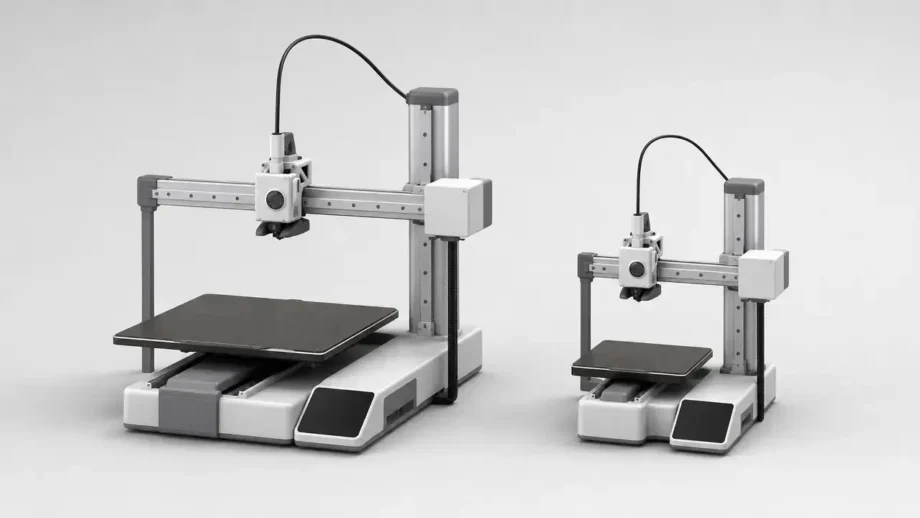
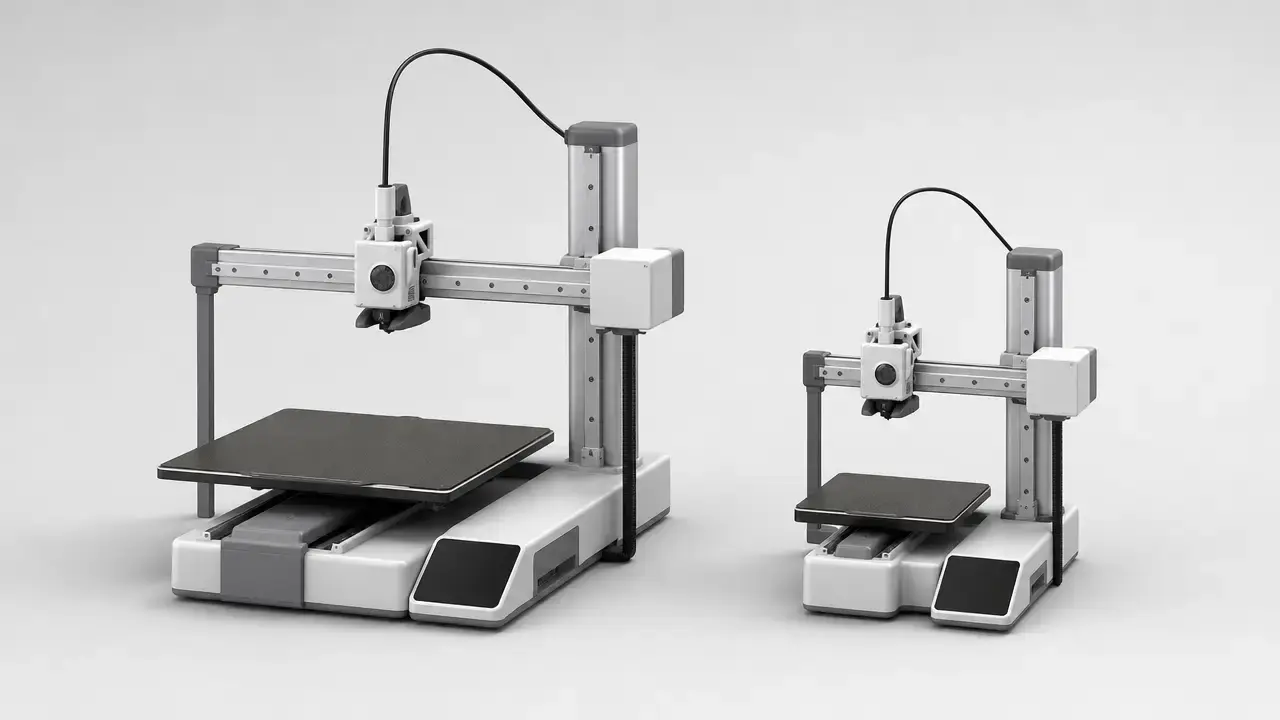
For bambu a1 vs a1 mini, the A1 is the better buy for most home users because the biggest difference is print envelope: 256 × 256 × 256 mm on the A1 versus 180 × 180 × 180 mm on the A1 Mini. [2] [3]
Choose the A1 Mini if desk space matters more than part size, because Bambu’s quick-start guidance shows 390 mm of safe depth for the Mini versus 545 mm for the A1. [8] [6] The A1 also has a higher maximum bed temperature at 100 °C, compared with 80 °C on the Mini, which gives it more bed-heating headroom even though both machines share a 300 °C hotend ceiling. [2] [3] Both printers use the same AMS Lite ecosystem, so AMS Lite alone does not separate them. [9] Pricing changes, so compare live Standalone-versus-Standalone or Combo-versus-Combo listings before you buy. If you are shopping used A1 units, verify recall status first, because the CPSC recall announced on June 13, 2024 applies to certain A1 printers, not the A1 Mini. [10] [12]
Bambu A1 vs A1 Mini: Quick decision guide
Start with the largest one-piece part you expect to print. The A1 gives you a 256 mm cube, while the A1 Mini is limited to a 180 mm cube, so the larger machine is the safer default if you do not want to split models later. [2] [3] After that, compare the live price gap only between matching bundles: Standalone vs Standalone, or Combo vs Combo.
Do not use the headline speed number as a shortcut for print-time comparisons. Both printers list the same 500 mm/s maximum toolhead speed and 10,000 mm/s² acceleration on their main spec pages, and both attach the same 28 mm³/s flow claim to a specific ABS test condition rather than to every material and every print. [2] [3] NIST’s FFF research is a useful reminder that process outcomes depend on machine, material, and parameters, so top-line motion numbers do not automatically predict real throughput. [14]
| If you… | Pick… | Why |
|---|---|---|
| Want the largest one-piece parts | A1 | 256 × 256 × 256 mm gives much more room before you have to split assemblies. [2] |
| Need the easier desk fit | A1 Mini | The Mini has a smaller body and 390 mm safe-depth guidance, versus 545 mm for the A1. [3] [8] [6] |
| Plan to use AMS Lite | Either | The A1 series supports one AMS Lite per printer, with a 4-color maximum. [9] |
What actually differs
The real bambu a1 vs a1 mini comparison is mostly about build envelope, desk fit, and a few workflow details rather than a different class of printer. The A1 has the larger build volume, the higher 100 °C bed limit, more required desk depth in use, and the heavier frame at 8.3 kg versus 5.5 kg for the Mini. [2] [3] [6] [8] The A1 also has the larger display at 3.5 inches, while the A1 Mini uses a 2.4-inch touchscreen. [4] [7]
Beyond that, the two machines share enough core hotend and motion specs that those headline numbers should not decide the purchase by themselves. [2] [3] In practice, the comparison usually comes down to build volume, minimum desk depth, and whether your parts or batches benefit from the A1’s extra room.
Quick specs (audited) — A1 vs A1 Mini
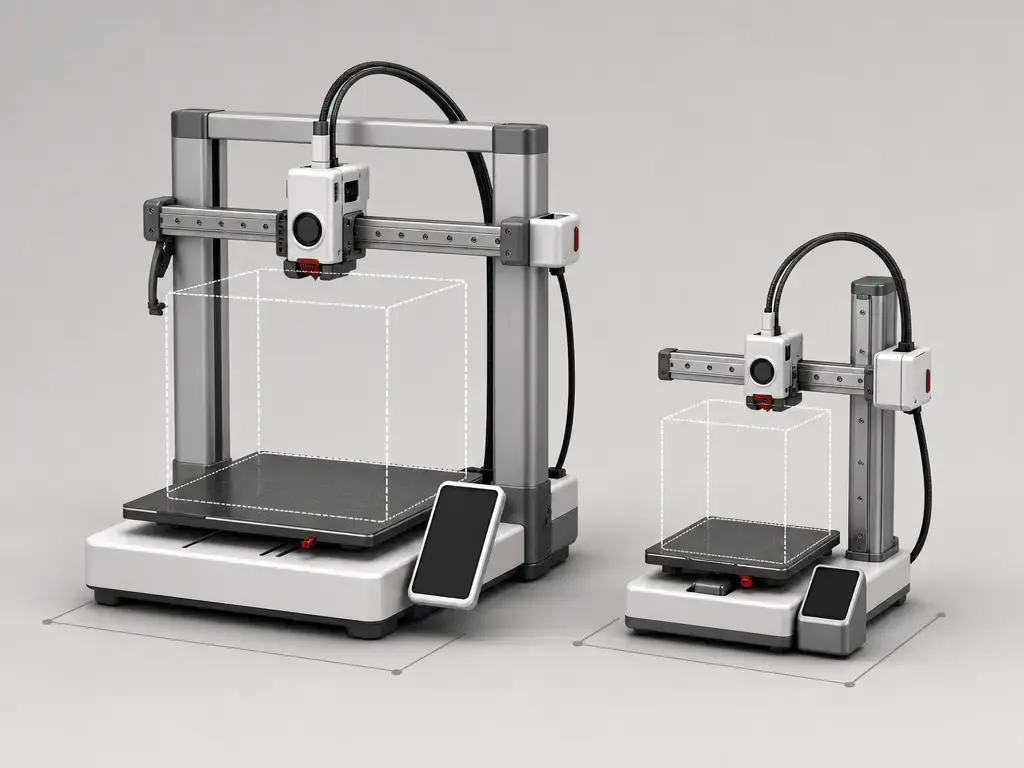
The table below separates manufacturer specs from derived calculations. Price is excluded because it changes too often to anchor a technical comparison, and the A1 body-dimension conflict is marked rather than silently resolved: Bambu’s CN tech-specs page and an official-style tech-specs PDF mirror show 465 × 410 × 430 mm, while the A1 Technical Specification PDF shows 385 × 410 × 430 mm. [2] [5] [4]
| Spec | A1 | A1 Mini | Why it matters |
|---|---|---|---|
| Build volume | 256 × 256 × 256 mm. [2] | 180 × 180 × 180 mm. [3] | Main differentiator for one-piece parts. |
| Derived cubic build volume | 16,777,216 mm³, or 16.78 L. [2] | 5,832,000 mm³, or 5.83 L. [3] | The A1 is about 2.88× larger by cubic volume. [2] [3] |
| Max bed temperature | 100 °C. [2] | 80 °C. [3] | The A1 has more bed-heating headroom. |
| Operating clearance depth | 545 mm safe-space guidance for heatbed movement. [6] | 390 mm safe-space guidance for heatbed movement. [8] | Desk depth matters more than chassis size on a moving-bed printer. |
| Body dimensions | Official-source conflict: 465 × 410 × 430 mm on Bambu’s CN tech specs and a tech-specs PDF mirror, but 385 × 410 × 430 mm on the A1 Technical Specification PDF. [2] [5] [4] | 347 × 315 × 365 mm. [3] | The A1 is clearly larger, but its exact published body width is inconsistent across official sources. |
| Weight | 8.3 kg. [2] | 5.5 kg. [3] | The Mini is easier to move and place. |
| AMS Lite printer limit | One AMS Lite; 4-color maximum. [9] | One AMS Lite; 4-color maximum. [9] | AMS Lite support is shared, not exclusive. |
| AMS Lite feeding limits | Same feeder rules: supported spool width 40–68 mm and inner diameter 53–58 mm. [9] | Same feeder rules: supported spool width 40–68 mm and inner diameter 53–58 mm. [9] | Spool fit and feeder compatibility are separate from printer compatibility. |
| AMS Lite unsupported examples | Unsupported examples include TPE, TPU, wet PVA, wet BVOH, Bambu PET-CF, PA6-CF, TPU 95A, and other carbon- or glass-fiber-containing filaments. [9] | Unsupported examples include TPE, TPU, wet PVA, wet BVOH, Bambu PET-CF, PA6-CF, TPU 95A, and other carbon- or glass-fiber-containing filaments. [9] | A printer may handle a material that AMS Lite should not feed. |
| Max hotend temperature | 300 °C. [2] | 300 °C. [3] | Nozzle temperature alone does not define material suitability. |
| Motion limits | 500 mm/s max toolhead speed and 10,000 mm/s² max acceleration. [2] | 500 mm/s max toolhead speed and 10,000 mm/s² max acceleration on the main spec page; the A1 Mini Technical Specification PDF also shows the same acceleration as 10 m/s². [3] [7] | Same headline motion numbers do not guarantee the same job times. |
| Flow claim | 28 mm³/s at ABS on a 150 × 150 mm single-wall model at 280 °C. [2] | 28 mm³/s at ABS on a 150 × 150 mm single-wall model at 280 °C. [3] | This is a test-conditioned manufacturer claim, not a universal print-speed promise. |
| Nozzles / filament | 0.4 mm included; 0.2 / 0.6 / 0.8 mm optional; 1.75 mm filament. [6] | 0.4 mm included; 0.2 / 0.6 / 0.8 mm optional; 1.75 mm filament. [7] | Nozzle choice changes detail-versus-throughput tradeoffs. |
| Official material guidance | Ideal: PLA, PETG, TPU, PVA. Not recommended: ABS, ASA, PC, PA, PET, carbon/glass-fiber reinforced polymer. [2] | Ideal: PLA, PETG, TPU, PVA. Not recommended: ABS, ASA, PC, PA, PET, carbon/glass-fiber reinforced polymer. [3] | Open-frame limits still matter even with a 300 °C hotend. |
| Display | 3.5-inch 320 × 240 IPS touchscreen. [4] | 2.4-inch 320 × 240 IPS touchscreen. [7] | The A1 has the larger onboard screen. |
The short takeaway is that the A1 gives you about 2.88× the cubic build volume, but the Mini can be the smarter choice if your space is shallow and the 390 mm clearance is easier to live with than the A1’s 545 mm requirement. [2] [3] [6] [8]
What stays the same (so you don’t overpay for duplicate specs)
Both machines are open-frame filament printers with a 300 °C hotend ceiling, 1.75 mm filament, a 0.4 mm included nozzle, optional 0.2 / 0.6 / 0.8 mm nozzles, and the same 500 mm/s and 10,000 mm/s² headline motion limits. [2] [3] [6] [7]
That shared spec sheet is why the buying decision is mostly about envelope and workflow, not duplicated headline numbers. A printer with the same toolhead limits can still be the better productivity fit if it avoids splitting one large part or lets you place more small parts on one plate.
Terminology boundaries
- ISO/ASTM 52900 is the vocabulary anchor for additive manufacturing, and Bambu’s documentation labels these printers as “Fused Deposition Modeling.” In this article, material extrusion/FFF is the neutral shorthand for the same filament-printing process class. [1] [6] [8]
- Build volume is the advertised geometric envelope. Usable area is the real working space after orientation, brims, supports, and margins are taken into account.
- Body dimensions describe the printer itself. Operating space includes the extra room needed for moving-bed travel, cables, access, and feeder placement. [6] [8]
- Max speed and max flow are ceiling claims. Throughput is the job-level result you actually care about.
- Layer height affects visible layering and print time, but dimensional accuracy is still machine-, material-, geometry-, and parameter-dependent, which is why a universal tolerance promise would be misleading. [14]
Print volume in practice (256 cube vs 180 cube)
The difference between a 256 mm cube and a 180 mm cube is large enough to change project planning. The A1 works out to 16.78 L of cubic build volume, while the A1 Mini works out to 5.83 L, so the A1 offers about 2.88× the cubic volume. [2] [3]
The XY difference matters too. The A1’s plate area from its published build dimensions is 65,536 mm², versus 32,400 mm² for the A1 Mini, which is about 2.02× as much layout area for batching and part placement. [2] [3] That does not mean every millimeter is equally convenient in every slicer setup, but it does mean the A1 gives you more room for larger flat parts and for printing several smaller parts together.
A 180 mm cube is enough for many hobby parts, organizers, clips, and small enclosures. It starts to feel tight when your models have long spans, broad footprints, or cosmetic faces that you would rather not split and glue. If your projects often sit near that boundary, the A1’s larger envelope is the more forgiving option. [2] [3]
Desk space & clearance (don’t buy the wrong size)
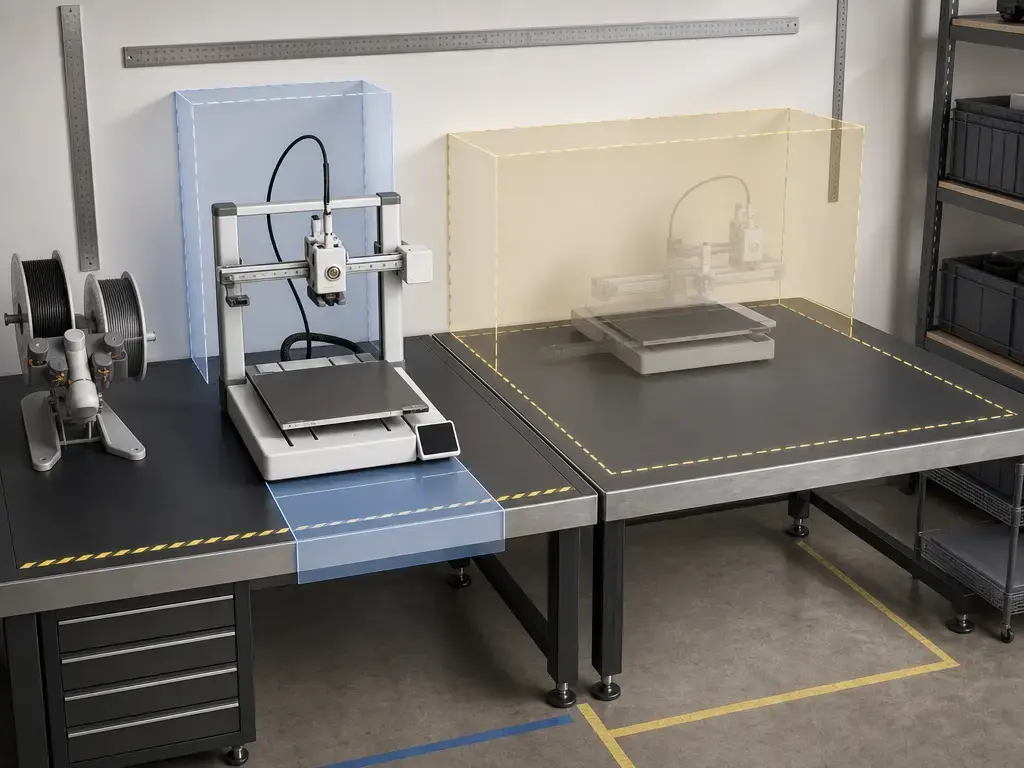
For desk planning, the most useful number is not just body size but the moving-bed clearance shown in the quick-start guides. Bambu explicitly tells users to leave safe space for heatbed movement, which is why desk depth planning should follow the clearance diagram first and the chassis box second. [6] [8]
The A1 needs 545 mm of safe depth guidance, while the A1 Mini needs 390 mm. [6] [8] The A1 Mini’s body dimensions are straightforward at 347 × 315 × 365 mm, but the A1 has an official-source conflict: 465 × 410 × 430 mm on the CN tech-specs page and a tech-specs PDF mirror, versus 385 × 410 × 430 mm on the A1 Technical Specification PDF. [3] [2] [5] [4] That is why this comparison prioritizes operating clearance over the bare body box.
Measure before you buy
- Desk depth, including the bed’s travel zone behind and in front of the static body.
- Rear cable clearance, so the printer is not pressed hard against a wall.
- Side space for a spool holder or AMS Lite.
- Ventilation around the machine.
- Access space for loading filament, removing prints, and routine cleaning.
Materials & temperatures (printer vs AMS Lite boundaries)
On the printer itself, Bambu gives both models the same broad material guidance: PLA, PETG, TPU, and PVA are listed as ideal, while ABS, ASA, PC, PA, PET, and carbon- or glass-fiber reinforced polymer are listed as not recommended. [2] [3] Here, “not recommended” means the manufacturer does not position those materials as routine use cases for these open-frame models.
The temperature difference is narrower than the build-volume difference. Both printers list a 300 °C hotend ceiling, but the A1 lists a 100 °C maximum bed temperature while the A1 Mini lists 80 °C. [2] [3] That extra 20 °C can help bed-adhesion headroom, but it does not turn the A1 into an enclosed engineering-filament platform by itself.
AMS Lite adds a separate set of limits. Its supported spool window is 40–68 mm in width and 53–58 mm in inner diameter, and the unsupported examples include TPE, TPU, wet PVA, wet BVOH, Bambu PET-CF, PA6-CF, TPU 95A, and other carbon- or glass-fiber-containing filaments. [9] The key rule is simple: a printer being able to print TPU does not mean AMS Lite should feed TPU. [2] [3] [9]
Print quality and speed in practice
On paper, the motion limits are easy to match: both printers list 500 mm/s maximum toolhead speed and 10,000 mm/s² maximum acceleration, and the A1 Mini Technical Specification PDF also expresses that same acceleration as 10 m/s². [2] [3] [7] Both also list a 28 mm³/s hotend-flow claim, but only under a stated ABS test condition: a 150 × 150 mm single-wall model using Bambu ABS at 280 °C. [2] [3]
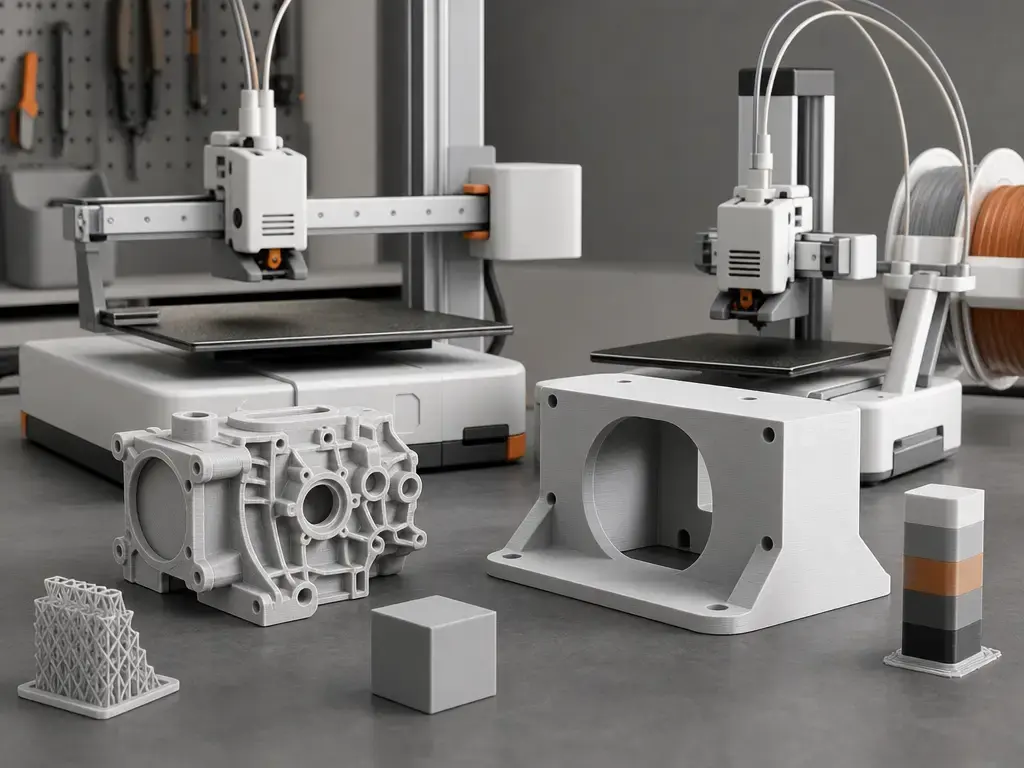
Real throughput depends more on the job than on the headline. Geometry, layer height, wall count, infill, supports, travel moves, batching, and multicolor purge overhead all change actual print time, which is why equal motion limits do not make the A1 and A1 Mini interchangeable for every workflow. [14] [9]
Nozzle choice changes the balance between detail and output. Both platforms center on a 0.4 mm included nozzle, with 0.2 / 0.6 / 0.8 mm options for finer detail or coarser, faster deposition strategies. [6] [7] If dimensional accuracy matters most, look beyond layer height and nozzle diameter to calibration, material behavior, geometry, and slicer settings, because NIST’s FFF work reinforces that parameter outcomes are machine- and material-dependent rather than universal. [14]
Metrics to compare before buying
- Largest one-piece part size you expect to print. [2] [3]
- Minimum desk depth you can actually spare in use, not just on paper. [6] [8]
- Whether you really need AMS Lite from day one. [9]
- Whether your preferred materials fit both the printer’s official guidance and AMS Lite’s feeder limits. [2] [3] [9]
- How often you batch small parts on one plate. [2] [3]
- Recall status on any used A1 you are considering. [10]
Running costs
The main cost differences here are indirect, not built into a per-print fee. The A1’s larger volume can reduce forced splitting and reassembly, while AMS Lite can add purge-related material waste on multicolor jobs. [2] [3] [9]
There is no reliable figure found in the cited sources for electricity cost per print, a universal cost-per-model number, or a fair cross-user running-cost estimate. Those depend too much on local power rates, slicer settings, materials, and job duration.
Standalone vs Combo (and what AMS Lite really changes)
The Standalone-versus-Combo decision is mostly about whether the live bundle gap is worth paying now rather than later. The printer does not change between those packages, so compare like with like and treat the feeder as a workflow upgrade rather than as proof that the underlying printer is different.
AMS Lite changes the workflow more than the core printer. It adds multi-color capability, support-material convenience, and automatic spool handling, but it also brings feeder placement, spool-size checks, and a one-AMS-Lite-per-printer, 4-color ceiling on the A1 series. [9]
Choose the Combo if…
- You already know you want multicolor printing from the start. [9]
- Your spools fit the AMS Lite size window of 40–68 mm width and 53–58 mm inner diameter. [9]
- You want the convenience of automated filament changes more than the simplicity of a single direct spool.
Skip the Combo if…
- You print mostly single-material parts.
- TPU or TPE matters to your workflow, because AMS Lite does not support those examples for feeding. [9]
- Desk space is tight and you would rather avoid placing the extra feeder immediately.
Ecosystem and software
The cleanest sourced ecosystem fact is that both printers sit in the A1 series and follow the same AMS Lite rule: one AMS Lite per printer, with a 4-color maximum. [9] Beyond that, it is better not to overstate software or parts-availability differences without a source. For support and used-unit checks, rely on official Bambu and CPSC channels rather than assumptions.
Safety & recall notes
The primary safety source is the CPSC recall notice dated June 13, 2024. It covers about 12,800 A1 printers, cites 19 reports of damaged cables including 1 sparking incident, says affected units can be identified by a sixth serial-number digit of “A,” and says the printers were sold from December 2023 through January 2024 for about $400–$560. [10] The CPSC instruction is clear: do not attempt to fix it yourself. [10]
Bambu’s own timeline is context, not a substitute for the CPSC notice. The company’s A1 Heatbed Cable Callback post is dated January 28, 2024 and says the A1 Mini is not affected, while the A1 Recall Update dated February 4, 2024 says the reported electrical-malfunction share was less than 0.1% at that time. [12] [11] For any used purchase or support case, use official CPSC and Bambu recall/support channels only.
Verdict — Bambu A1 vs A1 Mini
For bambu a1 vs a1 mini, pick the A1 if you need parts larger than 180 mm in one piece, want more room for batch printing, and can fit the 545 mm operating clearance. [2] [3] [6] Pick the A1 Mini if portability and desk fit matter more and your normal work stays comfortably inside 180 × 180 × 180 mm. [3] [8]
If you are still deciding, compare live bundle pricing first and check used A1 recall status second. The A1 Mini was not part of Bambu’s heatbed cable callback, while certain A1 units were later covered by the June 13, 2024 CPSC recall. [12] [10] For most buyers, the A1 wins on flexibility; for tighter spaces, the Mini wins on fit.
FAQ
Bambu A1 vs A1 Mini: which should I buy?
Buy the A1 if you want more room for larger one-piece parts or denser batch printing. Buy the A1 Mini if your parts are reliably under 180 mm and the easier desk fit matters more. [2] [3] [6] [8]
What is the A1 vs A1 Mini print volume difference?
The A1 is 256 × 256 × 256 mm, while the A1 Mini is 180 × 180 × 180 mm. [2] [3] That works out to about 2.88× the cubic build volume in the A1’s favor. [2] [3]
How much desk depth do I need for A1 vs A1 Mini?
Bambu’s quick-start guidance shows 545 mm for the A1 and 390 mm for the A1 Mini as safe space for heatbed movement. [6] [8] You should still allow extra room for cables, access, and any AMS Lite placement.
Do A1 and A1 Mini support AMS Lite, and what are the limits?
Yes. The A1 series supports one AMS Lite per printer and a 4-color maximum. [9] AMS Lite also has spool-size limits of 40–68 mm width and 53–58 mm inner diameter, and TPU/TPE are among its unsupported feeding examples. [9]
Can either printer do ABS/ASA/PC/PA?
Bambu lists ABS, ASA, PC, and PA as not recommended on both machines. [2] [3] The 300 °C hotend does not override the reality that these are still open-frame printers. [2] [3]
Expert: How should I interpret 500 mm/s and 28 mm³/s when estimating real print time?
Treat them as limits, not promises. The 500 mm/s number is a motion ceiling, and the 28 mm³/s number is attached to a specific ABS test at 280 °C on a 150 × 150 mm single-wall model. [2] [3] Real job time still depends on geometry, slicer settings, and material behavior. [14]
Expert: If I care about dimensional accuracy, what should I look at besides layer height and nozzle size?
Look at calibration, material shrink and flow behavior, part geometry, and slicer parameters. NIST’s FFF work is a useful reminder that parameter outcomes are machine- and material-dependent, so there is no honest universal ± tolerance number for every setup. [14]
Related on 3D Mag
- Bambu H2S vs H2D: Which 3D Printer Fits You?
- Bambu Lab P1S vs P2S: Key Differences Explained
- Bambu Lab A1 vs P1S: Which 3D Printer Wins?
Sources
- ISO/ASTM 52900:2021 standard page (terminology)
- Bambu A1 tech specs (CN)
- Bambu A1 Mini tech specs (CN)
- Bambu A1 Technical Specification PDF
- Bambu A1 “Tech Specs” PDF mirror
- Bambu A1 Quick Start Guide (PDF; includes 545 mm clearance diagram)
- Bambu A1 Mini “Technical Specification” PDF
- Bambu A1 Mini Quick Start Guide (PDF; includes 390 mm clearance diagram)
- AMS Lite official product page
- CPSC A1 recall notice
- Bambu blog: A1 Recall Update
- Bambu blog: A1 Heatbed Cable Callback
- NIST: Additive manufacturing overview
- NIST publication: Online measurement parameter discovery in fused filament fabrication
- TechRadar A1 review
- TechRadar A1 Mini review
- All3DP comparison