
Summary
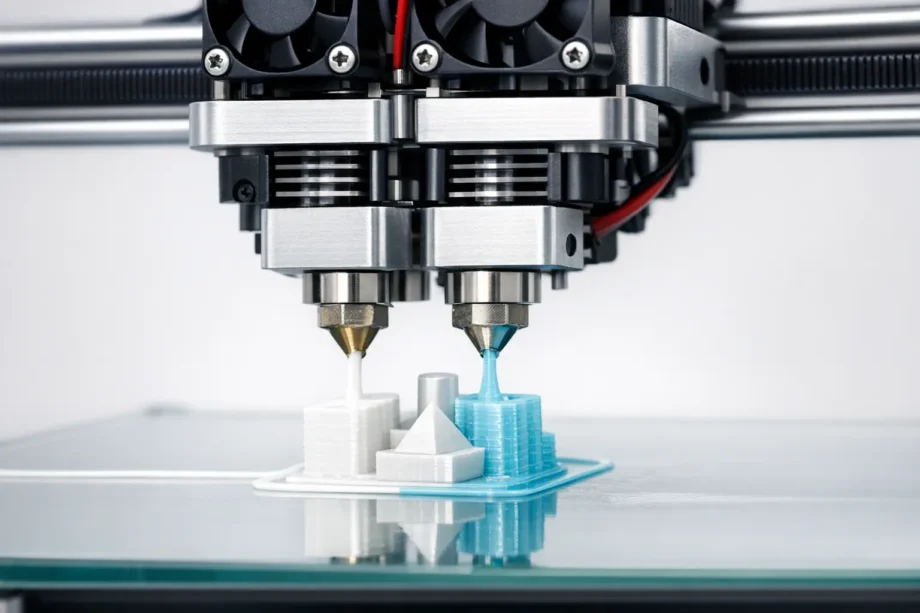
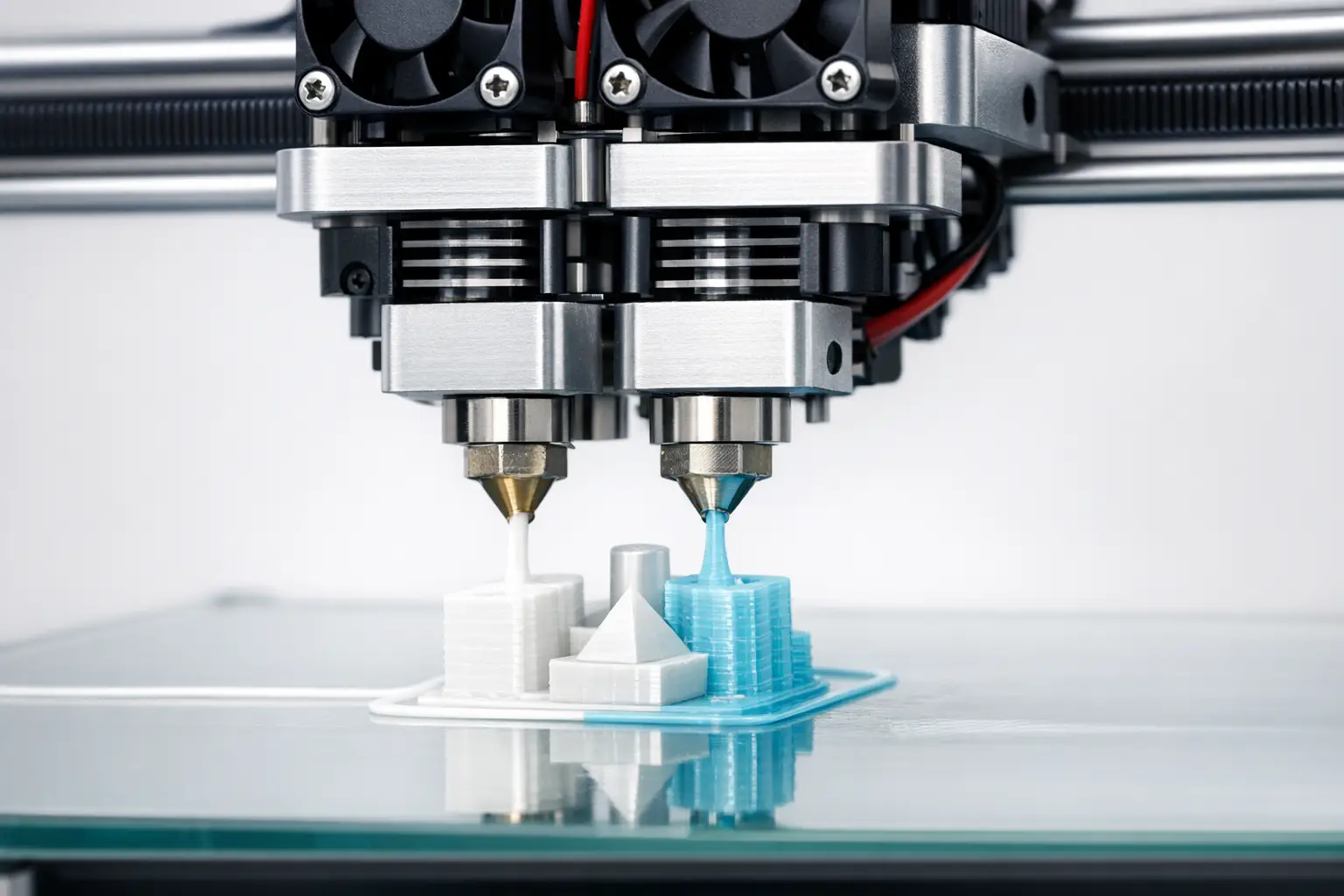
A dual extrusion printer is a material extrusion 3D printer that uses two extrusion systems to deposit different filaments in a coordinated toolpath; in ISO/ASTM terms, material extrusion is material “selectively dispensed through a nozzle or orifice.” [1] Dual extrusion is implemented as dependent dual-nozzle heads, IDEX 3D printer (independent dual extruder) layouts, toolchanging multi-tool systems, or switching hotend designs, enabling multi-material printing, dual color prints, and soluble supports, with tradeoffs in calibration, purge/wipe waste, and sometimes reduced build volume (e.g., 330 × 240 × 300 mm on an UltiMaker S5). [3]
Terminology and Scope (Dual Extrusion vs Multi-Material)
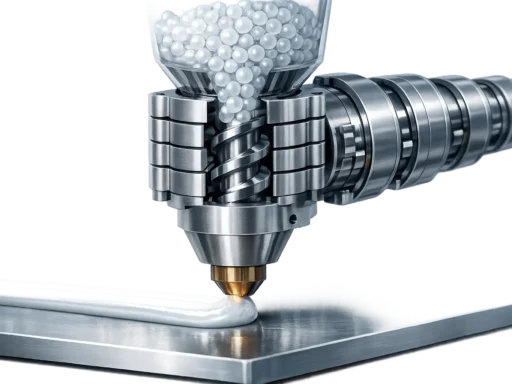
Most “dual extruder 3D printer” products in the consumer and prosumer market fall under material extrusion, commonly branded as Fused Filament Fabrication (FFF) or Fused Deposition Modeling (FDM). [1] In this umbrella process, filament is melted and extruded through a nozzle, so dual extrusion typically means two melt paths (two nozzles, or two filament inputs into a shared melt zone) operating within the same motion system and slicer plan. [1]
Dual extrusion (two extrusion systems) is distinct from multi-material systems that use a single nozzle with filament swapping, where the “multi-material” effect is created by sequentially loading different filaments into one melt path. Purge structures such as a prime tower, wipe tower, and ooze shield are slicer strategies used to manage transitions and leakage, rather than intrinsic hardware capabilities. [16] In PrusaSlicer documentation, wipe-tower changes are reported to reduce total print time by 3.16% and wipe-tower filament deposit by 16.17% for a set of multi-material projects, illustrating that purge management is a measurable workflow cost. [10]
Historical Background (Material Extrusion Lineage)
Material extrusion systems used for FFF/FDM evolved within a broader additive manufacturing lineage rather than forming a separate category for “dual extrusion.” Stratasys states that Scott Crump patented FDM in 1989 and co-founded Stratasys with Lisa Crump, establishing an early commercial framing for filament-based material extrusion that later expanded to multiple materials and support strategies. [12] Terminology is periodically consolidated in standards vocabularies such as ISO/ASTM 52900:2021 (publication date 2021-11), which ISO lists as confirmed in 2025, and is complemented by metrology-oriented summaries such as NIST’s material extrusion page (created November 15, 2024, updated May 15, 2025). [2][11]
Dual Extrusion Hardware Architectures (Printer Types)
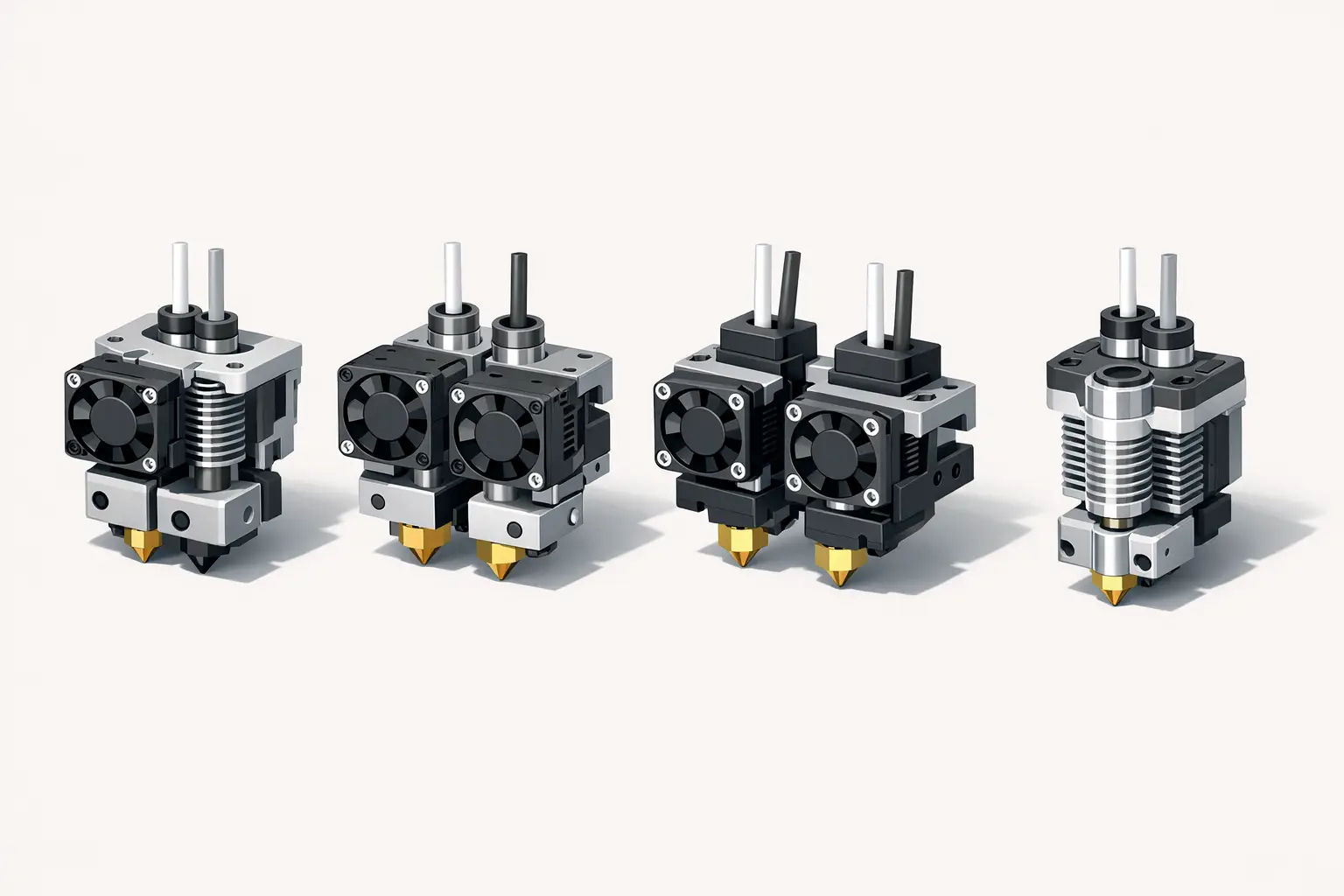
Dependent dual-nozzle and dual-hotend designs mount two nozzles on one carriage, so both tools share the same XY motion and differ primarily by nozzle geometry, thermal settings, and calibration offsets. In this family, some printers add a nozzle lifting system so that the inactive nozzle is mechanically raised to reduce dragging and collisions; Raise3D describes the Pro2 series as using a dual print head with an electronic lifting system. [5] A related but distinct approach is the switching one-nozzle (two-filament, one-nozzle) architecture, where two filaments feed a shared nozzle and the printer alternates which filament occupies the melt zone; E3D characterizes Cyclops+ as “two-filament, one-nozzle,” contrasted with Chimera+ as “two-filament, two-nozzle.” [13] Switching one-nozzle designs primarily trade nozzle-to-nozzle calibration for transition management inside the melt path, while true dual-nozzle hardware shifts the burden toward XY offset calibration and idle-nozzle oozing control. [13]
An IDEX (Independent Dual Extruders) 3D printer places each extruder on its own carriage so the tools can park separately and can support duplication mode and mirror mode, subject to build-area partitioning. Raise3D labels the E2 print head system as “IDEX Independent Dual Extruders,” anchoring the term in manufacturer usage. [6] Toolchanging systems generalize dual extrusion by treating each tool as a modular unit that can be picked up and put down during a print, which can reduce cross-contamination between materials at the cost of mechanical and software complexity; the Original Prusa XL is offered in multiple toolhead configurations, with listed masses of 27.9 kg (single-tool), 29.3 kg (dual-head), and 33.7 kg (five-head). [7]
- Dependent dual-nozzle on one carriage (dual nozzle printer), exemplified by UltiMaker S5 dual extrusion. [3]
- Dependent dual-nozzle with nozzle lifting system, exemplified by Raise3D Pro2 electronic lifting system. [5]
- IDEX independent dual extruder, exemplified by Raise3D E2 “IDEX Independent Dual Extruders.” [6]
- Toolchanging multi-toolhead, exemplified by Original Prusa XL multi-head variants. [7]
Comparison Table — Architecture vs Consequences (A: kinematics and examples).
| Architecture type | Number of nozzles | Carriage independence | Representative sourced example model |
|---|---|---|---|
| Dependent dual-nozzle (two-hotend). | 2. [13] | No (shared carriage). [13] | UltiMaker S5. [3] |
| Dependent dual-nozzle with nozzle lifting system. | 2. [5] | No (shared carriage). [5] | Raise3D Pro2. [5] |
| IDEX. | 2. [6] | Yes (independent carriages). [6] | Raise3D E2. [6] |
| Toolchanging multi-toolhead. | Varies by configuration. [7] | Tools are independent modules (park and pick). [7] | Original Prusa XL. [7] |
Comparison Table — Architecture vs Consequences (B: workflow and calibration).
| Architecture type | Typical purge strategy | Build-volume impact | Calibration coupling |
|---|---|---|---|
| Dependent dual-nozzle (two-hotend). | Prime/wipe structures and ooze management. [16] | Often unchanged in nominal spec, but collision envelopes can constrain toolpaths. [16] | Requires XY offset calibration between nozzles. [16] |
| Dependent dual-nozzle with nozzle lifting system. | Reduced dragging plus purge structures. [5] | Dual-head geometry can reduce usable X in some designs. [5] | Coupled XY motion with nozzle-to-nozzle offsets. [5] |
| IDEX. | Parking, wiping, and purge structures; per-tool transitions. [6] | Dual mode can reduce available X (partitioned workspace). [6] | Each tool can be calibrated separately, but offsets still matter when combining materials. [6] |
| Switching one-nozzle. | Purge on tool change within a shared melt path. [13] | Typically no second-nozzle collision, but transition waste remains. [13] | No nozzle-to-nozzle XY offset, but transition tuning becomes central. [13] |
Technical Performance and Specifications (What the Numbers Mean)
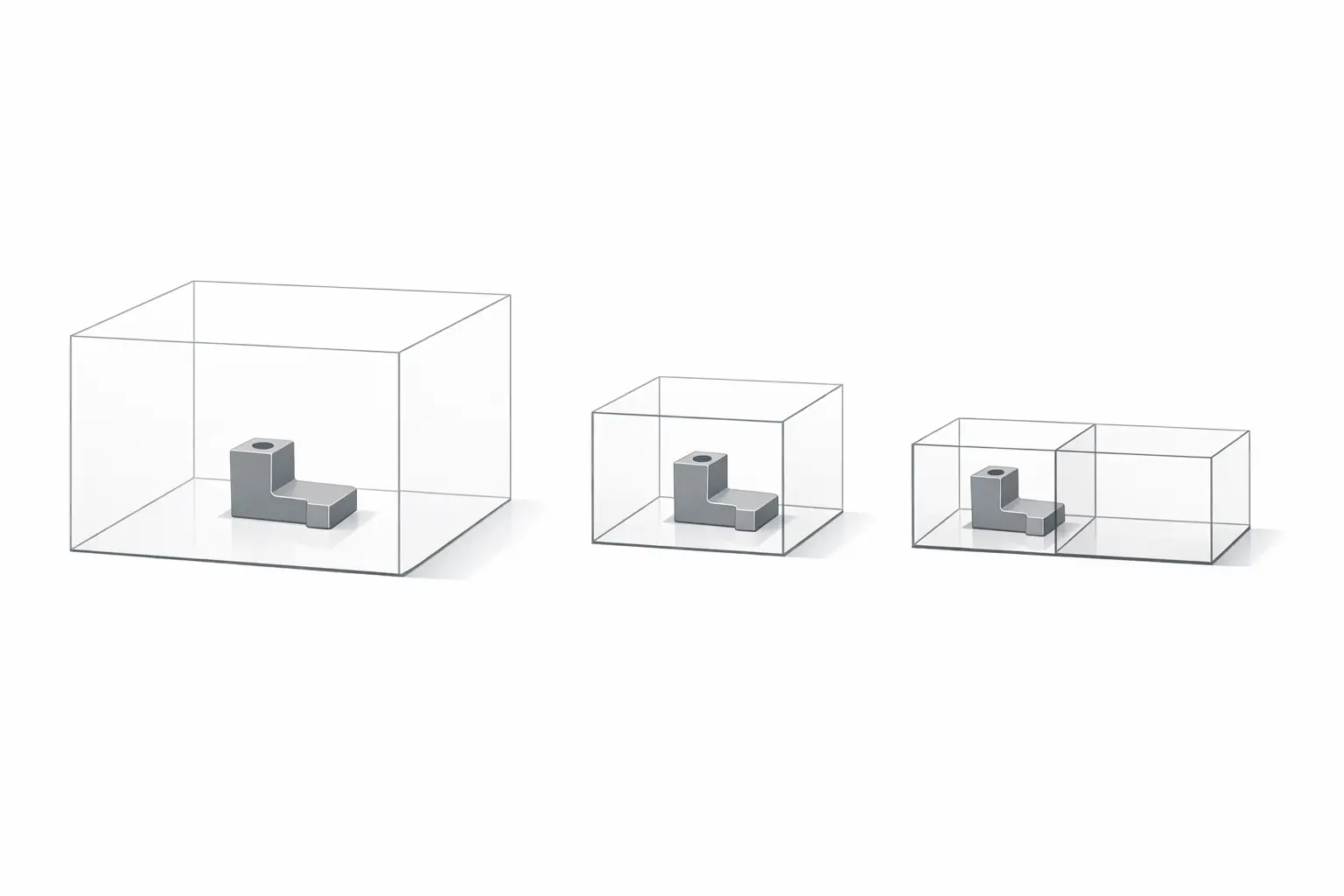
Printer specifications for dual extrusion are often mode-dependent: Raise3D lists the Pro2 build volume as 305 × 305 × 300 mm for single extrusion and 280 × 305 × 300 mm for dual extrusion, illustrating how dual toolhead geometry can reduce usable workspace. [5] Similarly, Raise3D lists the E2 build volume as 330 × 240 × 240 mm (single) and 295 × 240 × 240 mm (dual extruder). [6] Speed claims are also conditional: Snapmaker’s J1 specs include a maximum speed table with a 350 mm/s figure, but practical throughput depends on acceleration limits, extrusion capacity, and the added overhead of purge and stabilization moves during material changes. [9] Layer height is a controllable Z increment rather than a direct guarantee of dimensional accuracy; Raise3D lists 0.05 – 0.6 mm for the Pro2, while the Prusa XL lists 0.05 – 0.30 mm. [5][7] Temperature envelopes constrain material pairing: UltiMaker S5 lists 180 – 280 °C nozzle temperature, while Raise3D E2, Prusa XL, and Snapmaker J1 list maximum nozzle temperatures of 300 ºC, 290 °C, and 300 ℃ respectively, with maximum bed temperatures of 110 ºC, 120 °C, and 100 ℃ where stated. [4][6][7][9] Volumetric accuracy for the compared printer models — No reliable figure found. [4]
Spec Sheet (interpretation-focused callout)
- Layer height (Z increment): 0.05 – 0.6 mm on Raise3D Pro2, and 0.05 – 0.30 mm on Original Prusa XL. [5][7]
- Printing resolution / accuracy (only if explicitly stated): Flashforge Creator Pro 2 lists printing resolution as ± 0.2 mm. [8]
- XYZ step size (controller granularity): No reliable figure found on the cited manufacturer pages for a standardized XYZ step-size statement across the compared models, and when published it should be treated as motion-system increment rather than a guaranteed part-level volumetric accuracy metric. [4]
Materials, Applications, and Workflow (Multi-Material, Dual Color, Supports)
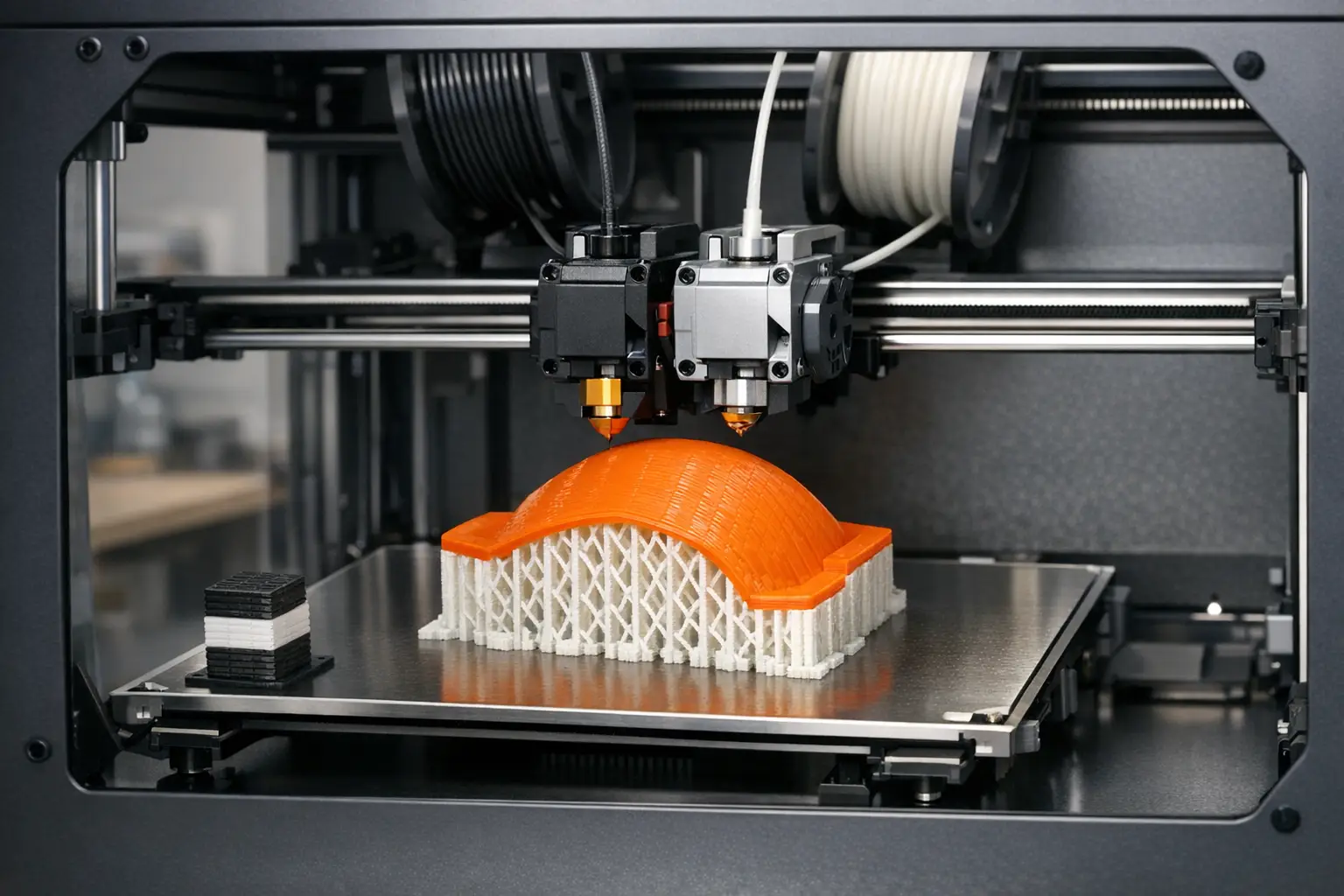
Common dual extrusion applications include dual-color aesthetic parts (two-color 3D printing), where a secondary filament is used for labels, inlays, or contrasting surfaces, and support-material workflows where one extruder prints a model polymer and the other prints a soluble support such as PVA support material. A systematic review of multi-material additive manufacturing in Materials & Design (Volume 226, February 2023, article 111661) frames this space as involving both material-compatibility challenges and process-control challenges, which in desktop FFF/FDM often manifest as oozing control, interface adhesion, and transition waste. [15]
Material pairing is limited by the intersection of nozzle and bed temperature capabilities and the processing windows of candidate polymers. For example, UltiMaker S5 lists a nozzle temperature range of 180 – 280 °C, while Raise3D E2 and Snapmaker J1 list maximum nozzle temperatures of 300 ºC and 300 ℃, which may expand the feasible set of higher-temperature materials but does not guarantee inter-material bonding or warp control. [4][6][9] Dual-nozzle FDM has also been described in peer-reviewed biomedical prototyping contexts, including discussion of dual filaments and polymers such as PVA, indicating that the architecture is used beyond hobby printing when support removal and geometry access are limiting factors. [14]
Failure Modes and Calibration Burden (Why Dual Extrusion Is Hard)
Dual extrusion adds error sources that are either geometric (XY nozzle offset calibration and, for dual-nozzle heads, Z height mismatch between nozzles) or material-process related (oozing/stringing, cross-contamination, and adhesion at material interfaces). [16] Mitigations are typically slicer-driven and hardware-assisted: prime towers and wipe towers provide controlled purge volumes to stabilize flow after a tool switch, and an ooze shield is used as a sacrificial boundary to intercept leakage. [16] PrusaSlicer reports that wipe-tower changes reduced total print time by 3.16% and wipe-tower filament deposit by 16.17% for a set of multi-material projects, quantifying that optimization targets both time and waste. [10] Hardware choices also shift failure modes: E3D presents Cyclops+ (two-filament, one-nozzle) as a way to avoid an idle second nozzle, which is a design rationale for reducing idle-nozzle oozing but not a guarantee of contamination-free transitions. [13]
Selection Criteria and Market Positioning (How to Choose a Type)
Dependent dual-nozzle systems are often selected when a single shared motion system is acceptable and the primary goal is adding soluble supports or two-material parts without needing IDEX-specific modes; their main operational cost is offset calibration and ooze control. [16] IDEX systems are typically selected when duplication mode or mirror mode is valuable, or when parking an inactive tool is expected to reduce interference, but they can impose a build-volume penalty in dual mode; for example, Raise3D E2 lists 330 × 240 × 240 mm (single) versus 295 × 240 × 240 mm (dual extruder). [6] Toolchanging platforms are chosen when multiple tools (beyond two) or better physical separation between materials is required, with the Prusa XL positioned as a multi-tool family via its multi-variant configurations. [7]
Switching one-nozzle architectures are commonly used when minimizing nozzle-to-nozzle alignment issues is more important than minimizing purge waste, because transitions still require purging within a shared melt path. [13] Buyers comparing dual extrusion printer types typically evaluate (a) how mode changes affect build volume, (b) whether the temperature envelope overlaps for intended material pairs, and (c) how much purge/wipe waste and transition time is acceptable for the part geometry and color/material changes. [5][6][9]
Comparison Table — Example Models (Sourced Specs Only) (A: workspace and layering).
| Model | Architecture label | Build volume (single vs dual/mode) | Layer height range |
|---|---|---|---|
| UltiMaker S5. [3] | Dependent dual extrusion. [3] | 330 × 240 × 300 mm (dual-capable). [3] | Down to 20 micron (no range stated on cited page). [4] |
| Raise3D Pro2. [5] | Dependent dual nozzle with electronic lifting system. [5] | 305 × 305 × 300 mm (single), and 280 × 305 × 300 mm (dual). [5] | 0.05 – 0.6 mm. [5] |
| Raise3D E2. [6] | IDEX Independent Dual Extruders. [6] | 330 × 240 × 240 mm (single), and 295 × 240 × 240 mm (dual). [6] | No reliable figure found. [6] |
| Original Prusa XL. [7] | Toolchanging multi-toolhead family. [7] | 360 × 360 × 360 mm. [7] | 0.05 – 0.30 mm. [7] |
| Flashforge Creator Pro 2. [8] | IDEX (2 nozzles). [8] | 200 × 148 × 150 mm. [8] | No reliable figure found. [8] |
| Snapmaker J1. [9] | IDEX (mode-dependent). [9] | 300 × 200 × 200 mm (default/backup). [9] | No reliable figure found. [9] |
Comparison Table — Example Models (Sourced Specs Only) (B: temperature and stated accuracy).
| Model | Max nozzle temp | Max bed temp | Explicitly stated accuracy / “printing resolution” |
|---|---|---|---|
| UltiMaker S5. [4] | 180 – 280 °C (nozzle temperature). [4] | No reliable figure found. [4] | No reliable figure found. [4] |
| Raise3D Pro2. [5] | 300 ºC. [5] | 110 ºC. [5] | No reliable figure found. [5] |
| Raise3D E2. [6] | 300 ºC. [6] | 110 ºC. [6] | No reliable figure found. [6] |
| Original Prusa XL. [7] | 290 °C. [7] | 120 °C. [7] | No reliable figure found. [7] |
| Flashforge Creator Pro 2. [8] | No reliable figure found. [8] | No reliable figure found. [8] | ± 0.2 mm. [8] |
| Snapmaker J1. [9] | 300 ℃. [9] | 100 ℃. [9] | No reliable figure found. [9] |
Spec reading checklist (buyer-oriented).
- Verify the process family first: most “dual extrusion” offerings are material extrusion systems, defined as material “selectively dispensed through a nozzle or orifice.” [1]
- Check whether build volume changes by mode, as shown by Pro2 single vs dual volumes and E2 single vs dual volumes. [5][6]
- Treat layer height as a process parameter (e.g., 0.05 – 0.6 mm, or 0.05 – 0.30 mm), not a universal accuracy guarantee. [5][7]
- Compare nozzle and bed temperature limits to intended material pairs (e.g., 180 – 280 °C on UltiMaker S5, and 300 ºC/110 ºC on Raise3D E2). [4][6]
- Only accept “accuracy” numbers when explicitly stated (e.g., ± 0.2 mm on Flashforge Creator Pro 2), and otherwise assume the figure is unspecified. [8]
- Account for purge structures and their measurable impacts, since wipe tower settings can change time and waste. [10]
FAQ
1. What is a dual extrusion 3D printer, and how is it different from multi-material printing?
A dual extrusion printer is typically a material extrusion (FFF/FDM) system using two extrusion systems, while some multi-material printing uses one nozzle with filament swapping and purge structures to manage transitions. [1] Wipe towers are a common multi-material workflow artifact and are documented as affecting both time and waste. [10]
2. Dual nozzle printer vs IDEX 3D printer — which is better for dual color prints?
A dual nozzle printer (dependent carriage) keeps both nozzles in the same workspace but requires tight XY offset calibration, while an IDEX layout can park a tool and support modes such as duplication/mirror at the cost of mode-dependent workspace partitioning. [6][16] Flashforge explicitly labels Creator Pro 2 as “2 (IDEX),” illustrating that IDEX is marketed as a distinct hardware class. [8]
3. How much build volume do you lose with dual extruders?
It depends on architecture and mode: Raise3D Pro2 lists 305 × 305 × 300 mm (single) versus 280 × 305 × 300 mm (dual), and Raise3D E2 lists 330 × 240 × 240 mm (single) versus 295 × 240 × 240 mm (dual extruder). [5][6] Snapmaker J1 lists 300 × 200 × 200 mm for its default/backup build volume, and other modes may impose different limits. [9]
4. What temperatures matter most for multi-material printing on a dual extrusion printer?
Nozzle temperature and bed temperature bounds are the primary published constraints: UltiMaker S5 lists 180 – 280 °C, Raise3D E2 lists 300 ºC nozzle and 110 ºC bed, Prusa XL lists 290 °C nozzle and 120 °C bed, and Snapmaker J1 lists 300 ℃ nozzle and 100 ℃ bed. [4][6][7][9]
5. Expert-level: What do “layer height,” “XYZ step size,” and “printing resolution ±X” actually mean?
Layer height is the commanded Z increment (e.g., 0.05 – 0.6 mm on Raise3D Pro2 and 0.05 – 0.30 mm on Prusa XL), while “printing resolution” is only meaningful when a manufacturer states it explicitly (e.g., ± 0.2 mm on Flashforge Creator Pro 2). [5][7][8] XYZ step size, when provided, describes controller/motion granularity and is not a standardized volumetric accuracy measure; volumetric accuracy for the compared printer models — No reliable figure found. [4]
6. Expert-level: How do wipe towers reduce color contamination, and what is the measurable tradeoff?
Wipe towers deliberately deposit purge material during tool changes to stabilize flow and reduce residual color/material in the nozzle path, at the cost of added material and time. [10] PrusaSlicer reports wipe-tower-related changes reduced total print time by 3.16% and wipe-tower filament deposit by 16.17% for a set of multi-material projects, indicating that purge behavior can be optimized but not eliminated. [10]
Sources
- EN ISO/ASTM 52900 (material extrusion definition excerpt)
- ISO/ASTM 52900:2021 (ISO page)
- UltiMaker S5 product page (build volume)
- UltiMaker S5 store listing (layer resolution, nozzle temperature)
- Raise3D Pro2 Series (build volume, layer height, temperatures, lifting system)
- Raise3D E2 (IDEX, build volume, temperatures)
- Original Prusa XL (build volume, layer height, temperatures, variant masses)
- Flashforge Creator Pro 2 (build volume, IDEX labeling, ± resolution, nozzle diameter)
- Snapmaker J1 specs (speed table, build volume, temperatures)
- PrusaSlicer documentation: Wipe tower (time and deposit changes)
- NIST: Material Extrusion (page created/updated dates)
- Stratasys press release (FDM patent year and founding statement)
- E3D blog: Cyclops+ and Chimera+ (one-nozzle vs two-nozzle)
- Peer-reviewed article (dual-nozzle FDM context; includes PVA)
- Systematic review: Multi-material additive manufacturing (Materials & Design, 2023)
- UNC Charlotte guide: Dual extruder concepts (prime tower, ooze shield terminology)